
【VRoid】シンプルハットセットVol.01 / Simple Hat Set Vol.01【お試し版あり】
- シンプルハットセットVol.01(帽子3点セット) /Simple Hat Set Vol.01 (3 Item set)ダウンロード商品¥ 200
- 01 シンプルキャスケット / Simple Casquette (NewsBoy Cap)ダウンロード商品¥ 100
- 02 シンプルバケットハット / Simple Bucket Hatダウンロード商品¥ 100
- 03 シンプルマリンキャップ / Simple Marine Capダウンロード商品¥ 100
- シンプルハットセットvol.01 お試し版 / Simple Hat Set Vol.01 Trial Versionダウンロード商品¥ 0
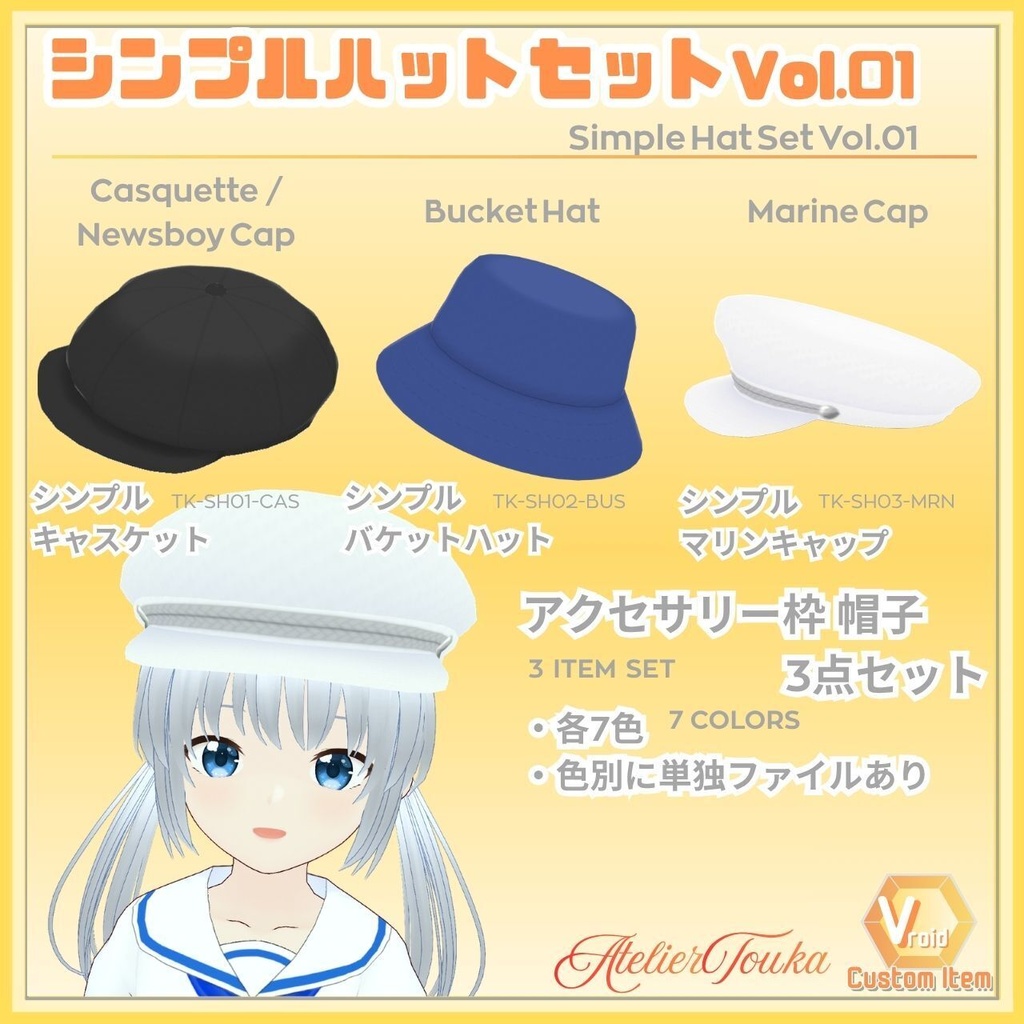
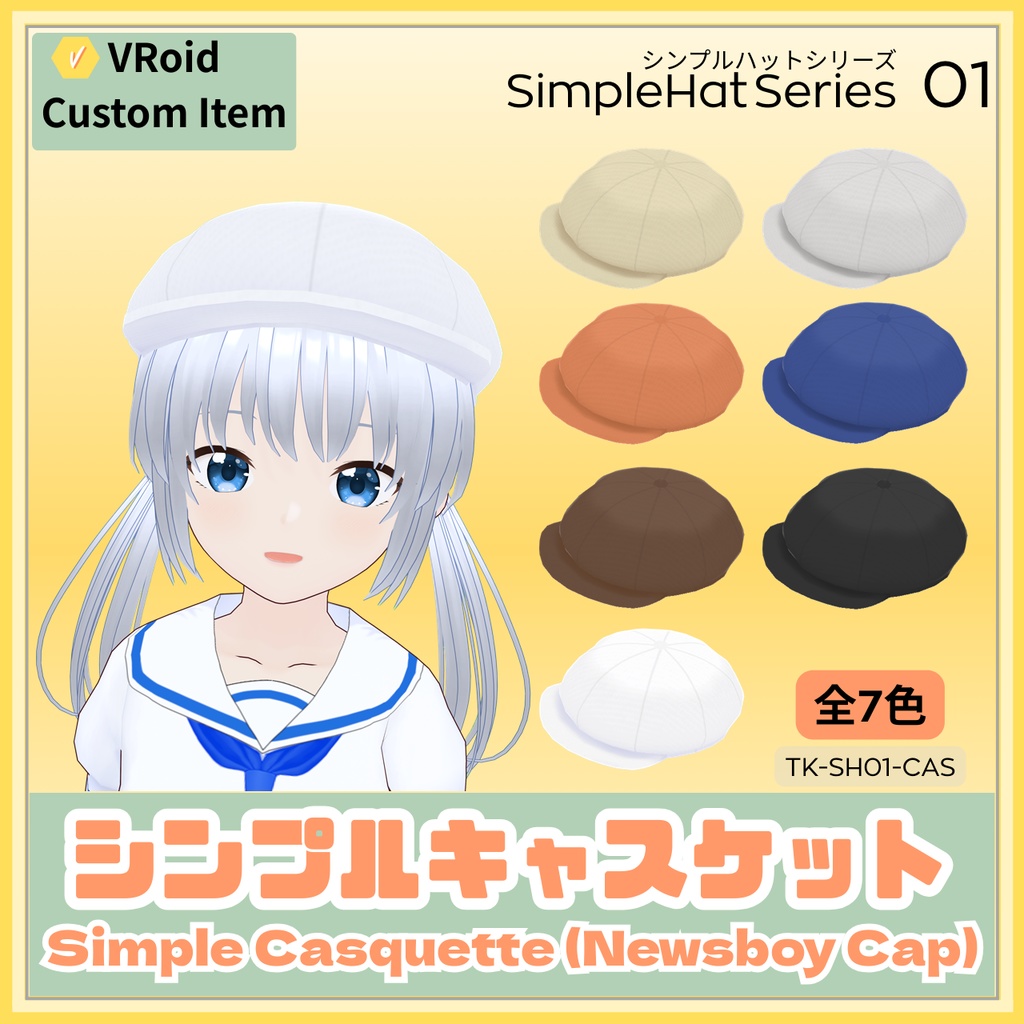
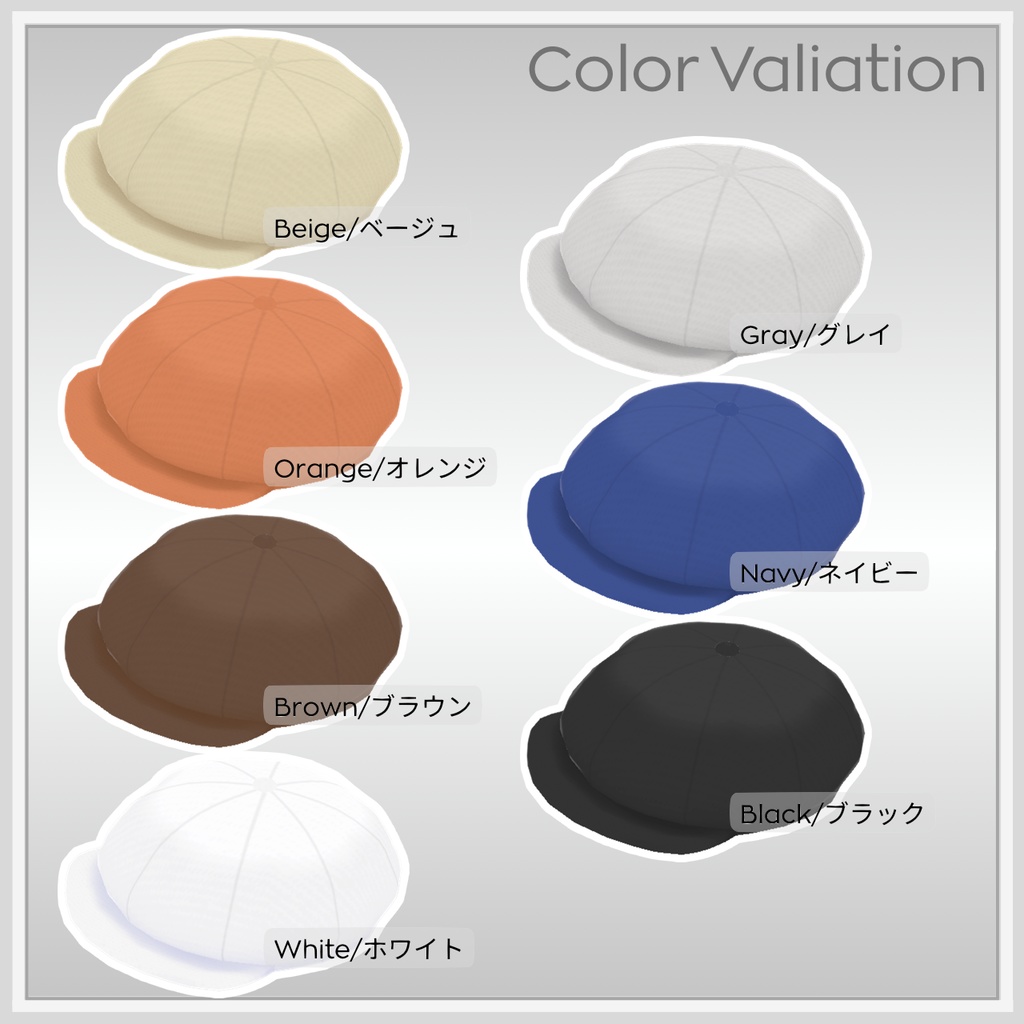
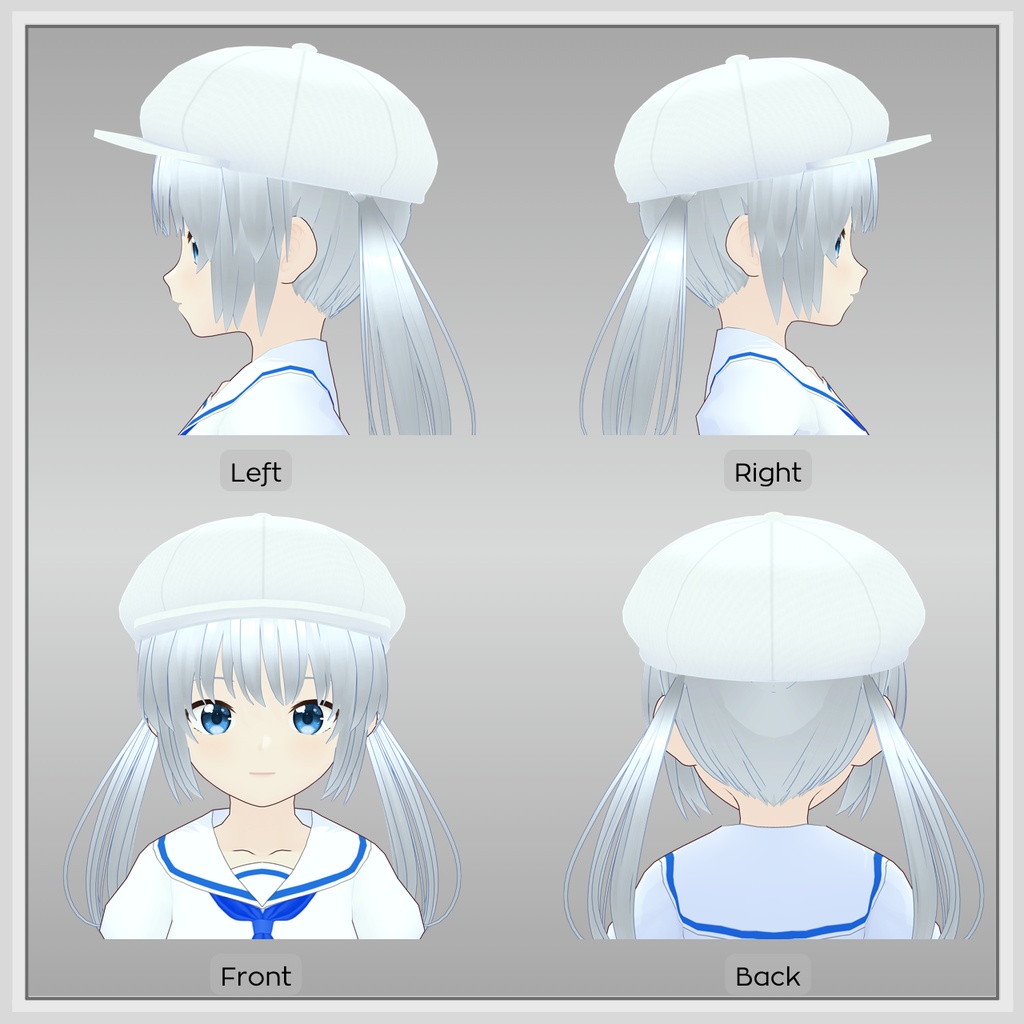
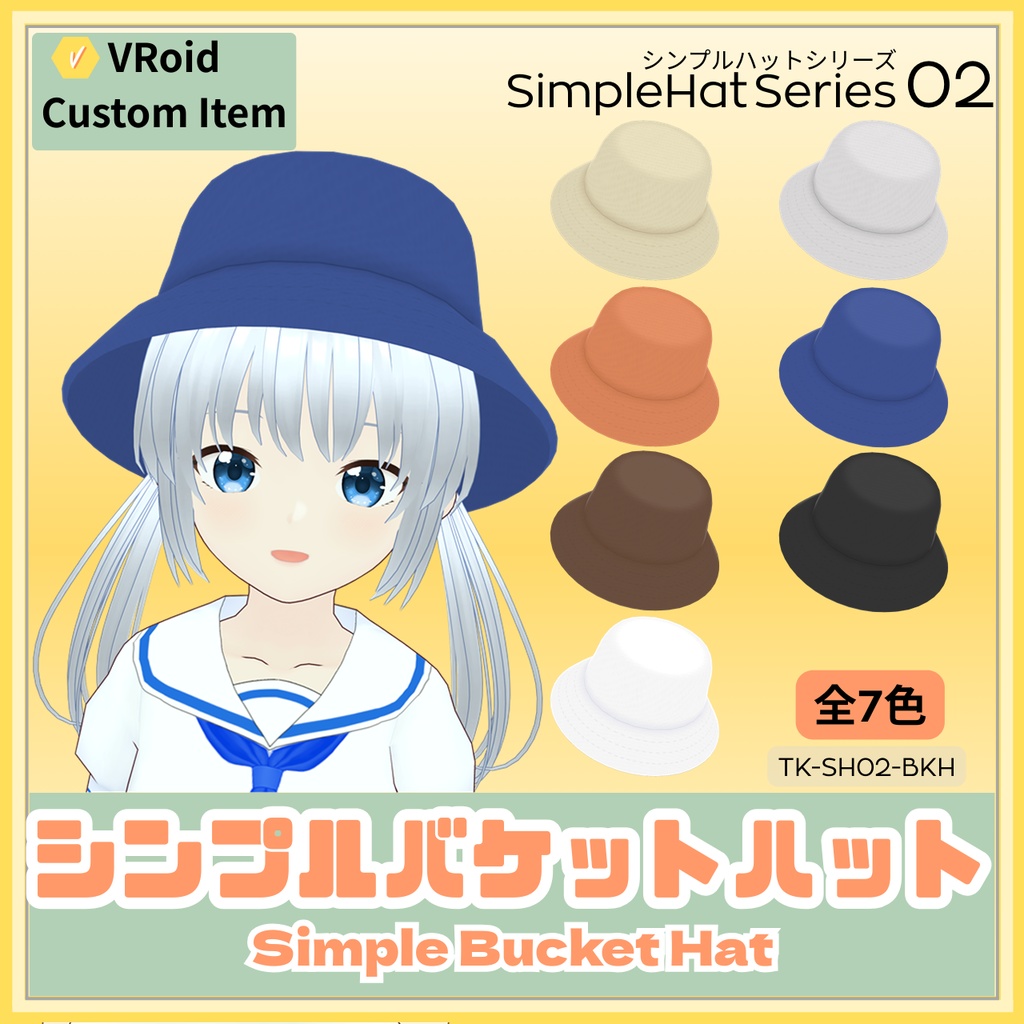
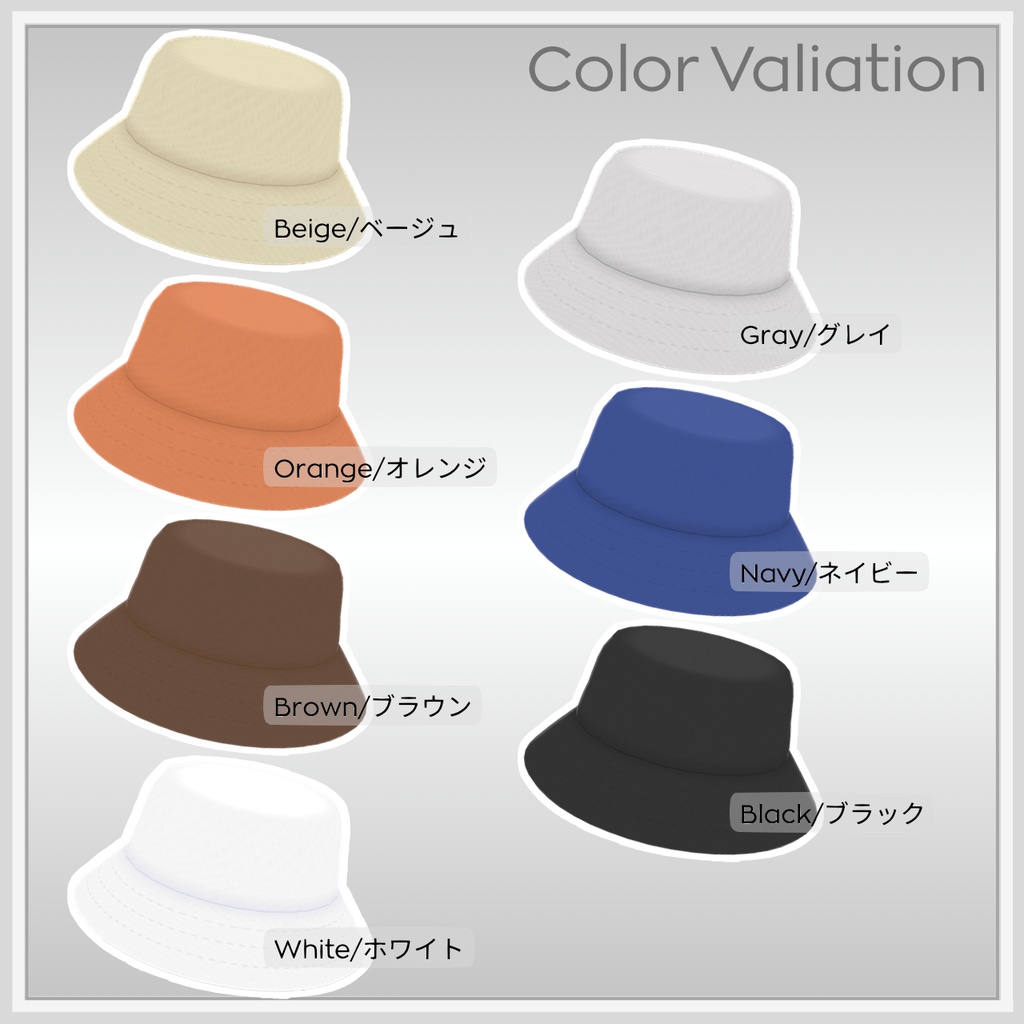
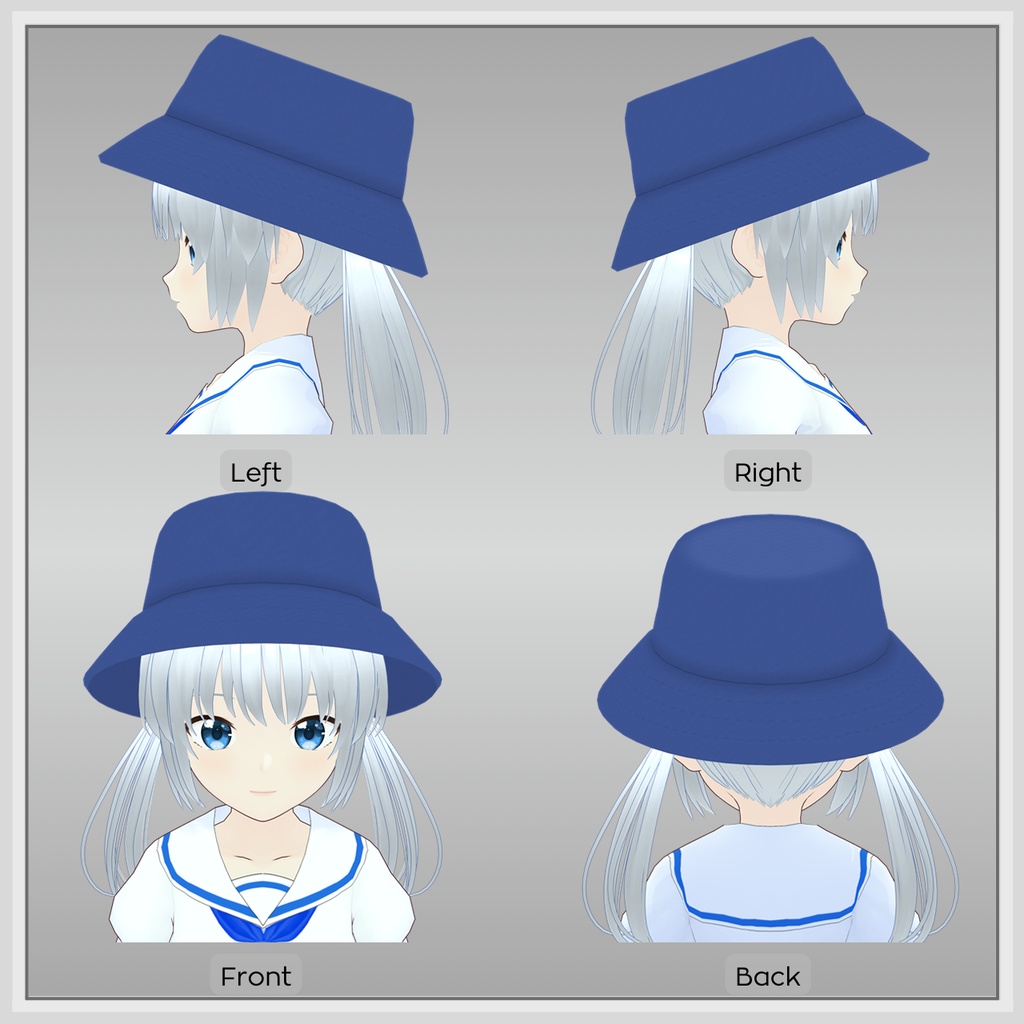
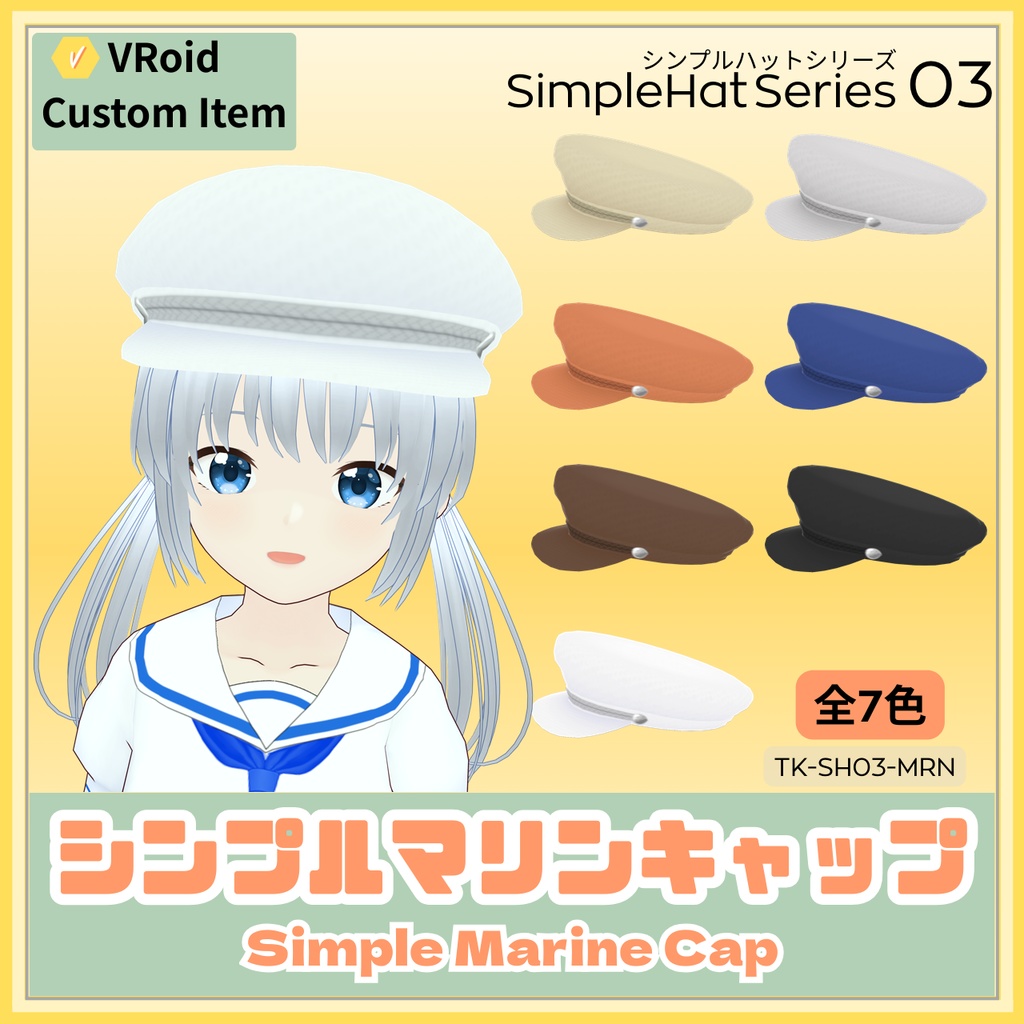
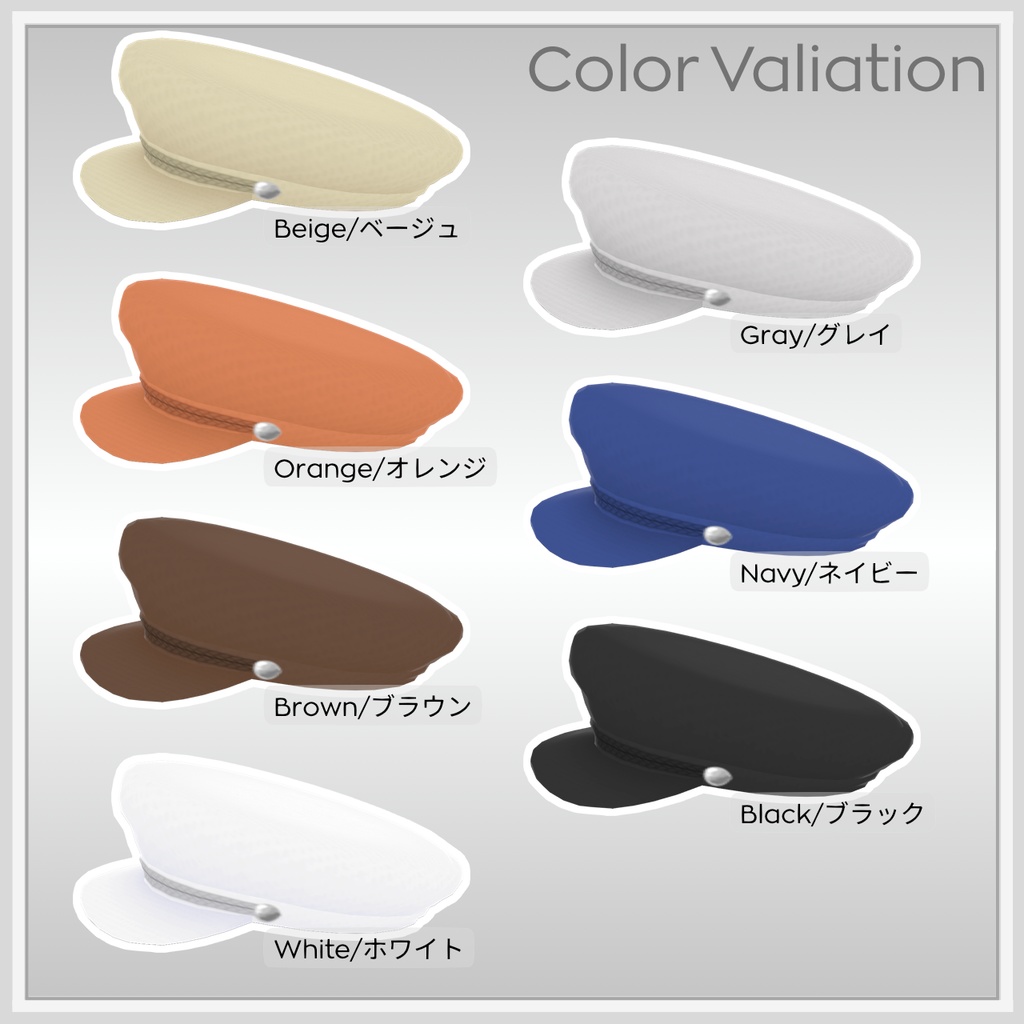
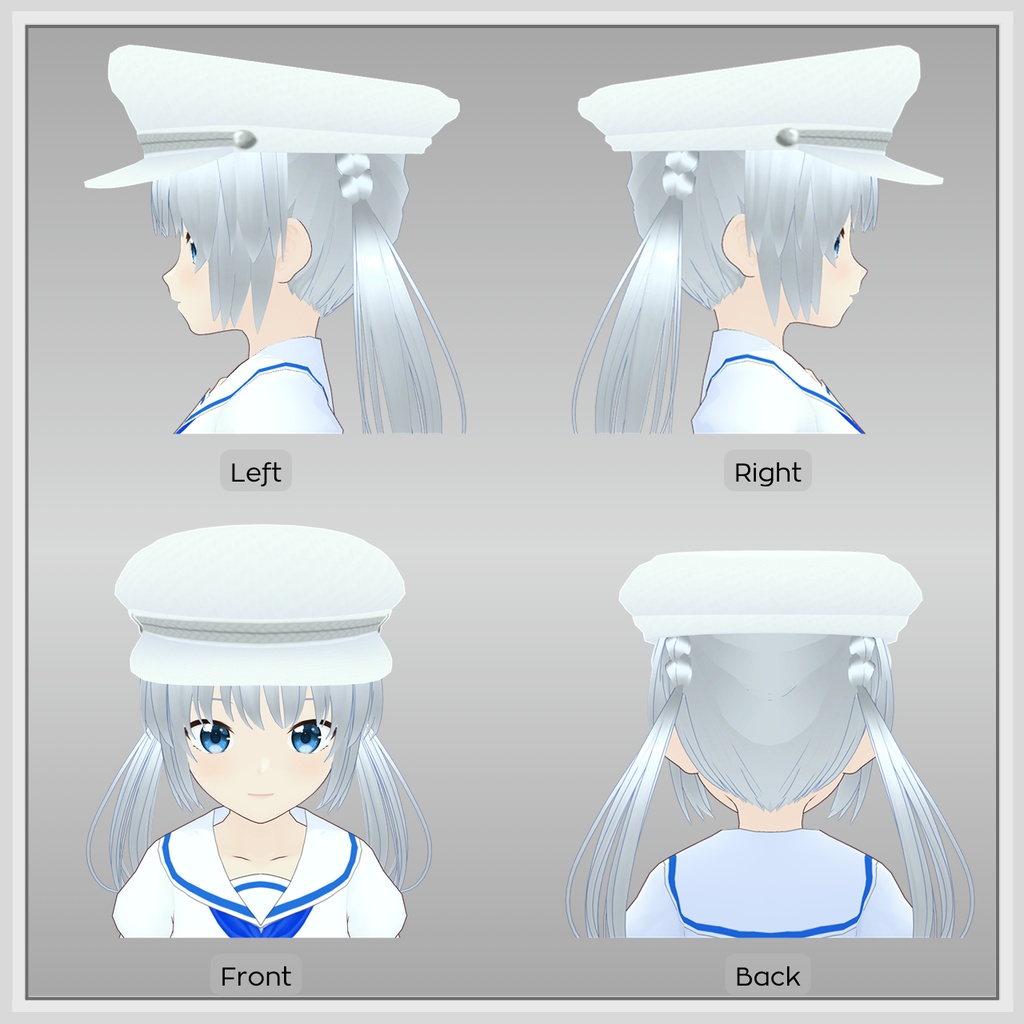


シンプルハットセットVol.01 VRoidStudio2.11.0で製作した帽子系アクセサリのカスタムアイテムです VRoidStudio2.10.0以降でご利用ください ▼同梱物 >シンプルハットセットVol.01(帽子3点セット) [TK-SH-S01.zip] ・下記3点をまとめたものになります >01 シンプルキャスケット [TK-SH01-CAS.zip] ・TK-SH01-CAS_AL.vroidcustomitem ・TK-SH01-CAS_BG.vroidcustomitem ・TK-SH01-CAS_OR.vroidcustomitem ・TK-SH01-CAS_BR.vroidcustomitem ・TK-SH01-CAS_GY.vroidcustomitem ・TK-SH01-CAS_NV.vroidcustomitem ・TK-SH01-CAS_BK.vroidcustomitem ・TK-SH01-CAS_WH.vroidcustomitem ・readme.txt >02 シンプルバケットハット [TK-SH02-BKH.zip] ・TK-SH02-BKH_AL.vroidcustomitem ・TK-SH02-BKH_BG.vroidcustomitem ・TK-SH02-BKH_OR.vroidcustomitem ・TK-SH02-BKH_BR.vroidcustomitem ・TK-SH02-BKH_GY.vroidcustomitem ・TK-SH02-BKH_NV.vroidcustomitem ・TK-SH02-BKH_BK.vroidcustomitem ・TK-SH02-BKH_WH.vroidcustomitem ・readme.txt >03 シンプルマリンキャップ [TK-SH03-MRN.zip] ・TK-SH03-MRN_AL.vroidcustomitem ・TK-SH03-MRN_BG.vroidcustomitem ・TK-SH03-MRN_OR.vroidcustomitem ・TK-SH03-MRN_BR.vroidcustomitem ・TK-SH03-MRN_GY.vroidcustomitem ・TK-SH03-MRN_NV.vroidcustomitem ・TK-SH03-MRN_BK.vroidcustomitem ・TK-SH03-MRN_WH.vroidcustomitem ・readme.txt >シンプルハットセットvol.01 お試し版 [TK-SH-S01_Trial.ZIP] ・TK-SH01-CAS_BR.vroidcustomitem ・TK-SH02-BKH_BR.vroidcustomitem ・TK-SH03-MRN_BR.vroidcustomitem ・readme.txt > 色ごとにファイルを分けてあります > ファイル名の末尾2文字がカラーコードになっています BG:ベージュ、OR:オレンジ、BR:ブラウン、GY:グレイ、 NV:ネイビー、BK:ブラック、WH:ホワイト、AL:全色入り ▼使い方 [VRoidStudio] ・メニューから”カスタムアイテムをインポート” ・アクセサリータブの”カスタムアイテムをインポート” 上記のいずれかからお好みの色のvroidcustomitemファイルをインポートしてご利用ください ・全色入りを使用される場合は、テクスチャ編集画面よりテクスチャを切り替えて色を変更してください ・髪型によっては調整が必要になります ギズモを使用し、調整してお使いください [VRoid公式]カスタムアイテムのインポート・エクスポートの使い方 > https://vroid.pixiv.help/hc/ja/articles/7467455312409 ▼利用規約 本モデルを購入、ダウンロードした時点で、以下の規約に同意したものとみなします 【許可事項】 ⭕️データの改変・調整 ⭕️YouTubeやSNS、創作物などへの映り込みや配信活動での使用 (収益化されているものも含む) ⭕️このデータを装着したモデルをvroidHubなどにDL不可状態での公開 (アプリ連携は可能) 【禁止事項】 ❌本データの再配布・転売 ❌本データの自作発言(製作者を偽る行為) ❌公序良俗に反する使用、政治的・宗教的活動での使用 <その他> ・著作権は放棄しません ・本データは利用者に予告なく変更、使用不可となる可能性があります ・本データの使用に関して発生したトラブル等については一切責任を負いません ・クレジット表記などは原則不要です ・DL商品の性質上、返品・返金はできません ・利用規約は変更されることがあり、都度最新のものが適用されます 商品のお問い合わせはBOOTHのメッセージからお送りください。 booth : https://atelier-touka.booth.pm/ 2026年3月13日 しろがねとうか ▼更新履歴 2026/3/13 リリース --------------------------------------------------------------------------------
English
Simple Hat Set Vol.01 This is a custom accessory item for hats created in VRoidStudio 2.11.0. Please use it with VRoidStudio 2.10.0 or later. ▼Contents >Simple Hat Set Vol.01 (3 Item set) [TK-SH-S01.zip] ・The following three items are included >01 Simple casquette (NewsBoy Cap) [TK-SH01-CAS.zip] ・TK-SH01-CAS_AL.vroidcustomitem ・TK-SH01-CAS_BG.vroidcustomitem ・TK-SH01-CAS_OR.vroidcustomitem ・TK-SH01-CAS_BR.vroidcustomitem ・TK-SH01-CAS_GY.vroidcustomitem ・TK-SH01-CAS_NV.vroidcustomitem ・TK-SH01-CAS_BK.vroidcustomitem ・TK-SH01-CAS_WH.vroidcustomitem ・readme.txt >02 Simple Bucket Hat [TK-SH02-BKH.zip] ・TK-SH02-BKH_AL.vroidcustomitem ・TK-SH02-BKH_BG.vroidcustomitem ・TK-SH02-BKH_OR.vroidcustomitem ・TK-SH02-BKH_BR.vroidcustomitem ・TK-SH02-BKH_GY.vroidcustomitem ・TK-SH02-BKH_NV.vroidcustomitem ・TK-SH02-BKH_BK.vroidcustomitem ・TK-SH02-BKH_WH.vroidcustomitem ・readme.txt >03 Simple Marine Cap [TK-SH03-MRN.zip] ・TK-SH03-MRN_AL.vroidcustomitem ・TK-SH03-MRN_BG.vroidcustomitem ・TK-SH03-MRN_OR.vroidcustomitem ・TK-SH03-MRN_BR.vroidcustomitem ・TK-SH03-MRN_GY.vroidcustomitem ・TK-SH03-MRN_NV.vroidcustomitem ・TK-SH03-MRN_BK.vroidcustomitem ・TK-SH03-MRN_WH.vroidcustomitem ・readme.txt >Simple Hat Set Vol.01 Trial Version [TK-SH-S01_Trial.ZIP] ・TK-SH01-CAS_BR.vroidcustomitem ・TK-SH02-BKH_BR.vroidcustomitem ・TK-SH03-MRN_BR.vroidcustomitem ・readme.txt Files are organized by color. color code: BG: Beige, OR: Orange, BR: Brown, GY: Gray, NV: Navy, BK: Black, WH: White, AL: All colors included ▼How to Use [VRoidStudio] ・From the menu: “Import Custom Item” ・From the Accessories tab: “Import Custom Item” Import your preferred color's vroidcustomitem file using either method above. ・Adjustments may be necessary depending on the hairstyle. Use the gizmo to adjust it before use. [Vroid Official]How to import and export custom items > https://vroid.pixiv.help/hc/en-us/articles/7467455312409 ▼Terms of Use By purchasing and downloading this model, you are deemed to have agreed to the following terms. 【Permitted Uses】 ⭕️Modifying or adjusting the data ⭕️Using the model in YouTube, SNS, creative works, or streaming activities (including monetized content) ⭕️Publishing the model wearing this data on platforms like vroidHub in a non-downloadable state (app integration is permitted) 【Prohibited Uses】 ❌ Redistribution or resale of this data ❌Claiming authorship of this data (impersonating the creator) ❌ Use contrary to public order and morals, or use in political/religious activities <Other Notes> ・Copyright is not waived. ・This data may be modified or become unusable without prior notice to users. ・We assume no responsibility whatsoever for any issues arising from the use of this data. ・Credit attribution is generally not required. ・Due to the nature of downloadable products, returns and refunds are not possible. ・Terms of Use are subject to change; the latest version will apply at all times. Please send product inquiries from the BOOTH message. booth : https://atelier-touka.booth.pm/ Shirogane Touka , March 13, 2026 ▼Update History Released on March 13, 2026