
【無料 / Free】OBS Blend Control Panel
- ダウンロード商品¥ 0
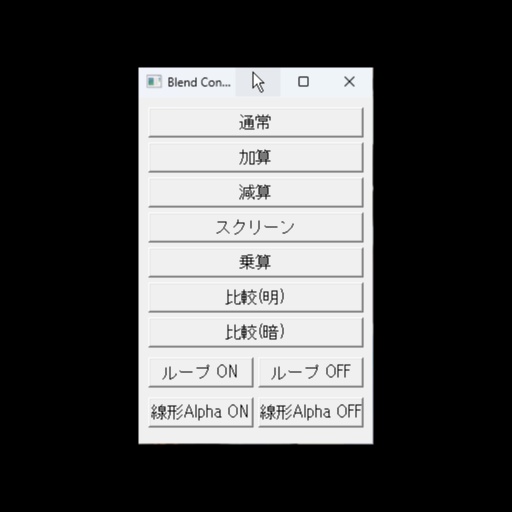


【 OBS Blend Control Panel 】 OBS Studio で選択中のソースにブレンドモードやループ設定を ワンクリックで適用できるコントロールパネルです。 インストール不要・完全無料でご利用いただけます。 Japanese / English (Switchable from the script settings panel) A control panel for OBS Studio that applies blend mode, loop, and linear alpha settings to selected sources with one click. No installation required. Completely free.
OBS Blend Control Panel
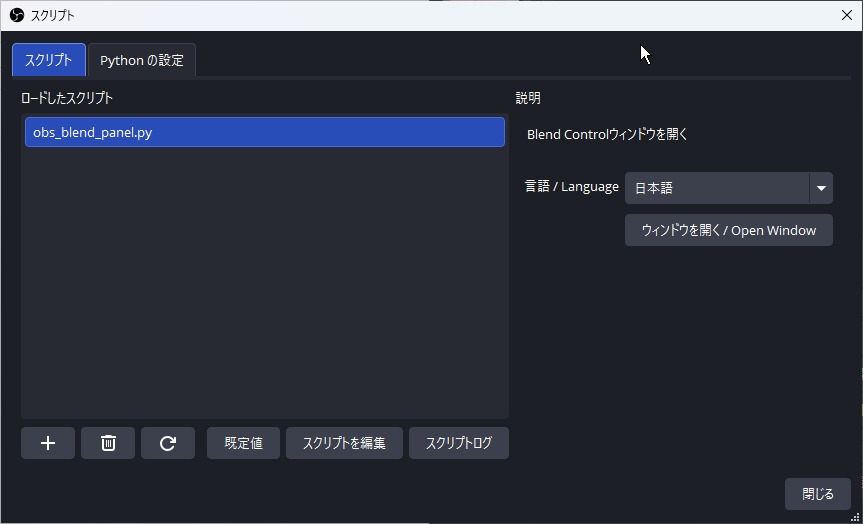
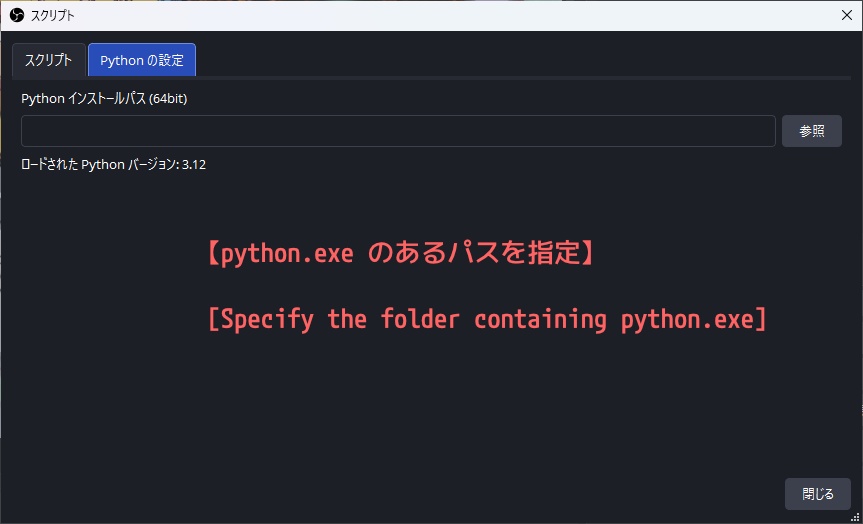
━━━━━━━━━━━━━━━━━━━━━━━━ できること ━━━━━━━━━━━━━━━━━━━━━━━━ ✦ 選択中のソースにブレンドモードをワンクリックで設定 ✦ ループ ON / OFF の切り替え ✦ 線形アルファ ON / OFF の切り替え ✦ 常に最前面に表示される小型パネル ✦ ウィンドウ位置を自動保存 ━━━━━━━━━━━━━━━━━━━━━━━━ 対応ブレンドモード(7種類) ━━━━━━━━━━━━━━━━━━━━━━━━ 通常 / 加算 / 減算 / スクリーン / 乗算 / 比較(明) / 比較(暗) ━━━━━━━━━━━━━━━━━━━━━━━━ その他の設定ボタン ━━━━━━━━━━━━━━━━━━━━━━━━ ループ ON / OFF 線形Alpha ON / OFF ※ ブレンドモードはすべてのソースに適用できます。 ループ・線形Alpha はメディアソースにのみ有効です。 ━━━━━━━━━━━━━━━━━━━━━━━━ 対応言語 ━━━━━━━━━━━━━━━━━━━━━━━━ 日本語 / English (スクリプト設定パネルから切り替え可能) ━━━━━━━━━━━━━━━━━━━━━━━━ 動作環境 ━━━━━━━━━━━━━━━━━━━━━━━━ Windows 10 / 11(64-bit) OBS Studio 32.0 以降 Python 3.12(OBS の設定でパスを指定済みであること) ※ 外部ライブラリのインストールは不要です。 ━━━━━━━━━━━━━━━━━━━━━━━━ 使い方 ━━━━━━━━━━━━━━━━━━━━━━━━ 1. obs_blend_panel.py を任意のフォルダに配置 2. OBS メニュー → ツール → スクリプト を開く 3. 左下の + ボタンから obs_blend_panel.py を追加 4. 「ウィンドウを開く」ボタンでパネルを起動 5. シーン上でソースを選択し、パネルのボタンを押す ━━━━━━━━━━━━━━━━━━━━━━━━ 利用規約 ━━━━━━━━━━━━━━━━━━━━━━━━ ◎ 個人・商用問わず、OBS での配信・制作ツールとして 自由にご利用いただけます。 ✕ 禁止事項 ・本スクリプト自体の販売・再配布・改変・転売 ・本スクリプトを自分が作ったと偽る行為 ※ 本スクリプトの使用によって生じたいかなる損害についても、 作者は責任を負いません。
OBS Blend Control Panel
A control panel for OBS Studio that applies blend mode, loop, and linear alpha settings to selected sources with one click. No installation required. Completely free. ━━━━━━━━━━━━━━━━━━━━━━━━ Features ━━━━━━━━━━━━━━━━━━━━━━━━ ✦ Set blend mode on selected sources with one click ✦ Toggle loop ON / OFF ✦ Toggle linear alpha ON / OFF ✦ Always-on-top compact panel ✦ Window position auto-saved ━━━━━━━━━━━━━━━━━━━━━━━━ Supported Blend Modes (7 types) ━━━━━━━━━━━━━━━━━━━━━━━━ Normal / Add / Subtract / Screen / Multiply / Lighten / Darken ━━━━━━━━━━━━━━━━━━━━━━━━ Additional Setting Buttons ━━━━━━━━━━━━━━━━━━━━━━━━ Loop ON / OFF Linear Alpha ON / OFF Note: Blend mode buttons apply to any source type. Loop and Linear Alpha are only effective on media sources. ━━━━━━━━━━━━━━━━━━━━━━━━ Languages ━━━━━━━━━━━━━━━━━━━━━━━━ Japanese / English (Switchable from the script settings panel) ━━━━━━━━━━━━━━━━━━━━━━━━ System Requirements ━━━━━━━━━━━━━━━━━━━━━━━━ Windows 10 / 11 (64-bit) OBS Studio 32.0 or later Python 3.12 (Python path must be configured in OBS) No external libraries required. ━━━━━━━━━━━━━━━━━━━━━━━━ How to Use ━━━━━━━━━━━━━━━━━━━━━━━━ 1. Place obs_blend_panel.py in any folder 2. In OBS, go to Tools -> Scripts 3. Click the + button and add obs_blend_panel.py 4. Click "Open Window" to launch the control panel 5. Select a source in your scene, then click a button in the panel ━━━━━━━━━━━━━━━━━━━━━━━━ Terms of Use ━━━━━━━━━━━━━━━━━━━━━━━━ ◎ Free to use as a tool for OBS streaming and content creation, for both personal and commercial purposes. ✕ Not permitted: · Selling, redistributing, modifying, or reselling this script · Claiming this script as your own creation The author is not responsible for any damage or loss caused by the use of this script.