
【After Effects スクリプツ】 Cleanup!
- Cleanup!ダウンロード商品¥ 250
- Cleanup! (Support)ダウンロード商品¥ 500
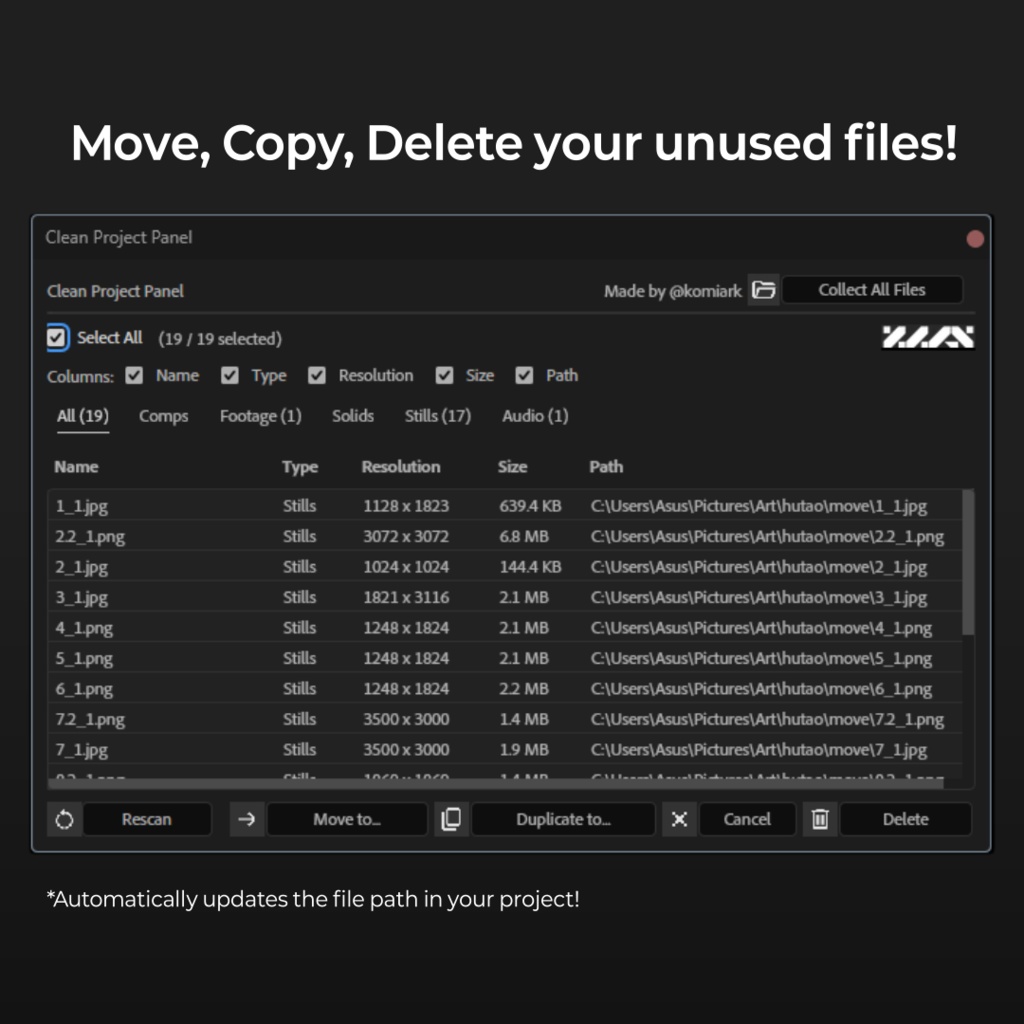
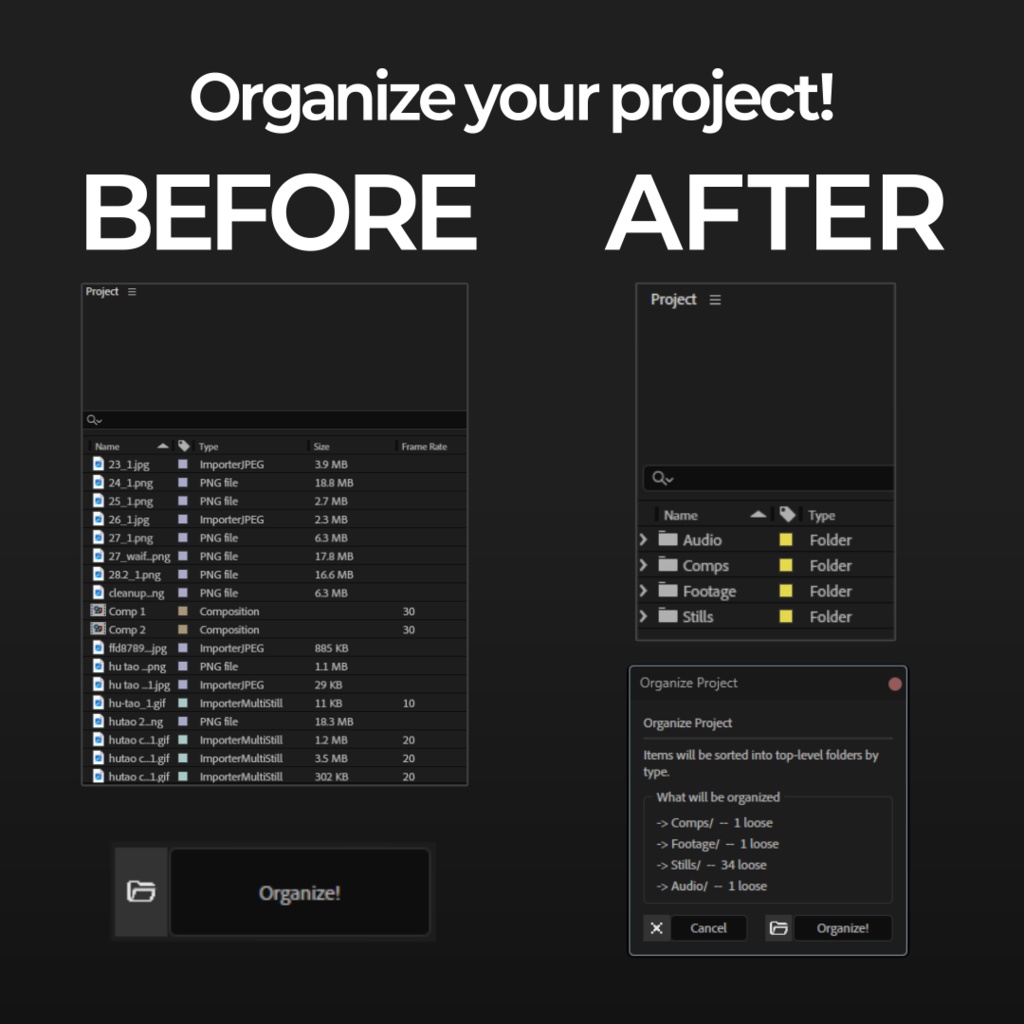
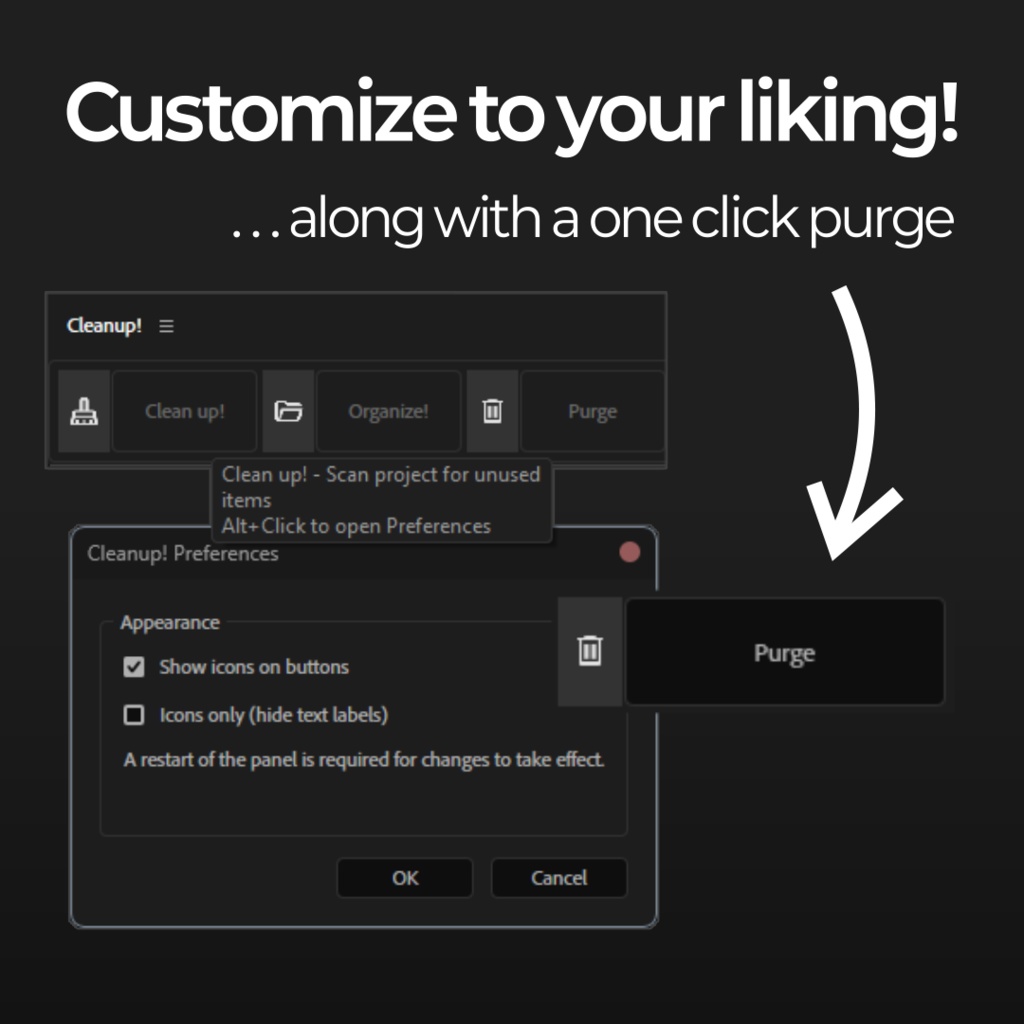


CleanUp! is an After effects Script for Adobe After Effects designed to manage and declutter the Project Panel and functions as either a dockable ScriptUI panel or a standalone floating window. Key Features: Project Cleaning (Clean up!): -Unused Item Scanner: Automatically identifies compositions with no layers and footage items not used in any compositions. -Filtered View: Allows you to browse unused items by category, such as Comps, Footage, Solids, Stills, or Audio. -Batch Actions: Quickly delete selected items or relink/move their source files to a new destination folder to keep your drive organized. -Detailed Metadata: Displays resolution, file size, and file paths directly within the cleanup interface. Project Organization (Organize!): -Automatic Sorting: One-click sorting of loose project items into standardized top-level folders (e.g., /Comps, /Footage, /Audio). -Smart Handling: Detects items already in folders and offers the choice to leave them or re-sort them into the new structure. System Maintenance (Purge): -Cache Clearing: Includes a dedicated button to instantly purge all After Effects caches (image, video, and undo) to reclaim memory. Adaptive Interface: Responsive Layout: The panel dynamically changes its layout (row vs. column) and button labels (full text vs. icons) based on the size of the docked panel in your workspace. --------------------------------------------------------------------------- CleanUp!は、Adobe After Effectsのプロジェクトパネルを整理・管理するために設計されたスクリプトです。ドッキング可能なScriptUIパネル、またはフローティングウィンドウとして使用できます。 主な機能 プロジェクトのクリーンアップ (Clean up!): - 未使用項目のスキャナー: レイヤーのないコンポジションや、どのコンポジションにも使用されていないフッテージを自動的に特定します。 - フィルター表示: 未使用の項目をコンポジション、フッテージ、平面、静止画、オーディオなどのカテゴリ別に閲覧できます。 - 一括操作: 選択した項目を素早く削除したり、ソースファイルを新しい保存先フォルダに移動・再リンクしてドライブを整理したりできます。 - 詳細なメタデータ: 解像度、ファイルサイズ、ファイルパスをクリーンアップ画面内で直接確認できます。 プロジェクトの整理 (Organize!): - 自動ソート: ワンクリックで、散らかったプロジェクト項目を標準的なトップレベルフォルダ(例:/Comps, /Footage, /Audio)に整理します。 - スマートな処理: すでにフォルダ内にある項目を検出し、そのままにするか、新しい構造に再ソートするかを選択できます。 システムメンテナンス (Purge): - キャッシュの消去: 画像、ビデオ、アンドゥ(やり直し)などのすべてのAfter Effectsキャッシュを即座に消去し、メモリを解放する専用ボタンを搭載しています。 アダプティブ・インターフェース: - レスポンシブ・レイアウト: ワークスペース内のパネルサイズに合わせて、レイアウト(行/列)やボタンのラベル(フルテキスト/アイコン)が動的に変化します。 Creator: @komiark | https://www.instagram.com/komiark