

TextureStudio
- ダウンロード商品¥ 2,500
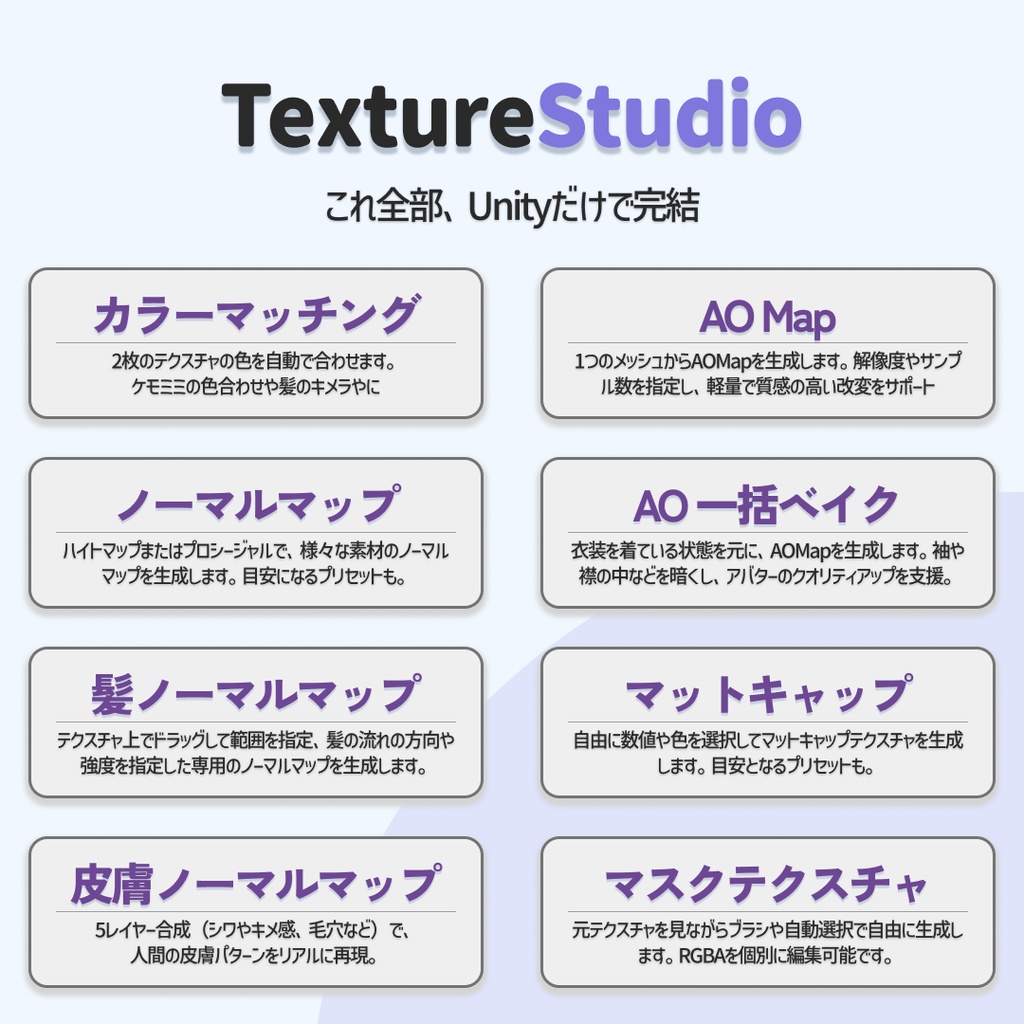
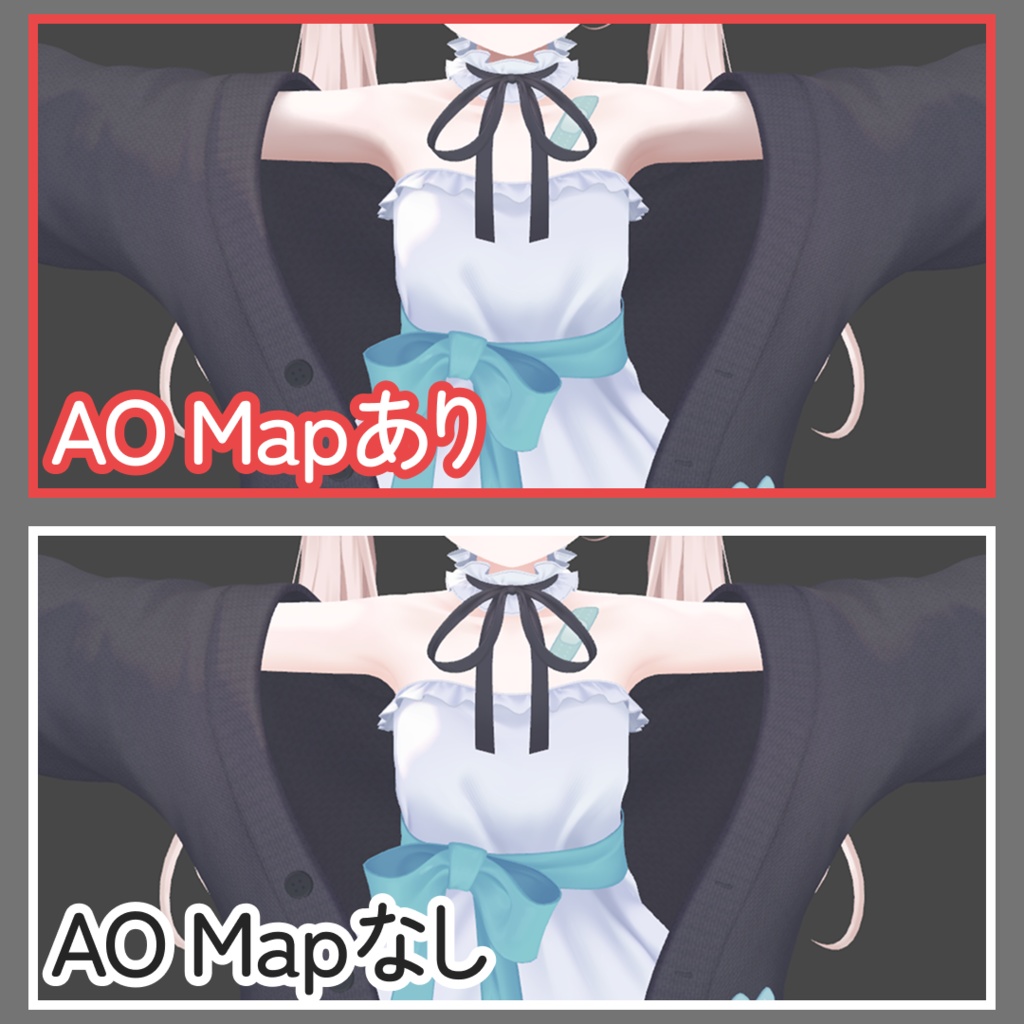
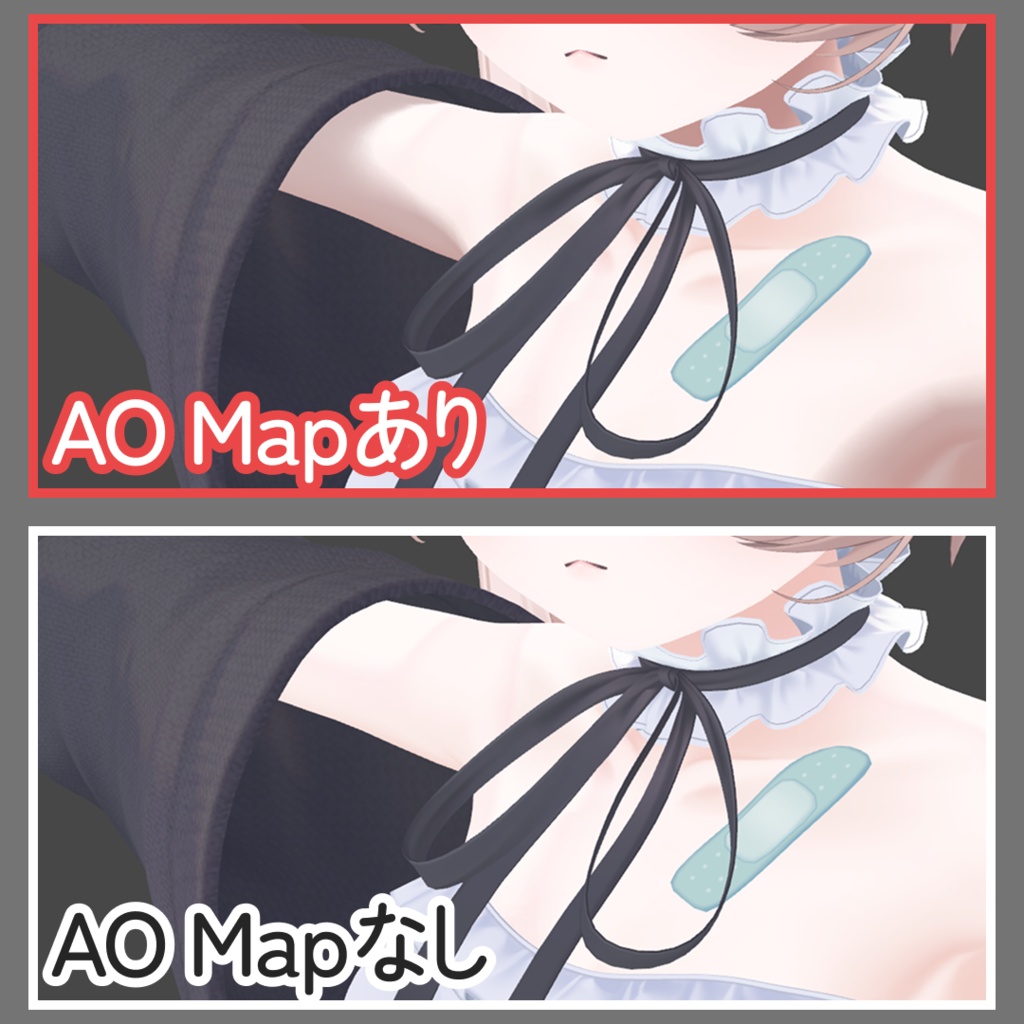
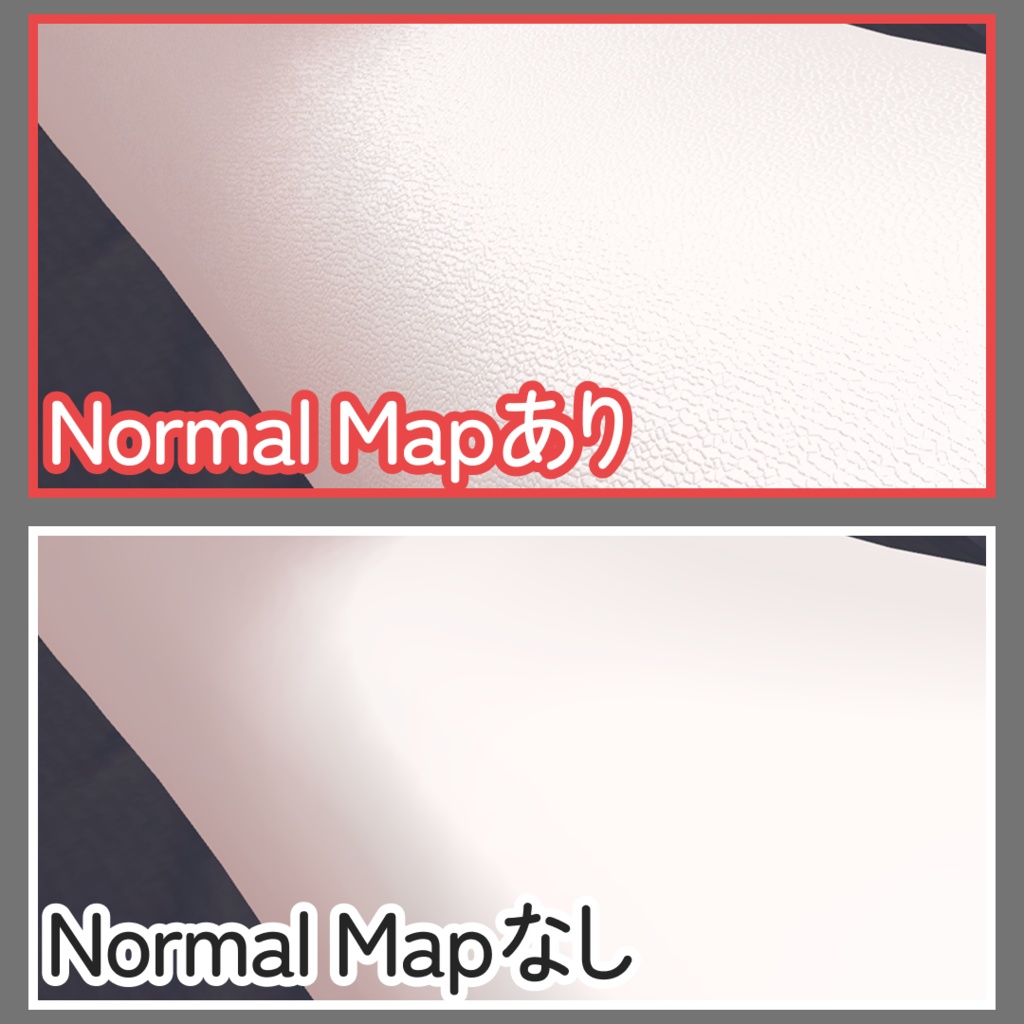
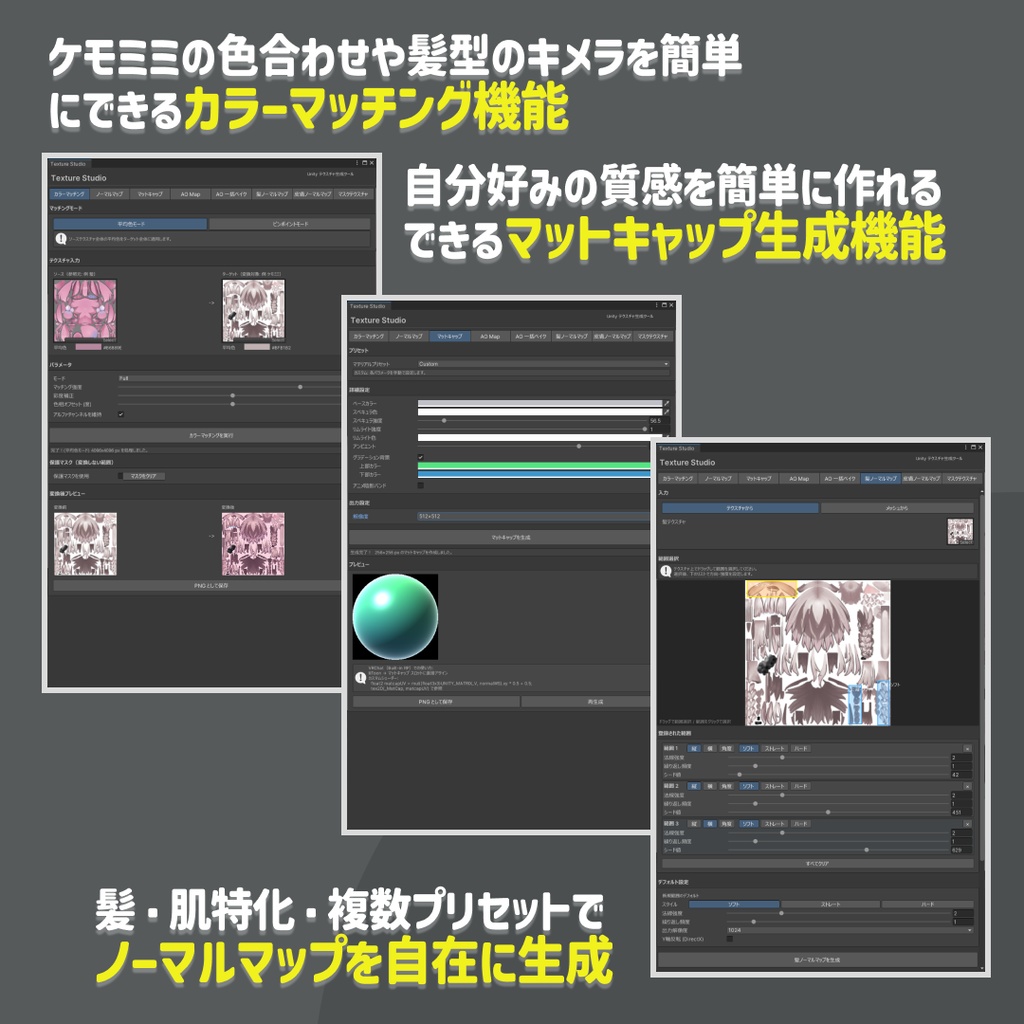
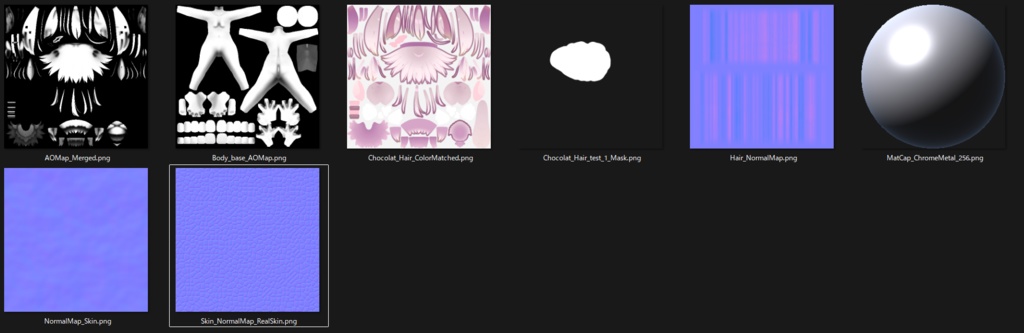
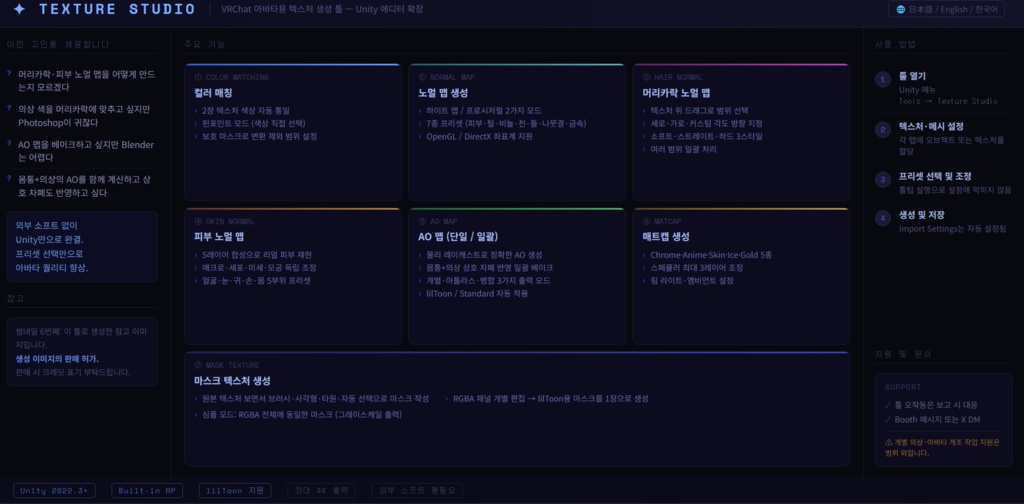


今回はVRC向けツールを作成しました。 「 Texture Studio 」 VRChatアバター向けテクスチャ生成ツールUnityエディタ上で、 ノーマルマップ・肌に特化したノーマルマップ・髪に特化したノーマルマップ・AO Map・マスクテクスチャ・マットキャップをまとめて生成できるエディタ拡張ツールです。 ※韓国語の説明はサムネイルで行っております。 한국어 설명은 썸네일 이미지로 제공하고 있습니다. サムネ6枚目はこのツールで生成した参考画像です。 生成した画像は販売を許可いたします。 販売の際はクレジット表記をお願いいたします。 こんな悩みを解決します 「アバターを改変したいけど、髪や肌のノーマルマップをどう作ればいいかわからない…」 「衣装の色を髪に合わせたいけど、Photoshopを開くのが面倒…」 「AO Mapをベイクしたいけど、BlenderやSubstanceは難しくて手が出ない…」 「体と衣装のAOをまとめて計算したい。でも相互の遮蔽も反映してほしい…」 このツールを使えば、Unityエディタだけで本格的なテクスチャ制作が完結します。 外部ソフト不要、設定済みのプリセットを選ぶだけでアバタークオリティをワンランク上げられます。 ---------------------------主な機能--------------------------- ① カラーマッチング 2枚のテクスチャの色を自動で合わせます。「髪色とケモミミの色が違う…」という悩みをボタン1つで解決。テクスチャをクリックして色を直接取得するピンポイントモードも搭載。変えたくない部分はブラシで保護マスクを塗っておくことで、その部分だけ色変換をスキップできます。 ② ノーマルマップ生成 ハイトマップから生成するモードと、テクスチャ不要のプロシージャル生成モードを搭載。肌・毛並み・鱗・布・石・木目・金属の7種プリセット付き。OpenGL / DirectX両座標系に対応。 ③ 髪ノーマルマップ生成 テクスチャ上でドラッグして範囲を選択し、縦・横・カスタム角度の方向を指定するだけ。ソフト(パーリンノイズ)・ストレート(サイン波)・ハード(シャープ)の3スタイルから選べます。複数の範囲を登録して一括処理も可能。 ④ 皮膚ノーマルマップ生成 人間の皮膚パターンを4レイヤー合成で再現します。マクロ起伏・皮丘パターン・微細テクスチャ・毛穴をそれぞれ独立して調整可能。顔・目元・耳・手・体の5部位プリセット付き。 ⑤ AO Map 生成(単体 / 一括ベイク) メッシュから物理レイキャストでAO Mapを生成します。体と衣装を複数登録して一括ベイクすると、お互いの遮蔽を反映した正確なAOが得られます。出力は個別・アトラス・マージ(乗算合成)の3モード。lilToon / Standardシェーダーへの自動適用に対応。 ⑥ マットキャップ生成 Chrome・Anime・Skin・Ice・Goldの5プリセットからプロシージャルに生成。スペキュラ・リムライト・アンビエントを細かく調整できます。 ⑦ マスクテクスチャ生成 元テクスチャを表示しながらブラシ・矩形・楕円・自動選択(色相ベース)でマスクを作成。RGBAチャンネルを個別に編集してlilToon向けのマスクテクスチャを1枚で生成できます。シンプルモードではRGBA全チャンネルに同じマスクを書き込むグレースケール出力も可能。 共通機能 3Dリアルタイムプレビューウィンドウ(球体・ドラッグ回転・ライト方向変更)、全パラメータへのTooltip説明付き。 使い方の流れ STEP 1 — ツールを開く Unityメニューの Tools → Texture Studio から起動。タブで機能を切り替えます。 STEP 2 — テクスチャ・メッシュをセットする 各タブにオブジェクトまたはテクスチャをアサインします。 STEP 3 — プリセットを選んでパラメータを調整する プリセットを選ぶだけでもすぐに使えます。各スライダーにはTooltipで説明が表示されるので、設定に迷いません。 STEP 4 — 生成・保存する 生成ボタンを押してプレビューを確認。問題なければ保存します。Import Settingsの設定(ノーマルマップ・リニアなど)は自動で行われます。 ツール自体の動作に関する不具合はご報告いただければ対応します。 個別の衣装・アバターへの対応や改変作業そのものへのサポートは範囲外となります。 ご質問・不具合報告はBoothのメッセージまたはX(Twitter)のDMにてお受けします。 This time I've created a tool for VRChat! "Texture Studio" A texture generation tool for VRChat avatars. This Unity Editor extension lets you generate Normal Maps, skin-specific Normal Maps, hair-specific Normal Maps, AO Maps, Mask Textures, and MatCaps — all within the Unity Editor. The 6th thumbnail is a reference image generated with this tool. You are permitted to sell content made with generated images. Please credit the tool when selling. Don't miss this chance! Main Features ① Color Matching Automatically matches the colors of two textures. Solves the "my hair and kemomimi colors don't match" problem with a single click. Includes a Pinpoint Mode where you click directly on the texture to pick a color. Paint a protection mask with a brush to skip color conversion in specific areas. ② Normal Map Generation Includes a mode to generate from a height map and a procedural generation mode that requires no texture input. Comes with 7 presets: Skin, Fur/Hair, Scales, Fabric, Stone, Wood Grain, and Metal. Supports both OpenGL and DirectX coordinate systems. ③ Hair Normal Map Generation Drag on the texture to select a region, then specify the direction: vertical, horizontal, or custom angle. Choose from 3 styles: Soft (Perlin noise), Straight (sine wave), and Hard (sharp). Register multiple regions and process them all at once. ④ Skin Normal Map Generation Reproduces human skin patterns using 4-layer compositing. Macro relief, skin cell patterns, fine texture, and pores can each be adjusted independently. Includes 5 body part presets: Face, Eye area, Ear, Hand, and Body. ⑤ AO Map Generation (Single / Batch Bake) Generates AO Maps from meshes using physical ray casting. Register multiple meshes such as body and outfit for batch baking, and get accurate AO that reflects mutual occlusion. Output in 3 modes: Individual, Atlas, or Merge (multiply composite). Supports auto-apply to lilToon / Standard shaders. ⑥ MatCap Generation Procedurally generate MatCaps from 5 presets: Chrome, Anime, Skin, Ice, and Gold. Fine-tune specular, rim light, and ambient settings. ⑦ Mask Texture Generation Create masks using Brush, Rect, Ellipse, or Auto Select (hue-based) tools while viewing the source texture. Edit RGBA channels individually to generate a lilToon-compatible mask texture in a single image. Simple Mode outputs the same mask to all RGBA channels as a grayscale output. Shared Features Real-time 3D preview window (sphere, drag to rotate, adjust light direction). All parameters include Tooltip descriptions. ―――――――――――――――――――――――――――― How to Use STEP 1 — Open the Tool Launch from the Unity menu: Tools → Texture Studio. Switch between features using the tabs. STEP 2 — Assign Texture / Mesh Assign an object or texture to each tab. STEP 3 — Select a Preset and Adjust Parameters Presets are ready to use out of the box. Each slider has a Tooltip explanation so you'll never get lost. STEP 4 — Generate and Save Press the generate button, check the preview, and save. Import Settings (Normal Map, Linear, etc.) are configured automatically. ―――――――――――――――――――――――――――― Support Bugs or issues with the tool itself can be reported and I will address them. Individual support for specific outfits, avatars, or modification work is outside the scope of support. Questions and bug reports can be sent via Booth messages or X (Twitter) DM. 日本語 / English 対応 This tool supports both Japanese and English UI. (ツール内の言語切り替えボタンで日本語・英語を切り替えられます) You can switch languages using the JP / EN button inside the tool.
利用規約/Terms and Conditions
【利用規約】 ・購入者本人のみ使用可 ・本ツール自体の再配布・転売・改変・逆コンパイル禁止 ・本ツールで生成したテクスチャの商用利用は許可 ・クレジット表記(商品リンクも含む)をお願いします。 【Terms of Use】 ・For use by the purchaser only ・Redistribution, resale, modification, and decompilation of this tool itself are prohibited ・Commercial use of textures generated with this tool is permitted ・Please include credit attribution (including a product link).
アップデート情報
----- Texture Studio v1.0.0 ----- 初回リリース 日本語対応のみ Initial release Japanese UI only 최초 릴리즈 일본어 UI만 지원 ----- Texture Studio v1.0.1 ----- 英語対応を追加 AO一括ベイクで親オブジェクト選択時にGUIエラーが発生する問題を修正 Added English UI support Fixed GUI errors when selecting a parent object in AO Batch Bake 영어 UI 지원 추가 AO 일괄 베이크에서 부모 오브젝트 선택 시 GUI 오류 발생하는 문제 수정 ----- Texture Studio v1.0.2 ----- 韓国語対応を追加 Added Korean UI support 한국어 UI 지원 추가