
Idiomas - VRChatワールド多言語ローカライズシステム (PC/Quest対応) / VRChat World Localization (PC & Quest)
- ダウンロード商品¥ 0
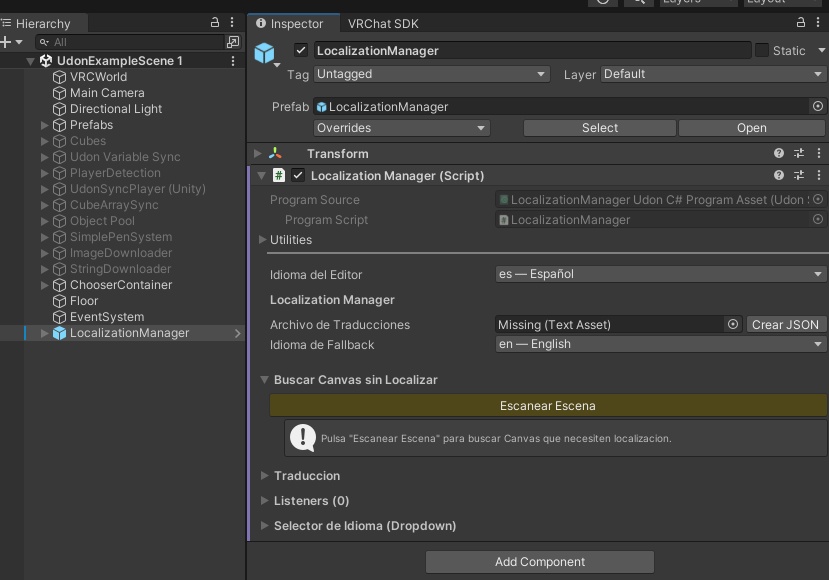
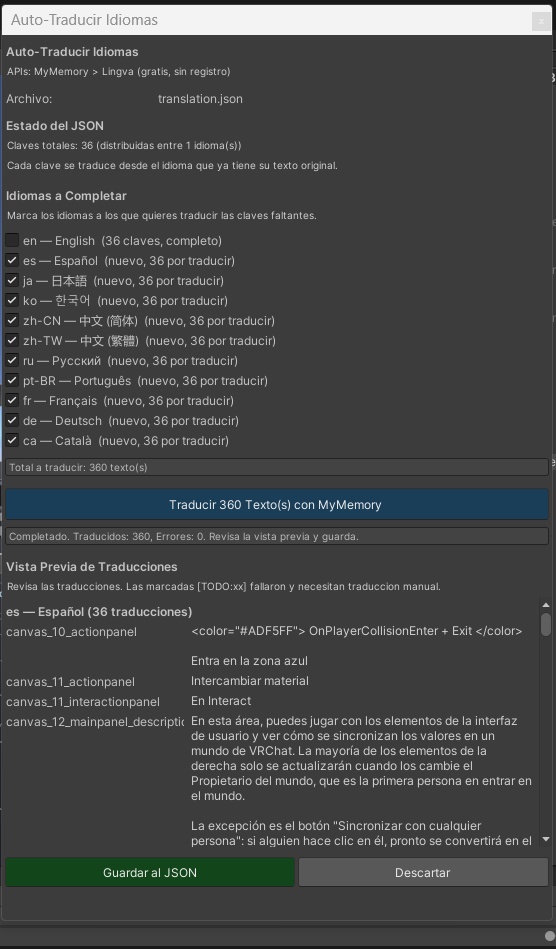
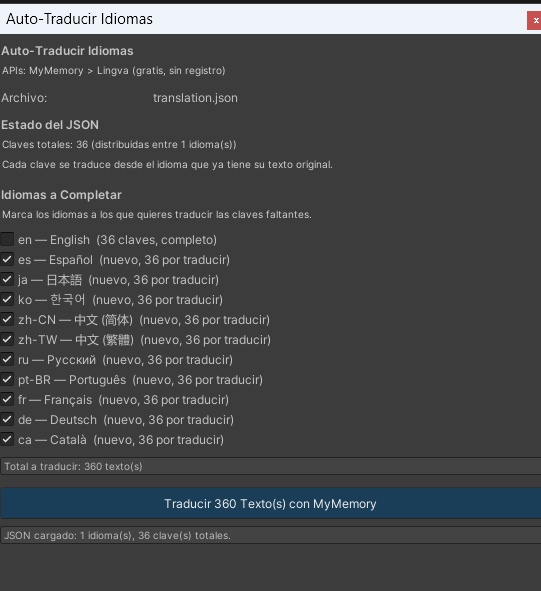
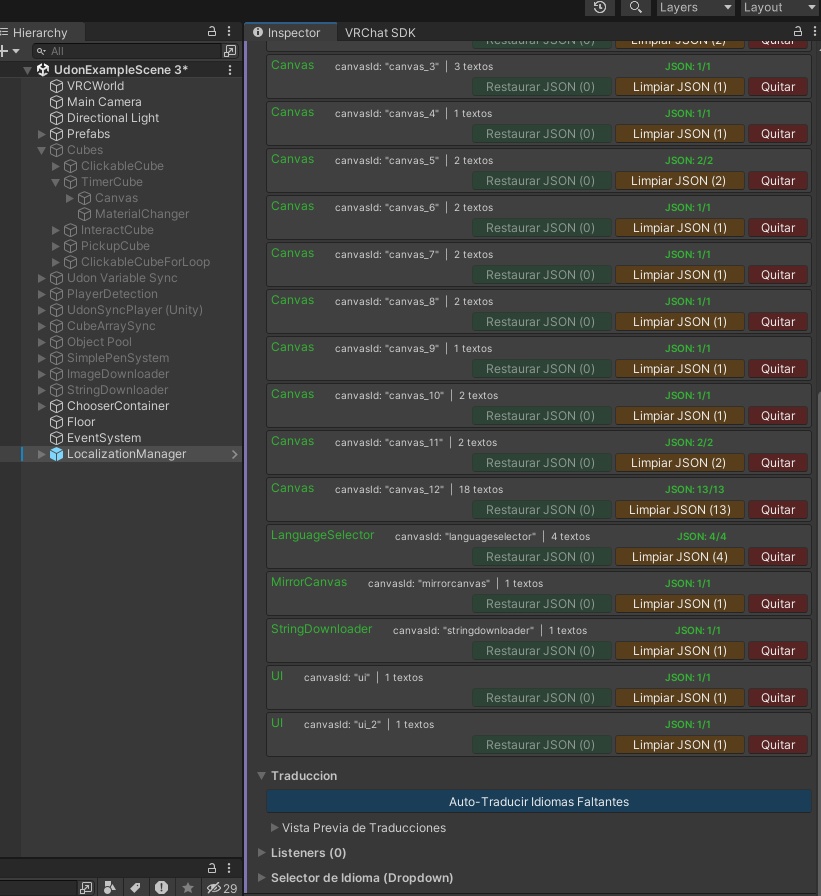
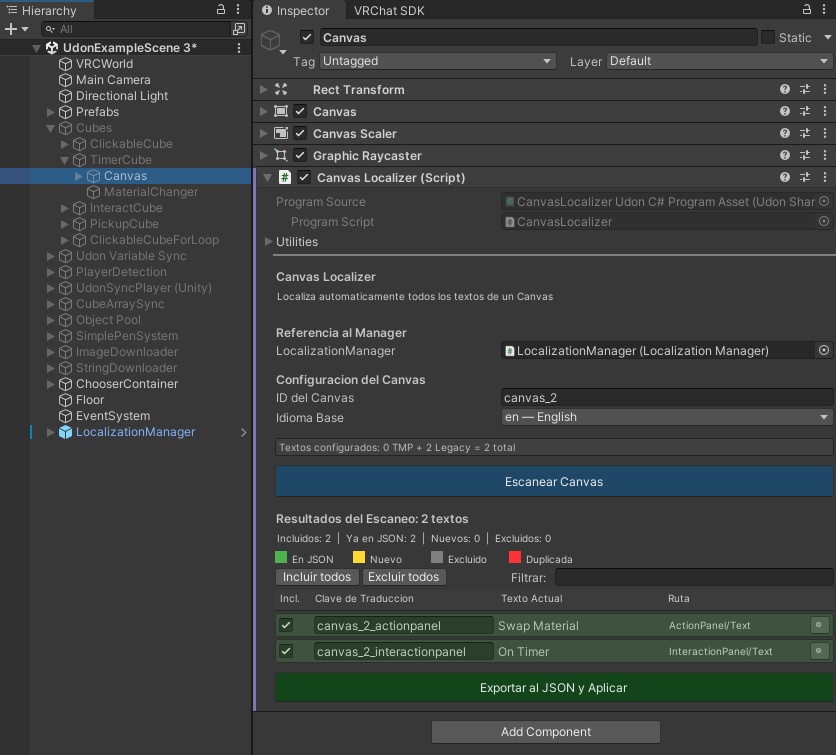
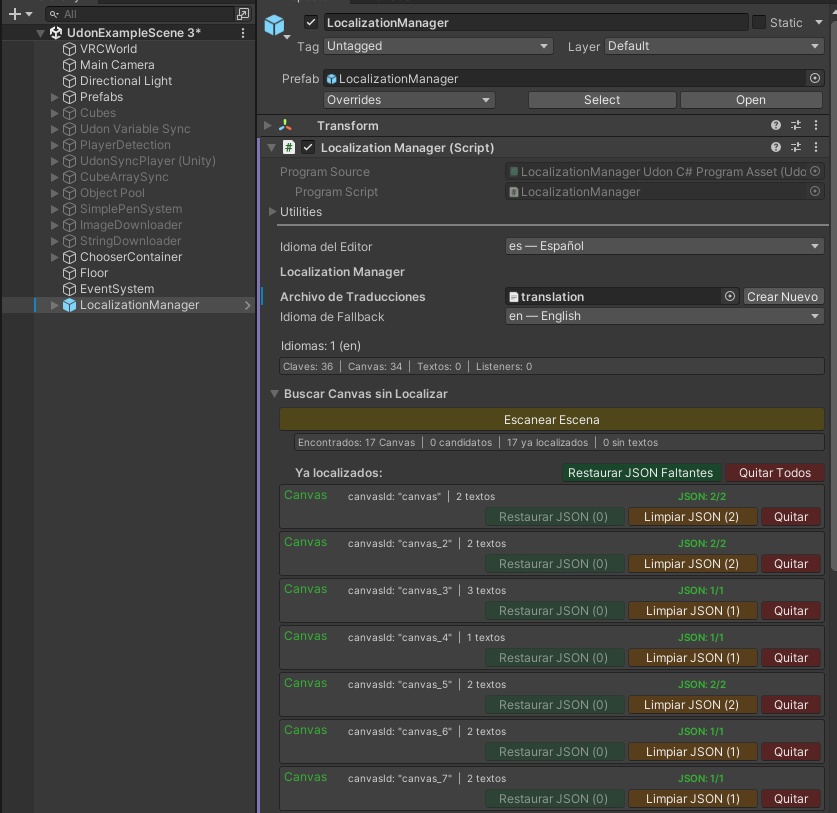
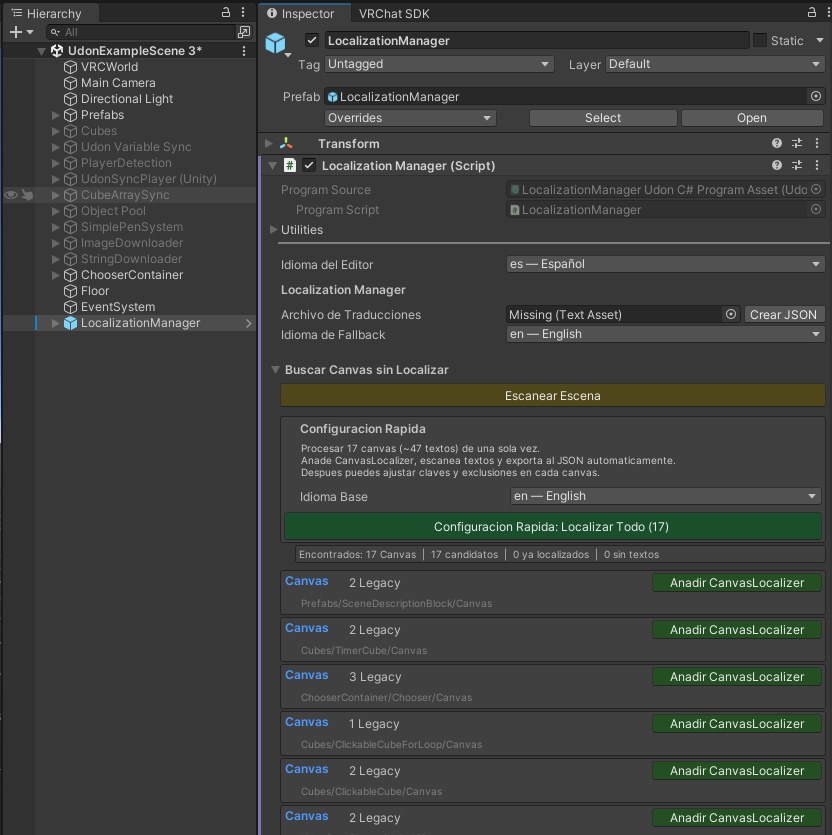


━━━━━━━━━━━━━━━━━━━━━━━━ 🌍 Idiomas - VRChatワールド多言語化システム ✅ PC + Quest対応 ✅ 完全無料 ✅ MITライセンス ━━━━━━━━━━━━━━━━━━━━━━━━ ❓ これは何? ワールドのUI (ボタン・メニュー・看板・説明文)を、 プレイヤーの言語に合わせて自動で切り替えるツールです。 例: 英語で作ったワールドを、日本人には日本語、 韓国人には韓国語で自動表示。プレイヤーは何もしなくても 自分の言語でワールドを楽しめます。 🎯 こんな人におすすめ ・海外プレイヤーにもワールドを楽しんでほしい ・カラオケ/ゲーム/ショップの説明文を多言語化したい ・翻訳を自動化したい (1クリックで完了) ・Questユーザーにも対応したい ・プログラミング不要で使いたい ⚙️ 使い方 (3ステップ) 1. LocalizationManager プレハブをシーンに配置 2. Inspectorで「シーンをスキャン」 → 全Canvasとテキストを自動検出 3. 「自動翻訳」ボタンで11言語に一括翻訳 言語選択ドロップダウンも付属。 ✨ 主な機能 ◆ Canvas丸ごと自動スキャン (TMP + Legacy Text) ◆ 11言語対応: 日本語 / English / 中文(簡/繁) / 한국어 / Español / Français / Deutsch / Português / Русский / Català ◆ プレイヤー言語の自動検出 (VRChat API → タイムゾーン200+ → フォールバック) ◆ 無料の自動翻訳 (MyMemory API・登録不要) ◆ CJK/キリル文字対応 (VRChat内蔵Noto Sansを使用・追加フォント不要) ◆ 動的パラメータ {0}{1}{2} (名前・スコア等) ◆ 複数形対応 (_zero/_one/_other) ◆ CSVエクスポート/インポート (Google Sheetsで翻訳者と共同作業) 📱 PC + Quest 両対応 ✅ PC VRChat 完全対応 ✅ Quest VRChat 完全対応 ✅ Android/Questのタイムゾーン検出を最適化 ✅ 追加フォント不要 → Quest容量制限に優しい ✅ UdonSharpのみ → Questパフォーマンス対応 📦 動作環境 ・Unity 2022.3.x ・VRChat SDK Worlds >= 3.8.1 ・UdonSharp / TextMeshPro (SDK同梱) ・対応: PC (Windows) + Quest (Android) 🚀 インストール 【VCC推奨】Settings > Packages > Add Repository: https://emerytheec.github.io/vpm-listing/index.json 【手動】同梱の .unitypackage をインポート 📖 マニュアル (スクリーンショット付き): https://emerytheec.github.io/Idiomas-docs/ 💰 完全無料 (0円)・MITライセンス・商用利用可 クレジット表記は任意です 🔗 GitHub: https://github.com/emerytheec/Idiomas ⚠️ 注意 ・ワールド製作者向けツールです (アバター非対応) ・Unity Editor上ではCJKが□になりますが、 VRChatアップロード後は正常表示されます ━━━━━━━━━━━━━━━━━━━━━━━━ 🌍 Idiomas - VRChat World Localization ✅ PC + Quest ✅ 100% Free ✅ MIT License ━━━━━━━━━━━━━━━━━━━━━━━━ ❓ What is this? Idiomas automatically translates your VRChat world UI (buttons, menus, signs, descriptions) into the language of every visitor. Example: you built your world in English → Japanese players see Japanese, Korean players see Korean, etc. Zero effort from the player. Every visitor enjoys your world in their own language, instantly. 🎯 Who is it for? ・World creators wanting international reach ・Karaoke / game / shop / museum worlds with UI text ・Creators who want to skip manual translation work ・Quest creators (fully supported) ・Non-programmers (no scripting required) ⚙️ How it works (3 steps) 1. Drop the LocalizationManager prefab in your scene 2. Click "Scan Scene" → auto-detects every Canvas/text 3. Click "Auto-Translate" → fills 11 languages at once A language-selection dropdown is also included. ✨ Features ◆ Full-canvas auto-scan (TMP + Legacy Text) ◆ 11 languages: English / 日本語 / 中文 (Simplified & Traditional) / 한국어 / Español / Français / Deutsch / Português / Русский / Català ◆ Auto player-language detection (VRChat API → 200+ timezones → fallback) ◆ Free auto-translation (MyMemory API, no signup) ◆ CJK + Cyrillic support via VRChat's built-in Noto Sans fonts (no font setup, no size impact) ◆ Dynamic parameters {0}{1}{2} (name, score, etc.) ◆ Plural forms (_zero/_one/_other) ◆ CSV export/import (Google Sheets workflow) 📱 PC + Quest Support ✅ Fully supported on PC VRChat ✅ Fully supported on Quest VRChat ✅ Android/Quest timezone detection optimized ✅ Zero extra font assets → Quest-size friendly ✅ Pure UdonSharp → respects Quest limits 📦 Requirements ・Unity 2022.3.x ・VRChat SDK Worlds >= 3.8.1 ・UdonSharp / TextMeshPro (bundled) ・Platforms: PC (Windows) + Quest (Android) 🚀 Installation 【VCC recommended】 Add repository: https://emerytheec.github.io/vpm-listing/index.json 【Manual】 Import the included .unitypackage 📖 Documentation (with screenshots): https://emerytheec.github.io/Idiomas-docs/ 💰 100% Free · MIT License · Commercial use OK Credit appreciated, not required 🔗 GitHub: https://github.com/emerytheec/Idiomas ⚠️ Notes ・World-creator tool (avatars not supported) ・CJK shows as □ in Unity Editor but renders correctly once uploaded to VRChat