
NETRA avatar optimizer
- ダウンロード商品¥ 800
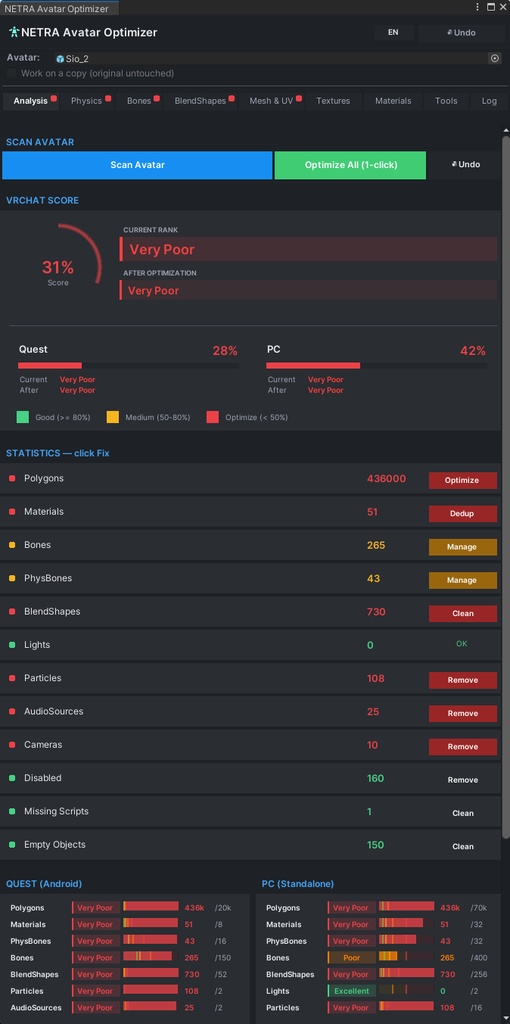
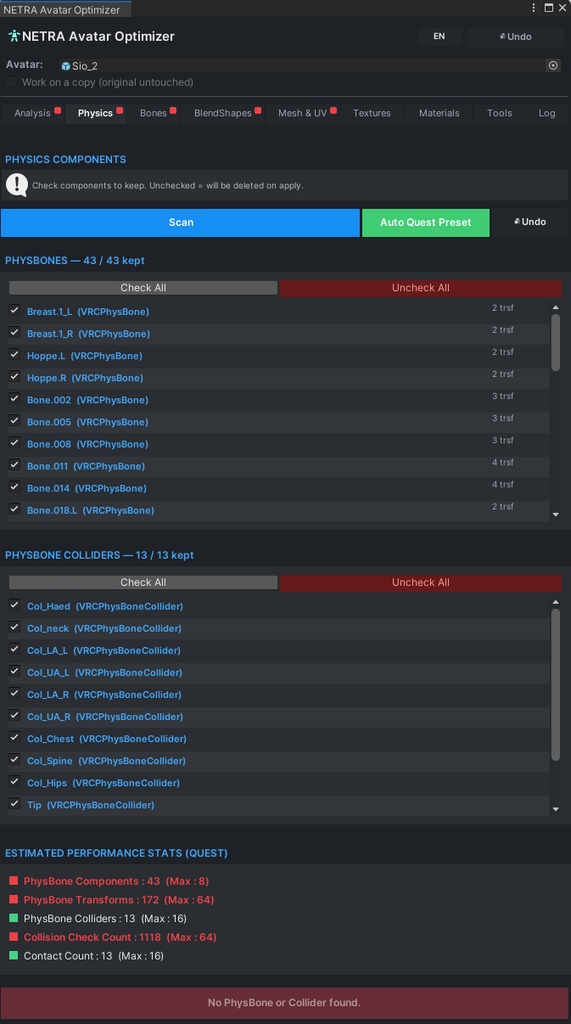
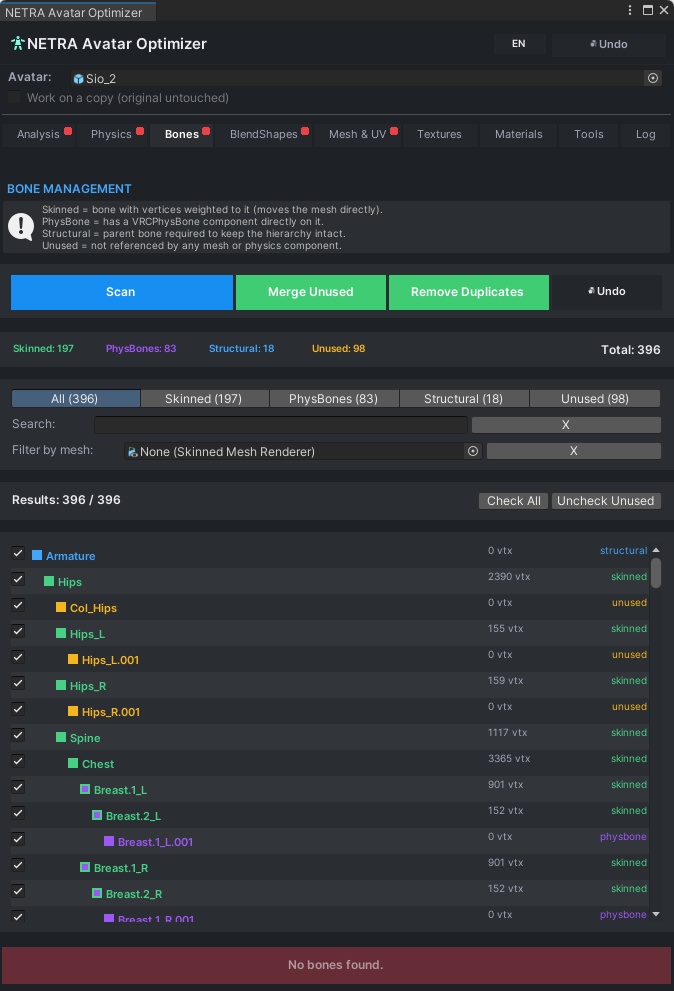
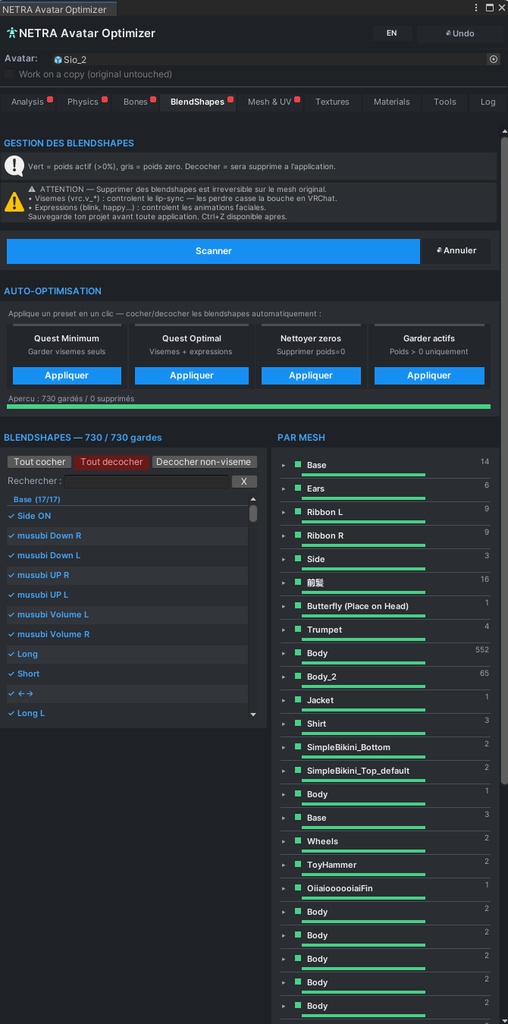
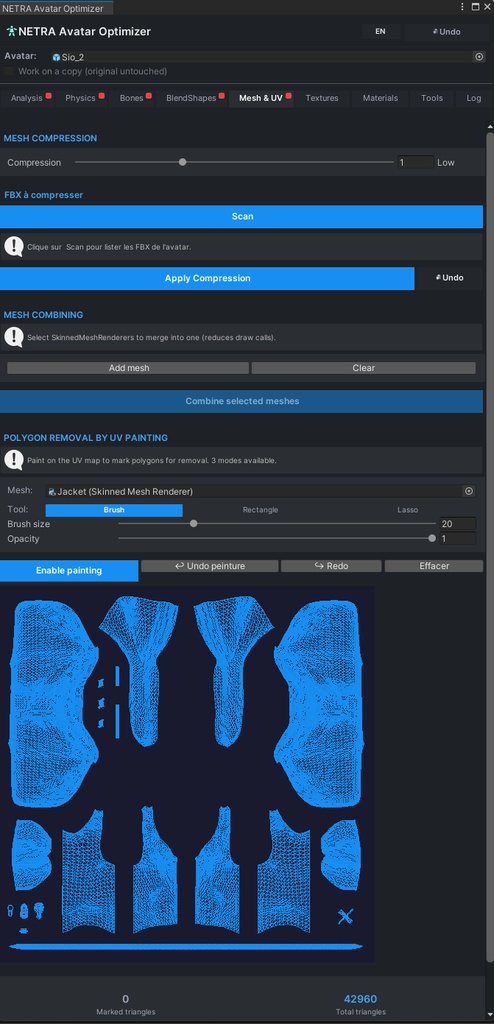
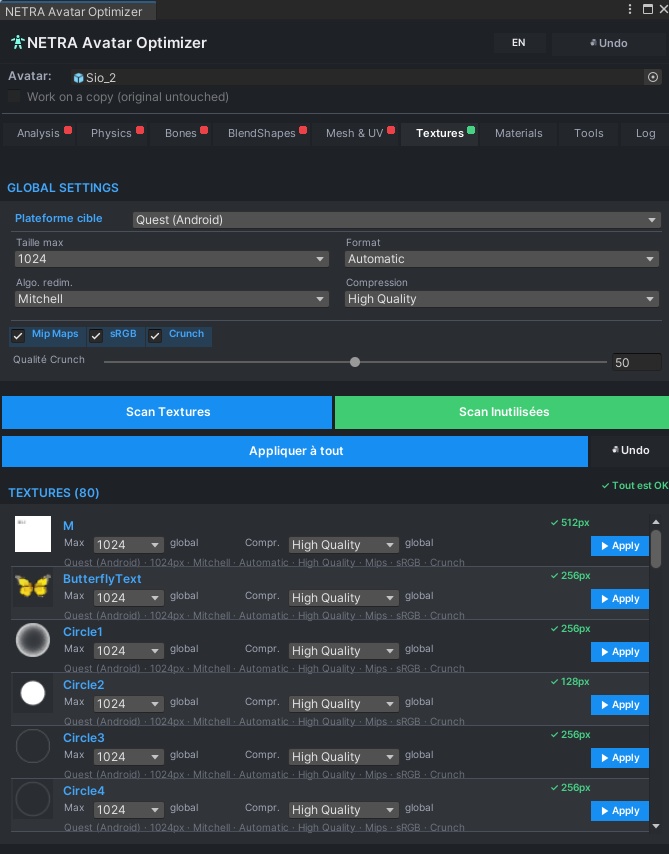
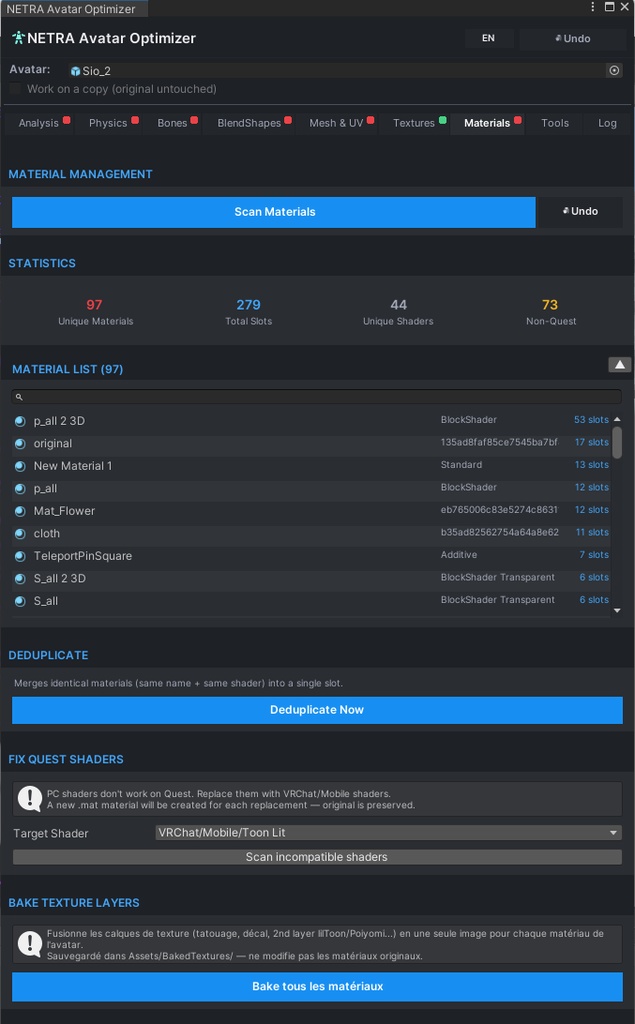
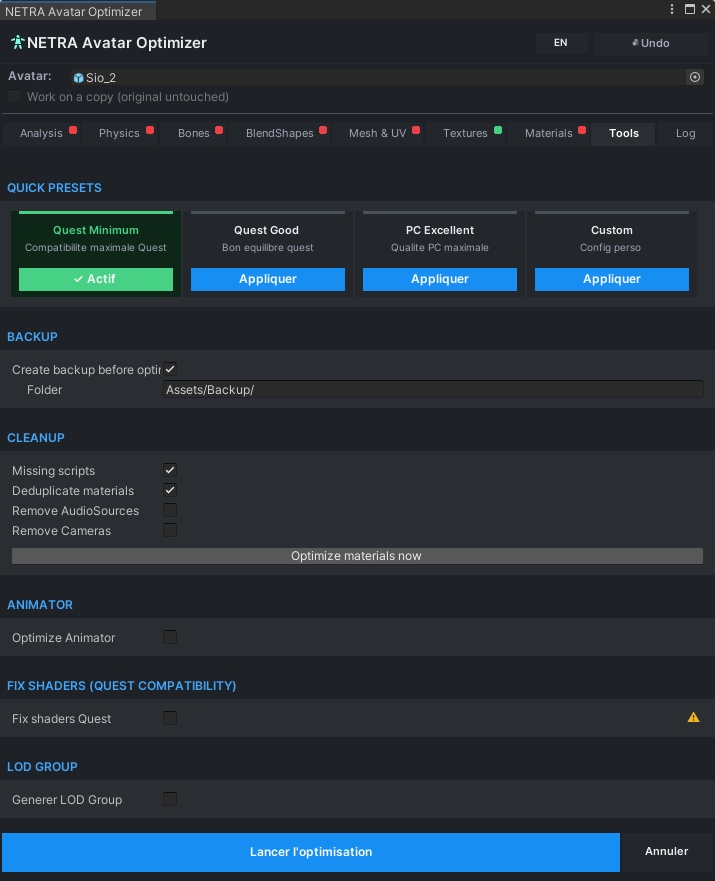
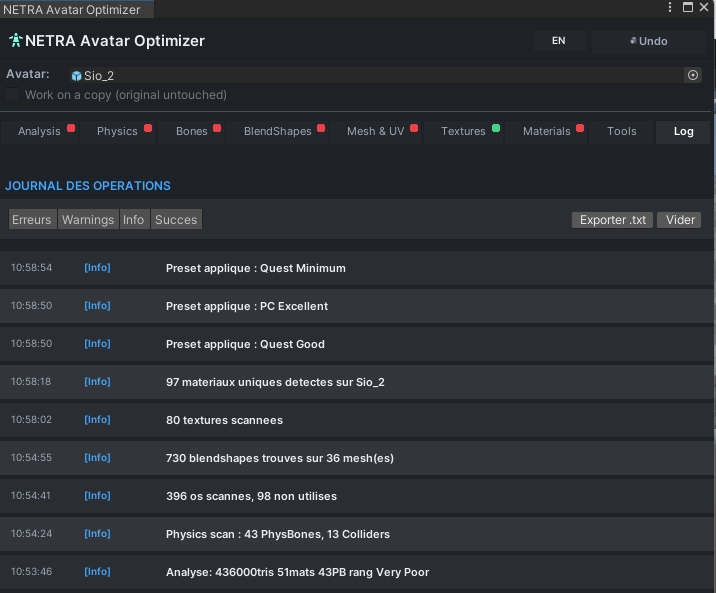
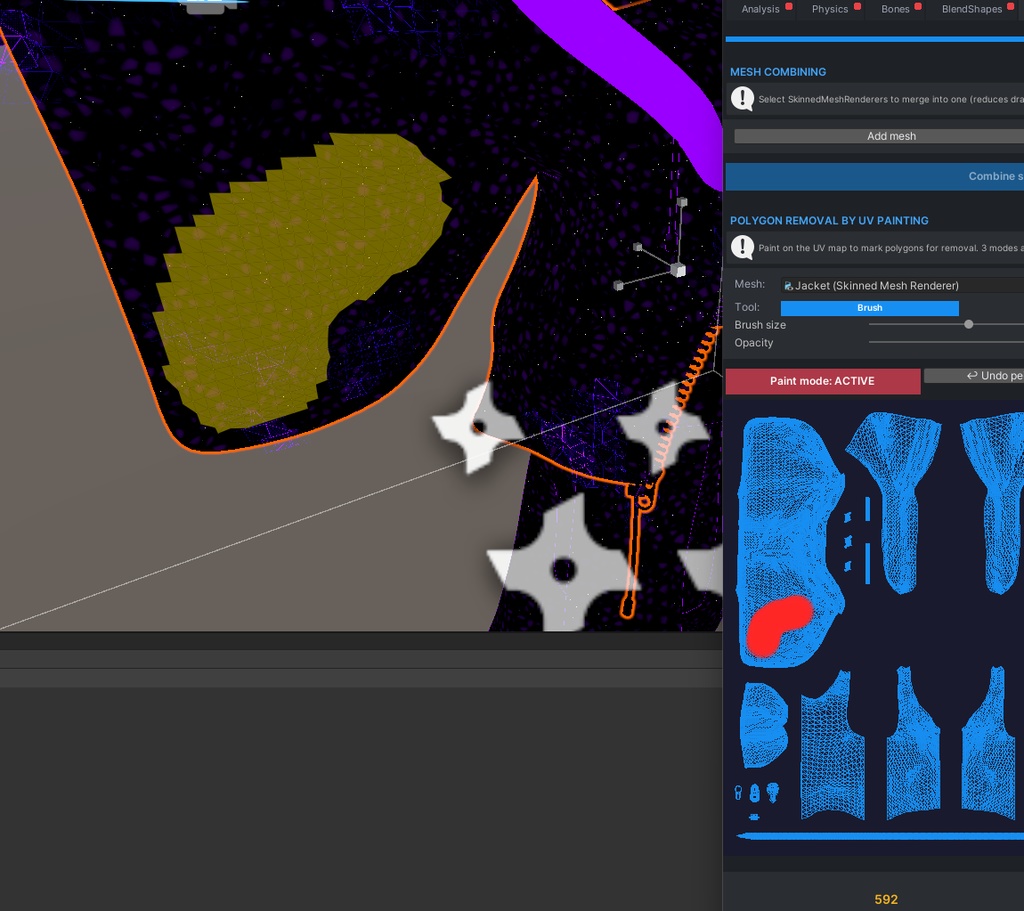
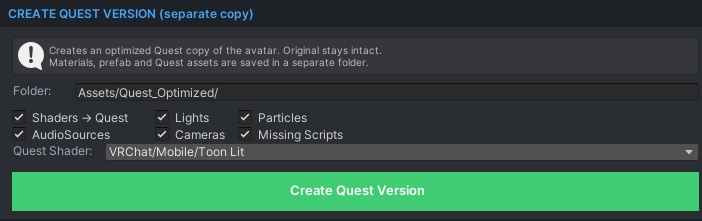


NETRA Avatar Optimizer The all-in-one Unity Editor tool to optimize your VRChat avatars for PC and Quest — faster, lighter, Good-rank ready. Why NETRA? Uploading your avatar to VRChat only to see it rated Very Poor? Struggling to keep your Quest version under limits without breaking everything? NETRA Avatar Optimizer gives you a clean, visual, all-in-one workflow to analyze, clean, and compress your avatar — in just a few clicks. No more jumping between 5 different tools. No more guessing what to delete. NETRA shows you exactly what's eating your performance, and lets you fix it safely. Features Analysis Tab Instant performance rating (Excellent to Very Poor) with a full breakdown: polygons, materials, bones, PhysBones, BlendShapes, lights, particles. Know exactly where you stand before uploading. Physics & Colliders VRC PhysBones Remover-style interface. Check or uncheck each component, see Quest limits live (PhysBones, Transforms, Colliders, Contact Count). Click a bone name to ping it directly in the Unity hierarchy. Bones Cleanup Scans every bone and detects which ones actually influence vertices. Filter unused bones, search by name, delete in one click. Never ship a bloated armature again. Mesh & UV Live mesh compression with instant rank feedback, plus an interactive UV brush: select a SkinnedMeshRenderer, the UV map appears with triangles drawn on it, paint the zones you want to remove in red, click "Remove" and NETRA cleans the mesh for you. Textures Full Unity-style menu (Max Size, Resize Algorithm, Format, Compression, Mip Maps, sRGB, Crunch) with live VRAM estimation. Batch-optimize all textures at once. BlendShapes Manager View all blendshapes across every mesh. One-click presets: Quest Minimum (visemes only), Quest Optimal (visemes + expressions), Clean Zeros (remove weight=0), Keep Actives. Search, filter, preview before applying. Materials Detect and merge duplicate materials. Reduce material slots without losing visual quality. Tools Tab Missing scripts cleanup, empty GameObjects, Animator optimization, automatic LOD Group setup, and more. Log Every action is logged so you can review what was changed — and undo if needed (Ctrl+Z supported). Multilingual Fully localized in French, English, Japanese, Korean, and Spanish — switch language anytime from the top-right button. Installation NETRA Avatar Optimizer is distributed exclusively through VRChat Creator Companion for clean installs, automatic dependency handling, and free lifetime updates. After your purchase, you will receive: A private access link to add in VCC (Settings > Packages > Add Repository) A step-by-step installation guide in PDF Access to all future updates at no additional cost Installation takes less than 2 minutes once you receive the link. Requirements VRChat Creator Companion installed Unity 2022.3.22f1 or newer VRChat SDK Avatars 3.5.0 or newer Works on PC and Quest projects Safe to Use Non-destructive preview mode — see changes before applying Full undo support (Ctrl+Z) "Work on a copy" option keeps your original untouched Confirmation prompts before irreversible actions Free Lifetime Updates All future versions are delivered automatically through VCC. No re-purchase, no manual re-download — just click Update when a new version is available.