

Easy VRChat World Template
- ダウンロード商品¥ 0
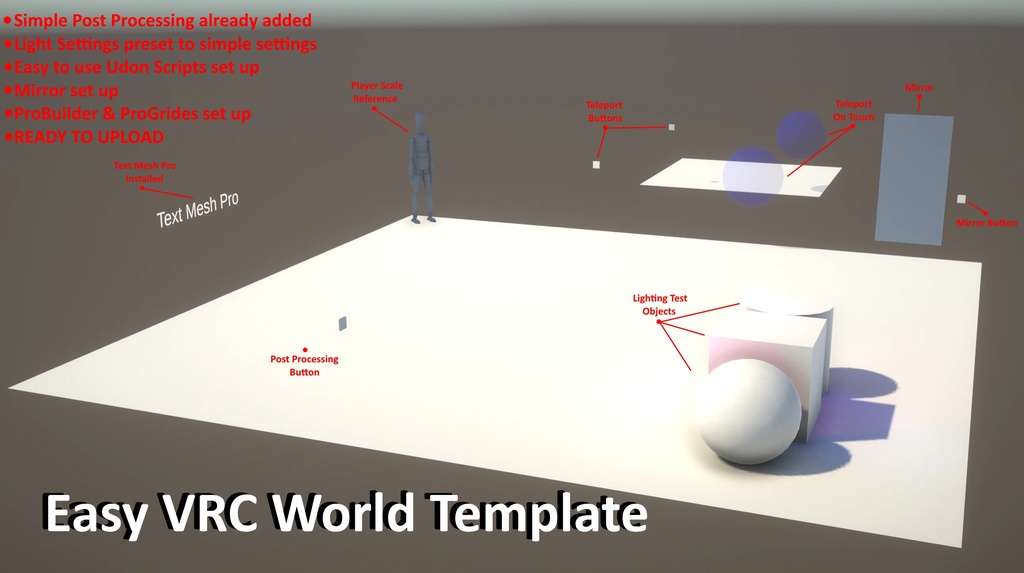


This is my first product on Booth! This is an EASY to use, EASY to set up & EASY to upload VRChat world base! VRChat worlds are not as difficult to make as you'd think! You don't have to use anything other than Unity to make an amazing world! This project file will get you started! I have included a project of current VRChat World SDK Unity, 2022. AND 2019- because I personally prefer world making in Unity 2019 to start the world making process, then I upgrade the project to the latest SDK Unity to do continue working/upload. (Mainly due to 2019 ProBuilder being a lot easier to use) [Before reading instructions, make sure to have Unity installed on your PC and have a Unity account to make things less complicated + the VRChat Creator Companion] HOW TO OPEN FILES: 1. Download your preferred zip (2019 template or 2022 template). [Current VRCWorldSDK recommends 2022.3.22f1] ~ as of April, 2026 2. Unzip the file somewhere on the PC. 3. Download/Open 'VRChat Creator Companion'. At the top right of the 'Projects' tab, click the arrow down next to 'Create New Project', click 'Add Existing Project'. 4. Select the project folder that you just downloaded (either the 2019 template or 2022 template). 5. Once added to the companion, simply open the project and start creating! Possible issues with uploading: FAILED TO UPLOAD: Sometimes Unity will not recognize the 'VRChat World' Prefab in the hierarchy, meaning Unity won't let you upload. Simple delete and re-add the 'VRChat World' Prefab back in the hierarchy ('VRChat World' Prefab located in 'Packages') Then make sure that the 'Main Camera' gets added back into the 'VRChat World' Prefab settings. POST PROCESSING NOT WORKING: When using the latest version of Unity that the SDK uses, uploading will ask you to 'Setup VRChat World Layers' which might override the pre-added Post Processing layer. If this happens, just update the 'Post Processing Volume' object with a different/new layer in the Inspector. Then replace the layer in the 'Main Camera' 'Post Processing Layer' to the new layer that was made.
Free Use
Since this base doesn't contain anything worth resale, you can use it how ever you want.