
KKShapeEditor: ブラシや頂点選択でキャラの体・衣装・マップオブジェクトを成形するプラグイン(KK/KKS)
- ダウンロード商品¥ 1,500
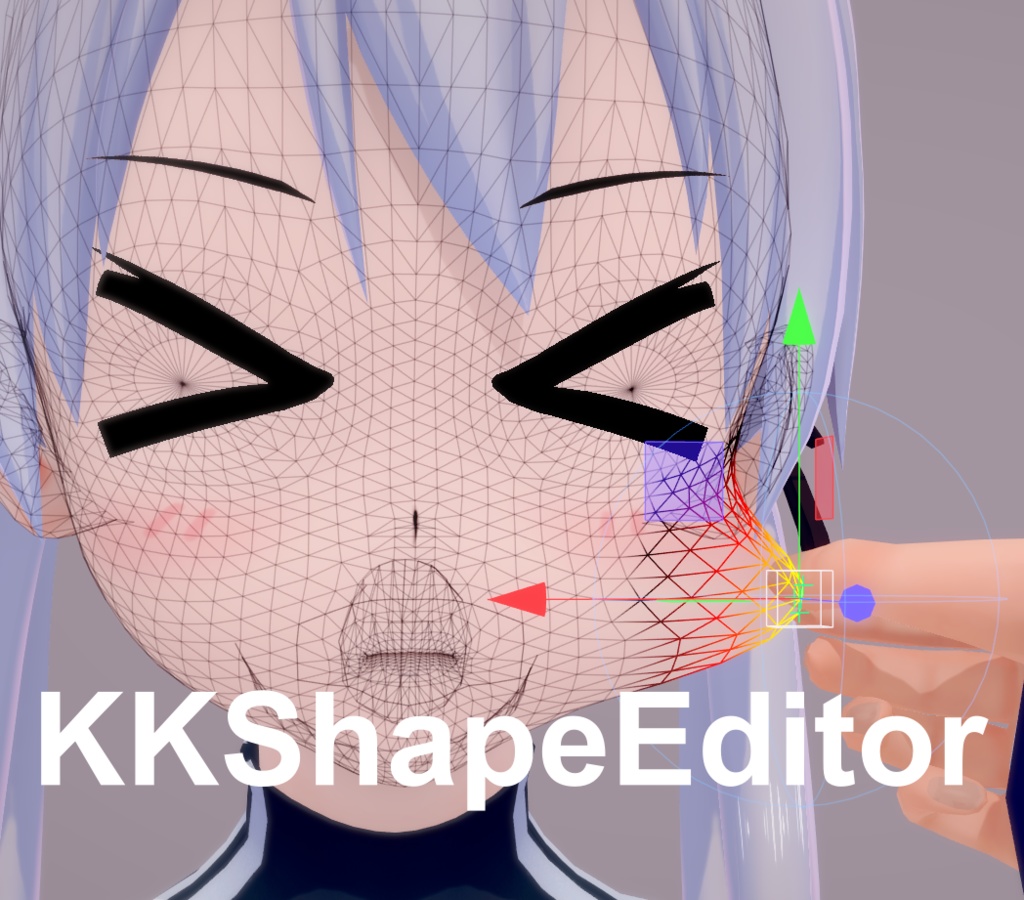
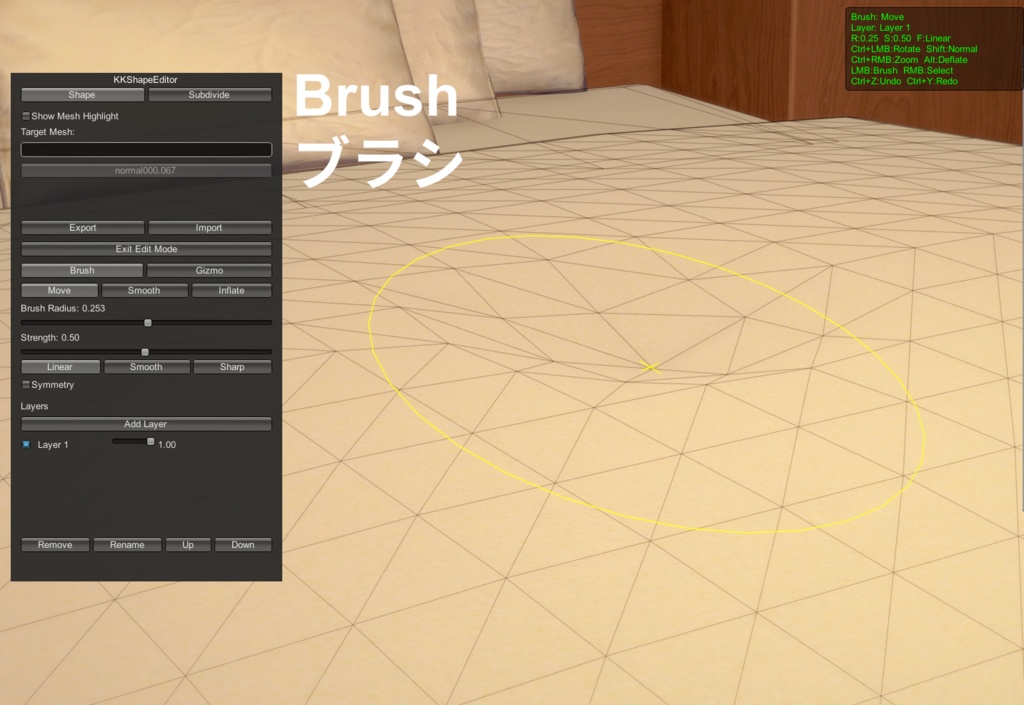
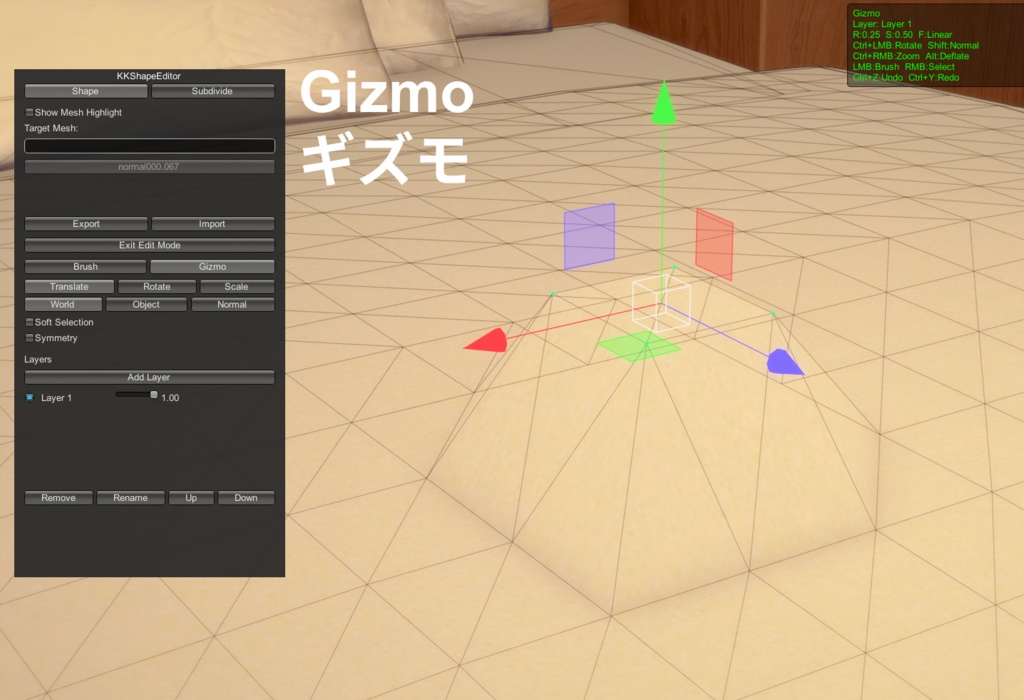


This plugin utilizes the following open-source components: IllusionModdingAPI Copyright © ManlyMarco Licensed under LGPL-3.0 Source Code: https://github.com/IllusionMods/IllusionModdingAPI Full License: https://github.com/IllusionMods/IllusionModdingAPI/blob/master/LICENSE ExtensibleSaveFormat (BepisPlugins) Copyright © bbepis Licensed under LGPL-3.0 Source Code: https://github.com/IllusionMods/BepisPlugins Full License: https://github.com/IllusionMods/BepisPlugins/blob/master/LICENSE Timeline (HSPlugins) Copyright © joan6694 Licensed under MIT Source Code: https://github.com/IllusionMods/HSPlugins Full License: https://github.com/IllusionMods/HSPlugins/blob/main/LICENSE ❗❗❗❗❗❗❗❗❗❗❗❗ ここで一つお知らせです。Lite版がすでに無料で配布されています。 ご自身の作品を他の人と共有したい場合、相手にLite版をダウンロードしてもらうだけで、クリエイターが製品版プラグインを使って行ったすべての編集内容を読み込むことができます。 https://ghostendsky.fanbox.cc/posts/12119247 https://www.patreon.com/KoikatsuEvolution/posts/kkshapeeditor-161857785 ❗❗❗❗❗❗❗❗❗❗❗❗ KKAPI / KKSAPI のバージョンが 1.45.1 以上であることを確認してください。 KKBoneGen のアップデートを重ね、ユーザーのフィードバックを観察した結果、単に「オブジェクトを変形させたい」という目的において、現在の KKBoneGen ではまだ操作性や直感性に欠ける部分があると感じました。 そこで、新しく KKShapeEditor というプラグインを開発しました。 KKBoneGen が「動的な変形」を目的としているのに対し、KKShapeEditor は**「静的な変形」**に特化しています。ブラシ操作や頂点選択によって、キャラクターの身体、衣装、マップオブジェクトを直接変形させることが可能です。レイヤー機能による部位ごとの管理や、ソフト選択(Soft Selection)による広範囲の減衰変形にも対応しています。 プラグインの起動ショートカットキー: Shift + S Remap Weights(ウェイト再割り当て)について: 現在テスト中の機能です。衣装を特定の位置に移動させた際、周囲のボーンウェイトを衣装に再分配することを目指しています。現時点では、元の位置から離れすぎると形状が崩れてしまう課題があるため、今後完成に向けて調整していく予定です。 ⚠️ 注意事項: KKShapeEditor と KKBoneGen を同じ衣装・身体・オブジェクトに対して同時に使用しないでください。 競合が発生し、ゲームがクラッシュする恐れがあります。 (例:トップスに KKBoneGen を使い、ボトムスに KKShapeEditor を使うといった、異なるオブジェクト間での併用は問題ありません。)
English
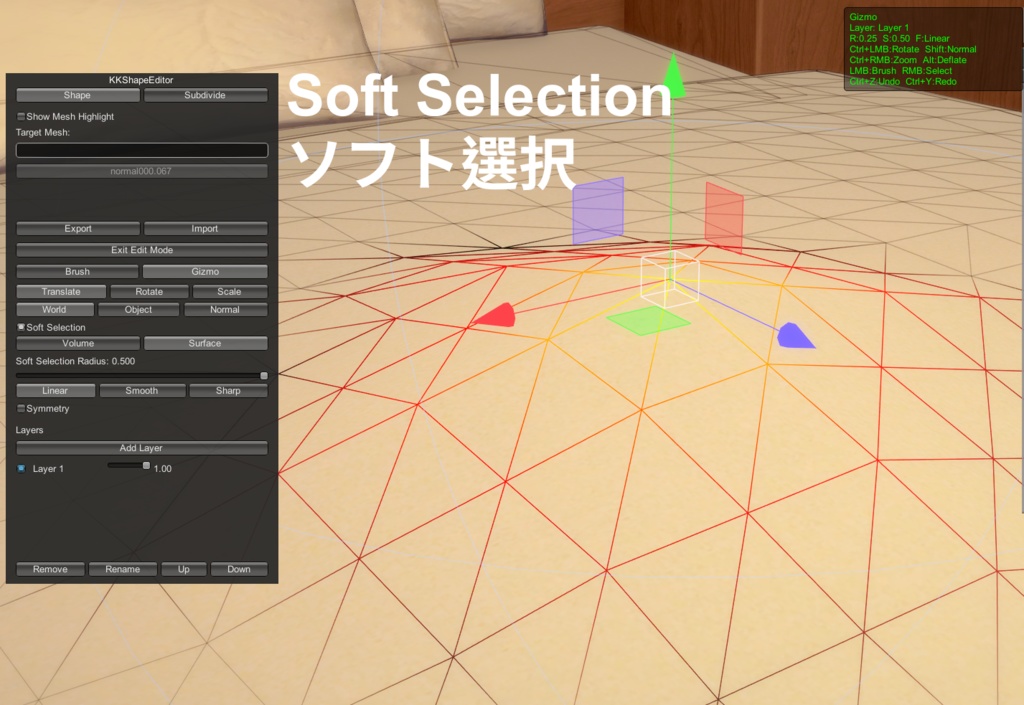
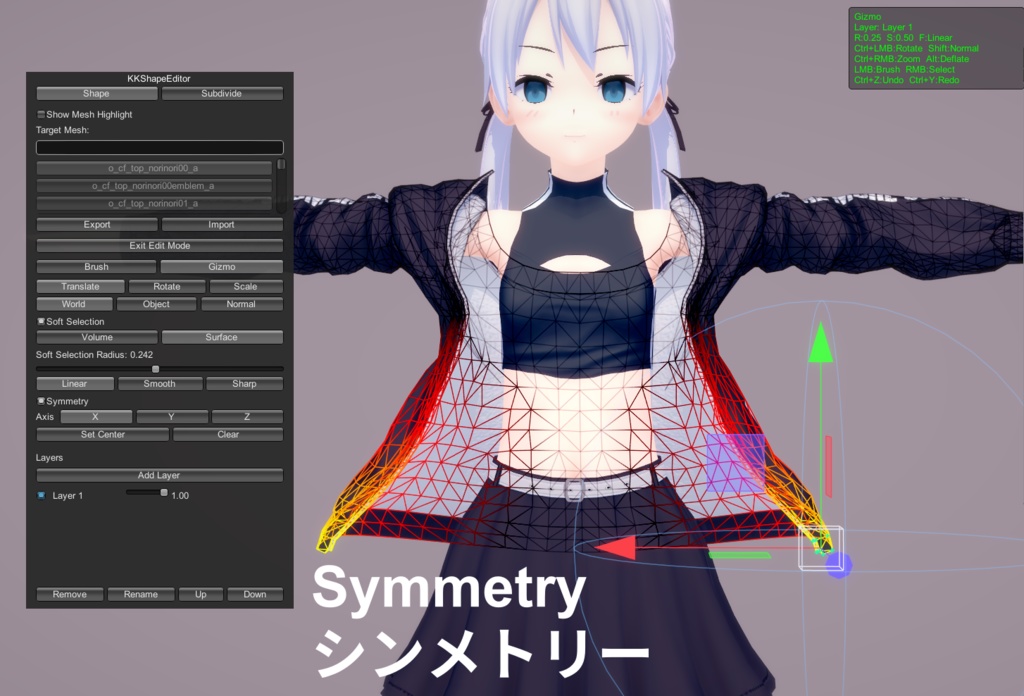
❗❗❗❗❗❗❗❗❗❗❗❗ Just a quick reminder: the Lite version has been released for free! If you need to share your work with others, they only need to download the Lite version to fully load and view any edits made by the creator using the full version of the plugin. https://ghostendsky.fanbox.cc/posts/12119247 https://www.patreon.com/KoikatsuEvolution/posts/kkshapeeditor-161857785 ❗❗❗❗❗❗❗❗❗❗❗❗ Please ensure that your KKAPI / KKSAPI version is 1.45.1 or higher. KKShapeEditor: A Plugin for Reshaping Bodies, Clothing, and Map Objects via Brush and Vertex Selection (KK/KKS) After several updates to KKBoneGen and observing community feedback, I realized that for users who simply want to deform an object, KKBoneGen can still feel a bit unintuitive and cumbersome. To address this, I have developed a new plugin called KKShapeEditor. While KKBoneGen is designed for "dynamic deformation," KKShapeEditor is built for "static deformation." It allows you to directly reshape character bodies, clothing, and map objects using brushes or vertex selection. It supports Layers to separate deformations by part and includes a Soft Selection feature for smooth, wide-range attenuation. Plugin Shortcut Key: Shift + S Regarding "Remap Weights": This feature is currently in testing. The goal is to redistribute nearby bone weights to clothing when it is moved to a specific position. Currently, the mesh tends to break if moved too far from its original coordinates; I will continue to work on refining this feature. ⚠️ Important Notes: Do NOT use KKShapeEditor and KKBoneGen on the same piece of clothing, body, or map object simultaneously. Doing so will cause a conflict and may lead to the game crashing. (Example: It is safe to use KKBoneGen on a shirt and KKShapeEditor on pants, as long as they are different objects.)
アップデート履歴/Update informations
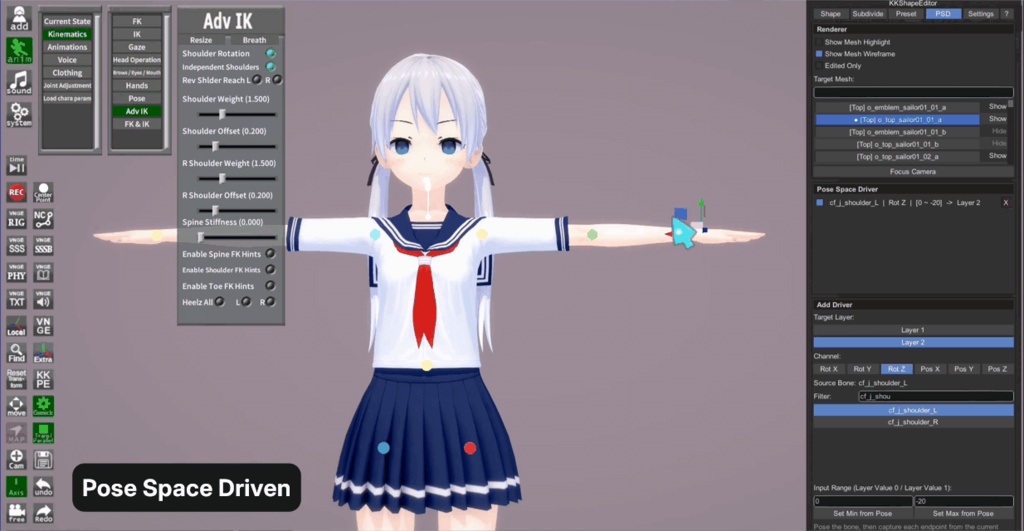
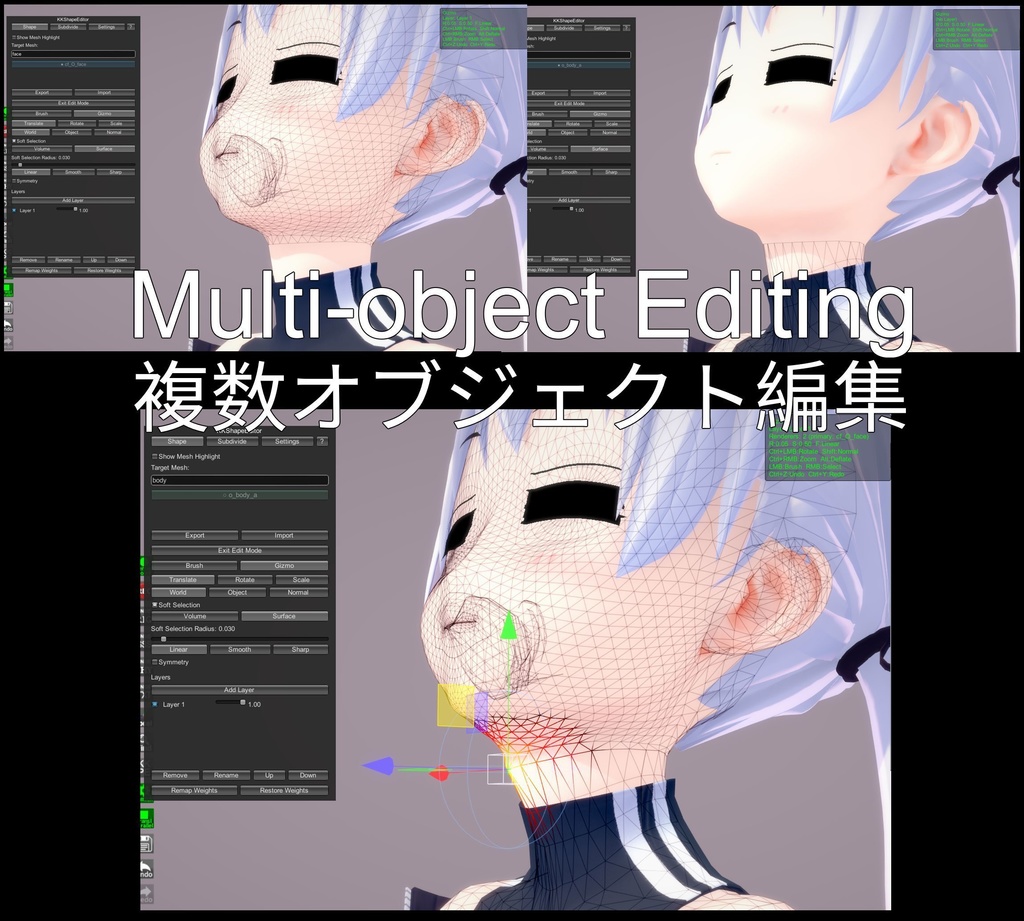
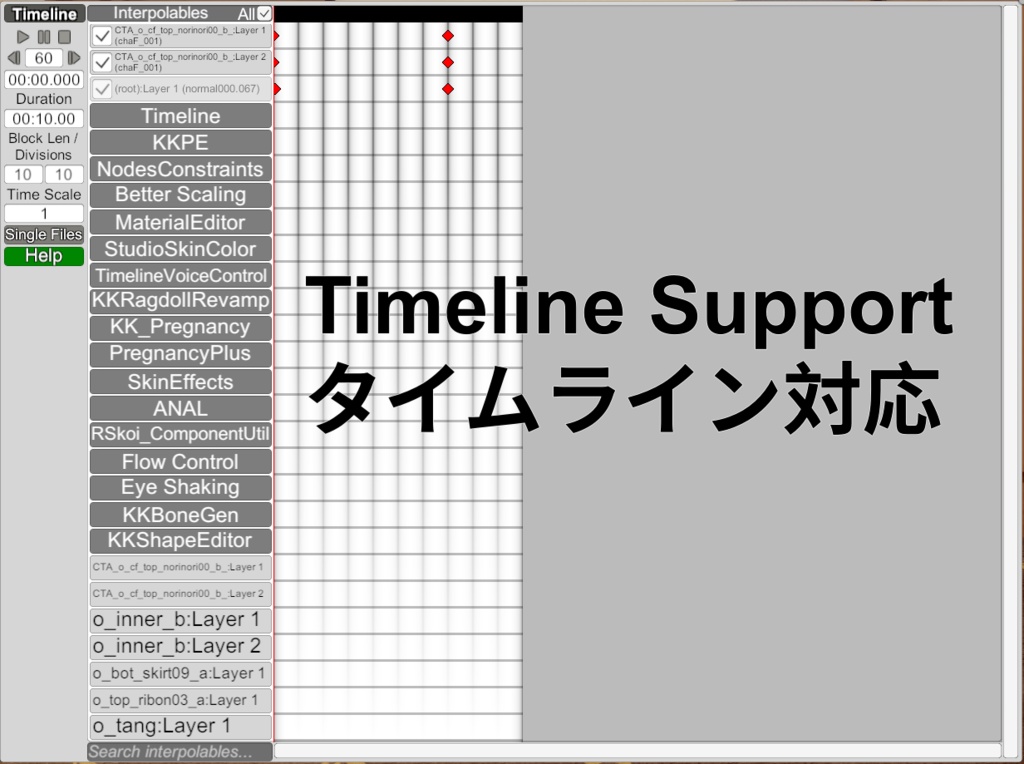
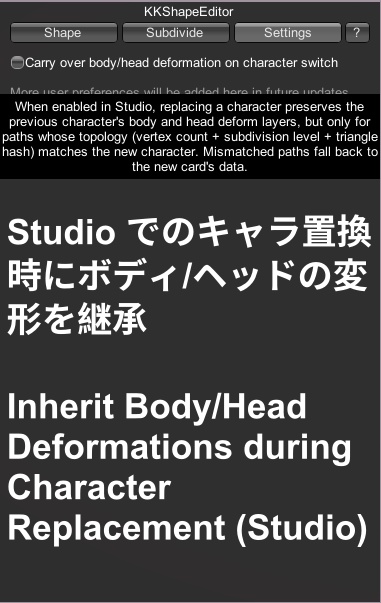
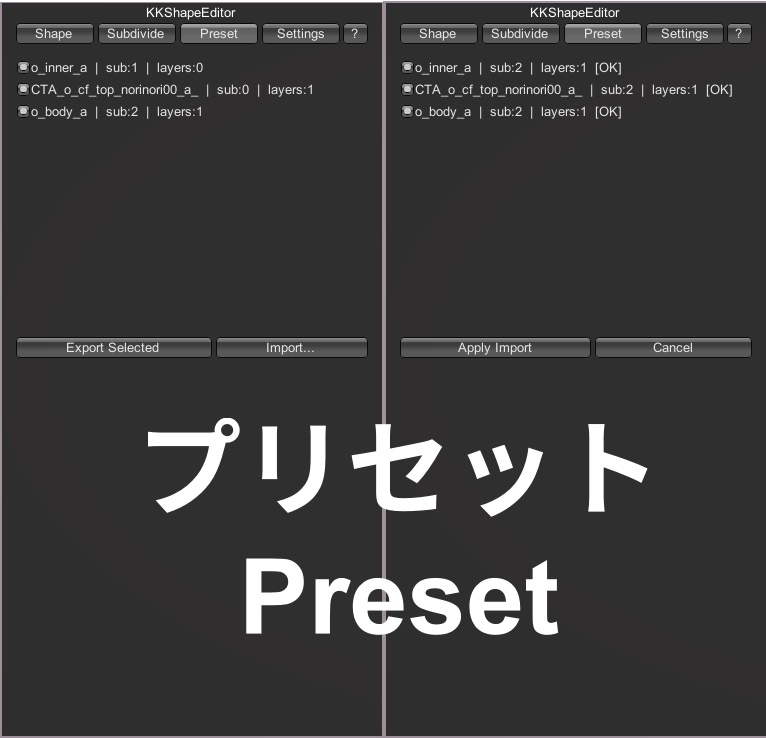
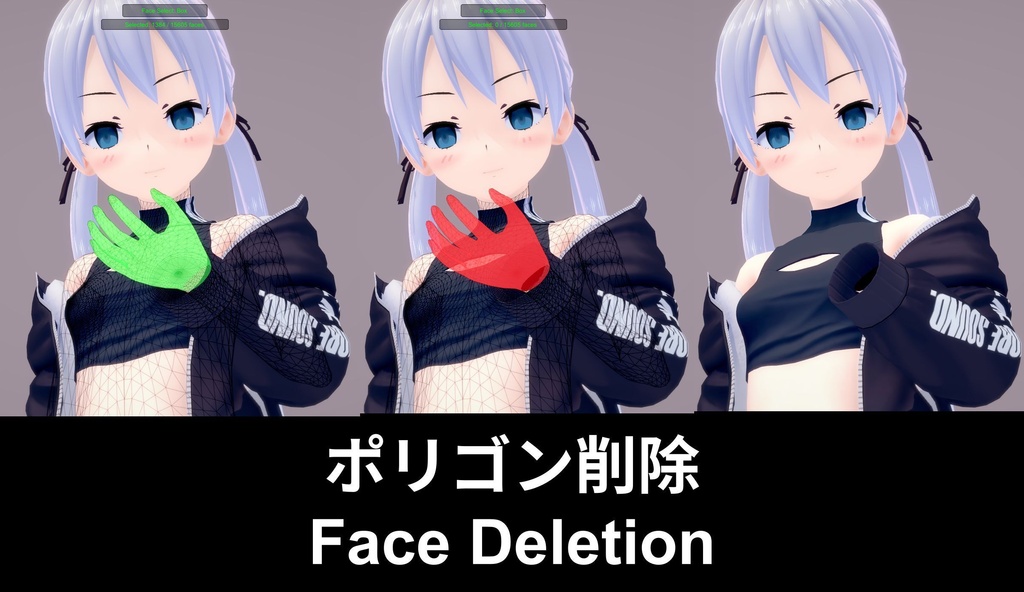
========== [2026-08-02: v2.0.10] ========== KKShapeEditor 2.0.10 Update Released The Lite version has also been updated. New Features ◈ Native BlendShape Binding This feature allows a Layer value to be bound to a character’s native BlendShape value. For example, suppose you use the plugin to create a Layer that modifies the shape of the mouth when it opens, but you want the Layer value to become 0 when the mouth is closed. In that case, you can use this feature to bind the Layer to the facial mouth-opening BlendShape. Bug Fixes ◈ Fixed an issue with importing Preset files Fixed an issue where, when duplicate character accessories were used with different deformation Layers, exporting them as a Preset file and importing the file again caused all duplicate accessories to receive the deformation Layer from only one of the accessories. ========== [2026-07-19: v2.0.9] ========== KKShapeEditor 2.0.9 Update Released The Lite version has also been updated. New Features ◻ Added a Surface Smoothing option to the Subdivision tab. When enabled, newly created intermediate vertices are smoothed according to the surface curvature. ◻ Added a wireframe opacity setting to the Subdivision tab. ◻ Added an option to select back-facing polygons in the Subdivision tab. This option is enabled by default. When disabled, only polygons visible on the surface of the object can be selected. ◻ Added a Rebake function to the Subdivision tab. This function is mainly intended to fix uneven surfaces around scale-bone weight transition areas after subdividing the body. Known Issues There is a scale-bone weight transition area on each side of the breasts. When these areas are subdivided, weight calculation errors may cause the newly created vertices to form an uneven or bumpy surface. Currently, enabling Surface Smoothing during subdivision can reposition the vertices and correct this issue. You can also fix it by using the Smooth brush or the Rebake button on the Subdivision page. However, because this issue is caused by bone weights, the uneven surface will appear again whenever the pose is changed. This means that the affected area must be repaired again after each pose change. At this time, no better solution has been found. If you do not need to subdivide the chest area of the body, this issue will not affect normal use of the plugin. Feature Changes ◻ The Lite version can now save Layer adjustment values. Bug Fixes ◻ Fixed an issue where subdivision data was lost when switching outfits after subdividing clothing. ◻ Fixed an issue where the Restore Subdivision button did not appear after subdividing the body, applying a deformation or entering Face Select mode, switching to another body type with Uncensor Selector, and then subdividing again. ◻ Fixed an issue where the Smooth brush could not smooth uneven areas around bone-weight transitions after subdividing the body. ◻ Fixed an issue where the brush size was reset when performing subdivision or exiting Select Face mode. ◻ Fixed an issue in the Lite version where all Layers disappeared when using Save As on a card edited with the full version of the plugin. ========== [2026-07-05: v2.0.8] ========== KKShapeEditor 2.0.8 Update Released The Lite version has also been updated simultaneously. New Features: ◻ Added True Smooth Brush: Used to flatten out surface details. ◻ Added Pinch Brush: Pulls mesh vertices toward the center of the brush. ◻ Added Crease Brush: Creates creases/dents by pushing or pulling the mesh. ◻ Edit Mode Gizmo Improvements: ◻ Added Face Selection Mode. ◻ Added Brush Mode for selecting vertices and faces. ◻ Added Grow / Shrink Selection functionality: use the = key to Grow and the - key to Shrink (also applies to Face Selection Mode). Changes: ◻ The original "Smooth" brush functioned closer to a "Relax" effect in practice, so it has been renamed to the Relax Brush. ◻ The display size of selected vertices on the Gizmo can now be adjusted via the BepInEx Config. ◻ Added a This outfit only option to the CSB feature (disabled by default). When enabled, this binding is restricted to the current outfit only; switching to other outfits will set the Layer value to 0. ◻ The Preset feature now supports importing and exporting PSD and CSB data. Bug Fixes: ◻ Fixed an issue where subdividing faces on only one side of a UV seam would cause gaps to appear. ========== [2026-06-20: v2.0.7] ========== KKShapeEditor 2.0.7 Update Released New Features Mirror Layer Functionality: To streamline the creation of Pose Space Driven layers, a new mirroring feature has been added. Now, once you have shaped one side, simply click the mirror button to automatically generate a mirrored layer for the opposite side. Clothing Status Binding: This feature allows you to bind the value of a deformation layer to the visibility/status of specific clothing. For example, if you have a deformation layer that simulates thigh squeeze when wearing stockings, but want this deformation disabled when the stockings are removed, you can now use this feature to bind the layer directly to the stockings' visibility status. Changes & Improvements Updated the Pose Space Driver field information within the PSD tab. Bug Fixes Fixed an issue where loading this plugin alongside BlendShapeEditor caused an error upon opening the UI window due to a Window ID conflict. Fixed an issue where using the Smooth brush on UV seams caused vertices to split. Fixed an issue in Edit Mode where, after adding a certain number of layers, deleting previously created layers prevented any further layers from being added. ========== [2026-06-14: v2.0.6] ========== KKShapeEditor 2.0.6 Update Released New Features: Pose Space Driven: This feature allows you to drive layer morph values based on the displacement or rotation values of bones. (Note: This feature is not applicable to map objects.) Example Application: Add a bicep bulge morph to the front of the upper arm. Set the layer value to 0 when the elbow is straight, and to 1 when the elbow is bent at a 90-degree angle. This way, when the character bends their elbow, the layer value will automatically adjust, eliminating the need to manually set keyframes for the layer via the timeline. Another similar application would be making the hem of a sailor uniform lift to expose the stomach when the shoulders are raised. Tips: As for how to determine which bone to rotate and on which axis? Currently, you will have to test it out yourself using KKPE, as that is exactly how I do it. Notice: Please note that sometimes the rotated bones for FK can vary. For instance, it might rotate the cf_j_shoulder_L bone this time, but upon reloading the file next time, it might rotate the cf_d_shoulder_L bone instead. Testing with FK & IK does not have this issue, as it consistently rotates the cf_j_shoulder_L bone. Current Limitation: Currently, this feature is limited to binding only one layer per bone. Changes: The Renderer List in the UI window now displays the object part and its current visibility status. Minor adjustments have been made to the UI window layout. Bug Fixes: Fixed an issue where editing a layer in one outfit slot would break editing in the next outfit slot if the outfits were different but shared the exact same Mesh name. Fixed an issue in the Subdivision tab where the "Undo" button would disappear after performing subdivision and undo operations more than a certain number of times. Fixed an issue where hair objects for Back Hair, Front Hair, Side Hair, and Ahoge were not being displayed in the Renderer List. Fixed game crash issues when entering Edit Mode on certain native KKS objects. Current Fix Method: Non-editable objects will no longer be displayed in the Renderer List within the plugin UI. Since this is caused by KKS's read/write locking mechanism on certain objects, it cannot be resolved by the plugin at this time. To prevent users from accidentally selecting them and causing a crash, these non-editable objects have been hidden from selection. ========== [2026-06-02: v2.0.5] ========== KKShapeEditor 2.0.5 Update Released New Features: Keep Existing Layers: A new "Keep Existing Layers" toggle has been added to the Preset tab in the UI. By default, this is turned OFF. When enabled, importing a preset will preserve your current layers instead of clearing them. Adjustable Max Range for Brushes and Soft Selection: You can now modify the maximum range for brushes and soft selection directly in the BepInEx Config. The default value is 0.5, but it can now be increased up to 5.0, making it much easier to reshape massive map objects. Hotkeys for Edit Mode / Select Faces: Quickly adjust Brush Range, Soft Selection, and Brush Strength using the following hotkeys: Brush/Soft Selection Range: Use the [ or ] keys. Brush Strength: Use Shift + [ or Shift + ]. Continuous Stepping: Holding down the keys will trigger a continuous adjustment mode. The stepping rate can be customized in the BepInEx Config. ========== [2026-05-29: v2.0.4] ========== KKShapeEditor 2.0.4 Update Released New Features: Added a "Mesh Wireframe" display option in the Renderer section of the UI window. When disabled, the wireframe will no longer be visible during Edit Mode. Changes: Changed the default hotkeys for Undo and Redo in Edit Mode to (Z / Y) to prevent conflicts with CharStudio's hotkeys. You can still customize the Undo and Redo hotkey settings via the BepInEx Config. Bug Fixes: Fixed an issue where deformations applied to objects imported via Asset Import or Object Import were not correctly saved or loaded. ========== [2026-05-26: v2.0.3] ========== KKShapeEditor 2.0.3 Update Released New Features: Show Edited Meshes Only: Added a "Show Edited Only" toggle to the Renderer section of the UI. When enabled, the Target Mesh list will only display meshes that have been previously edited. Camera Focus (CharStudio): Added a Camera Focus feature to the Renderer section in CharStudio. This allows users to center the camera view on specific sub-objects within maps or combined objects for easier editing. Bug Fixes: Fixed an issue in CharStudio where cloning the same character would cause the original character's layers to disappear from the Timeline. Fixed a bug in Edit Mode where the mesh shape would not revert to its original state if a second (or subsequent) layer was deleted after being edited. ========== [2026-05-18: v2.0.2] ========== KKShapeEditor 2.0.2 Update Released New Features: Added Backface Culling Toggle for Edit Mode Gizmo: Enabled by default. When disabled, only visible vertices on the object's surface can be selected. Added Face Deletion in Select Face Mode: Users can now select and delete specific faces. Changes: Layer Adjustment: Deformation layer sliders can now be adjusted even when not in Edit Mode. UI Improvements: Minor adjustments and refinements to the user interface window. Gizmo Display: Adjusted the visual representation of vertices in Edit Mode. Bug Fixes: Fixed an issue causing abnormal lag/stuttering in Select Face mode. Fixed a bug where the wireframe of a character adjusted with IK would snap back to the default animation pose while in Select Face mode. Fixed a conflict where restoring a subdivided character and then applying a Preset (deformation data only) would cause the restored subdivision data to reappear when switching outfit types, leading to a failure in applying the deformation data. ========== [2026-05-13: v2.0.1] ========== KKShapeEditor 2.0.1 Update Released New Features: Preset System: Previously, the Export/Import function in Edit Mode could only handle deformation data. Subdivision data could only be accessed via character or scene cards, making it cumbersome to transfer data between characters. The new Preset feature allows you to multi-select objects (e.g., clothing or body) for export. These presets now include both Subdivision and Deformation data. Upon importing, a list of available objects will be displayed; simply check the ones you want and click "Apply." Note: The target character's body type and clothing must match the source data, otherwise the import will fail. Functional Changes: Gizmo Controls: In Edit Mode, the box-selection behavior for vertices has been changed from Right-Click to Left-Click to maintain consistency with the "Select Face" behavior. Bug Fixes: Fixed an issue where the brush would disappear or fail to select faces at certain angles/positions when editing hair or specific accessories in Select Face mode. Fixed a bug where using the deformation brush on certain accessories would cause the game to freeze temporarily. Fixed an error that prevented deformation when using the brush on specific clothing items. Fixed an error occurring when exiting Edit Mode after editing a subdivided model. Fixed an issue where inconsistent vertex displacement speeds on subdivided models caused surface artifacts (bumps/spikes). Fixed a visual bug where the wireframe would occasionally flicker or jitter in Select Face mode. ========== [2026-05-09: v2.0.0] ========== KKShapeEditor 2.0.0 Update Released This update introduces a major overhaul of how the plugin handles Mesh processing. It no longer relies on generating additional Mesh deformations, which previously caused compatibility issues with Material Editor and other plugins. Extensive testing has confirmed that all core features are working as intended. However, if you encounter any issues during use, please feel free to report them. Note: This plugin is incompatible with the Pregnancy+ plugin. Please do not use them together. ========== [2026-05-06: v1.1.1] ========== KKShapeEditor 1.1.1 has been released Bug Fixes: Fixed an issue where keyframes could not be set in the timeline after creating a deformation (layer) on a newly added character in an empty scene. Fixed an issue where deformation data could not be imported or exported if the user did not have "KKAPI NativeHelper.dll" installed. ========== [2026-05-05: v1.1.0] ========== KKShapeEditor 1.1.0 Update Released New Features: Multi-Object Editing: Now supports selecting and editing multiple objects simultaneously. Coordinate Card Support: Shape deformations for outfits can now be saved directly to Coordinate Cards. Graphics Tablet Support: Added support for pen pressure sensitivity. Timeline Integration: You can now set keyframes for object deformation layers within the Timeline. Inherit Body/Head Deformations during Character Replacement (Studio): Note: This only works if the new character shares the same body/head type. If the types differ, the application will be skipped to prevent mesh and topology errors. This feature is OFF by default; you can enable it in the Settings. Bug Fixes: Fixed an issue where editing would drop out when the brush moved beyond the object's edges. Fixed an issue where the plugin would forcibly override the original object's enable/disable toggle in Material Editor. Fixed a naming conflict in Material Editor where all deformed objects were named "_kkse_deform_display," making them impossible to identify. Note: The fixes related to Material Editor will also be applied to KKBoneGen in a future update. ========== [2026-04-23: v1.0.0] ========== First Release