

Remote/Local Scaling Tool - VRC Via OSC With Twitch Integration
- ダウンロード商品¥ 270
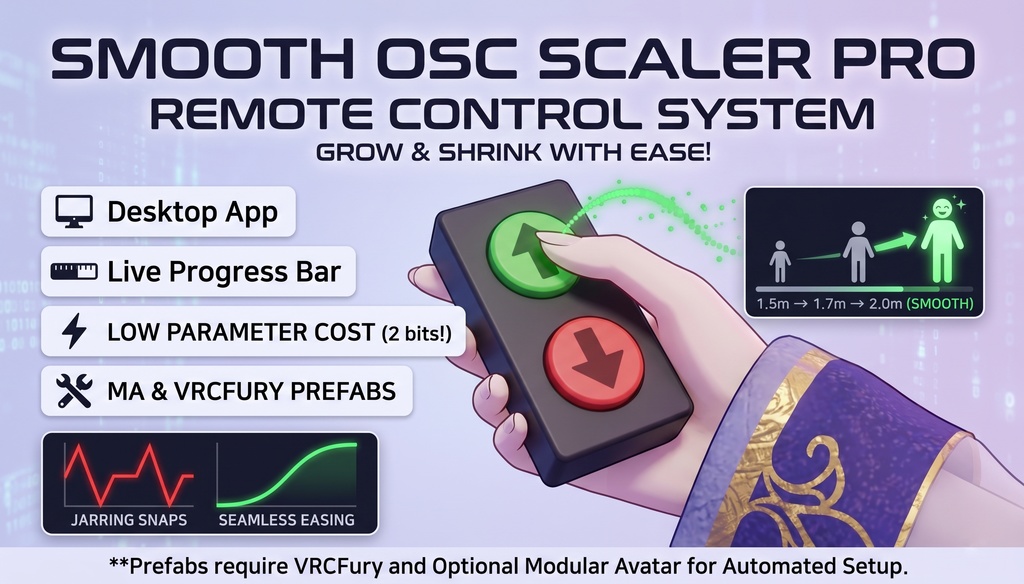
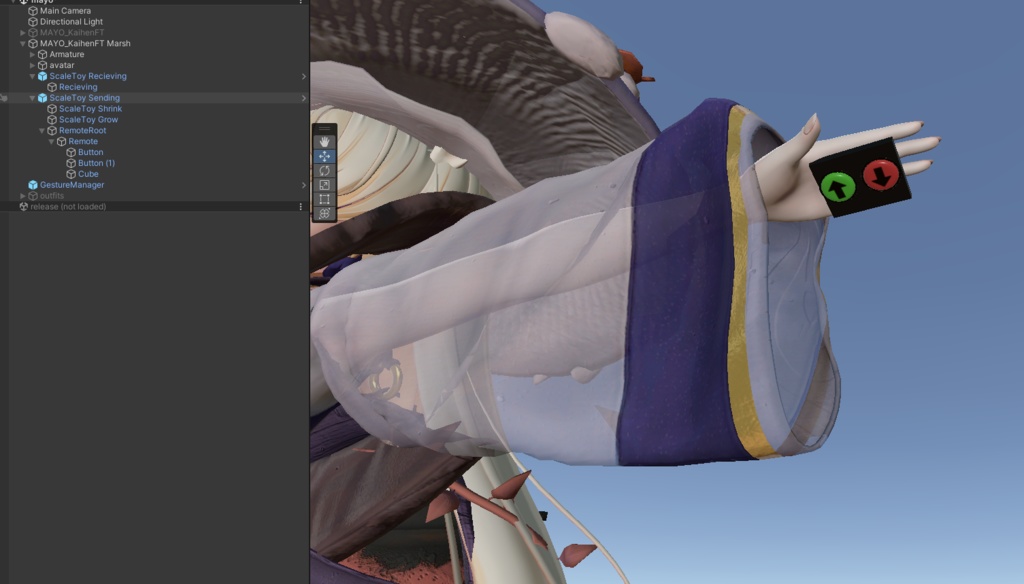
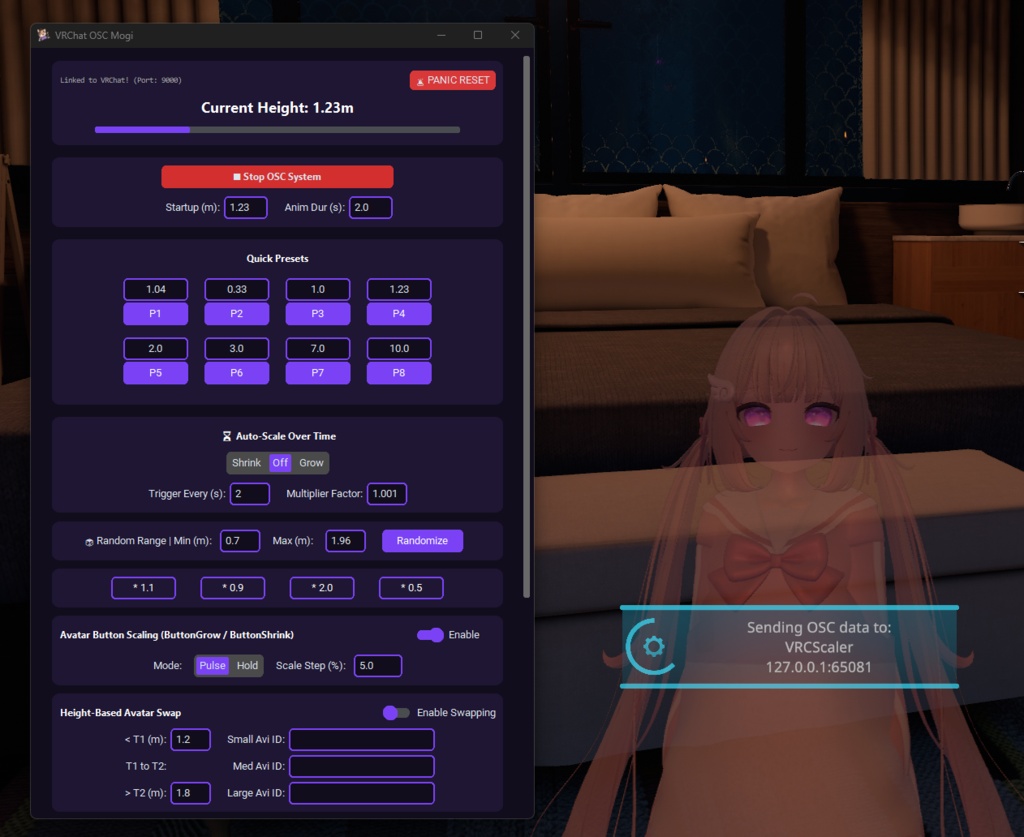
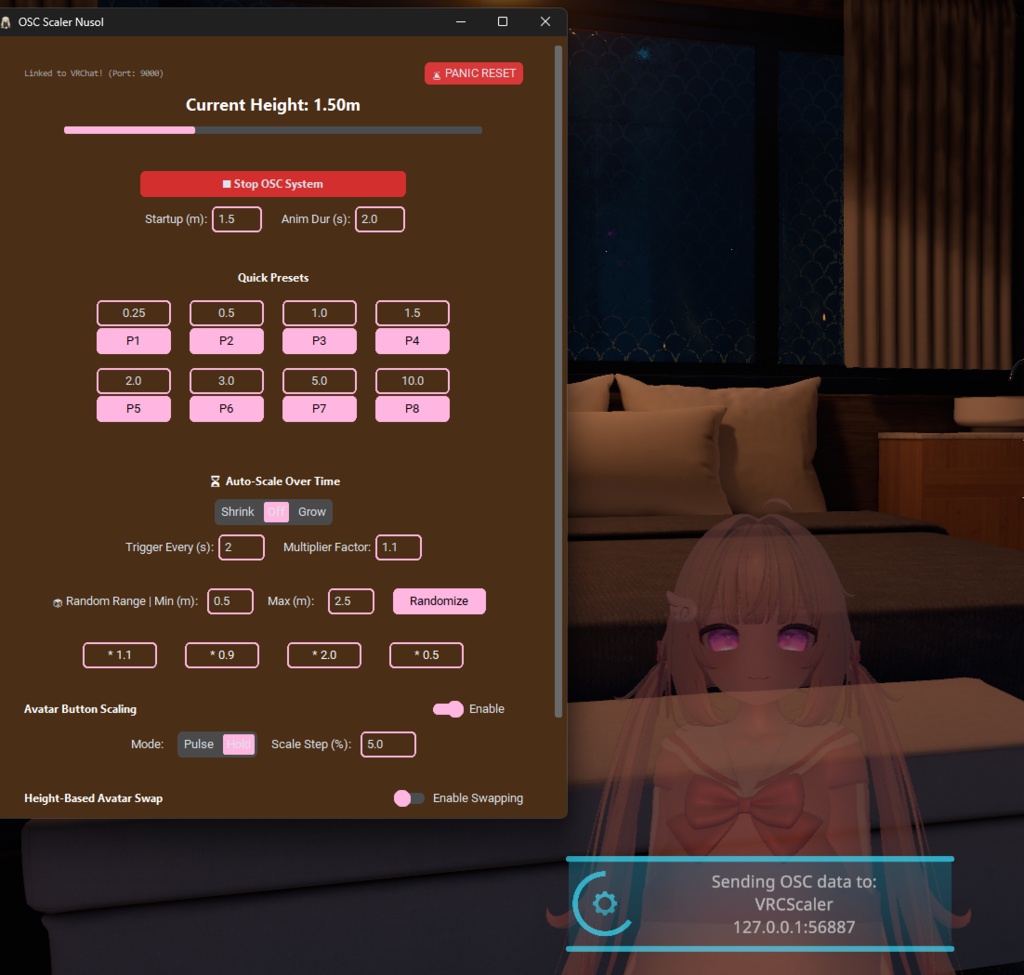


Here is an updated, polished version of your description that accurately reflects the current features of both the Full (Streamer) edition and the customized Streamlined (Nusol) edition, while correcting the outdated information like the save slot count. VRChat Smooth OSC Scaler Pro & Remote Control System Tired of instantly snapping between avatar sizes? Want to give your friends power over your height, or let your Twitch chat control your scale? The Smooth OSC Scaler Pro is a complete, multi-version system that replaces VRChat’s jarring, instant height changes with beautiful, buttery-smooth animations. Complete with a sleek desktop UI and interactive in-game prefabs, you can control your height with precision—or hand a remote to a friend and let them shrink you down! We now offer two distinct versions in this package so you can choose the exact toolset you need: the feature-rich Streamer Edition and the ultra-lightweight Streamlined Edition. Core Features (Both Versions) Buttery Smooth Transitions: Uses advanced Sine-Curve math to ease your avatar into its new size. No more motion sickness or jarring snaps! (local only) Interactive Friend Remote: Includes an interactive remote control prefab. Hand it to a friend in-game, and they can use physical "Grow" and "Shrink" buttons to scale your avatar (supports both single "Pulse" steps and continuous "Hold" scaling). 8 Auto-Saving Presets: Type in your favorite exact heights (e.g., 1.85m) across 8 quick-access slots; the app instantly saves them for your next session. Automated Scaling & Randomizer: Set your avatar to automatically grow or shrink over time, or hit the Randomizer to snap to a random height within your custom minimum and maximum limits. Height-Based Avatar Swapping: Automatically swap to completely different Avatar IDs when you shrink below or grow above your specified height thresholds. Low Parameter Cost: The remote system uses highly optimized boolean logic, costing only 2 bits of your avatar's parameter space. Version 1: The Streamer Edition (Full) Native Twitch Integration: Connect directly to your Twitch channel without external tools. Let chat scale you up and down using "!bigger" and "!smaller" commands. Built-in TTS Engine: A native Text-to-Speech reader using Microsoft neural voices. Quote Redemption System: Includes a local points system where chatters earn points by talking, which they can spend to trigger randomized, voiced quotes in your stream. Sleek Dark UI: A modern, dark-themed custom desktop app featuring a live progress bar, precision target slider, and relative math adjustments. Version 2: The Streamlined Edition (Custom Theme) Performance Focused: Strips out the Twitch connection, TTS engine, and quote systems for users who want the absolute lowest memory footprint possible. Custom Aesthetic: Features a rich leather-brown background with pastel pink accents for a distinct, stylish UI. Pre-Configured Swapping: Comes pre-loaded with specific small, medium, and large Avatar IDs for seamless, zero-setup transitions right out of the box. What’s Included in the Package? The Desktop Apps: Both the Streamer and Streamlined Python .pyw control panels, alongside standalone .exe versions requiring no dependencies. 1-Click Dependency Installer: A simple .bat file that automatically installs the required Python libraries if you choose to run the source scripts. No coding knowledge required! The Receiver Prefab: Drop this onto your avatar in Unity to catch the remote control signals. The Sender "Remote" Prefab: Give this prefab to your friends so they can trigger your growth and shrinking. Requirements & Setup For the Desktop App: Windows PC. VRChat with OSC Enabled in your radial menu. (Optional) Python installed if running the raw .pyw files instead of the .exe. For the Unity Prefabs: VRCFury (Required for the interactive remote logic and toggles). Modular Avatar (Highly Recommended). MA will automatically install and merge the 'ButtonGrow' and 'ButtonShrink' parameters for you. Note: If you do not use Modular Avatar, you will need to manually add these two Bools to your avatar's Expression Parameters list. How to Use Run the .exe for your preferred version (or run the Install_Dependencies.bat file once to use the Python scripts). Set your send/listen ports and double-click the app to open your control panel. Drag and drop the Unity Prefabs onto your (and your friend's) avatars. Set your duration, choose your height, and watch yourself smoothly grow! Additional Notes: Size change is only smooth locally unless you use a remote smoothing tool. Scaler can be used purely via the desktop app without adding any avatar-based items/prefabs. The Remote prefab can be used on yourself if you want physical buttons in VR!