
LUNA Bridge — Observatory x6 Trial Edition v2.0.4 RS-232C / USB-Serial to TCP Bridge for Astronomical Mounts
- ダウンロード商品¥ 0
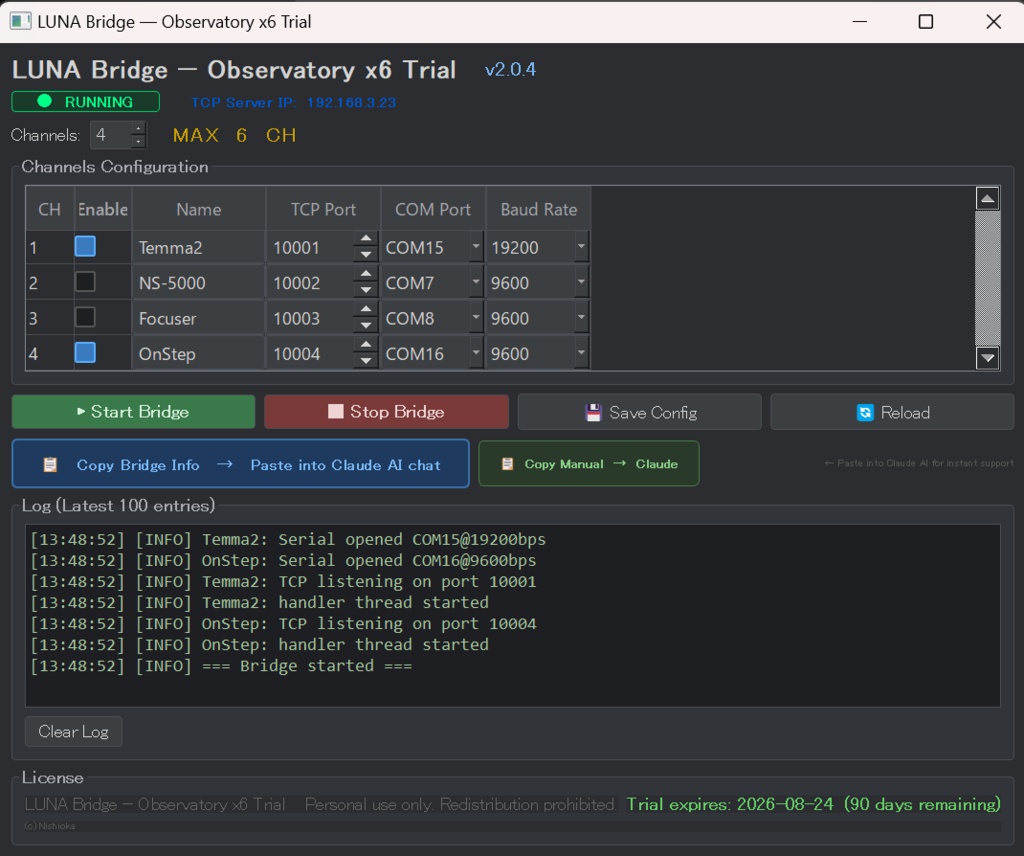

LUNA Bridge — Observatory x6 Trial Edition v2.0.4 RS-232C / USB-Serial to TCP Bridge for Astronomical Mounts ────────────────────────────────────────── Connect your telescope mount to SkySafari, Claude AI, and any TCP-capable application — no drivers, no hassle. LUNA Bridge converts up to 6 RS-232C / USB-serial ports into TCP network ports on your Windows PC. Your smartphone app or AI assistant connects over Wi-Fi just as if it were wired directly to the mount. ■ WHAT IT DOES Serial Device (mount) → COM port on Windows PC → LUNA Bridge → TCP port (Wi-Fi / LAN) → SkySafari / Claude AI / any TCP app ■ CONFIRMED COMPATIBLE MOUNTS • LX200 protocol mounts 9600 bps • OnStep (Classic LX200 mode) 9600 bps • NS-5000 (Classic LX200) 9600 bps • Takahashi Temma2 19200 bps *tentative ■ KEY FEATURES • Up to 6 channels — run multiple devices simultaneously • Baud rates: 9600 / 19200 bps (astronomical mount standard) • One-click "Copy Bridge Info → Claude AI" for instant AI support • One-click "Copy Manual → Claude AI" — Claude instantly understands the app and guides you through any operation • Settings auto-saved and reloaded on next launch • Single EXE — no installation required ■ CLAUDE AI INTEGRATION Paste the bridge info into Claude chat and ask naturally: "Slew the mount to Vega" / "What is the current RA/Dec?" Claude reads and writes serial commands through the TCP bridge. ■ TRIAL TERMS • Free to use for 90 days from first launch • After 90 days the application will not start • Restart count does not reset the trial period • Purchase the full Observatory x6 edition to continue ■ SYSTEM REQUIREMENTS • Windows 10 / 11 (64-bit) • USB-to-serial adapter or RS-232C port • No Python or additional runtime required ■ LINKS Full edition (no expiry): https://onstepninja.booth.pm/ Project page / GitHub: https://github.com/OnStepNinja/LUNA © Nishioka Sadahiko 📚 LUNA Docs / AiBridgeMCP — Start here for setup guides, technical references, and FAQ. Ask questions directly inside NotebookLM and get answers from the official documentation. 👉 https://notebooklm.google.com/notebook/f2ce997f-18c2-44c4-8738-973b204c190c 💬 AiBridgeMCP Community — Join our Facebook group to ask questions, share your results, and connect with other users. The developer is also a member. Everyone is welcome. 👉 https://www.facebook.com/groups/1230935959149731