
Vertex Animation Shader
- ダウンロード商品¥ 0

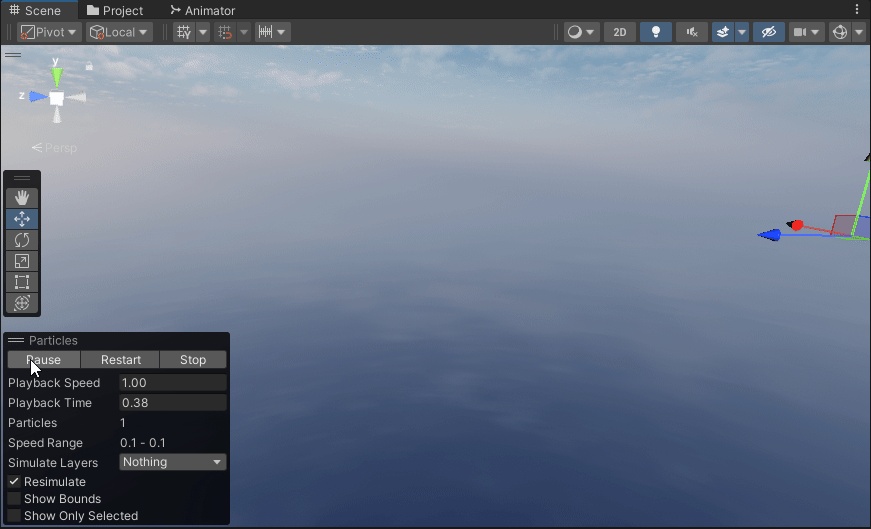


I have to put something here, "or else." I guess I should tell you the first images are GIF. Click them if your browser won't load it otherwise.
Nekoya's Basis
Both of these are based on a shader and add-on that the author no longer supports and shares for free on Booth under MIT. I only translated the blender plug-in and expanded the shader pretty heavily, but the base of each is largely Nekoya's work, linked here: https://nekoco.booth.pm/items/5943052 As they provide their asset freely and it aligns with my intentions, this asset is also provided freely under MIT.
Asset Description
This is a Vertex Animation Shader that supports PBR Maps and is set to Vertex Colors by default and handles vertex deformation a little differently so that it can work with Particle Systems, which was my purpose. It has much more utility than simply animating mesh particles though. Jump down a VAT Rabbit Hole on YouTube and you'll see. Something to be aware of is that the PBR slot takes advantage of a packed texture format called ASEU that Unreal uses for performance.
Blender
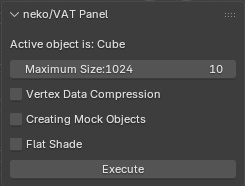
The .py is the translated Blender add-on originally created by Nekoya that is used for generating VAT (vertex animation textures), and the associated mesh. You make an animation in blender and then, with the mesh selected, click `Execute`. It uses UV2 for the shader, so keep that in mind when you're about to Export the FBX. You'll then need to save the Image Texture that has been generated via the Image Editor in Blender.
Unity
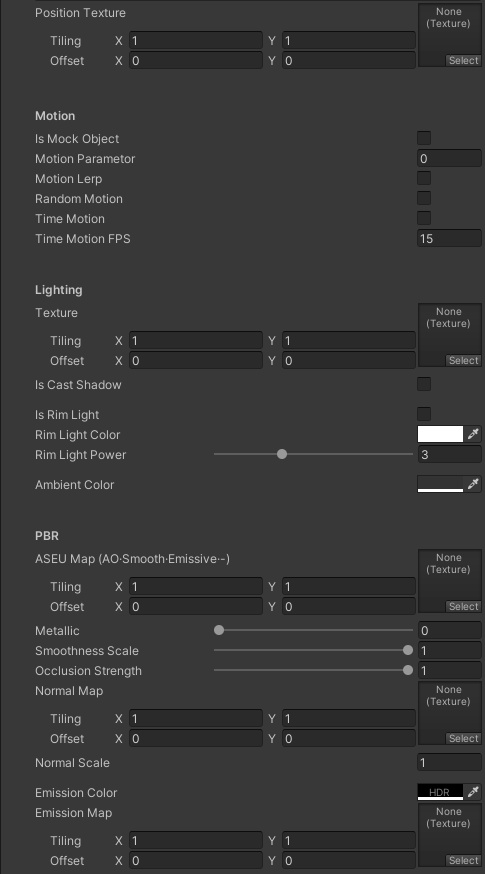
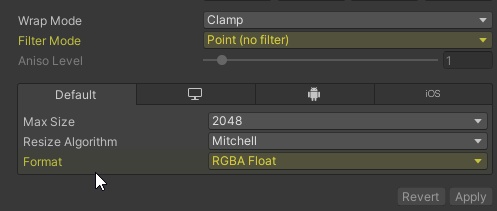
You'll then need to import the Vertex Animation Shader package. Any VAT you port into Unity will need to use the above shown import settings. You'll then apply the VAT in the `Position Texture` slot. Hopefully the settings in the shader itself are self-explanatory.
Refer back to Nekoya's original Booth Page
Nekoya would like anything made with their work to be tagged on social media via #nekoVAT. It's not a requirement, but I would encourage it to thank their generosity. If you run into troubles not addressed on this page, please refer back to Nekoya's page for any details I may have missed. For ease, I will include a Point of Note: "This product will not function correctly unless Unity's Color Space setting is set to Linear. It does not support Static color space."
Sample Asset***
Included for your ease of understanding is a sample asset that I put together. Nothing in this sample is my own. Largely, not even the shader is mine; only a heavily modified version of Nekoya's base. If you can refrain from redistributing the sample asset, I would appreciate it.