
RPGツクールMZ 遠景マップ固定プラグイン ParallaxMapFixed_MZ
- ダウンロード商品¥ 0
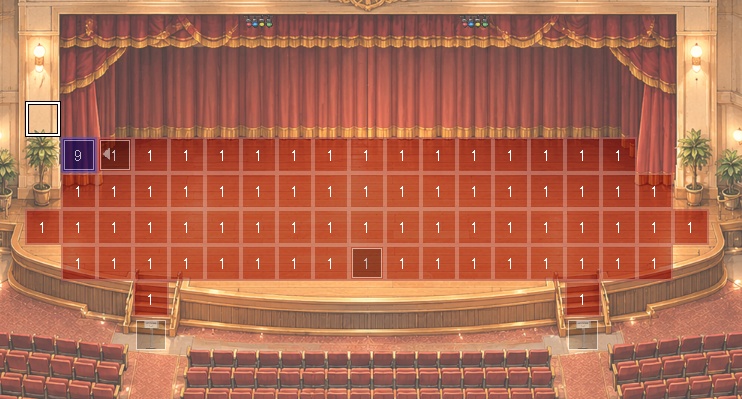
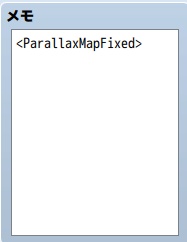
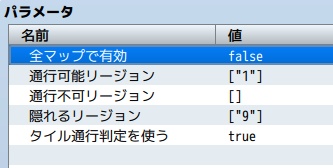


RPGツクールMZ向けの、遠景画像をマップとして使うためのプラグインです。 通常の遠景はマップスクロールに対して背景のように動きますが、このプラグインを使うと、遠景画像をマップ座標に固定できます。 1枚絵で作成したマップ画像を、そのままゲーム内のマップとして表示したい場合に便利です。 ■ 主な機能 ・遠景画像をマップに固定して表示 ・マップごとに固定遠景のON/OFFを指定 ・タイル通行判定のON/OFF ・通行可能リージョンの指定 ・通行不可リージョンの指定 ・プレイヤーが背景に隠れるリージョンの指定 ・各設定をプラグインパラメータまたはマップのメモ欄から指定可能 ■ こんな用途に ・1枚絵マップをそのまま使用したい ・手描き背景の上をプレイヤーに歩かせたい ・リージョンで通行判定を管理したい ・隠し通路や、木・壁・屋根の裏を歩く演出を作りたい ■ 基本的な使い方 1. マップ画像を img/parallaxes に入れる 2. マップ設定で遠景画像として指定する 3. 遠景のループ設定をOFFにする 4. マップのメモ欄に <ParallaxMapFixed> を記入する 通行判定は、タイル設定・通行可能リージョン・通行不可リージョン・隠れるリージョンで調整できます。
This is a plugin for RPG Maker MZ that lets you use a parallax image as a map. Normally, parallax backgrounds move like background layers when the map scrolls. With this plugin, you can fix the parallax image to the map coordinates. It is useful when you want to display a map created as a single image directly as an in-game map. ■ Main Features - Fix a parallax image to the map - Enable or disable fixed parallax behavior for each map - Turn tile passability ON/OFF - Specify passable regions - Specify impassable regions - Specify regions where the player is hidden behind the background - Configure each setting through plugin parameters or map note tags ■ Recommended For - Using a single-image map directly - Letting the player walk on a hand-drawn background - Managing passability with regions - Creating hidden passages or effects where the player walks behind trees, walls, roofs, etc. ■ Basic Usage 1. Place the map image in img/parallaxes 2. Select it as the parallax image in the map settings 3. Turn OFF parallax looping 4. Add <ParallaxMapFixed> to the map note box Passability can be adjusted using tile settings, passable regions, impassable regions, and hidden regions.