
Herbeb
- ダウンロード商品¥ 888

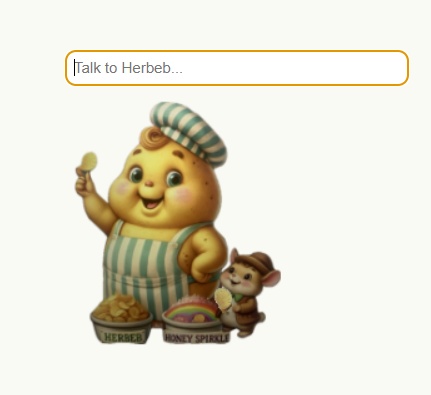



Herbeb - Desktop Potato Chef Companion ━━━━━━━━━━━━━━━━━━ Requirements: - Windows 10/11 - Ollama (free download: ollama.com) - llama3.2:3b model Setup (one time only): 1. Install Ollama from ollama.com 2. Open Command Prompt and type: ollama pull llama3.2:3b 3. Launch Ollama 4. Double-click Herbeb Setup 1.0.0.exe 5. Follow installation instructions How to use: - Click Herbeb to chat with him - Type your message and press Enter - Herbeb will respond and speak to you - Drag Herbeb to move him anywhere on screen Features: - Crunch animations while thinking - AI conversation powered by Ollama - Remembers recent conversations! - 100% local - no internet required - Your conversations won't leave your PC 日本語で話すジャガイモが欲しい方はherbeb-jpをダウンロードしてね。 Herbeb - デスクトップじゃがいもシェフ ━━━━━━━━━━━━━━━━━━ 必要なもの: - Windows 10/11 - Ollama(無料:ollama.com) - gemma3:4b モデル 初回セットアップ: 1. ollama.com から Ollama をインストール 2. コマンドプロンプトを開いて入力: ollama pull gemma3:4b 3. Ollama を起動 4. Herbeb Setup 1.0.0.exe をダブルクリック 5. インストール手順に従う 使い方: - Herbeb をクリックして話しかける - メッセージを入力してEnterキーを押す - Herbeb が返事をして話しかけてくれるよ - ドラッグで画面のどこにでも移動できる 特徴: - 考え中はクランチアニメーション - Ollama によるAI会話 - 最近の会話を覚えてるよ! - 完全ローカル動作・インターネット不要 - 会話データはあなたのPC内にのみ保存されます