
【歌枠ツール】曲、歌詞タイトル一括表示!Uta-Board(ウタボード)
- 通常版ダウンロード商品¥ 0
- 支援版ダウンロード商品¥ 500
- アップデートできなかった人用ダウンロード商品¥ 0
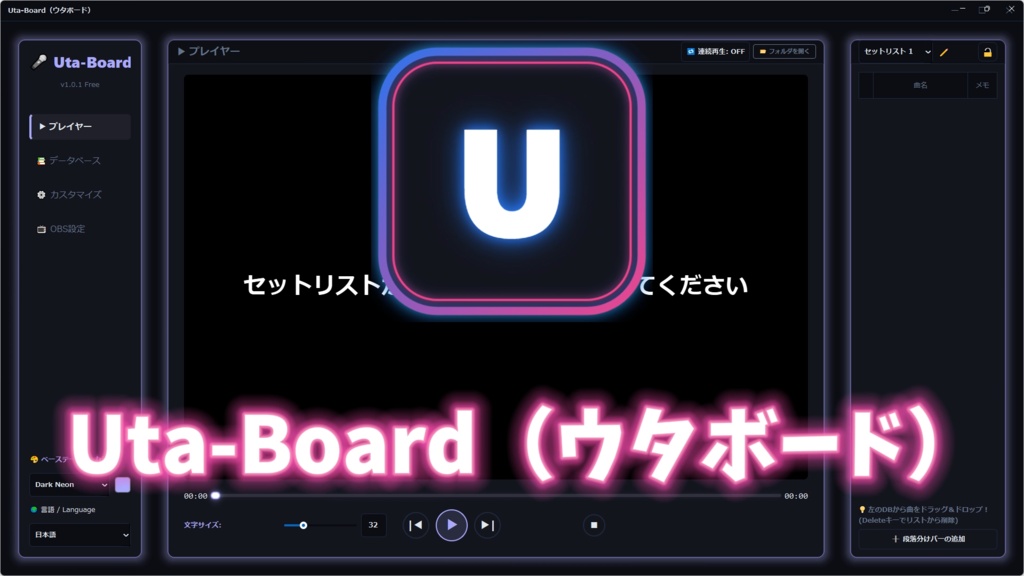

---------------------------------------------------------------------------- 通常版と支援版は同じものです 使い方はこちら↓ https://youtube.com/playlist?list=PLemktenkJAp1tMHT3nbeDcjfxRfg7q8dT&si=X4LpLpZg7TWn0X41 ※※※※※※※※※※※※※※※※※※ 初回起動時、「WindowsによってPCが保護されました」という メッセージが出ます。 詳細情報を押して、実行を押していただければ使えます。 ※※※※※※※※※※※※※※※※※※
Uta-Board|VTuber、歌い手向け歌枠支援ツール
■v2.0.4アップデート! ・アップデート機能の改善 ・次回以降のアップデートで進捗を確認できるGUI Updaterを追加 ・ 安定性の改善と不具合修正 ※※※※※※※重要※※※※※※※※ 自動アップデートができなかった人は 「アップデートできなかった人用」から ダウンロードして展開して 中身を上書きしてください。 絶対に「アップデートできなかった人用」のところからダウンロードしてください!通常版は新規の方向けなので、上書きするとデータ消えます!!!! 念のためにバックアップを必ずお願いします。 ※※※※※※※※※※※※※※※※※
🎤 歌枠を快適に!
「次の曲いきます」 ↓ 曲名表示 ↓ オケ再生 ↓ 歌詞動画再生 この流れ、毎回手作業でやっていませんか? Uta-Board は、VTuber・歌い手向けに作られた “歌枠専用”支援ツールです。 曲をクリックするだけで、 ●OBSに曲タイトル表示 ●オケ再生 ●歌詞動画再生 をまとめて実行。 歌枠の進行を、もっとスムーズに。 そんなツールを目指して開発しています。
✨ 現在できること
🎵 曲クリックでまとめて起動 セットリストから曲を選ぶだけで: ●OBSタイトル表示 ●オケ再生 ●歌詞動画再生 を同時実行。 「曲切り替えで配信が止まる」を減らせます。 また、 ●リクエスト機能 リスナーがリストから選んでリクエスト⭐
🌈 タイトル装飾とアニメーション
OBS標準では難しい、文字装飾機能。 ●ネオン文字 ●多重縁取り ●プリセット登録 ●タイトルアニメーション 搭載。 歌枠の切り替えを、 「ただの作業」ではなく演出に変えます。
📚 曲データベース管理
●曲名 ●アーティスト ●5段階お気に入り ●最後に歌った日 ●曲ごとのメモ ●カテゴリー分け などを管理可能。 もちろん通常検索や、カテゴリ検索機能、 ソート機能もしっかり完備。 歌枠を重ねるほど使いやすくなります。
🌍 多言語対応
現在対応: ●日本語 ●英語 ●中国語 ●台湾語 ●韓国語 ●ドイツ語 ●インドネシア語
💎 配布・アップデートについて
⭐基本利用無料⭐ 現在の基本機能は無料で利用可能です。 まずは実際に触ってみてください。
🌟 サブスクについて
今後追加される一部の高度機能・演出機能・継続アップデートは、 サブスクリプション形式で提供予定です。 無料アップデートも継続的に行います。 「歌枠をもっと楽しくしたい」 そんな方向けに、さらに進化させていく予定です。
🖥 動作環境
推奨 ●Windows 10 / 11 ●OBS Studio(無くてもタイトル表示以外使えます) ●配信が可能なスペックのPC 推奨解像度 ●1920×1080 というか、自分のPC環境でしか確認とれてないので このスペックで使えました!ってポストしていただけると、すごくありがたいです。
⚠️注意事項
■ご購入・ご利用前に必ずご確認ください ●本ツールはWindows専用です。 ●OBS Studioとの連携を前提としています。ですが、OBSがなくても、曲を流したり歌詞表示は可能です。 ●配信環境によって動作が異なる場合があります。 ●すべての環境での動作保証はできません。 ●アップデート内容・仕様は変更される場合があります。 ●ベータ版に近い機能を含む場合があります。 ●外部ソフト・OBS仕様変更等により、一部機能へ影響が出る場合があります。 ●本ソフト利用による損害について作者は責任を負いません。 ●無料版の際は概要欄にUta-BoardのURLを記載してください。
❌禁止事項
以下は禁止とします。 ●ツール本体の再配布 ●改造およびその配布 ●自作発言 ●不正利用 ●解析目的での使用
🖥️配信利用について
●配信利用OK ●収益化配信OK ●VTuber活動利用OK ●商用配信OK 動画・配信で使用していただいて問題ありません。 もし使用報告や感想を投稿していただけると、とても励みになります!
📩 不具合・要望
不具合報告や要望は、けーとのXからお願いします。 https://x.com/keitosaltlamp 開発状況によっては返信や対応にお時間をいただく場合があります。
🚀 Uta-Boardについて
実際の歌枠って、歌える曲が増えれば増えるほど すごいファイルがごちゃごちゃして手間になる。 カラオケより快適にできない。って思ってました。 曲の切り替えの時に、リスナーさんを待たせてる あの時間が嫌で作り始めました。 歌うだけじゃなく、 「無くてはならないツール」を目指して、 今後もアップデートしていきます。 ぜひ、あなたの歌枠に使ってみてください。 応援よろしくお願いします!
The following was translated using a translation app
---------------------------------------------------------------------------- The Standard Version and Supporter Version contain the same software. Tutorial / How to Use: https://youtu.be/Ph4S8qxiQX4 Uta-Board | Singing Stream Support Tool for VTubers and singing streamers. 🎤 Make Your Karaoke Streams Feel Better “Next song!” ↓ Display song title ↓ Play instrumental ↓ Show lyrics video Are you doing all of this manually every time? Uta-Board is a dedicated singing-stream support tool made for VTubers and singing streamers. Just click a song, and it will automatically: ● Display the song title in OBS ● Play the instrumental ● Play the lyrics video all at the same time. Make your singing streams smoother. Make your stream layout feel more “complete.” That’s the kind of tool we’re building. ✨ Current Features 🎵 Launch Everything with One Click Simply choose a song from your setlist to simultaneously: ● Display OBS title ● Play instrumental ● Play lyrics video This helps reduce awkward pauses during song switching. 🌈 Title Decorations & Animations Text decoration features that are difficult to achieve with standard OBS. ● Neon text ● Multi-outline text ● Preset saving ● Title animations included. Turn song switching from “just another task” into part of the performance. 📚 Song Database Management Manage: ● Song titles ● Artists ● 5-level favorites ● Last sung date ● Notes for each song ● Categories Includes: ● Normal search ● Category search ● Sorting functions The more you stream, the more useful it becomes. 🌍 Multi-language Support Currently supported: ● Japanese ● English ● Chinese ● Traditional Chinese ● Korean ● German ● Indonesian 💎 Distribution & Updates ⭐ Basic Features are Free ⭐ The current core features are available for free. Please try it out first! 🌟 About the Subscription Plan Some future advanced features, visual effects, and continuous updates are planned to be provided through a subscription model. Free updates will also continue. We want to keep evolving this tool for people who want to make their karaoke streams even more fun. 🖥 Recommended Environment ● Windows 10 / 11 ● OBS Studio (Even without OBS, you can still play songs and display lyrics) ● A PC capable of streaming Recommended Resolution: ● 1920×1080 To be honest, I’ve only tested it on my own PC environment so far, so I’d really appreciate posts sharing: “It worked on this setup!” ⚠️ Important Notes ■ Please read before using ● Windows only ● Designed for OBS Studio integration ● Some features may still work without OBS ● Performance may vary depending on your environment ● Operation is not guaranteed on all systems ● Features and specifications may change in future updates ● Some functions may still feel beta-like ● External software / OBS updates may affect functionality ● The creator is not responsible for any damages caused by using this software ● If you use the free version, please include the Uta-Board URL in your stream/video description ❌ Prohibited Actions The following are prohibited: ● Redistributing the software ● Modifying and redistributing the software ● Claiming it as your own creation ● Unauthorized use ● Reverse engineering / analysis purposes 🖥️ Streaming Usage ● Streaming use allowed ● Monetized streams allowed ● VTuber activities allowed ● Commercial streaming allowed You are free to use this tool in streams and videos. If you post feedback or usage reports, it would really motivate me! 📩 Bug Reports & Requests Please contact Keito via X: https://x.com/keitosaltlamp Depending on development status, responses may take some time. 🚀 About Uta-Board Real singing streams become harder to manage the more songs you add. Too many files. Too much manual work. Not even as comfortable as karaoke. I hated making viewers wait during song switching, so I started building this tool. Not just another utility — I want this to become a “must-have tool” for karaoke streaming. I’ll continue updating and improving it. I hope you’ll try it in your own streams. Thank you for your support!