

Lace UnityPacage1K・2K・4K20個セット(Build URP HDRP)AABD00087_AABD000105_00022
- 1024X1024 20個UnityPacageセット(個人)ダウンロード商品¥ 1,240
- 1024X1024 20個UnityPacageセット(法人)ダウンロード商品¥ 2,330
- 2048X2048 20個UnityPacageセット(個人)ダウンロード商品¥ 1,550
- 2048X2048 20個UnityPacageセット(法人)ダウンロード商品¥ 3,100
- 4096X4096 20個UnityPacageセット(個人)ダウンロード商品¥ 3,000
- 4096X4096 20個UnityPacageセット(法人)ダウンロード商品¥ 7,750
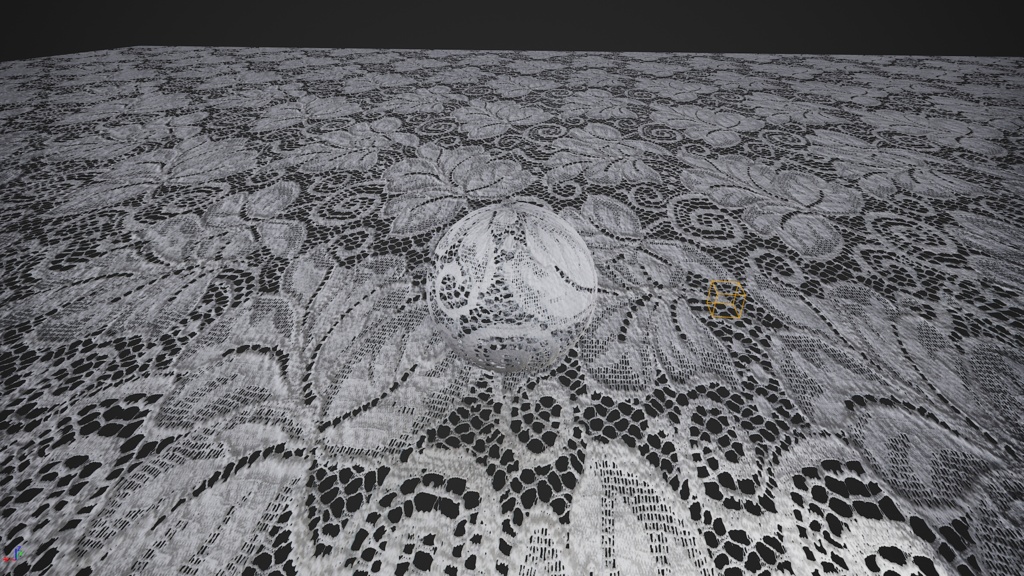
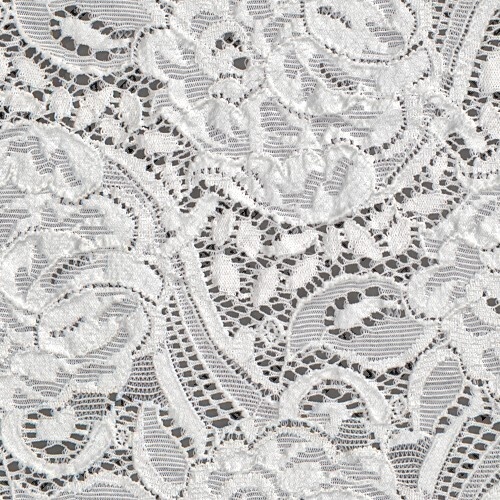
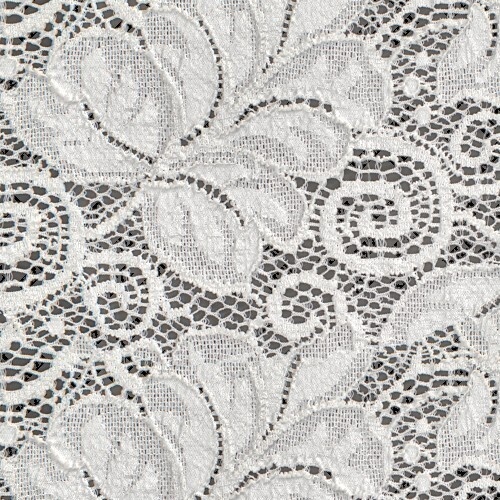
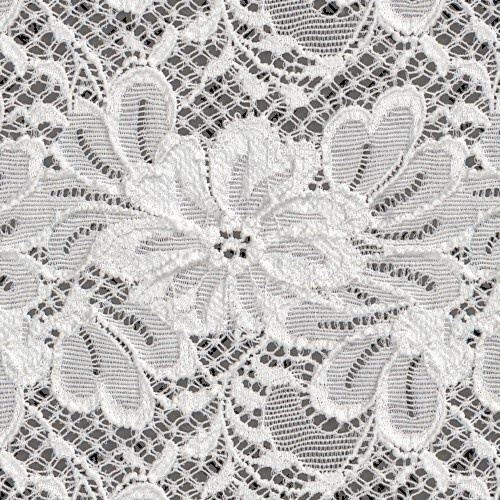
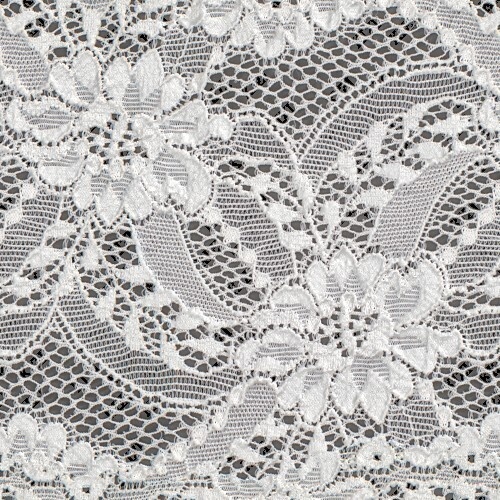
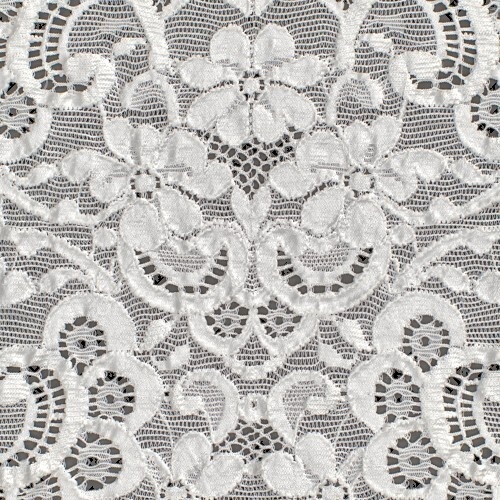
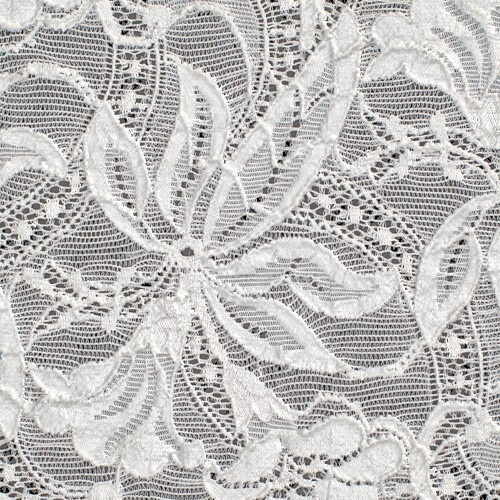
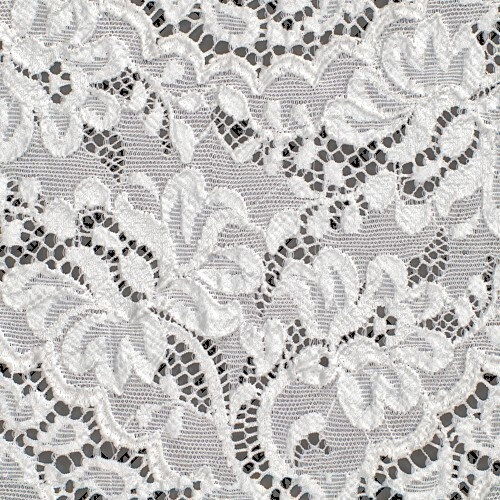
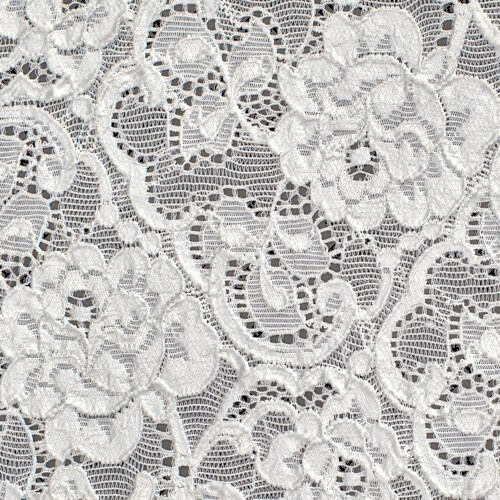
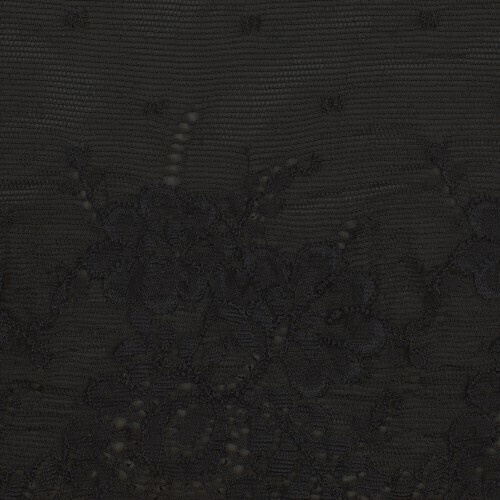
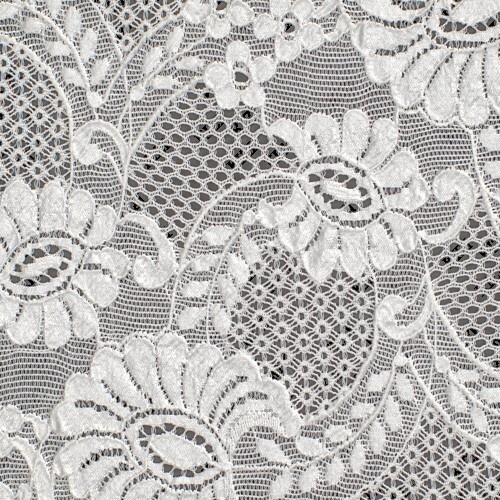
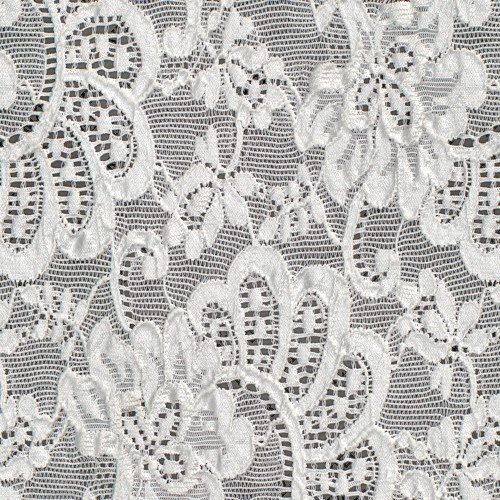
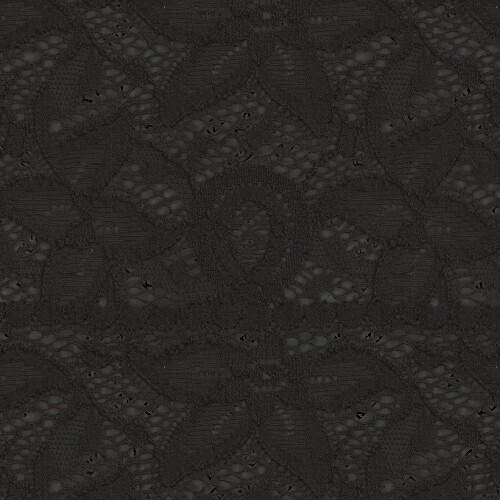
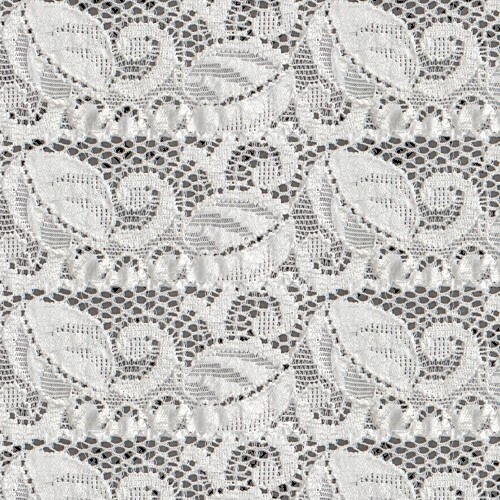
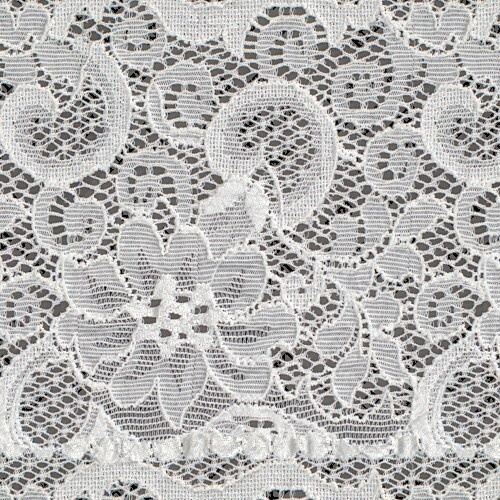
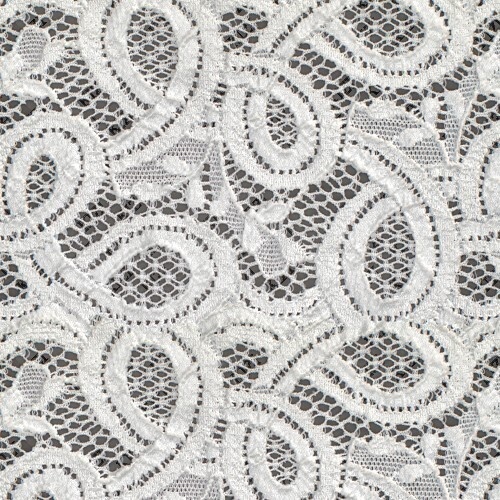
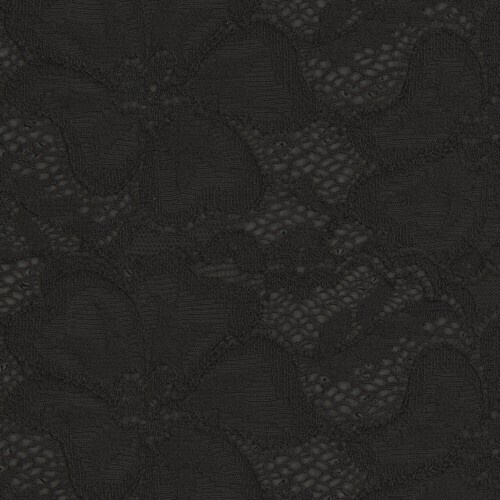
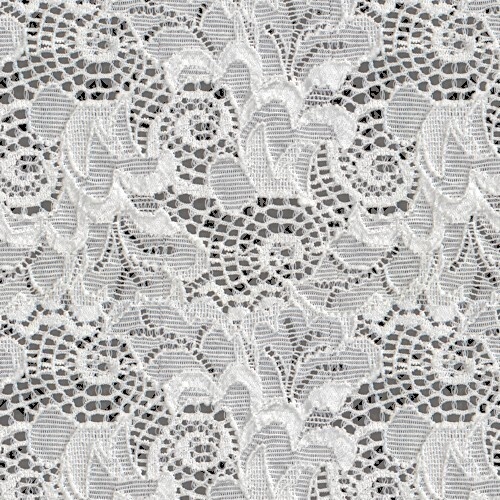
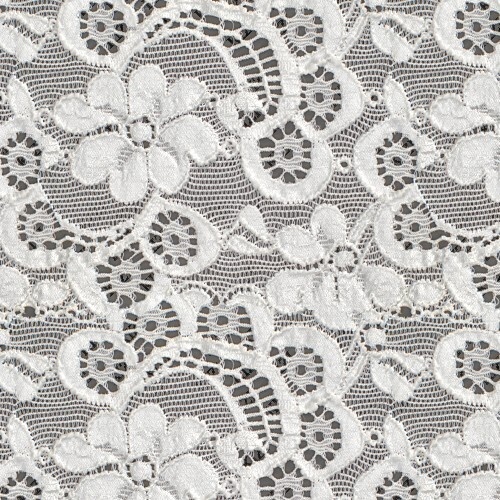
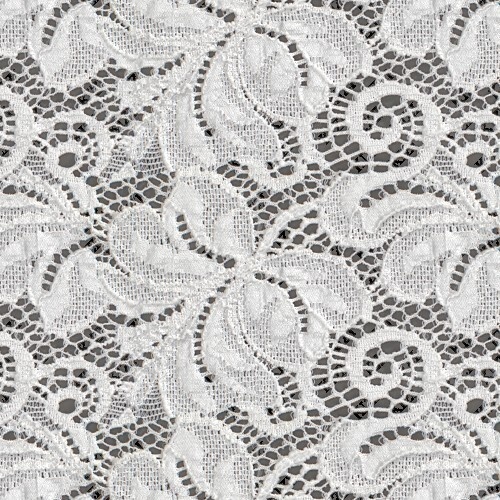
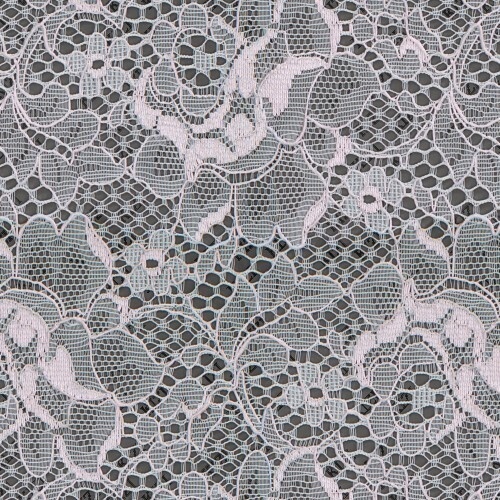


🎀 すぐに使える!可愛い&エレガントなレース素材セット 🎀 アバターのお洋服やワールドの装飾にぴったり! インポートしてすぐに使える、便利なUnityPackageです✨ Built-in / URP / HDRP すべてに対応済みなので安心🌸 用途に合わせて選べる3つのサイズをご用意しました! 可愛いレースがたっぷり20種類詰まっています🎁💕 🌟 選べる解像度パック 🌟 ・1024 × 1024 (Quest対応や軽量化にオススメ!) ・2048 × 2048 (普段使いにぴったりの標準サイズ♪) ・4096 × 4096 (超高画質でとことんこだわりたい方に!) 📜 ライセンスについて(どっちを買えばいいの?) 📜 🔰 【個人向け】 個人の趣味や学習、収益化しないプロジェクトでお使いいただけます♪(VRChatでの個人的な改変などはコチラでOK!) 🏢 【法人・商用向け】 お仕事(受託業務)や、収益化するプロジェクト(ゲームの販売、広告、YouTubeの収益化など)でお使いいただく場合はコチラをお願いします✨ また弊社の運営するKIZIでは単品購入・可愛い着物なども掲載予定です。3Dビュアーも見れますのでよりイメージが掴めます。 https://kizi.digital (現在システムアップデート中のため近日公開) ⚠️ もっと詳しいルール・商品説明は、商品ページの「利用規約」「ReadMe」をチェックしてくださいね👀✨ あなたの創作活動がもっと可愛くなりますように…👗💖 🎀 Ready to Use! Cute & Elegant Lace Material Set 🎀 Perfect for decorating your avatar's outfits and worlds! It comes as a handy UnityPackage, ready to use right after importing ✨ Fully compatible with Built-in / URP / HDRP, so you can use it with peace of mind 🌸 We've prepared 3 different sizes so you can choose the best fit for your project! Packed with 20 adorable lace designs 🎁💕 🌟 Choose Your Resolution Pack 🌟 ・1024 × 1024 (Highly recommended for Quest compatibility and optimization!) ・2048 × 2048 (The standard size perfect for everyday use ♪) ・4096 × 4096 (Ultra-high resolution for those who want absolute perfection!) 📜 About Licensing (Which one should I buy?) 📜 🔰 [Personal License] Great for personal hobbies, learning, and non-monetized projects ♪ (For personal avatar customization in VRChat, this one is perfectly fine!) 🏢 [Corporate / Commercial License] Please choose this one if you are using it for work (commissioned projects) or monetized projects (selling games, advertising, YouTube monetization, etc.) ✨ 🌸 Also, check out our official site, KIZI! On our platform KIZI, you will soon be able to purchase items individually, and we are also planning to release cute Kimono materials! You can even use our 3D viewer to get a much better idea of how the materials look. 👘✨ https://kizi.digital (Currently undergoing system updates, but it will be open soon!) ⚠️ For more detailed rules and product descriptions, please make sure to check the "Terms of Use" and "ReadMe" on the product page 👀✨ We hope this makes your creative projects even cuter... 👗💖
README日本語
このREADMEは概略になります。購入された商品によって一部異なります。 解像度・商品名は例として記載しています。 Unity向け # 例)AFFR-00001 - 高品質デジタルファブリックテクスチャパッケージ 解像度(同梱):例)4096×4096 ソース解像度(前処理前、メタデータの記録):例)4591×3567 ソースに 16-bit TIFF を採用しています。 本パッケージは、ゲーム/ビジュアライゼーション向けに最適化された PBR ファブリック用テクスチャとマテリアルです。 ## 🌟 はじめに 本アセットは Unity 向けに最適化されており、環境に応じて複数パイプライン向け `.unitypackage` を出力します。 同梱されている実際のパッケージは、下記 生成された Unity パッケージ をご確認ください。 > ⚠️ 重要なお知らせ: 物理ベースレンダリング(PBR)の正確性を保つため、Linear カラースペース の使用を推奨します。 > 操作手順: *Edit > Project Settings > Player > Other Settings > カラースペース > Linear* ## ⚙️ パイプラインのセットアップ 1. カラースペース: プロジェクトの カラースペース を Linear に設定してください。 2. インポート: Assets > Import Package > Custom Package… から、対象の `.unitypackage` を選択してください(本出力フォルダ直下。配布 ZIP では `KIZI_AFFR-00001_Unity_Assets/` 直下に同梱されます)。 3. マテリアル: `Materials/` フォルダ内のマテリアルをメッシュへ割り当ててください。 ## 📊 技術仕様 - 対象エンジンバージョン: Unity 2022.3 LTS 以降 - 形式: `.unitypackage`(レンダーパイプラインごとに1ファイル) - 対応レンダーパイプライン: ビルトイン(Standard)/ URP / HDRP - ワークフロー: PBR(Roughness/Specular)※Non-Metallic - テクスチャ解像度: 4096×4096 - ソースラスタ形式: Pro / Legacy は 16-bit TIFF をソースに採用します。Standard(2K) および Economy(1K) は 8-bit PNG をソースに採用します。受け取った `README_unity_*` のファイル名のティアと対応させてください。 - 透過: Base Color マップに Alpha チャンネルが含まれる場合に対応 ### 生成された Unity パッケージ - `AFFR-00001_Fabric.unitypackage` — 単一パッケージ(`Assets/KIZI/<製品ID>/Shared` のテクスチャと `Standard` / `URP` / `HDRP` の各マテリアルを同梱) ### テクスチャ最適化 テクスチャは GPU 効率と MipMap 品質を考慮し、2 の冪乗(PoT) サイズで出力されています。 > 💡 比率補正: 単体表示では伸びて見える場合があります。マテリアル側のタイリング設定で意図した布地比率になります。 > > 🛠 リサイズアルゴリズム(実装準拠) > - UE 出力: `preprocess_textures.py` で `Image.Resampling.LANCZOS` を使用して PoT 化します(固定)。 > - Unity 出力: 通常は `Graphics.Blit` ベースの高速リサイズを使用し、失敗時のみ `ResizeTextureLanczos` にフォールバックします。 > - Bicubic Sharper: 現行実装では使用していません。 > > 🧪 TIFF(16-bit)運用注意 > - Unity 側で 16-bit を維持したまま PoT リサイズする場合、`magick`(ImageMagick)が必要です。 > - `.tif/.tiff` は `magick identify` + Lanczos リサイズ(16-bit 指定)で処理します。 > - `magick` が利用できない環境では TIFF 処理を継続せず、エラーで停止します(品質劣化の見逃し防止)。 --- ## 📁 同梱ファイル・出力レイアウト 以下は製品フォルダ直下の Unity 出力です(作業ツリーでは `engine/Unity/`、配布 ZIP では `KIZI_AFFR-00001_Unity_Assets/` 直下に同梱されます)。 例) KIZI_AFFR-00001_Unity_Assets/ ├── AFFR-00001_Fabric.unitypackage ├── README_unity_pro_en.txt └── README_unity_pro_ja.txt ```### マッピング仕様 (この出力に対応するテクスチャ PNG/JPEG の検出がありませんでした。`.unitypackage` 内を参照してください。) ## ⚡ 自動インポートスクリプト ### `MaterialImporter.cs` ビルド構成によっては、パッケージ内 `Editor/` フォルダに `MaterialImporter.cs` が含まれます。 このスクリプトはテクスチャのインポート設定(type / mipmaps / sRGB)を本製品向けに補助します。 > テクスチャ選択の優先順位(Pro 品質ポリシー) > 同一マップ種別で複数拡張子が混在する場合、Unity インポートは次の順で選択します。 > 1. `.tif`, `.tiff` > 2. `.tga`, `.png` > 3. `.jpg`, `.jpeg` > これにより Pro バンドルでは TIFF が最優先で採用され、選択された TIFF は既存の ImageMagick 16-bit 処理経路で処理されます。 ### Editor 拡張の使い方 - 同梱構成では、`Editor/KIZI/` 配下に次の補助スクリプトが含まれる場合があります。 - `MaterialAutoConverter.cs` - `MaterialPipelineConverter.cs` - `MaterialPipelineAutoAssigner.cs` - 推奨運用は 手動優先 です。 1. まず通常どおりパッケージをインポート 2. 見た目を確認 3. シェーダー不一致やピンク表示がある場合のみ、移行/再割当てメニューを実行 - 自動変換の ON/OFF は次で切り替えできます。 - `Tools/KIZI/Settings/Auto-Convert Materials on Import` - 注意事項: - 後からユーザーが手動変更したシェーダー/割当ては、再変換の実行で上書きされる可能性があります。 - 一部補助処理は `Assets/KIZI/...` の標準レイアウト前提のため、フォルダ移動・改名時に自動修復が効かない場合があります。 ### トラブルシューティング: マゼンタ表示(エラーモデル) - 環境差分により、Editor 拡張のマテリアル設定後に一時オブジェクトが残り、マゼンタ(ピンク)表示になる場合があります。 - その場合は Project ビューで該当オブジェクトを選択し、手動で削除(`Delete`)してください。必要に応じてシーンを再読み込みして表示を確認してください。 - この案内は Unity のみ を対象とします。 ## 📦 インストール方法 1. パッケージのインポート: `Assets > Import Package > Custom Package…` から対象 `.unitypackage` を選択 2. マテリアルの適用: `Materials/` 内のマテリアルを対象メッシュへ割り当て 3. Linear 設定の確認: `Edit > Project Settings > Player > Other Settings > カラースペース = Linear` --- KIZI の製品をお選びいただきありがとうございます。
README English
[For Unity] This README serves as a general overview. Please note that some details may vary depending on the specific product you purchased. Resolutions and product names mentioned here are provided as examples. # AFFR-00001 - High-End Digital Fabric Texture Package Resolution (bundled textures): 4096 x 4096 Source resolution (pre-process, from metadata): 4591 x 3567 Uses 16-bit TIFF in source assets. Thank you for purchasing this high-end digital fabric texture package (Thank you). ## 🌟 Introduction This asset is optimized for Unity with multi-pipeline `.unitypackage` exports when your editor supports them (Overview): Built-in (Standard), URP, and HDRP may be produced; see Generated Unity packages for the exact files shipped in this folder. > ⚠️ Important Notice (Important): We strongly recommend Linear Color Space for physically accurate PBR. > Menu path (Path): *Edit > Project Settings > Player > Other Settings > Color Space > Linear* ## ⚙️ Pipeline Setup 1. Color space (Color space): Set the project to Linear (recommended for PBR). 2. Import (Import): Use Assets > Import Package > Custom Package… and pick the `.unitypackage` that matches your pipeline (in this export folder; in distribution ZIPs it appears at the root of `KIZI_AFFR-00001_Unity_Assets/`). 3. Materials (Materials): Assign the imported materials from the package `Materials/` folder to your meshes. ## 📊 Technical Specs - Target Engine Version (Target): Unity 2022.3 LTS and later - Format (Format): `.unitypackage` (one file per render pipeline that was exported) - Render Pipeline Compatibility (Pipelines): Built-in (Standard) / URP / HDRP — see Generated Unity packages for what this folder contains - Workflow (Workflow): PBR (Roughness/Specular) ※Non-Metallic - Texture Resolution (Resolution / 解像度): 4096 x 4096 - Source raster format (Source / ソース): Pro / Legacy tier builds use 16-bit TIFF sources; Standard (2K) and Economy (1K) tiers use 8-bit PNG sources — match the tier indicated by your `README_unity_*` filenames. - Transparency (Transparency): Supported when the Base Color map includes an Alpha channel ### Generated Unity packages - `AFFR-00001_Fabric.unitypackage` — Single package (textures under `Assets/KIZI/<ProductId>/Shared`, materials under `Standard`, `URP`, and `HDRP`) ### Texture optimization All textures are optimized to power-of-two dimensions for GPU performance and MipMap quality. > 💡 Aspect ratio note (Aspect ratio): Files may look stretched in isolation; tiling on materials restores the intended fabric aspect at render time. > > 🛠 Resize algorithm notes (implementation-aligned) > - UE output: `preprocess_textures.py` uses `Image.Resampling.LANCZOS` for PoT resizing (fixed behavior). > - Unity output: fast resize is `Graphics.Blit`-based by default, with fallback to `ResizeTextureLanczos` only when the fast path fails. > - Bicubic Sharper: not used in the current implementation. > > 🧪 TIFF (16-bit) operational note > - For Unity-side PoT resizing while preserving 16-bit TIFF quality, `magick` (ImageMagick) is required. > - `.tif/.tiff` files are processed via `magick identify` and Lanczos resize with 16-bit output settings. > - If `magick` is unavailable, TIFF processing fails fast with an error (to avoid silent quality degradation). ## 📁 Delivered Files The following layout reflects the automated export next to your product folder (Layout): working tree files are written under `engine/Unity/`, while distribution bundles place the same files at the root of `KIZI_AFFR-00001_Unity_Assets/`. This tree lists the files present after the build step. ```text KIZI_AFFR-00001_Unity_Assets/ ├── AFFR-00001_Fabric.unitypackage ├── README_unity_pro_en.txt └── README_unity_pro_ja.txt ### Mapping Specifications - (No companion PNG/JPEG textures detected beside packages; see textures inside the `.unitypackage`.) ## ⚡ Auto-Import Script ### `MaterialImporter.cs` The build pipeline may include `MaterialImporter.cs` under an `Editor/` folder inside the imported package (Importer): when present, it helps enforce texture import settings (type, mipmaps, sRGB) for this product line. > Texture source priority (Pro quality policy) > When multiple files of the same map type exist in one folder, Unity import selects by extension priority: > 1. `.tif`, `.tiff` > 2. `.tga`, `.png` > 3. `.jpg`, `.jpeg` > This ensures TIFF is chosen first for Pro bundles; selected TIFF files continue through the existing ImageMagick 16-bit processing path. ### Editor extension usage - Included helper scripts may also appear under `Editor/KIZI/`: - `MaterialAutoConverter.cs` - `MaterialPipelineConverter.cs` - `MaterialPipelineAutoAssigner.cs` - Recommended operation is manual-first: 1. Import the package. 2. Check visual result. 3. Run migration/reassignment tools only if shader mismatch or pink materials are observed. - Auto-convert can be toggled from: - `Tools/KIZI/Settings/Auto-Convert Materials on Import` - Important caveats: - If users intentionally change shaders/material assignments later, running migration tools again can overwrite those choices. - Some helper behavior assumes the default KIZI folder layout (`Assets/KIZI/...`); moving/renaming folders may disable automatic repair. ### Troubleshooting: magenta placeholder models - In some environments, a temporary placeholder model may remain after editor-extension material setup and appear magenta/pink. - If this occurs, select the magenta object in the Project view and delete it manually (`Delete`), then reload the scene if needed. - This guidance applies to Unity only. ## 📦 Installation 1. Import Package (Import Package): Assets > Import Package > Custom Package… → select the correct `.unitypackage` for your render pipeline. 2. Verify materials (Verify materials): In the Project window, open `Materials/` and assign the fabric material to your mesh. 3. Linear color space (Linear color space): Confirm Edit > Project Settings > Player > Other Settings > Color Space = Linear for best PBR results. --- Thank you for choosing KIZI (Thanks).
利用規約
利用規約 ------------------------------------------------------------------------------- 免責事項 / 責任の限定 ------------------------------------------------------------------------------- 現状渡し (AS-IS): 本アセットは「現状渡し」で提供されます。2の冪乗(2^n)最適化およびUV補正 ロジックの正確性には最善を尽くしておりますが、完全にエラーがないことや、 特定の目的への適合性を一切保証するものではありません。 責任の制限: 適用法が許容する最大の範囲において、販売者は、本アセットの使用または 使用不能から生じるいかなる損害(利益の損失、ビジネスの中断等を含む 間接的・付随的な損害)についても一切の責任を負いません。また、販売者の 責任総額は、本アセットの購入代金を上限とします。 技術的差異および互換性の限定: ユーザーのエンジン設定、ライティング環境、特定のレンダリングパイプライン の仕様、あるいはハードウェア構成により、視覚的な差異が生じる可能性が あります。また、動作確認済みのエンジンバージョン以外での動作や、将来の アップデートに対する永続的な互換性は保証いたしかねます。 ------------------------------------------------------------------------------- エンドユーザーライセンス条項 (EULA) ------------------------------------------------------------------------------- 本製品のご利用には、以下の条項への同意が必要です。 1. 著作権の保持 (Retention of Copyright) 本アセットの著作権および知的財産権は、引き続き Bird fab studio (代表:Hideyuki Ueba)に帰属します。ユーザーは「使用権」を購入する ものであり、著作権の譲渡は含まれません。 2. ライセンスの区分と付与 ユーザーは、購入したプランに基づき、本アセットを以下の範囲で使用する権利を得ます。 【個人・非商用ライセンス】: 個人の趣味、学習、および収益化を伴わないプロジェクトでの使用。 【商用ライセンス】: 法人利用、受託業務、および収益化を伴うプロジェクト(ゲーム販売、広告、YouTube収益化等)での使用。 3. プロジェクトへの統合 ユーザーは、本アセットを自身の著作物(ゲームパッケージ、映像作品等)の 一部として統合し、配布・販売することができます。当該統合の範囲において、 プロジェクトの実装上合理的な限度で、本アセットの改変(色調整、リタッチ、 タイリング、解像度変更、チャンネルパッキングその他これに類する加工を含む) を行うことができます。また、本アセットにロゴ、商標その他識別表示が 含まれる場合、他の視覚要素と一体となって完成した著作物に組み込まれた態様で 複製・表示することができます。なお、第4項から第6項の制限には引き続き従う ものとします。 4. 二次配布の制限 本アセットを「素材」として単体で販売、貸与、再配布することは、有償・無償を 問わず固く禁止します。これには、他のテクスチャパックへの混入や、3Dモデル とのセット販売(テクスチャが主目的となる場合)を含みます。 5. 保護義務 ユーザーは、第三者が本アセットの生データにアクセス・抽出できないよう、 業界標準のデータ保護措置(クック処理やパッキング)を講じるものとします。 6. AI・機械学習モデルの学習等への利用禁止 ユーザーは、本アセットの全部または一部(当該アセットから得られた複製・ 派生・抽出データを含みます)を、機械学習、生成AIその他、コンテンツを解析 してモデル等を構築・改善する自動化技術の学習、ファインチューニング、最適化 等の目的で使用してはなりません。第三者による当該目的での利用を故意に許容 することも禁止します。これは、当該モデル等の公開や商用化の有無を問いません。 第1項に基づく使用権の付与は、本項に違反する用途を許諾するものではありません。 2026年5月10日改定
Terms of Use
Terms of Use ------------------------------------------------------------------------------- Disclaimer / Limitation of Liability ------------------------------------------------------------------------------- Provided "AS-IS": This asset is provided on an "as-is" and "as-available" basis. While we strive for maximum precision in our 2^n optimization and UV correction logic, we do not warrant that the asset will be 100% error-free or meet all specific user requirements, nor do we guarantee fitness for a particular purpose. Limitation of Liability: To the maximum extent permitted by applicable law, the seller shall not be liable for any indirect, incidental, or consequential damages (including, but not limited to, loss of profits or business interruption) arising from the use of or inability to use this product. Our total liability shall not exceed the amount actually paid for the asset. Technical Variance & Compatibility: Visual results may vary based on individual user engine settings, lighting environments, specific rendering pipelines, or hardware configurations. Furthermore, we do not guarantee operation on engine versions other than those officially confirmed, nor do we guarantee permanent compatibility with future engine updates. ------------------------------------------------------------------------------- End User License Agreement (EULA) ------------------------------------------------------------------------------- By using this product, you agree to the following terms and conditions: 1. Retention of Copyright All copyrights and intellectual property rights related to this asset remain solely with Bird fab studio (Representative: Hideyuki Ueba). The user is granted a "license to use" the asset; this agreement does not constitute a transfer of ownership or copyright. 2. License Tiers and Grant The user is granted the right to use this asset within the following scope, according to the purchased plan: 【Personal / Non-commercial license】: Use for personal hobby, learning, and projects that do not involve monetization. 【Commercial license】: Use in corporate contexts, commissioned work, and monetized projects (including game sales, advertising, YouTube monetization, and similar). 3. Project Integration The user may integrate this asset as a component of their own creative works (such as game packages or film productions) and is permitted to distribute and sell those integrated works. Within that scope, the user may modify, adapt, or otherwise edit the asset as reasonably necessary for the project—including color grading, retouching, tiling, resolution scaling, channel packing, or similar processing. If the asset includes logos, trademarks, or other identifying marks, the user may reproduce and display them solely as embedded visual elements of the integrated work, subject always to Sections 4 through 6. 4. Restrictions on Redistribution Selling, leasing, or redistributing this asset as a standalone "resource" is strictly prohibited, regardless of whether it is offered for a fee or free of charge. This restriction includes incorporating the asset into other texture packs or selling it bundled with 3D models where the texture is the primary purpose of the transaction. 5. Obligation of Protection The user must implement industry-standard data protection measures (such as cooking, packing, or encryption) to ensure that third parties cannot easily access or extract the raw data of this asset. 6. Prohibition on Use for AI / Machine Learning Training The user shall not use this asset, in whole or in part (including copies, derivatives, or extracted data derived from it), for the purpose of training, fine-tuning, optimizing, or otherwise improving machine learning models, generative artificial intelligence, or other automated technologies that build or improve models from content analysis—including as training data, corpora, embedding stores, or similar resources—or knowingly allow any third party to do so for such purposes. This prohibition applies regardless of whether the resulting models are published or used commercially. The license to use granted under Section 1 does not extend to uses that violate this clause.