

アルミィ -Alumy- FaceTrackingAddon | フェイストラッキングアドオン
- ダウンロード商品¥ 1,700
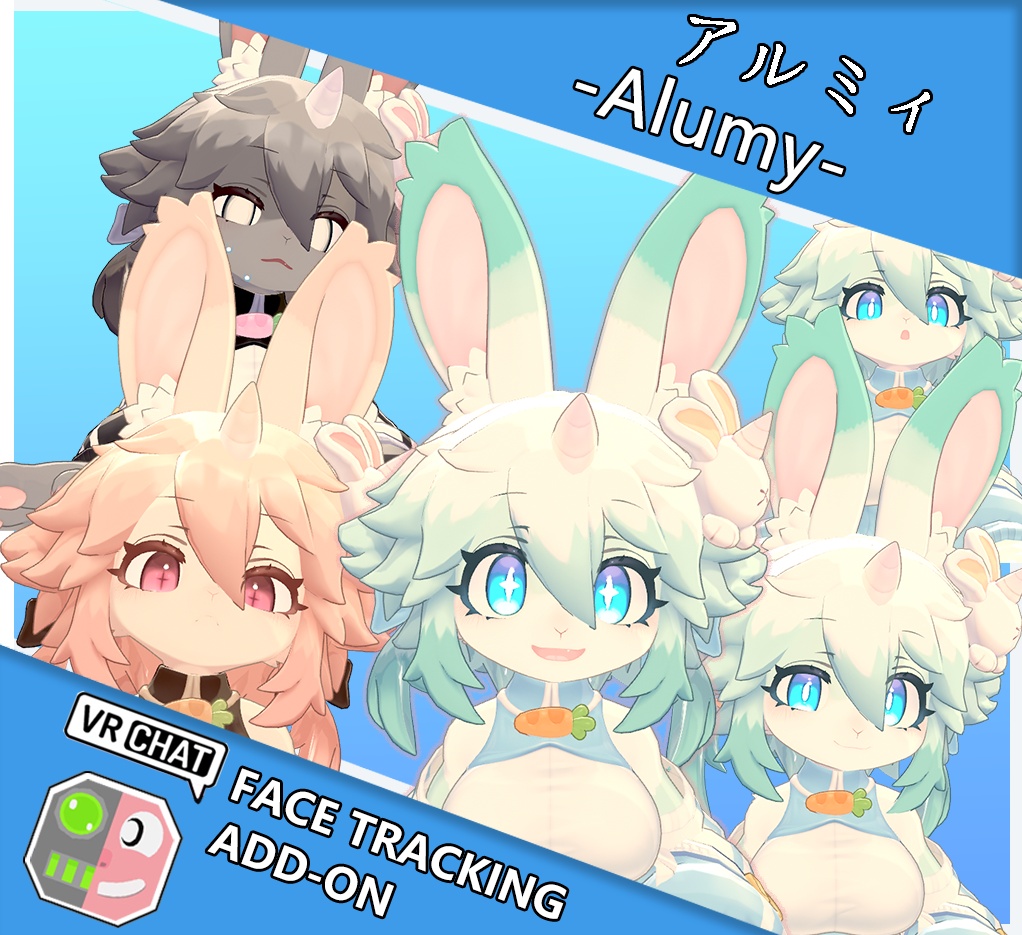

[日本語] ※ご注意 本商品はアバター本体を含みません。こちらはアバター用の拡張アドオンのみとなります。 アバター本体はこちらからご用意ください。 [English] ※ Note This product does NOT include the original avatar. This is an expansion addon for the avatar only. Please obtain the original avatar from the following link. [中文] ※请注意 本商品不包含模型本体。本商品仅为模型的扩展插件。 请自行从以下链接获取模型本体。 アバター本体 / 模型本体 / Avatar本体: アルミィ -Alumy- v1.7 https://mofumofumotimoti.booth.pm/items/8424221 Sample Avatar: https://vrchat.com/home/avatar/avtr_caec8911-d1cb-44d2-bee2-c0d0f7fed06e
🇯🇵 日本語 / Japanese 🎯 概要 これは汎用フェイストラッキングアドオンです。 Quest Pro、Pico 4 Pro、HTC VIVE XR Eliteなどのデバイスに対応しています(これらに限定されません)。 「Unified Expressions」規格に対応し、目、眉、顎、唇、舌をカバー! 専用スクリプトを使用することで、すでに修正済みの完成アバターに直接インストール可能。 プレハブを使って最初から作り直す必要はありません。 スイッチは全自動化されており、顔トラッキング対応のHMDを使用すると自動的に顔トラッキングが有効になり、ジェスチャー表情が無効になります。 また、MMDダンスワールドで踊る際には、自動的に顔トラッキングが無効になり、ジェスチャー表情も無効になります(一部のワールドでは無効化されない場合があります)。 さらに、鼻と頬にPhysBoneを追加しました。 アバターの表情は、VRChat SDK Native Face Tracking で直接動かします。 VRCFT 6.0 以上のデスクトップカメラフェイストラッキングにも対応しています。 🛠 動作環境 ・VRChat Avatar SDK 3.10.6 以上 ・VRCFT 6.0 以上 ・ModularAvatar: https://modular-avatar.nadena.dev/ja ・VRCFury: https://vrcfury.com 📝 使い方 前提条件 VRCFury と ModularAvatar がプロジェクトにインストールされていることを確認してください。 インポート この UnityPackage ファイルを Unity にインポートします。 FBX パッチ メニューから Tools → MoeWhite19 → FaceTracking Patcher を開きます。 「PatchFBX」ボタンをクリックしてモデルをパッチします。 注意:モデルのバージョンとフェイストラッキングがサポートするモデルのバージョンが異なる場合、Patcher は使用できません。ただし、BlendShare を使用したインストールが可能です(提供されている場合)。 フェイストラッキングインストール シーン内のご自身のアバターモデルを、下の「FaceTracking Installer」パネル内の「Select your Avatar」オプションボックスにドラッグ&ドロップし、「Install」ボタンをクリックしてインストールします。 ※ 一部のモデルでは複数の ProfileAsset が提供されている場合があります。必要に応じて選択してください。 BlendShare を使用する場合(オプション) ※ このファイルは常に提供されるとは限りません。存在する場合のみ使用してください。 プロジェクトに BlendShare をインストールした後、_BlendShare_.unitypackage をインポートしてください。 その後、メニューに追加される Tools → MoeWhite19 → FaceTracking Installer(BlendShare) からフェイストラッキングをインストールできます。 ⚠️ !!!特別注意!!! BlendShareInstaller パッケージが提供されている場合でも、プロジェクトに BlendShare がインストールされていない状態では絶対にインポートしないでください。プロジェクト全体が動作しなくなる可能性があります。 🇺🇸 English / English 🎯 Overview This is a universal facial tracking addon. It supports but is not limited to devices such as Quest Pro, Pico 4 Pro, HTC VIVE XR Elite, etc. Compatible with the “Unified Expressions” standard, covering eyes, eyebrows, jaw, lips, and tongue! Using a dedicated script, it can be installed directly onto already modified, finished avatars—no need to start from scratch with prefabs. Fully automated switching: When using a headset with facial tracking capability, facial tracking will be automatically enabled and gesture expressions will be disabled. It will also automatically disable facial tracking and gesture expressions when dancing in MMD dance worlds (may not work in some worlds). Your avatar's expressions are driven directly by VRChat SDK Native Face Tracking. It also works with VRCFT 6.0+ desktop camera face tracking. 🛠 Requirements ・VRChat Avatar SDK 3.10.6 or higher ・VRCFT 6.0 or higher ・ModularAvatar: https://modular-avatar.nadena.dev ・VRCFury: https://vrcfury.com 📝 How to Use Prerequisites Ensure that VRCFury and ModularAvatar are installed in your project. Import Package Import this UnityPackage file into Unity. Patch FBX Open the menu: Tools → MoeWhite19 → FaceTracking Patcher Click the "PatchFBX" button to patch the model. Note: If your model version differs from the version supported by the face tracking system, Patcher cannot be used. However, you may optionally install using BlendShare (if provided). Install Face Tracking Drag and drop your avatar model from the scene into the "Select your Avatar" option box in the "FaceTracking Installer" panel below, then click the "Install" button. Note: Some models may provide multiple ProfileAssets; choose according to your needs. Using BlendShare (Optional) ※ This file is not always provided. Only use it if it exists in your package. Import the _BlendShare_.unitypackage after installing BlendShare in your project. Open the newly added menu item Tools → MoeWhite19 → FaceTracking Installer(BlendShare) to install facial tracking. ⚠️ !!!IMPORTANT!!! If the _BlendShare_.unitypackage is provided, do NOT import it if BlendShare is not installed in your project. Doing so may break the entire project. Feel free to contact us if you encounter any issues.
🙌 Credit
Hash https://github.com/HashEdits/EditDistributionTools VRCFaceTracking https://github.com/benaclejames/VRCFaceTracking Adjerry91 https://github.com/Adjerry91 OSCmooth https://github.com/regzo2/OSCmooth
☕ 利用規約 / Terms of Use / 使用条款 ☕
VN3ライセンス( https://www.vn3.org/ )を採用しています。 規約の内容は下記参照してください JP / 日本語 https://drive.google.com/file/d/1wdUisN5cBuYv43nDIcOUkuAgbCxqAdmh/view?usp=sharing KO / 한국어 https://drive.google.com/file/d/1oAwaOVJgoUtEz13-lQoQvUFHY_8HEFO3/view?usp=sharing CN / 中文 https://drive.google.com/file/d/16As0UcwdRQi6cLAb0dg8_cmyZL9qXBrN/view?usp=sharing EN / English https://drive.google.com/file/d/1efka6u9EwhziUbr_Yt5-7eBaJtaMr3Th/view?usp=sharing
🔧 Update Notes
🇯🇵 日本語 (Japanese) 2026.06.01 — v1.88-1.7 初回リリース 2026.06.02 — v1.88b-1.7 ・瞳孔収縮シェイプキーを追加 ・鼻と口にPhysBoneを追加 ・眉の貫通問題を修正 2026.06.02 — v1.88c-1.7 ・CheekPuff により涙が眼眶(眼窩)内に表示される問題を修正 ・目のスター(Star)にウェイトを追加 2026.06.20 — v1.88d-1.7 ・耳アニメーションを再制作 ・アイトラッキングを最適化 2026.08.30 — v1.94-1.7 ・フェイストラッキングインストーラーを v1.94 に同期 2026.11.2 — v1.98-1.7 ・VRChat SDK の Face Tracking(SDKフェイストラッキング)に対応 ・VRChat SDK 3.10.6 以上が必要 ・旧バージョンからアップデートして正常に動作しない場合は、プロジェクト内の「Assets/MoeWhite/VRCFT」フォルダを削除してから再インストールしてください 2026.11.10 — v1.99-1.7 ・SDK ネイティブのフェイストラッキングに完全移行しました。使用するパラメータはわずか 6bit です ・VRCFT 6.0 以上が必要です 2026.11.13 — v2.00-1.7 ・SDK FaceTracking のセットアップを NDMF(Non-Destructive Modular Framework)経由で行うように変更(インストール時のセットアップを廃止) ・Forwarded Parameters を 39 から 30 に削減 2026.11.14 — v2.00b-1.7 ・前回のアップデート後、Cheek PhysBone が機能しなくなっていた問題を修正 2026.11.15 — v2.00c-1.7 ・Cheek トラッキングが機能しない、またはオン/オフの切り替えができない問題を修正 2026.11.19 — v2.01-1.7 ・MMD ワールドでダンス中に表情が出なくなる問題を修正 🇬🇧 English 2026.06.01 — v1.88-1.7 Initial release 2026.06.02 — v1.88b-1.7 ・Added pupil constriction shape key ・Added PhysBones to nose and mouth ・Fixed eyebrow penetration issue 2026.06.02 — v1.88c-1.7 ・Fixed an issue where CheekPuff caused tears to appear inside the eye socket ・Added weight to the eye Star 2026.06.20 — v1.88d-1.7 ・Reworked ear animations ・Optimized eye tracking 2026.08.30 — v1.94-1.7 ・Synced Face Tracking Installer to v1.94 2026.11.2 — v1.98-1.7 ・Added support for VRChat SDK Face Tracking ・Requires VRChat SDK 3.10.6 or higher ・If it does not work properly after upgrading from an older version, please delete the "Assets/MoeWhite/VRCFT" folder in your project and reinstall 2026.11.10 — v1.99-1.7 ・Fully migrated to SDK native face tracking; uses only 6 bits of parameters ・VRCFT 6.0 or higher is required 2026.11.13 — v2.00-1.7 ・SDK Face Tracking is now set up via NDMF (Non-Destructive Modular Framework) instead of at install time ・Reduced forwarded parameters from 39 to 30 2026.11.14 — v2.00b-1.7 ・Fixed an issue where the Cheek PhysBone stopped working after the previous update 2026.11.15 — v2.00c-1.7 ・Fixed an issue where Cheek tracking did not work or the on/off toggle could not be controlled 2026.11.19 — v2.01-1.7 ・Fixed an issue where facial expressions were not displayed while dancing in MMD worlds