
【Video Viewer】-大量ローカル動画の快適管理・再生特化ビューワー
- Windows版ダウンロード商品¥ 500
- Mac版ダウンロード商品¥ 500
- Win/Mac両対応版ダウンロード商品¥ 700
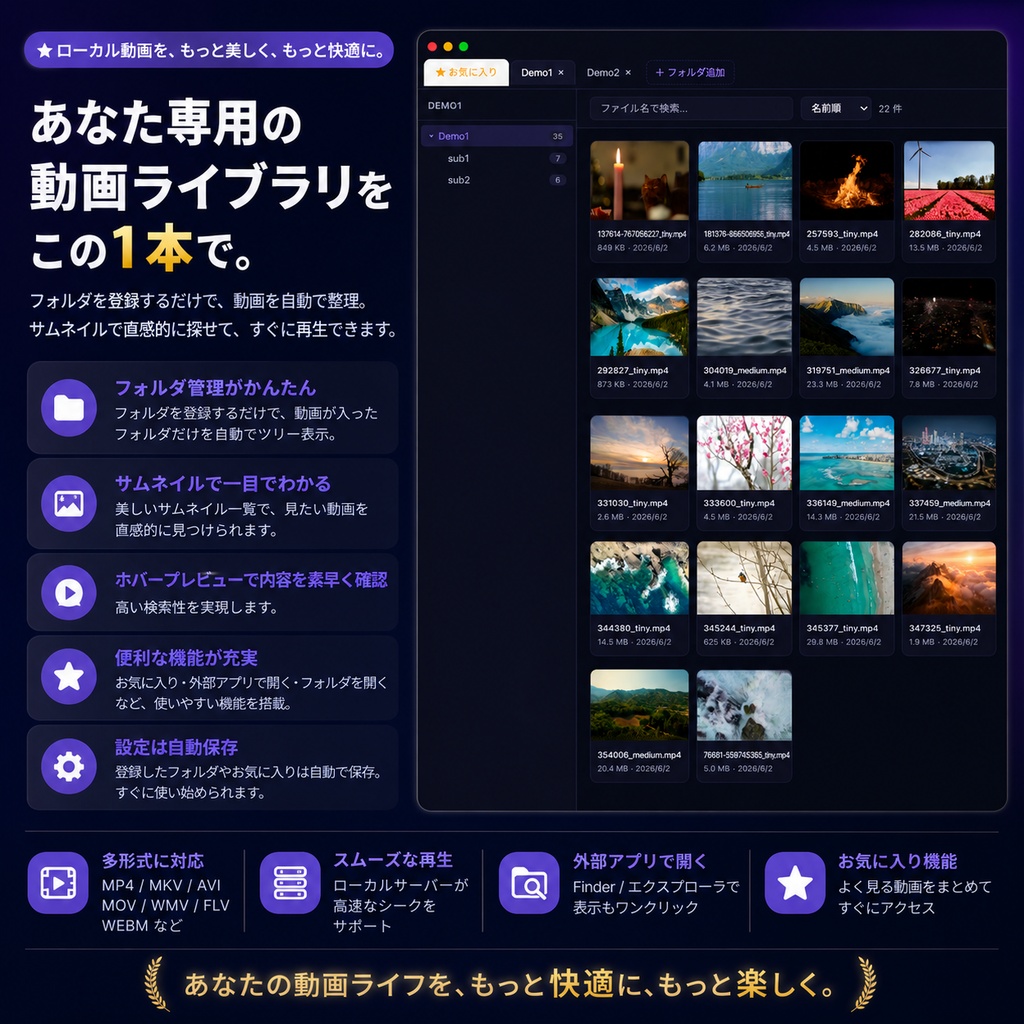
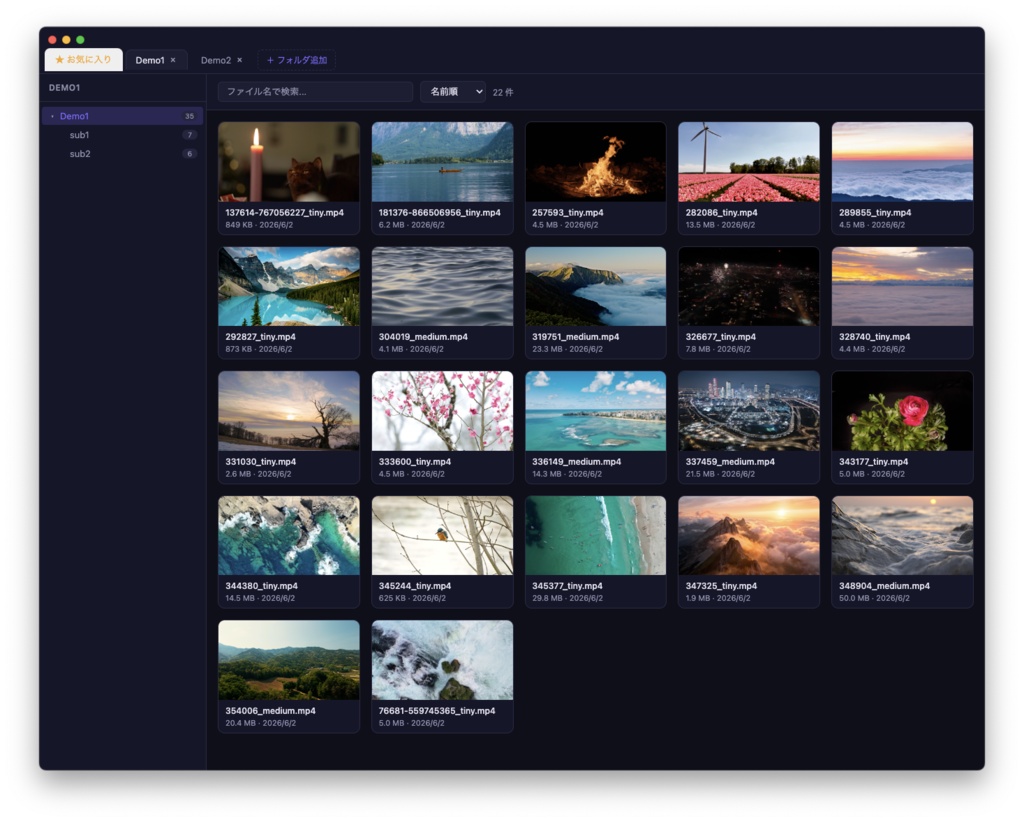
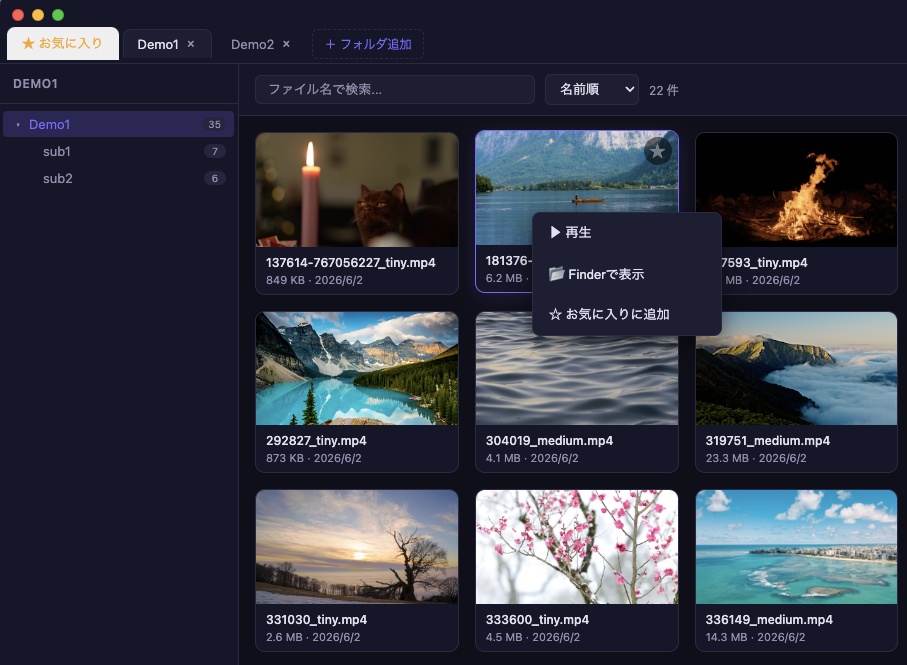


「パソコン内の動画が多すぎて、どこになにがあるか分からない…」 「標準エクスプローラーでは、動画の内容がパッと見で思い出せない…」 本ソフトは、そんな悩みを解決するために開発したローカル動画の管理と快適な視聴に特化した専用ビューワーです。 HDDやSSDに大量に溜まった動画ファイルを、高速かつ直感的に整理・再生できます。
3つの主な特徴
● 動画が入っているフォルダだけの「自動ツリー表示」 指定したフォルダを自動解析し、動画が含まれるフォルダだけをツリー状に抽出します。空のフォルダや画像のみのフォルダはスキップされるため、目的の動画へ迷わずアクセスできます。 ● 大容量ファイルも一瞬でプレビュー サムネイルにマウスカーソルを重ねると動画のプレビューを再生。目的の動画を素早く探せます。 ● OSネイティブの高速サムネイル一覧 ファイル名だけでは分からない動画も、OSの機能を活用した軽量・高速なサムネイル生成によりひと目で把握できます。大量の動画を読み込んでもPCの動作を重くしません。
その他の便利機能
● お気に入り登録機能:よく見る動画をリストアップしてすぐにアクセス可能です。 ● 外部連携:ボタン一つで「ファイルの保存場所(エクスプローラー/Finder)」を開いたり、「普段使っている動画プレイヤー」で開くことができます。 ● 目に優しいUI:長時間の視聴にも適した、落ち着いたダークテーマを採用しています。
動作環境
Windows 11/10 macOS 11以降 ●対応フォーマット:.mp4, .mkv, .avi, .mov, .wmv, .webm, .flv, .ts, .m2ts など
起動時のセキュリティ警告について(重要)
初回起動時にOSのセキュリティ機能によって警告が表示される場合があります。 * Macをご利用の場合: 「開発元を検証できません...」という警告が出た場合は、アプリアイコンを右クリック(またはControl+クリック)して「開く」を選択し、再度警告画面が出たらそのまま「開く」をクリックしてください。 アプリが壊れていると出た場合は、隔離属性が原因ですので解除(xattrコマンド)を実施して下さい。 * Windowsをご利用の場合: 「WindowsによってPCが保護されました」という青い画面が出た場合は、画面内の「詳細情報」をクリックし、表示される「実行」ボタンを押してください。
アップデート履歴
[2026-06-02: v1.0] Ver.1.0公開 [2026-06-04: v1.0.1] Windows版 Ver.1.0.1公開
English
## 1. OVERVIEW Video Viewer is a desktop application for browsing and managing video files stored across multiple folders. It features thumbnail grid display, hover preview playback, favorites management, and more — everything you need to organize your video library efficiently. ## 2. Key Features * "Automatic Tree View" for Video Folders Only It automatically analyzes the specified directory and extracts only the folders containing videos into a tree structure. Empty folders or folders containing only images are skipped, allowing you to access your target videos without getting lost. * Preview large files instantly Hover your mouse cursor over a thumbnail to play a video preview. Quickly find the video you're looking for. * OS-Native High-Speed Thumbnail List Even for videos you can't recognize by filename alone, the lightweight and high-speed thumbnail generation utilizing native OS functions helps you grasp the content at a glance. Loading a large number of videos won't slow down your PC's performance. ## 3. Other Convenient Features * Favorites Feature: List your frequently watched videos for instant access. * External Integration: With a single button, you can open the file's storage location (Explorer/Finder) or launch the file in your usual preferred video player. * Eye-Friendly UI: Features a calm dark theme suitable for long hours of viewing. ## 4. System Requirements & Specifications * Supported OS: Windows 10/11, macOS 11 or later * Supported Formats: .mp4, .mkv, .avi, .mov, .wmv, .webm, .flv, .ts, .m2ts, etc. ## 5. Security Warnings at Startup (Important) A warning may appear on the first launch due to your OS's security features. * If you are using a Mac: If you see a warning that says "The developer cannot be verified...", right-click (or Control-click) the app icon and select "Open". If the warning screen reappears, click "Open" again. If the app is corrupted, this is due to quarantine attributes; please remove them (using the xattr command). * If you are using Windows: If you see a blue screen that says "Windows protected your PC", click "More information" on the screen and then click the "Run" button that appears.