

Unity Project Cleaner — 未使用アセット掃除&プロジェクト軽量化【VRChat/多言語対応】
- ダウンロード商品¥ 300
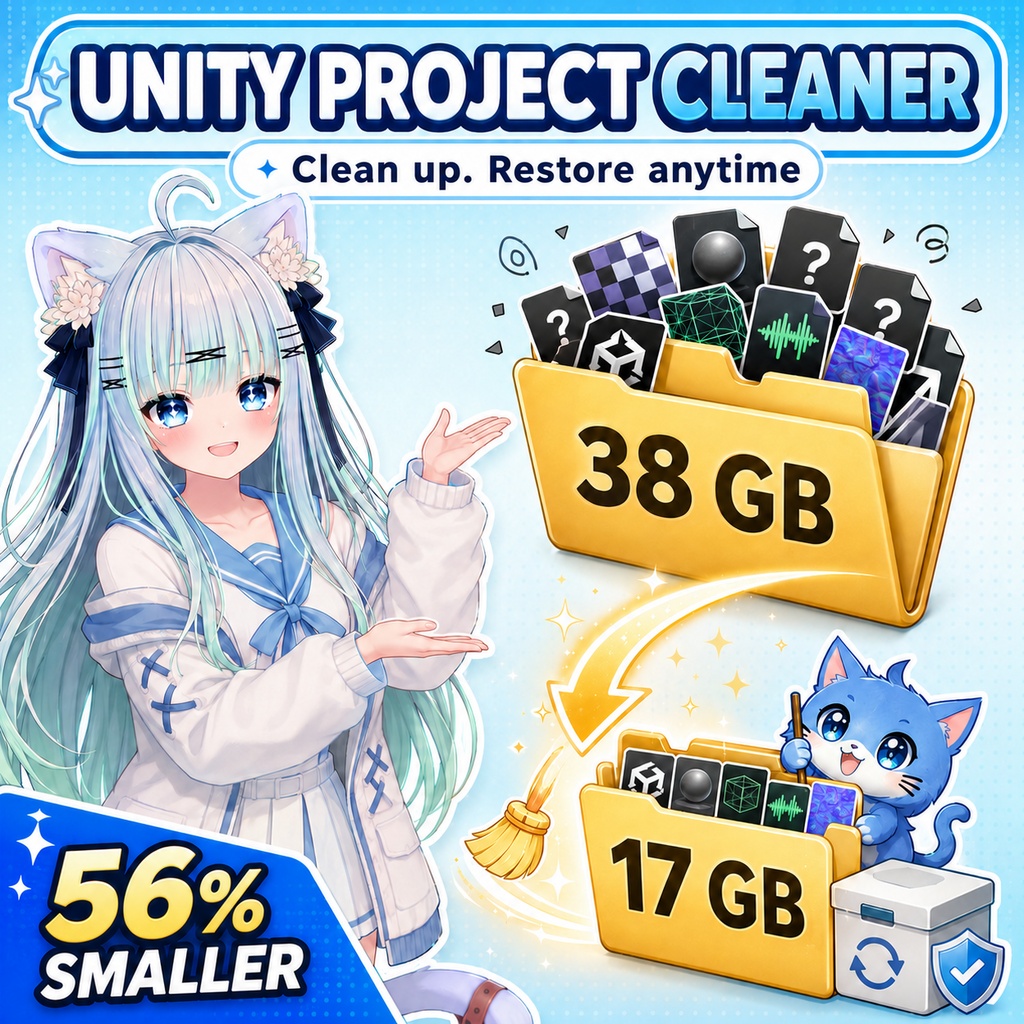
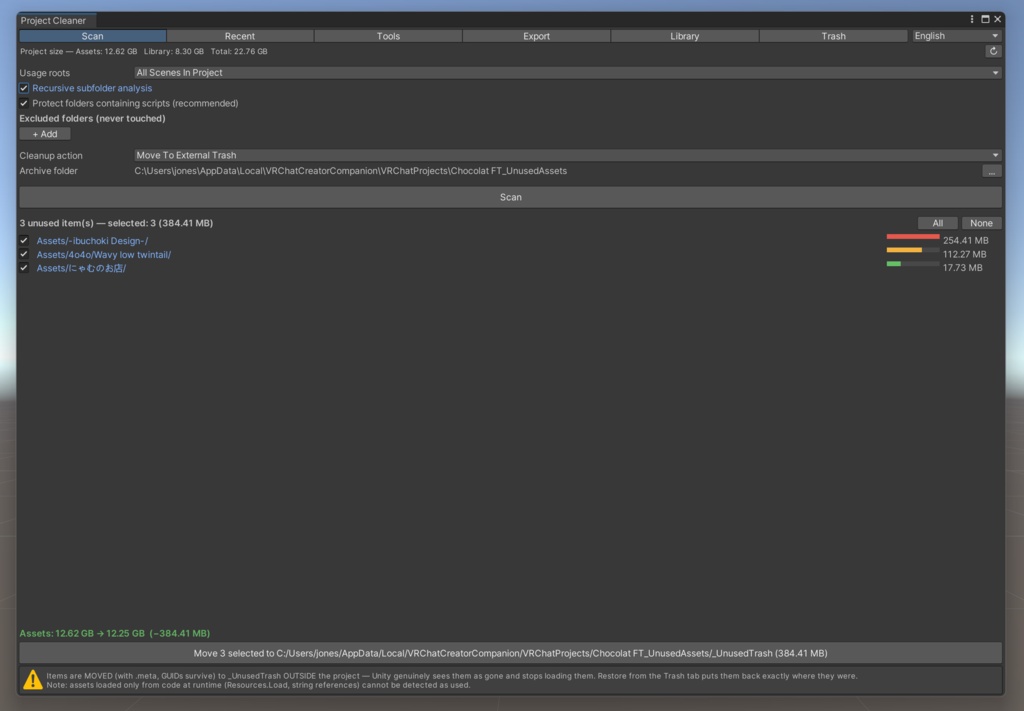
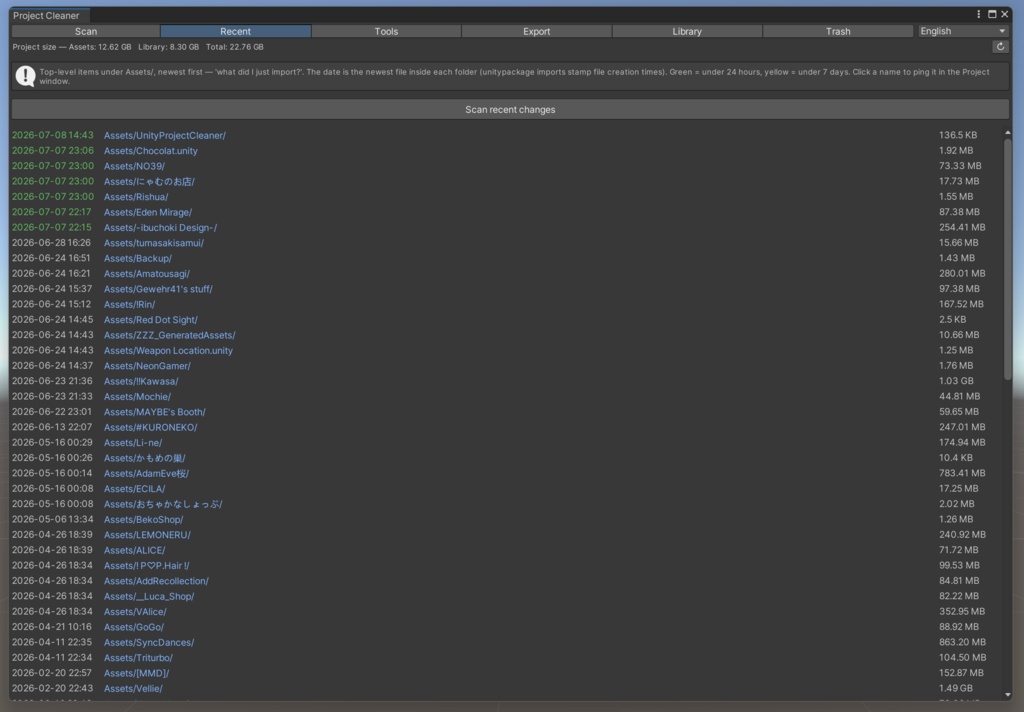
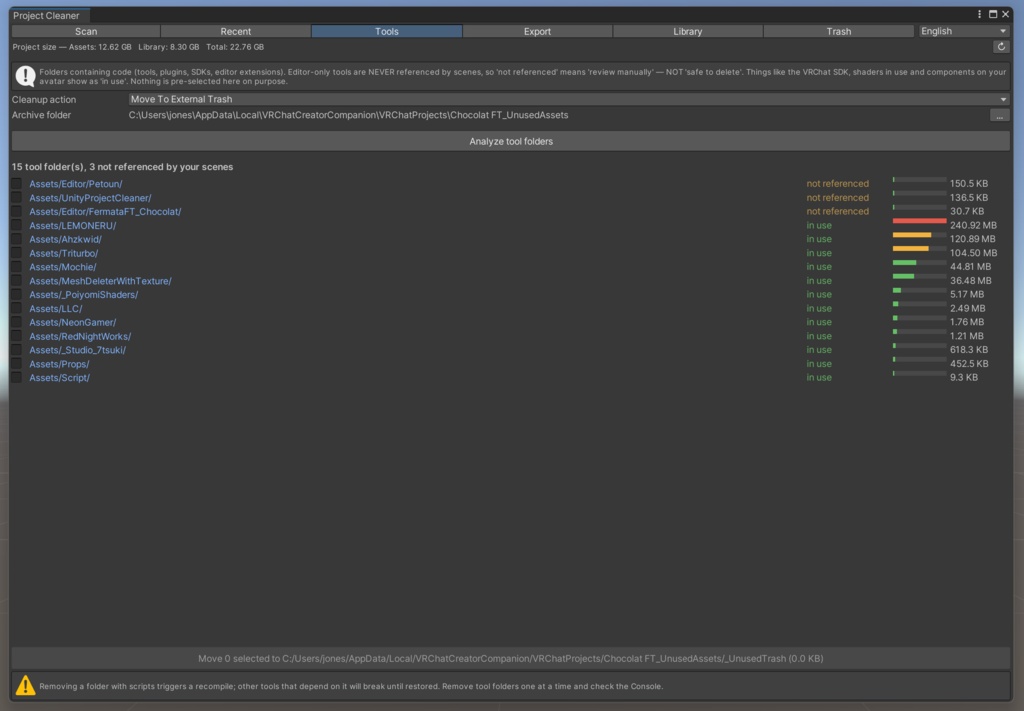
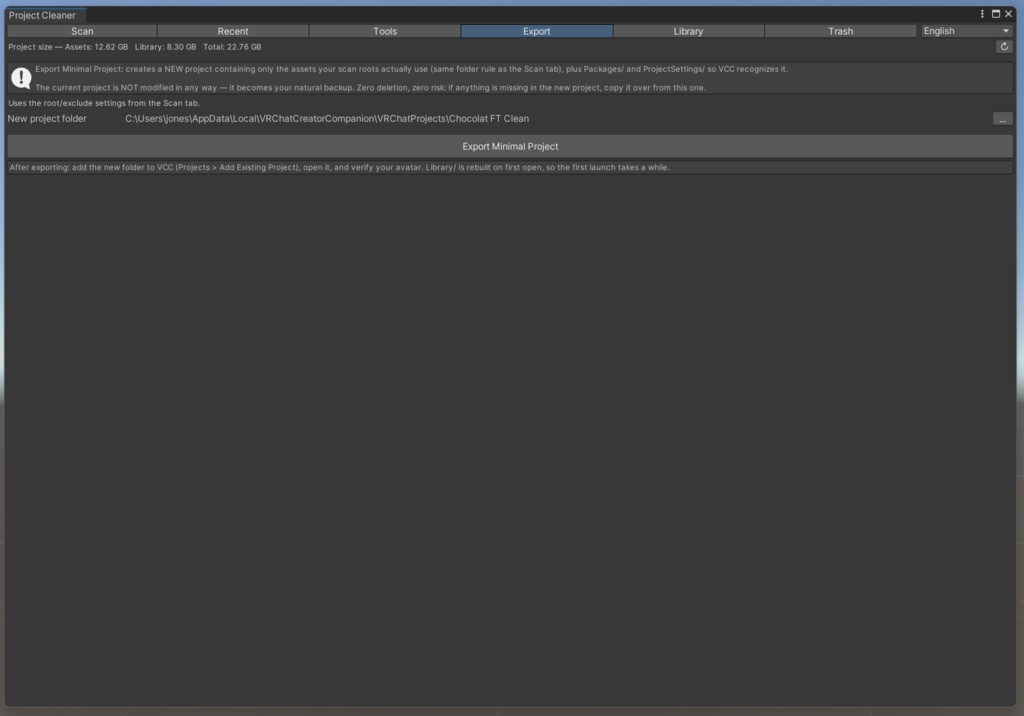
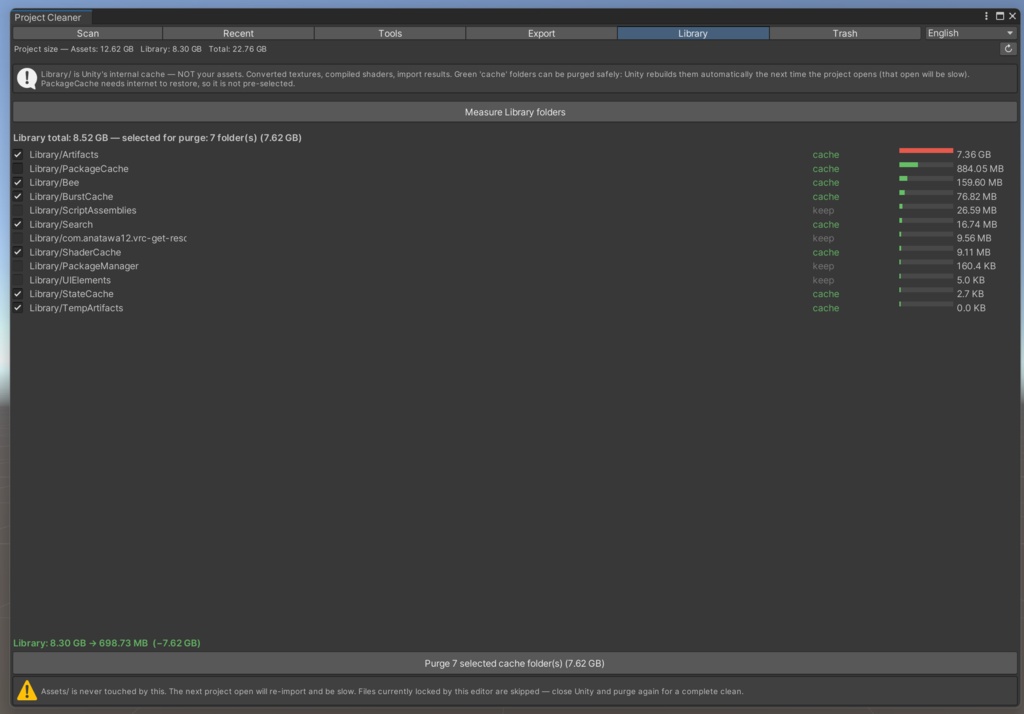
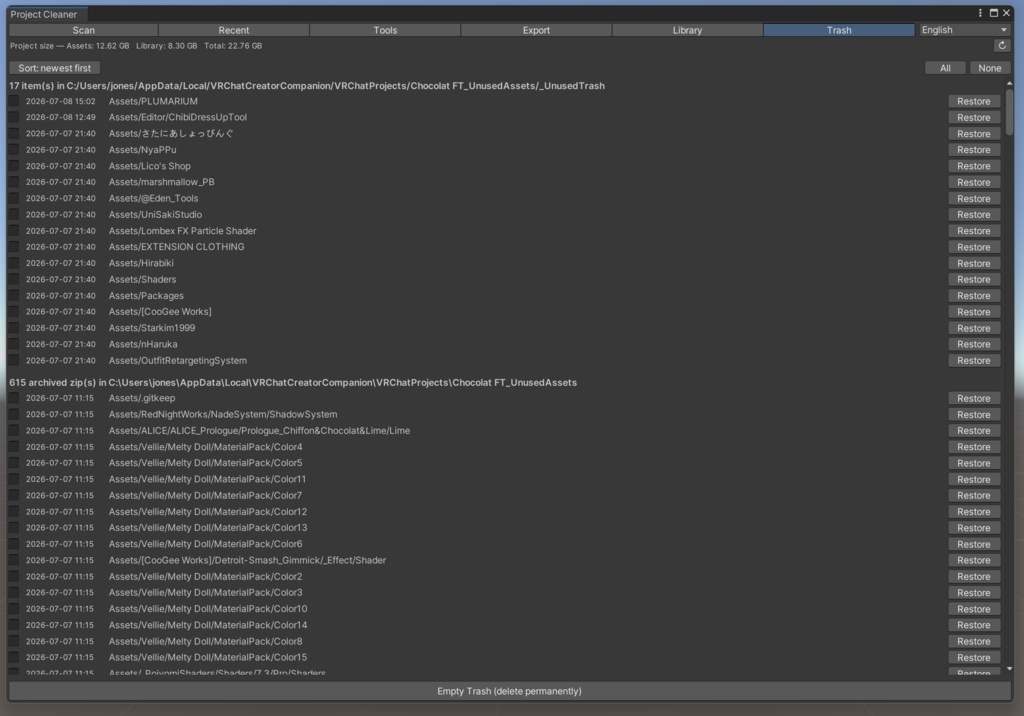


Unity/VRChatのプロジェクトが「物置」みたいになってきたら、これで片付きます。どこからも使われていないアセットフォルダを見つけて、プロジェクトの外へ追い出し、ディスクの空きを取り戻します。何ヶ月も前にインポートして忘れていたデータをUnityが抱えなくなるので、起動も読み込みも軽くなります。 大事なところ。何も削除しません。片付けた物はプロジェクトの外のフォルダに「移動」か「zip」されるだけです。Unityからは本当に消えたように見えますが、間違えたらワンクリックで元に戻せます。.metaごと動かすのでGUIDも保たれ、復元しても壊れません。 「未使用」の判定は、シーンやアバターが実際に参照しているかで決めます。フォルダの中身が1つでも使われていれば、そのフォルダはまるごと残します。Assets/BajuA のテクスチャを1枚でも使っていれば、BajuA はそのまま。SDKやシェーダー、ツール類にも触れません。 6つのタブ ・Scan … 未使用フォルダを大きい順に検出。 ・Recent … Assetsを日付の新しい順で表示。「さっき入れたunitypackage、どのフォルダだっけ?」がこれで分かります。Unityは日付ソートができません。これはできます。 ・Tools … コードやプラグインのフォルダが、シーンから参照されているかを表示。使わなくなった物を見つけられます。 ・Export … 使っているアセットだけを詰めた新しいプロジェクトを作成(VCC対応)。元のプロジェクトはそのまま残るので、自然とバックアップになります。 ・Library … Unityのキャッシュフォルダ(気づくと数十GB食っているアレ)を計測し、安全な部分だけ削除。次回起動でUnityが作り直します。 ・Trash … 片付けた物の置き場。日付で並べ替え、まとめて復元、空にするのも自由です。 Unity 2019.4以降、Windows/Mac対応。日本語・English・한국어・简体中文・繁體中文・Bahasa Indonesia の6言語。追加ライブラリなし。 利用について。ご自身のプロジェクトでなら、個人でも商用でも自由に使えます。ツール自体の再販・再配布だけはご遠慮ください。無保証なので、バックアップは各自でお願いします(ネコも頑張りますが、ネコなので)。 ──────────── If your Unity or VRChat project has turned into a junk drawer, this clears it out. It finds the asset folders nothing is using, moves them out of the way, and gives you your disk space back. Projects open faster once Unity stops choking on stuff you imported months ago and forgot about. Here's the important part. It never deletes anything. Whatever you clear out gets moved or zipped to a folder outside your project, so Unity really does treat it as gone, but you can put it all back with one click if you got it wrong. GUIDs survive, so nothing breaks when you restore. How it decides what's unused: it follows what your scenes and avatars actually reference. A whole top-level folder only counts as unused when nothing inside it is used. Use one texture from Assets/BajuA and the whole BajuA folder stays. It won't touch your SDKs, shaders, or tools either. Six tabs: ・Scan finds the unused folders, biggest first. ・Recent lists your Assets by date, newest on top. This is the one for "I just imported a unitypackage and have no idea which folder it landed in." Unity can't sort by date. This can. ・Tools shows which of your code and plugin folders your scenes actually reference, so you can spot the ones you stopped using. ・Export builds a fresh project with only the assets you use, ready for VCC. Your original is left alone as a backup. ・Library measures Unity's cache folder, the thing that quietly eats tens of gigabytes, and clears the safe parts. Unity rebuilds them next time you open. ・Trash is where your cleared items wait. Sort by date, restore in bulk, or empty it once you're sure. Runs on Unity 2019.4 and up, Windows and Mac. Six languages: English, 日本語, 한국어, 简体中文, 繁體中文, Bahasa Indonesia. No extra libraries. Terms: use it in your own projects, personal or commercial, however you like. Just don't resell or repackage the tool itself. No warranty, so keep your own backups (the cat tries its best, but it's a cat).