
星空パーティクル|4演出×自由カラー・OBS透過オーバーレイ
- ダウンロード商品¥ 500
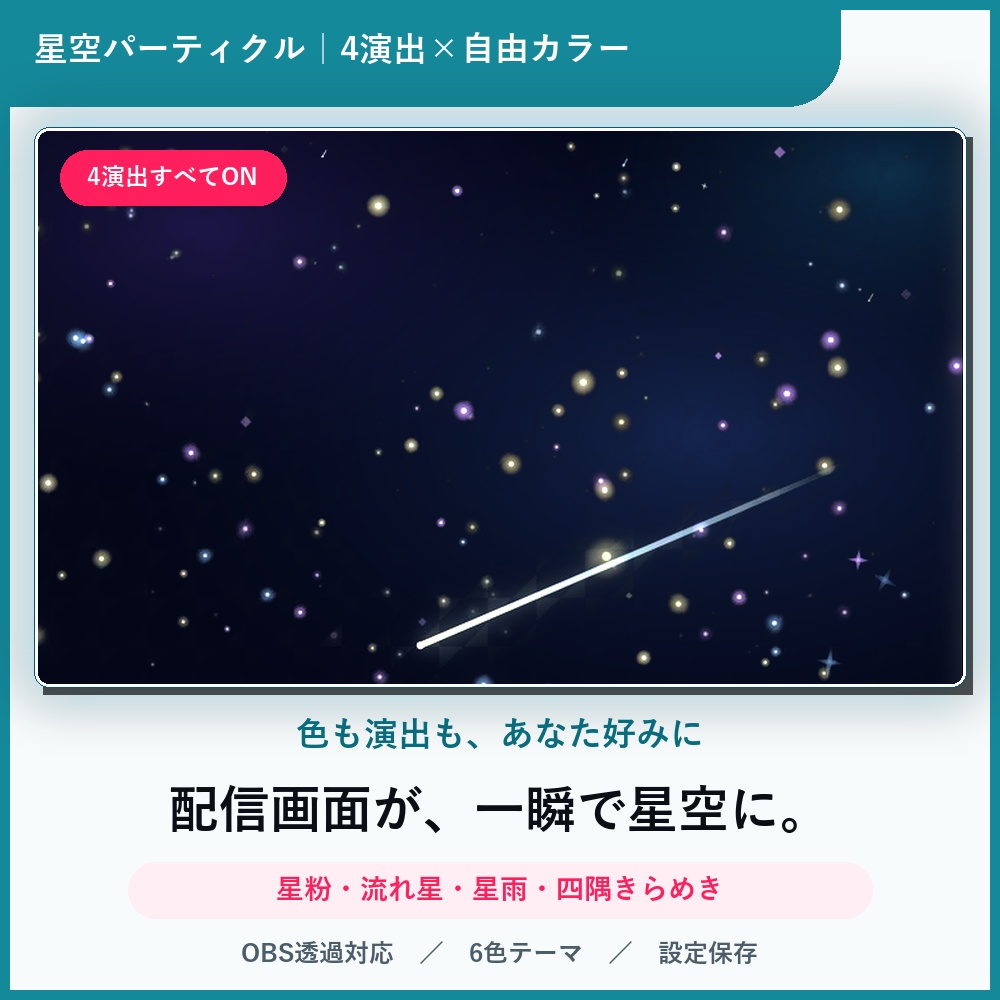
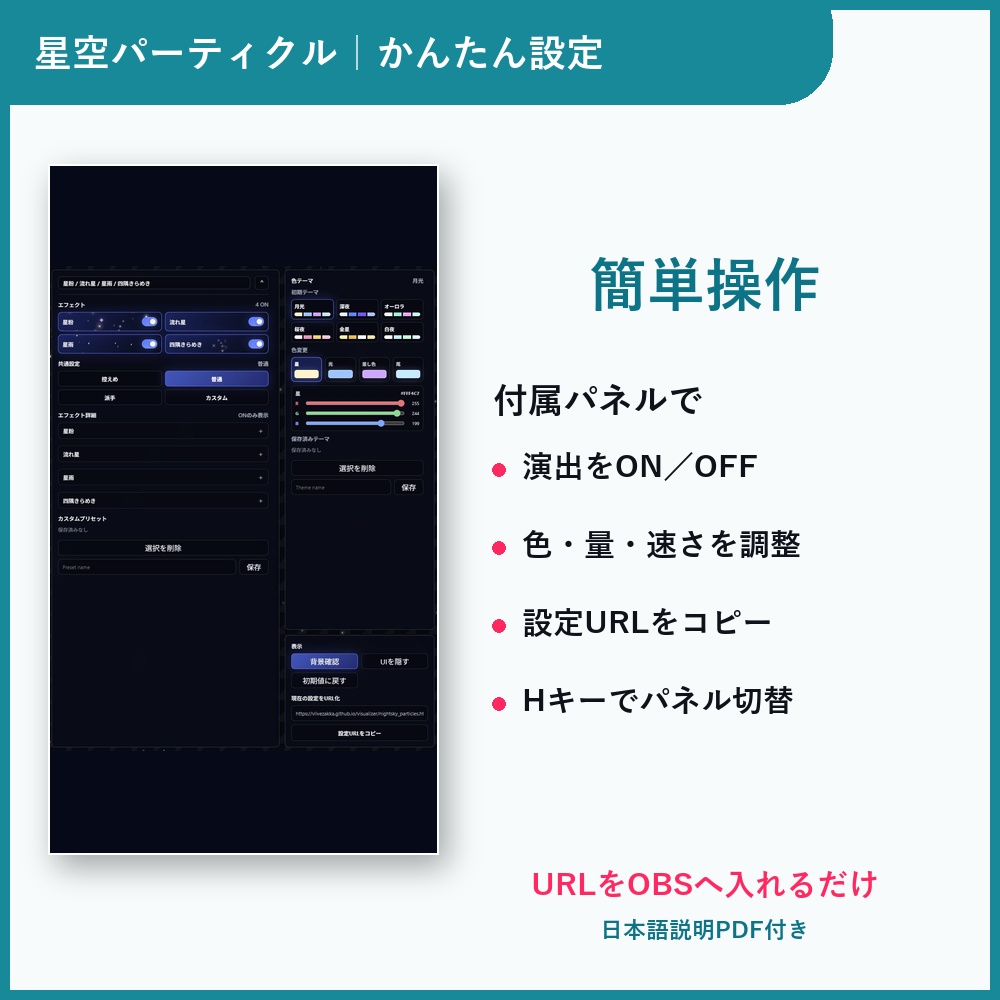
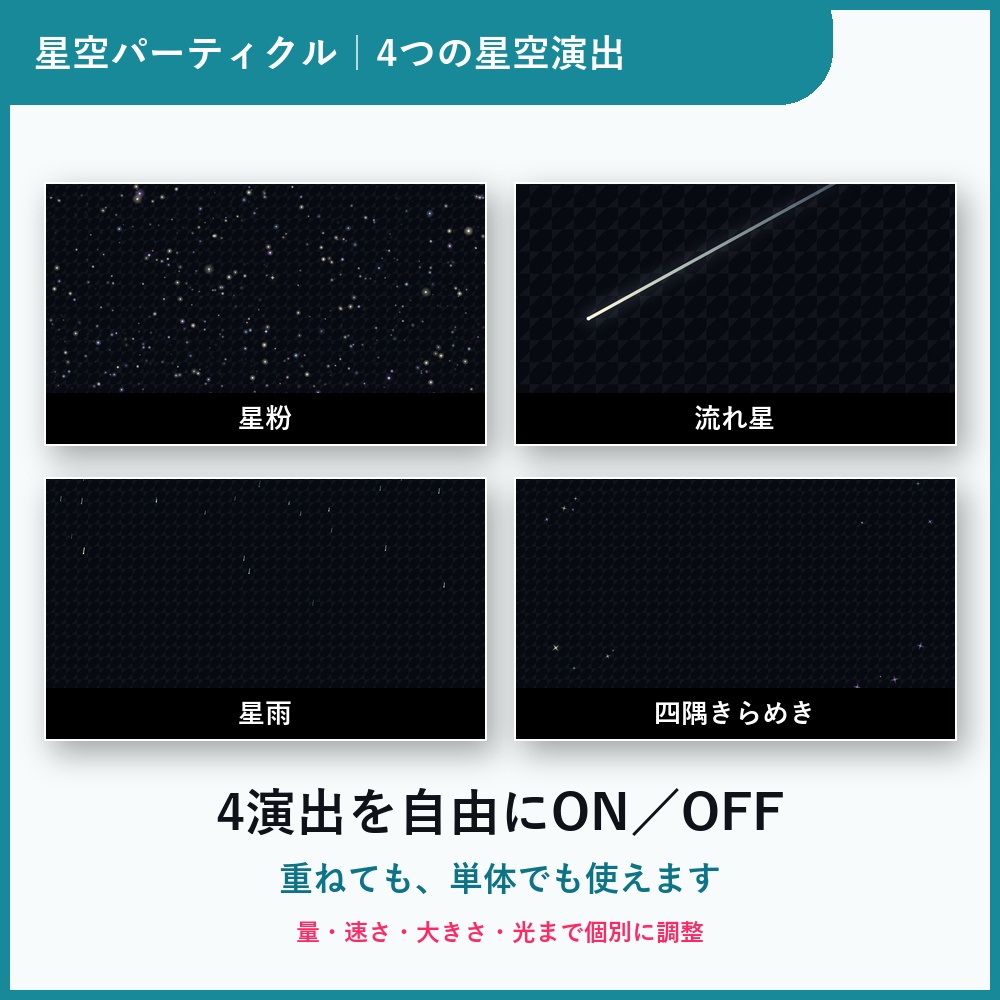
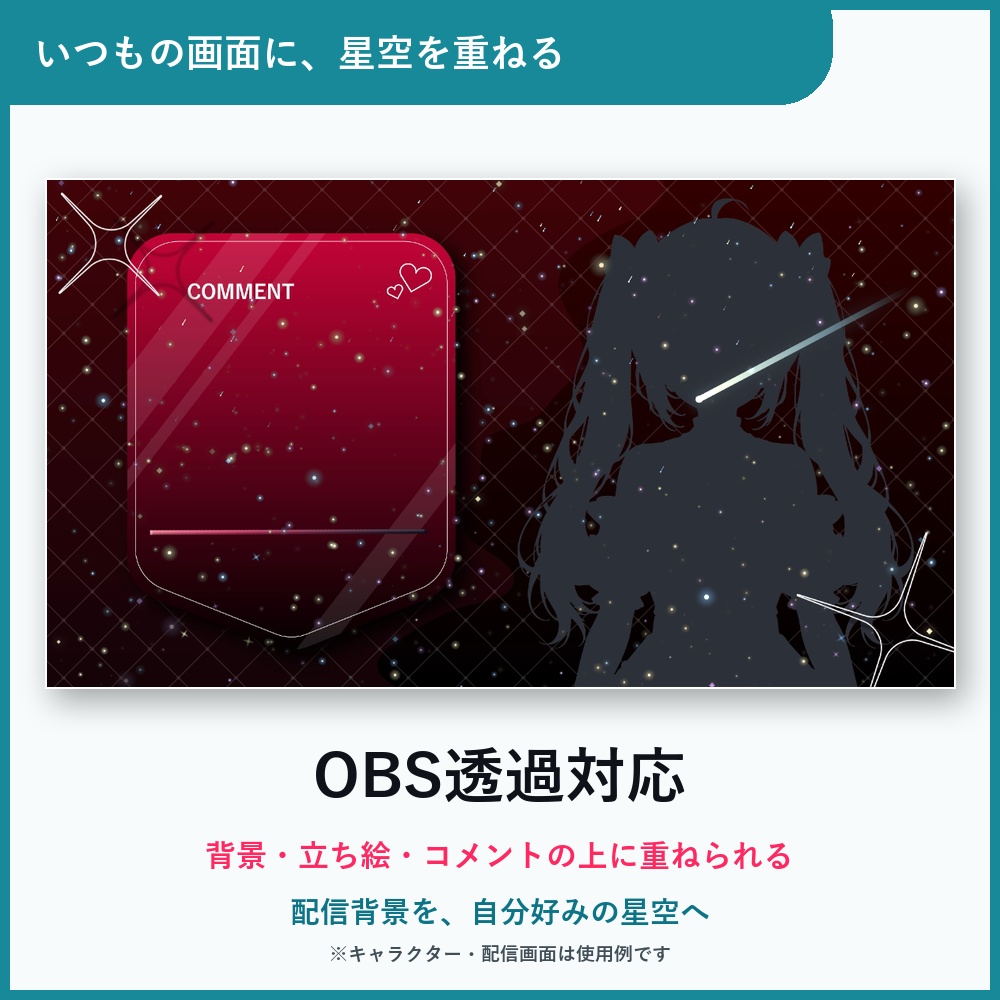
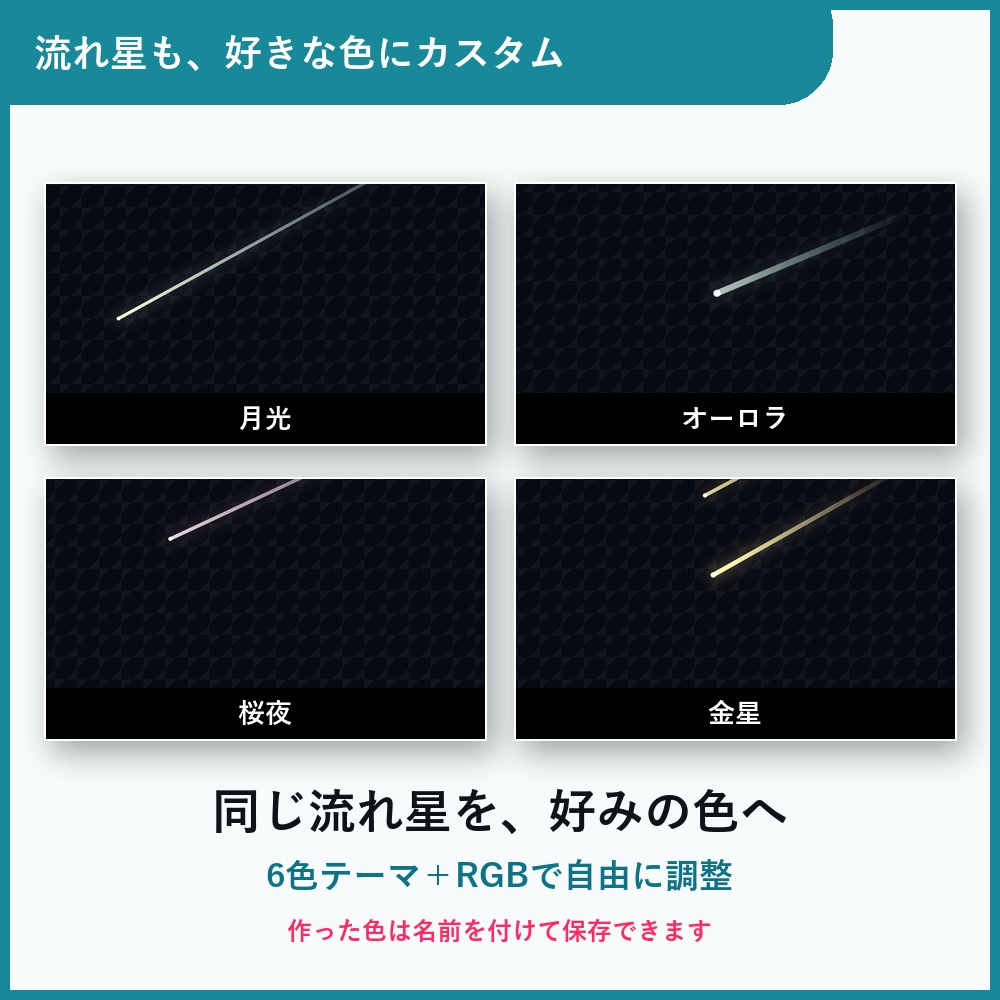
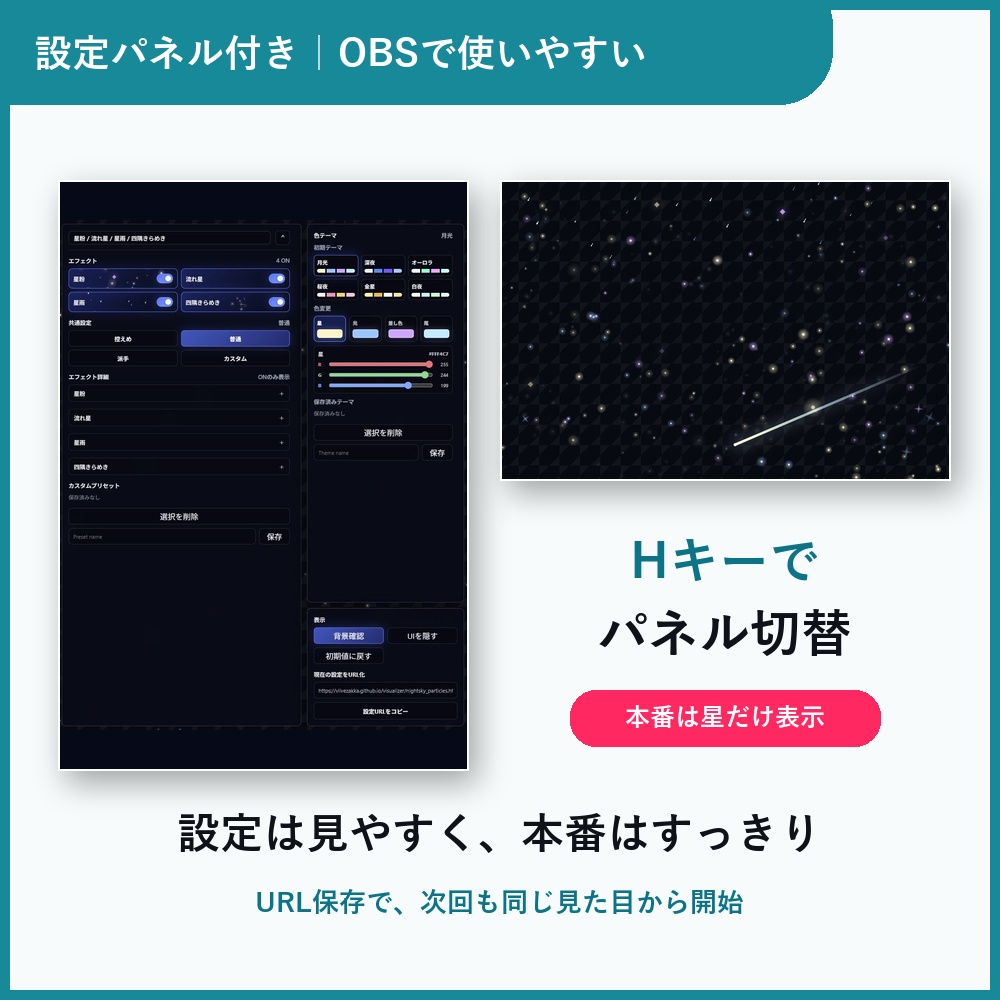


────────────────── 星粉・流れ星・星雨・四隅のきらめきの4演出を、 量・速さ・色まで自由にカスタムできるOBS用の星空パーティクル素材です。 ブラウザソースにURLを貼るだけで、背景や配信画面の上に きらきらした夜空の演出を追加できます。 雑談・歌枠・作業配信・ゲーム配信など、 幅広い配信画面にそのまま重ねて使えます。 ▽ 特徴 ────────────────── ◎ 4種類の星空エフェクト 星粉 / 流れ星 / 星雨 / 四隅きらめき 使いたい演出だけONにして組み合わせられます。 ◎ 色を自由に調整 星 / 光 / 差し色 / 尾 の4色を調整できます。 初期テーマから選ぶことも、自分の配信画面に合わせて保存することもできます。 ◎ エフェクトごとの詳細設定 量・大きさ・速さ・光量などを、エフェクトごとに調整できます。 控えめな雰囲気から、華やかな演出まで作れます。 ◎ 設定を保存 よく使う組み合わせをカスタムプリセットとして保存できます。 色テーマも保存できるので、配信内容や衣装に合わせて使い分けやすいです。 ◎ OBS透過対応 背景を透過して、配信画面や背景素材の上に重ねられます。 ▽ ご利用方法 ────────────────── 1. OBSのブラウザソースに、付属のURLを貼り付け 2. サイズを1920×1080に設定 3. 右クリック →「対話(操作)」から見た目を調整 4. 調整後は「現在の設定をURL化」から、今の見た目を固定したURLをコピー 詳しい手順は同梱の「はじめにお読みください.pdf」をご覧ください。 ▽ 動作環境 ────────────────── ・OBS Studio(ブラウザソース対応版) ・インターネット接続 ・1920×1080推奨 ※Windows版OBSで動作確認済みです。 ※環境によって見え方が異なる場合があるため、配信前の動作確認をおすすめします。 ▽ 保存について ────────────────── カスタムプリセットや色テーマは、使用しているブラウザ/OBS環境に保存されます。 ・同じPC、同じOBS環境では基本的に残ります ・別PC、別ブラウザ、別OBS環境には自動では引き継がれません ・OBSのキャッシュ削除やブラウザデータ削除で消える場合があります ▽ ご利用について ────────────────── ・個人/商用を問わず配信で使用可能 ・クレジット表記不要 ・ファイル/URLの再配布・転売、改変したものの再配布は禁止 ・お困りのときは X(@v_live_zakka) または BOOTHメッセージへ ▽ 同梱物 ────────────────── ・はじめにお読みください.pdf(説明書) ・星空パーティクルURL.txt ・利用規約.txt ──────────────────── English ──────────────────── Night Sky Particles is an OBS overlay asset that adds stardust, shooting stars, star rain, and corner sparkles to your stream screen. Just paste the included URL into an OBS Browser Source to layer a soft night-sky effect over your background or stream layout. It does not use audio input, so it works well for chatting, singing, work streams, gaming streams, and more. ▽ Features ────────────────── ◎ 4 night-sky effects Stardust / Shooting Stars / Star Rain / Corner Sparkles Turn on only the effects you want and combine them freely. ◎ Custom colors Adjust four colors: Star / Glow / Accent / Trail. Choose from built-in themes or save your own color themes. ◎ Detailed effect controls Adjust amount, size, speed, brightness, and more for each effect. Create anything from a subtle atmosphere to a bright magical look. ◎ Save your settings Save favorite combinations as custom presets. Color themes can also be saved for different stream layouts or outfits. ◎ Transparent OBS overlay Layer the particles over your existing stream screen or background. ▽ How to use ────────────────── 1. Paste the included URL into an OBS Browser Source 2. Set the size to 1920 × 1080 3. Right-click the source and choose "Interact" to edit the settings 4. Use "Create URL from current settings" to copy a fixed URL for the current look For details, see the included "はじめにお読みください.pdf" (Read Me First). ▽ Requirements ────────────────── - OBS Studio with Browser Source support - Internet connection - 1920 × 1080 recommended * Tested on OBS for Windows. * We recommend testing it before going live, as appearance may vary by environment. ▽ About saved settings ────────────────── Custom presets and color themes are saved in your current browser/OBS environment. - They usually remain on the same PC and same OBS environment - They do not automatically transfer to another PC, browser, or OBS environment - They may be removed if OBS cache or browser data is cleared ▽ Terms ────────────────── - Usable in streams, personal or commercial - No credit required - Redistributing/reselling the file or URL, or redistributing a modified version, is prohibited - Questions: X(@v_live_zakka) or a BOOTH message ▽ Included files ────────────────── - はじめにお読みください.pdf (instruction guide) - 星空パーティクルURL.txt - 利用規約.txt