

🌙🌙LC-26 暗視ゴーグル! -LC-26 Night Vision Goggles-🌙🌙
- ダウンロード商品¥ 500
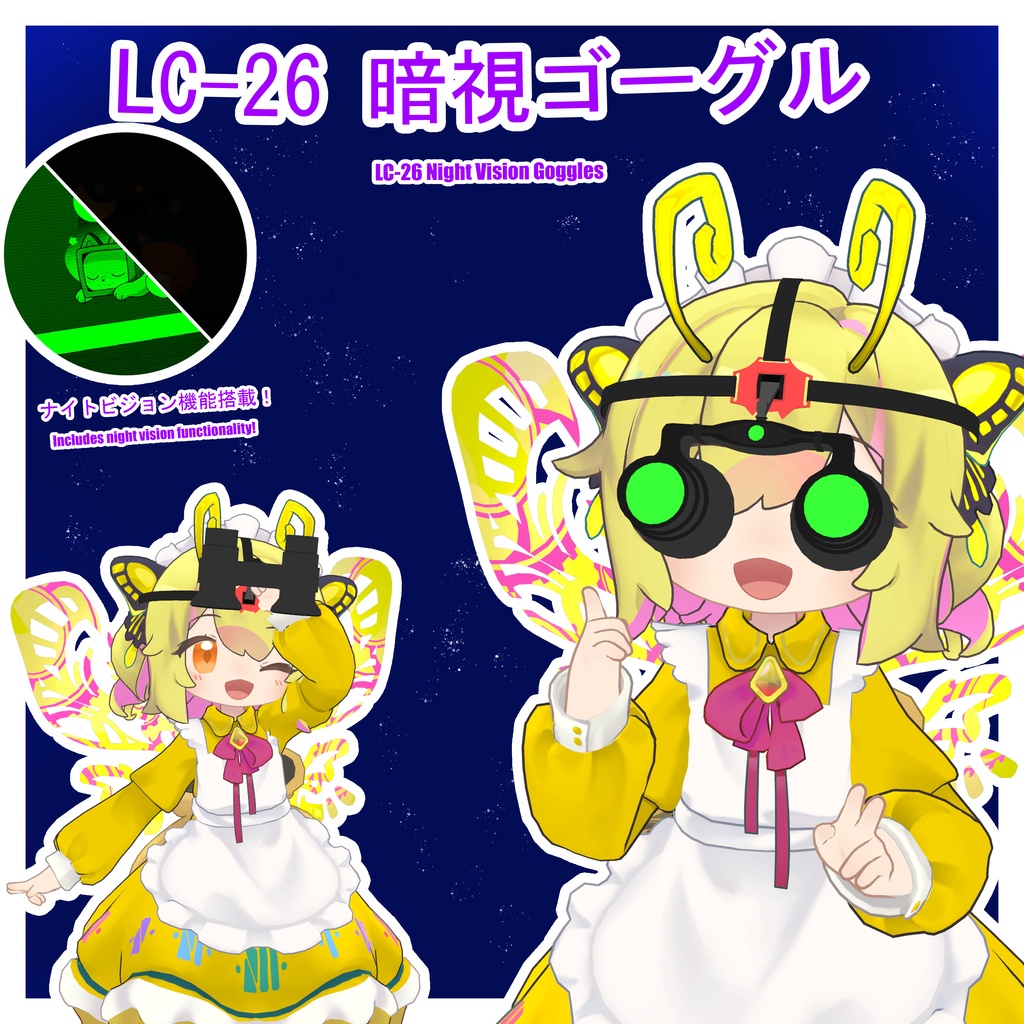
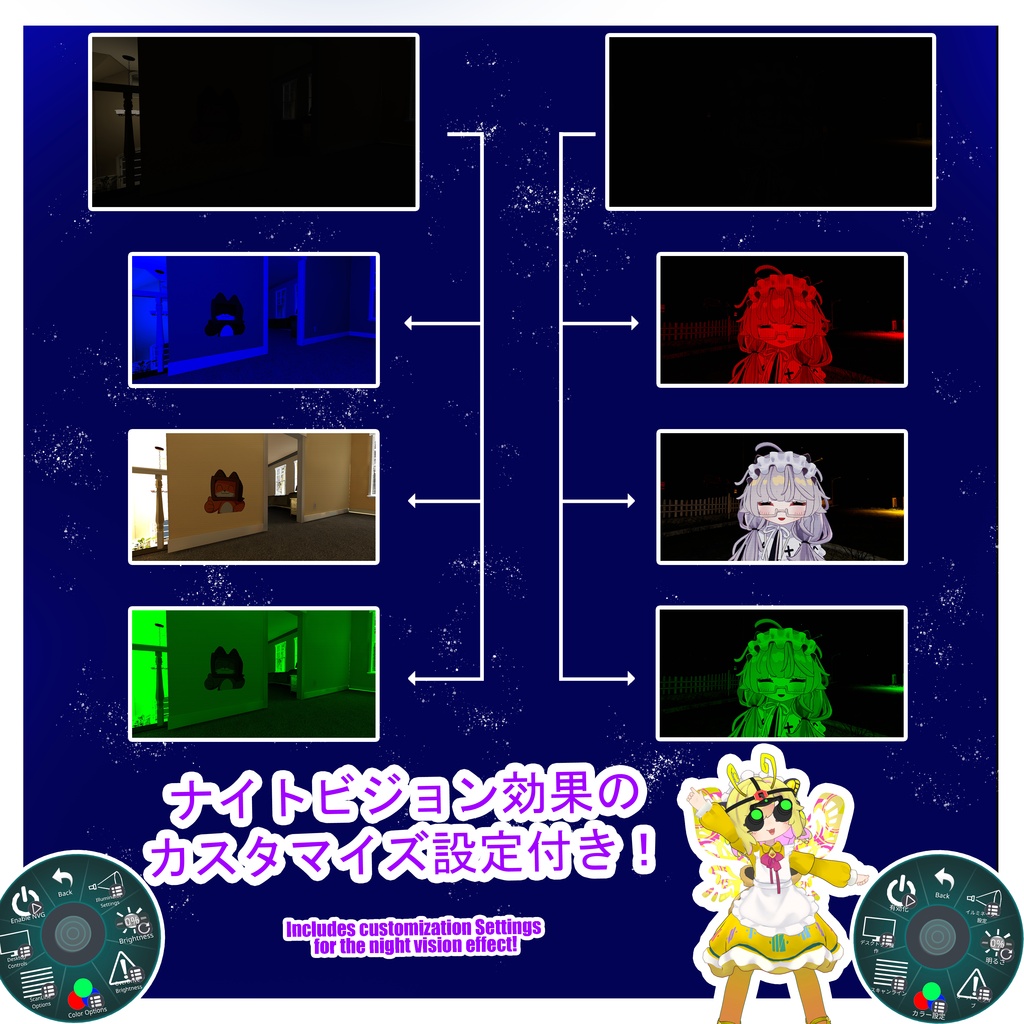
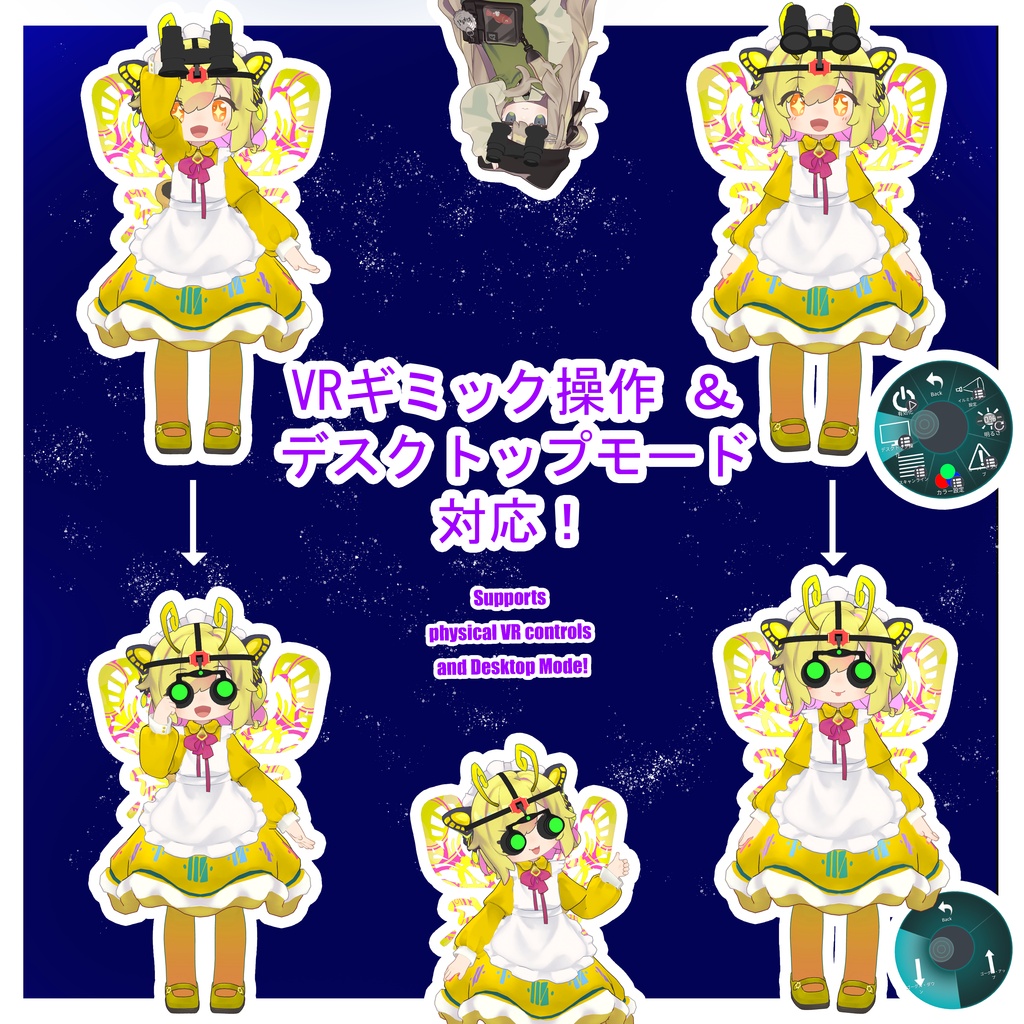
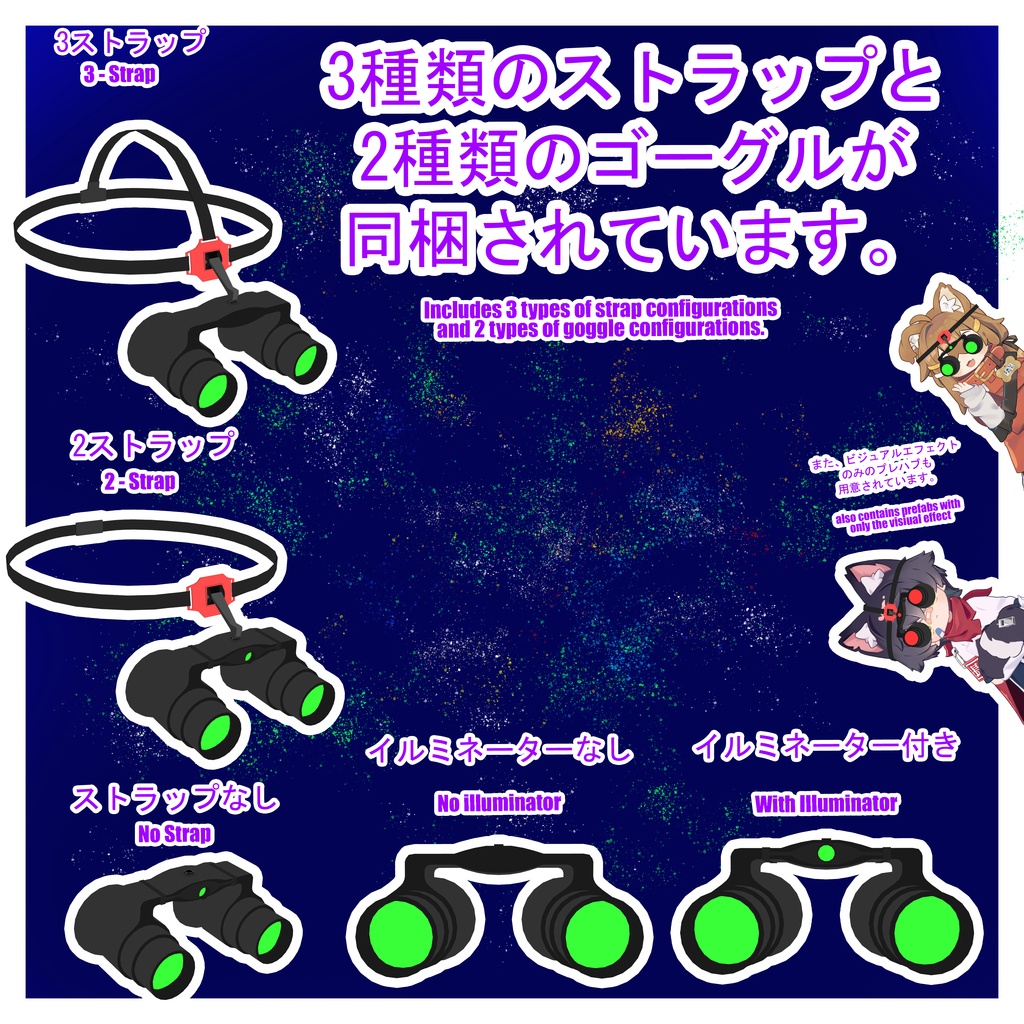
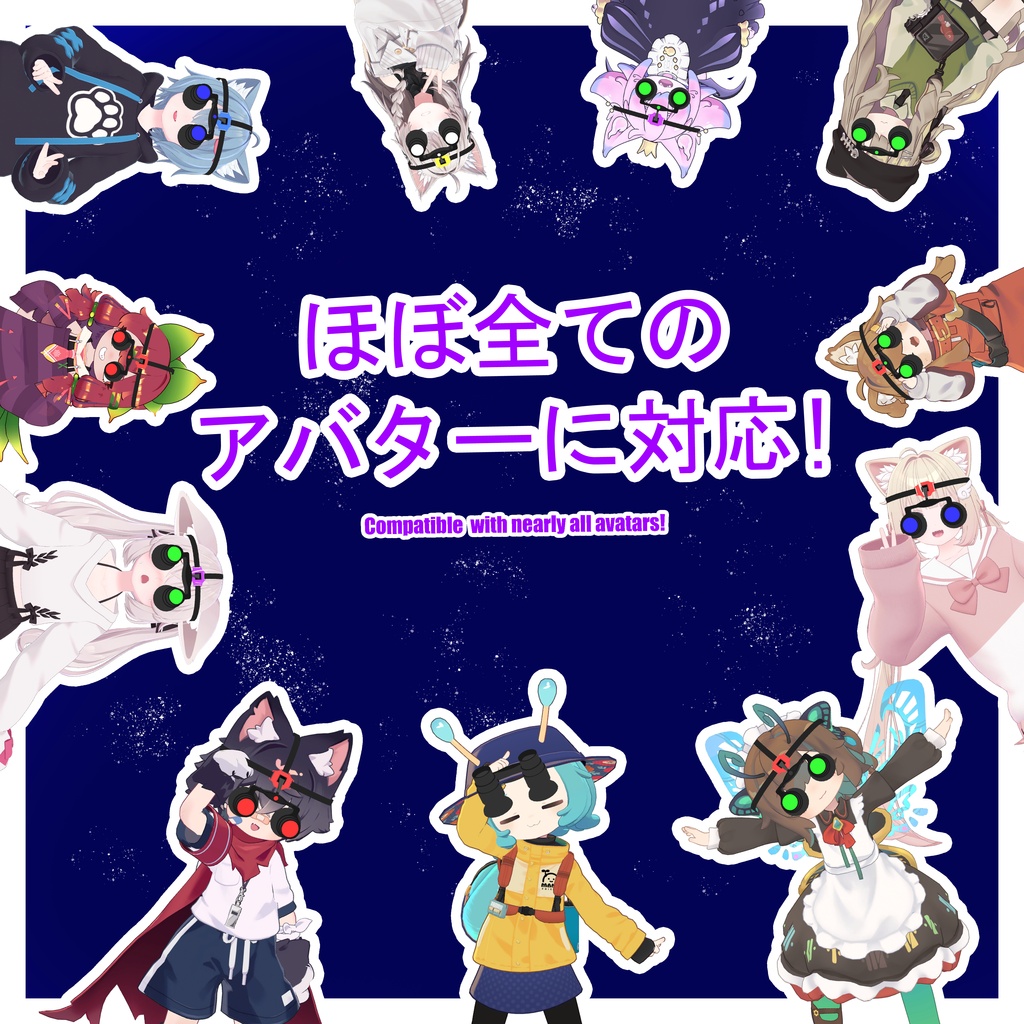


𝐉𝐏 私が作成したシェーダーを使用した、シンプルで機能的な暗視ゴーグルです。明るさ、スキャンライン、カラーの設定が可能です。光が全くない環境でもゴーグルを補助できるよう、ローカルで極めて微量な光を照射するアクティブ・イルミネーター搭載バージョンも含まれています。ゴーグルの輝度は非常に高く設定できるため、使用の際は十分にご注意ください! 🌙 前提条件 lilToon Shader: https://booth.pm/ja/items/3087170 Modular Avatar: https://modular-avatar.nadena.dev/ 🌙 セットアップ方法 以下のフォルダへ進みます: Cchii Shop > Prefabs > お好みの言語 > Night Vision > お好みのヘッドセット プレハブをシーン内に配置します。効果音が必要な場合は、「NVG Audio」プレハブをゴーグルのプレハブ内に配置してください。 ゴーグルのプレハブを、アバターの頭のボーン(Head)の下に配置します。 調整用ボーンを使用して、ストラップが頭にフィットするように調整してください。調整用ボーンは(NVG > NVG Armature > Strap Adjustments)にあります。 エフェクトボックスの調整が必要な場合は、「Vision Effect Cube」スロットを探して有効化(Enable)してください。「Vision Effect Visual for Editing」スロットを有効にすると、調整の目安となる視覚的なガイドが表示されます。調整が終わったら、必ず再度無効化(Disable)してください。 (注意: ボックスの調整後にエフェクトが崩れる/千切れるような現象が発生した場合、それはおそらく頂点崩壊(vertex collapse)機能によるものです。これは、デスクトップモードの三人称視点でエフェクトを非表示にするための仕様です。この数値は、マテリアル内の「Collapse Distance」で調整できます。) 以上でセットアップは完了です。お楽しみください! セットアップ動画はこちらからご覧いただけます: https://www.youtube.com/watch?v=1HHi4zjedVM 🌙 使用方法 アクションメニュー(Action Menu)から「Night Vision Goggles」メニューを開き、「Enable NVG」を押すとシステムが起動します。 VRモード:ゴーグルを物理的につかみ、上下に動かすことでオン/オフを切り替えられます。 デスクトップモード:「Desktop Controls」メニューを使用して、ゴーグルを上下に動かすことでオン/オフを切り替えられます。 アクションメニューからゴーグルの各種設定を調整できます。 🌙 対応アバター これはもともと「Mamefriends」向けに作成されたものですが、わずかな調整を加えるだけで、ほぼすべてのアバターに対応させることができます 🌙 製品仕様 PhysBoneコンポーネント: 1 マテリアルスロット: 2 スキンドメッシュレンダラー: 1 テクスチャメモリ: 5.3 MB 同期パラメーター: 9 ゴーグルのバリエーション 暗視ゴーグル - 3ストラップ ポリゴン数: △ 4,372 ボーン数: 19 暗視ゴーグル - 2ストラップ ポリゴン数: △ 4,012 ボーン数: 16 暗視ゴーグル - ストラップなし ポリゴン数: △ 2,464 ボーン数: 4 エフェクトのみ ポリゴン数: △ 12 スキンドメッシュレンダラー: 1 マテリアルスロット: 1 PhysBone コンポーネント: 0 ボーン数: 0 同期パラメーター: 0 追加アイテム イルミネーター付き ポリゴン数: △ + 224 (エフェクトのみの場合は +0) ライト: + 1 同期パラメーター: + 1 効果音 Audio Source: + 1 🌙 サムネイルおよび動画で使用しているアバター: -------------- 🌙 更新履歴 Ver 1.1: まめひなた以外のアバターにも対応できるように変換 Ver 1.0: 初版リリース 🌙 利用規約 (Terms of Use) 改変や、あらゆる用途での使用は自由です。 本アセットをゲーム内での不正行為(チート等)に使用しないでください。 本アセットの二次配布および転売は禁止します。 ⚠️ ご注意 ⚠️ 明るさにはご注意ください。特にオーバードライブモードの使用時や、ブルーム(Bloom)の強いワールドではご注意ください。暗視ゴーグルを使用する際は、VRChatの設定でブルームの設定を下げることをおすすめします。 𝐄𝐍 A simple, functional pair of night vision goggles using a shader created by me. Features settings for Brightness, Scanlines, and Color. Includes versions that has an active illuminator that locally projects a nearly invisible amount of light to assist the goggles in conditions with zero light. The goggle brightness has options to go extremely high. So be careful! 🌙 Prerequisites lilToon Shader: https://booth.pm/ja/items/3087170 Modular Avatar: https://modular-avatar.nadena.dev/ 🌙 How to Set Up Navigate to: Cchii Shop > Prefabs > Preferred Language > Night Vision > Preferred Headset Place the prefab into your scene. If you would like sound effects, place the "NVG Audio" prefab into your goggle prefab. Place the goggle prefab onto your avatar's head bone. Use the adjustment bones to adjust the straps to fit your head. They can be found under (NVG > NVG Armature > Strap Adjustments). If you need to adjust the effect box, locate the "Vision Effect Cube" slot and enable it. You can also enable the "Vision Effect Visual for Editing" slot to get a visual aid to help you adjust it. Please remember to disable it again once you're done. (Please note: If you notice tearing after you adjust the box, it is most likely the vertex collapse function. This is in place just for hiding the goggles from desktop third-person mode. This value can be adjusted in the material under "Collapse Distance".) You should now be set up. Enjoy! Short setup video here! https://www.youtube.com/watch?v=1HHi4zjedVM 🌙 How to Use Use your action menu and locate the Night Vision Goggles menu, then press "Enable NVG" to turn on the system. VR - Physically grab your goggles and pull them up or down to turn them on or off. Desktop - Use the "Desktop Controls" menu to make the goggles go up and down to turn them on or off. Use the action menu to adjust the settings of your goggles. 🌙 Compatible Avatars Originally created for Mamefriends, but should be compatible with almost all avatars with some adjustments. 🌙 Product Specifications PhysBone Components: 1 Material Slots: 2 Skinned Mesh Renderers: 1 Texture Memory: 5.3 MB Synced Parameters: 9 Goggle Variants 3 - Strap Polygon Count: △ 4372 Bones: 19 2 - Strap Polygon Count: △ 4012 Bones: 16 No Strap Polygon Count: △ 2464 Bones: 4 Effect Only Polygon Count: △ 12 Skinned Mesh Renderers: 1 Material Slots: 2 PhysBone Components: 0 Bones: 0 Synced Parameters: 0 Additions With Illuminator Polygon Count: △ + 224 ( Effect Only +0 ) Lights: + 1 Synced Parameters: + 1 NVG Audio Audio Source: + 1 🌙 Avatars used in thumbnails and video: 🌙 Update History Ver 1.1: Converted to be compatible with avatars outside of Mamefriends. Ver 1.0: Initial Release. 🌙 Terms of Use Free to modify and use in anything you would like. Please avoid using this asset to cheat in games. Please do not redistribute or sell this asset. ⚠️ CAUTION ⚠️ Please be careful with the brightness, especially when using overdrive mode or in worlds with heavy Bloom. Recommended to turn down bloom settings in Vrchat settings when using the goggles. Overdrive mode is meant to assist goggles without the illuminator attachment.