

VRC CrossSync - PC・Quest・iOS版アバターのメニューと設定を揃えるUnity同期ツール【VRChat】【JA,EN,KO】
- ダウンロード商品¥ 1,000
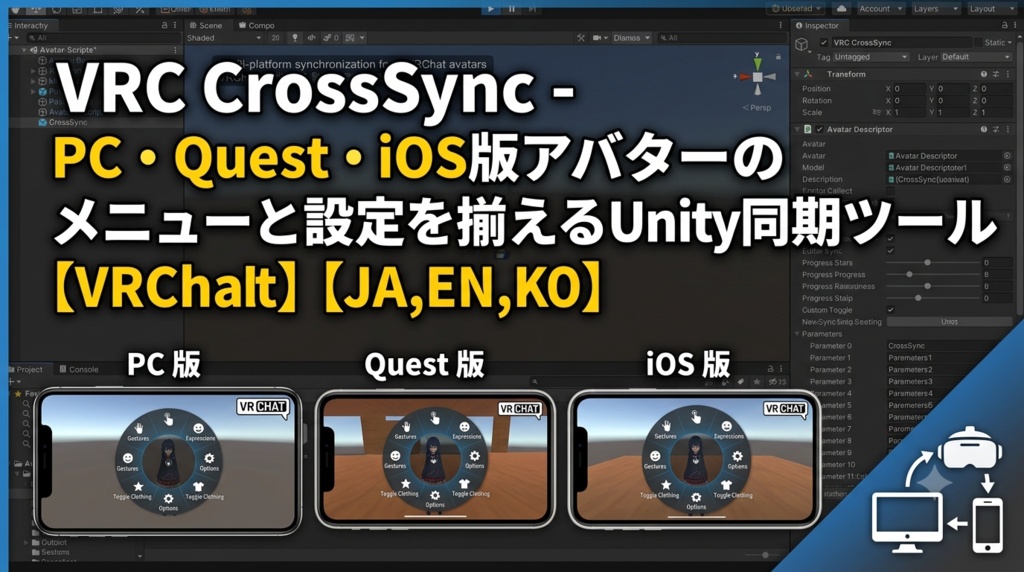
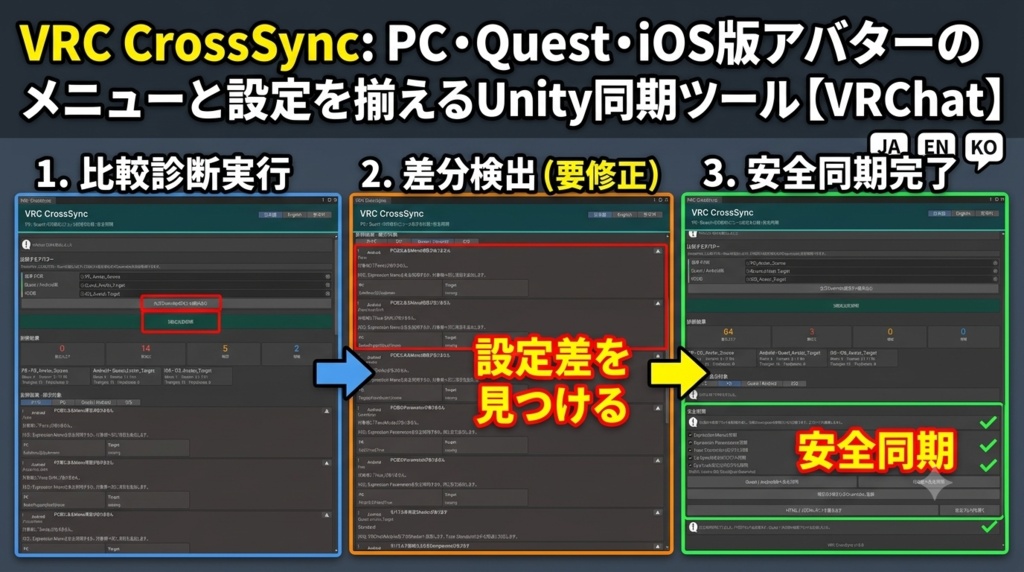


「PC版には着替えボタンがあるのに、Quest版だけMenuが足りない」 「iOS版だけView PositionやLipSyncがずれている」 「Parametersの違いで、同じMenuなのに動かない」 VRC CrossSyncは、同じアバターのPC版・Quest/Android版・iOS版を比較し、アップロード前に設定差を見つけるUnity Editor拡張です。必要な項目だけ、元Assetを残したまま安全同期できます。 ◆ 3版をまとめて比較 ・Expression Menuの不足/追加/Type/Parameter/Value ・Sub Menuを含むMenu階層 ・Expression Parametersの型/初期値/Saved/Network Synced/bit ・View Position/LipSync/Eye Look ・Playable LayersのDefault状態とController参照 ・公式Per-Platform Overridesとの参照違い 結果は「要修正/確認/情報」に分け、各Platformで絞り込めます。差と確認内容を画面内に表示します。 ◆ モバイル版のアップロード前診断 非対応Shader、無効化されるComponent、Triangles、Mesh、Material、PhysBone、Collider、Contact、Constraintを確認します。 ◆ 元Assetを残す安全同期 Menu/Parameters/View Position/LipSync/Eye Lookを選び、PCからQuestまたはiOSへ同期します。Menuは入れ子のSub Menuまで、Parametersも別Assetへ複製します。PC元Assetと同期前のモバイルAssetは編集・削除せず、対象Descriptorの参照だけを生成Assetへ切り替えます。実行内容はJSONへ記録し、直後はUnity Undoで戻せます。 Face RendererやEye Boneなどは、Rootからの相対Hierarchyパスで対象版へ対応付けます。同じパスがなければ対象版の既存参照を保持します。 ◆ レポート/公式Override 診断結果をHTML/JSONで保存できます。SDK 3.10.4以降では、選択中のモバイル版を公式Per-Platform Overridesへ登録できます。Blueprint IDは変更しません。 ◆ 導入 1. ZIPを解凍 2. VRC_CrossSync_v1.0.0.unitypackageをImport 3. Tools > VRC CrossSync > Open VRC CrossSync 4. PC版とモバイル版のAvatar Rootを指定 5.「3版を比較診断」 ◆ 動作環境/検証 Unity 2022.3.x、VRChat SDK Avatars 3.10.4以降推奨。完成unitypackageをUnity 2022.3.54f1のSDKなし新規環境と、Unity 2022.3.22f1+SDK 3.10.4の別環境へImport済みです。実SDK Assetで差分検出、Sub Menu複製、View/LipSync同期、公式Overrides、レポート、元Asset非変更を自動テストしました。日本語/English/한국어 UI・README同梱。 ※ Shader変換、Mesh削減、Texture圧縮、Playable Layer Controllerコピー、Build/Uploadは行いません。 ※ アップロード前の静的診断です。SDK Validation、Build & Test、対象端末確認を置き換えません。ライブUploadと実Quest/Android/iOS端末内の自動試験は未実施です。 ※ アバターごとの意図的なモバイル差、特殊なHierarchy、将来のUnity/SDK変更を含め、すべての環境での動作を保証するものではありません。 --- English --- Your outfit button exists on PC but is missing on Quest. iOS has a different View Position, LipSync target, or Parameter setting. VRC CrossSync compares the PC, Quest/Android, and iOS versions of one avatar before upload, then safely synchronizes only the sections you select. Compare all versions - Expression Menu controls, types, parameters, values, and nested submenus - Parameter types, defaults, Saved, Network Synced, and bit cost - View Position, LipSync, and Eye Look - Playable Layer default/controller references - Official Per-Platform Overrides assignments - Mobile shaders, removed components, and performance limits Findings are grouped by severity and platform, with a suggested check for each difference. Non-destructive safe sync Select Menu, Parameters, View Position, LipSync, and Eye Look, then sync from PC to Quest or iOS. Menus, including nested submenus, and Parameters are cloned into new assets. PC source assets and previous mobile assets are not edited or deleted; only target Descriptor references are changed. A JSON receipt records the operation, and immediate Unity Undo is supported. Face renderer and eye-bone references are mapped by relative hierarchy path. If no matching path exists, the target's current reference is preserved. Reports and official overrides Save HTML/JSON reports. With SDK 3.10.4+, register the selected mobile avatars through the official Per-Platform Overrides API without changing Blueprint IDs. Quick start 1. Extract the ZIP and import VRC_CrossSync_v1.0.0.unitypackage. 2. Open Tools > VRC CrossSync > Open VRC CrossSync. 3. Assign the PC and mobile avatar roots. 4. Run Compare all versions. Requirements and verification Unity 2022.3.x; SDK Avatars 3.10.4+ recommended. The final package was clean-imported into Unity 2022.3.54f1 without the SDK and Unity 2022.3.22f1 with SDK 3.10.4. Tests with real SDK assets covered diffs, nested-menu cloning, View/LipSync mapping, official overrides, reports, and source-asset preservation. JA/EN/KO UI and manuals included. No shader conversion, mesh reduction, texture compression, Playable Layer copying, or VRChat upload is performed. This static check does not replace SDK validation, Build & Test, or device testing. Live upload and automated physical Quest/Android/iOS client tests were not performed. Compatibility with every avatar or future SDK is not guaranteed. --- 한국어 --- PC에는 의상 버튼이 있는데 Quest에는 없거나, iOS만 View Position, LipSync, Parameter 설정이 다른 경우가 있습니다. VRC CrossSync는 같은 아바타의 PC, Quest/Android, iOS 버전을 업로드 전에 비교하고 필요한 항목만 안전하게 동기화하는 Unity Editor 확장 도구입니다. 3개 버전 비교 - Expression Menu 항목, 타입, Parameter, Value, 중첩 Sub Menu - Parameters 타입, 기본값, Saved, Network Synced, 사용 bit - View Position, LipSync, Eye Look - Playable Layer Default 상태와 Controller 참조 - 공식 Per-Platform Overrides 연결 상태 - 모바일 Shader, 제거 Component, 성능 제한 결과는 중요도와 플랫폼별로 정리되며 각 차이의 확인 방법을 표시합니다. 비파괴 안전 동기화 Menu, Parameters, View Position, LipSync, Eye Look을 선택해 PC에서 Quest 또는 iOS로 동기화합니다. 중첩 Sub Menu와 Parameters를 새 Asset으로 복제하며 PC 원본과 이전 모바일 Asset은 수정·삭제하지 않습니다. 대상 Descriptor 참조만 변경하고 JSON 기록과 실행 직후 Unity Undo를 제공합니다. Face Renderer와 Eye Bone은 상대 Hierarchy 경로로 매핑합니다. 같은 경로가 없으면 대상의 기존 참조를 유지합니다. 리포트와 공식 Override HTML/JSON 리포트를 저장하고, SDK 3.10.4 이상에서는 선택한 모바일 버전을 공식 Per-Platform Overrides에 등록합니다. Blueprint ID는 변경하지 않습니다. 사용법 1. ZIP 압축을 풀고 VRC_CrossSync_v1.0.0.unitypackage를 Import합니다. 2. Tools > VRC CrossSync > Open VRC CrossSync를 엽니다. 3. PC 및 모바일 아바타 Root를 지정합니다. 4. 3개 버전 비교 진단을 실행합니다. 환경 및 검증 Unity 2022.3.x, SDK Avatars 3.10.4 이상 권장. 완성 패키지를 SDK 없는 Unity 2022.3.54f1과 SDK 3.10.4가 있는 Unity 2022.3.22f1 새 환경에 Import했습니다. 실제 SDK Asset으로 차이 검출, 중첩 Menu 복제, View/LipSync 매핑, 공식 Overrides, 리포트, 원본 보존을 자동 시험했습니다. JA/EN/KO UI와 설명서 포함. Shader 변환, Mesh 감소, Texture 압축, Playable Layer 복사, Build/Upload는 수행하지 않습니다. 이 정적 진단은 SDK Validation, Build & Test, 기기 확인을 대신하지 않습니다. 라이브 Upload와 실제 Quest/Android/iOS 자동 시험은 미실시입니다. 모든 아바타와 향후 SDK 호환성을 보장하지 않습니다.