

オリジナル3Dモデル「悠々花-YU.YU.PHA-」ver1.0
- -YU.YU.PHA-悠々花 ver1.0ダウンロード商品¥ 3,800
- YU.YU.PHA_ver1.0 vn3licenseダウンロード商品¥ 0
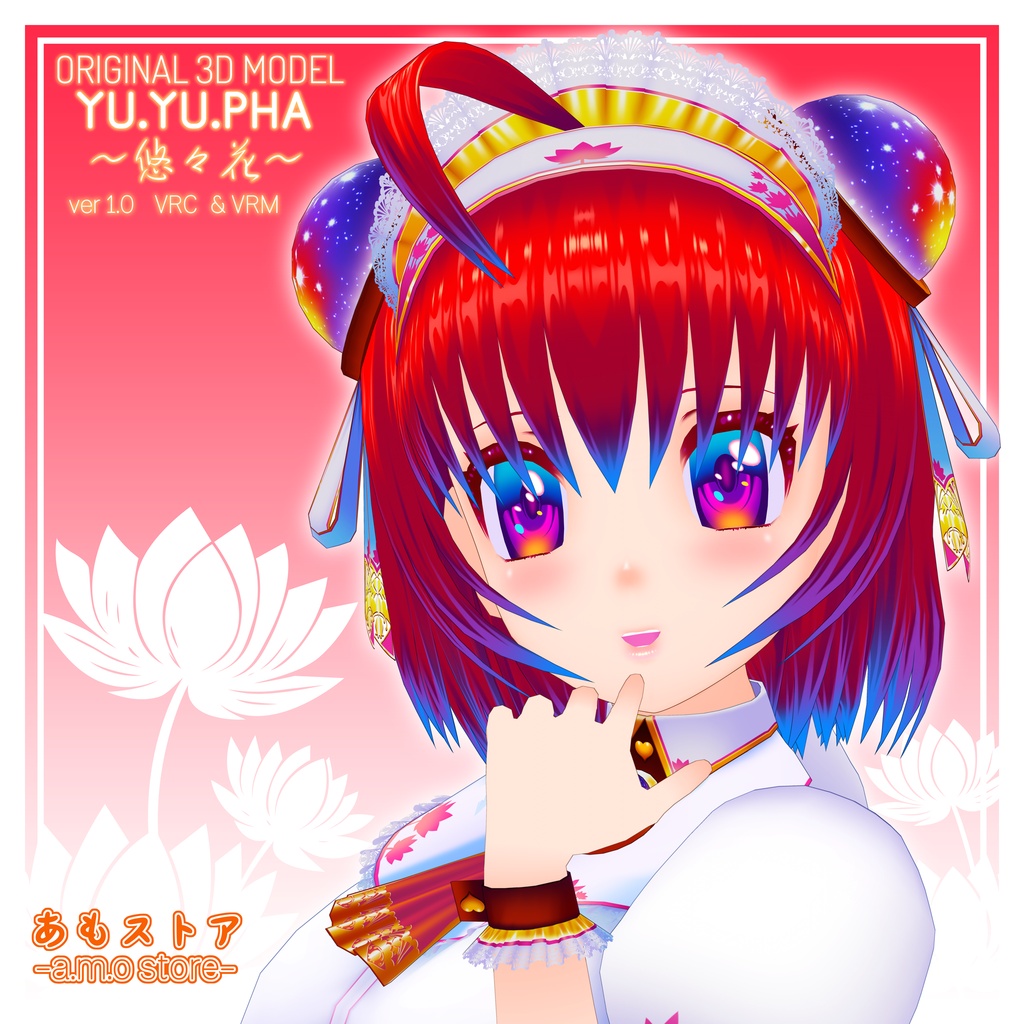
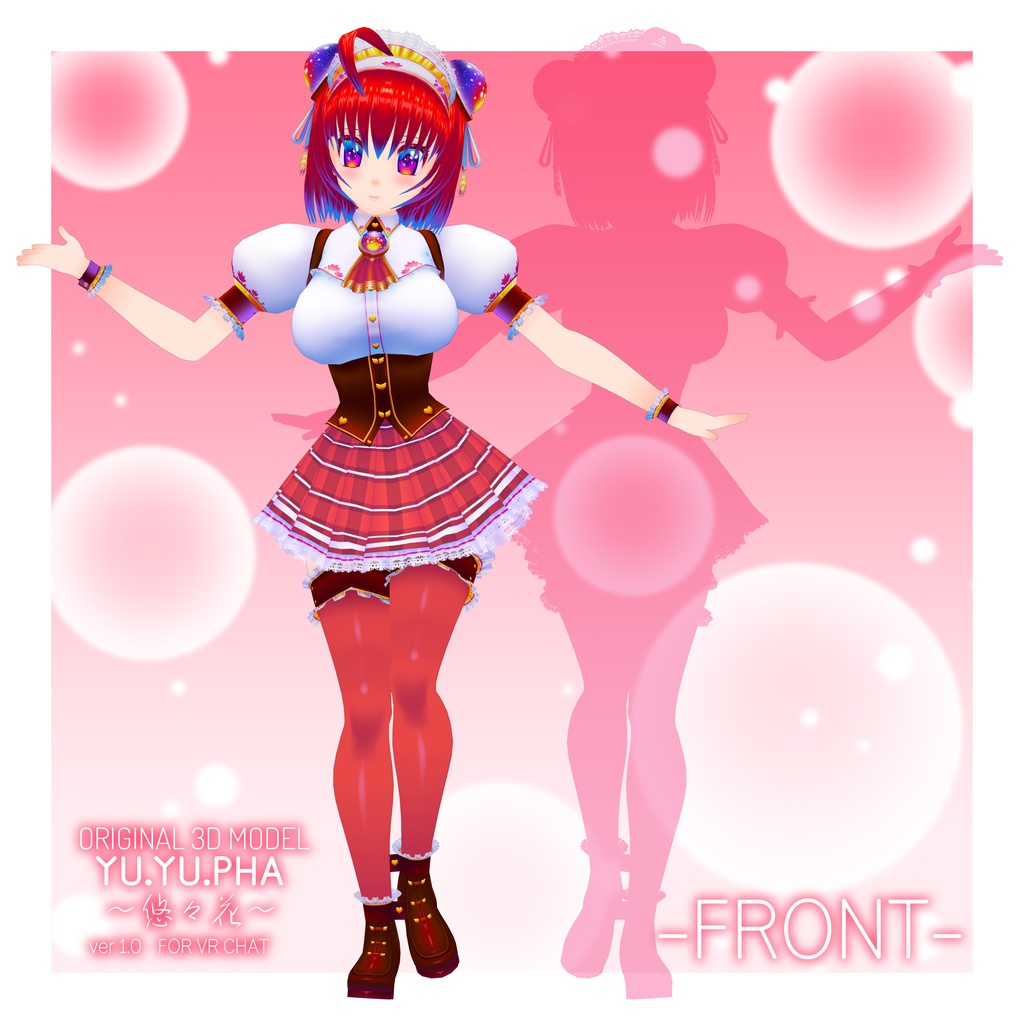
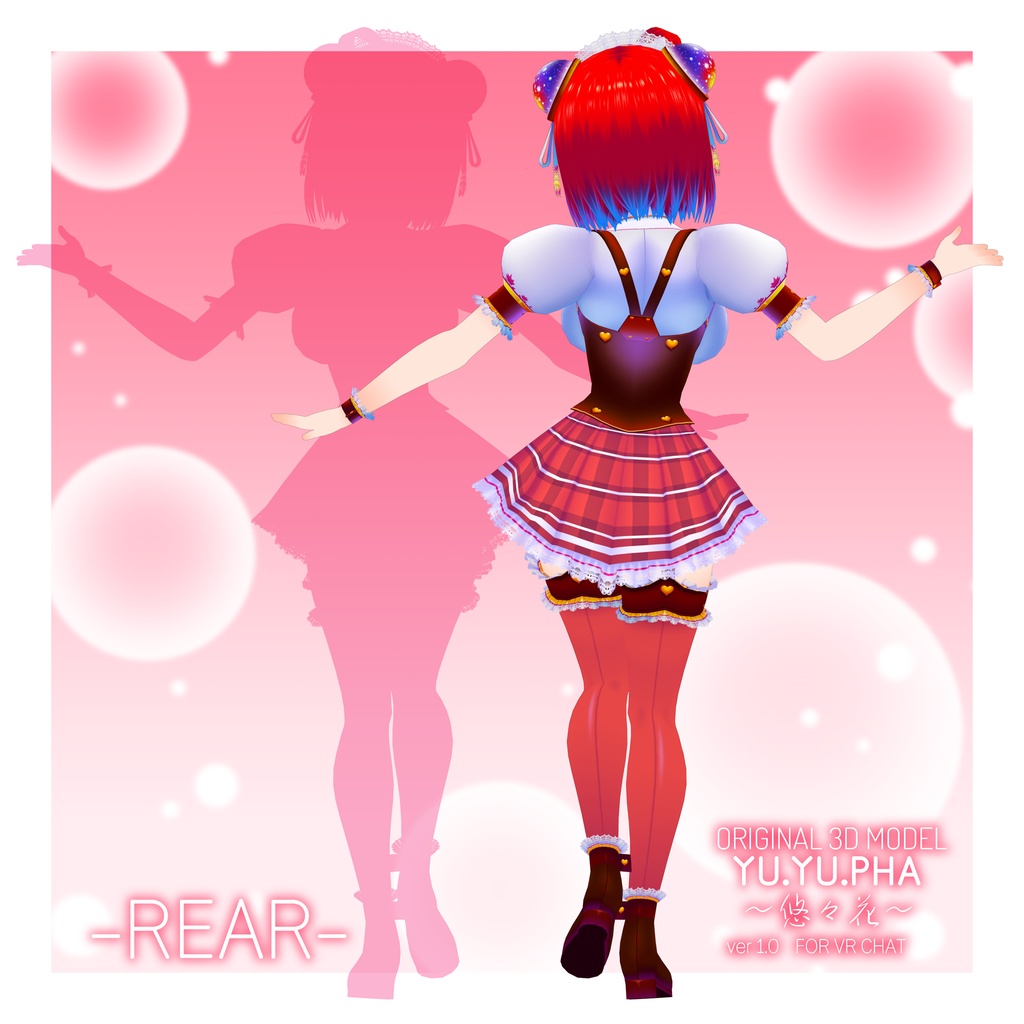
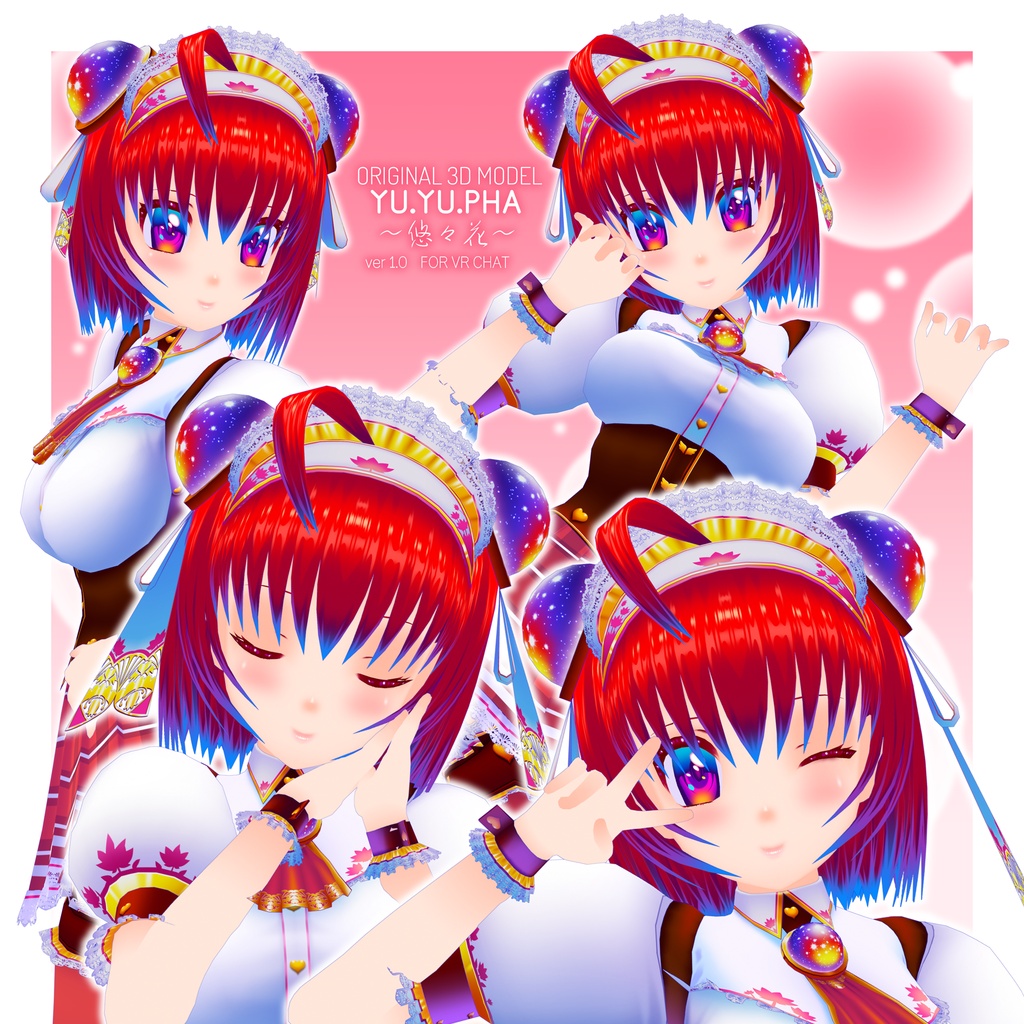
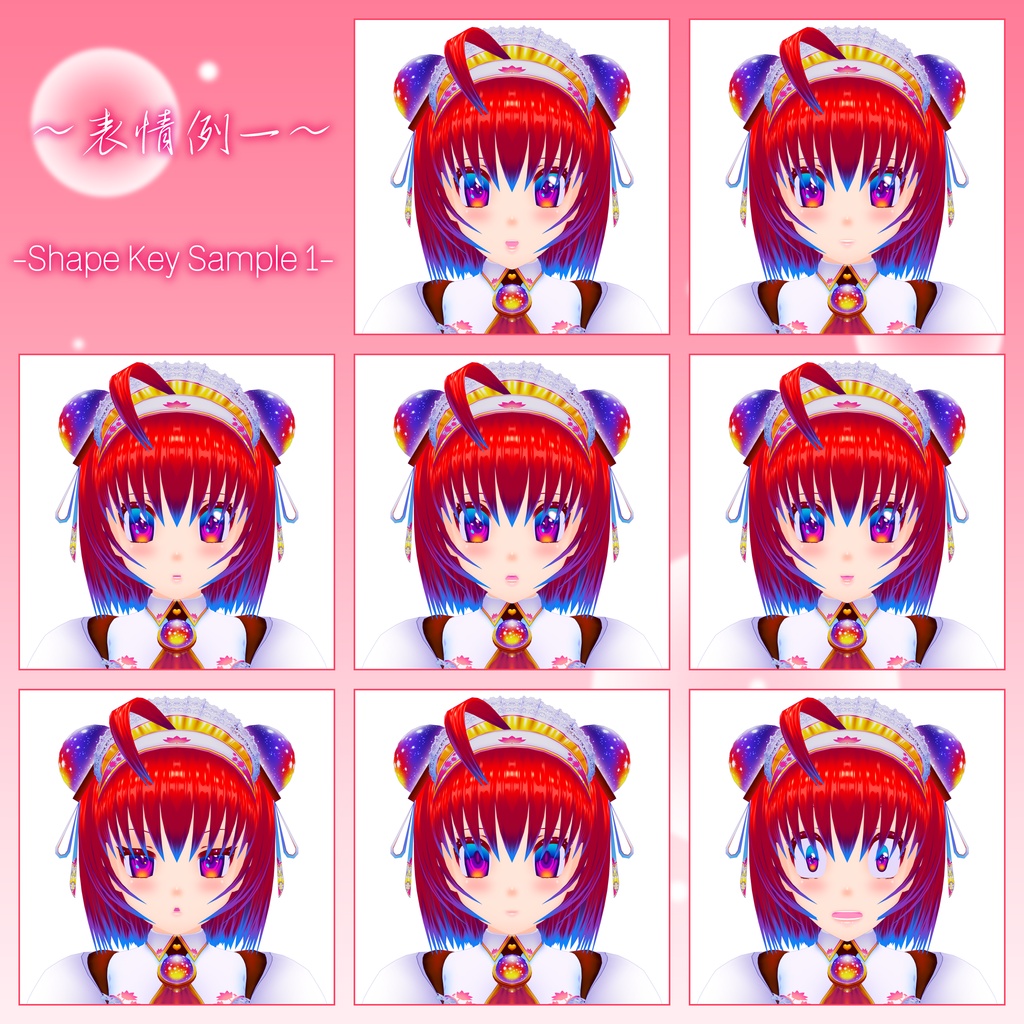
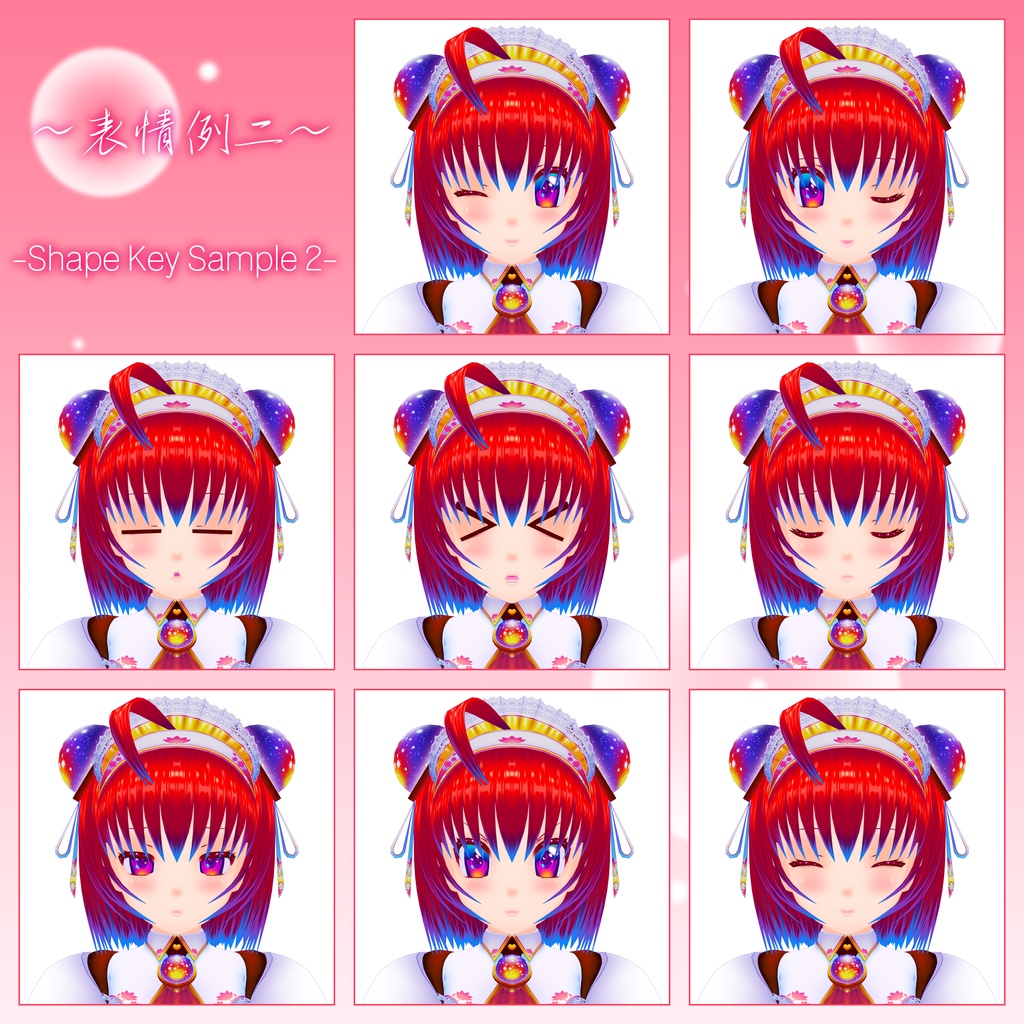


オリジナル3Dモデル「悠々花-YU.YU.PHA-」ver1.0 製作者:あも VRChat及びVRMモデルを使用するサービス(Cluster等)向けに製作しました。カスタマイズのためのBlenderデータ及びレイヤー仕分け済みPSDテクスチャデータを同梱しています。 Original 3D Model "悠々花 -YU.YU.PHA-" ver1.0 Creator: Amo Created for use with services that use VRChat and VRM models (such as Cluster). Blender data for customization and PSD texture data with layers already sorted are included.
-商品説明-
Unity Humanoid/Phys bone/LipSync/Eye-Tracking/Avatar 3.0(VRCSDK3) ポリゴン数:約23,020△ マテリアル数:17 使用シェーダー:lilToon/MToon Shader パフォーマンス:Poor Questでは動作確認しておりません。
-同梱ファイル-
.unitypackage(unityインポート用) .vrm(0_x) .fbx(モデルデータ) .blend(Blender5.0.1作成) .psd(テクスチャ編集用レイヤー構成済み) .png/.tga(テクスチャ) 導入説明 利用規約(VN3作成・4ケ国語)
-利用規約-
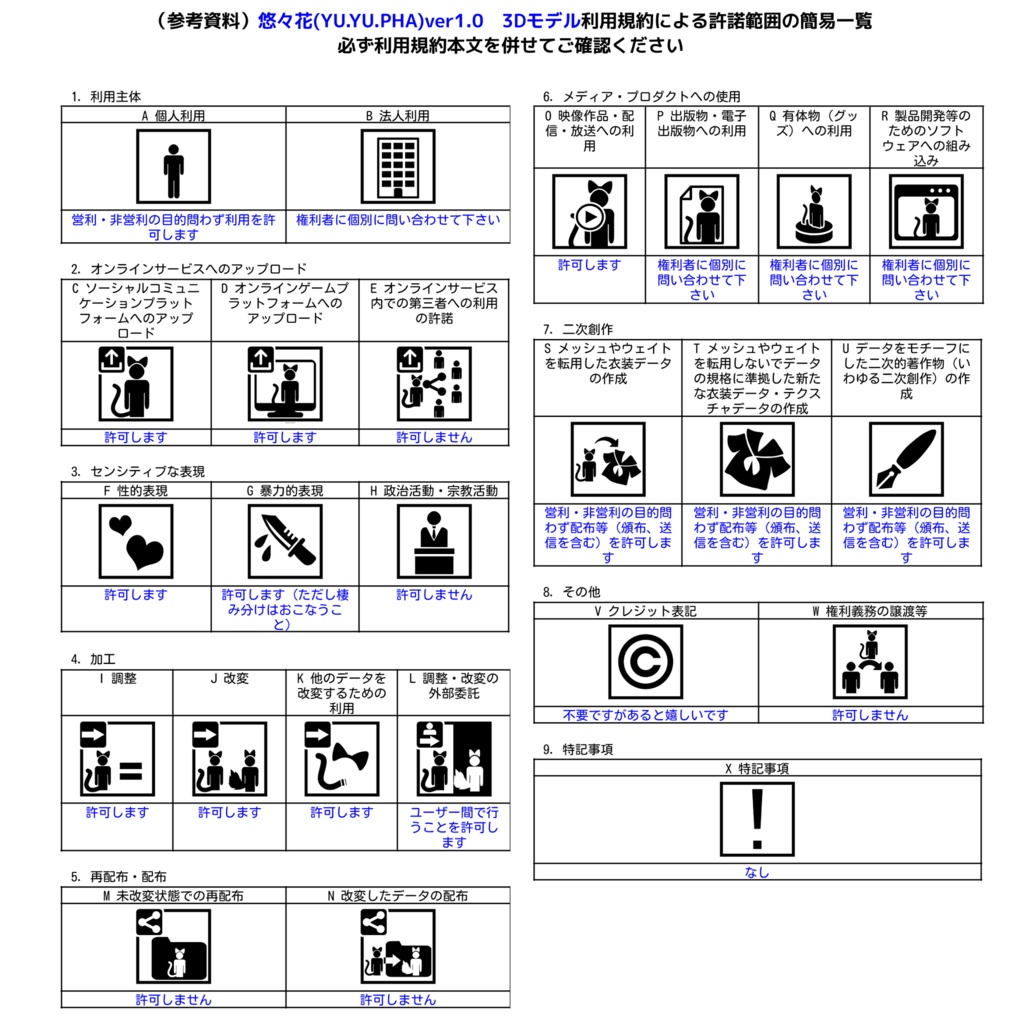
利用規約はVN3ライセンスのの利用規約ジェネレータを使用させていただき,作成しました。 利用規約が更新された際は、更新された最新の利用規約を有効な利用規約とします。 必ず購入前に右欄よりダウンロード、ご確認ください。 本モデルの購入をもって、規約に同意いただいたものとみなします。
-更新履歴-
2026/10/07 1.0公開 2026/10/15 X-NEOKET参加用に、マテリアル数を減らしたVRMファイルを追加しました。(1.01)
-返品・返金について-
ダウンロード商品のため、返品、返金につきましては対応いたしかねます。 本モデルを使用して発生したすべての問題、損失、損害について、製作者は責任を負いません。
-導入方法-(VRChat)
①Unity2022.3.22f1とVRChat Creator Companion(VCC)をインストール後、VCCでAVATARの新しいプロジェクトを作成。 ②https://lilxyzw.booth.pm/items/3087170 よりlilToon Shaderをダウンロード後、Unity上部のメニューバーから Assets > Import Package > Custom Package... をクリックしファイルを選択、またはファイルをダブルクリックしてインポート。 ③本製品の.unitypackageファイルを②と同様にインポート。 ④ Assets >Prefabフォルダから、モデルデータをHierarchyウィンドウにドラッグ&ドロップ。 ⑤上段メニューのVRChat SDK>Show Control Panel> Builder>Build & Publish for Windowsの順にクリックし、アバターをPrivateでアップロード。
【English Translate】
Please excuse any unnatural phrasing, as this was translated by machine. (機械翻訳のため、不自然な点がありましたらご容赦ください。)
-Product Description-
Unity Humanoid/Phys bone/LipSync/Eye-Tracking/Avatar 3.0 (VRCSDK3) Polygon count: Approx. 23,020 triangles Number of materials: 17 Shader used: lilToon/MToon Shader Performance: Poor Operation has not been verified with Quest.
- Enclosed File -
.unitypackage (for Unity import) .vrm(0_x) .fbx (model data) .blend (created with Blender 5.0.1) .psd (layered file for texture editing) .png/.tga(textures) Installation Guide Terms of Use (created with VN3, available in four languages)
-Terms of Use-
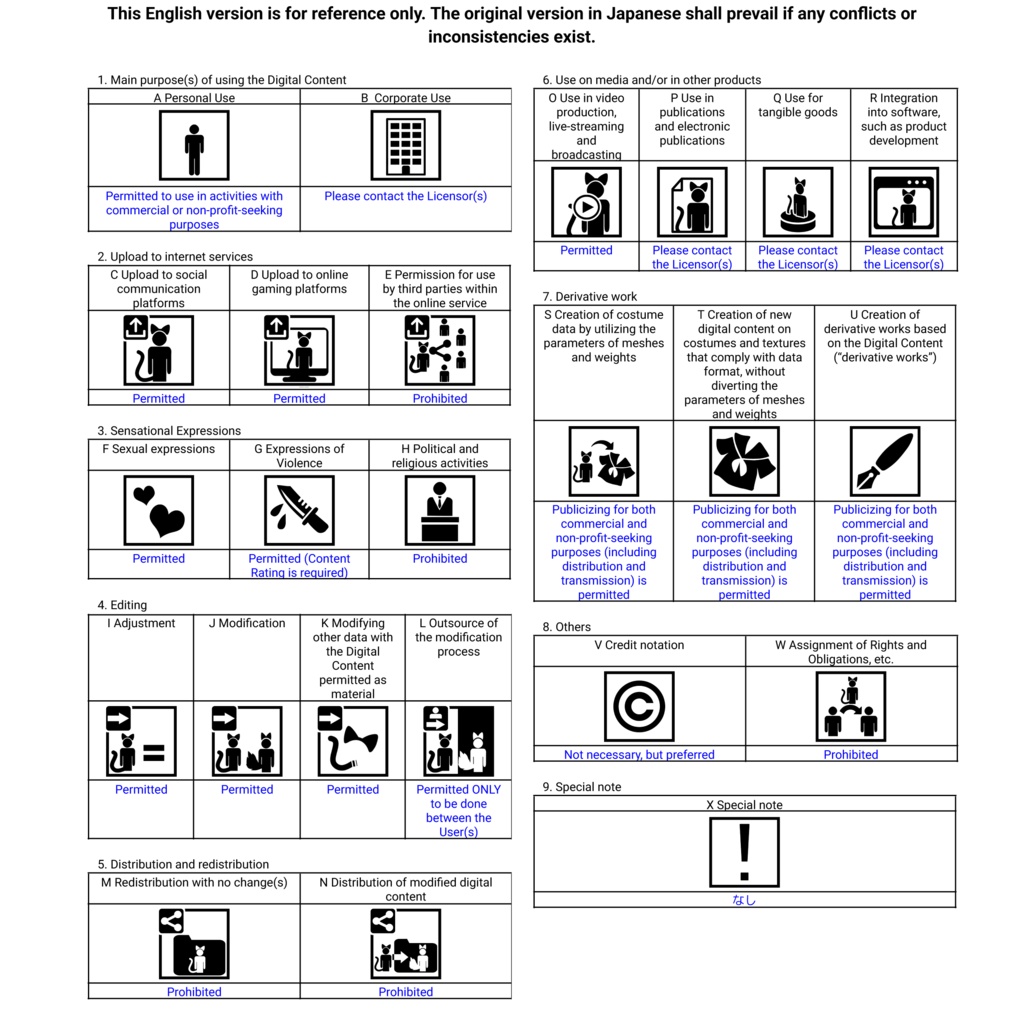
The Terms of Use were created using the VN3 License Terms Generator. If the Terms of Use are updated, the latest updated version shall be considered the valid Terms of Use. Please be sure to download and review them from the right-hand column before making a purchase. By purchasing this model, you are deemed to have agreed to these Terms of Use.
- Update History -
2026/07/31 Version 1.0 release
-About Returns and Refunds-
As this is a downloadable product, we are unable to accept returns or provide refunds. The creator assumes no responsibility for any problems, losses, or damages that occur through the use of this model.
-How to install-
①After installing Unity 2022.3.22f1 and VRChat Creator Companion (VCC), create a new AVATAR project in VCC. ②After downloading the lilToon Shader from https://lilxyzw.booth.pm/items/3087170, click Assets > Import Package > Custom Package... from Unity's top menu bar and select the file, or double-click the file to import it. ③Import this product's .unitypackage file in the same way as in ②. ④From the Assets >Prefab folder, drag and drop the model data into the Hierarchy window. ⑤From the top menu, click VRChat SDK > Show Control Panel > Builder > Build & Publish for Windows in order, and upload the avatar as Private.