

What's That Track for DJs
- ダウンロード商品¥ 1,000


What's That Track for DJs Windows Desktop Application — Version 1.0.0
■ About This Application
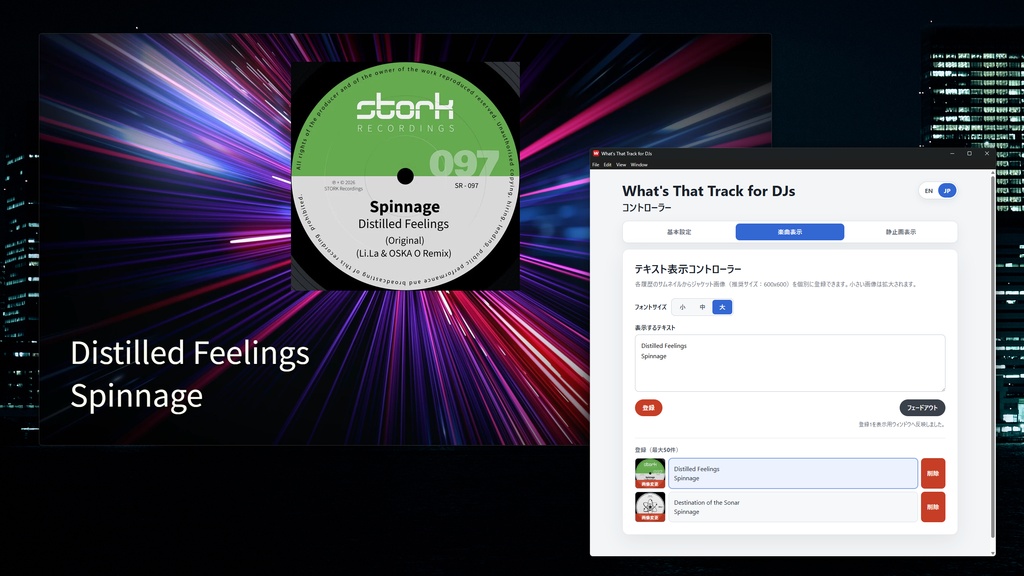
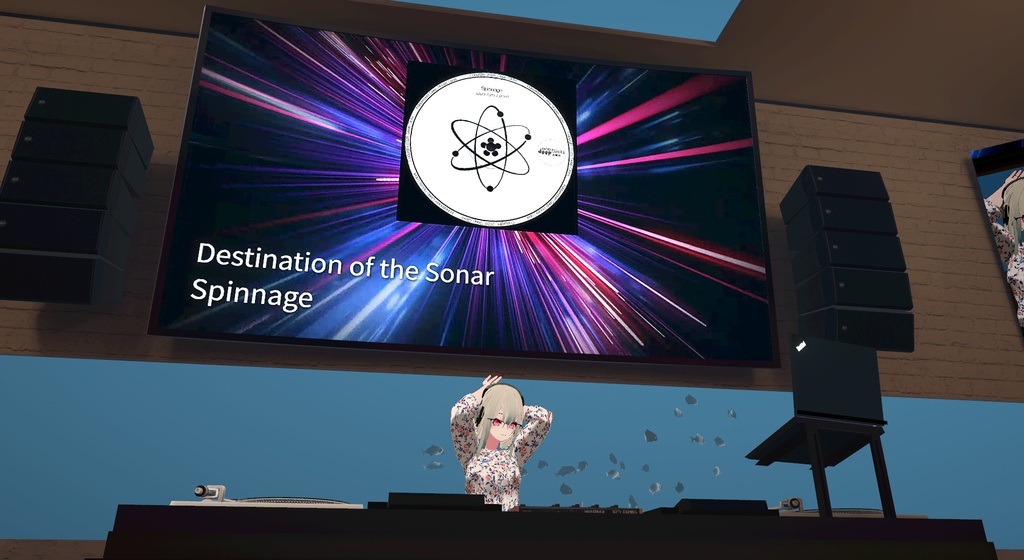
What's That Track for DJs is a Windows application for displaying track titles and cover images, as well as still images such as event title graphics, during DJ streams and events. A looping video can also be used as the background. The controller and the screen-sharing output are displayed in separate windows. When using Cluster or a similar service, you can share only the 1920 × 1080 output window while controlling Saved content is stored on your PC and remains available after restarting the application. The controller interface can be switched between Japanese and English.
■ Features
• A separate 1920 × 1080 output window that can be controlled from the controller window. (Image 1) • Background video, track information and full-screen still images are displayed in three layers. Each layer can be controlled independently from its corresponding tab in the controller.
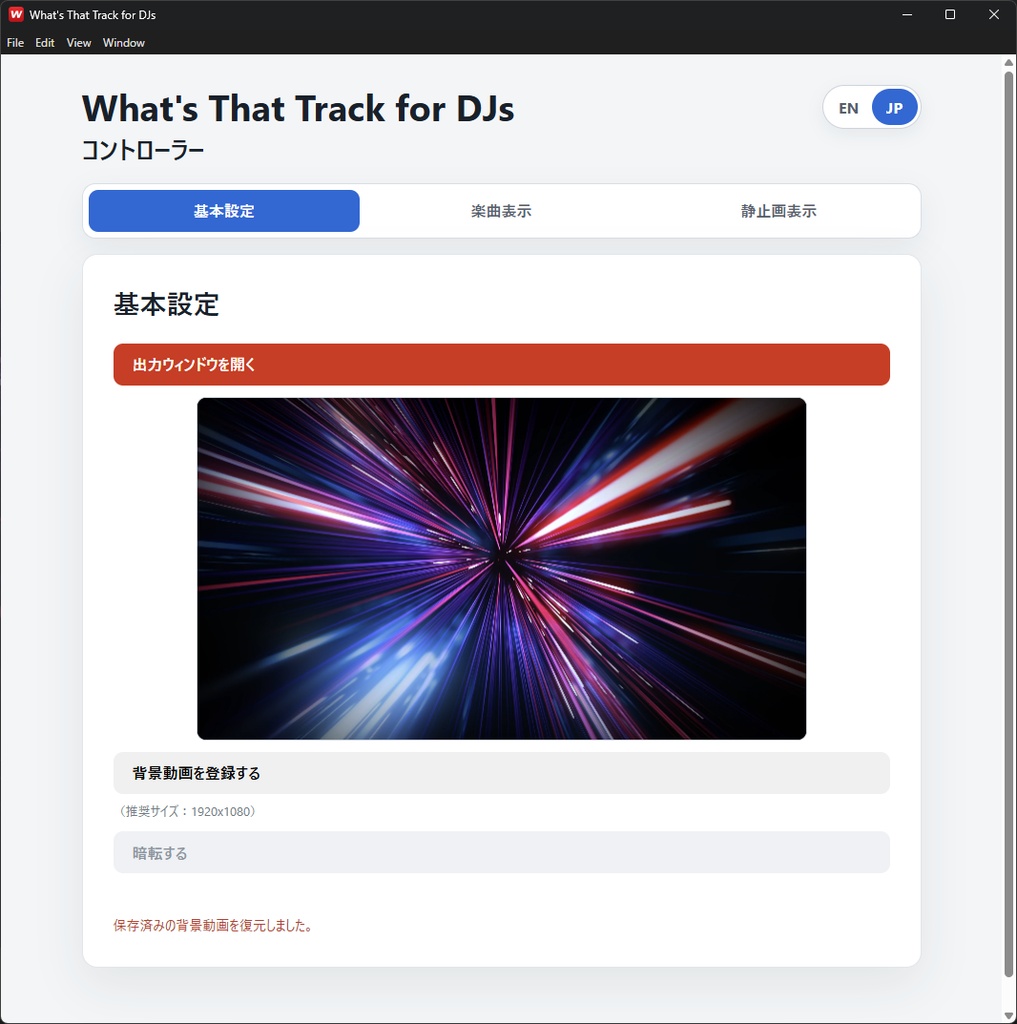
“Settings” tab. (Image 2)
Press the red “Open Output Window” button to open the output window. Use the “Select Background Video” button to add an MP4 video and play it continuously in the background. Press “Black Out” to fade the entire output window to black. Use the EN / JP buttons to switch the controller interface between English and Japanese.
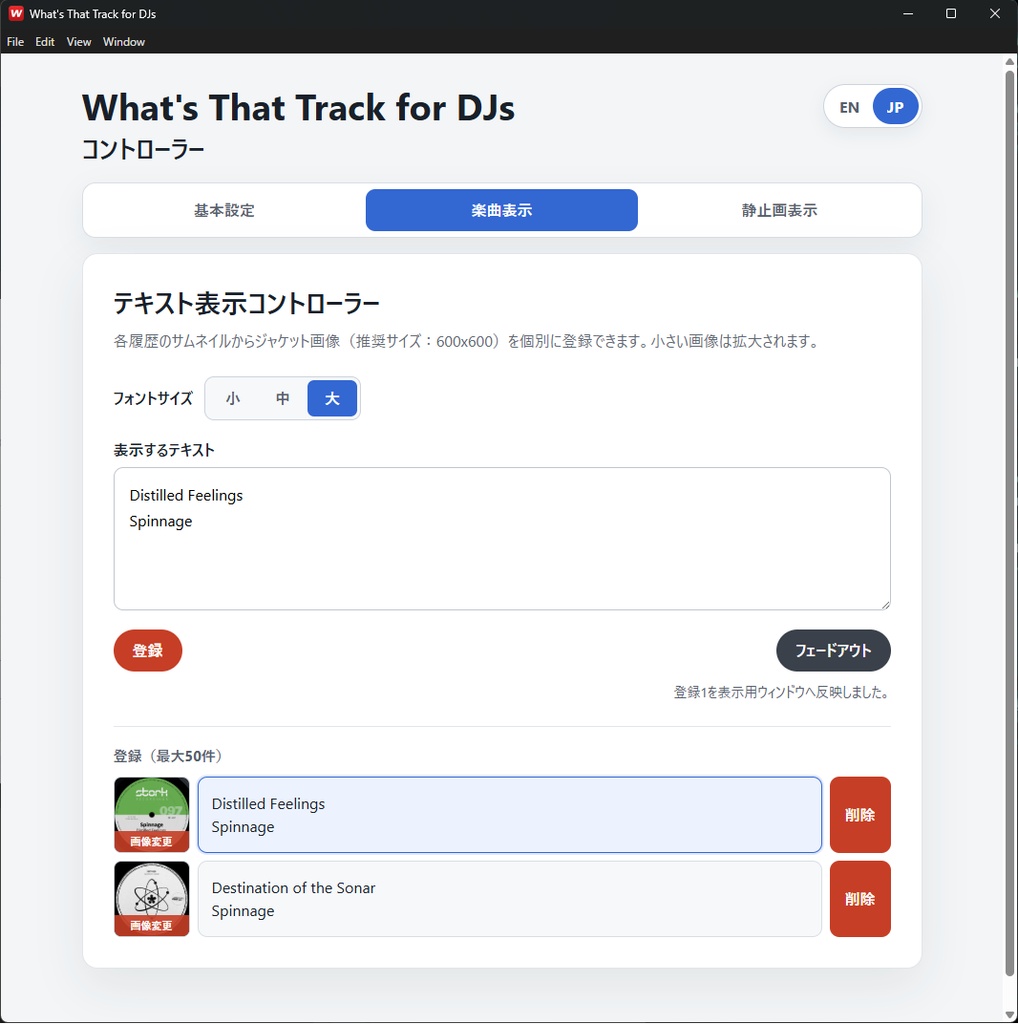
“Track Display” tab. (Image 3)
Enter an artist name and track title in the “Display Text” field, then press the “Add” button to save them to the list. Up to 50 entries can be saved. After saving the text, you can optionally add a cover image from the thumbnail area of each list entry. Each saved list entry also acts as a display button. Click an entry to show its saved text and, where one has been added, its cover image in the output window. When switching to another entry, the text fades out and back in, while the cover images crossfade. The text size can be set to Small, Medium or Large.
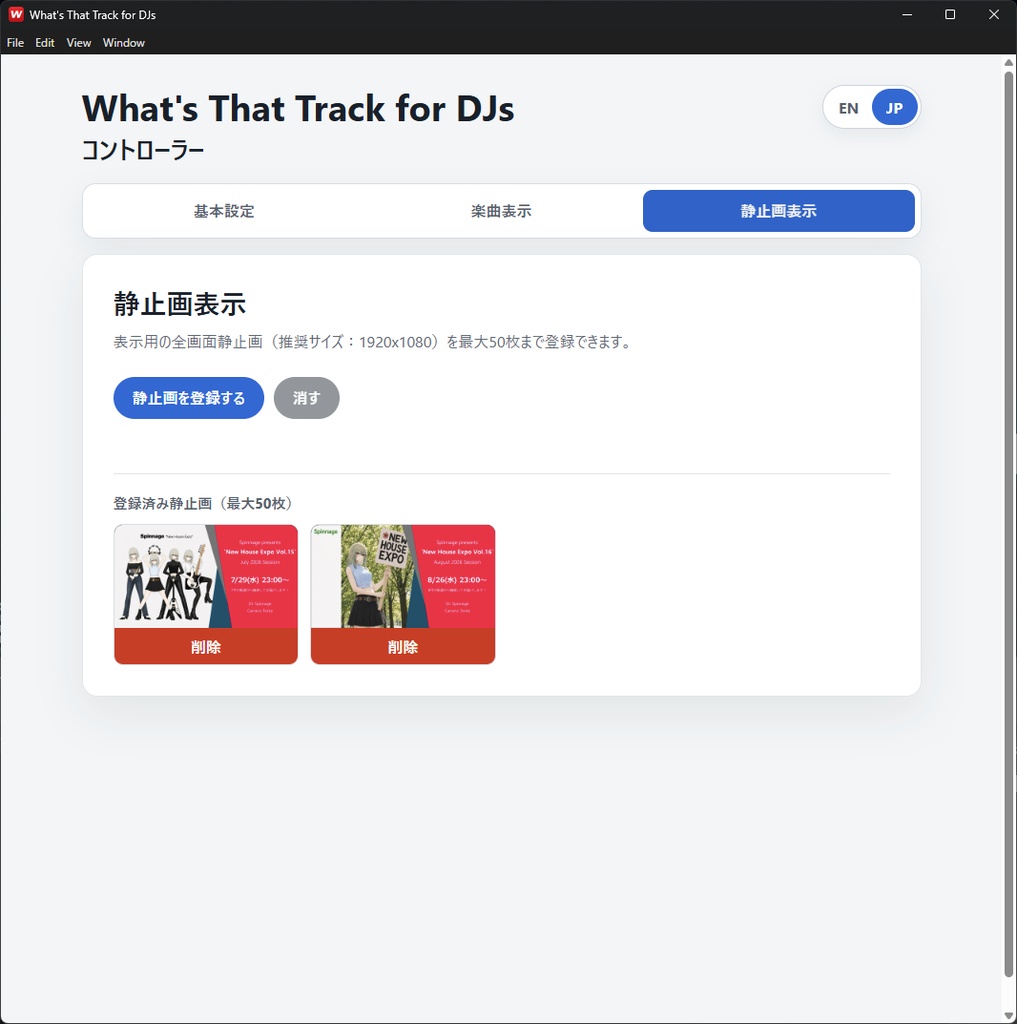
“Still Images” tab. (Image 4)
Use the “Add Still Image” button to add a 1920 × 1080 still image. Up to 50 images can be saved. This is useful for displaying event titles, announcements and promotional graphics. Each saved thumbnail also acts as a display button. Click it to show the image in the output window. Press “Hide” to fade out the currently displayed still image.
■ Recommended Media
Background video: 1920 × 1080 MP4 Cover image: Square 600 × 600 image Full-screen still image: 1920 × 1080 PNG Media with different dimensions or aspect ratios can also be loaded, but it may be enlarged or displayed with blank areas.
■ System Requirements
Windows 10 / Windows 11 (64-bit) * Windows only. macOS is not supported. The output window has been confirmed to appear as a selectable screen-sharing window in Cluster. Operation is not guaranteed on every Windows PC, with every video or image format, with every display configuration, or with every third-party service.
■ Installation Notes
Extract the downloaded ZIP file and run the included installer. The installer is not code-signed, so Windows SmartScreen may display a warning. Confirm that the file was downloaded from the official BOOTH purchase page, then select “More info” on the warning screen to continue. The installer and End User Licence Agreement are displayed in English. The application controller can be switched between Japanese and English. The default interface language is Japanese.
■ Prohibited Conduct
Redistribution, resale, transfer, lending or sharing of the application or installer with anyone other than the purchaser is prohibited. Uploading the application or installer to any location from which an indefinite number of people can obtain it is also prohibited. For the formal terms of use, please refer to the included EULA_en.txt.
■ Contents of the ZIP File
• Windows installer • Japanese README • English README • End User Licence Agreement in English • Third-party software notices • SHA-256 verification file For detailed installation instructions, usage information, the saved-data location and backup procedures, please refer to the included README files.
■ Version info.
Version 1.0.0 4.August.2026 Released Copyright (C) 2026 Hideo Teramoto. All rights reserved.