
【歌枠】セットリスト表示ツール セトリ / Setlist for OBS & Streamlabs — Discord連携で曲名自動 / 16カラー × 日英(無料版あり)
- 16色フルセット / 16-Color Full Setダウンロード商品¥ 1,500
- Pure White 無料版 / Free Editionダウンロード商品¥ 0
- Ruby Redダウンロード商品¥ 600
- Yume Pastelダウンロード商品¥ 600
- Jirai Noirダウンロード商品¥ 600
- Tangerineダウンロード商品¥ 600
- Honey Lemonダウンロード商品¥ 600
- Matcha Latteダウンロード商品¥ 600
- Mint Blissダウンロード商品¥ 600
- Matrix Glowダウンロード商品¥ 600
- Cinnamon Skyダウンロード商品¥ 600
- Ocean Blueダウンロード商品¥ 600
- Skyline Nightダウンロード商品¥ 600
- Lilac Dreamダウンロード商品¥ 600
- Classic Twitchダウンロード商品¥ 600
- Mocha Cocoaダウンロード商品¥ 600
- Soft Beigeダウンロード商品¥ 600
- Classic Whiteダウンロード商品¥ 600
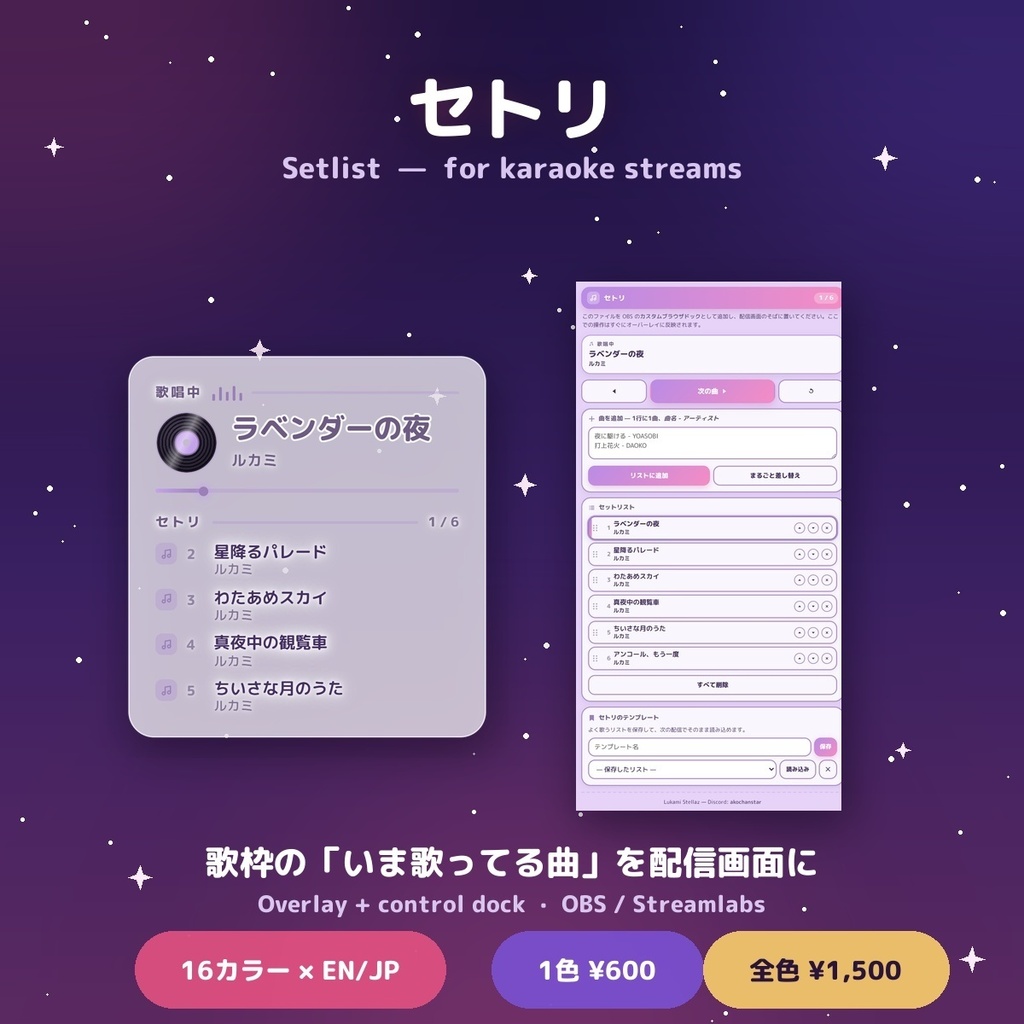
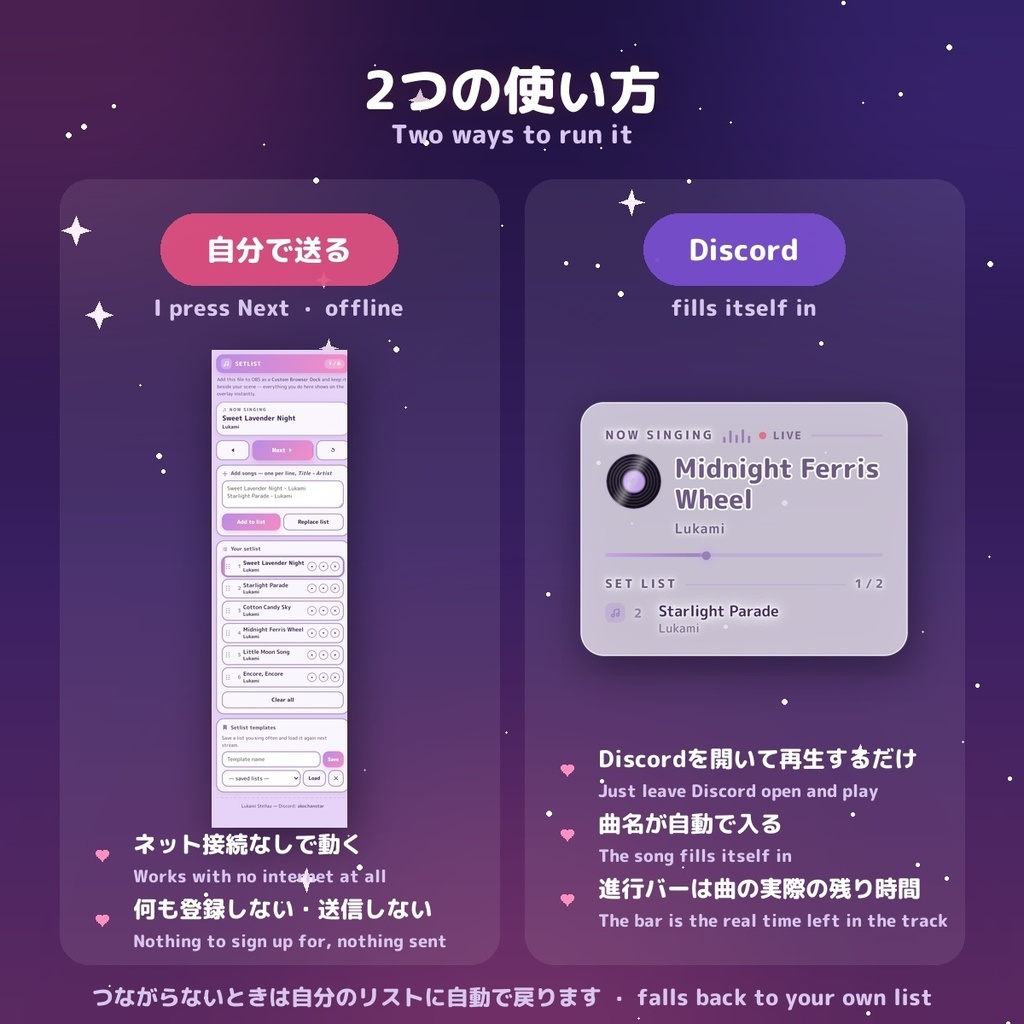
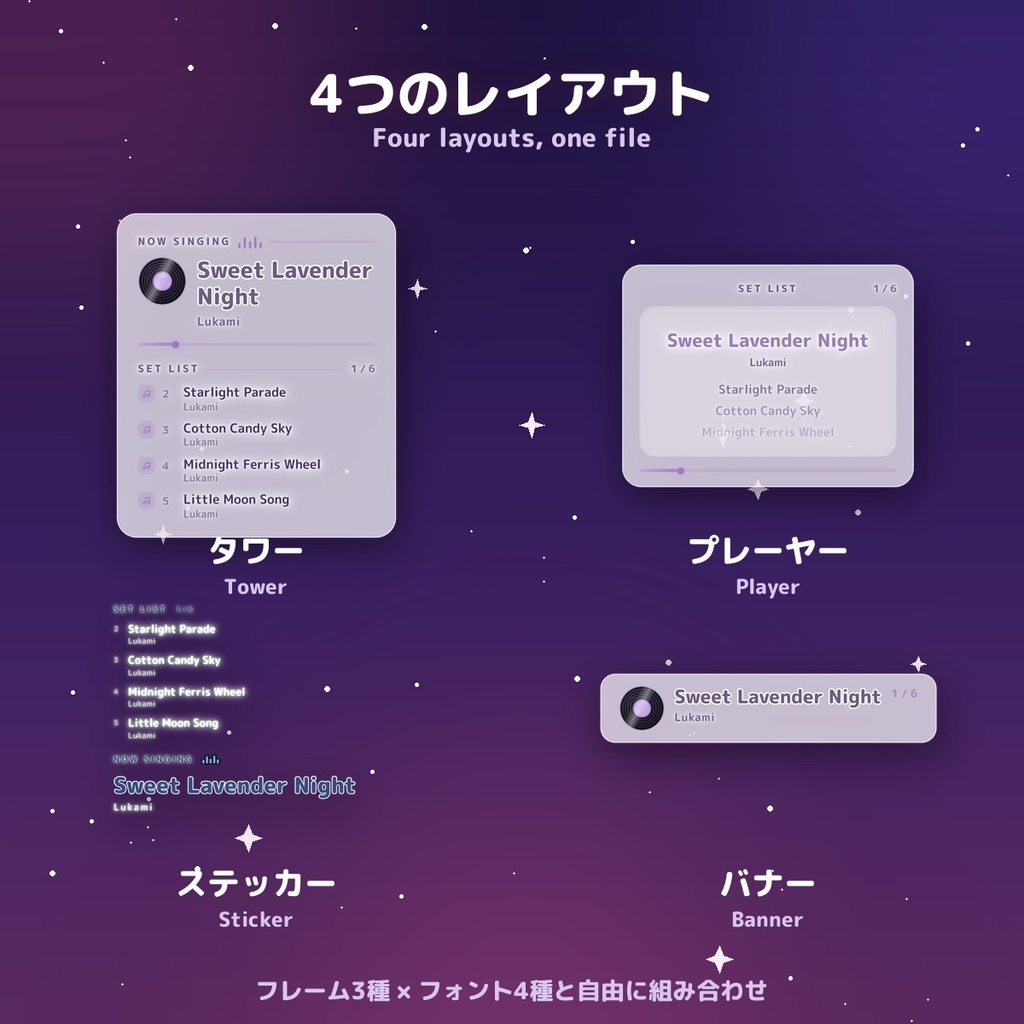
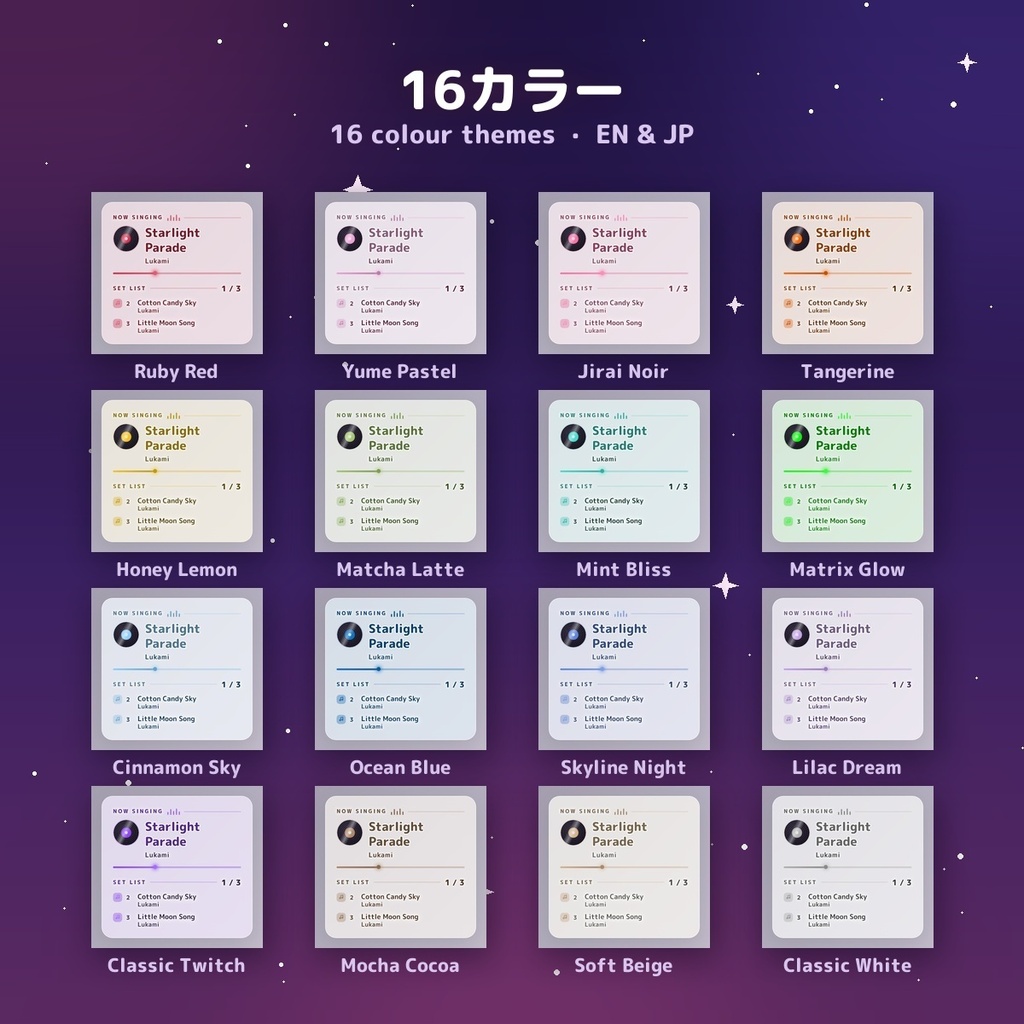
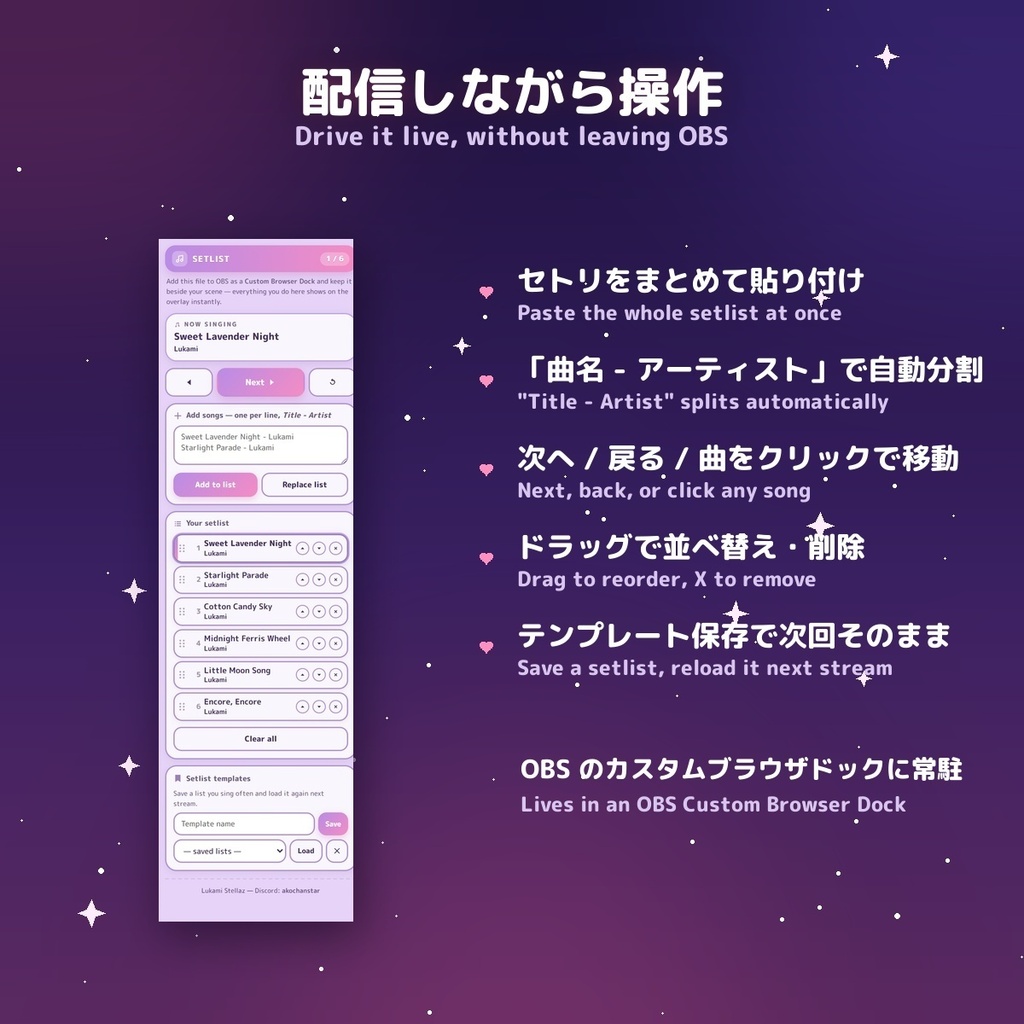
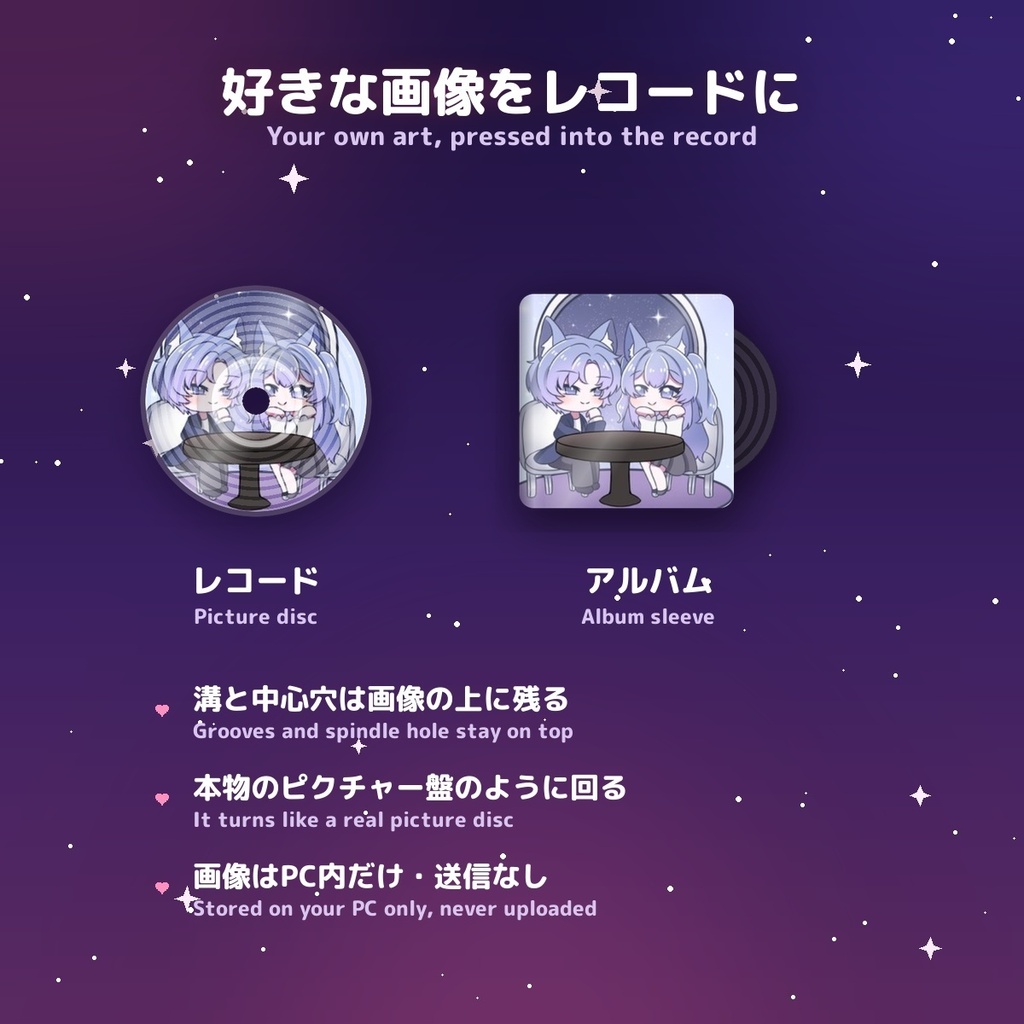
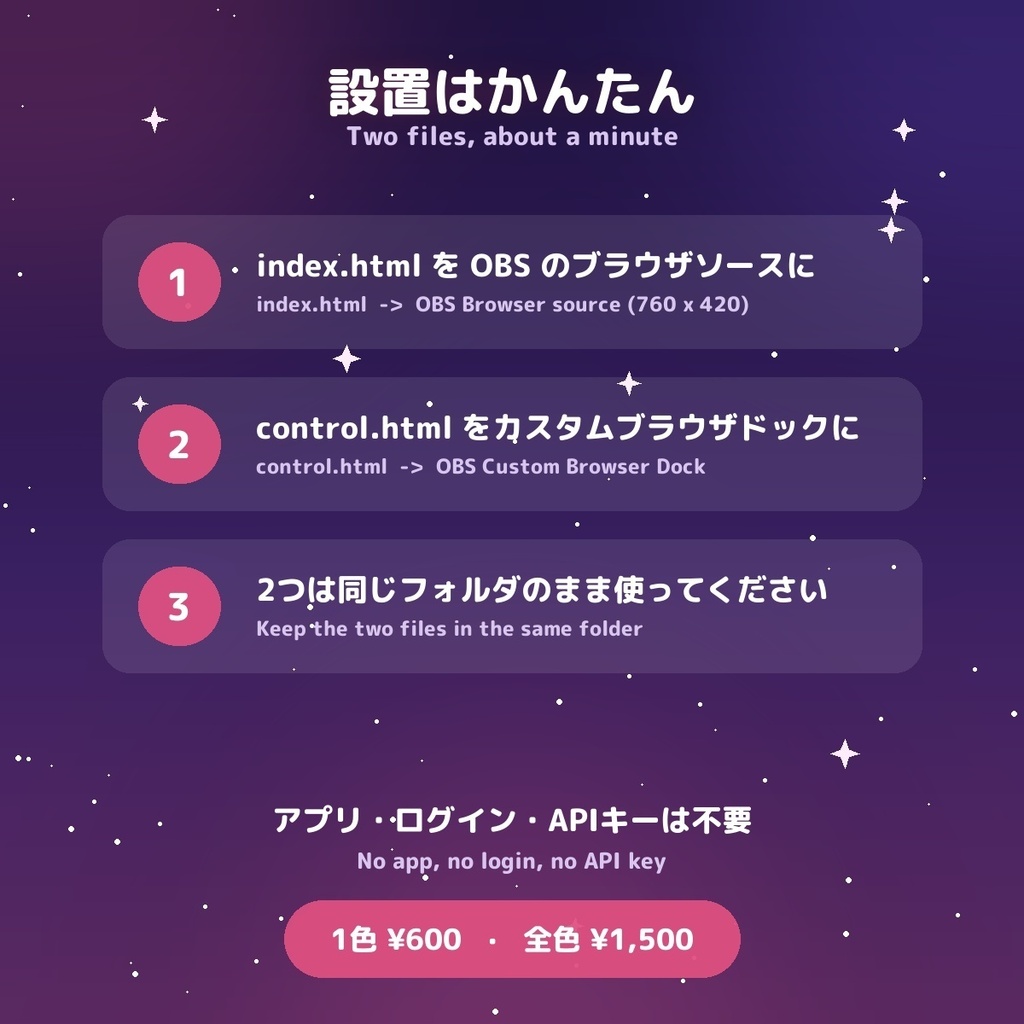
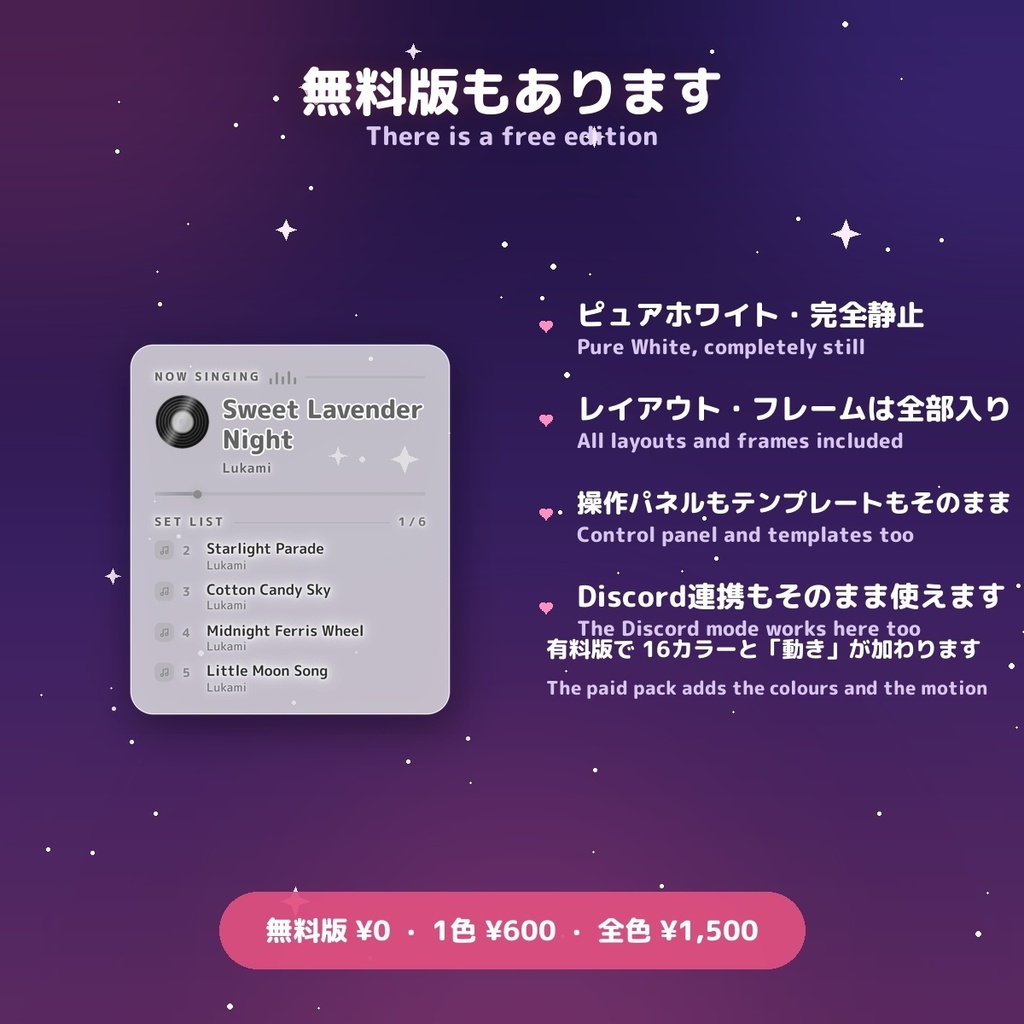


⚠ ご購入の前に、かならず無料版で動作をご確認ください。 「Pure White 無料版」を ¥0 でダウンロードして、お使いの OBS / 配信環境で 実際に動くかどうかを先にお試しください。無料版でもセトリの追加・並べ替え・操作パネル・ Discord 連携はそのまま使えます(タワー表示・ピュアホワイト・完全静止)。 無料版がきちんと動いてから、色つきのセットをご検討いただければ安心です。 (ダウンロード商品という性質上、購入後のご返金が難しいため、先にお試しをお願いしています) ⚠ Please test the free edition BEFORE you buy. Download the Pure White free edition for ¥0 and check it actually runs in your own OBS / streaming setup. The free edition runs the Tower layout with the full control panel and the Discord source — the paid packs add the colours, the motion, the other layouts and the rest. (Refunds on downloadable goods are difficult, which is why we ask you to check first.) 🎤 歌枠の「いま歌ってる曲」を、配信画面に。 曲名と次の曲を配信画面に出しながら、ボタンひとつで進められるセットリストツールです。セトリはまとめて貼り付け、並べ替えや削除も配信中にそのままできます。 アプリのインストールもログインも不要。1カラーにつき HTML ファイル2つだけです。 ━━━━━━━━━━━━━━ ◆ 使い方は2つ。設定で選べます 【自分で送る】ネット接続なしで動きます。操作パネルから自分で曲を進める、いつものやり方です。カラオケ音源に合わせて歌う歌枠にはこちら。 【Discord(Spotify のみ対応)】Discord を開いたまま Spotify で再生するだけ。Discord がステータスに出している曲がそのまま「歌唱中」に入り、進行バーは曲の実際の残り時間になります。最初に一度だけ Discord の設定>連携サービスで Spotify をつなぎ、Lanyard のサーバー(discord.gg/lanyard)に参加して、ご自身のユーザーIDを貼るだけ。何もインストールしません。 ※ Discord が曲名を公開するのは Spotify だけなので、YouTube Music・Apple Music・ブラウザ再生などには対応していません。その場合や、接続できないときは、自分で作ったリストに自動で戻ります(エラーにはなりません)。インターネット接続が必要です。 ━━━━━━━━━━━━━━ ◆ 4つのレイアウトが1つに タワー(縦長パネル)/プレーヤー(中央寄せ・歌唱中の曲が最大)/ステッカー(枠なし・フチ付き文字)/バナー(横長の1本帯) 配信中でも設定から切り替えられます。 ◆ フレーム3種 × フォント4種 ガラス(すりガラス)/ソフトカード/枠なし、丸ゴシ・等幅・明朝・手書き。 ◆ レコードに好きな画像を入れられます アップロードした画像が盤面にプリントされ、溝と中心穴はその上に残るので、本物のピクチャー盤のように回ります。ジャケット(アルバム)表示も選べます。 画像はお使いの PC 内だけに保存され、どこにも送信されません。 ◆ 配信しながら操作できる専用パネル control.html を OBS の「カスタムブラウザドック」に入れると、シーン一覧の横で操作できます。 control.html はふつうのブラウザのウィンドウで開くこともできます。その場合、曲名を 日本語のままキーボードで直接入力できます(コピー&ペーストしなくても大丈夫です)。 ・セトリをまとめて貼り付け(1行に1曲、「曲名 - アーティスト」でアーティスト名も表示) ・次へ/戻る/曲をクリックして移動(→ キーやスペースでも進みます) ・ドラッグで並べ替え、✕ で削除 ・よく歌うリストはテンプレートとして保存、次の配信で読み込み ◆ 動きの強さも選べます レコードが回り、イコライザーが揺れ、音符が漂う「しっかり」/曲が変わるときだけ動く「控えめ」/完全に静止する「なし」。 ◆ 16カラー × 日本語・英語 他のLukamiウィジェットと同じ配色なので、画面全体の色を揃えられます。 ━━━━━━━━━━━━━━ 【設置】 1. index.html を OBS の「ブラウザ」ソースに(ローカルファイル、推奨 760×420、背景透過) 2. control.html を「ドック → カスタムブラウザドック」に追加 ※ 2つのファイルは必ず同じフォルダに置いてください。入っているフォルダを目印にお互いを見つけているため、別々にするとボタンが効かなくなります。詳しい手順は同梱の「お読みください.txt」に書いてあります。 【無料版について】 ピュアホワイト・完全静止・タワー表示の無料版をご用意しています。セトリの追加と並べ替え、操作パネル、Discord 連携、テンプレートはそのまま使えます。 有料版で加わるもの:16カラー / 動き / プレーヤー・ステッカー・バナーの各レイアウト / フレーム3種 × フォント4種 / レコードに好きな画像。 【ライセンス】 配信・動画・録画でのご利用(個人・収益化を問わず)、ご自身のチャンネル用の編集は自由です。 ファイルの再配布・再販売・共有(編集の有無を問わず)、他の商品や素材集への同梱は禁止します。 【動作環境】OBS Studio / Streamlabs のブラウザソース(Chromium ベース) お問い合わせ: Discord: akochanstar 🛍 その他のLukamiウィジェット: https://lukami.booth.pm/ ──────────── 🎤 "Setlist" — show what you are singing now, and what is coming up next. ◆ Two ways to run it, chosen in the settings: • I press Next — fully offline, you drive the list yourself • Discord (SPOTIFY ONLY) — play on Spotify with Discord open and the song fills itself in, with the progress bar showing the real time left in the track. One-time setup: connect Spotify in Discord (Settings > Connections), join discord.gg/lanyard, and paste your own Discord user ID. Nothing is installed. Spotify is the only player Discord publishes a track name for, so YouTube Music, Apple Music and browser playback are not supported — those, and a dropped connection, simply fall back to your own list without any error. A karaoke setlist overlay for OBS & Streamlabs, with its own control panel so you can move through the list with one button while you stream. Paste the whole setlist at once, drag songs around, remove one you changed your mind about — all live, without leaving OBS. No app to install and no login. Two HTML files per colour. ◆ Four layouts in one file — Tower, Player, Sticker, Banner ◆ Three frames × four fonts ◆ Your own art pressed into the record, or shown as an album sleeve ◆ Control panel for an OBS Custom Browser Dock: bulk paste, reorder, delete, "Title - Artist" splitting, and setlist templates you can reload next stream ◆ Motion: Full / Soft / Off ◆ 16 colours × English & Japanese Setup: index.html into a Browser Source (760 × 420, transparent), control.html into Docks → Custom Browser Docks. Keep the two files in the same folder — they find each other by it. control.html can also simply be opened in a browser window, where you type song titles straight from the keyboard — Japanese included, with no copy-and-paste step. A FREE edition is available: Pure White and completely still, with every layout, frame, the control panel and the templates included. Use it in your streams and videos, personal or monetised. Do not resell, redistribute or share the files. Contact — Discord: akochanstar 🛍 More Lukami widgets: https://lukami.booth.pm/
