

【無料】BlendShape順序変更ツール (BlendShape Reorder Tool)
- ダウンロード商品¥ 0
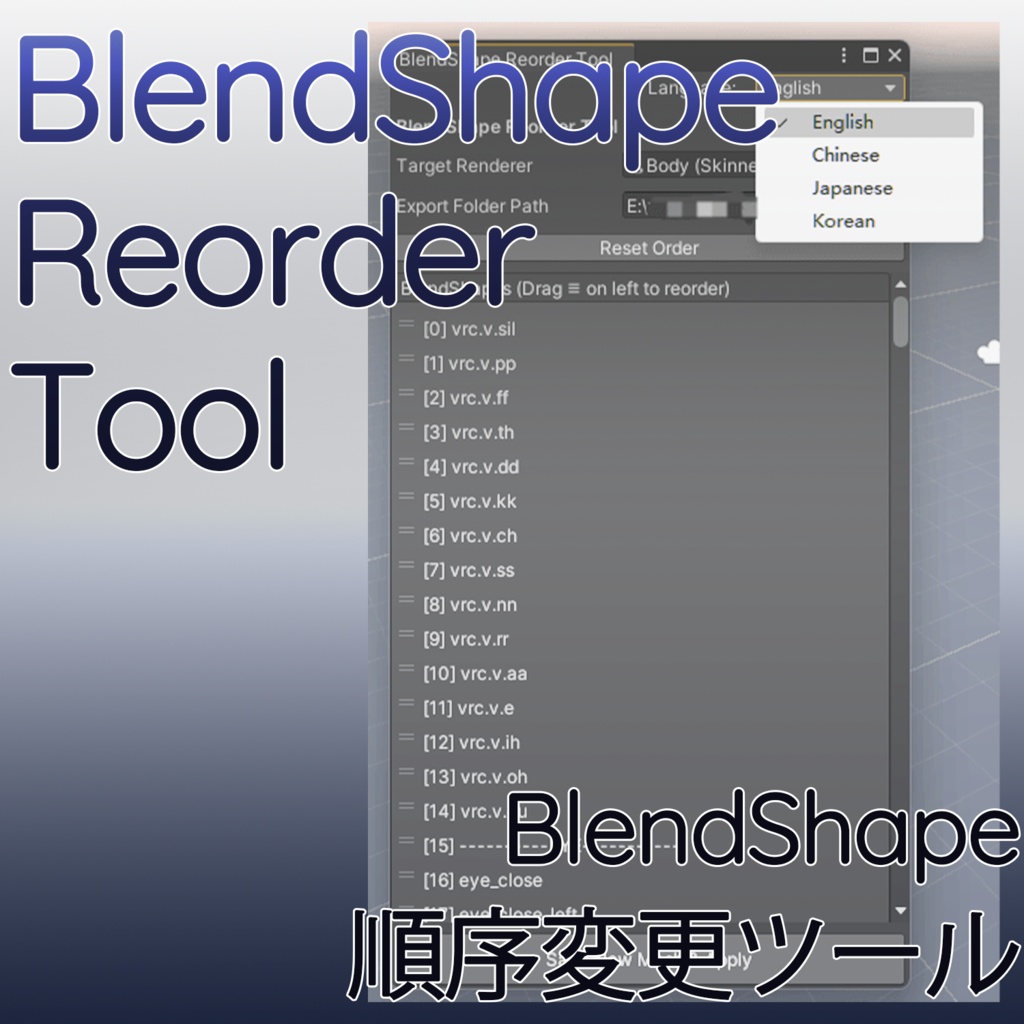
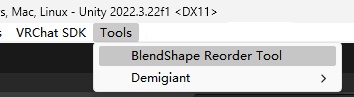
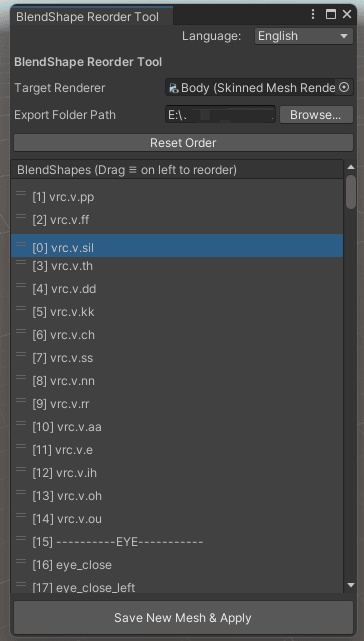


※個人用の自作ツールの為、作りが簡素な点あらかじめご了承ください。 本ツールはGeminiの支援を受けて作成されました。 ━━━━━ ⋄ 概要 ━━━━━ メッシュの BlendShape(シェイプキー)の並び順をノンデストラクティブ(非破壊)に整理・変更できる Unity エディター拡張ツールです。 ━━━━━ ⋄ 主な機能 ━━━━━ 簡単操作: ドラッグ&ドロップで瞬時に並べ替え 非破壊: 元メッシュを上書きせず、新 .asset ファイルとして出力(一括復元対応) データ完全保持: キーフレーム、法線、接線、ウェイトを完全維持 自由な保存先: 出力先フォルダを柔軟に指定可能 多言語対応: 英語 / 中国語 / 日本語 / 韓国語 ━━━━━ ⋄ 使用方法 ━━━━━ 1. BlendShape Reorder Tool.unitypackage をプロジェクトにインポートします。 2. 上部メニューの [Tools] > [BlendShape Reorder Tool] からウィンドウを開きます。 3. SkinnedMeshRenderer を持つオブジェクトを [Target Renderer] にドラッグ&ドロップします。 4. リスト左側のアイコン(≡)をドラッグして順序を並べ替えます。 5. 保存先を指定し、[新しい Mesh を保存して適用] ボタンをクリックします。 ━━━━━ ⋄ 内容物 ━━━━━ BlendShapeReorderTool.cs(エディタースクリプト) ━━━━━ ⋄ 注意事項 ━━━━━ ダウンロード商品の特性上、返金および返品には対応しておりません。 本商品を利用したことにより発生した損害・破損・トラブル等について、制作者は一切の責任を負いかねます。 商品に関して何か問題等がございましたら、 BOOTHのメッセージ機能よりご連絡ください。 =========English========= *Please note that this is a personal, self-made tool, so the build is quite simple. Thank you for your understanding. This tool was developed with the assistance of Gemini. ━━━━━ ⋄ Overview ━━━━━ This is a Unity editor extension tool that allows you to non-destructively organize and reorder mesh BlendShapes (shape keys). ━━━━━ ⋄ Key Features ━━━━━ Easy Operation: Reorder instantly using drag-and-drop. Non-Destructive: Exports as a new .asset file without overwriting the original mesh (supports batch restoration). Full Data Retention: Completely preserves all keyframes, normals, tangents, and set BlendShape weights. Flexible Save Location: Easily specify the destination folder for output files. Multi-Language UI: Fully supports English, Chinese, Japanese, and Korean. ━━━━━ ⋄ How to Use ━━━━━ Import BlendShape Reorder Tool.unitypackage into your project. Open the window via [Tools] > [BlendShape Reorder Tool] from the top menu bar. Drag and drop the object with the SkinnedMeshRenderer into the [Target Renderer] slot. Drag the (≡) icon on the left side of the list to reorder the BlendShapes. Specify the save location and click the [Save New Mesh and Apply] button. ━━━━━ ⋄ Contents ━━━━━ BlendShapeReorderTool.cs (Editor Script) ━━━━━ ⋄ Terms of Service & Notice ━━━━━ Due to the nature of digital download products, refunds and returns are not available. The creator assumes no responsibility for any damage, loss, or trouble caused by using this product. If you encounter any issues with the product, please contact us via the BOOTH message system. =========中文========= ※本工具为自用,由 Gemini 辅助制作完成。 制作较为简陋,敬请谅解。 ━━━━━ ⋄ 概要 ━━━━━ 这是一款可以非破坏性整理与修改网格 BlendShape(形态键)顺序的 Unity 编辑器扩展工具。 ━━━━━ ⋄ 主要功能 ━━━━━ 简单操作:通过拖拽即可快速调整顺序 非破坏性:不覆盖原始网格文件,导出为新的 .asset 文件(支持一键还原) 完整保留数据:完全保留所有关键帧、法线、切线以及当前设置的 BlendShape 权重 自由指定保存路径:可灵活设置生成网格文件的保存路径 多语言支持:支持英语 / 中文 / 日语 / 韩语 ━━━━━ ⋄ 使用方法 ━━━━━ 将 BlendShape Reorder Tool.unitypackage 导入至项目中。 点击顶部菜单栏的 [Tools] > [BlendShape Reorder Tool] 打开窗口。 将带有 SkinnedMeshRenderer 的对象拖入 [Target Renderer] 槽位中。 拖动列表左侧的图标(≡)来调整 BlendShape 的顺序。 指定保存路径,点击 [保存并应用新 Mesh] 按钮。 ━━━━━ ⋄ 内容物 ━━━━━ BlendShapeReorderTool.cs(编辑器脚本) ━━━━━ ⋄ 注意事项 ━━━━━ 鉴于数字下载商品的特殊性,商品一经下载概不提供退款或退换服务。 对于因使用本工具而导致的任何损失、损坏或故障等问题,制作者概不承担任何责任。 如果对商品有任何疑问或问题,请通过 BOOTH 的站内私信功能联系。