
【OBSプラグイン】配信レイアウトツール PitaOki|VTuber・配信者向け(ワンクリック配置・余白トリミング)
- Windows版ダウンロード商品¥ 980
- macOS版ダウンロード商品¥ 980
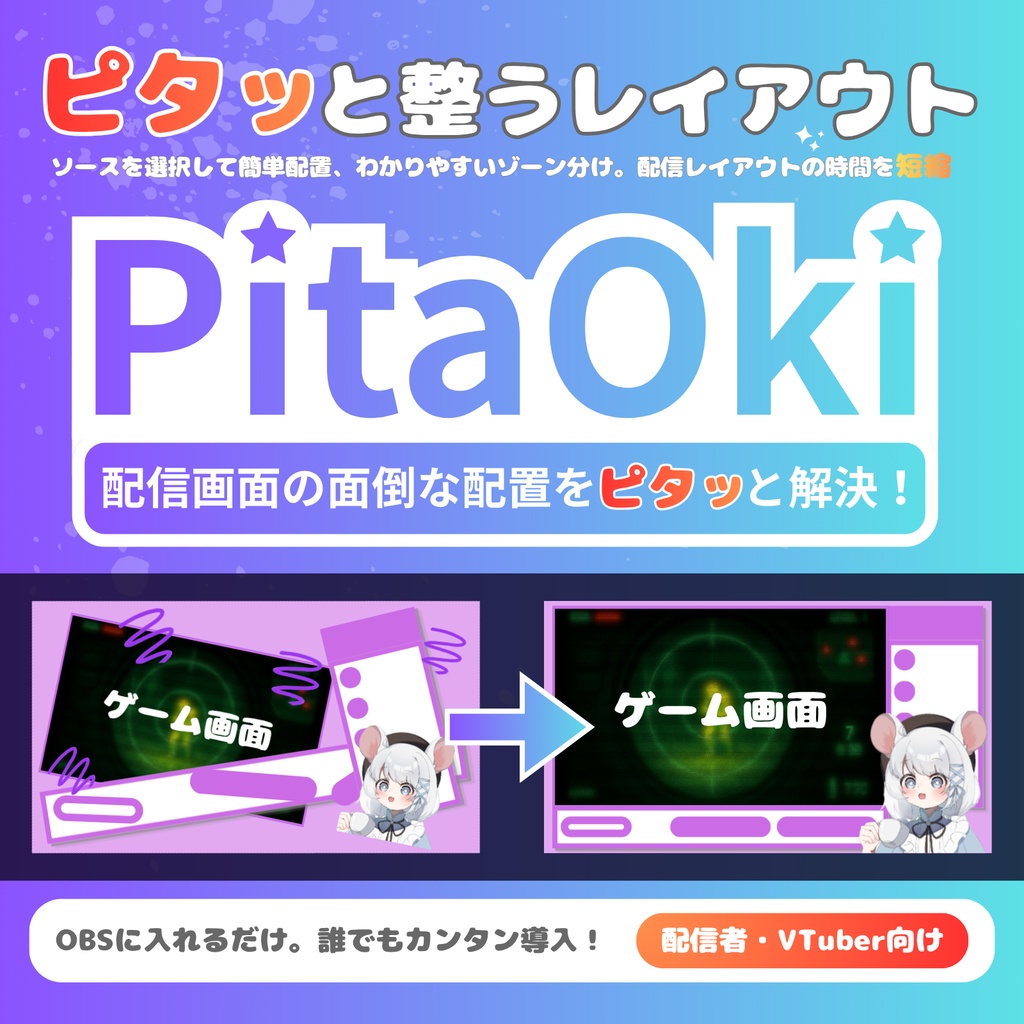
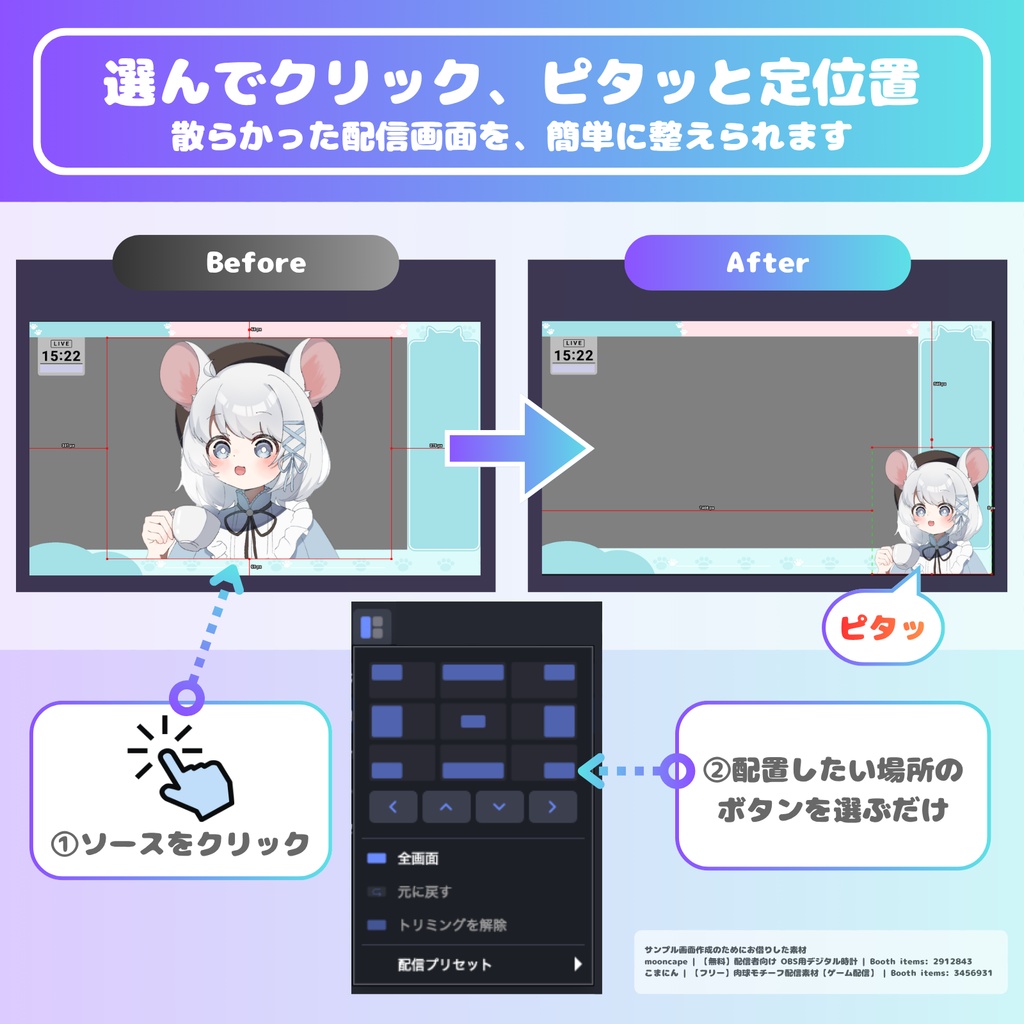
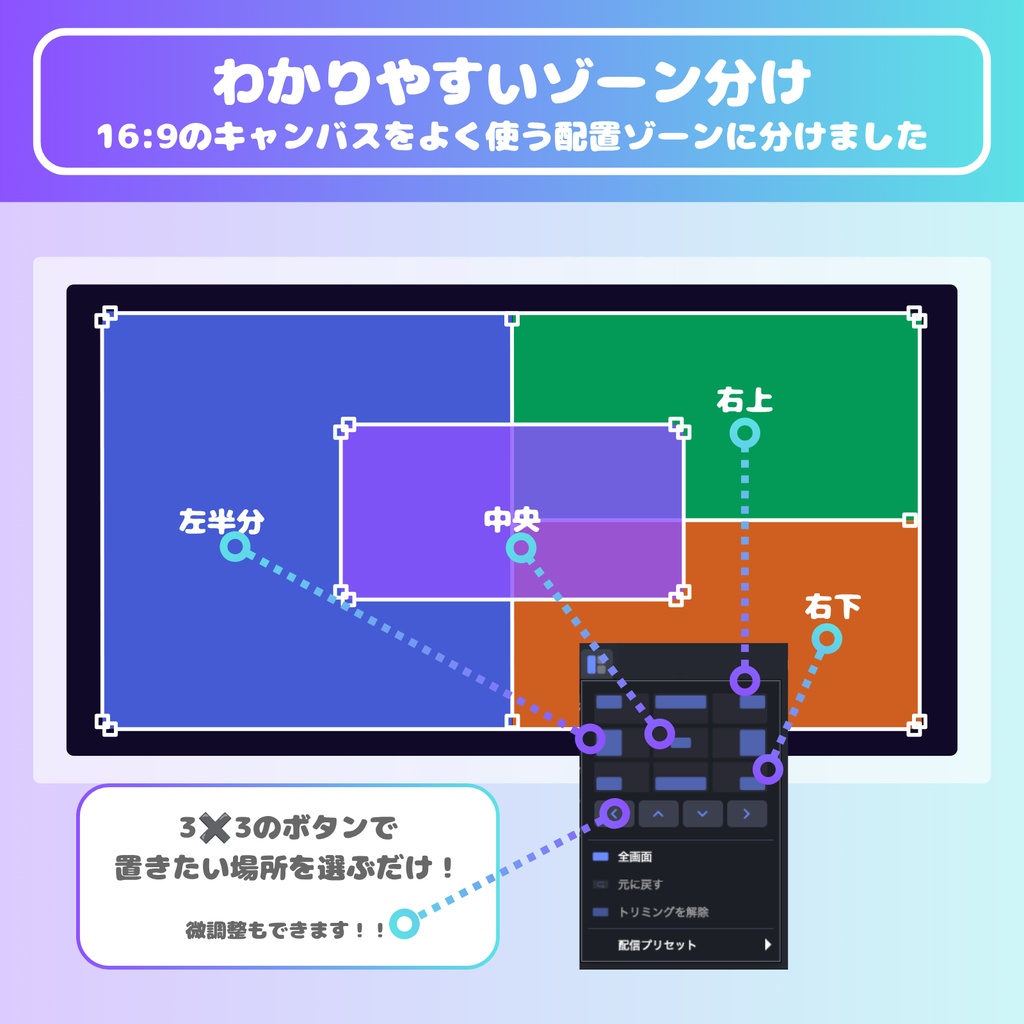
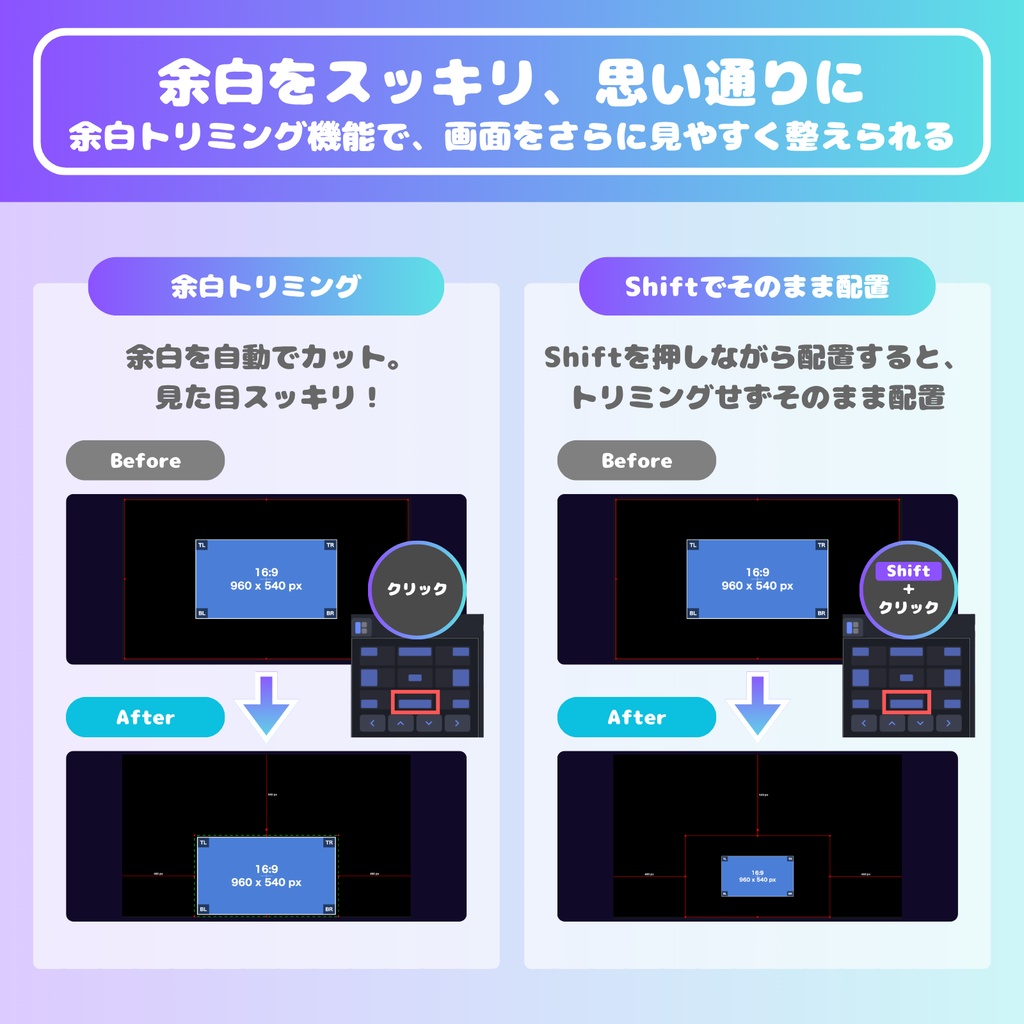


配信画面を作るたびに、素材の位置合わせ。 しんどくないですか? ソースを選んで、ボタンをクリックするだけ。 立ち絵・ゲーム画面・コメント欄が、画面の定位置にピタッと収まります。 OBSに入れるだけで、すぐ使えます。 ■ 主な機能 ・方位パッド(3×3)で、置きたい場所をクリックするだけ ・PNGの透明な余白を自動でカット ・矢印ボタンで10pxずつ微調整 ・ホットキー対応 【ご注意】 ※ 本ツールはOBSプラグインです。導入後、OBSの再起動が必要です ※ 画像内の配信素材は、使用例としてお借りしたものです
【おすすめの利用シーン】
・新しい素材を使って、配信画面を作るとき ・配信中に、素材の位置をさっと変えたいとき
【使い方】
1. Windows: 同梱の install.bat をダブルクリック macOS: 同梱の導入ガイドを参照※ 2. OBSを再起動し、PitaOkiのドックが表示されているか確認 3. 配置したいソースを選び、置きたい場所のボタンをクリック ※macOSでOBS起動後に壊れているため開けませんとホップアップが出た場合、プラグイン配置後に以下のコマンドを実行をお願いします「xattr -dr com.apple.quarantine ~/Library/Application\ Support/obs-studio/plugins/pitaoki.plugin」
【ライセンス・利用規約】
本製品はGPLv2のオープンソースソフトウェアです。ソースコード一式を同梱しています。 ✅ 個人・法人/商用・非商用を問わず利用OK ✅ 配信・動画での利用OK。収益化に制限はありません ✅ GPLv2にもとづき、改変・再配布の自由が保証されています ⚠️ 再配布される場合は、GPLv2に従い、著作権表示とライセンス文書を保持してください 🚫 作者を偽った配布、著作権表示の削除・改変は認められません ※ 詳細は同梱の「LICENSE」をご確認ください。
【動作環境】
v1.1.0 ・Windows 11 + OBS Studio 30.2.3(64bit)動作確認 ・Windows 11 + OBS Studio 32.2.1(64bit)動作確認 ・macOS 26 + OBS Studio 30.2.3 動作確認 ・macOS 26 + OBS Studio 31.1.2 動作確認 v1.0.0 ・Windows 11 + OBS Studio 32.2.1(64bit)動作確認 ・macOS 26 + OBS Studio 31.1.2 動作確認
【ご質問やお問い合わせ】
ご質問やお問い合わせは、BOOTHのメッセージまたはX(@suzune_yk)までお気軽にどうぞ。
【更新履歴】
2026.08.15 [v1.1.0] ■OBS 30.x でプラグインが読み込まれない問題を修正しました ※すでに導入済みの方は、OBS を終了したうえでパッケージの上書きをお願いします。Winodwsの方はuninstall.bat を実行して旧バージョンを削除し、新しい zip の install.bat で簡単に操作できます。 ■矢印ボタンの移動(10px)に、Shift+クリックで1pxずつ動かせる微調整を追加しました 2026.08.14 [v1.0.0] ■リリースしました
English
Tired of nudging your sources into place every time you build a scene? Just select a source and click a button — your model, game capture, and chat box snap right where you want them. Drop it into OBS and you're ready to go. ■ Features ・3×3 directional pad — just click where you want your source ・Automatically trims transparent padding from PNGs ・Nudge buttons for 10px adjustments ・Hotkey support ■ Getting started 1. Windows: double-click the included install.bat macOS: see the included setup guide 2. Restart OBS and check that the PitaOki dock appears 3. Select a source, then click where you want it placed ■ License This is open source software under GPLv2, with full source code included. ✅ Personal, commercial, and organizational use all permitted ✅ Streaming and video use permitted — no monetization restrictions ✅ Modification and redistribution are guaranteed under GPLv2 ⚠️ When redistributing, retain the copyright notice and license files as required by GPLv2 🚫 Misrepresenting authorship, or removing or altering copyright notices, is not permitted ※ See the included LICENSE file for details.