
【無料】 MA Extension - 条件制御・内蔵アニメーション・Parameter Driver・Radial Menu
- スポンサー支援(内容は無料版と同じです) / Sponsor Support (Same content as the Free Version)ダウンロード商品¥ 750
- プラグイン本体 / Plugin Packageダウンロード商品¥ 0
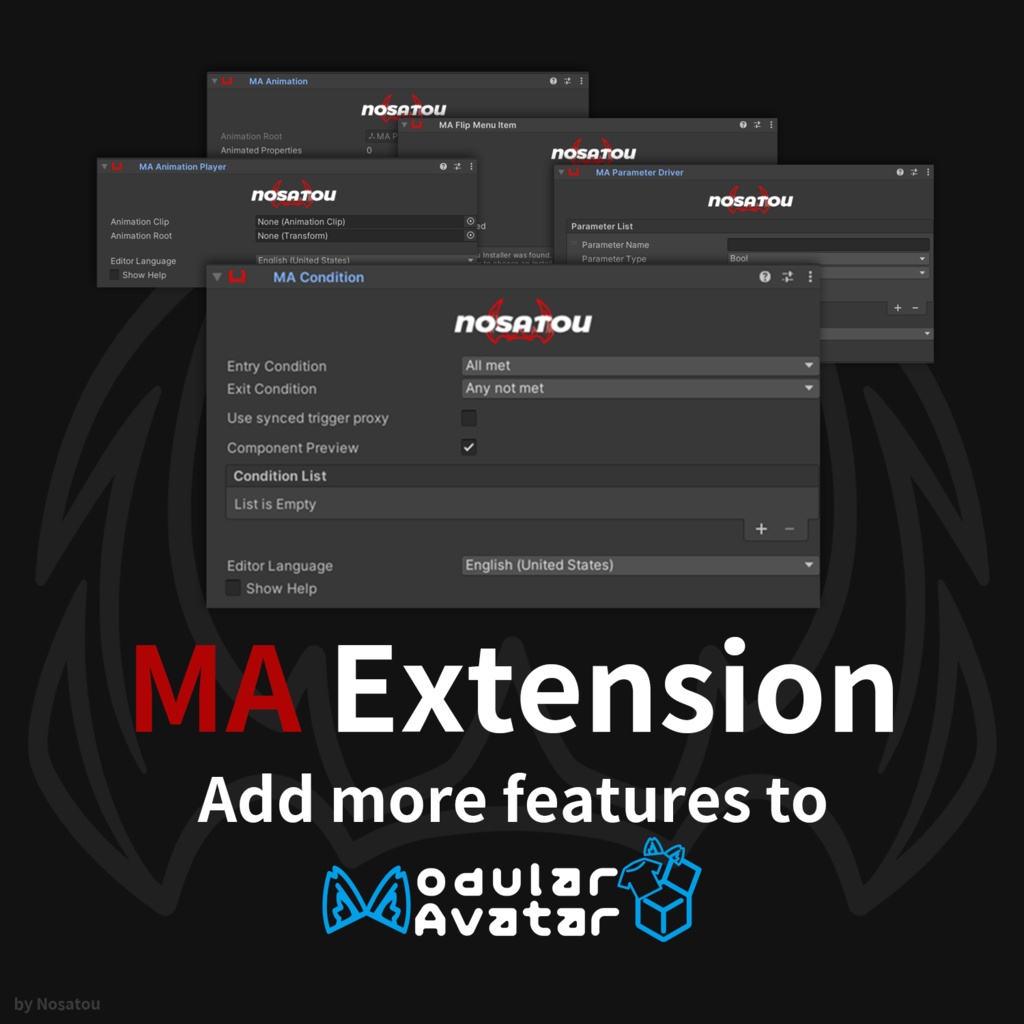

【日本語】 MA Extension は、VRChat Avatar 向けの Modular Avatar 拡張コンポーネント集です。条件制御、コンポーネント内アニメーション録画、パラメーター操作、Radial Puppet による項目切り替えを Inspector から設定できます。必要な Animator・パラメーター・メニューは NDMF ビルド時に生成されます。 【English】 MA Extension is a collection of Modular Avatar components for VRChat avatars. It provides conditional behavior, component-based animation recording, parameter driving, animation playback, and Radial Puppet item selection. Required animator layers, parameters, and menu controls are generated during the NDMF build.
追加されるコンポーネント / Included Components
- **MA Condition** Animator パラメーター条件による制御。 Controls avatar behavior using Animator parameter conditions. - **MA Animation** Animation Clip ファイルを作成せず、アニメーションをコンポーネント内に保存。 Stores animation data inside the component without creating a permanent Animation Clip file. - **MA Animation Player** 既存の Animation Clip を MA と組み合わせて再生。 Plays an existing Animation Clip through Modular Avatar. - **MA Parameter Driver** Bool、Int、Float パラメーターを「一時保存」または「1 回書き込み」で変更。 Changes Bool, Int, and Float parameters using Store & Restore or Write Once mode. - **MA Flip Menu Item** 子オブジェクトの MA / MA Extension 項目を検出し、Radial Puppet メニューを生成。 Detects child MA / MA Extension items and generates a Radial Puppet menu.
導入方法 / Installation
1. VRChat SDK - Avatars を導入します。 Install VRChat SDK - Avatars. 2. Modular Avatar を導入します。 Install Modular Avatar. 3. MA Extension をインポートします。 Import MA Extension. 4. `Add Component > MA Extension` から使用するコンポーネントを追加します。 Add components from `Add Component > MA Extension`. 5. 通常通り Avatar をビルドまたはアップロードします。 Build or upload the avatar normally. Modular Avatar: https://modular-avatar.nadena.dev/ NDMF: https://ndmf.nadena.dev/
動作環境 / Requirements
- Unity 2022.3 - VRChat SDK - Avatars - Modular Avatar - NDMF
注意事項 / Notes
- 導入前に Unity プロジェクトをバックアップしてください。 Back up your Unity project before installation. - 同じ Animator パラメーターやレイヤーを操作する他のツールと競合する場合があります。 Conflicts may occur with other tools that modify the same Animator parameters or layers. - MA Parameter Driver のパラメーター型は、Avatar 側の型と一致させてください。 MA Parameter Driver parameter types must match the parameter types used by the avatar. - すべての Avatar、Shader、Animator、第三者ツールとの完全な互換性は保証されません。 Compatibility with every avatar, shader, animator, or third-party tool is not guaranteed. - デジタル商品のため、購入後の返金については BOOTH の規約をご確認ください。 Please review BOOTH's policy regarding refunds for digital products.