
Rinvos Proximity Snap - Snap to Closest surface in one click (Free Blender addon)
- Addonダウンロード商品¥ 0
- Support >.< (same as free, just helps a bit, thank you!)ダウンロード商品¥ 300


Rinvos Proximity snap addon for Blender
Japanese
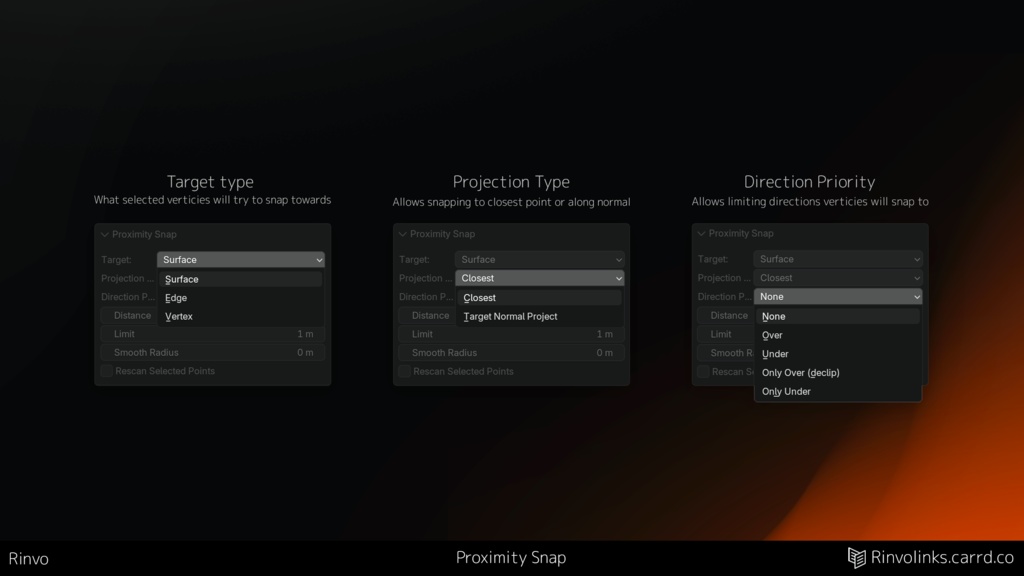
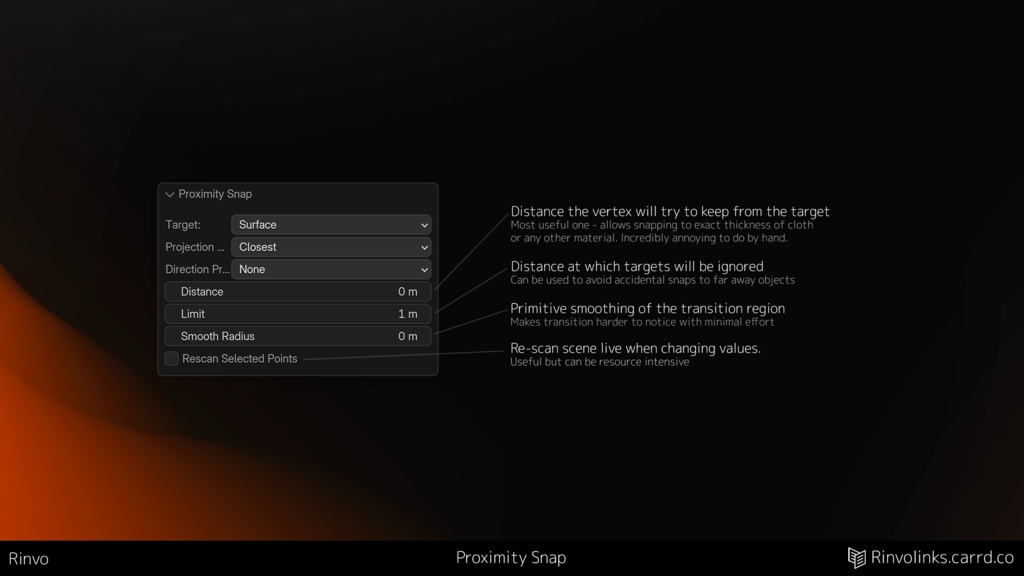
※ 私は日本語が話せないため、日本の皆さんに内容が伝わりやすいよう自動翻訳を使用しています。 **【機能概要】** ボタン1つで、たった1つの機能を完璧にこなすアドオンです。 機能はシンプル。「一番近くにあるオブジェクトを探し、指定した距離にスナップする」——ただそれだけです。設定次第では、これまで作ってきたどんなGeometry Nodesのセットアップよりも圧倒的に時間を節約できます。 * **面倒な頂点合わせを1ボタンで** 特定の面から一定の距離に大量の頂点を揃える作業の面倒さは、誰もが経験しているはずです。モディファイアのセットアップや参照オブジェクトの指定、手動でのスナップ作業はもう不要です。 * **隙間埋め作業も一瞬で** 地形と道路メッシュの隙間をなくす調整もボタン1つ。個人的に一番ストレスだった作業ですが、驚くほど幅広い場面で役立っています。 * **複数オブジェクトにも自動対応** 周囲のオブジェクトを自動的に検出し、複数の対象が存在する場合でもスムーズに処理します。 **【調整可能な設定項目】** * **ターゲットタイプ**: 面 / 辺 / 頂点 * **ターゲットからの距離** * **方向の優先度**: なし / 上(表) / 下(裏) / 上のみ(めり込み解除) / 下のみ * **距離制限**: 遠すぎる要素を無視 * **スムーズ**: 位置の平滑化 * **投影モード**: 最接近(Closest) / 法線投影(Projected normal) **【その他の特徴】** * **表示中のオブジェクトのみ追従**: 画面に表示されているものだけをターゲットにするため、ローカル表示(Isolate)で対象を簡単に絞り込めます。 * **カーブの制御点にも対応**: メッシュだけでなくカーブ操作にも使えます。 * **カスタムキーバインド**: 好きなショートカットキーを自由に割り当て可能です。 **【動作環境】** * Blender 5.0 以上で動作確認済み。(非常にシンプルなアドオンのため、それ以前のバージョンでも動作する可能性があります) 元々は自分用に開発した内部ツールでしたが、あまりに便利だったため公開することにしました。私の制作ワークフローで「ずっと欲しかった欠けたピース」となったように、皆さんにとっても役立つツールになれば幸いです! もし気に入っていただけましたら、ショップ内の他のプラグインや商品もぜひチェックしてみてください。開発の大きな励みになります!
English
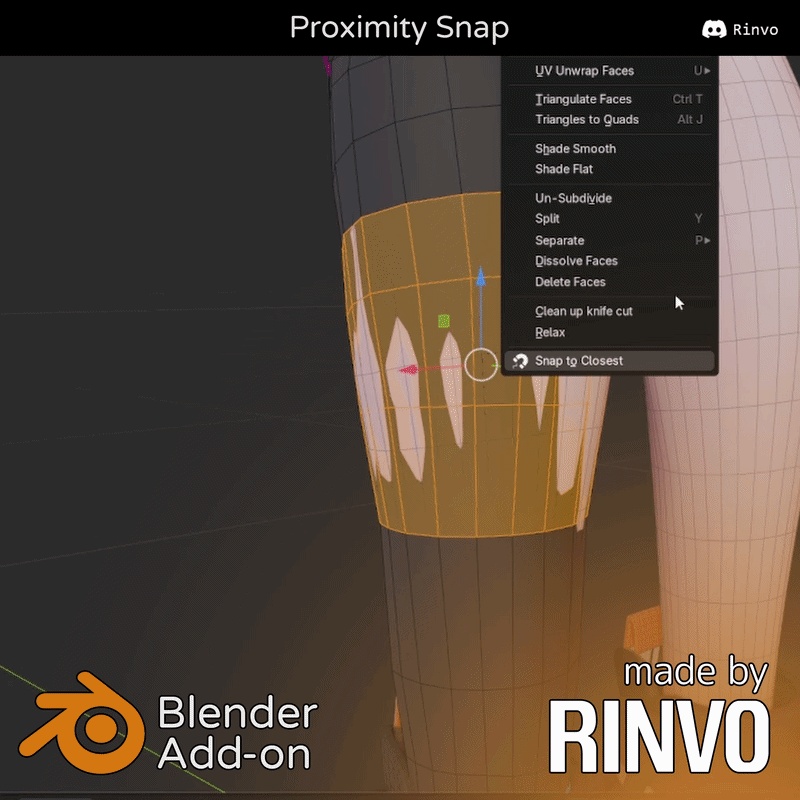
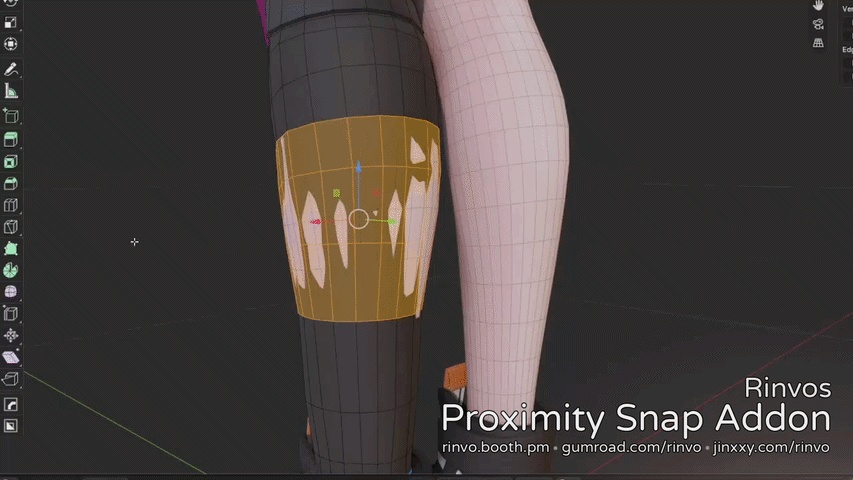
Adds one button that does one thing. Seriously, it has 1 job - find nearest other thing and snap to set distance from it. With some options it saves me more time than any geometry nodes setup I could come up with to date and it's not even close. If you ever had to align a bunch of vertices to a set distance from some surface you know how painful it can be. Setting up modifiers? referencing right objects? or maybe using manual snapping mode? nah, now its 1 button. Making sure there are no gaps between terrain/road mesh? also 1 button now. This one is my personal pain. Honestly I'm always surprised in how many weird cases it helps. It automatically finds all nearby objects and can handle multiple of them effortlessly. You can adjust: - Target type (Surface/Edge/Vertex) - Distance from the target - Direction priority (None/Over/Under/Only Over (de-clip)/Only Under) - Distance limits (ignore things that are too far) - Smoothing - Closest/Projected normal projection modes Snaps only to other objects you can see so isolating your view to just a few objects allows you to limit what it can be targeted easily. Also does curve control points? that's a bonus at this point. And has an option for custom key binds. Pretty much all of that I personally use extensively in my workflows, it slots into my work as a missing piece I always wished I had. Yes, it might not be quite as useful for everyone, but I can really be proud of this tiny tool. Tested to work with Blender version 5 and above. Probably works with previous versions too - its a very simple addon. P.S - This used to be one of my internal tools, but it was too useful to not share, hope you find it as useful as i do! If you feel like supporting me - consider checking out other plugins/store items, it helps a ton!
Changelog
**バージョン 2.3 - 初の大型アップデート** **【更新内容】** リリース以来、たくさんのご関心・ご利用をいただきありがとうございます!皆様のおかげで、修正や改善が必要な箇所をいくつか見つけることができました。 今回のアップデートは、主にプラグインの信頼性向上とフィードバックの強化を目的としています。何も起こらずに静かに失敗する挙動を無くし、何が原因でエラーになったのかが出力されるようになりました。 また、Blender 4.5以降での動作確認も完了しています! **【改善点】** * プラグインの処理内容が表示されるようになり、「何も起きない」という困惑を解消 * 処理が失敗した場合でもリドゥ(Redo)パネルが開いたままになるため、失敗の原因となった設定をそのまま調整可能に * 対称(シンメトリー)編集に対応 **【不具合修正】** * 複数オブジェクトの同時編集モードに対応 * 不均一にスケール(非均等スケール)されたオブジェクトの処理に関する問題を修正 * ベジェ曲線のハンドルタイプが保持されるように修正 * スムージング処理の修正(まだ完璧とは言えませんが、以前より少し品質が向上し、動作も高速化しました) **【仕様変更】** * 距離制限(Distance Limit)の初期値を「0(無制限)」に変更(意図しない処理の途切れが発生しにくくなりました) Version 2.3 - First big patch Changelog: Thanks to all of the attention that addon has received since release i've found a bunch of things that need fixing/improvement. This release is mostly aimed at providing more reliability and feedback from the plugin - now it won't fail silently, it will output what went wrong and why. Also tested to work on 4.5 and above now! Improvements: - Plugin now says what it does, no more confusing "nothing happened" - Redo panel now stays open if it fails to be able to adjust the settings that made it fail - Symmetry support Fixes: - Multi-object editing mode now works too - Fixed handling of non-uniformly scaled objects - Bezier curves now preserve handle type - Fixes to smoothing - its slightly better and faster now, tho still definitely not the best Changes: - Default distance limit is now 0 (Unlimited) - less unexpected cut-offs
