

VRChat Gothic Club World (Hyper Goth)
- The Full Project / フルプロジェクトダウンロード商品¥ 6,300
- 【応援版】サポーター / Support the creator (same files + thank you)ダウンロード商品¥ 7,900
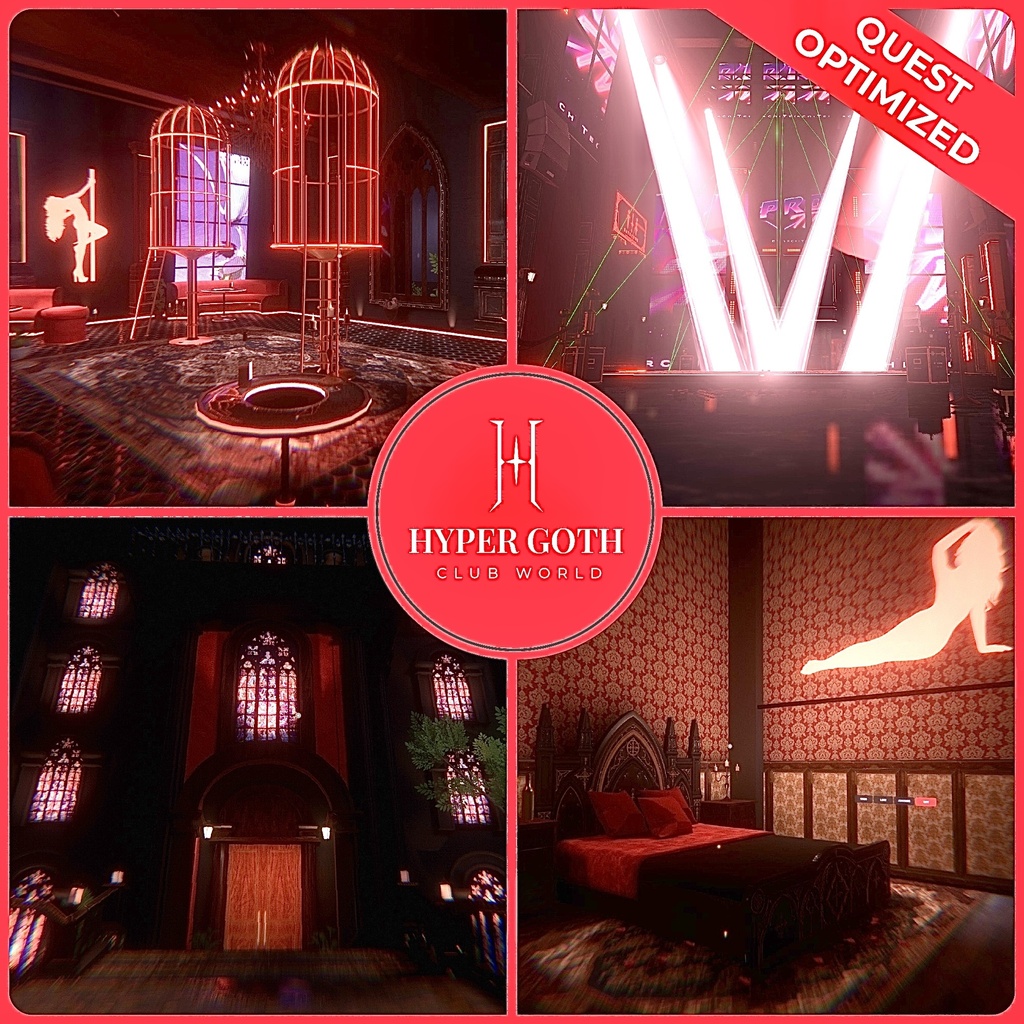
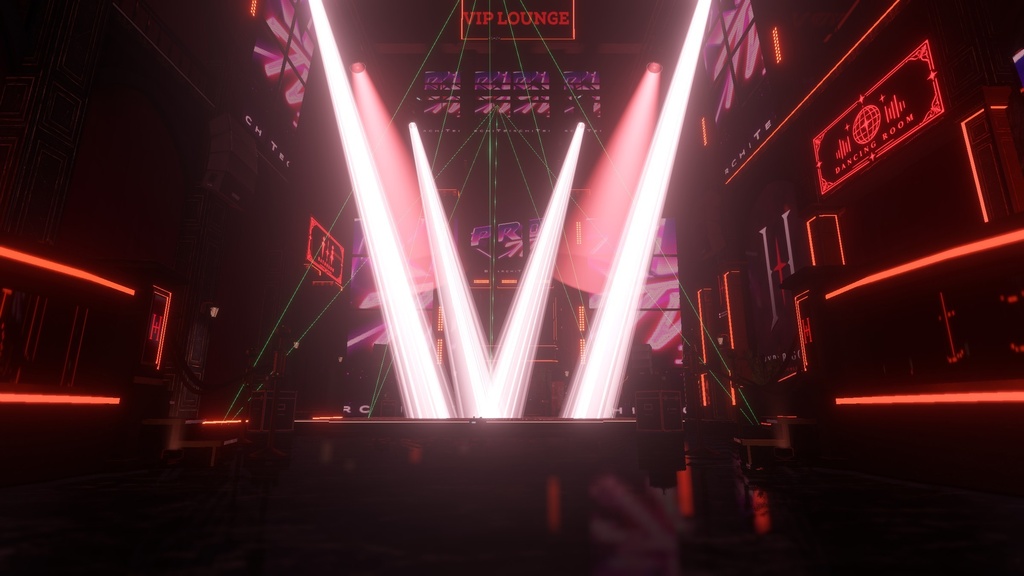
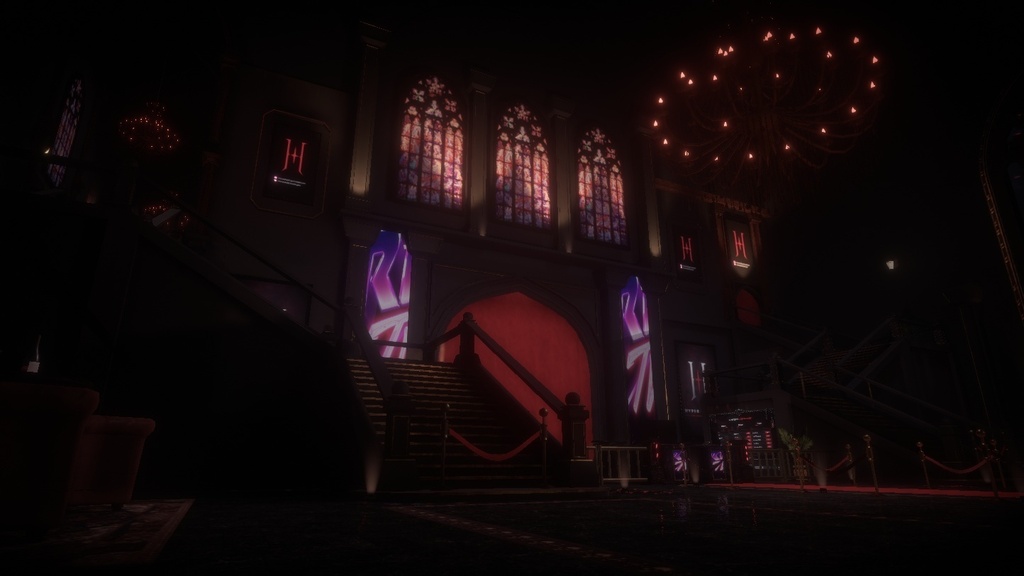
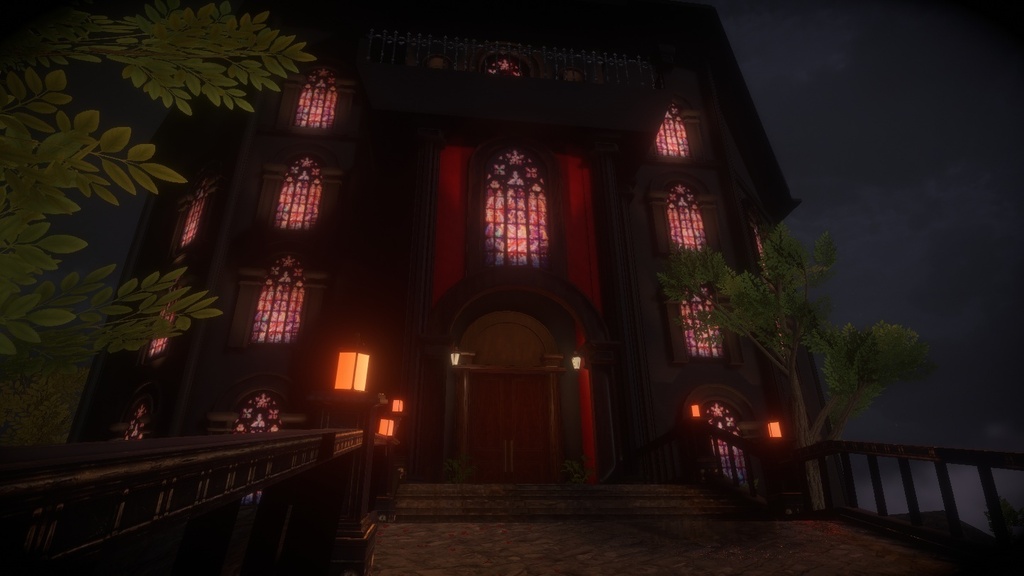
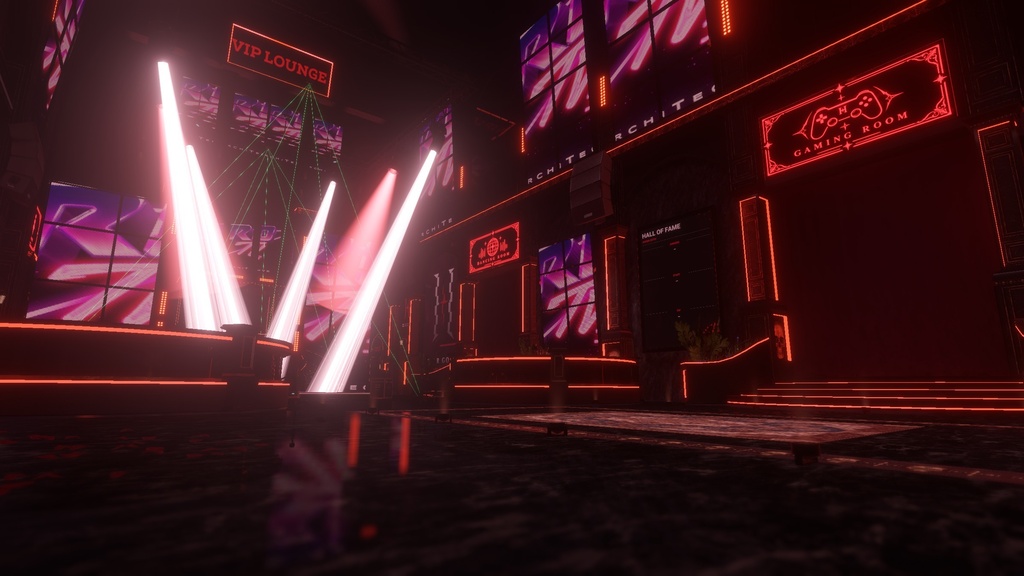
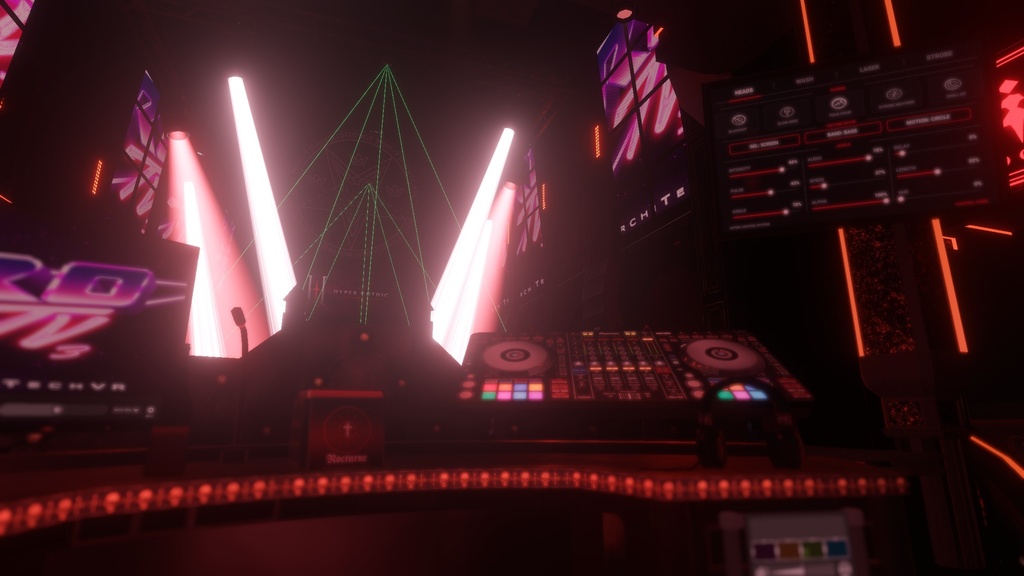
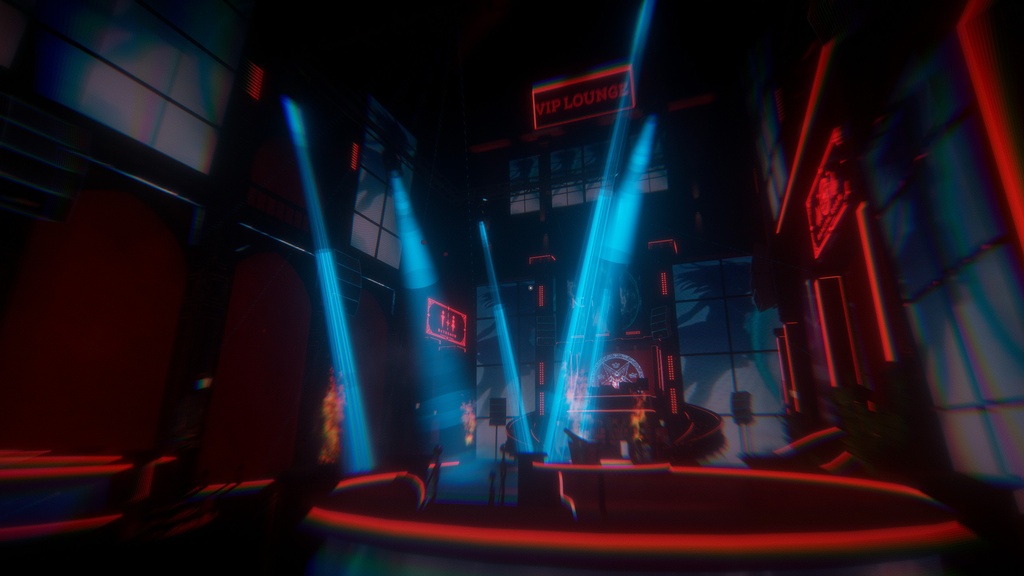
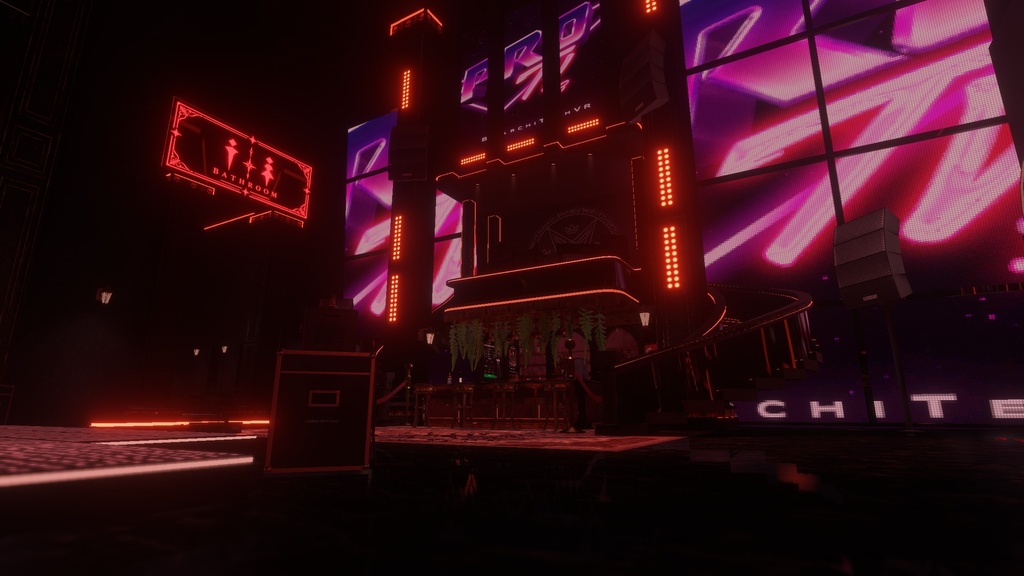
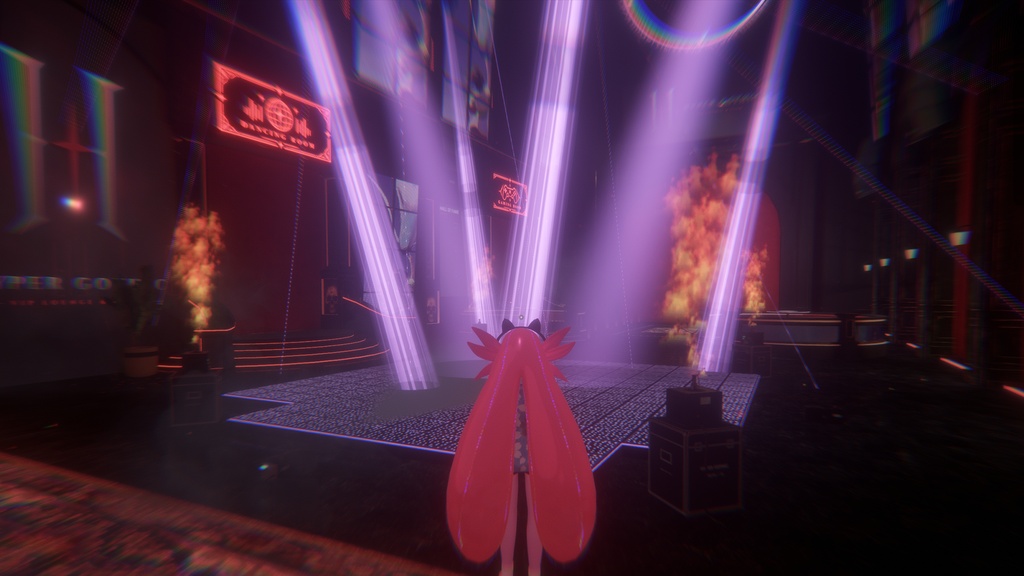
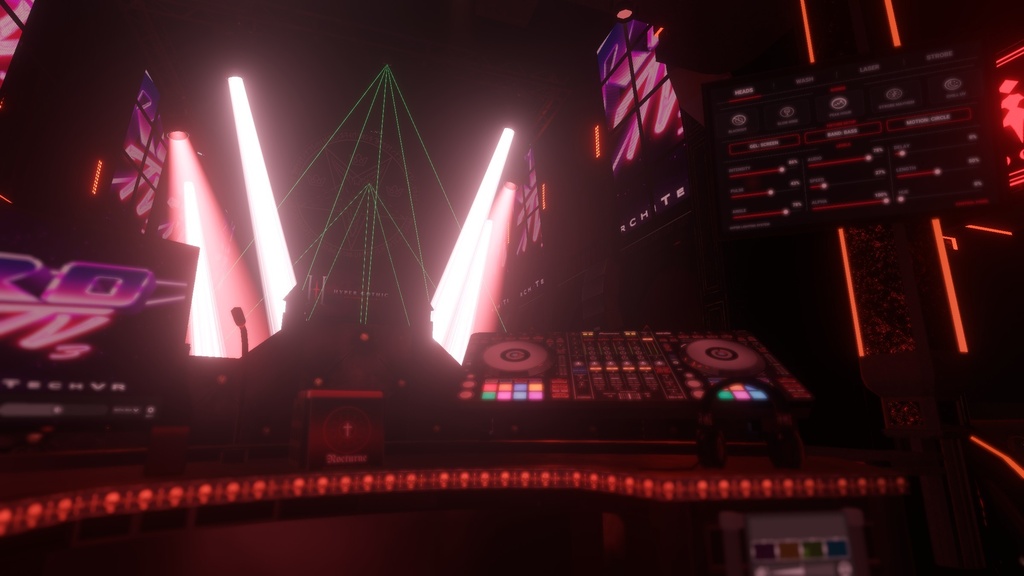
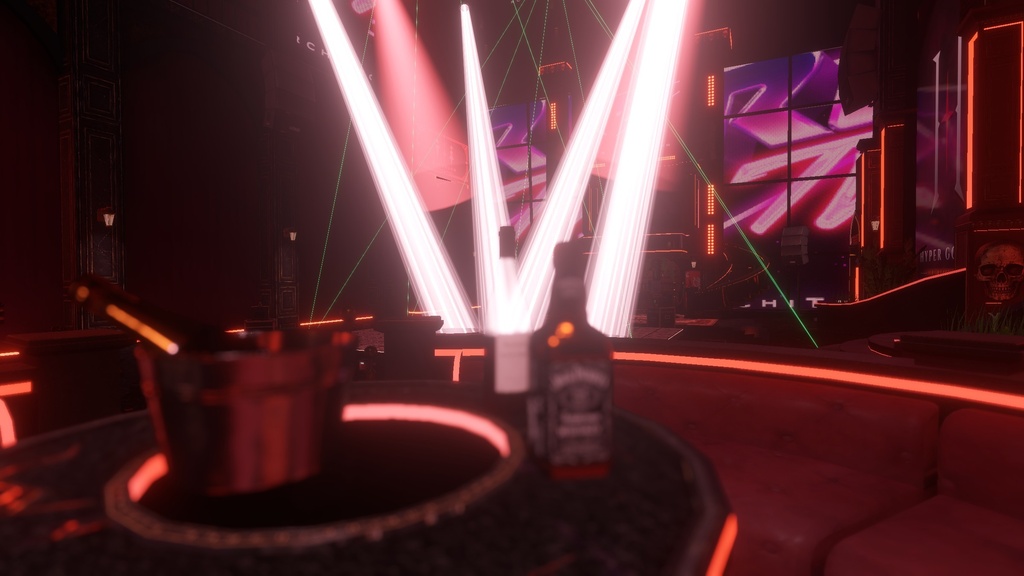
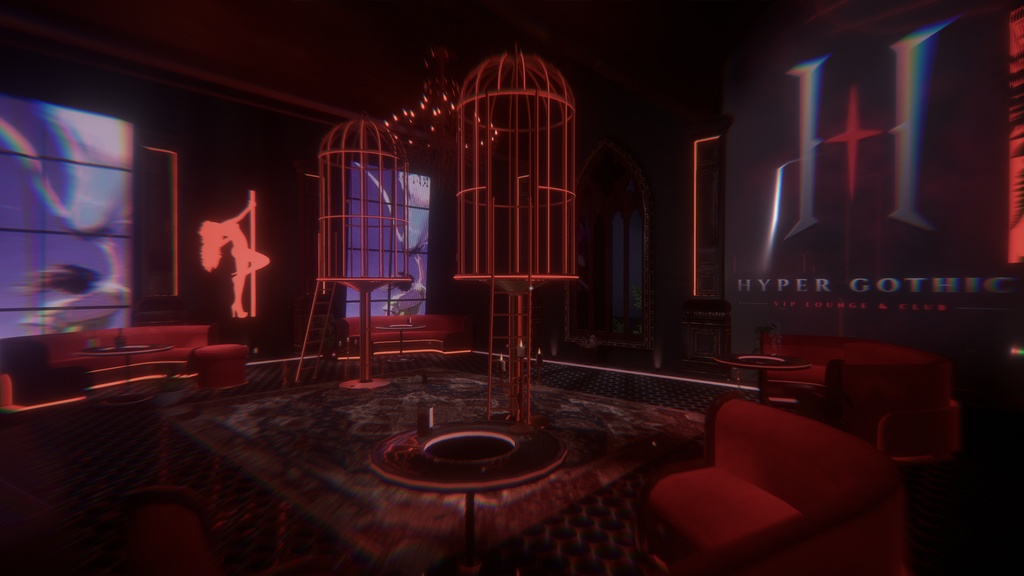
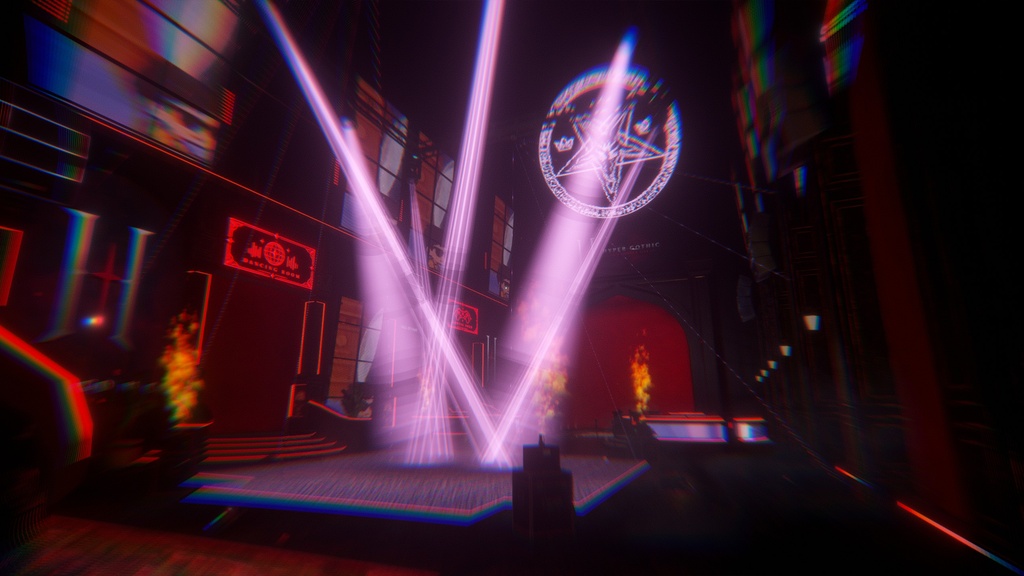
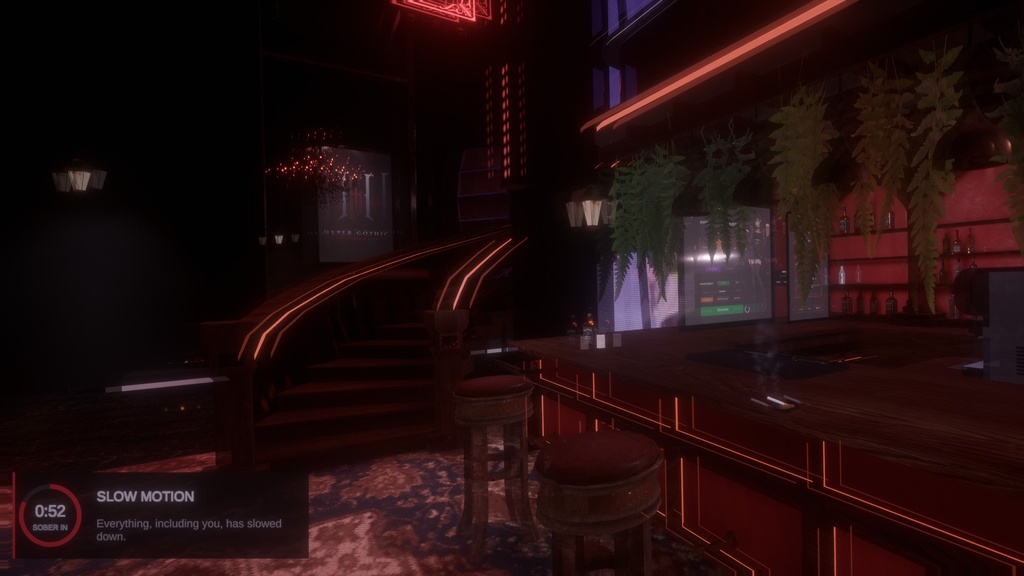
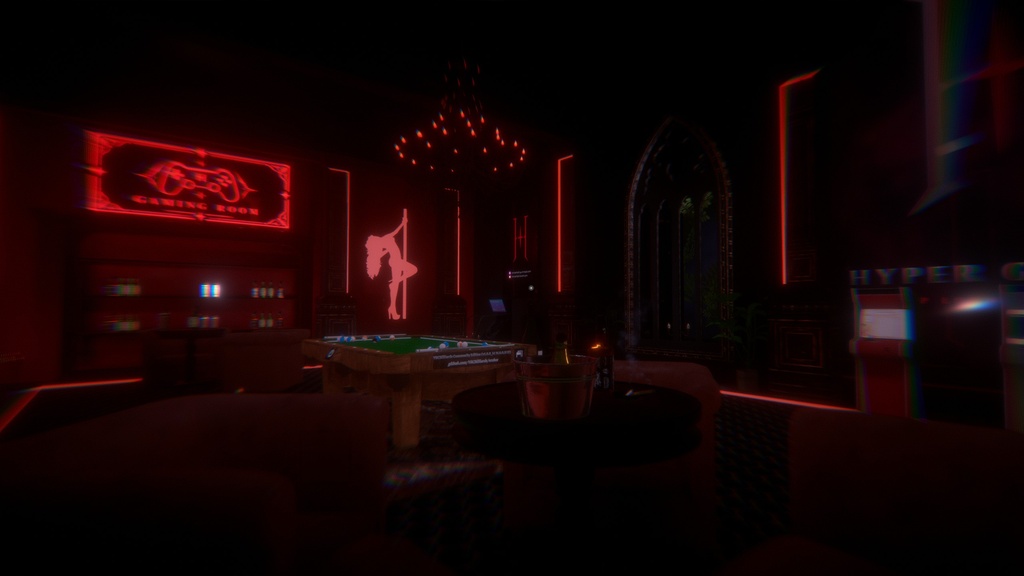
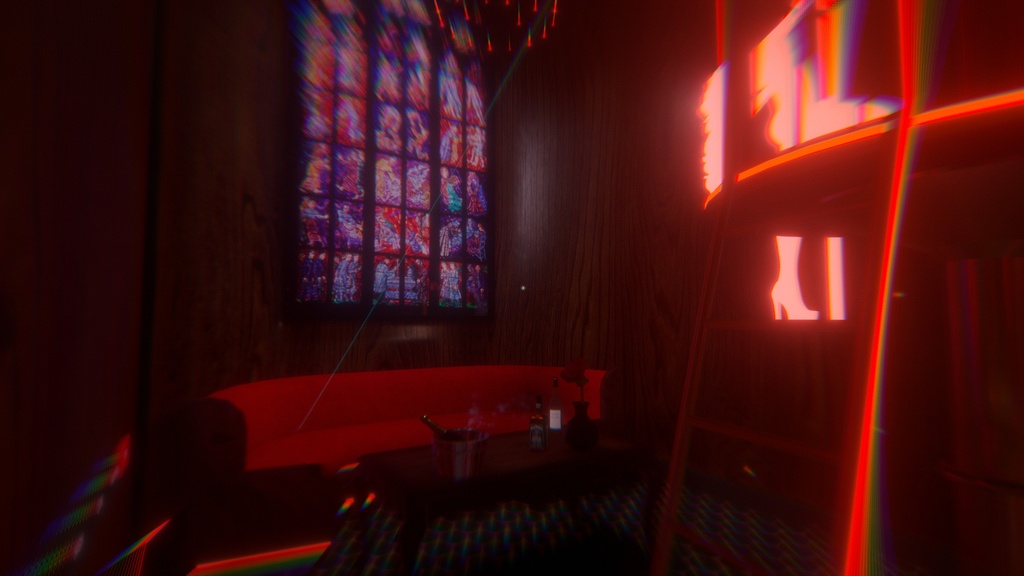
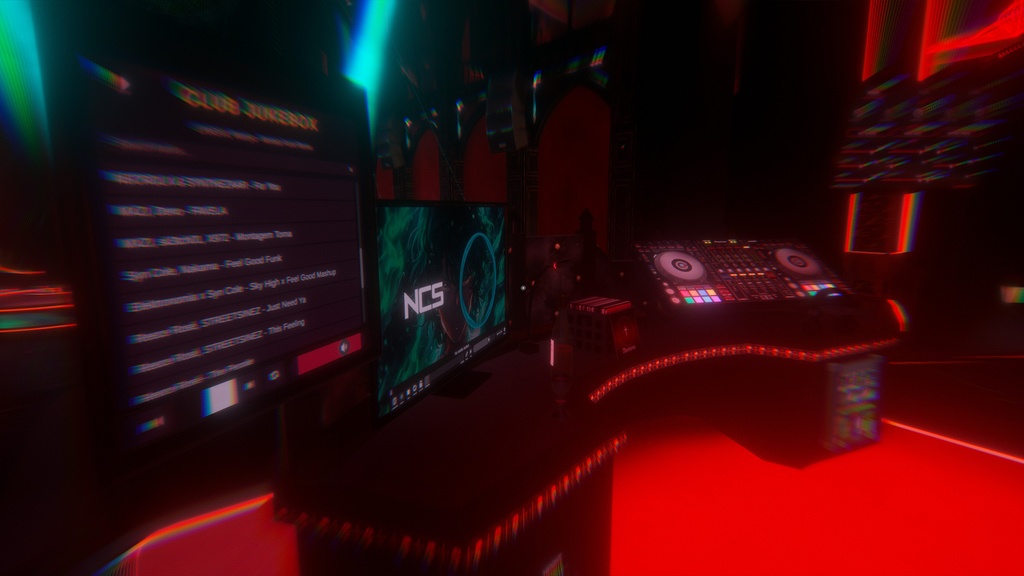
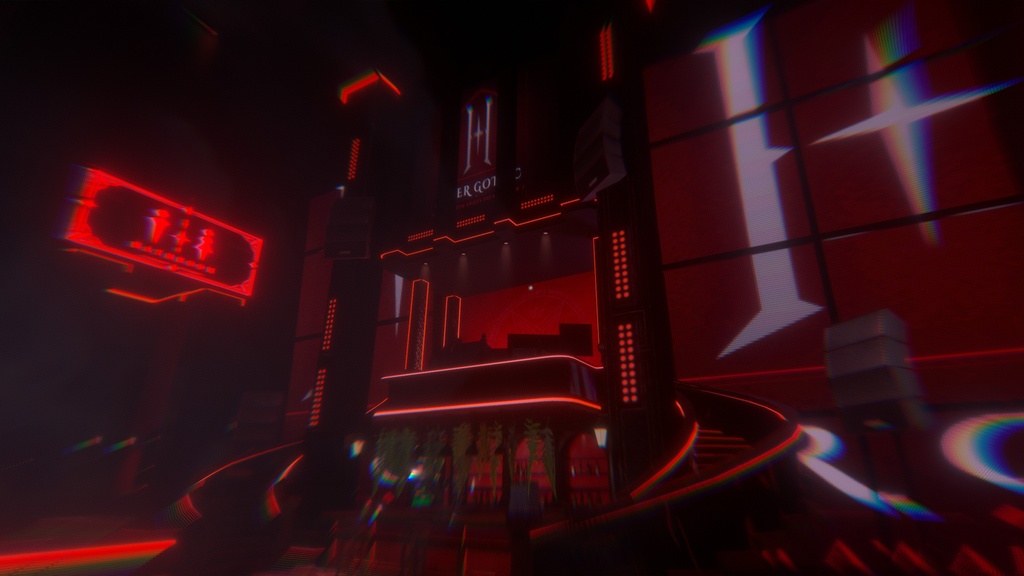
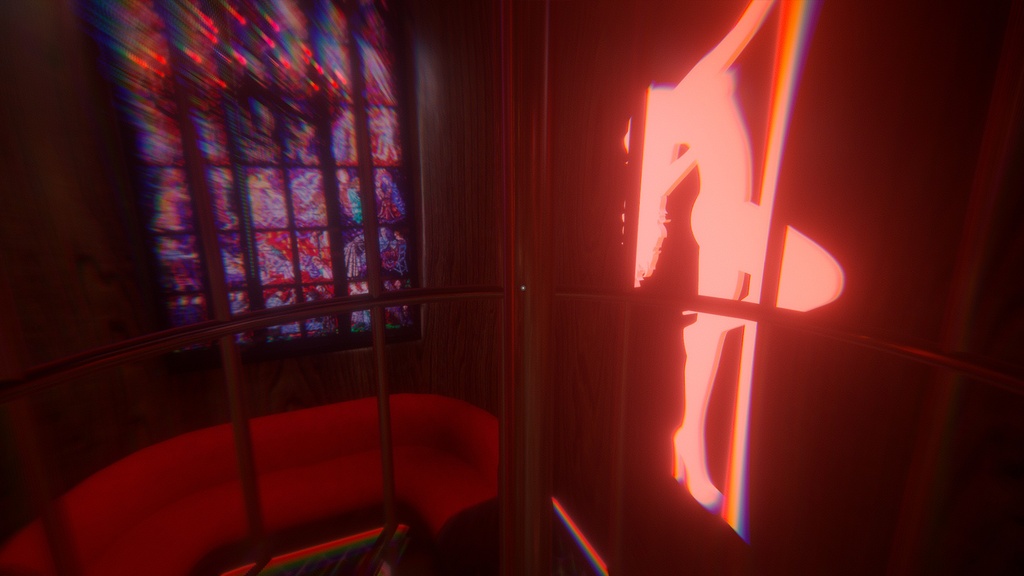
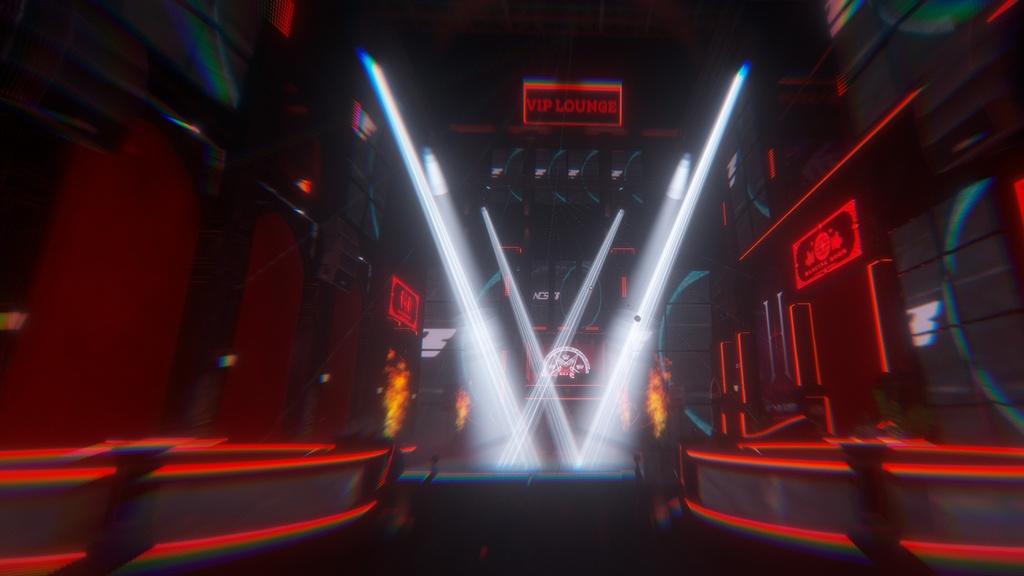
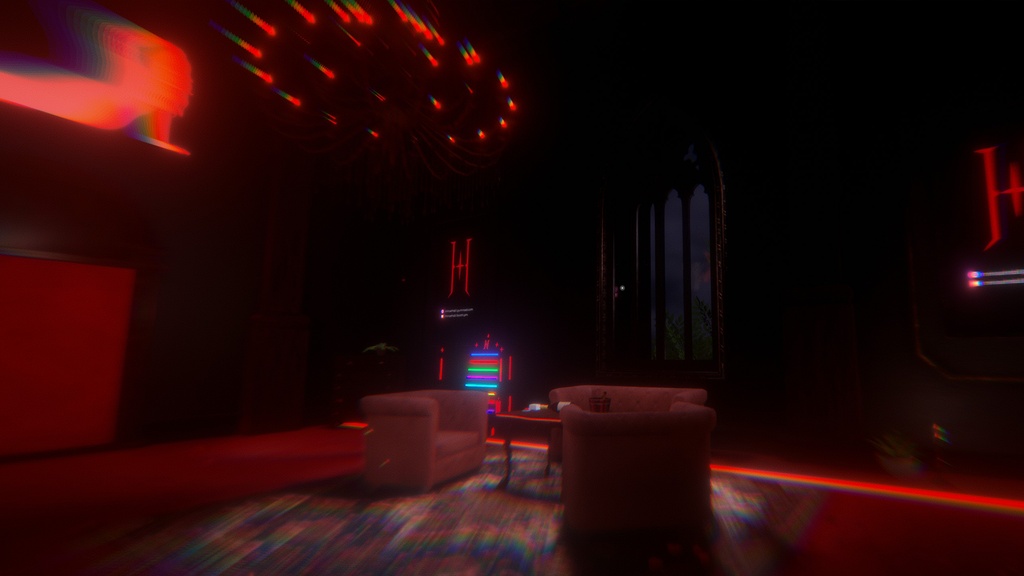
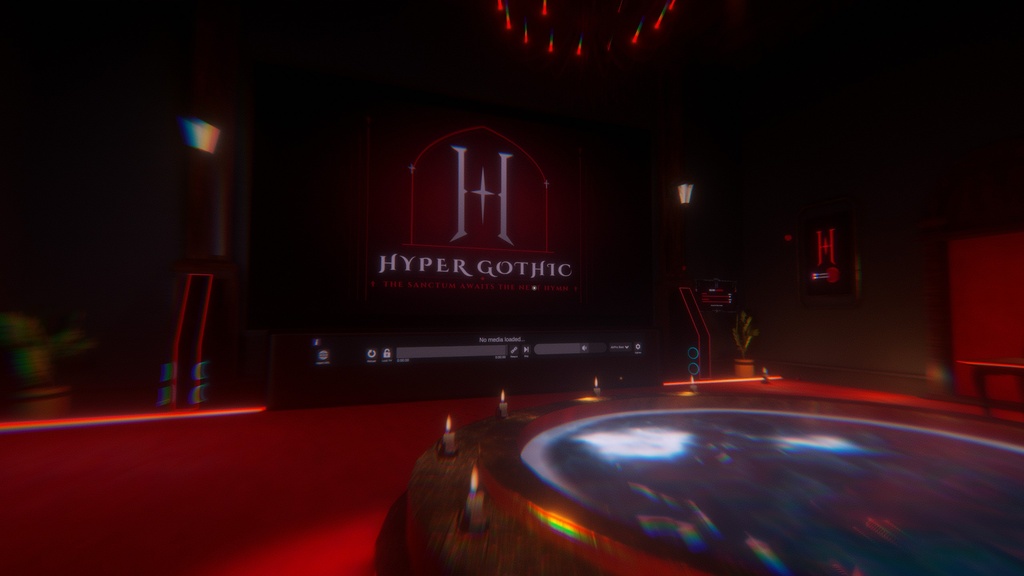
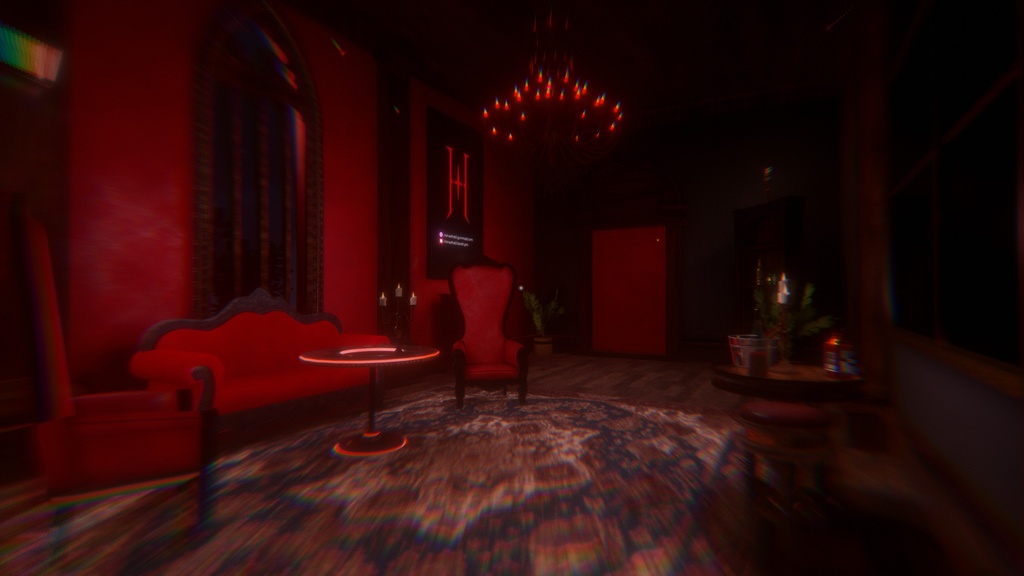
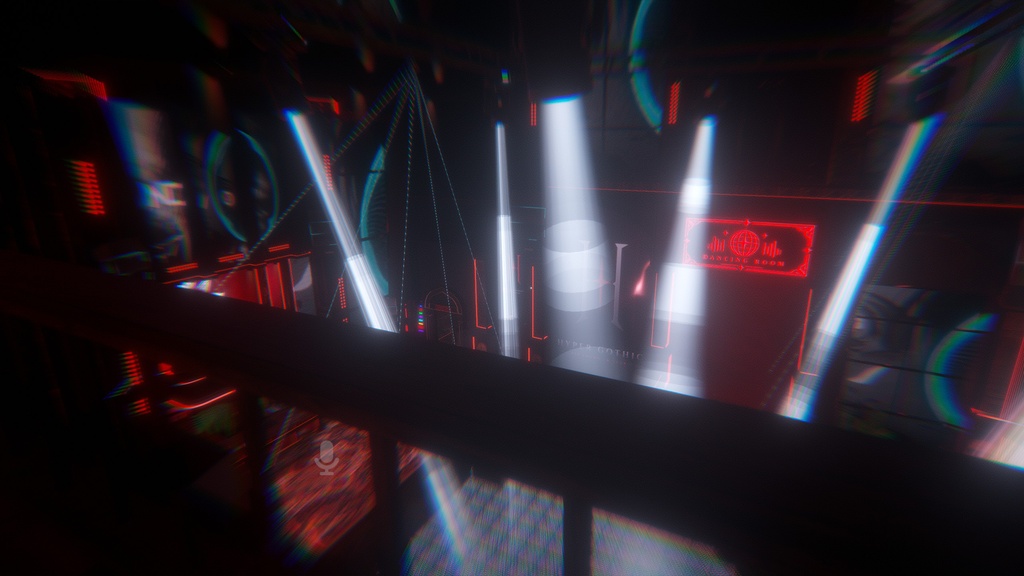
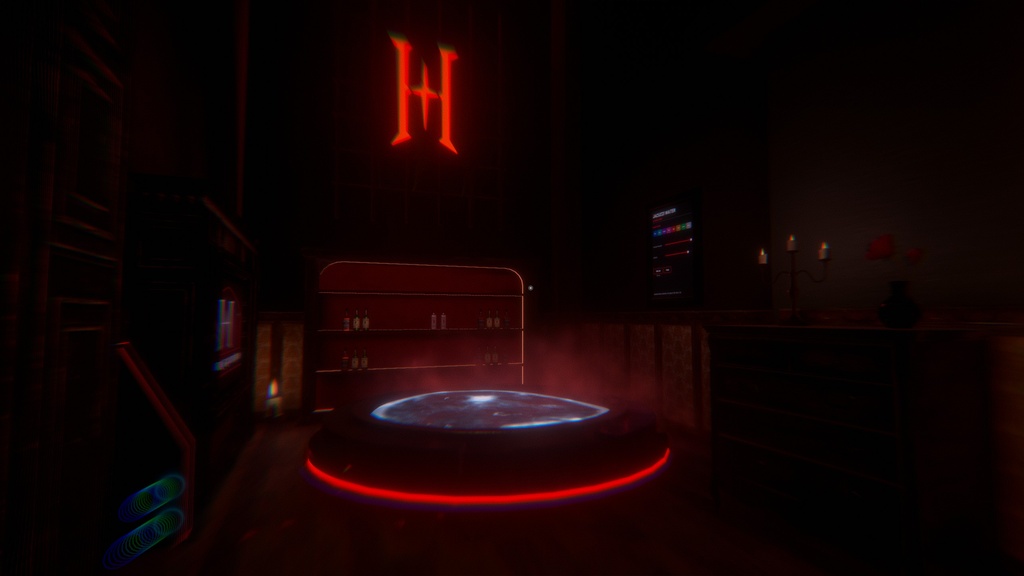
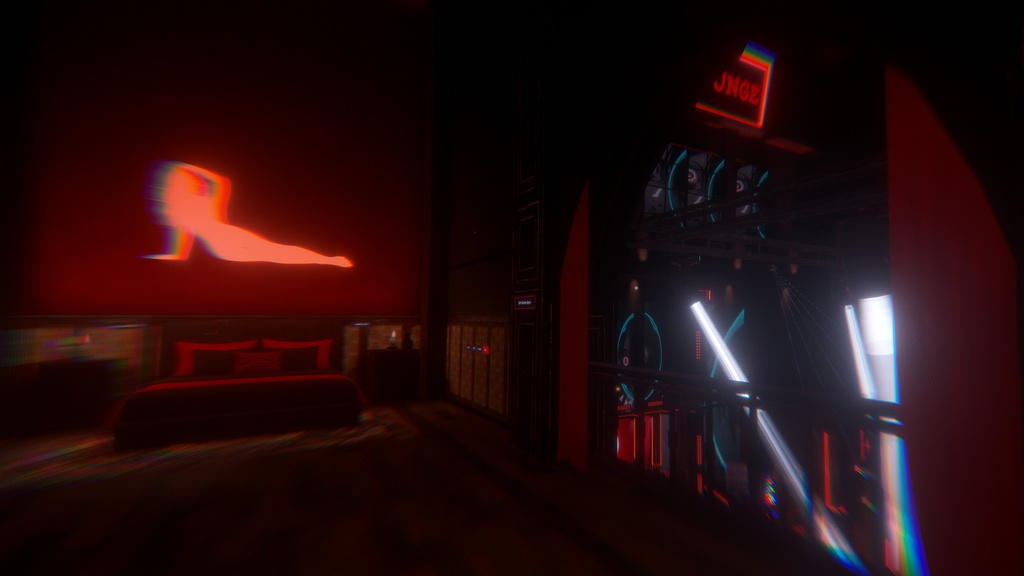
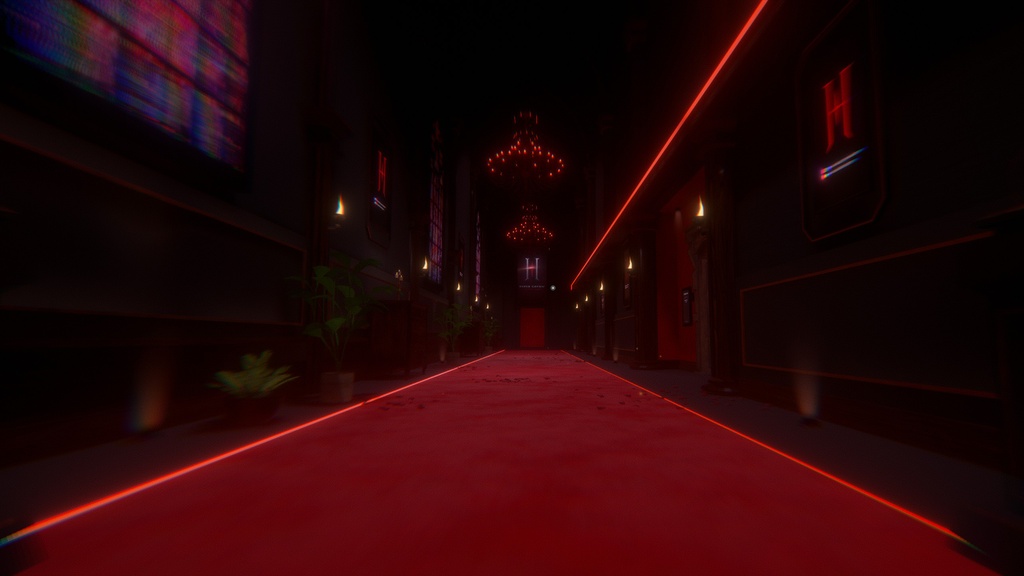
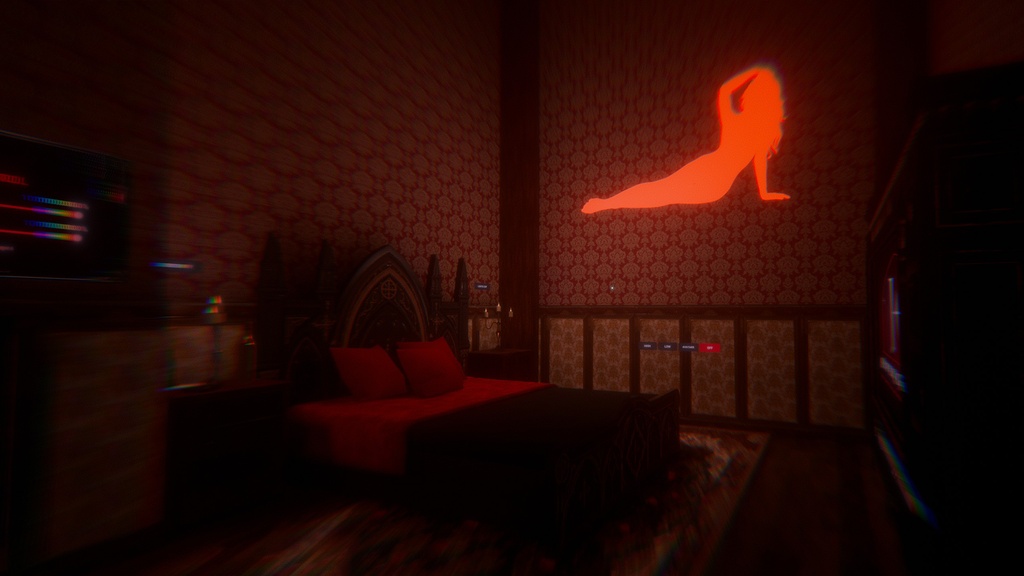


【Price / 価格】 ¥6,300 (about $40). Buy once and keep every future update and bug fix. ¥6,300(約40ドル)。一度の購入で、今後のアップデートや不具合修正もすべて受け取れます。 【Support the creator / 応援版】 Same files, +¥1,600. If you'd like to support future updates and new worlds, thank you! 内容は通常版と同じです(+¥1,600)。今後のアップデートや新作の応援として選んでいただけると嬉しいです! ━━━━━━━━━━━━━━━━━━━━ ⚠ Notice / 注意 Every VRChat world uploaded from this project must show your Booth order number in the world description. Worlds without one may receive a DMCA takedown. このプロジェクトからアップロードしたVRChatワールドには、必ずBOOTHの注文番号をワールド説明欄に記載してください。記載のないワールドはDMCA申し立ての対象となります。 ━━━━━━━━━━━━━━━━━━━━ HYPER GOTH is a complete Unity project for VRChat: a candle-lit gothic mansion turned nightclub. Ready for PC and Android (Quest), tested on Meta Quest 3 and PCVR, with AudioLink lighting, a working bar, games, VIP rooms and a full staff system, all set up, optimized and tested. HYPER GOTHは、キャンドルの灯るゴシック洋館をナイトクラブに仕立てたVRChat用の完全なUnityプロジェクトです。PC・Android(Quest)両対応(Meta Quest 3・PCVRで動作確認済み)。AudioLink連動の照明、バー、ゲーム、VIPルーム、スタッフ管理システムまで、すべて設定・最適化・テスト済みです。
Features / 主な機能
【Club & Music / クラブ・音楽】 ・Infinity-mirror dance floor and LED dance cages インフィニティミラーのダンスフロア、LEDダンスケージ ・AudioLink lighting: moving heads, lasers, par cans, spot beams, LED bars, beat-synced flame jets AudioLink照明:ムービングヘッド、レーザー、パーライト、スポットビーム、LEDバー、ビート連動の炎 ・Jukebox with playlist and search, 5 ProTV screens プレイリスト・検索付きジュークボックス、ProTVスクリーン5台 ・Sound panels for every area with personal volume and mute エリアごとのサウンドパネル(個人音量・ミュート) 【Bar, Games & VIP / バー・ゲーム・VIP】 ・Pourable drinks with liquid motion, cheers clinks, vending machines, cigars 液体が動くドリンク、乾杯の音、自販機、葉巻 ・Pool (8-ball, 9-ball, carom), Skee-Ball, two arcade cabinets, cards, Spin the Bottle, 32 Hyper Sabers ビリヤード(8ボール・9ボール・キャロム)、スキーボール、アーケード2台、トランプ、Spin the Bottle、セーバー32本 ・Two VIP rooms with doorbell camera and a VIP Hall of Fame ドアベルカメラ付きVIPルーム2部屋、VIP殿堂ボード ・Six private dance booths with automatic curtains, two jacuzzis, elevators 自動カーテン付きプライベートダンスブース6つ、ジャグジー2つ、エレベーター 【Staff & Security / スタッフ・セキュリティ】 ・Wristband roles (admin, staff, VIP, bar, DJ, backstage, club entry) with nameplates リストバンド権限(管理者・スタッフ・VIP・バー・DJ・バックステージ・入場)とネームプレート ・Role-locked doors and areas, staff console, CCTV, kick-to-lobby with on-screen reasons 権限で開くドア・エリア、スタッフコンソール、監視カメラ、理由表示付きキック ・Welcome screen with house rules and a flashing-lights warning ハウスルール付きウェルカム画面、点滅ライトの注意表示 【Comfort / 快適機能】 ・Mirrors with HIGH, LOW and AVATARS modes in bathrooms, VIP rooms and every booth HIGH / LOW / AVATARS モード付きミラー(トイレ、VIPルーム、全ブース) ・Lie-down spots on the beds and a personal OFF / DIM / DARK lights button ベッドの寝転びスポット、個人用 OFF / DIM / DARK 照明ボタン ・Avatar height panels, status emojis, PC post-processing controls 身長調整パネル、ステータス絵文字、PC用ポストプロセス設定
VIP Rooms & Private Areas / VIPルーム・プライベートエリア
・Two VIP rooms with a doorbell system: guests ring at the door, and the people inside see them on a door camera and can let them in or turn them away ドアベル付きVIPルーム2部屋:ゲストがベルを鳴らすと、室内のドアカメラで確認して入室の許可・拒否ができます ・Do Not Disturb mode, an occupancy limit you can raise or lower, a door lock, and a button to clear the room 「起こさないで」モード、定員の増減、ドアロック、部屋から全員を退出させるボタン ・Beds with a personal light dimmer (off / dim / dark) that only you see; it switches itself off when you walk away ベッドには自分だけに効く調光(オフ/暗め/真っ暗)。離れると自動でオフ ・A sound panel in each VIP room to set your own music and club sound levels 各VIPルームのサウンドパネルで、音楽とクラブ音の音量を自分好みに調整 ・VIP Hall of Fame plaques that list your owner, staff and VIP names オーナー・スタッフ・VIPの名前を表示する殿堂プレート ・Six private dance booths with automatic curtains 自動カーテン付きのプライベートダンスブース6つ ・Two jacuzzis with a control panel for water colour, glow, bubbles and presets 水の色・発光・泡・プリセットを操作できるパネル付きのジャグジー2つ
Bar & Drunk Effects / バーと酔いエフェクト
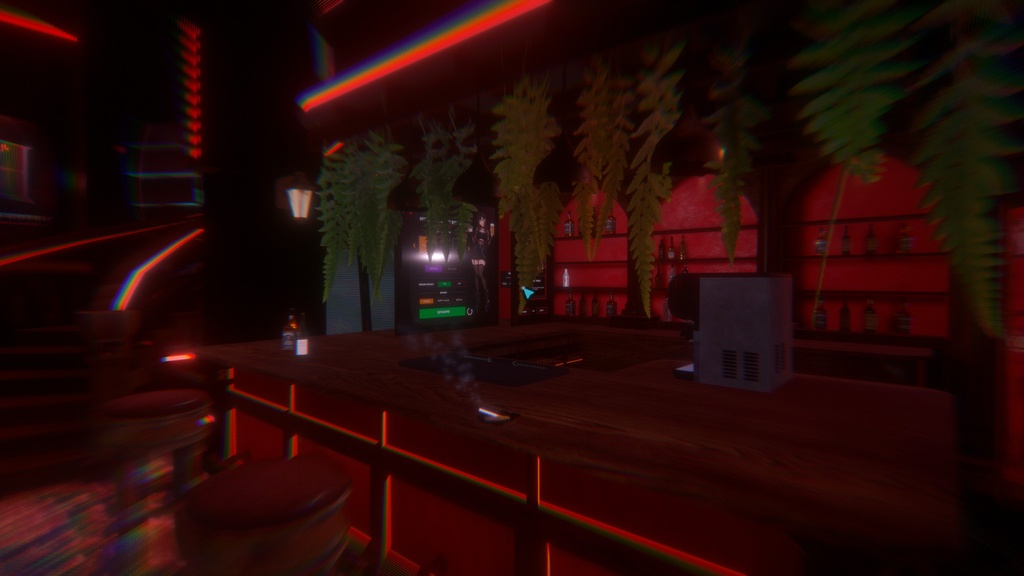
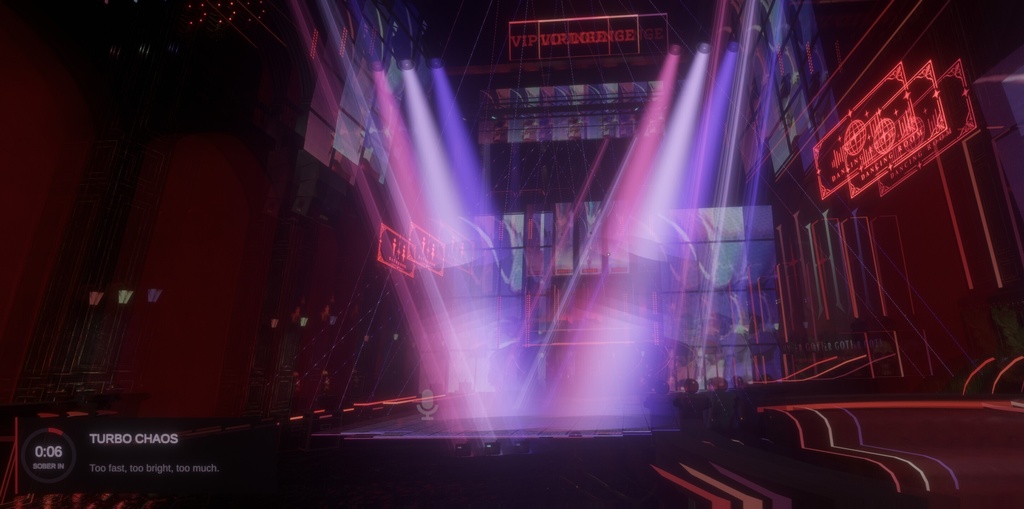
【The Bar / バー】 ・Bartender panel: pick any drink from a scrolling menu and serve it, or spawn empty glasses and bottles; switch between realistic and magical liquids; reset the bar in one press バーテンダーパネル:スクロールメニューから好きなドリンクを出す、空のグラスやボトルを出す、リアル/マジカルな液体の切替、ワンタッチでバーをリセット ・Pour from bottles into glasses and pour two drinks together to mix them; the liquid sloshes as you move and can glow ボトルからグラスに注いだり、2種類を注いでミックスしたりできます。液体は動きに合わせて揺れ、光らせることも可能 ・Stir with the bar spoon and clink glasses for a cheers sound バースプーンでステア、グラスを合わせると乾杯の音 ・Every glass is synced, so everyone, including late joiners, sees the same drinks グラスはすべて同期され、後から入った人にも同じドリンクが見えます 【Drunk effects / 酔いエフェクト】 ・Each sip builds up the effect; it holds for a while, then wears off. A small on-screen panel shows the effect name, what it does and a countdown 飲むたびに効果が強くなり、しばらく続いた後に醒めます。画面の小さなパネルに効果名・内容・残り時間を表示 ・Each drink has its own effect: Classic, Extra Wobble, Double Vision, Rainbow Party, Tunnel Vision, Tiny Tipsy (you shrink), Gentle Giant (you grow), Moon Hops (low gravity), Slow Motion and Turbo Chaos. Mixed drinks blend two effects ドリンクごとに効果が違います:クラシック、エクストラ・ウォブル、ダブルビジョン、レインボーパーティー、トンネルビジョン、タイニー・ティプシー(小さくなる)、ジェントル・ジャイアント(大きくなる)、ムーンホップ(低重力)、スローモーション、ターボカオス。ミックスドリンクは2つの効果がブレンドされます ・Local only and safe on both Quest and PC (no post-processing needed). Your avatar height and speed are restored exactly, it clears on respawn or avatar change, and it can be turned off from the bar panel 効果は本人だけに表示され、Quest・PCどちらでも安全(ポストプロセス不要)。アバターの身長や速度は正確に元に戻り、リスポーンやアバター変更でリセット。バーのパネルからオフにもできます
Dance Floor Lighting / ダンスフロア照明
・Hyper Lighting System: a full lighting desk that runs the moving heads, wash lights, laser scanners and strobes Hyper Lighting System:ムービングヘッド、ウォッシュライト、レーザースキャナー、ストロボを操作する本格的な照明卓 ・Every fixture group has its own controls: intensity, movement, beam length, angle, transparency, colour and the AudioLink band it reacts to グループごとに個別の操作:明るさ、動き、ビームの長さ、角度、透明度、色、反応するAudioLinkの帯域 ・One-touch scenes: Blackout, Slow Wine, Peak Hour, Strobe Mayhem and Chill UV, plus colour macros and chase patterns ワンタッチシーン:ブラックアウト、スロー・ワイン、ピークアワー、ストロボ・メイヘム、チルUV。カラーマクロとチェイスパターンも搭載 ・Lights can take their colour live from the video screen 映像からリアルタイムに色を取って照明に反映できます ・Synced for everyone: motion follows a shared show clock, so all players see the same show, and late joiners get the full desk state 全員に同期:動きは共通のショークロックに合わせているので全員が同じショーを見られ、後から入った人にも照明卓の状態が反映されます ・20 AudioLink light boxes, AudioLink flame jets, fog machines, LED dance cages and club LED screens AudioLinkライトボックス20台、AudioLink連動の炎、フォグマシン、LEDダンスケージ、クラブLEDスクリーン ・PC colour modes (12 looks) with a filter intensity slider PC用カラーモード(12種類)とフィルター強度スライダー
Permission & Security System / 権限・セキュリティシステム
・Clear roles, from the door up: Newcomer → Guest → VIP 1 / VIP 2 → DJ / Bartender / Backstage → Staff → Admin わかりやすい権限の段階:ニューカマー → ゲスト → VIP 1/VIP 2 → DJ/バーテンダー/バックステージ → スタッフ → 管理者 ・Everyone joins as a NEWCOMER. Newcomers can't pass the golden gates at the security desk or climb the lobby stairs until staff give them GUEST 入室時は全員「ニューカマー」。スタッフが「ゲスト」を付与するまで、セキュリティデスクの金色のゲートもロビーの階段も通れません ・GUEST: walks the whole club and the upper floor and can ring the VIP rooms, but can't use the DJ booth, the bar or the lighting controls ゲスト:クラブ全体と上階を自由に歩け、VIPルームのベルも鳴らせます。DJブース・バー・照明操作は使えません ・Guests let in at a VIP door get that room's VIP access for the session, but can't let anyone else in, so VIP never spreads through the club VIPルームで入室を許可されたゲストは、その部屋のVIP権限をセッション中だけ取得。ただし他の人を入室させることはできないため、VIP権限がクラブ中に広がることはありません ・Security Console with "wristbands": pick a player and tap Guest, VIP 1, VIP 2, DJ, Bartender or Staff on or off. Remove all, kick to lobby, lock the VIP doors リストバンド式セキュリティコンソール:プレイヤーを選び、ゲスト・VIP 1・VIP 2・DJ・バーテンダー・スタッフをタップで付け外し。全解除、ロビーへキック、VIPドアのロックも可能 ・Permanent lists: type VRChat display names once in the Inspector (Admin, Staff, VIP 1, VIP 2, DJ, Bartender, Backstage, Guest) 常設リスト:VRChatの表示名をInspectorに一度入力するだけ(管理者・スタッフ・VIP 1・VIP 2・DJ・バーテンダー・バックステージ・ゲスト) ・The instance owner and the first player to join are Admin automatically インスタンスのオーナーと最初に入室したプレイヤーは自動で管理者になります ・Restricted areas block players without access, and a sign fades in as they approach. The DJ booth, the bar and the lighting / AudioLink controls only work for DJs, Bartenders and Staff 権限のないプレイヤーは制限エリアに入れず、近づくとサインが表示されます。DJブース・バー・照明/AudioLinkの操作はDJ・バーテンダー・スタッフ専用です ・Role badges above every player's head (NEWCOMER, GUEST, VIP 1, VIP 2, DJ, BAR, STAFF, ADMIN), join notifications and a status emoji menu 全員の頭上に権限バッジ(NEWCOMER・GUEST・VIP 1・VIP 2・DJ・BAR・STAFF・ADMIN)、入室通知、ステータス絵文字メニュー ・Kicked players are sent to the lobby with an on-screen reason キックされたプレイヤーには理由を表示してロビーへ移動 ・CCTV with switchable cameras, plus a doorbell camera at each VIP room 切替可能な監視カメラシステムと、各VIPルームのドアベルカメラ
Performance & Optimization / パフォーマンスと最適化
I optimized every part of this world for both Quest and PC. Tested on Meta Quest 3 and PCVR. Quest・PCの両方で快適に動くよう、細部まで最適化しています。Meta Quest 3とPCVRで動作確認済み。 【Rendering / 描画】 ・Fully baked lighting with Bakery: no realtime lights and no realtime shadows Bakeryによる完全ベイクライティング(リアルタイムライト・リアルタイム影なし) ・10,584 light probes, 20 reflection probes and VRC Light Volumes, so avatars and props match the baked light ライトプローブ10,584個、リフレクションプローブ20個、VRC Light Volumesで、アバターや小物もベイクした光になじみます ・Static batching on 1,676 static objects (PC and Quest), dynamic batching on PC, and GPU instancing on repeated materials 静的オブジェクト1,676個に静的バッチング(PC・Quest)、PCは動的バッチング、繰り返し使うマテリアルはGPUインスタンシング ・Baked occlusion culling: walls and floors hide what is behind them, and 14 occlusion portals on doors and curtains cull whole rooms while they are closed ベイク済みオクルージョンカリング:壁や床の裏側は描画せず、ドア・カーテンのオクルージョンポータル14か所で、閉じている部屋はまるごとカリング ・The outdoor landscape is hidden while you are inside the club クラブ内にいる間は屋外の地形を非表示 【Quest】 ・One project for both platforms: Easy Quest Switch holds 232 per-object settings and swaps in mobile shaders and Quest-only materials automatically 1つのプロジェクトで両対応:Easy Quest Switchの232項目の設定で、モバイル用シェーダーとQuest専用マテリアルに自動で切り替わります ・Heavy glass, fog and see-through effects are replaced or turned off for Quest, and decorative particles are thinned out 重いガラス・フォグ・半透明エフェクトはQuest用に置き換え/オフ、装飾パーティクルは自動で間引き ・Texture sizes and compression tuned per platform (ASTC on Quest) テクスチャサイズと圧縮をプラットフォーム別に調整(QuestはASTC) ・Quest build 92.4 MB, under VRChat's 100 MB limit Questビルド92.4MB(VRChatの上限100MB以内) 【Smart loading / 負荷を抑える仕組み】 ・All 42 mirrors start off, and mirrors and CCTV stop rendering when you leave their area 鏡42枚はすべて初期オフ。エリアを離れると鏡と監視カメラの描画が自動で止まります ・Lamps, particles, chandeliers, speakers, plants and petals start off; each player can turn them on in the menu (local only) 照明器具・パーティクル・シャンデリア・スピーカー・植物・花びらは初期オフ。メニューから各自でオンにできます(ローカル) ・PC post-processing has an Optimized mode (Ambient Occlusion and Motion Blur off by default) PCのポストプロセスは最適化モード付き(アンビエントオクルージョンとモーションブラーは初期オフ) ・Lightweight scripts: curtains sleep when still, the lighting rig computes motion locally with one call per frame, and the screen colour feed needs no GPU readback 軽量なスクリプト:止まったカーテンはスリープ、照明は1フレーム1回の参照とローカル計算で動き、映像からの色取得はGPU読み戻し不要 ・Room audio gates keep each TV's sound inside its room ルームオーディオゲートで、テレビの音はその部屋の中だけに
What's included & Requirements / 内容物・動作環境
・The full Unity project: scene, prefabs, models, textures, materials, shaders, particles and scripts Unityプロジェクト一式(シーン、プレハブ、モデル、テクスチャ、マテリアル、シェーダー、パーティクル、スクリプト) ・Baked lighting, light probes, reflection probes, Light Volumes and occlusion data ベイク済みライティング、ライトプローブ、リフレクションプローブ、Light Volumes、オクルージョンデータ ・All tools the world needs are bundled: AudioLink, EasyQuestSwitch, VRC Light Volumes, ProTV 3, VRWorld Toolkit (each with its license) 必要なツールはすべて同梱:AudioLink、EasyQuestSwitch、VRC Light Volumes、ProTV 3、VRWorld Toolkit(各ライセンス同梱) ・Automatic setup: installs ProBuilder / TextMeshPro / Post Processing, applies the project settings and opens the world for you 自動セットアップ:ProBuilder / TextMeshPro / Post Processing のインストール、プロジェクト設定の適用、ワールドを開くまで自動 ・One .unitypackage file (about 690 MB) + README with setup steps .unitypackage 1ファイル(約690MB)+セットアップ手順書(README) Requirements / 動作環境 Unity 2022.3.22f1 + a new VRChat World project from the VRChat Creator Companion (VCC). Nothing else to install. Unity 2022.3.22f1 + VRChat Creator Companion(VCC)で作成した新規ワールドプロジェクトのみ。その他のインストールは不要です。
Terms of use / 利用規約
One purchase = one license for one person. By purchasing, you agree to these terms. 1購入につき1名・1ライセンス。購入をもって本規約に同意したものとします。 ○ You may / できること ・Use and modify the project however you like / 自由に改変・編集する ・Publish it on VRChat, publicly or privately, with your order number in the world description / VRChatにアップロードする(公開・非公開とも、注文番号の記載が条件) ・Add your own assets, packages and systems / 自作のアセットやシステムを追加する × You may not / 禁止事項 ・Resell, redistribute, share or give away the project or any of its assets, free or paid / プロジェクトやアセットの再配布・転売・共有(有償・無償を問わず) ・Use the assets in any project that is sold or shared, even if modified / 販売・配布されるプロジェクトでの使用(改変後も含む) ・Upload a world without your order number in the description / 注文番号なしでのアップロード ・Claim the world or its systems as your own original work / 自作と偽ること
Order number & DMCA / 注文番号とDMCA
Find your order number under Booth → Purchase history. Don't want it in your description? Send proof of purchase with the world name and link and we'll register your world as legal. Worlds without a number or registration are treated as illegal copies and receive a DMCA notice through VRChat. 注文番号はBOOTHの購入履歴で確認できます。説明欄に記載したくない場合は、購入証明とワールド名・リンクをご連絡いただければ正規ワールドとして登録します。記載・登録のないワールドは違法コピーとして、VRChatにDMCA申し立てを行います。
Credits / クレジット
© 2026 mina ehab. The world, its systems and its layout are original work. ワールド、システム、レイアウトはオリジナル作品です。 Free community assets keep their own licenses. With thanks to: 無料のコミュニティアセットは各ライセンスに従います。感謝を込めて: llealloo (AudioLink), ArchiTechVR (ProTV), MerlinVR (UdonSharp), RED_SIM (VRC Light Volumes), Mochie, Poiyomi, JordoVR (EasyQuestSwitch), VRCBCE contributors (pool), pyralix (Skee-Ball), MyroP (Arcade Machine), Vowgan (Deck of Cards, Spin the Bottle), Mirza Beig (GPU Fog), Poly Haven, ambientCG, Biostart, mjorka, Sanguis font (SIL Open Font License)
Support / サポート
Full support after purchase: ・I'm happy to help you upload the project: opening it, setting it up and publishing it to VRChat ・Stuck on anything? Message me and I'll help you solve it ・Found a bug? Send me a message on Discord. I fix reported bugs every week 購入後のサポートも安心してお任せください。 ・プロジェクトのアップロードを一緒にお手伝いします(開き方、セットアップ、VRChatへのアップロード) ・困ったことや問題があれば、何でも解決までサポートします ・バグを見つけたらDiscordでメッセージをお送りください。報告いただいたバグは毎週修正します Discord: minaehab01 (send me a friend request / フレンド申請してください) You can also message me on Booth. / BOOTHのメッセージからもご連絡いただけます