

【VRM】V-Blend Studio 2つのVRMの顔と体、シェイプキーをブレンド
- ダウンロード商品¥ 1,780
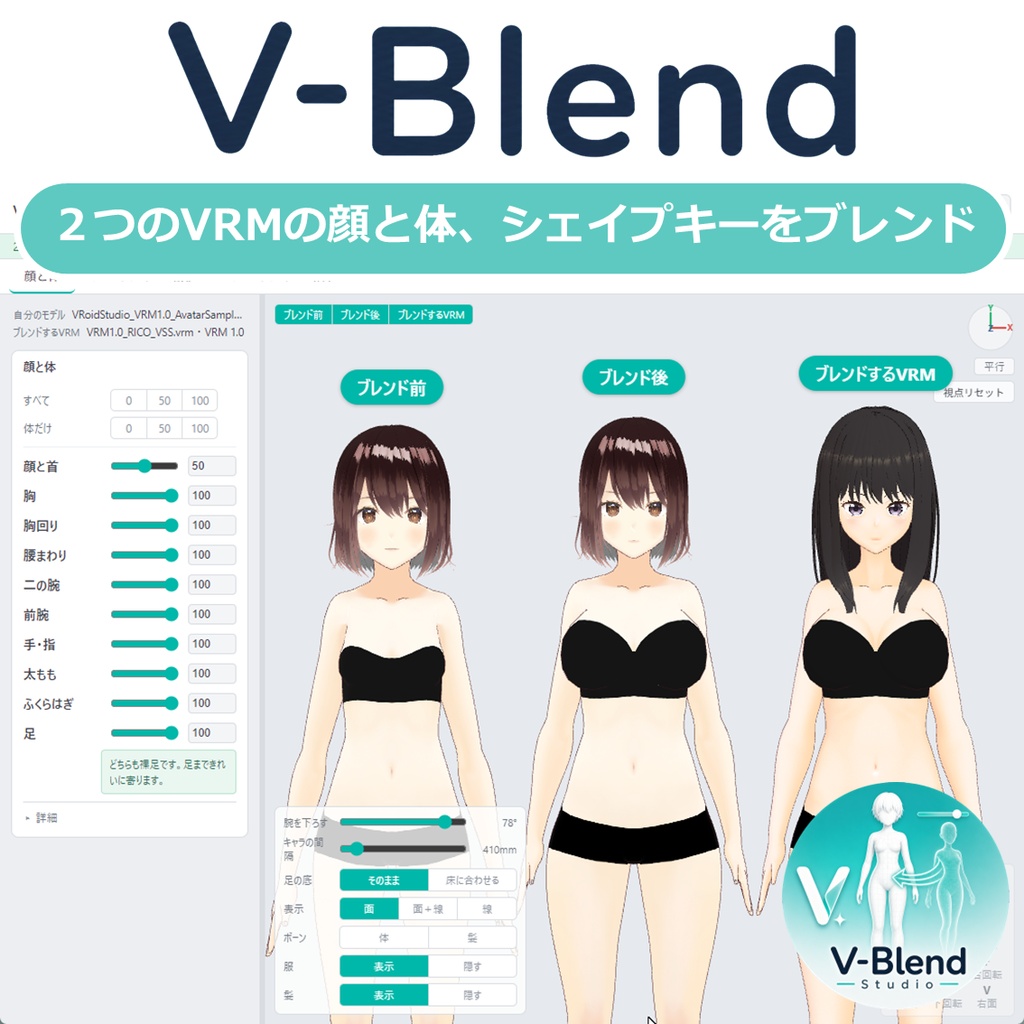
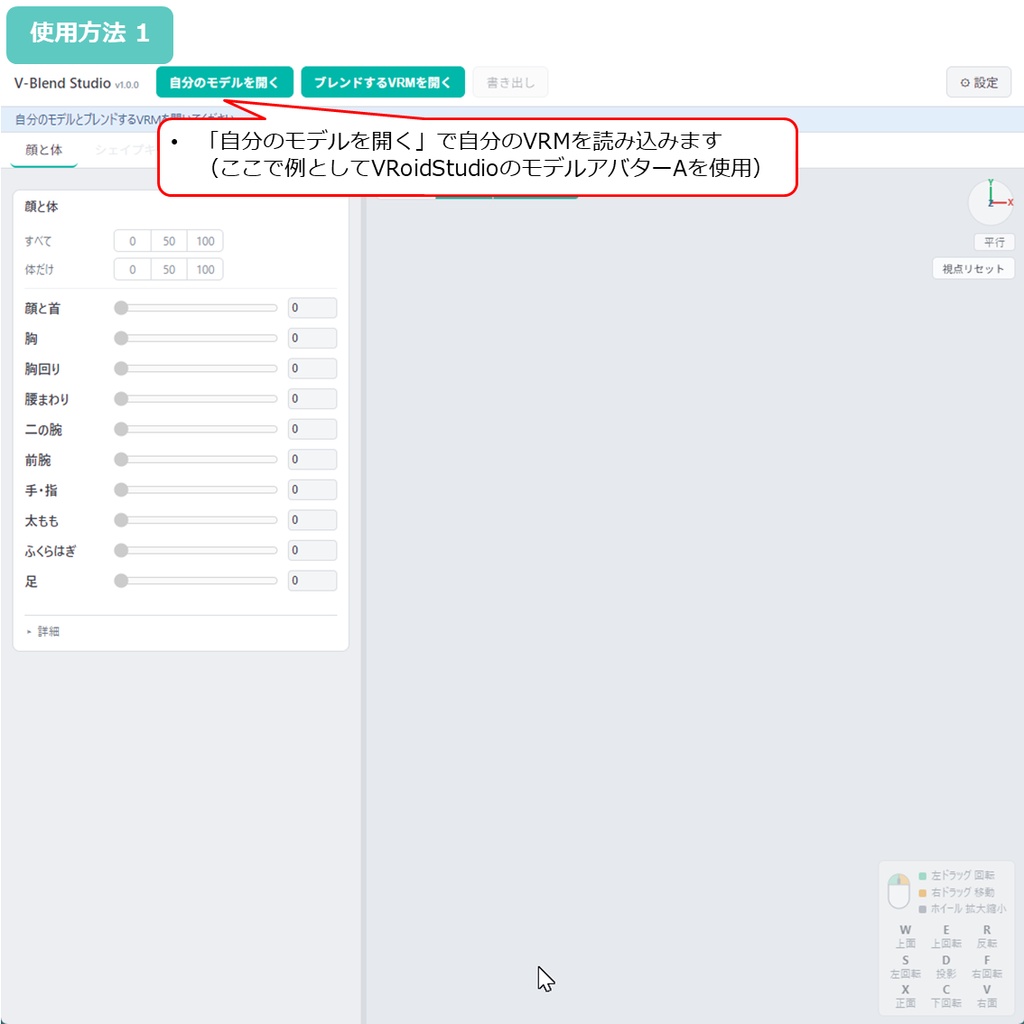
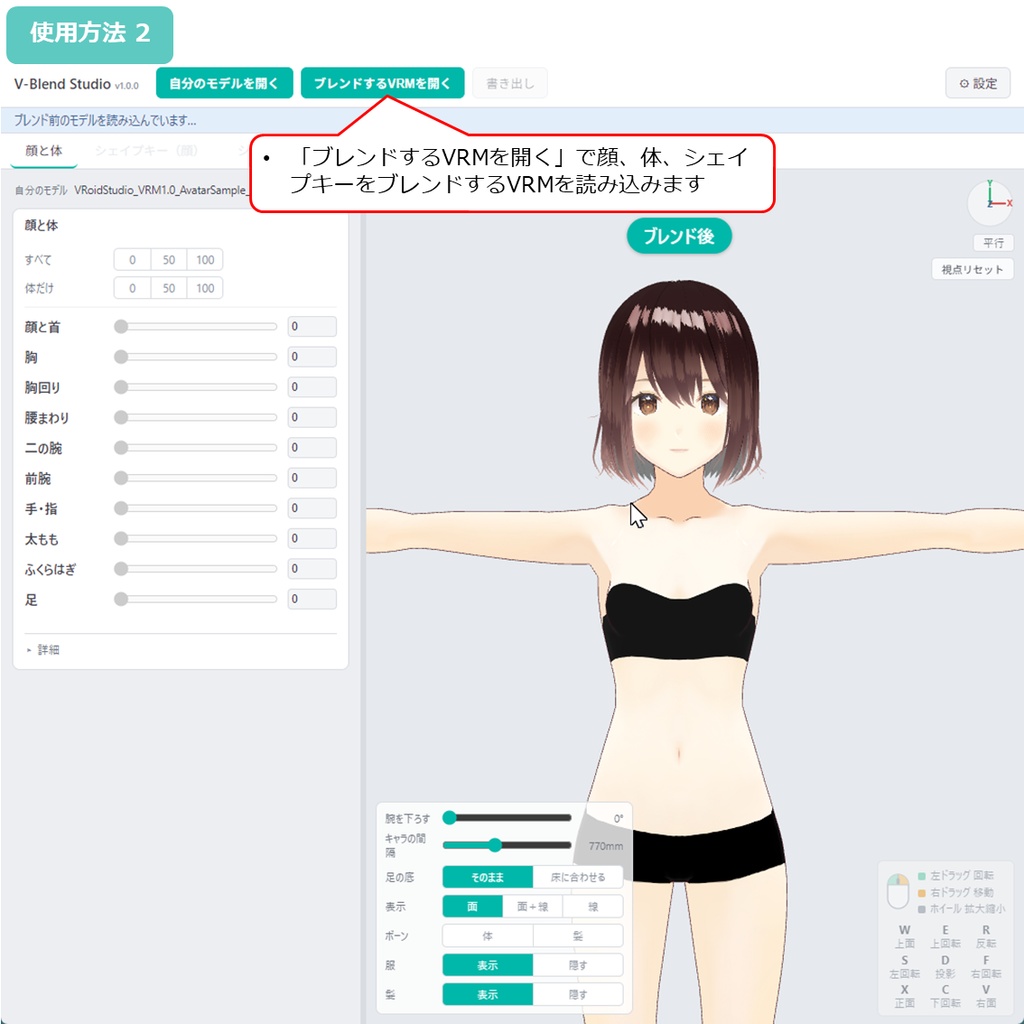
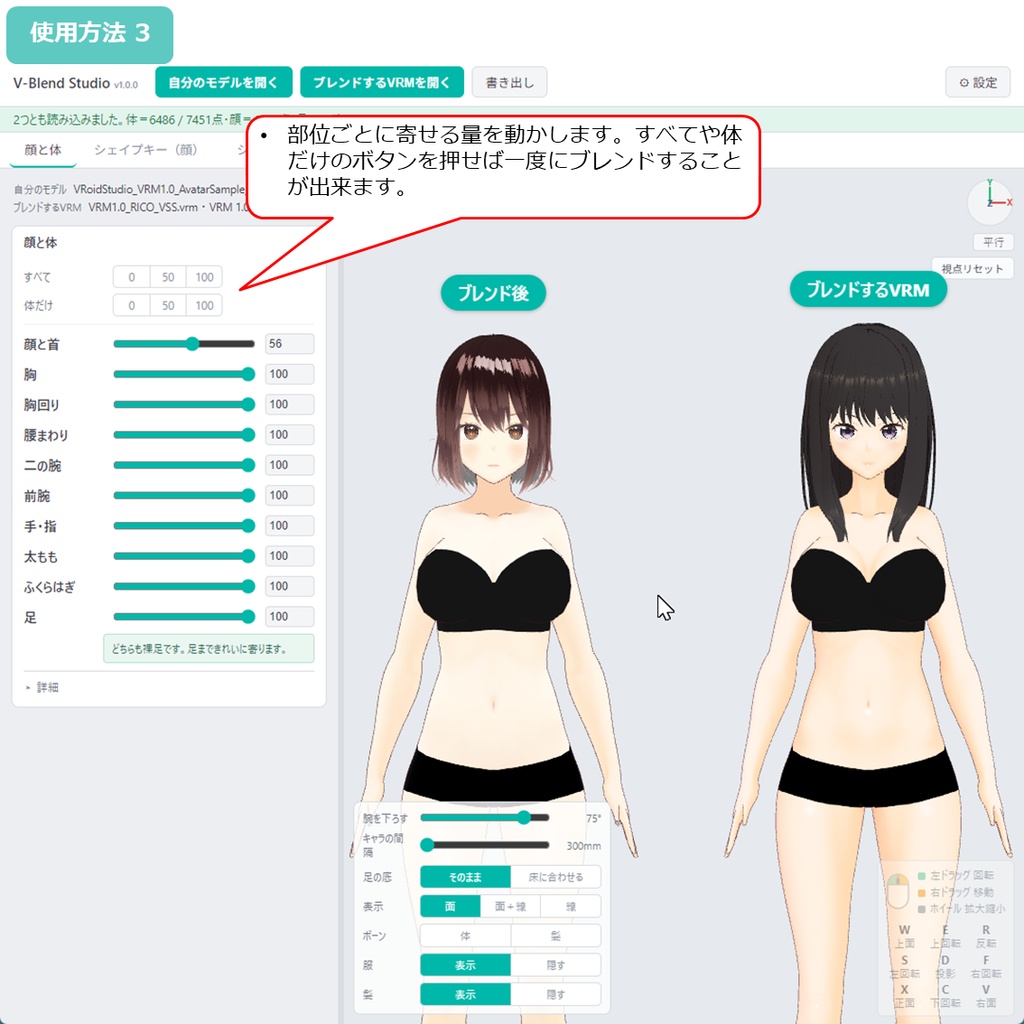
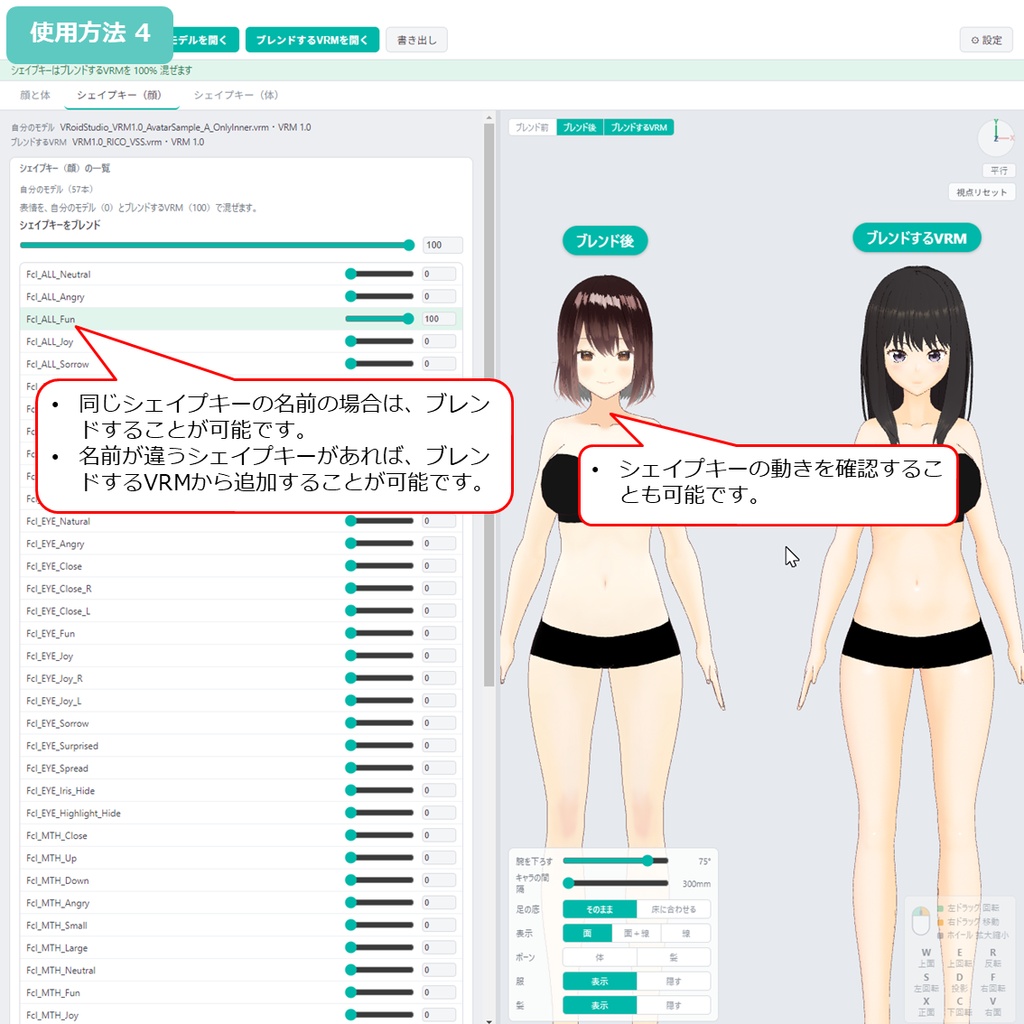
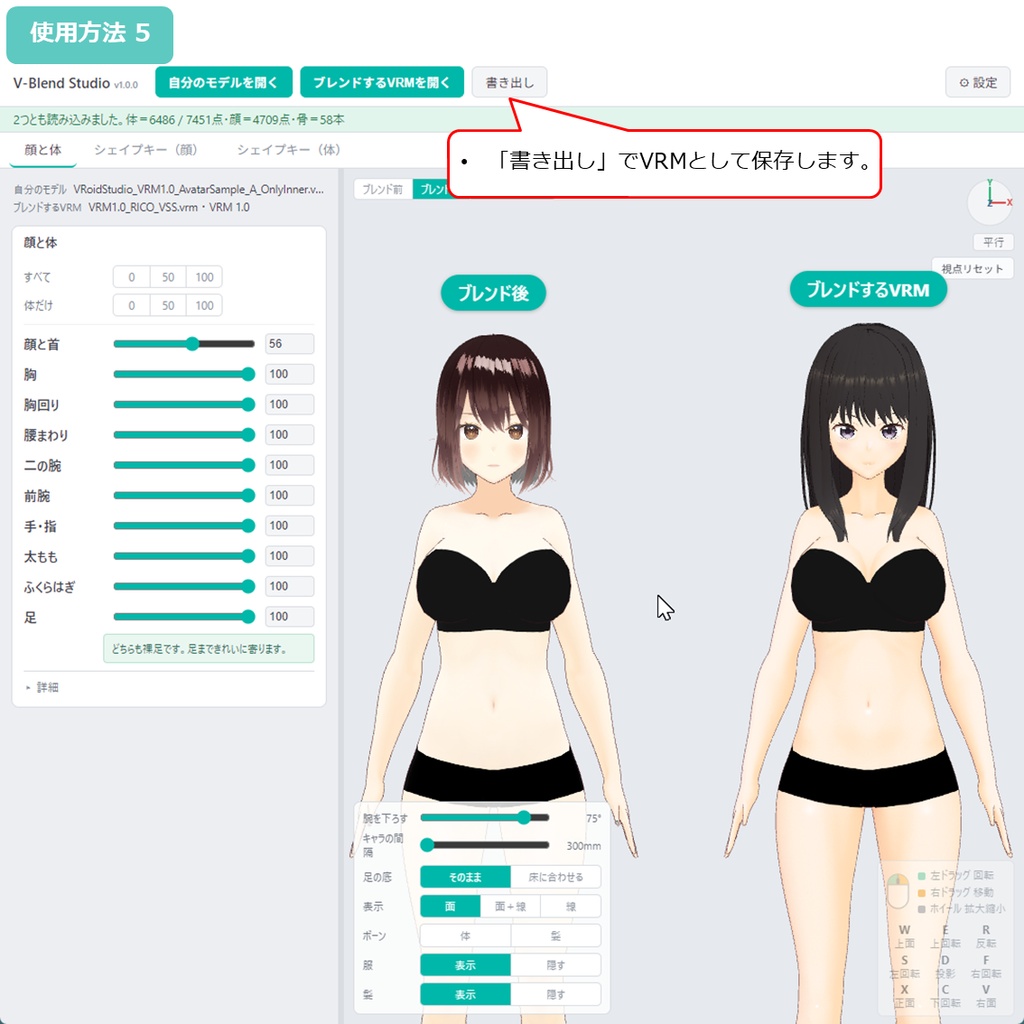
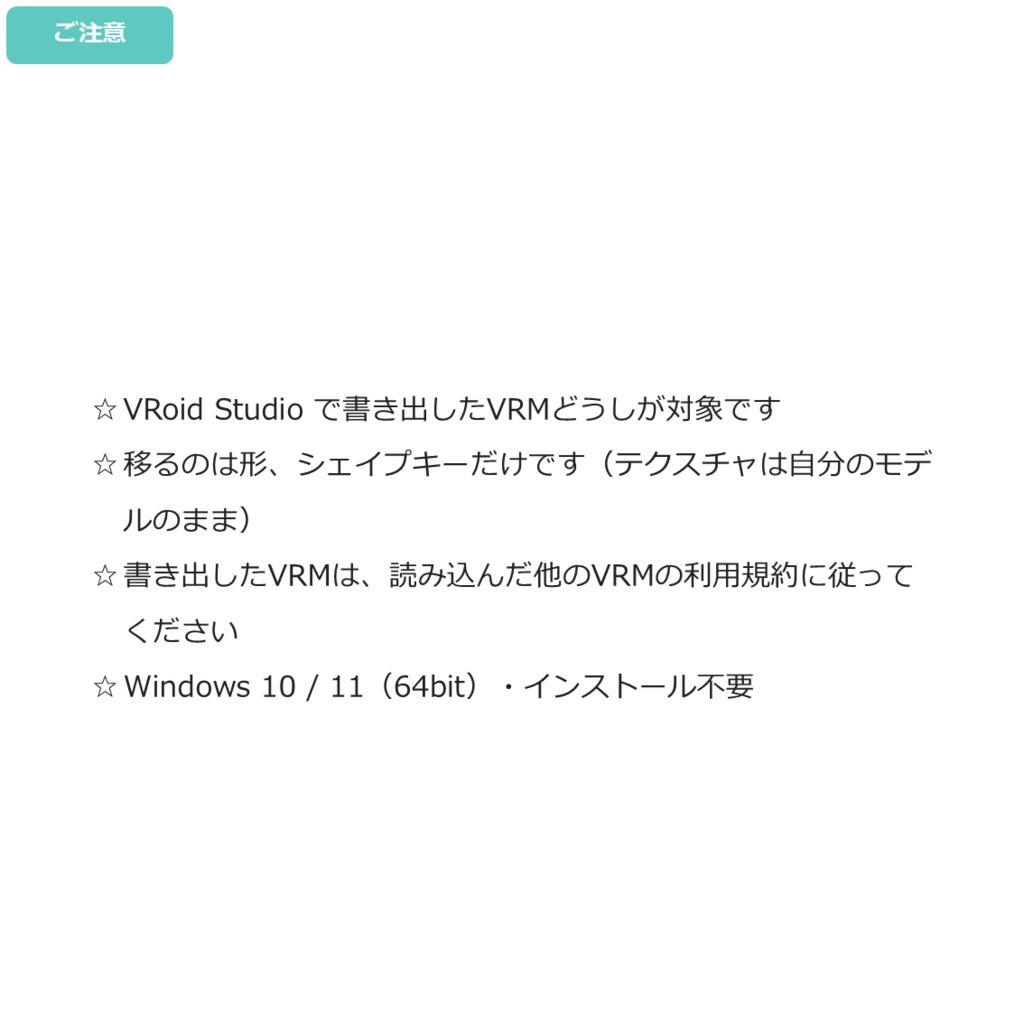


◆商品概要 お気に入りのVRoidモデルの顔立ちや体つきに、自分のVRMを近づけたい。 でも一から作り直すと、もう自分のVRMではなくなってしまう。 表情のシェイプキーだけでも移せたら、と思ったことはありませんか。 V-Blend Studio は、他のVRMの顔と体の形を、自分のVRMへブレンドするWindows用ツールです。VRMを2つ読み込み、部位ごとに寄せる量を決めて書き出します。 ☆ 顔立ちだけを寄せて、体つきは自分のまま。 ☆ 体つきだけを寄せて、顔立ちは自分のまま。 ☆ 表情のシェイプキーだけを移す。 寄せる量は部位ごとに0から100。境目に段差は出ません。骨も一緒に寄るので、身長や手足の長さ、頭身のつり合いまで近づきます。 シェイプキーは、両方が持っているものを割合で混ぜられ、自分のモデルに無いものは選んで追加できます。追加したものはVRMの表情の一覧にも入るので、他のアプリでそのまま動かせます。 VRM 0.x と 1.0 のどちらも読み込め、2つのモデルで版が違ってもかまいません。服・髪・眼鏡は体の変化に合わせて付いてきます。元のVRMファイルは変更されません。 こんな寄せ方をしてほしい、というご要望があれば、Xでフォローいただいてメッセージをください。対応を検討します! ◆主な機能 ・他のVRMから顔と体の形を取り込み(部位ごとに0〜100) ・10部位のつまみ(顔と首/胸/胸回り/腰まわり/二の腕/前腕/手・指/太もも/ふくらはぎ/足) ・まとめて変えるボタン(すべて/体だけ) ・骨も一緒に寄る(身長・手足の長さ・頭身のつり合い) ・シェイプキーの混ぜ合わせ(顔・体の2タブ) ・自分のモデルに無いシェイプキーの追加 ・服・髪・眼鏡が体の変化に付いてくる ・服の大きさの微調整(部位ごと) ・VRM 0.x / VRM 1.0 両対応(2つの版が違ってもよい) ・並べて見比べ/服・髪を隠して形を確認/ボーン表示 ・日本語・英語対応 ・完全オフライン動作 関連アイテムはこちら! 体型を整えるならこちら。 【VRM】V-Shape Studio - 186項目の体型調整ツール https://h3a.booth.pm/items/8506445 ちびキャラにしたい方はこちら。 【VRM】V-Chibi Studio - VRMをちびキャラに変換 https://h3a.booth.pm/items/8698259 ◆内容 V-Blend Studio 本体 取扱説明書(日本語) 利用規約 ◆使用方法 1. ZIPを展開 2. V-Blend Studio.exe を起動 3. 「自分のモデルを開く」で自分のVRMを読み込み 4. 「ブレンドするVRMを開く」でブレンドしたいVRMを読み込み 5. 部位ごとに寄せる量を動かす 6. シェイプキーはタブを切り替えて選ぶ 7. 「書き出し」で保存 (使用動画) https://x.com/H3Atelier/status/2090636470801539122 ◆ご注意 ・書き出したVRMには、寄せた形と追加したシェイプキーというかたちで、読み込んだ他のVRMに由来する部分が含まれます。ご自身で使う場合も、配布・販売する場合も、そのVRMの利用規約に従ってください。 ・VRoid Studio で書き出したVRMどうしが対象です。他のツール製や、Blenderなどで構造を大きく変えたVRMでは正しく寄りません。 ・移るのは形だけです。目や肌の絵(テクスチャ)は自分のモデルのままなので、そっくりになるわけではなく、「面影が似る」くらいが目安です。 ・靴や靴下を履いたVRMは、足だけ大きさを合わせる動きになります。足まで寄せたいときは裸足のVRMをお使いください。 ・服や髪は体の変化に付いてきますが、形の差が大きいと追いつかないことがあります。その部位の量を下げると和らぎます。 ・動作環境:Windows 10 / 11(64bit)。インストール不要。 ◆更新履歴 2026年8月21日 v1.0.0 公開 --- ◆About You want your own character to look a little more like that VRoid model you love. But rebuilding her from scratch means she is no longer your character. And moving just the facial shape keys has never been easy. V-Blend Studio is a Windows tool that takes the face and body shape from another VRM and blends it into yours. Load two VRM files, set how much to blend for each part, and export. ☆ Blend only the face and keep your own body. ☆ Blend only the body and keep your own face. ☆ Move just the facial shape keys. The amount is set per part, from 0 to 100, with no visible seam between parts. Bones are blended too, so height, limb length and proportions come across as well. Shape keys both models have are mixed at the ratio you choose, and keys only the other model has can be selected and added. Added keys join the VRM expression list, so they work in other apps right away. Both VRM 0.x and VRM 1.0 can be loaded, and the two models do not have to be the same version. Clothes, hair and glasses follow the body as it changes. Your original file is never modified. If there is a way of blending you would like to see, follow me on X and send a message. I will look into it! ◆Main features - Take face and body shape from another VRM (0-100 per part) - 10 part sliders (face & neck / breasts / chest / hips / upper arms / forearms / hands / thighs / calves / feet) - Bulk buttons (Set all / Body only) - Bones are blended too (height, limb length, proportions) - Shape key blending (face and body tabs) - Add shape keys your model does not have - Clothes, hair and glasses follow the body - Fine adjustment of clothing size, per part - VRM 0.x / VRM 1.0 supported, and the two files may differ - Side-by-side comparison, hide clothes or hair, bone display - Japanese and English UI - Works fully offline Related items! To adjust the body shape. [VRM] V-Shape Studio - 186 body shape sliders https://h3a.booth.pm/items/8506445 To make a chibi version. [VRM] V-Chibi Studio - turn a VRM into a chibi https://h3a.booth.pm/items/8698259 ◆Contents V-Blend Studio Manual (Japanese) Terms of use ◆How to use 1. Extract the ZIP 2. Run V-Blend Studio.exe 3. Load your own VRM with "Open your model" 4. Load the VRM to take the shape from with "Open the VRM to blend" 5. Move the part sliders under "Face & body" 6. Switch tabs to pick shape keys as well 7. Save with "Export" (Movie) https://x.com/H3Atelier/status/2090636470801539122 ◆Please note - The exported VRM contains parts derived from the VRM you loaded, in the form of the blended shape and any added shape keys. Whether you use it yourself or distribute or sell it, please follow the terms of use of that VRM. - Both files must be VRM from VRoid Studio. VRM from other tools, or heavily edited in Blender, will not blend correctly. - Only the shape is transferred. Eye and skin textures stay yours, so expect a family resemblance rather than a copy. - If either model wears shoes or socks, the feet are matched in size only. For feet that blend fully, use barefoot VRM. - Clothes and hair follow the body, but may not keep up when the difference is large. Lower the amount for that part to help. - Requirements: Windows 10 / 11 (64bit). No installation. ◆Update history Aug 21, 2026 v1.0.0 Released