

Yuki's Game Light v2.0.0 - VRCのゲームワールドの画面を明るくすることに特化したプラグイン
- Yuki's Game Light v2.0.0ダウンロード商品¥ 0
- [Old / 旧バージョン] Yuki's Game Light v1.1.1ダウンロード商品¥ 0


● v2.0.0 ================= - 2.0.0 は互換性のないアップデートです。インストールする前に、旧バージョン(1.x)を削除してください!(2.0.0 is a breaking update. Please remove the previous 1.x version before installing!) - プラグインの導入方式がアップデートされました!現在はプラグインを好きな場所に配置でき、さらにプラグインのルートオブジェクト名も自由に変更できます。これまでの ======○○○====== の区切り線による整理方法は不要になり、実際にオブジェクトを1つ作成してフォルダーのようにプラグインを整理できるようになりました! ただし、ルートオブジェクト以外の内部オブジェクトについては、名前や構造を変更しないでください。 - 自動露出機能を追加しました。 ======================= ● v1.1.1 - Intensity Tree の Blend Tree ファイルを削除しました。 ● v1.1.0 - アニメーターが機能しなくなる不具合を修正、完全に使用できないバージョンをアップロードしてしまい、申し訳ありません。😞 (Fix the Animator Failure.I'm very sorry for uploading a completely unusable version.😞)
日本語(AIの翻訳)
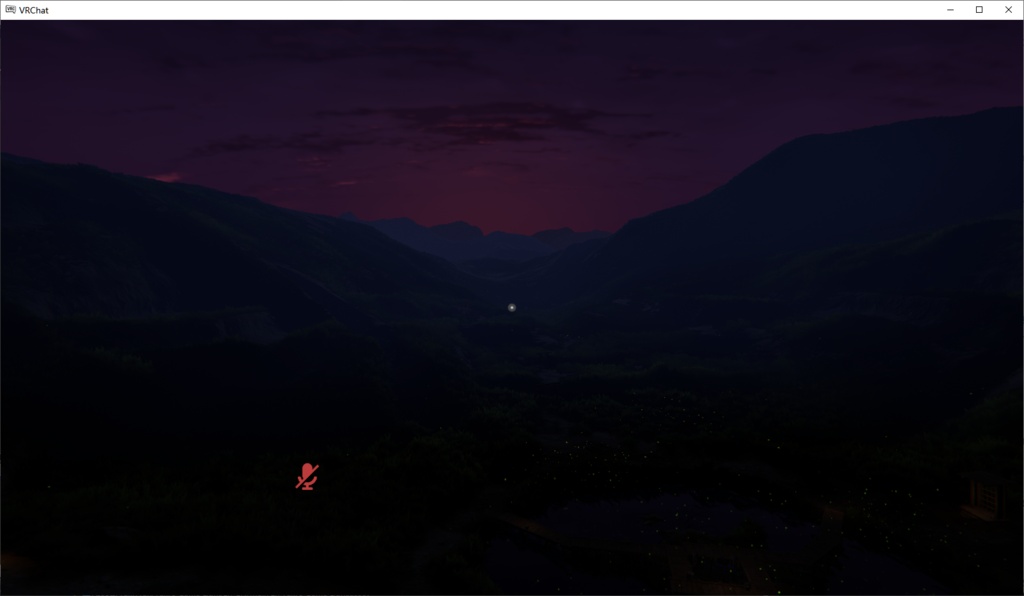
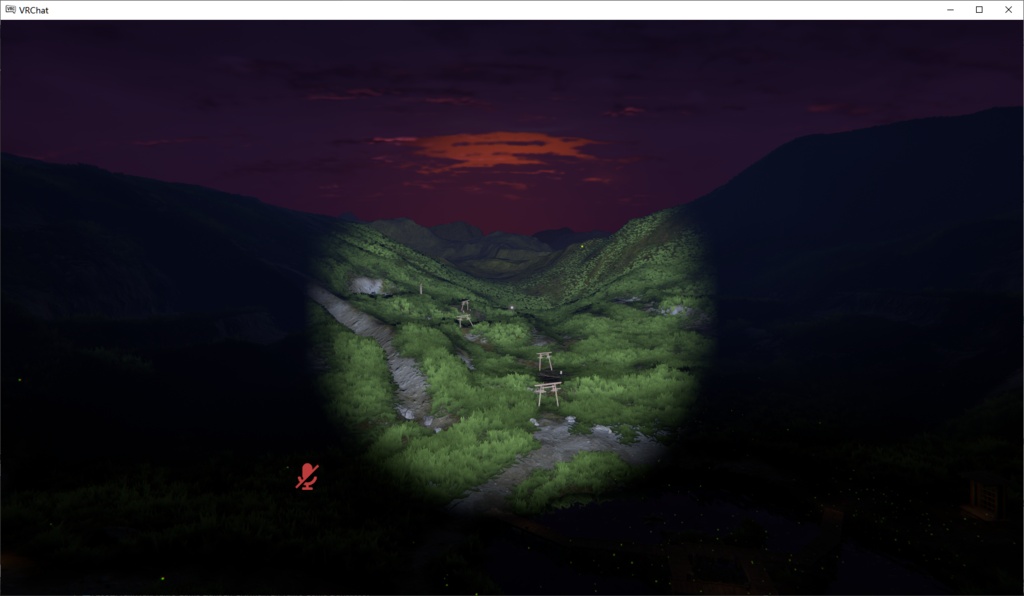
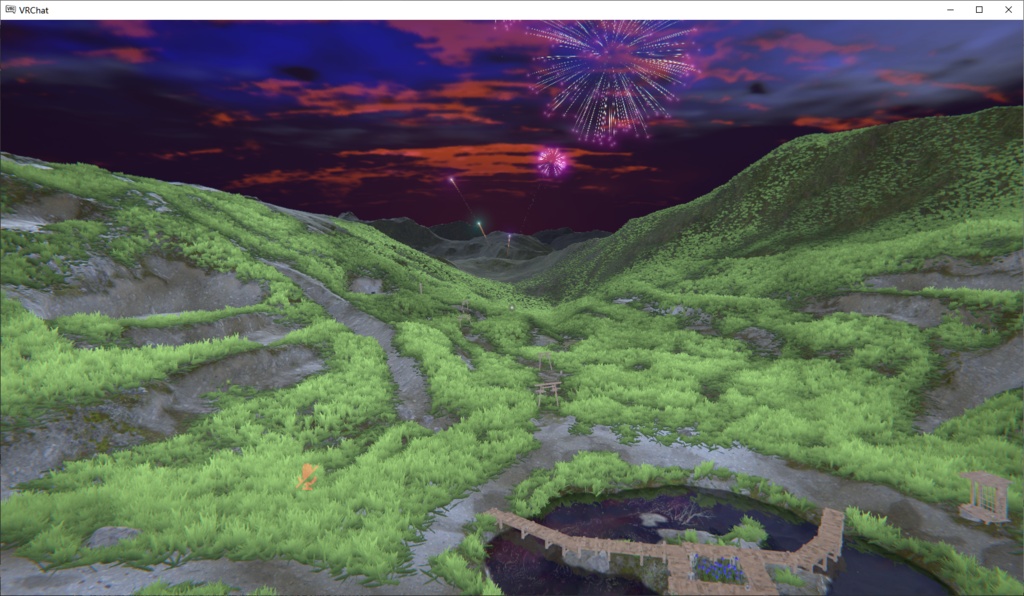
Yuki's Game Light は、ゲームワールドの画面の明るさを向上させることに特化した VRChat Avatar 用機能プラグインです。 2種類のライト構成と画面処理を組み合わせ、色の判別性を可能な限り維持しながら、暗い場所や霧の中のシーンの視認性を向上させます。また、自動露出機能も内蔵しています。
使用方法:
必要な依存パッケージ:Modular Avatar プラグインの導入方式がアップデートされました!現在はプラグインを好きな場所に配置でき、さらにプラグインのルートオブジェクト名も自由に変更できます。これまでの ======○○○====== の区切り線による整理方法は不要になり、実際にオブジェクトを1つ作成してフォルダーのようにプラグインを整理できるようになりました! ただし、ルートオブジェクト以外の内部オブジェクトについては、名前や構造を変更しないでください。
注意事項
本プラグインは Write Defaults Off を前提に制作されています。使用中にライトが異常にちらつく場合は、本プラグインに関連するアニメーションの Write Defaults Off 設定が変更されていないか確認してください。 変換が正常に機能しない場合は、Avatar のルートノードにある VRC Avatar Descriptor → Playable Layers → Base → FX を確認してください。空欄になっている場合は、空の Animator Controller を作成して、そのスロットにドラッグしてください。
オブジェクト名を変更しないでください
プラグイン内部のオブジェクト名や構造を不用意に変更しないでください。本プラグインの Animator Controller はあらかじめ設定されたオブジェクト名と構造に依存しているため、オブジェクト名や構造を変更すると、一部の機能が正常に動作しなくなる可能性があります。
クレジット
Launchpad Icons https://kurone-kito.github.io/launchpad-icons/ Copyright (c) Kuroné Kito (黒音キト) Jinxed Icons https://dontjinxit.gumroad.com/l/JinxedIcons dont_jinxit
主な機能
対角ディレクショナルライト
2つの Directional Light の角度を、立方体空間の対角線方向になるように調整したものです。大部分の角度を照らすことができますが、それでも照らせないごく小さな角度の輪が残ります。Directional Light はスポットライトと異なり、距離によって明るさが減衰しません。
霧軽減
シェーダーによって画面のピクセルを処理し、非負の小数対数を用いた非線形な明るさ補正によって、色の判別性を可能な限り維持しながら明るさを向上させ、HDR によるグレアの発生を抑えます。
自動露出
シェーダーと CRT チェーンを使用して、画面の明るさを自動的に調整します。この機能にはカメラが含まれているため、最適化が不十分なワールドで使用すると、カクつきが悪化する場合があります。
明るさ記憶
2種類のライト構成にはそれぞれ独立した明るさ記憶機能があります。ライト構成を切り替えると、前回設定した明るさが自動的に復元されます。
自動視点設定スクリプト
プラグインには視線ポイントを自動設定するスクリプトが同梱されています。オブジェクト名に「$AutoView_[パラメータ]」と記述するだけで対応機能を有効化できます。
作者: Yuki_Tyan
English(AI translated)
Yuki's Game Light is a VRChat Avatar utility focused on improving the brightness of game worlds. It uses two lighting combinations and screen processing to improve visibility in darker areas and foggy scenes while preserving color distinction as much as possible. It also includes an auto exposure feature.
Installation
Required dependency: Modular Avatar The plugin's installation logic has been upgraded! You can now place the plugin anywhere and freely rename the plugin's root object. You no longer need the ======XXX====== separator-style method for organizing the plugin. Instead, you can simply create an object and use it as a folder to organize the plugin! However, please note that the names and structure of internal objects other than the root object must still not be modified.
Notes
This plugin is designed to work with Write Defaults Off. If you experience abnormal light flickering while using the plugin, please check whether the Write Defaults Off settings in the related animations have been modified. If transformations do not work, please check VRC Avatar Descriptor → Playable Layers → Base → FX on the Avatar root node. If it is empty, create an empty Animator Controller and drag it into the slot.
Do Not Rename Objects
Please do not arbitrarily modify the names or structure of objects inside the plugin. The plugin's Animator Controllers rely on the preset object names and structure, and changing them may cause some features to stop working correctly.
Credits
Launchpad Icons https://kurone-kito.github.io/launchpad-icons/ Copyright (c) Kuroné Kito (黒音キト) Jinxed Icons https://dontjinxit.gumroad.com/l/JinxedIcons dont_jinxit
Features
Diagonal Directional Light
Consists of 2 directional lights angled along the diagonals of a cubic space. It can cover lighting from most angles, but there is still a very small ring of angles that cannot be illuminated. Unlike a spotlight, the brightness of a directional light does not fall off with distance.
Fog Reduction
Processes screen pixels through a shader and uses a nonlinear brightness curve based on non-negative fractional logarithms to increase brightness while preserving color distinction as much as possible and preventing HDR glare.
Auto Exposure
Automatically adjusts screen brightness through a shader and a CRT chain. This feature includes a camera, so using it in poorly optimized worlds may increase stuttering.
Brightness Memory
Both lighting combinations have independent brightness memory. When switching between lighting combinations, the brightness is automatically restored to the previously used setting.
Auto Viewpoint Script
The plugin includes a script for automatically setting the viewpoint. Simply include "$AutoView_[parameter]" in the object's name to enable the corresponding feature.
Author: Yuki_Tyan