

Pikumochi‘s Hover Locomotion
- ダウンロード商品¥ 1,000
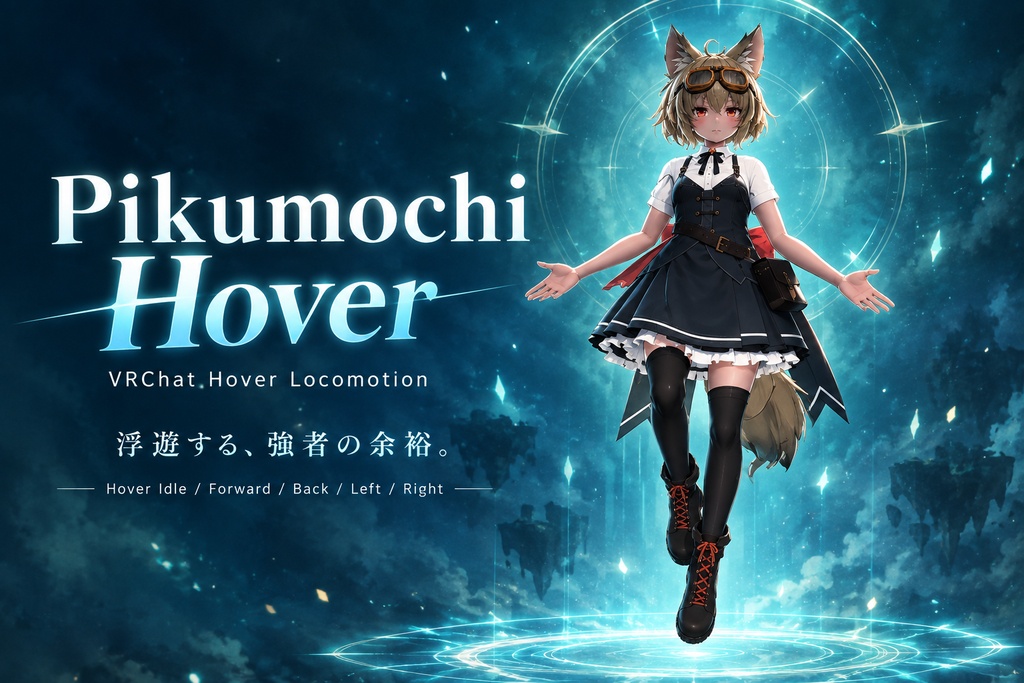

Pikumochi Hover 浮遊する、強者の余裕。 VRChatで使用できる、ホバー・ロコモーション用アニメーションです。 地面を歩くのではなく、空中に浮いたまま移動することで、 普段とは少し違ったスタイルでアバターを動かすことができます。 Hover Idle / Forward / Back / Left / Right の5種類を収録。 空中を漂うような移動や、 「地面に立っていない」ようなキャラクター表現を楽しみたい方におすすめです。 ----------------------------------------------------------------------------------------- Pikumochi Hover Float with the confidence of a powerful being. A hover locomotion animation set for VRChat. Instead of walking on the ground, your avatar can move while floating in the air, giving your character a unique and powerful presence. The package includes 5 hover animations for idle and directional movement.
主な特徴:Features
・Hover Idle ・Hover Forward ・Hover Back ・Hover Left ・Hover Right VRChat用Animator Controller付き Expression MenuからHoverのON / OFFが可能 既存のGesture / Action / Additive / FXを維持したまま導入可能 5方向の移動に対応 ------------------------------------------------------------ ・Hover Idle ・Hover Forward ・Hover Back ・Hover Left ・Hover Right VRChat-ready Animator Controller Toggle Hover ON / OFF from the Expressions Menu Designed to work alongside your existing Gesture / Action / Additive / FX layers Includes 5 directional hover animations
📦内容物:Contents
Pikumochi_Hover_v1.0.0 ├─ Controllers │ ├─ Pikumochi_Hover_Base.controller │ ├─ Pikumochi_Hover_VRCExpressionParameters │ └─ Pikumochi_Hover_VRCExpressionsMenu │ ├─ Animations │ ├─ Hover_back.anim │ ├─ Hover_forward.anim │ ├─ Hover_idle.anim │ ├─ Hover_left.anim │ └─ Hover_right.anim │ └─ Documentation └─ README.txt
🛠導入方法:Installation
UnityPackageをインポート後、 同梱のREADMEに記載されている手順に沿って設定してください。 基本的な導入手順は以下の通りです。 1. Base Controllerを設定 ※【重要】 Pikumochi_Hover_Baseを設定すると、 現在使用しているBase Controllerが置き換わります。 導入前に、必ず元のBase Controllerをバックアップしてください。 アバターの VRC Avatar Descriptor → Playable Layers → Base に Pikumochi_Hover_Base を設定します。 2. Expressions Menuを設定 既存のExpressions Menuに、 Hover / Toggle を追加します。 使用するパラメータ名: Hover 3. Expression Parametersを設定 既存のExpression Parametersに、 Hover / Bool を追加します。 詳しい手順は同梱のREADMEをご確認ください。 ------------------------------------------------------------ Import the UnityPackage into your Unity project and follow the instructions in the included README. 1. Set the Base Controller IMPORTANT: Pikumochi_Hover_Base replaces your current Base Controller. Please back up your original Base Controller before installation. Open your avatar's: VRC Avatar Descriptor → Playable Layers → Base and assign: Pikumochi_Hover_Base 2. Set up the Expressions Menu Add a new Toggle control to your existing Expressions Menu. Set the parameter to: Hover 3. Add the Expression Parameter Add the following parameter to your existing Expression Parameters: Name: Hover Type: Bool For detailed instructions, please refer to the included README.
⚠️ 導入時の注意:Important
既存のアバター設定を使用する場合、 Expression Parameters / Expressions Menuをそのまま置き換えないようご注意ください。 既存の設定を残したまま、Hover を追加する方法を推奨しています。 また、Controllersフォルダーには Pikumochi_Hover_VRCExpressionParameters Pikumochi_Hover_VRCExpressionsMenu も同梱しています。 既存の設定を上書きしても問題ない場合は、こちらを使用することもできます。 既存のExpression Parameters / Expressions Menuを使用している場合は、上書きによって既存の設定が失われる可能性があります。 ------------------------------------------------------------ If your avatar already has an existing Expressions Menu / Expression Parameters, we recommend adding the Hover parameter and Toggle to your existing setup instead of replacing it. The package also includes: Pikumochi_Hover_VRCExpressionParameters Pikumochi_Hover_VRCExpressionsMenu These can be used if you are okay with replacing your existing settings. Please note that replacing your existing Expression Parameters or Expressions Menu may remove your current settings.
💻 対応環境:Requirements
VRChat Unity VRChat SDK - Avatars ※VRChat / Unity / SDKのアップデート等により、導入方法や動作が変更される場合があります。 ------------------------------------------------------------ VRChat Unity VRChat SDK - Avatars The appearance and behavior of the animation may vary depending on the avatar and its setup.
📌 注意事項:Notes
・本商品はVRChat向けのアニメーション・Animator Controllerです。 ・アバターによってモーションの見え方が異なる場合があります。 ・アバター本体は付属しません。 ・使用しているアバターや他のAnimator設定によっては、正常に動作しない場合があります。 ・本商品を使用するには、VRChatアバターのアップロード環境が必要です。 ------------------------------------------------------------ ・This product is an animation and Animator Controller package for VRChat. ・The avatar shown in the promotional images/videos is not included. ・Compatibility may be affected by future VRChat, Unity, or SDK updates. ・Some avatars or custom Animator setups may require additional adjustments.
📜 利用規約:Terms of Use
OK ・購入者本人が所有・使用するVRChatアバターへの導入 ・改変して自分のアバターに使用すること ・VRChat内での使用 ・動画・配信・スクリーンショット等での使用 NG ・本商品のデータそのものの再配布 ・本商品のデータを第三者へ譲渡・共有すること ・本商品を使用したデータを、元データを取得できる状態で販売・配布すること ・本商品を利用したアニメーションやAnimator Controller等を、本商品の購入者以外が利用できる形で再配布すること ※本商品のデータそのものを再販売・再配布することは禁止しています。 ------------------------------------------------------------ Allowed ・Using the product on VRChat avatars owned by you ・Modifying the animations for personal use ・Using the product in VRChat ・Using screenshots, videos, and streams featuring the product Not Allowed ・Redistributing or reselling the original product files ・Sharing the product files with other users ・Giving the original files to people who have not purchased the product ・Redistributing modified versions in a way that allows others to obtain or extract the original product data Redistribution and resale of the original product data are prohibited.
使用モデルについて:Model Credit
商品紹介動画・画像には 「RadDollV3」を使用しています。 Model:三丁目の魔界 様 https://booth.pm/ja/items/3741802 ※本商品にアバターモデルは含まれていません。 ------------------------------------------------------------ The model used in the product showcase video and images is: RadDollV3 Model: @三丁目の魔界 https://booth.pm/ja/items/3741802 ※ The avatar model is not included with this product.