

【全アバター対応】ネオン輝くサイバーウィングのタトゥー【ワンクリック導入・5色・lilToon・VRChat】
- ダウンロード商品¥ 350
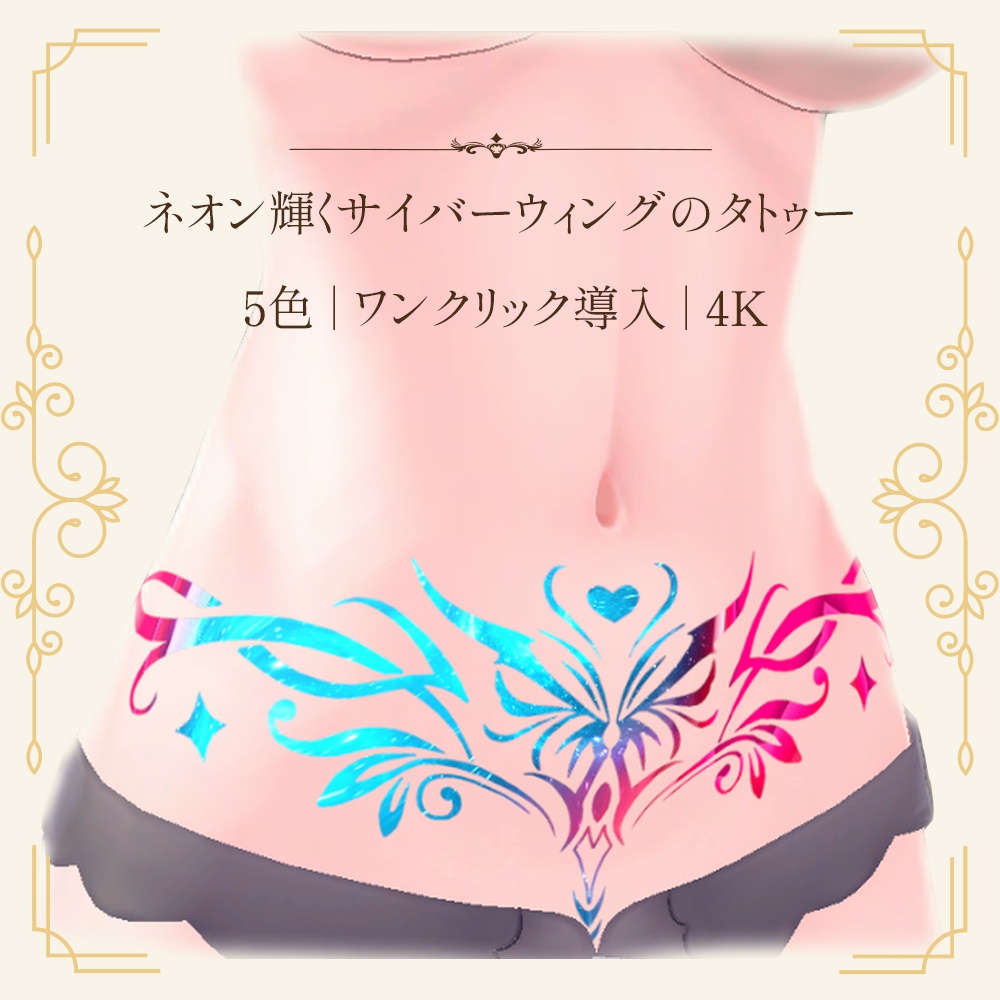
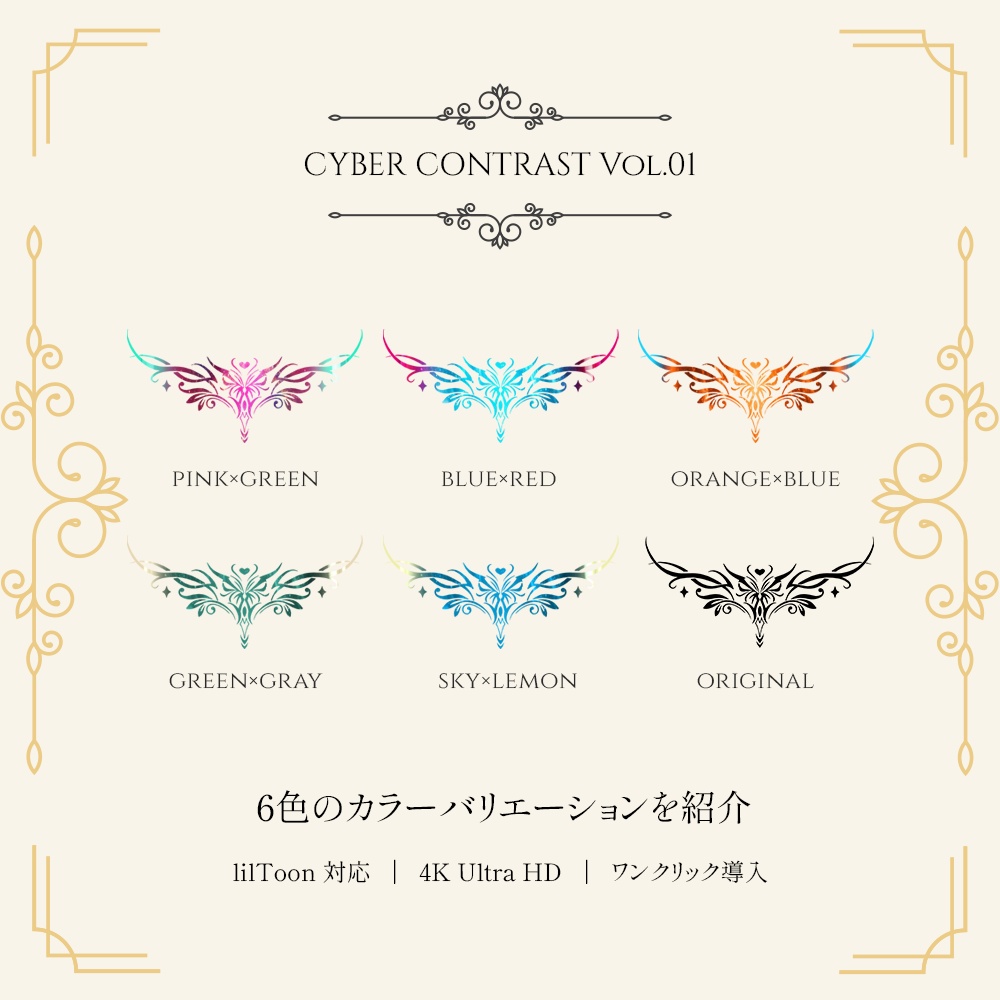


🎃 ハロウィン限定半額セール:50% OFF(700円 → 350円) 期間:10月29日〜11月1日まで! ✦ぜひショップをフォローして、今後の新作やセール情報をお見逃しなく! ▶商品概要 本商品はVRChat向けアバター用のサイバー風タトゥーデカールです。 ※【専用ワンクリック導入ツール付属】Unity上でアバターをドラッグ&ドロップするだけで即座に装着完了 ・全アバター対応 ・高質感なサイバーコントラストネオン流光5種(クラシックな漆黒ベースも付属) ・4096×4096 極清解像度 ・自由度が高く、身体だけでなく衣装、武器、小物・アクセサリーなどのアイテムにも貼り付け可能 ▶導入方法 【方法A:ワンクリック導入ツール(推奨・最も簡単)】 ①本`.unitypackage`をお使いのUnityプロジェクトへインポートします。 ②Unity上部メニューの`ツール` (Tools) > `HeartWing Universal Tattoo Studio`をクリックしてウィンドウを開きます。 ③画面左のHierarchyから、装着したいアバター(またはBodyメッシュ)をツール上部の選択欄へドラッグ&ドロップします。 ④お好みのカラーボタンをクリックするだけで、タトゥーが一瞬でアバターに適用されます! ※ツール内では胸部/下腹部のクイック位置切替、サイズ拡縮、流光反射強度のリアルタイムスライダー微調整、およびワンクリックでの完全消去に対応しています。 【方法B:手動での導入(従来のlilToonデカール方式)】 ①対象アバターのボディマテリアルを開きます(最新版のlilToonシェーダー推奨)。 ②「メインカラー2nd (Main Color 2nd)」スロットに黒タトゥーテクスチャを割り当て、「デカール化」にチェックを入れます。 ③「MatCap 2nd」スロットにお好みのサイバー流光テクスチャ、マスクスロットに白マスクテクスチャを割り当てます。 ④マテリアル設定内でお好みのサイズ、位置、角度に調整してください。 ✦アバター本体のUVシームの影響などで一部が見切れる場合は、ペイントソフト等を用いて直接ボディテクスチャへ重ねてご使用ください。 ▶内容物 ・UnityPackageファイル(ワンクリック導入ツール、設定済みマテリアル、シェーダー設定一式) ・サイバーMatCap流光テクスチャ 5種 ・基本タトゥーテクスチャ 2种(背景透過PNG / 4096×4096px) - 白(マスク・発光用 / WhiteMask) - 黒(ベースインク用 / OriginalBlack) ・ワンクリック導入ツール説明書 ▶動作環境・仕様 ・ファイル形式:UnityPackage / 背景透過PNG ・タトゥー解像度:4096×4096px ・推奨シェーダー:lilToon ・対応環境:VRChat / Unity / およびlilToonを扱える3D環境全般 ▶利用規約 本データを購入・ダウンロードした時点で、本利用規約に同意したものとみなします。 【許可事項】 ・個人利用 ・VRChat等のメタバースプラットフォームでの使用 ・モデルの改変、色変更、サイズ調整 ・本商品を着用したアバターによるスクリーンショット、動画配信、配信活動(収益化を含む) 【禁止事項】 ・本データ(改変の有無を問わず)の再配布、再販売、譲渡、共有(アバターのパブリック化を含む) ・自作発言 ・政治、宗教活動、または他者への誹謗中傷を目的とした利用 ▶著作権・免責事項 ・本商品の著作権は制作者に帰属します。購入・ダウンロードにより得られるのは利用権であり、著作権が譲渡されるものではありません。 ・改変を行った場合でも、著作権は制作者に帰属します。 ・本商品を使用することで発生したいかなるトラブル、損失、損害に対しても、制作者は一切の責任を負いません。 ・デジタル商品の特性上、購入・ダウンロード後の返品・返金はできません。 ▶注意事項 ・本商品にアバター本体、衣装、装飾品などは含まれません。 ・商品画像は着用イメージです。 ・本商品はlilToonのデカールおよびMatCap加算機能を前提として制作しております。ワールドのライティング環境やシェーダーのバージョンにより、見え方が異なる場合があります。 ・本パッケージをインポートする前に、Unityプロジェクトへあらかじめ最新版の【lilToon】を導入してください。 ———————————————————————————— [Release Celebration Sale!] To celebrate the new release, enjoy a special limited price of 500 JPY for the first week! (※ The price will return to the regular price of 700 JPY after one week, so be sure to grab it early!) ✦ Follow our shop so you never miss future releases and exclusive discounts! ▶ Product Overview Cyberpunk virtual tattoo decal designed specifically for VRChat avatars. ※ [Includes Exclusive 1-Click Installer] Simply drag and drop your avatar in Unity to equip instantly ・ Universal support for all avatars ・ 5 high-quality cyber contrast neon glowing styles (Classic pure black ink also included) ・ Ultra-clear 4096×4096 resolution ・ High flexibility: Can be applied not only to the body, but also as decals on clothing, weapons, and accessories ▶ How to Import [Method A: 1-Click Install Tool (Recommended / Easiest)] ① Import this `.unitypackage` into your Unity project; ② In the Unity top menu bar, click `Tools` (or `ツール`) > `HeartWing Universal Tattoo Studio` to open the studio window; ③ From the Hierarchy window on the left, drag and drop the avatar (or Body mesh) you want to equip into the top slot; ④ Simply click your favorite color button, and the tattoo will be instantly applied to the avatar! ※ The tool provides quick positioning presets (Chest / Lower Abdomen), real-time sliders for scale, offset, and cyber reflection intensity, as well as a 1-click complete removal button. [Method B: Manual Setup (Traditional lilToon Decal Method)] ① Open the target avatar's body material (Latest lilToon shader recommended); ② Assign the black tattoo texture to the "Main Color 2nd" slot and check "As Decal"; ③ Assign your desired cyber MatCap texture to the "MatCap 2nd" slot, and the white mask texture to its Mask slot; ④ Adjust the size, position, and rotation as desired within the material settings. ✦ If parts of the decal appear cut off due to avatar UV seam limitations, you can use image editing software to layer it directly onto the base body texture. ▶ Package Contents ・ UnityPackage file (Includes 1-click tattoo tool, preconfigured materials, and shader settings) ・ 5 Cyber MatCap textures ・ 2 Base tattoo textures (Transparent PNG / 4096×4096px) - White (Mask / Emission / WhiteMask) - Black (Base Ink / OriginalBlack) ・ 1-Click Tattoo Tool manual ▶ System Requirements & Specifications ・ File formats: UnityPackage / Transparent PNG ・ Tattoo resolution: 4096×4096px ・ Recommended shader: lilToon ・ Supported platforms: VRChat / Unity / and all 3D environments supporting lilToon ▶ Terms of Use By purchasing or downloading this product, you agree to these Terms of Use. [Allowed] ・ Personal use ・ Use within metaverse platforms such as VRChat ・ Modifications, color adjustments, and resizing ・ Screenshots, video streaming, and broadcasting with avatars wearing this item (Monetization included) [Prohibited] ・ Redistribution, resale, transfer, or sharing of this data (modified or unmodified, including public avatar cloning) ・ Claiming this work as your own ・ Use for political, religious activities, or defamatory purposes against others ▶ Copyright & Disclaimer ・ All copyrights to this product belong entirely to the creator. Purchasing/downloading grants usage rights, not transfer of copyright. ・ Copyright remains with the creator even if modifications are made. ・ The creator assumes no responsibility for any trouble, loss, or damages incurred from using this product. ・ Due to the nature of digital goods, refunds and returns cannot be accepted after purchase/download. ▶ Important Notes ・ This product does not include avatar models, clothing, or other accessories. ・ Promotional images are for demonstration purposes only. ・ This product is designed utilizing lilToon decals and MatCap add blending. Visual appearance may vary depending on world lighting and shader versions. ・ Please ensure you have imported the latest version of [lilToon] into your Unity project prior to importing this package.