

PDFReader【VRChatワールド用PDFリーダー】
- ダウンロード商品¥ 1,500
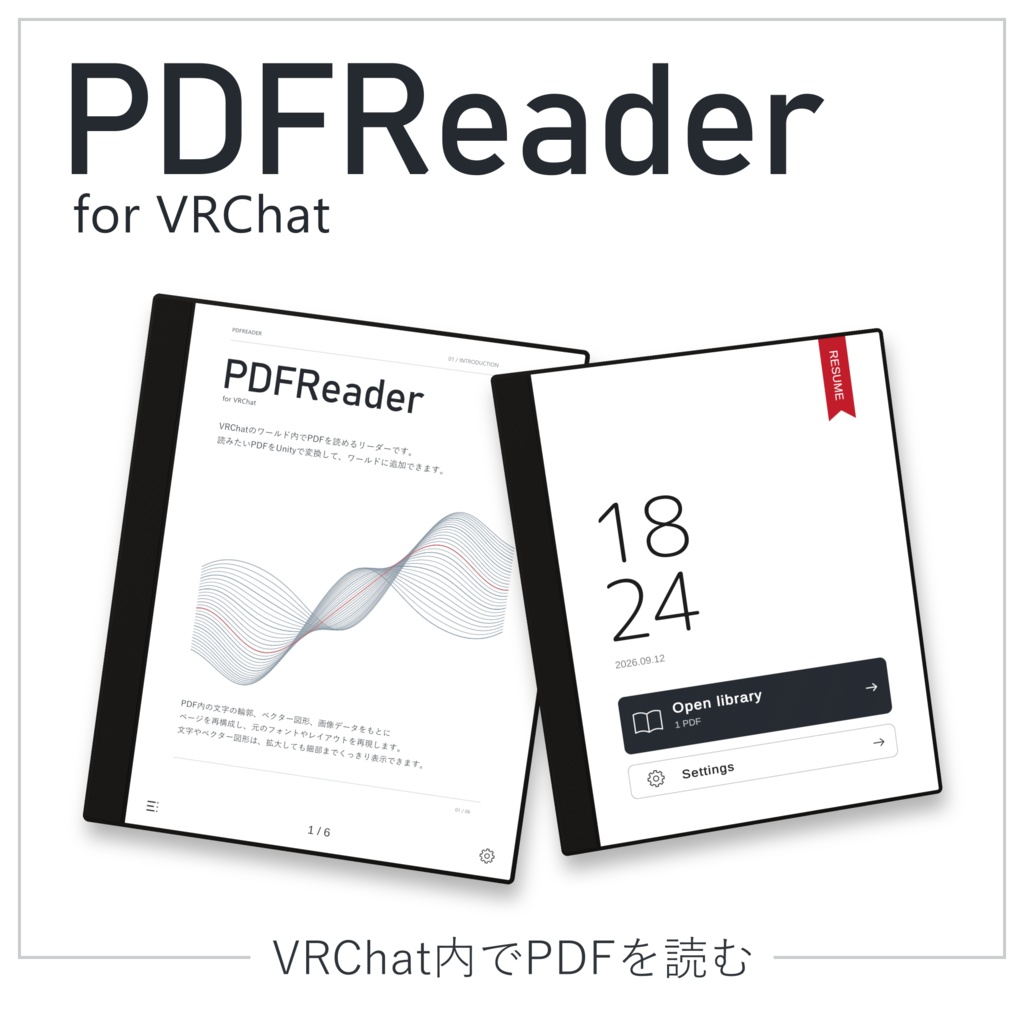
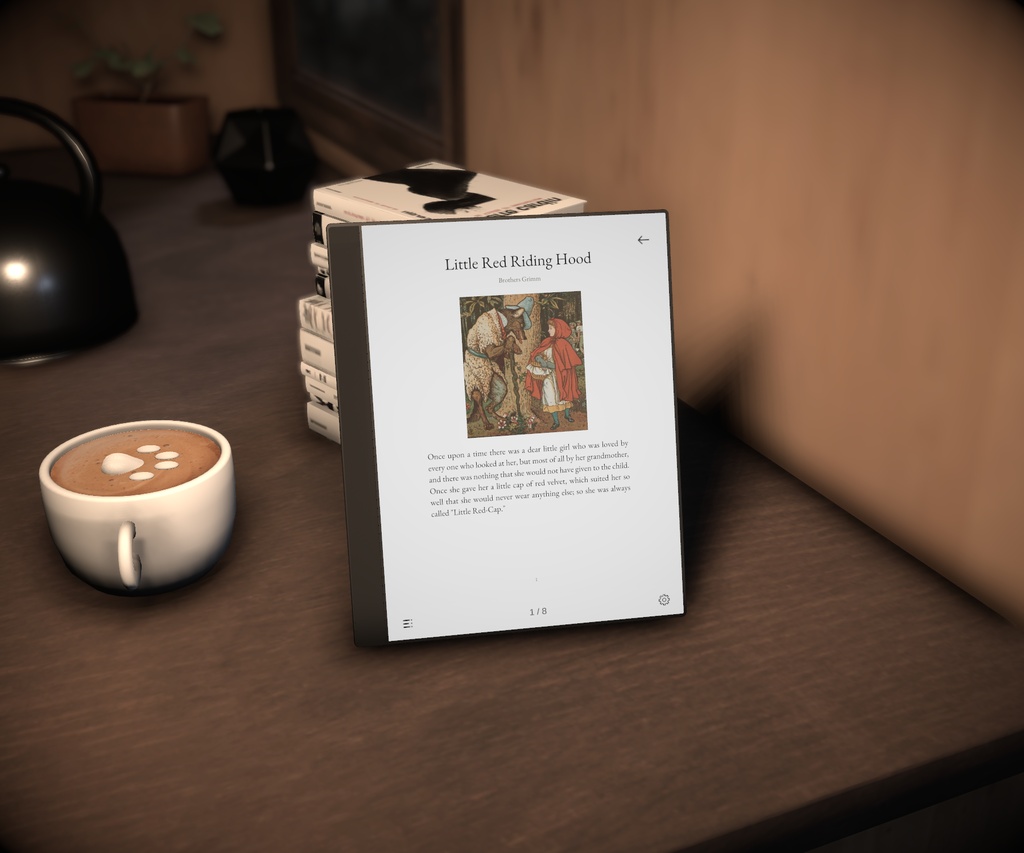
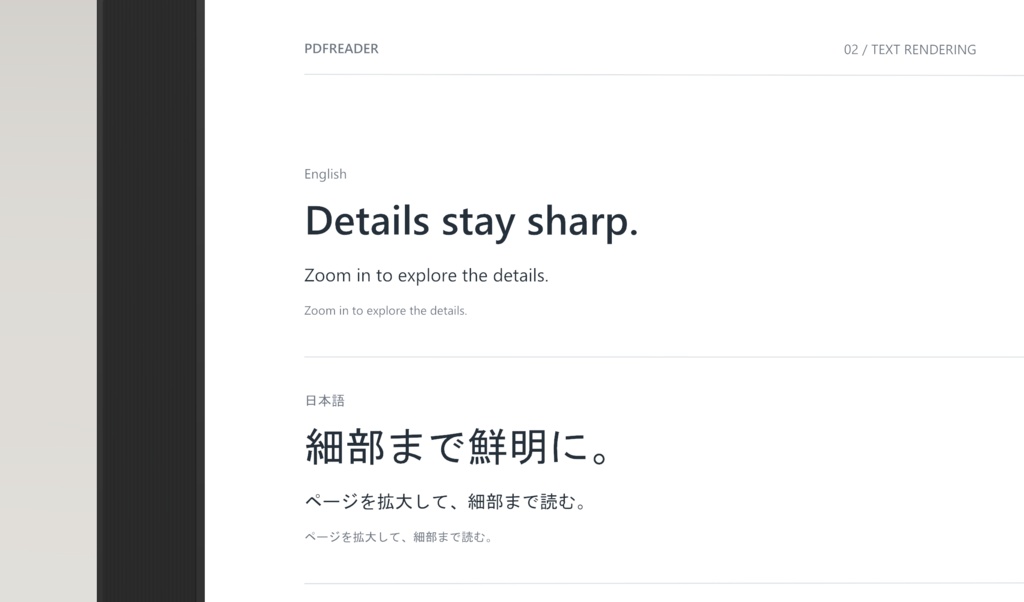
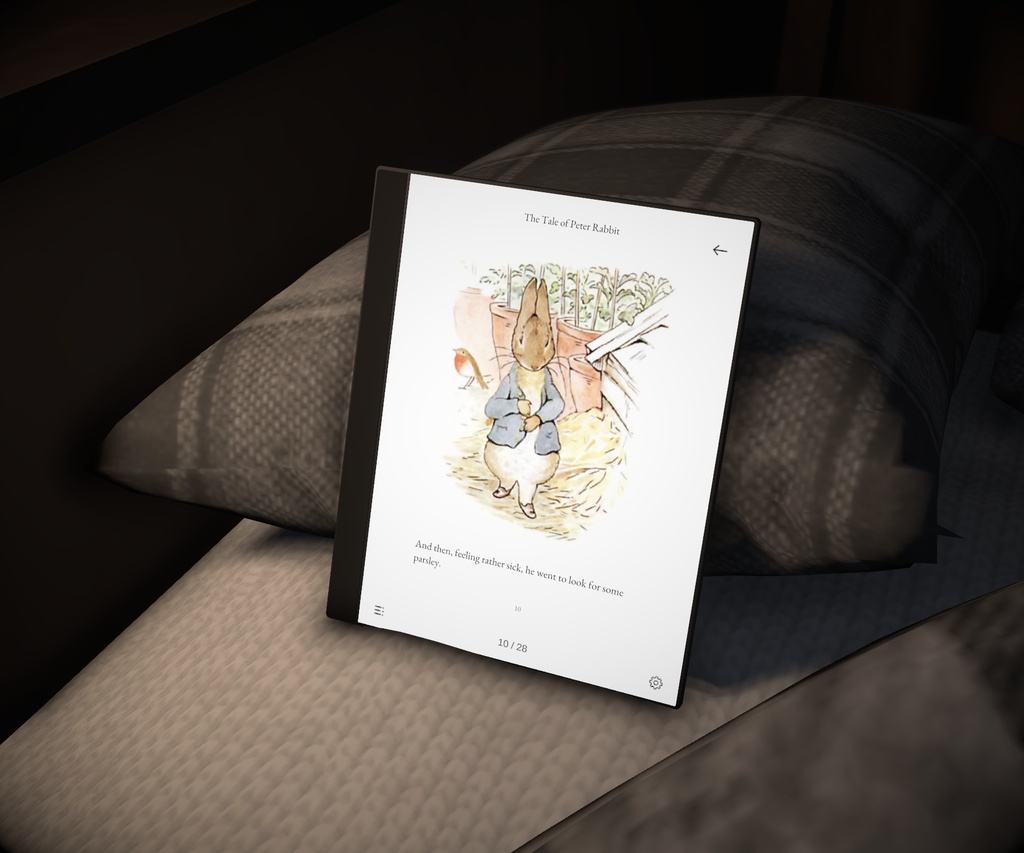
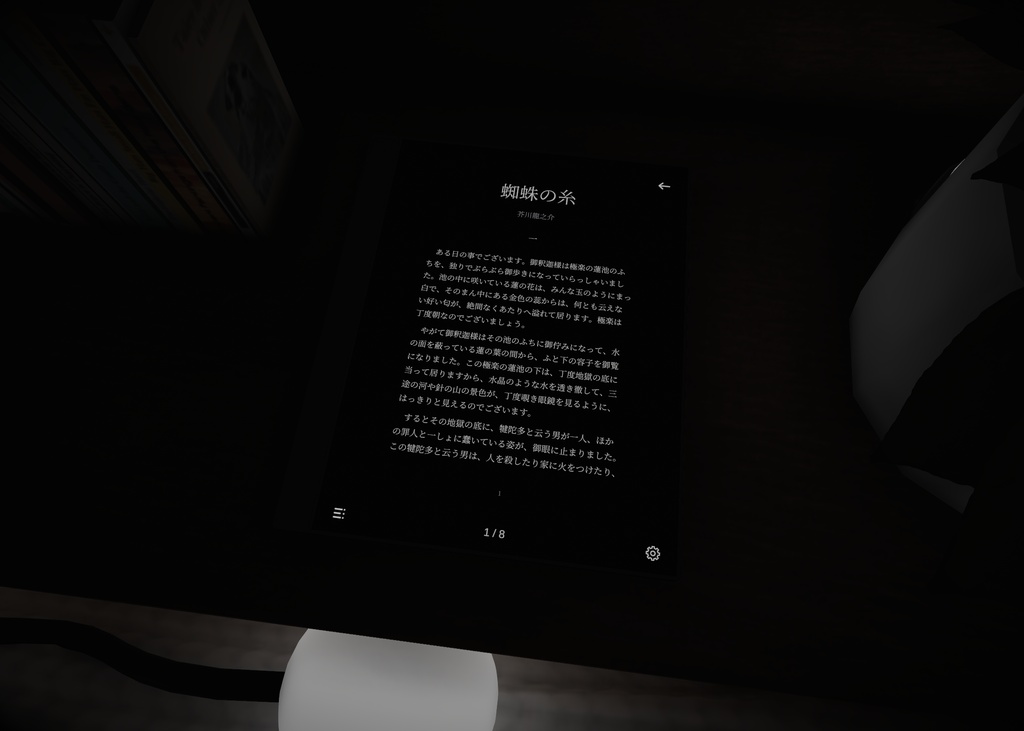


VRChatのワールド内でPDFを読めるタブレットです。Unityで読みたいPDFを変換して、ワールドに追加できます。 PDFに含まれる文字の輪郭、ベクター図形、画像データをもとにページを再構成し、さまざまな言語の文書を、元の書体やレイアウトを生かして表示します。手に持って読んだり、机に置いて使ったりできます。 体験ワールド:https://vrchat.com/home/world/wrld_0b77585b-65bf-45e9-ac2b-e50005117117 説明書(Web):https://ruoyo55.github.io/PDFReader/ja/ English description is below.
特徴
・文字はPDF内の字形の輪郭から描画するため、拡大しても細部までくっきり表示されます(画像として保存されたページを除く)。ベクター図形もベクターのまま表示します。 ・テキストやベクター図形が中心のPDFでは、ワールドのダウンロードサイズは元のPDFファイルとほぼ同じです。 ・描画負荷が低く、ページ数の多いPDFでも軽快に動作します。 ・A4以外のサイズや横長のページ、ページごとにサイズが違うPDFも、そのまま変換できます。
主な機能
・ページ送り、拡大・縮小、ドラッグ移動、ページ全体・横幅に合わせた表示 ・縦画面/横画面、単ページ/見開き表示 ・ライブラリからのPDF選択、タイトル検索、目次・ページ番号による移動 ・プレイヤーごとの読書位置の記憶と、続きからの再開 ・ライト/ダークの切り替え(ダーク時の画像反転も可)、明るさ・本体サイズの調整 ・表示中のPDF、ページ、拡大率、表示位置などのネットワーク同期 同じページを見ながら、一緒に読んだり、資料を使って説明・相談したりできます。PCデスクトップではマウス、VRではコントローラーのレーザーで操作できます。操作画面は日本語・英語・中国語(簡体字)・韓国語に対応し、設定から言語を選べます。
動作環境
・VRChat PC版のワールド(PCデスクトップ/PC VR) ・Android(Quest単体など)・iOSには対応していません ・Unity 2022.3.22f1 ・VRChat SDK - Worlds 3.9.0 で動作確認 ・PDFのベイクにはWindows(x64)が必要です
導入方法
1. VCCで作成したワールドプロジェクトをUnityで開き、本アセットをインポートします。 2. Unityのメニューから「Tools > PDF Reader」を開き、PDFを選んでベイク(表示用データに変換)します。 3. ベイクが完了すると、PDFがタブレットに追加されます。シーンにタブレットがない場合は、自動で1台配置されます。 4. 設定やPDFの表示を確認してシーンを保存し、ワールドをアップロードします。 複数のPDFをまとめてベイクすることもできます。
内容物
・PDFReader本体とPDFを変換・管理するUnityエディター用ツール ・6ページのDemo PDF ・日本語・英語・中国語・韓国語の説明書と利用規約 ・第三者ライセンスの案内 掲載画像に写っているワールド・家具・小物と、付属のDemo PDF以外の書籍は含まれません。
ご購入前にご確認ください
・PDFはUnityで事前に追加して使用します。VRChat内でローカルファイルやURLから新しいPDFを読み込む機能はありません。 ・タブレットは1ワールドに1台までです。複数のPDFはライブラリで切り替えて読みます。 ・文字・図形・画像をもとに、元のページの表示を再現します。複雑な効果の一部は画像として再現しますが、特殊なPDFでは表示が異なる場合があります。表示が元のPDFと異なる場合は、そのPDFをお問い合わせ先までお送りください。原因を確認します。PDFを送れない場合は、該当ページのスクリーンショットでも構いません。 ・スキャンPDFも表示できますが、各ページが画像のため、拡大時の鮮明さは元の解像度によって変わります。また、ワールドのダウンロードサイズも大きくなりやすいです。
お問い合わせ
使い方のご質問や不具合のご報告は、メール(ruoyuyo55@gmail.com)でお送りください。BOOTHショップのメッセージからもお問い合わせいただけます。 ベイクで問題が起きたときは、PDFReaderウィンドウの「レポートを作成」で作ったzipファイルを添えてお送りください。ログがまとめて入っているため、原因を確認しやすくなります。
クレジット
PDFium、PdfPig、Clipper2、LibTessDotNet、.NET Runtime、Microsoft.Bcl.HashCode、M PLUS Rounded 1c、Noto Sans CJK を使用しています。各ライセンスの案内は、同梱の ThirdParty/Notices/README.md に記載しています。
利用規約
ご購入前に、利用規約全文をご確認ください。利用規約の範囲内で、商用利用・改変が可能です。ワールドの訪問者による購入は不要です。購入者ご自身のワールドであれば、ワールドの数に制限はありません。 共同制作や納品では、ワールドの実際の依頼者、または自ら保有・運営する側が購入してください。共同制作者は、そのプロジェクトの制作・保守に限り、追加購入なしで利用できます。独立した別の依頼者へ納品する場合は、その依頼者による購入が必要です。製品ファイルの再配布・転売はできません。 利用者が用意したPDFの権利は、PDFReaderの権利とは別に扱います。PDFReaderで変換しても、元の文章や画像などの利用許諾が得られるわけではありません。 利用規約全文:https://ruoyo55.github.io/PDFReader/ja/terms.html (日本語・英語・中国語・韓国語の利用規約を商品に同梱しています)
更新情報
1.0.0 初回リリース
English
PDFReader is a PDF reader for VRChat worlds. Bake your PDFs in the Unity editor and they are added to the reader in your world. Text is drawn from the glyph outlines in the PDF, so it stays sharp when zoomed (except pages saved as images), and vector graphics stay vector. For PDFs that are mostly text and vector graphics, the world download size is about the same as the original PDF file. Rendering load is low, so even long PDFs run smoothly. The reader supports page turning, zoom, a library with title search, table of contents, saved reading position for each player, Day / Night mode and network sync. The interface is available in English, Japanese, Simplified Chinese and Korean. Requirements: VRChat PC worlds (desktop / PC VR). Android and iOS are not supported. Unity 2022.3.22f1, tested with VRChat SDK - Worlds 3.9.0. Baking requires Windows x64. Setup: import the package, open Tools > PDF Reader, choose a PDF and bake it. A reader is added to the scene if there is none. PDFs must be baked in Unity in advance; the reader cannot open local files or URLs inside VRChat. One reader per world; switch PDFs from the library. Complex effects are partly reproduced as images, and unusual PDFs may display differently. If a page looks different from the original PDF, please send us the PDF and we will look into the cause; a screenshot of the page is also fine if you cannot send the PDF. Scanned PDFs work, but sharpness depends on their resolution and they tend to increase world size. Commercial use and modification are allowed within the terms of use, in any number of your own worlds. For worlds delivered to an independent client, the client must purchase. Redistribution and resale are not allowed. Manual: https://ruoyo55.github.io/PDFReader/en/ Terms of use: https://ruoyo55.github.io/PDFReader/en/terms.html Demo world: https://vrchat.com/home/world/wrld_0b77585b-65bf-45e9-ac2b-e50005117117 For questions or bug reports, please email ruoyuyo55@gmail.com (recommended) or message the shop on BOOTH. For bake problems, attach the zip made with Create report in the PDF Reader window.