

【VRChatアバター用/MA対応】雪結晶のヘアクリップ|位置調整で各種アバターに装着・PhysBone対応
- ダウンロード商品¥ 500
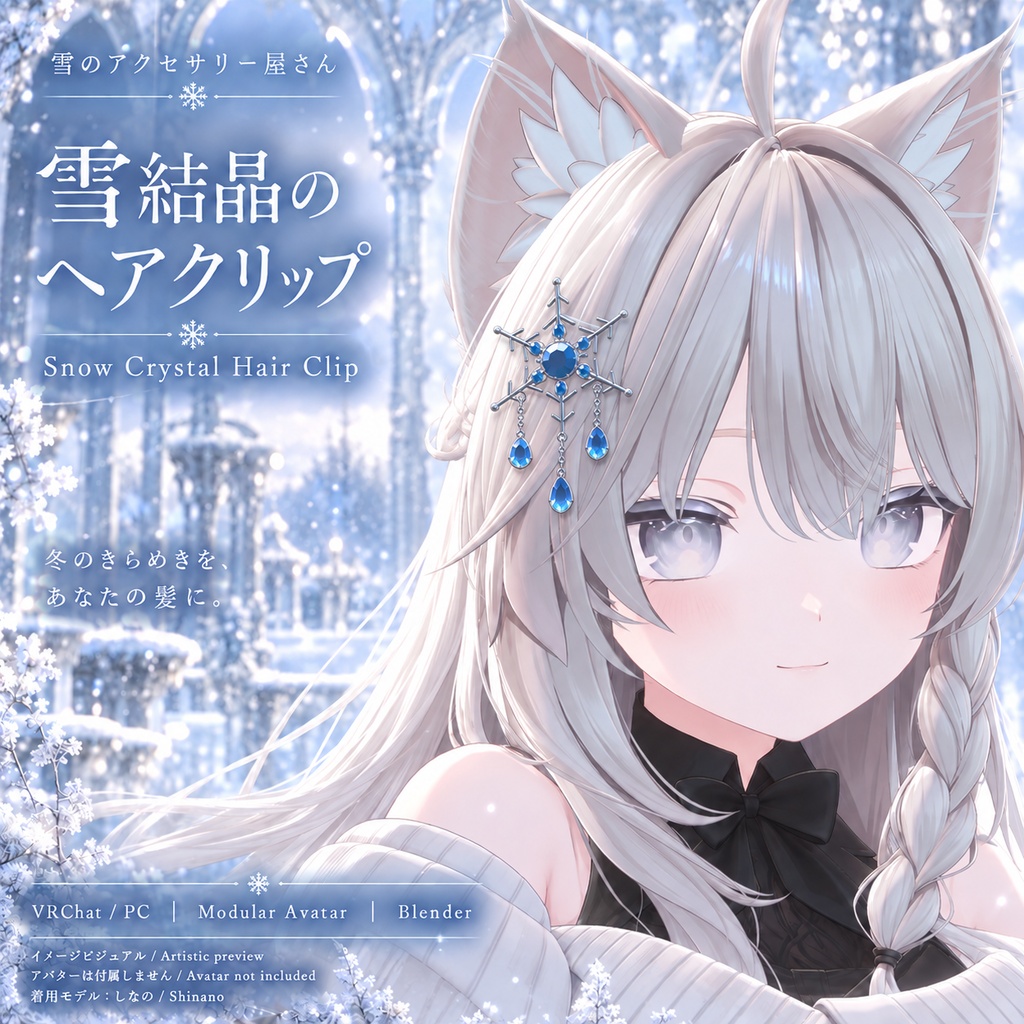
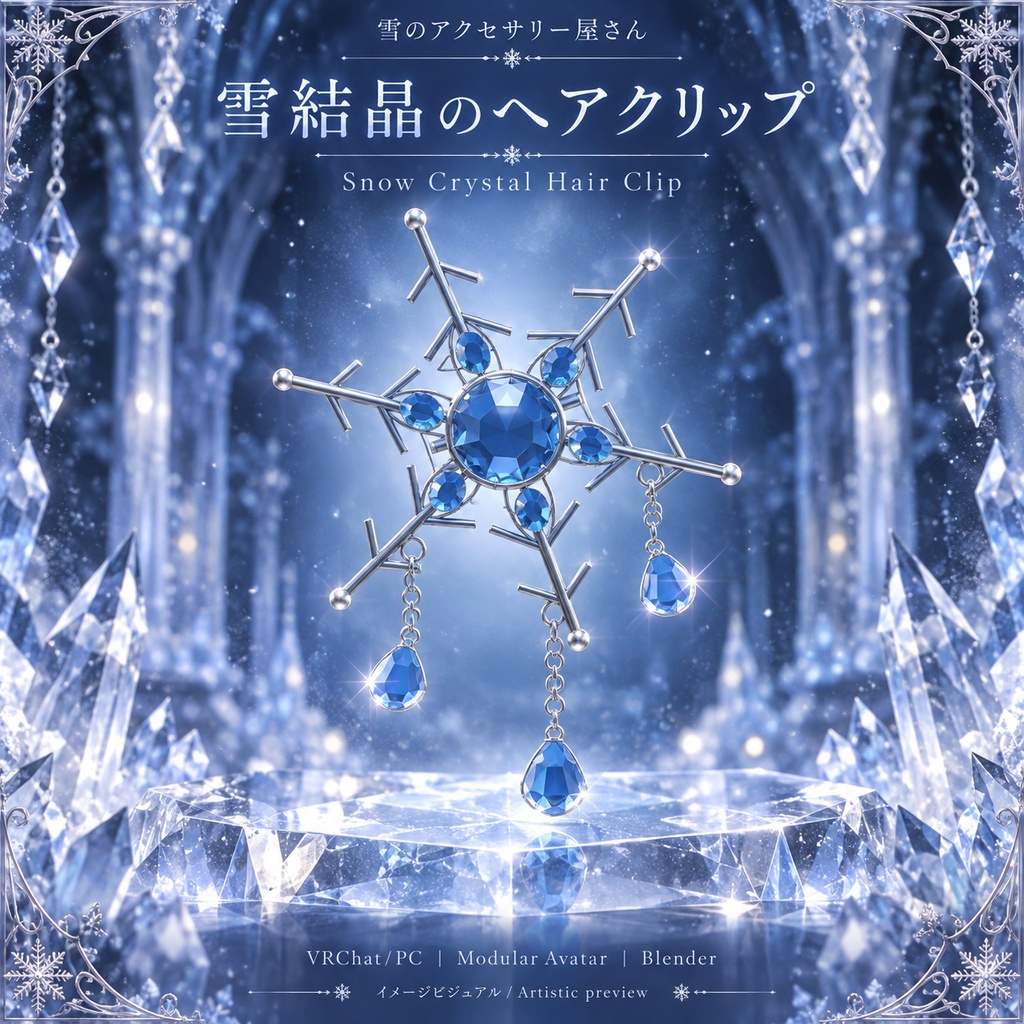


冬のきらめきを、あなたのアバターに シルバーの雪結晶とアイスブルーの宝石が輝く、VRChatアバター用ヘアアクセサリーです。 3本のクリスタルチャームが動きに合わせて揺れ、髪元を彩ります。 独立型Prefab/Modular Avatar対応/PhysBone対応/Blenderファイル同梱。 位置・角度・サイズを調整して、お好みのアバターに装着できます。 A little winter sparkle for your avatar. A snowflake hair accessory for VRChat avatars, featuring silver branches, ice-blue gemstones, and three swaying crystal charms. Standalone prefab with Modular Avatar support, PhysBone motion, and editable Blender source. Manually adjust its position, rotation, and scale to fit your avatar.
商品詳細・導入方法【日本語】
■ 特徴 ・シルバー×アイスブルーの雪結晶デザイン ・PhysBoneで揺れる3本のクリスタルチャーム ・宝石の光沢と粒子エフェクト ・MA Bone ProxyによるHead接続 ・編集可能なBlenderファイル同梱 ■ アバターへの装着 特定アバター専用ではない独立型アクセサリーです。 HumanoidのHeadボーンを持つアバターへの装着を想定しています。 アバターや髪型に合わせて、位置・角度・サイズを手動で調整してください。 しなのを使用したUnity内の装着確認を行っています。 すべてのアバターでの装着・動作を保証するものではありません。 アバター本体の表情、衣装、髪型、既存の髪飾りは変更しません。 メニューや追加パラメーターも生成しません。 ■ 導入方法 1. VRChat Avatars SDKとModular Avatarを導入したプロジェクトへUnitypackageをインポートします。 2. SnowCrystalHairClip_MA.prefabをアバターのルート直下へ配置します。 3. 頭部の好きな位置へ移動し、角度とサイズを調整します。 4. Play ModeでHeadへの追従、揺れ、粒子を確認してください。 MA Bone ProxyはHeadを指定済みです。 配置した位置・向き・サイズを維持して接続します。 初期位置は原点です。自動フィット機能はありません。 ■ 内容物 ・Unitypackage ・MA対応の独立型Prefab ・スキン付きFBX ・Blenderファイル ・専用マテリアル/Shader ・日英導入説明書 ・検証記録 ■ 仕様 三角形数:14,932(Unity読込時) ボーン数:13 メッシュ材質:3 粒子用材質:1 PhysBone:3 Particle System:2 ■ 必要環境 VRChat Avatars SDK/Modular Avatar PC・Built-in Render Pipeline向け 制作・検証環境: Unity 2022.3.22f1 Avatars SDK 3.10.3 Modular Avatar 1.17.1 ■ ご購入前に ・本商品はダウンロード用3Dデータです。実物の発送はありません。 ・Quest/Androidは未対応です。 ・頭部コライダーは付属しません。外部衝突は無効で、髪や顔への貫通防止機能はありません。 ・粒子が不要な場合は、アップロード前にSparkle_Effectsを非アクティブにしてください。 ・ゲーム内の表示切替メニューは付属しません。 ・BlenderではUnity用のMA、PhysBone、Shaderは動作しません。 ・アバター本体、SDK、MA、宣伝画像の背景は含まれません。 ・商品画像にはイメージビジュアルを含みます。実際の見え方は照明や環境によって異なります。 ・旧版アクセサリーと同時に配置しないでください。 ■ 検証状況 Unity内でMAによるHead接続、配置の維持、揺れと静止復帰、粒子動作を確認しています。 VRChatクライアント、ヘッドセット、新規プロジェクトへの導入は未検証です。 ■ お問い合わせ 不具合のご連絡はBOOTHメッセージへお願いいたします。 商品バージョン、使用環境、再現手順、スクリーンショットをご記載ください。
Product Details & Installation【English】
■ Features ・Silver and ice-blue snowflake design ・Three PhysBone-driven crystal charms ・Gemstone shine and sparkle particles ・Head attachment through MA Bone Proxy ・Editable Blender source included ■ Avatar Compatibility A standalone accessory, not an avatar-specific item. Intended for Humanoid avatars with a Head bone. Manually adjust its position, rotation, and scale to suit your avatar and hairstyle. Installation has been checked on Shinano in Unity. Fitting and operation on every avatar are not guaranteed. Does not modify avatar expressions, outfits, hair, or existing ornaments. No menus or additional expression parameters are generated. ■ Installation 1. Import the Unitypackage into a project with VRChat Avatars SDK and Modular Avatar installed. 2. Place SnowCrystalHairClip_MA.prefab directly under your avatar root. 3. Move it to your preferred head position and adjust its rotation and scale. 4. Check head following, pendant movement, and particles in Play Mode. MA Bone Proxy already targets Head and preserves your placement, orientation, and size. The initial position is at the origin. Automatic fitting is not included. ■ Included Files ・Unitypackage ・Standalone MA-ready prefab ・Skinned FBX ・Blender source ・Dedicated materials and shaders ・Japanese and English installation guide ・Validation records ■ Specifications Triangles: 14,932 after Unity import Bones: 13 Mesh materials: 3 Particle materials: 1 PhysBones: 3 Particle systems: 2 ■ Requirements VRChat Avatars SDK and Modular Avatar PC / Built-in Render Pipeline Development and test environment: Unity 2022.3.22f1 Avatars SDK 3.10.3 Modular Avatar 1.17.1 ■ Before Purchasing ・This is a digital 3D asset. No physical item will be shipped. ・Quest/Android is not supported. ・Head colliders are not included. External collisions are disabled; hair and face clipping prevention is not included. ・To disable particles, deactivate Sparkle_Effects before upload. ・No in-game visibility toggle menu is included. ・Unity MA, PhysBone, and shaders do not run inside Blender. ・Avatar, SDK, MA, and promotional backgrounds are not included. ・Images include artistic previews. Actual appearance varies with lighting and viewing conditions. ・Do not install alongside an older version of the accessory. ■ Validation MA Head attachment, placement preservation, pendant movement and settling, and particle operation were checked in Unity. VRChat client, headset, and clean-project installation remain untested. ■ Support Please contact the shop through BOOTH messages. Include the product version, environment, reproduction steps, and screenshots.
更新履歴 / Update History
■ v0.5|lilToon対応アップデート ・銀、パール、氷晶、きらめき粒子の全4マテリアルをlilToon系シェーダーへ変更しました。 ・銀とパールのハイライト、氷晶の色合いと細かなきらめきを調整しました。 ・星形粒子にサイズの時間変化を追加しました。 ・MAによるHeadへの接続と、チャームの揺れを引き続きご利用いただけます。 モデル形状・骨格・Blenderデータはv0.4から変更ありません。アバターのメニューや追加パラメーター、頭部コライダーは追加しません。 【更新時のご注意】 lilToonを事前に導入してください(制作・検証バージョン:2.3.2)。 旧版は自動置換されません。旧アクセサリーのインスタンスを外し、新しいPrefabを配置して位置・回転・サイズを調整してください。 VRChat PC向け。Quest / Androidには対応していません。 ■ v0.5 | lilToon Update • Migrated all four materials—silver, pearl, ice crystal and sparkle particles—to the lilToon shader family. • Refined silver and pearl highlights, crystal colors and fine glitter. • Added size-over-lifetime animation to the star particles. • Retained MA Head attachment and swaying pendants. Geometry, rig and Blender files are unchanged from v0.4. No avatar menus, extra parameters or head colliders are added. 【Upgrade Notes】 Install lilToon before importing this update (authored and tested with version 2.3.2). The previous accessory is not replaced automatically. Remove its instance, add the new prefab, and adjust its position, rotation and scale. For VRChat PC. Quest / Android is not supported.