
【VRoid】スクール水着 / School Swimsuit|2デザイン・3色 / 2 Styles, 3 Colors
- A|水着セットダウンロード商品¥ 390
- B|水着+3Dセット(プール・モデル2体)ダウンロード商品¥ 590
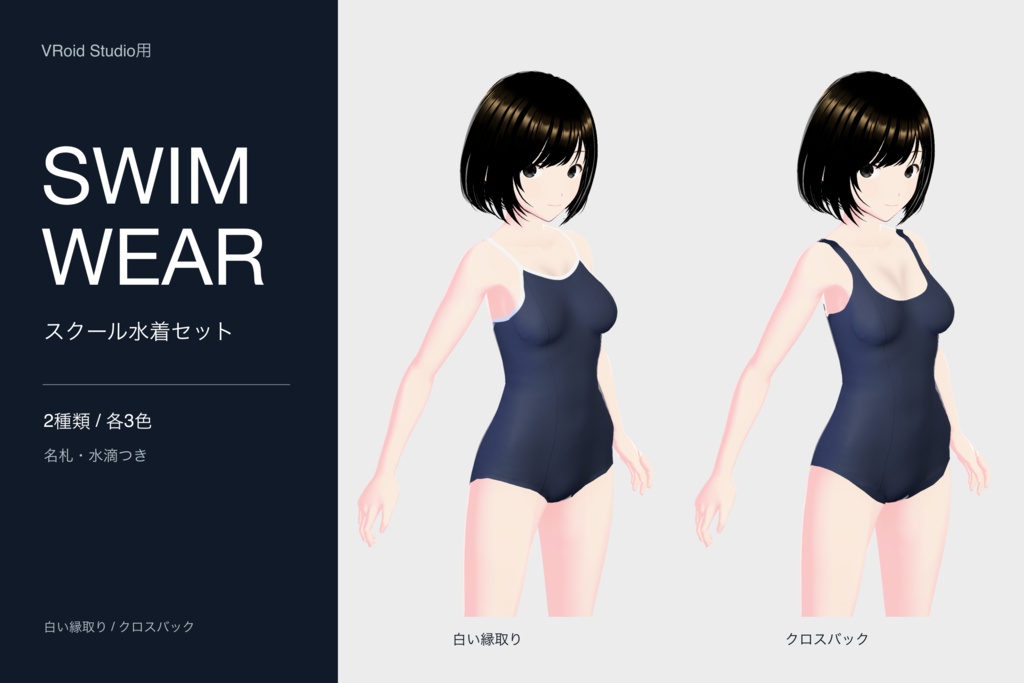
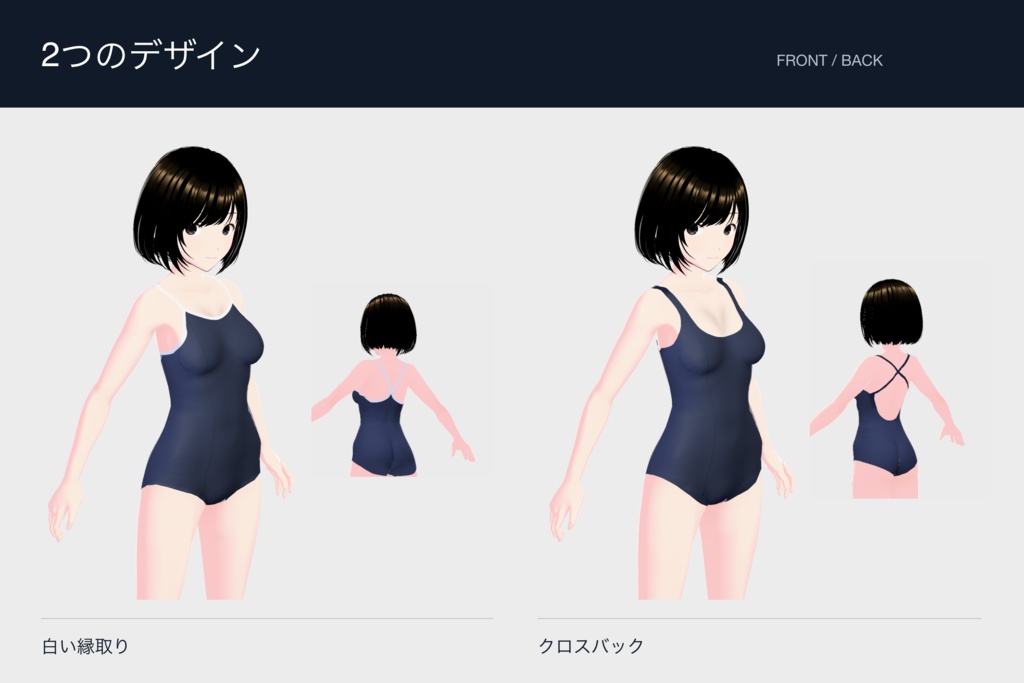
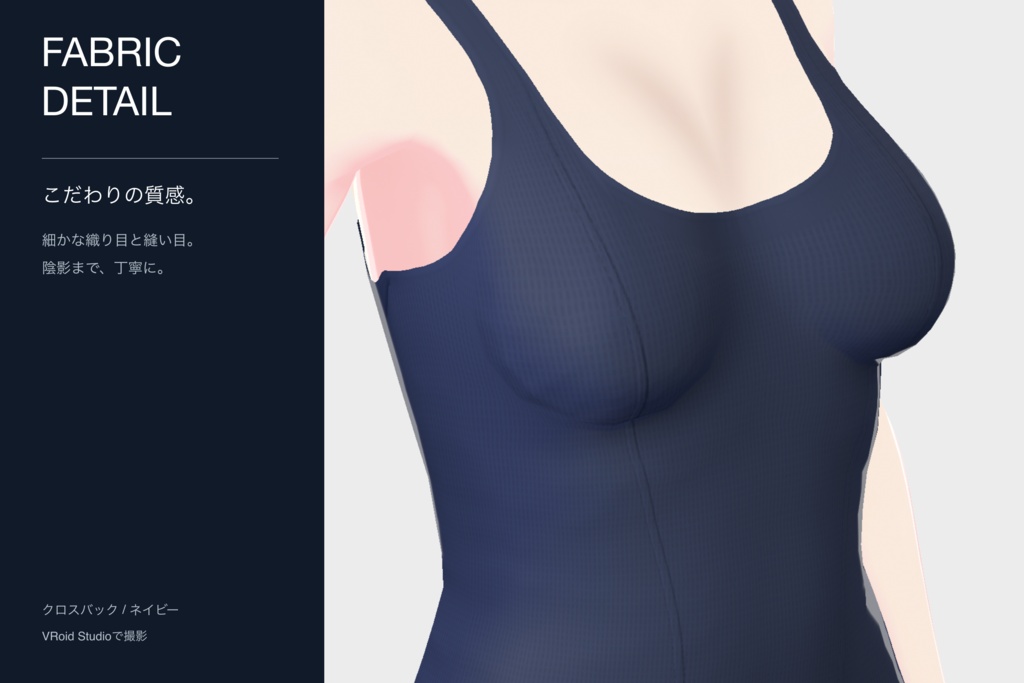
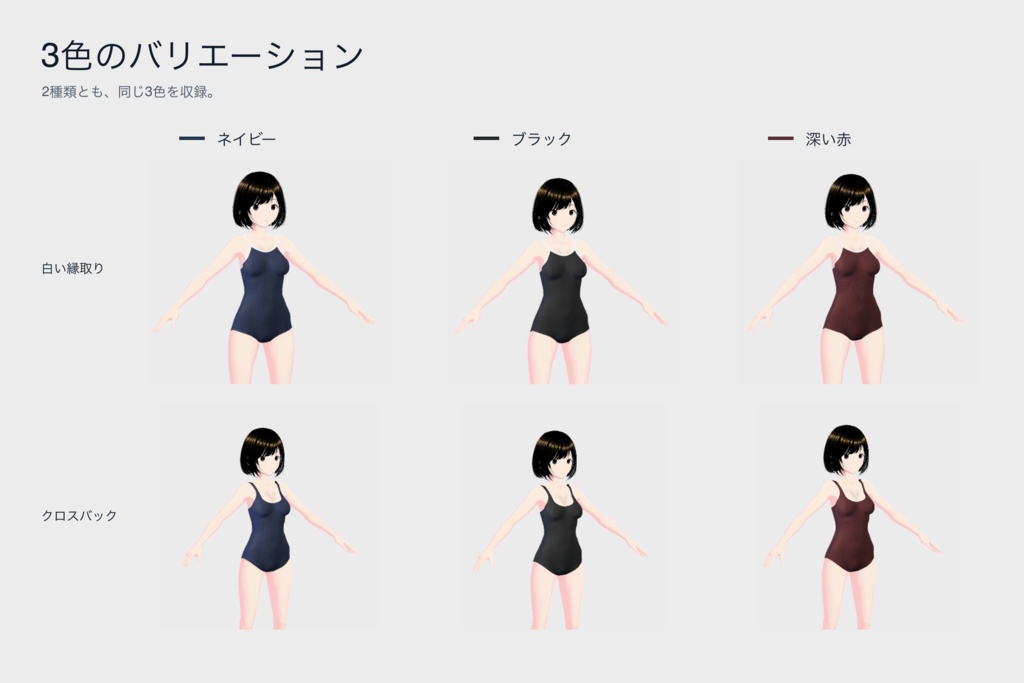
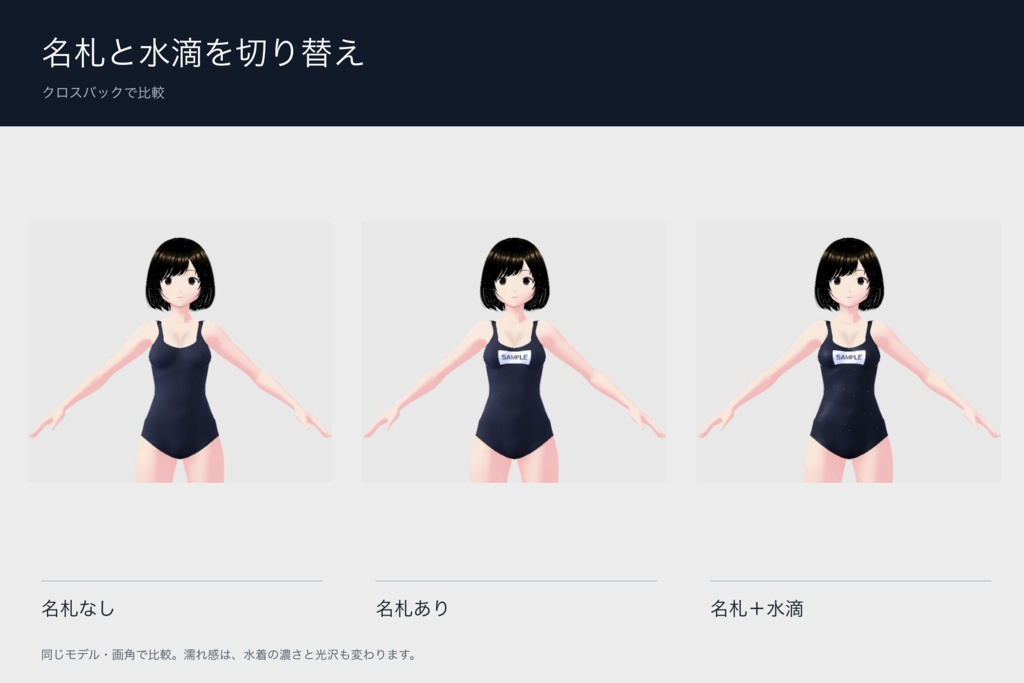
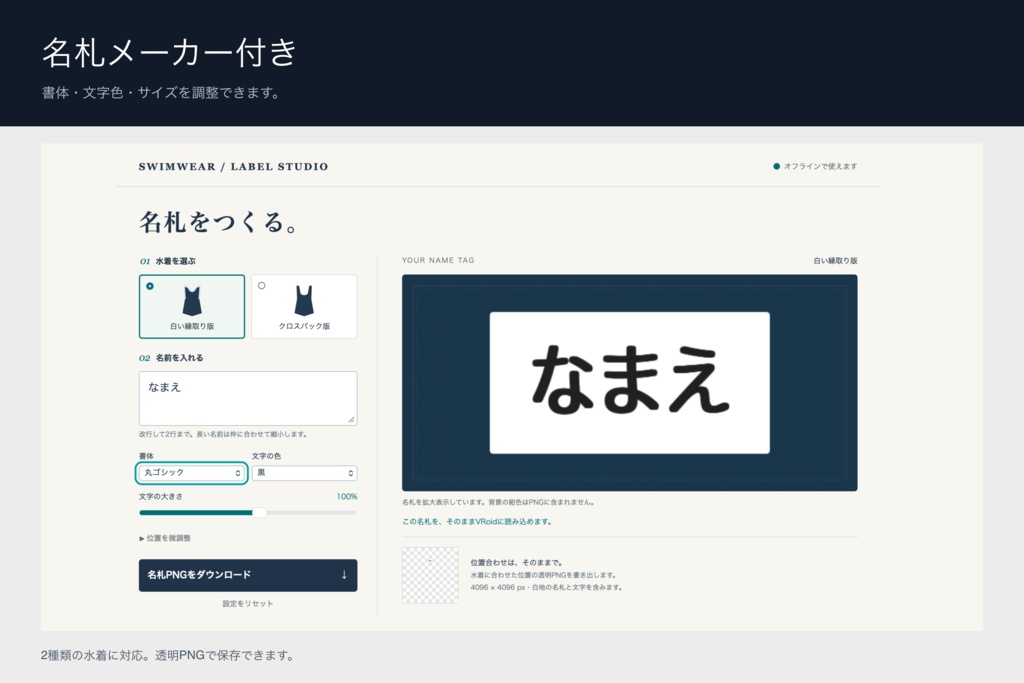
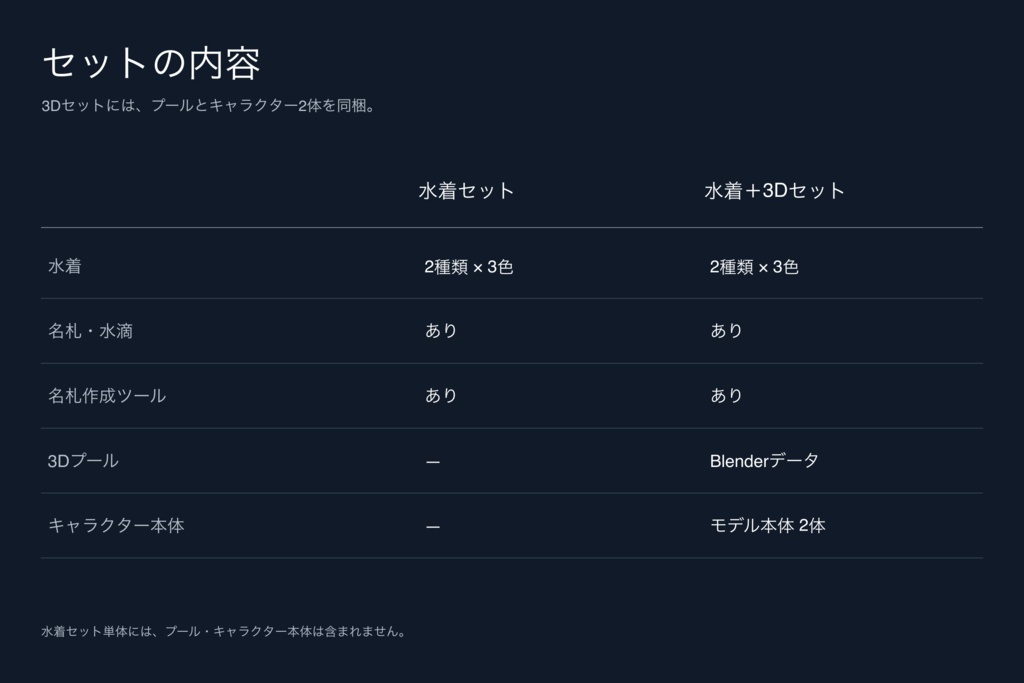
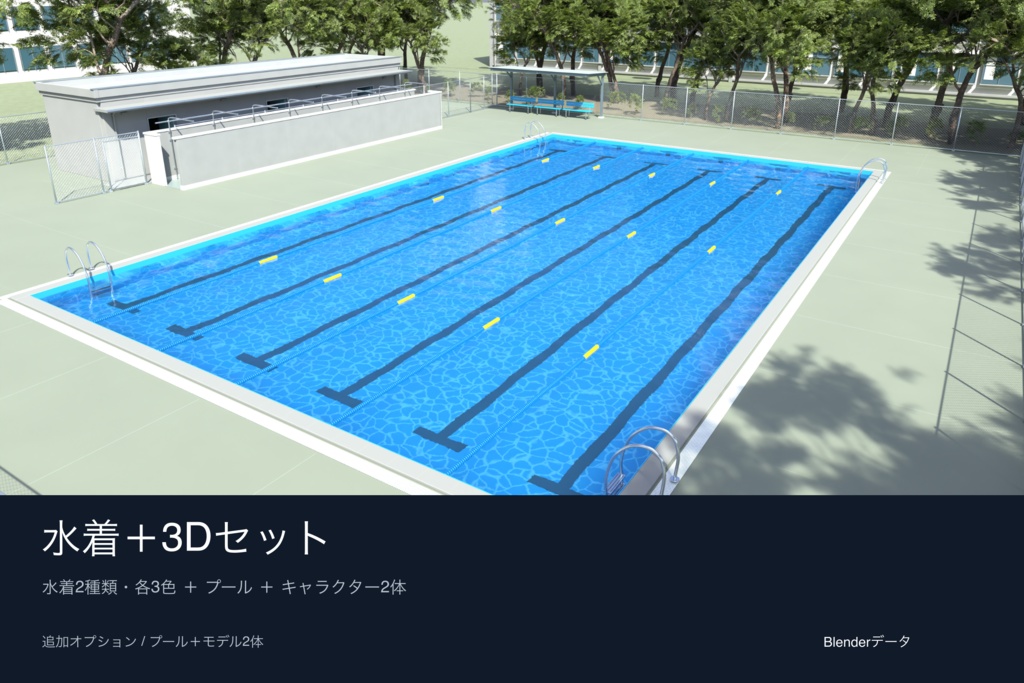
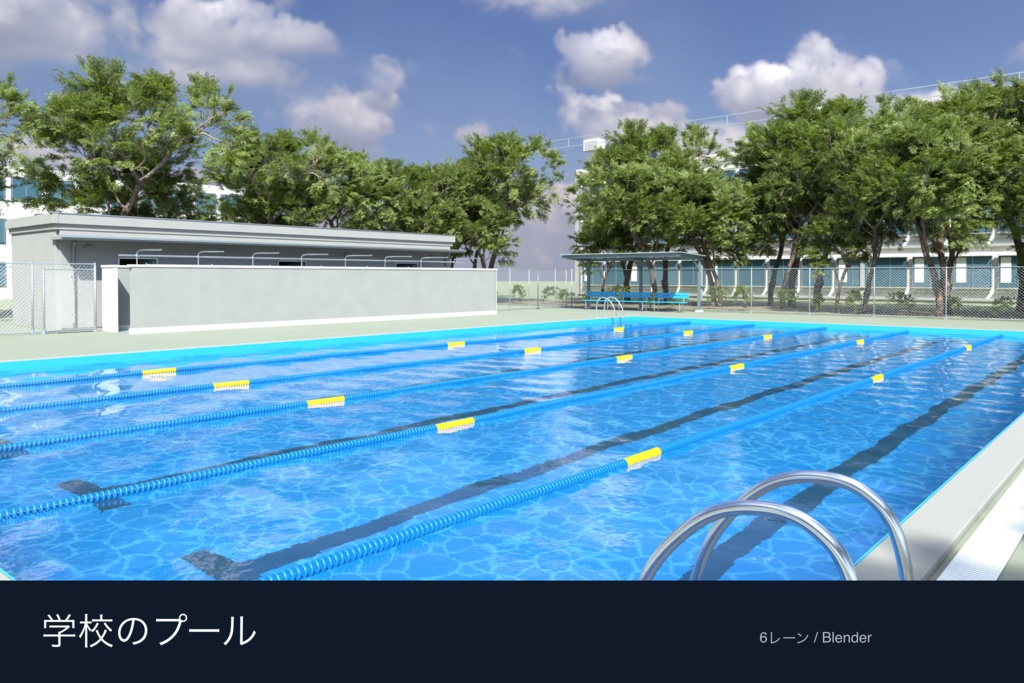
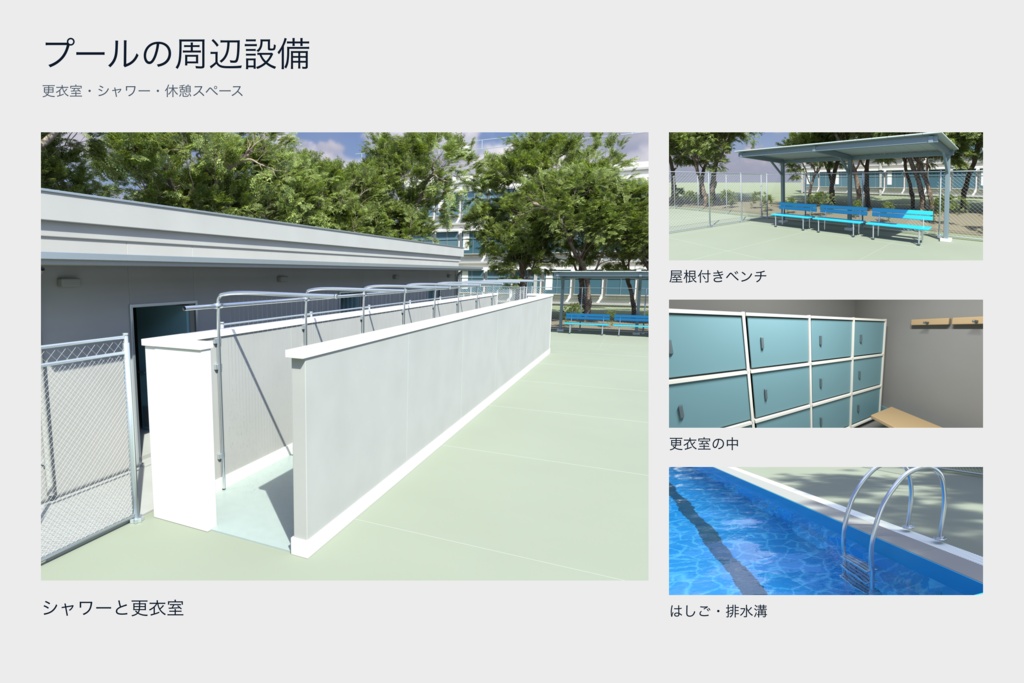
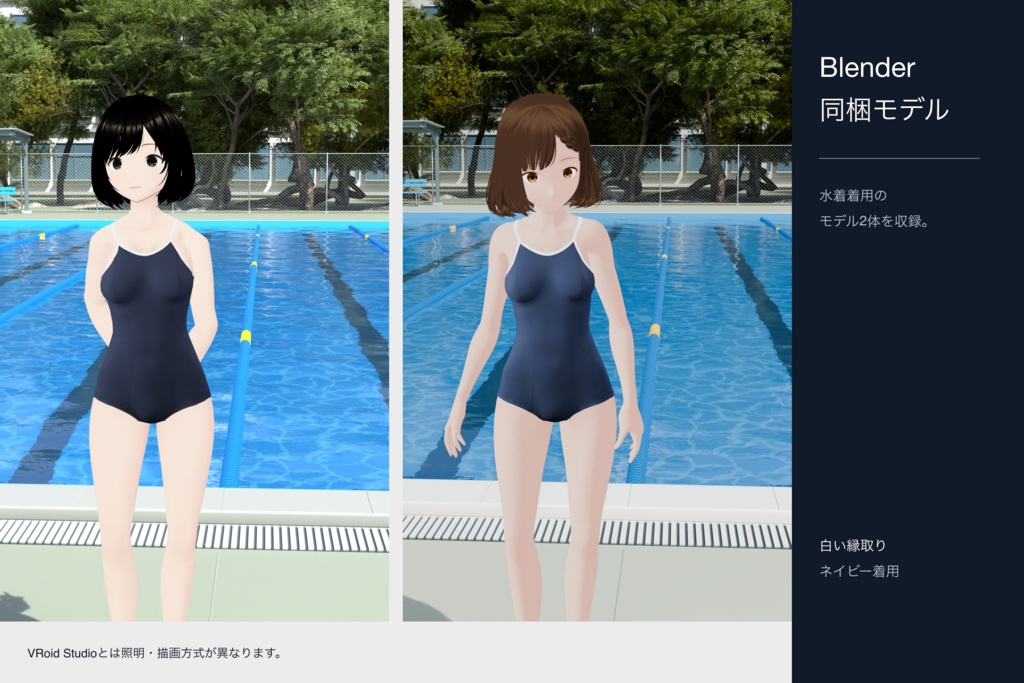
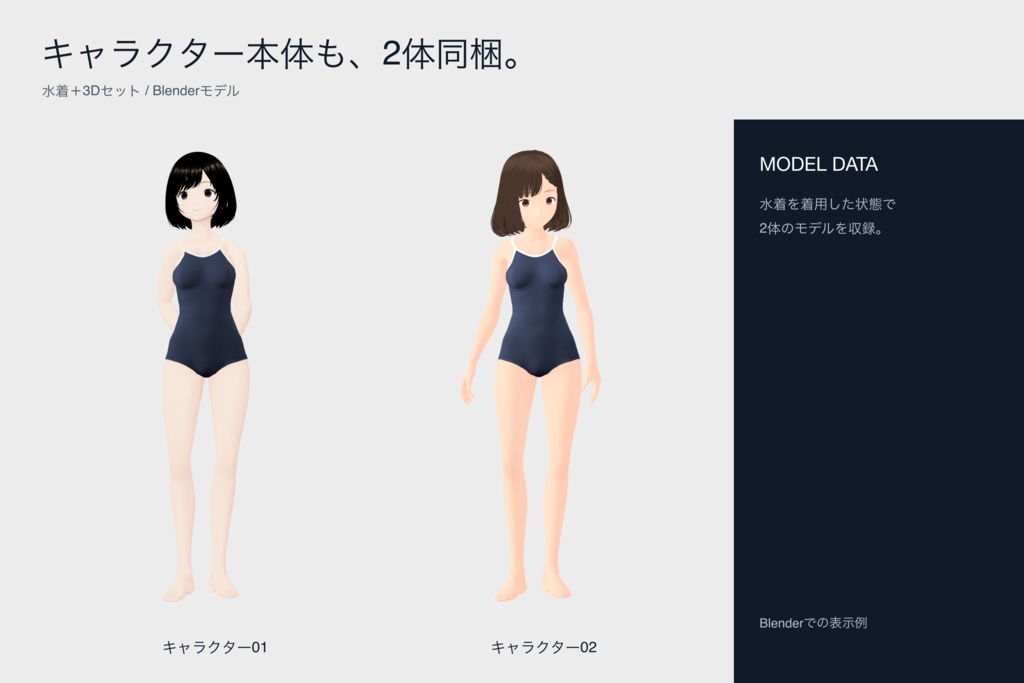
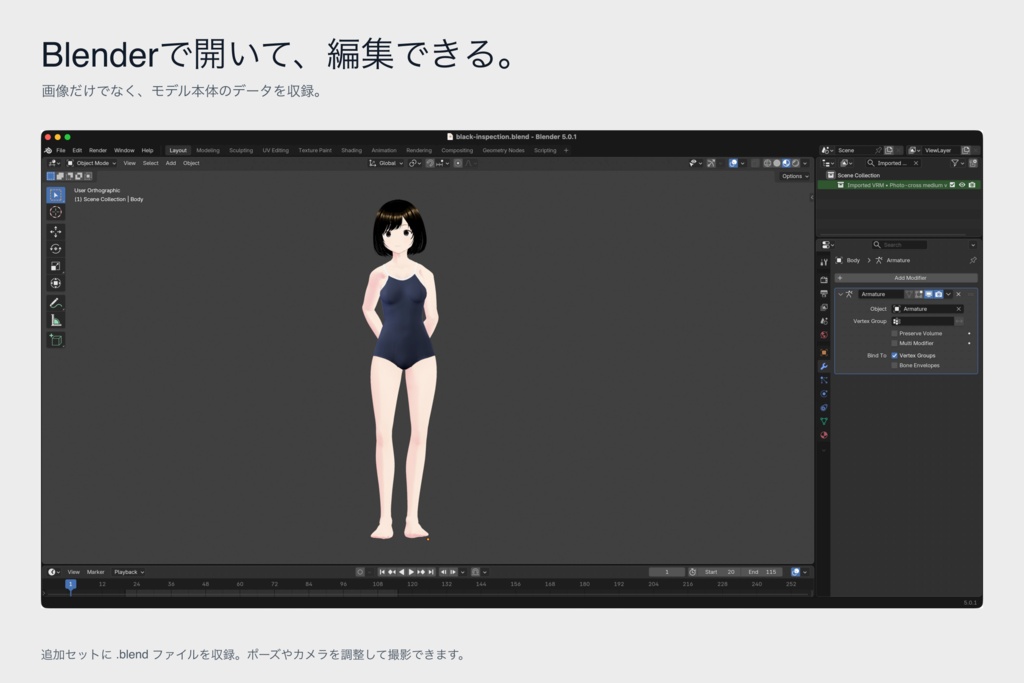


細かな織り目と縫い目の陰影にこだわった、VRoid用の水着です。 白い縁取りとクロスバックの2種類に、紺・黒・深い赤の3色を用意しました。 色・名札・濡れ感は、VRoidのレイヤーで切り替えられます。 名札メーカーで文字・書体・色・大きさを調整し、保存したPNGを水着に読み込みます。オフラインで使えます。 ■ A|水着セット 390円 ・水着のカスタムアイテム2点(各3色) ・色・濡れ感・名札の有無を組み合わせた4K PNG 24枚(名札の文字はSAMPLE) ・名札と濡れ感を重ねるための透明PNG 6枚 ・名札メーカー ・画像付きの日本語説明書(HTML・PDF) 着せるときは、「水着本体」フォルダーのカスタムアイテムをVRoid Studioに読み込みます。 画像を編集する場合は、「編集用素材」のPNGをお使いください。合成済み画像と重ね素材に分けています。 カスタムアイテム内の画像は2048×2048、付属PNGは4096×4096です。水滴や光沢も画像に描き込んでいます。 ■ B|水着+3Dセット 590円 水着セットAに、Blenderで使えるプールとキャラクター2体を追加しました。 ・Pool.blend:プール、更衣室、シャワー、ベンチ、木々、校舎をまとめた背景 ・Character-Black.blend:キャラクター01 ・Character-Brown.blend:キャラクター02 キャラクターは水着着用済み。ポーズを変えるためのリグと、撮影用のカメラ・静止ポーズが付いています。 【3Dデータの開き方】 Blenderでファイルを開き、F12を押すと、保存されたカメラから画像を書き出せます。キャラクター単体のファイルは透明背景に設定しています。 プールにキャラクターを置く手順: 1. Pool.blendを開き、「ファイル → アペンド」を選びます。 2. キャラクターの.blendファイルを選び、「Collection」を開きます。 3. キャラクター01は「Imported VRM」、キャラクター02は「20 •」で始まるコレクションを追加します。リグも一緒に読み込めます。 4. 位置と大きさを調整し、カメラから見た構図を確認します。 ■ 利用条件 ・個人・法人、商用・非商用を問わず使用できます。画像・動画・配信・印刷物・グッズ等の制作と販売、ゲーム・アプリへの組み込みと配布を許可します。 ・改変できます。クレジット表記、使用報告、事前相談は不要です。 ・成人向け作品にも使用できます。法令と公開先の規約を守ってください。 ・制作チーム内での共有、制作に必要な委託先とのデータ受け渡しを許可します。共有先にもこの利用条件を適用してください。 ・素材データそのものを、素材集や配布モデル等として再配布・転売することは禁止します。改変版や、取り出したテクスチャ・モデルも同様です。上記の作品への組み込みと制作目的の共有は、この禁止の対象外です。 ・本商品の著作権を譲渡するものではありません。本商品を自作したと偽ること、他者の権利を侵害する利用は禁止します。 ・第三者由来の素材には、その権利者の条件が適用されます。VRoid由来のデータはVRoid Studioの規約・ガイドラインに従ってください。Poly HavenのCC0素材そのものに、この商品の再配布・転売禁止を適用するものではありません。 ■ 素材の出典 キャラクター:VRoid Studioの標準素材と自作素材。 背景の樹木・空:Poly Haven(CC0) ・Tree Small 02 / Rico Cilliers https://polyhaven.com/a/tree_small_02 ・Island Tree 03 / Rob Tuytel, Rico Cilliers https://polyhaven.com/a/island_tree_03 ・Kloofendal 48d Partly Cloudy (Pure Sky) / Greg Zaal, Jarod Guest https://polyhaven.com/a/kloofendal_48d_partly_cloudy_puresky CC0は上記の元素材に適用されます。本商品の水着・キャラクター・独自のシーン構成には、上記の利用条件が適用されます。 VRoid Studioガイドライン:https://vroid.com/studio/guidelines Poly Havenライセンス:https://polyhaven.com/license 本商品はVRoid Studio・Blenderの公式商品ではありません。 お問い合わせはBOOTHのショップメッセージへお願いします。 ━━━━━━━━━━━━━━━━━━━━ ENGLISH ━━━━━━━━━━━━━━━━━━━━ A VRoid swimsuit set with fine fabric texture and shaded seams. Includes two styles—white trim and cross-back—in navy, black and burgundy. Switch colors, the name tag and the wet look by toggling layers in VRoid. Use the offline name-tag maker to edit text, font, color and size, then export a PNG for the swimsuit. ■ A | Swimsuit Set — JPY 390 ・2 custom items, each with 3 colors ・24 flattened 4K PNGs: dry/wet, with/without a SAMPLE name tag ・6 transparent PNG overlays for name tags and the swimsuit wet effect ・Offline name-tag maker ・Illustrated Japanese guide (HTML and PDF) Import a custom item from the “水着本体” folder into VRoid Studio. The “編集用素材” folder contains flattened textures and separate overlays for image editing. Custom-item layers are 2048 × 2048. Included PNGs are 4096 × 4096. Water droplets and highlights are painted into the swimsuit textures. ■ B | Swimsuit + 3D Set — JPY 590 Includes everything in A, plus a pool scene and two character models. ・Pool.blend: pool, changing rooms, showers, benches, trees and school buildings ・Character-Black.blend: Character 01, rigged and wearing the swimsuit ・Character-Brown.blend: Character 02, rigged and wearing the swimsuit Textures, cameras and static poses are saved in the Blender files, ready for posing and rendering. [Using the 3D files] Open a file in Blender and press F12 to render from the camera. The individual character files use a transparent background. To place a character in the pool scene, open Pool.blend, choose File → Append, and select the model collection inside the character’s .blend file. For Character 01, choose the collection starting with “Imported VRM”. For Character 02, choose the collection starting with “20 •”. Append the whole collection to include its rig. Adjust the model’s position and scale, then check the camera view. ■ Terms of Use ・Personal and business use, commercial and non-commercial use are permitted. You may create and sell images, videos, streams, printed works and merchandise, and embed and distribute the assets in games and applications. ・Modification is permitted. Credit, usage reports and prior consultation are not required. ・Use in adult-oriented works is permitted, subject to applicable laws and the rules of the publishing platform. ・Sharing within a production team and transferring files to contractors as needed for production are permitted. These terms also apply to recipients. ・Redistribution or resale of the asset files themselves, including as asset packs or redistributable models, is prohibited. This also applies to modified versions and extracted textures or models. The permitted embedding in finished works and production-related sharing described above are exceptions to this restriction. ・Copyright is not transferred. Do not claim that you created this product or use it to infringe others’ rights. ・Third-party assets remain subject to their respective rights holders’ terms. Follow the VRoid Studio terms and guidelines for VRoid-derived data. The redistribution and resale restriction for this product does not apply to the Poly Haven CC0 source assets themselves. ■ Asset Credits Characters use VRoid Studio standard assets and original work. Trees and sky use Poly Haven CC0 assets. Asset names, authors and direct source links are listed above under “素材の出典”. CC0 applies to those source assets. The swimsuit, character models and original scene composition are subject to this product’s terms above. VRoid Studio guidelines: https://vroid.com/studio/guidelines Poly Haven license: https://polyhaven.com/license This product is not an official VRoid Studio or Blender product. For support, please contact the shop through BOOTH messages.