

4種の視界魔改造ギミック - VEYRA Optics
- ダウンロード商品¥ 500
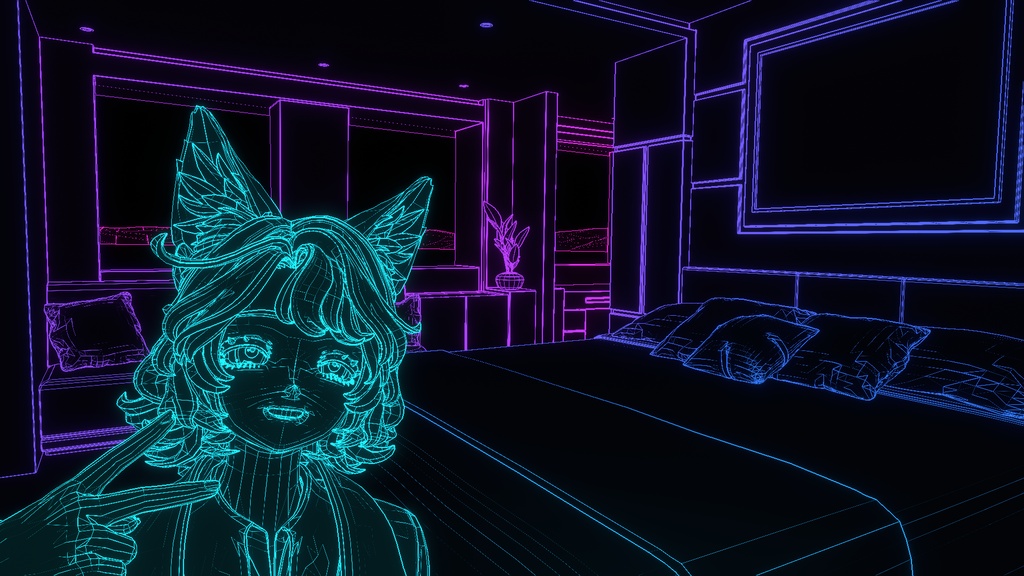
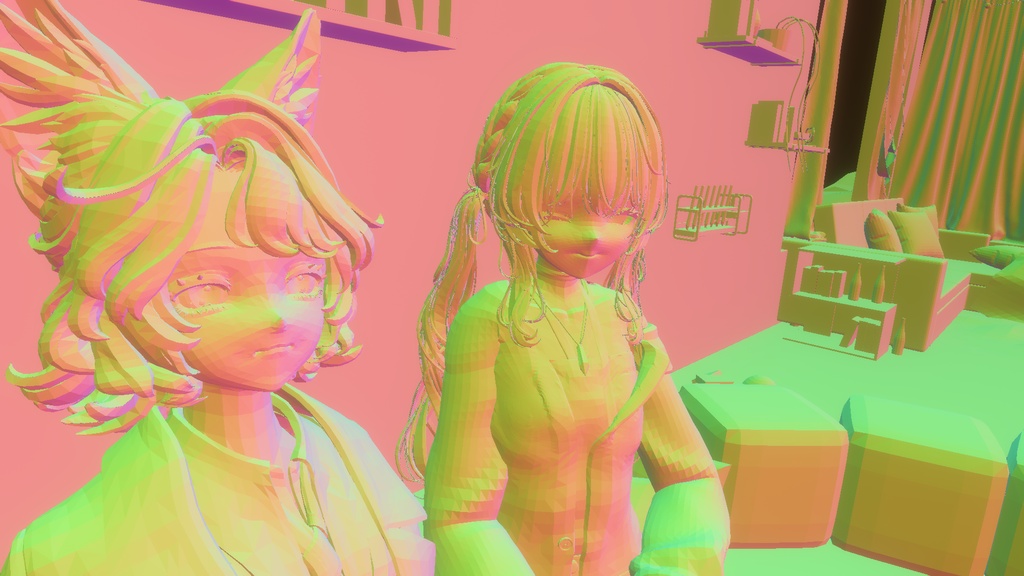
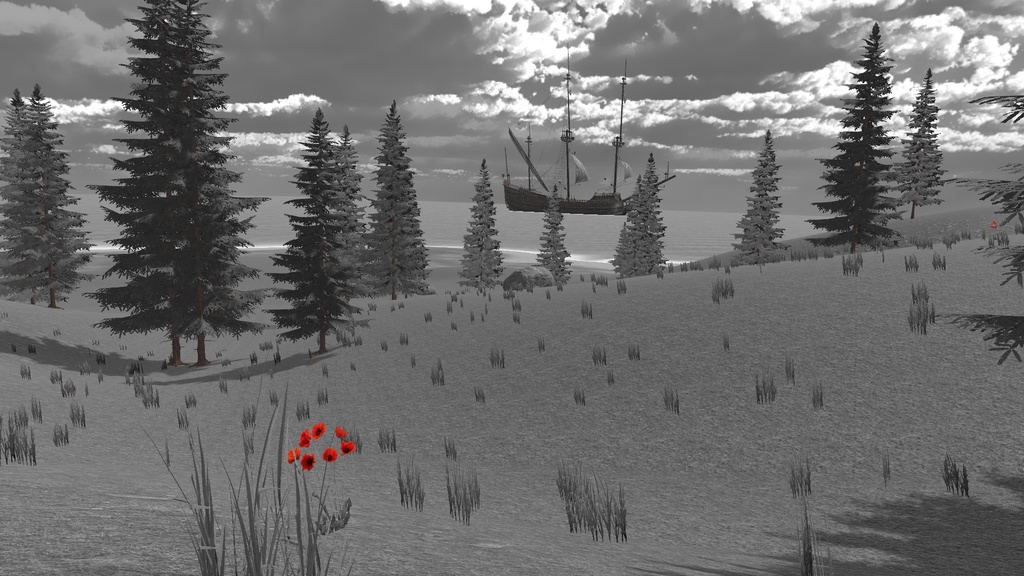
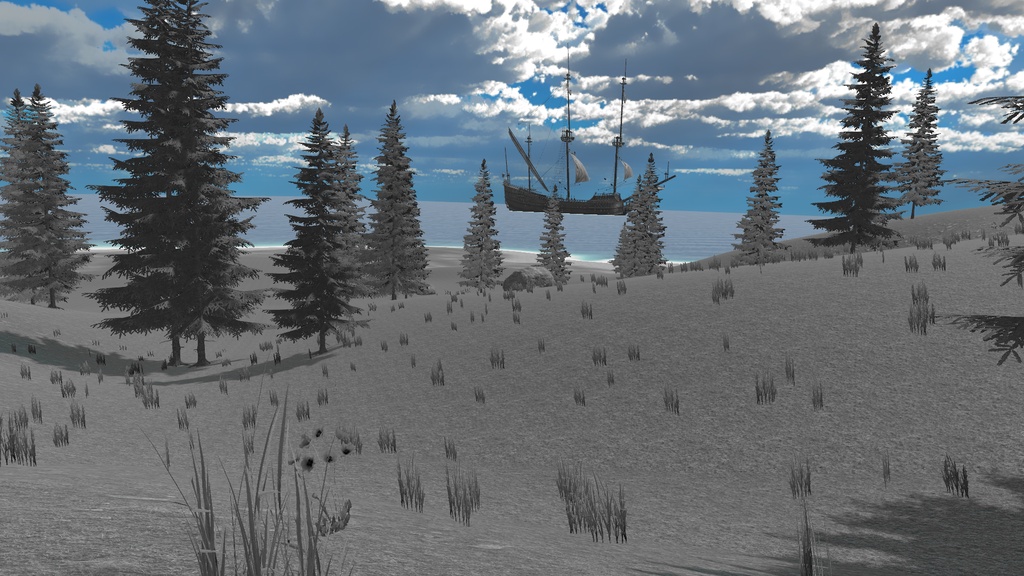
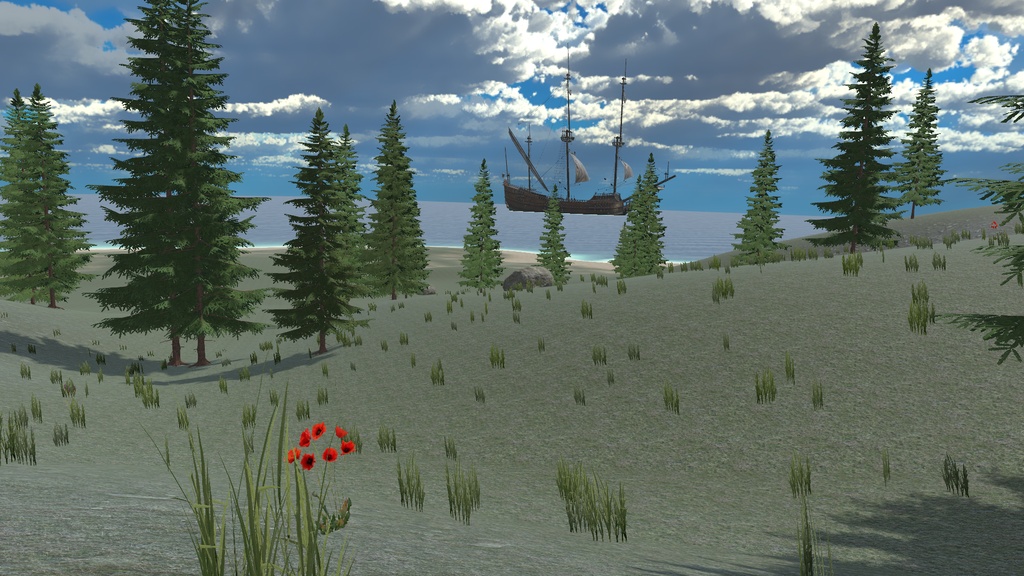


視界とカメラの見え方を変えるギミックです。 ・モノクロ(MONOCHROME) ・特定の色だけ見える(COLOR ISOLATION) ・面の角度をRGBで表示(SURFACE NORMAL) ・ワイヤフレーム(WIREFRAME) 上記の4つの機能が含まれています。 導入も使い方も非常に簡単です。 【導入方法】 1. VEYRAをインポート 2. 使いたいアバターの直下にPrefabをドラッグ&ドロップ これだけで完了です! ※Modular Avaterを事前に導入していただく必要があります。 【使い方】 導入するとエクスプレッションメニューにVEYRAの項目が追加されます。 VEYRAを選択すると中には4つの機能それぞれの項目と、Target color、Rangeという2つの項目が入っています。 Target ColorはColor Isoration(特定の色だけ見えるようになる機能)の色を指定する項目です。操作は簡単なので実際の景色を見ながら調整してください。 Rangeはワイヤフレームのグラデーションの距離を調整する機能です。 [近]水→紫→ピンク[遠] に変化します。屋内、屋外など使用する場所の広さに合わせて調整していただけます。 This is a feature that changes your field of view and how the camera renders the scene. ・Monochrome (MONOCHROME) ・See only specific colors (COLOR ISOLATION) ・Display surface angles as RGB values (SURFACE NORMAL) ・Wireframe (WIREFRAME) It includes the four features listed above. It’s very easy to install and use. [Installation Instructions] 1. Import VEYRA 2. Drag and drop the Prefab directly under the avatar you want to use That’s all there is to it! *You must install Modular Avatar beforehand. [How to Use] Once installed, a VEYRA entry will be added to the Expression menu. Selecting VEYRA reveals four options for each function, along with two additional options: Target Color and Range. “Target Color” lets you specify the color for Color Isolation (a feature that makes only a specific color visible). It’s easy to use, so please adjust it while looking at the actual scenery. “Range” adjusts the distance of the wireframe gradient. It changes from [Near] Water → Purple → Pink [Far]. You can adjust this according to the size of the area where you’re using it, such as indoors or outdoors. Translated with DeepL.com (free version)
ご購入前に必ずご確認ください
本製品は VRChat PC版向けのアバター用ギミックです。ご購入前に以下をご確認ください。 -Quest単体での使用には対応していません。 - 本製品の導入には、Unityを使用したVRChatアバターのアップロード環境が必要です。 - Modular Avatarが必要です。 - 導入に必要な環境・依存関係については、同梱READMEをご確認ください。 - 本製品はアバターの視界へ描画効果を追加する性質上、World・Shader・Material・描画方式などによって表示結果が異なる場合があります。 - 透明・半透明オブジェクトや特殊なShaderを使用したオブジェクトなど、一部の表示を正常に取得・処理できない場合があります。 - VRChatおよび関連SDK等のアップデートにより、将来的に一部または全部の機能が正常に動作しなくなる可能性があります。 - 他のアバターギミックやShader等との組み合わせについて、すべての環境での動作を保証するものではありません。 - VR環境では視覚効果によって目の疲れや不快感を感じる場合があります。異常を感じた場合は使用を中止してください。 - デジタル商品の性質上、購入後の返品・返金には原則として対応できません。対応環境・商品内容をご確認のうえご購入ください。 導入方法および詳しい仕様については、商品に同梱されているREADMEをご確認ください。 This product is a gimmick for avatars in the PC version of VRChat. Please review the following before purchasing. - This product is not compatible with standalone Quest use. - To install this product, you need an environment for uploading VRChat avatars using Unity. - Modular Avatar is required. - Please refer to the included README for information on the required environment and dependencies. - Due to the nature of this product, which adds rendering effects to the avatar’s field of view, the display results may vary depending on the World, Shader, Material, rendering method, and other factors. - Some elements—such as transparent or semi-transparent objects, or objects using special shaders—may not be properly detected or processed. - Updates to VRChat and related SDKs may cause some or all features to stop functioning properly in the future. - We do not guarantee that this product will function correctly in all environments when combined with other avatar features, shaders, or similar elements. - In VR environments, visual effects may cause eye strain or discomfort. Please discontinue use if you experience any abnormalities. - Due to the nature of digital products, we generally do not accept returns or refunds after purchase. Please verify the supported environments and product details before purchasing. For installation instructions and detailed specifications, please refer to the README file included with the product.