

♥️🥽♥️ Frame Audio Rescue - Steam Frame向け音声自動復旧ツール ♥️🥽♥️
- ダウンロード商品¥ 0
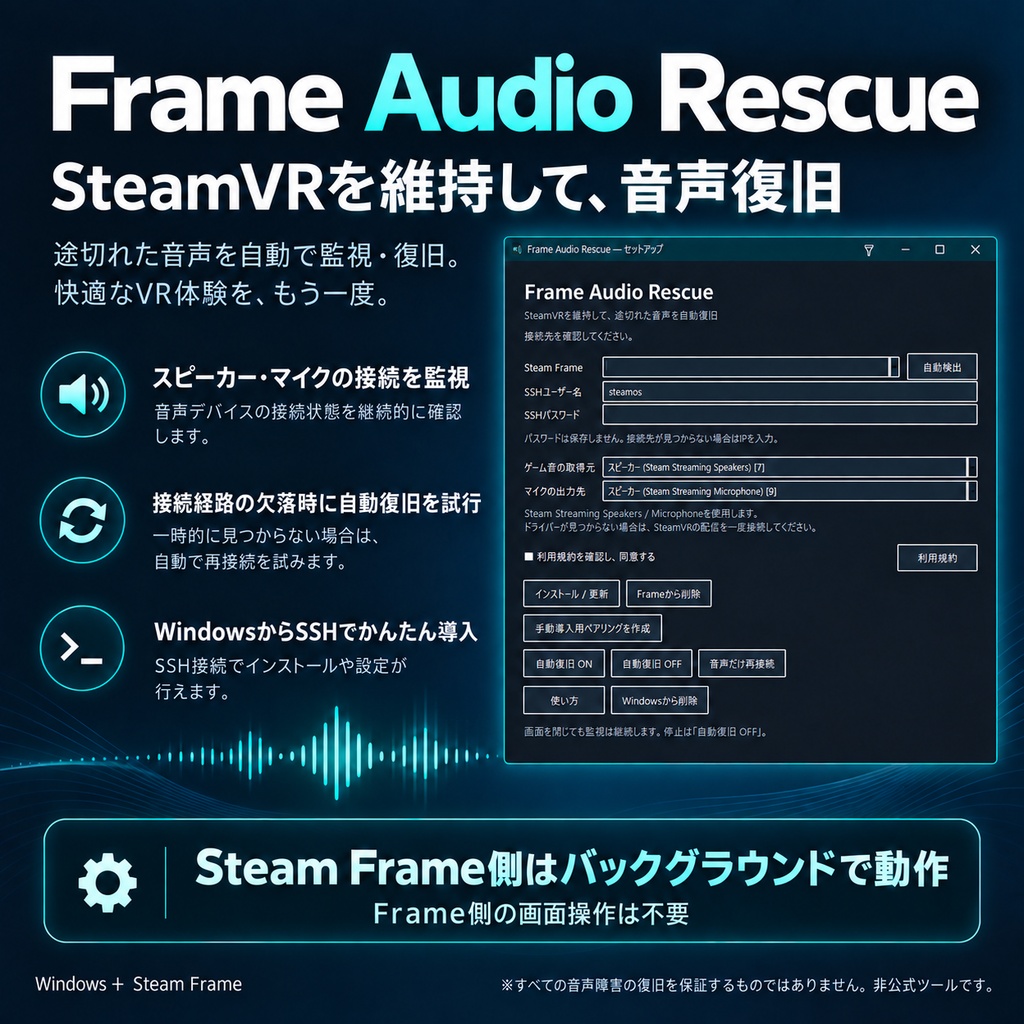
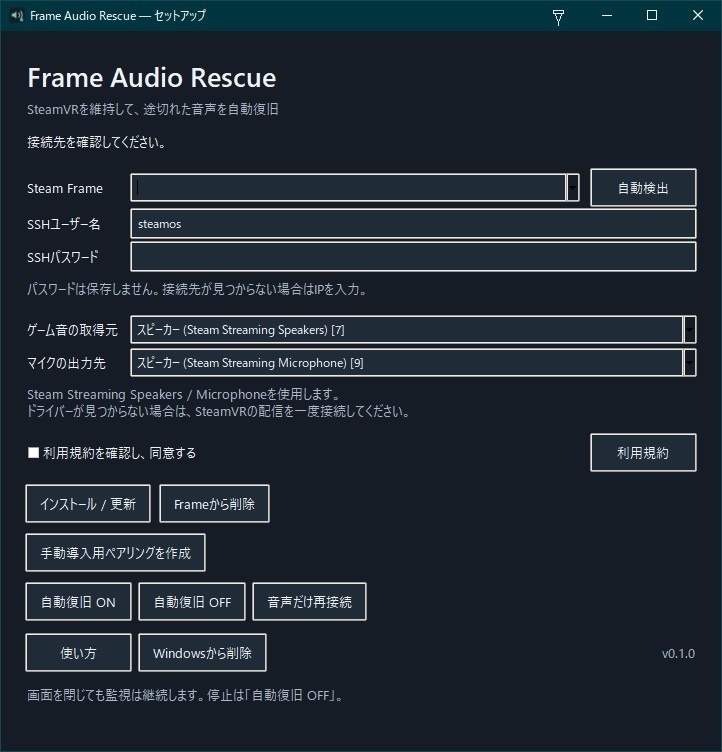


ベータ版で解決してそうなので無料化しました。 Steam FrameでPC VRを楽しんでいるとき、突然ゲーム音やマイク入力が途切れる問題に。 Frame Audio Rescueは音声接続を監視し、接続経路の欠落を検知すると独立したLAN音声経路へ切り替えて復旧を試みます。 SteamVRやVRChatを再起動せずに音声を復旧できるよう設計しています。 Steam Frame側はバックグラウンドで動作するため、Frame側でアプリ画面を開いたり操作したりする必要はありません。導入・設定・自動復旧のON/OFFはWindows側のアプリから行います。 主な機能 - スピーカー・マイクの音声接続を監視し、自動復旧 - SteamVRの接続状態に合わせて待機・復旧を自動切り替え - WindowsからSSH経由でSteam Frameへインストール - 自動復旧のON/OFF、音声だけの再接続 - Windows・Steam Frame両側のアンインストールに対応 更新履歴 0.1.1 — 2026年9月30日 - Windows常駐処理をタスクスケジューラから起動する方式に変更。 - 1分ごとに起動を確認し、終了していた場合は自動再起動。 - 自動復旧OFF・更新・アンインストール時の再起動を抑止。 - 更新失敗時に以前のタスク設定を復元する処理を追加。 - 従来のログオン時起動設定を新方式へ移行。 導入について Windows側とSteam Frame側の両方へ導入する必要があります。 セットアップツールには、接続先の自動検出と既定のSSHユーザー名を用意しています。通常はSteam FrameのSSHパスワードを入力し、初回のホスト鍵確認などを行って導入します。接続先やユーザー名は変更できます。 動作環境 - Windows 10/11・64bit - Steam、SteamVR - Steam Streaming Speakers/Steam Streaming Microphoneドライバー - Steam Frame・SSH有効 - PCとSteam Frameが同じLANに接続されていること(IPv4) 同梱内容 - Windows用セットアップEXE - 手動導入用のWindows・Steam Frameアプリ - Windows用アンインストーラー - 日本語説明書、利用規約、第三者ライセンス情報 購入前にご確認ください 開発環境ではスピーカー・VRChatのマイク入力の復旧を確認していますが、別個体のSteam Frame、クリーンなWindows環境、長時間の安定動作は未検証です。 すべての音声障害を検知・復旧できるものではありません。接続経路が正常に見えるまま無音になる場合など、対応できない症状があります。切り替え時の無音時間や音声遅延が発生する場合があります。 製品EXEは未署名のため、Windowsの警告が表示される場合があります。導入前に同梱説明書をご確認ください。 ライセンス・プライバシー 購入者本人が所有する複数のPC・Steam Frameで利用でき、配信などの商用利用にも対応しています。再配布・転売は禁止です。リバースエンジニアリング等の制限は、同梱利用規約に定める法令・第三者ライセンス上の例外に従います。 SSHパスワードは保存しません。音声の録音や外部サーバーへの送信は行わず、ペアリングした機器間のLAN通信には暗号化を使用します。 ※Valve、Steam、SteamVR、Steam Frame、VRChatの公式製品ではありません。 [English] Frame Audio Rescue — Automatic Audio Recovery for Steam Frame Lost game audio or microphone input while playing PC VR on Steam Frame? Frame Audio Rescue monitors the audio connection and attempts to restore speaker and microphone audio through an independent LAN audio path when it detects a missing connection. It is designed to recover audio without restarting SteamVR or VRChat. The Steam Frame component runs in the background. There is no app window to open or operate on the headset. Installation, configuration, and the automatic recovery toggle are managed from the Windows app. Release Notes Version 0.1.1 — September 30, 2026 - Changed the Windows background process to launch through Windows Task Scheduler. - Added a check every minute to restart the background process if it has exited. - Prevented automatic restarts when automatic recovery is turned off, during updates, and during uninstallation. - Added restoration of the previous task configuration if an update fails. - Migrated the previous Windows sign-in startup configuration to Task Scheduler. Features - Automatic monitoring and recovery of speaker and microphone connections - Automatic switching between standby and recovery based on the SteamVR connection - Windows installer that deploys the Steam Frame app over SSH - Automatic recovery toggle and audio-only reconnection - Uninstall support for both Windows and Steam Frame Installation The app must be installed on both your Windows PC and Steam Frame. The setup tool includes device discovery and a default SSH username. Typically, you enter your Steam Frame SSH password and complete the initial host-key verification and setup checks. The address and username can also be changed. Requirements - Windows 10 or 11, 64-bit - Steam and SteamVR - Steam Streaming Speakers and Steam Streaming Microphone drivers - Steam Frame with SSH enabled - PC and Steam Frame connected to the same LAN using IPv4 Included - Windows setup EXE - Windows and Steam Frame apps for manual installation - Windows uninstaller - Japanese instructions, license agreement, and third-party license notices Before Purchasing Speaker audio and VRChat microphone recovery have been verified in the development environment. Testing on a second Steam Frame, a clean Windows installation, and extended use has not yet been completed. The app cannot detect or recover every audio problem. For example, silence may not be detected if the audio connection still appears healthy. Recovery may introduce a brief interruption or additional audio latency. The product executables are unsigned and may trigger a Windows security warning. Please read the included instructions before installation. The current interface and user guide are in Japanese. License and Privacy The purchaser may use the app on multiple PCs and Steam Frame devices they own, including for commercial streaming. Redistribution and resale are prohibited. Restrictions on reverse engineering are subject to the applicable-law and third-party-license exceptions stated in the included agreement. SSH passwords are not saved. The app does not record audio or send it to external servers. Audio is encrypted and transmitted over the LAN between paired devices. This is an unofficial product and is not affiliated with or endorsed by Valve, Steam, SteamVR, Steam Frame, or VRChat.