

【VRChat】パーティクル&音付き!歯磨きギミック (Tooth Brush Gimmick) 【VR/Desktop両対応】
- 通常版ダウンロード商品¥ 300
- エナドリ代ダウンロード商品¥ 500
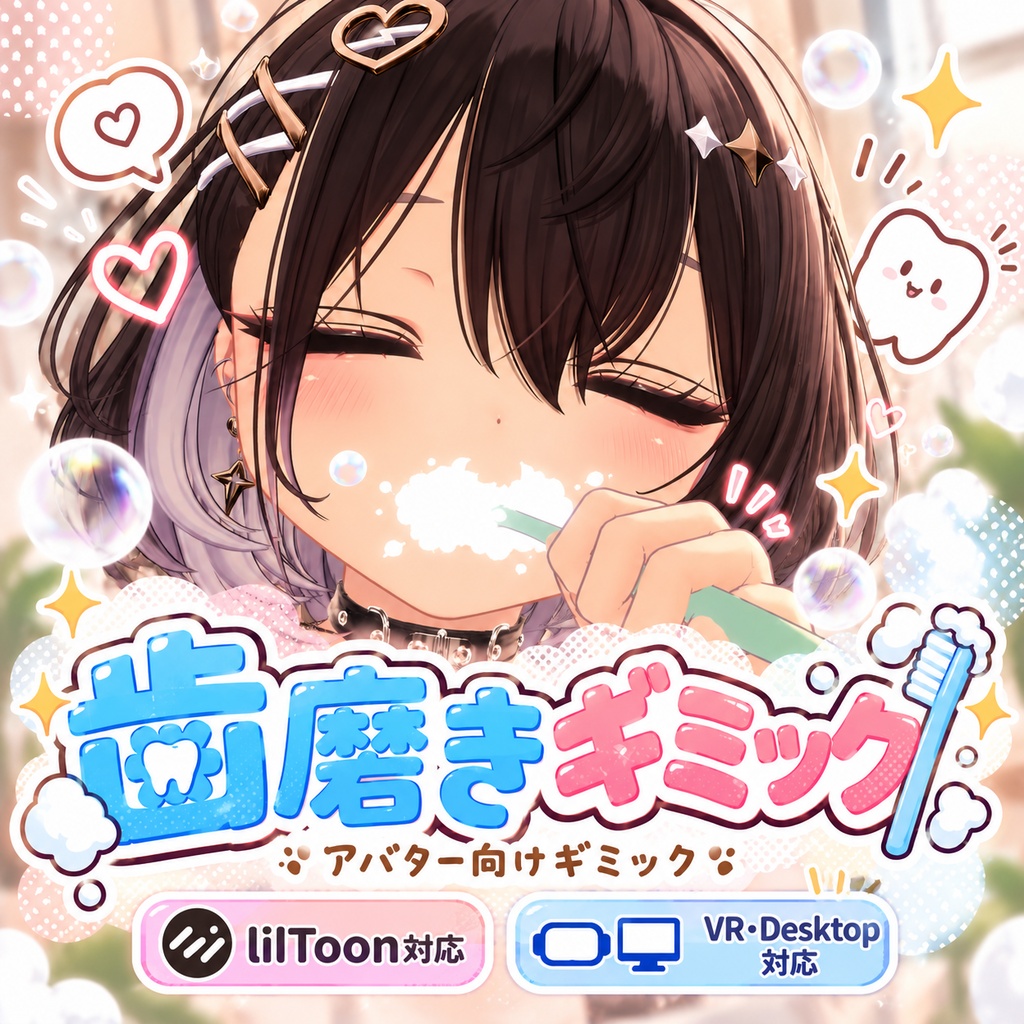
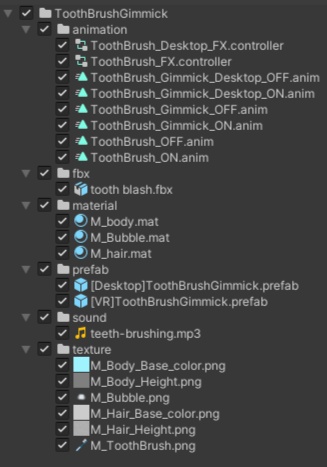


【公開記念 3日間無料配布】 3日間限定無料配布:~2026/10/03 23:59) 通常価格:300円 エナドリ代:500円(内容物に差異はありません) 【更新履歴】 2026/10/01 販売開始 2026/10/02 v1.1をリリース 修正内容:お互い[VR]ToothBrushGimmickが入っている場合,双方で歯磨きをしてあげることが可能になるように調整 ⚠注意事項⚠ [VR]ToothBrushGimmickがアバターに入っていれば、させる側はエクスプレッションメニューを有効にする必要はありません。 また、[Desktop]ToothBrushGimmickは本修正に対応しておりません、ご了承ください。 ================================== アバターの口元に歯ブラシを近づけることで、シュワシュワとした泡パーティクルとリアルなゴシゴシ音が鳴り響くVRChat向け歯磨きギミックです。 「おやすみ前の新習慣、フレンドと一緒にゴシゴシタイム――」 VR環境とデスクトップ環境の両方に完全対応! お泊まり会ワールドでの夜更かし雑談や、おやすみ前のルーティン、日常の何気ない写真撮影のアクセントとして、コミュニケーションがさらに楽しくなるアイテムです。 ■ 機能・特徴 • 臨場感のある演出:リアルな歯磨きサウンドと、口元から溢れる泡パーティクル付き。 • VR・Desktop両対応:環境に合わせた専用の挙動システムを搭載。 • Modular Avatar対応:アバターにPrefabを配置するだけの簡単導入。 • Expression Menu連動:メニューからいつでも簡単に出し入れが可能(初期状態はOFF)。 • シェーダー対応:美しく馴染む「lilToon」を採用。 ■ 仕様・動作の違い • Desktop版:メニューをONにすると、その場で即座にエフェクトと音が再生されます。 • VR版:メニューをONにしてから、右手を口元に持っていく(歯磨きの動作をする)ことで、インタラクティブにエフェクトと音が再生されます。 ■ 導入方法 1. Unityプロジェクトに本商品をインポートします。 2. Modular Avatarをあらかじめ導入してください。 3. ToothBrushGimmick > prefab フォルダから、環境に合わせてお好きなプレハブをお選びください。 • 【Desktop版の場合】 1. [Desktop]ToothBrushGimmick をアバター直下に配置します。 2. 内包されている Mouth Point のTransform(位置・回転・縮尺)を、アバターの口の位置に合わせてください。 • 【VR版の場合】 1. [VR]ToothBrushGimmick をアバター直下に配置します。 2. 内包されている Mouth Point のTransformを、アバターの口の位置に合わせてください。 3. 内包されている Tooth Brush Root のTransformを、アバターの右手の位置に合わせてください。 ■ 必要なもの • VRChat SDK Avatars • Modular Avatar • lilToon(最新版を推奨) • Unity 2022.3系 • PC版VRChat向けアバター ※本製品はQuest(Android)環境での動作確認はしておりません。自己責任でのご利用をお願いいたします。 ■ 利用規約 本データの利用により発生したトラブルや損害について、制作者は責任を負いません。 購入後の返金対応は、デジタル商品の性質上、原則として対応できません。 再配布・再販売は禁止です。 改変しての使用は可能です。 ■ 注意事項 • 本商品にアバター本体や洗面台などの背景小物は含まれていません。 • 導入にはUnityとVRChatアバターアップロードの基本的な知識が必要です。 • 使用するアバターや環境(ワールドのライティング等)によって、見え方が異なる場合があります。 • 音量やパーティクルの量は、必要に応じてご自身で調整してください。 ■ お問い合わせ 不具合やご質問などがありましたら、以下の連絡先にご連絡ください。 できる限り対応いたしますが、環境依存の不具合や改変後のトラブルについては、対応できない場合があります。あらかじめご了承ください。 ■ 連絡先 Xアカウント:@saccyan_704 ================================== [Release Celebration: Free for the first 3 days!] • Free Download Period: Available until October 3, 2026, 23:59 (JST) • Regular Price: 300 JPY • Support / Energy Drink Tier: 500 JPY (Contents are identical to the regular version. Thank you for your support!) [Update History] • October 1, 2026: Product Released • October 2, 2026: Update v1.1 Released Update Details: Adjusted the system so that if both users have [VR]ToothBrushGimmick installed, they can now brush each other's teeth. ⚠ Important Notice ⚠ • As long as the avatar has [VR]ToothBrushGimmick installed, the user performing the action does not need to enable their Expression Menu. • Please note that [Desktop]ToothBrushGimmick is not supported in this update. ================================== This is a toothbrush gimmick for VRChat that plays realistic brushing sounds and spawns bubbly foam particles when you bring the toothbrush close to your mouth! "A new routine before bed—enjoy brushing time together with your friends!" Fully compatible with both VR and Desktop environments! It's the perfect item to spice up your late-night chats in sleepover worlds, add to your bedtime routine, or use as a prop for everyday photoshoots. ■ Features • Realistic Immersion: Features actual toothbrushing sound effects and bubbly foam particles. • VR & Desktop Compatible: Equipped with dedicated systems tailored to your play environment. • Modular Avatar Support: Super easy installation—just drag and drop the prefab onto your avatar. • Expression Menu Integration: Easily toggle the gimmick on/off via your radial menu (Default: OFF). • Shader Included: Uses the high-quality, widely-supported "lilToon" shader. ■ How it Works (Differences by Platform) • Desktop Version: When toggled ON in the menu, the particles and sound effects will play immediately. • VR Version: When toggled ON, the particles and sound effects will dynamically play only when you bring your right hand close to your mouth (mimicking the brushing motion). ■ Installation Guide 1. Import this package into your Unity project. 2. Ensure you have Modular Avatar installed beforehand. 3. Open the ToothBrushGimmick > prefab folder and choose the appropriate prefab for your environment. • [For Desktop Users] 1. Place [Desktop]ToothBrushGimmick directly under your avatar root. 2. Adjust the Transform (Position/Rotation/Scale) of the nested Mouth Point to match your avatar's mouth position. • [For VR Users] 1. Place [VR]ToothBrushGimmick directly under your avatar root. 2. Adjust the Transform of the nested Mouth Point to match your avatar's mouth position. 3. Adjust the Transform of the nested Tooth Brush Root to match your avatar's right hand position. ■ Requirements • VRChat SDK Avatars • Modular Avatar • lilToon (Latest version recommended) • Unity 2022.3.x • PC Version VRChat Avatar Note: This product has not been tested for Quest (Android) environments. Please use at your own risk. ■ Terms of Use • The creator assumes no responsibility for any trouble or damage caused by the use of this data. • Due to the nature of digital goods, refunds are generally not available after purchase. • Redistribution and resale of this data are strictly prohibited. • Modification of this data for personal use is permitted. ■ Notes • This product does not include the avatar model, bathroom sink, or other background assets shown in promotional materials. • Basic knowledge of Unity and uploading VRChat avatars is required for installation. • The visual appearance may vary depending on the avatar used and the environment (world lighting, etc.). • Please adjust the volume and particle amount yourself if necessary. ■ Contact / Support If you encounter any bugs or have any questions, please contact me through the account below. While I will do my best to assist you, please note that I may not be able to support issues caused by your specific environment or modifications made to the product. Thank you for your understanding. ■ Contact Information X (Twitter): @saccyan_704