

【無料】VRCast - VRChatアバターを簡単にOBSへ取り込めるソフト
- フル機能版 (ヤニ代と中身・機能変わりません)ダウンロード商品¥ 0
- 私のヤニ代1箱 (中身・機能変わりません)ダウンロード商品¥ 600
- 私のヤニ代2箱 (中身・機能変わりません)ダウンロード商品¥ 1,200
- 私のヤニ代4箱 (中身・機能変わりません)ダウンロード商品¥ 2,400
- 私のヤニ代1カートン (中身・機能変わりません)ダウンロード商品¥ 6,000
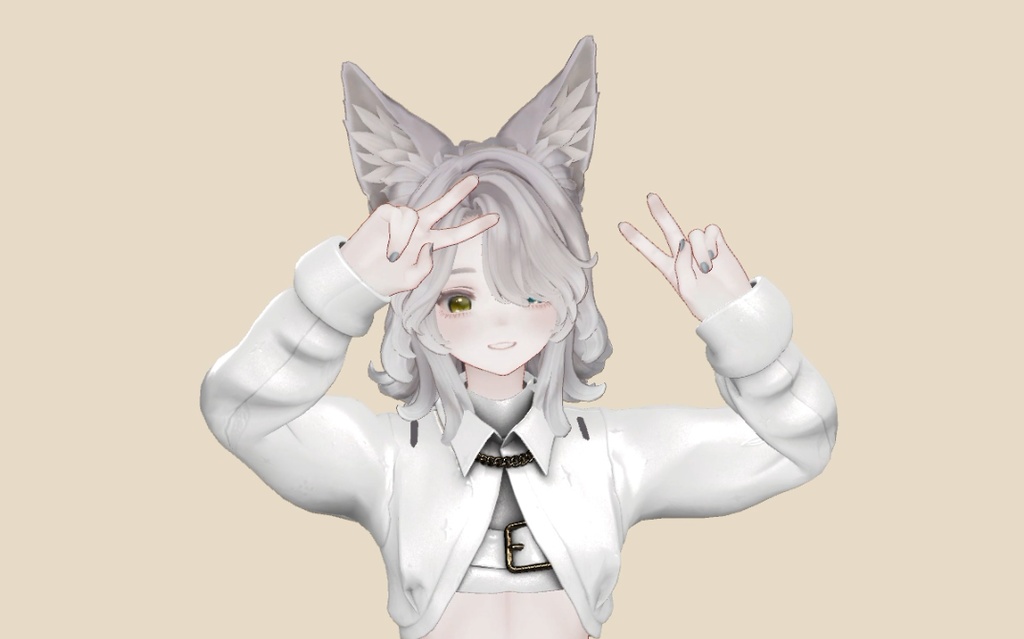
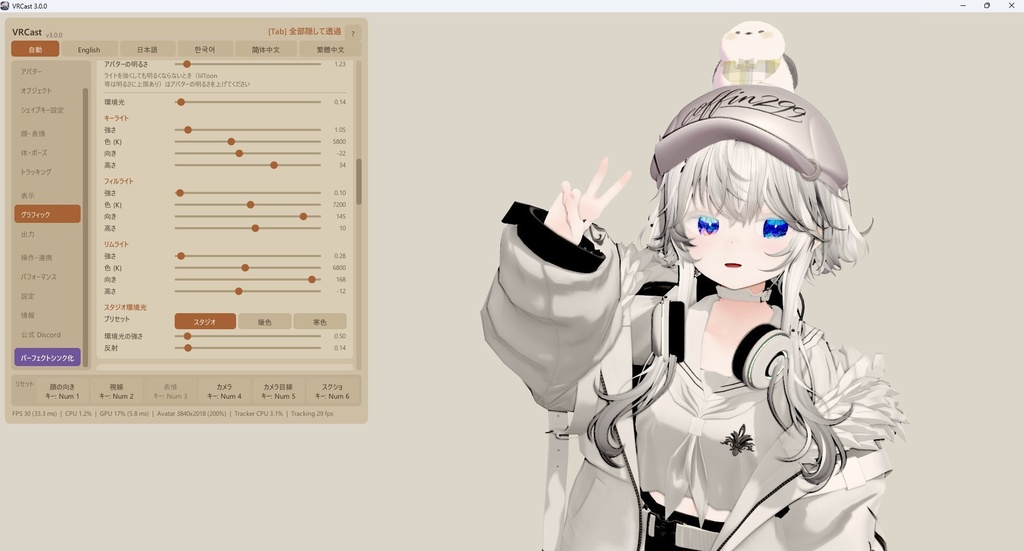
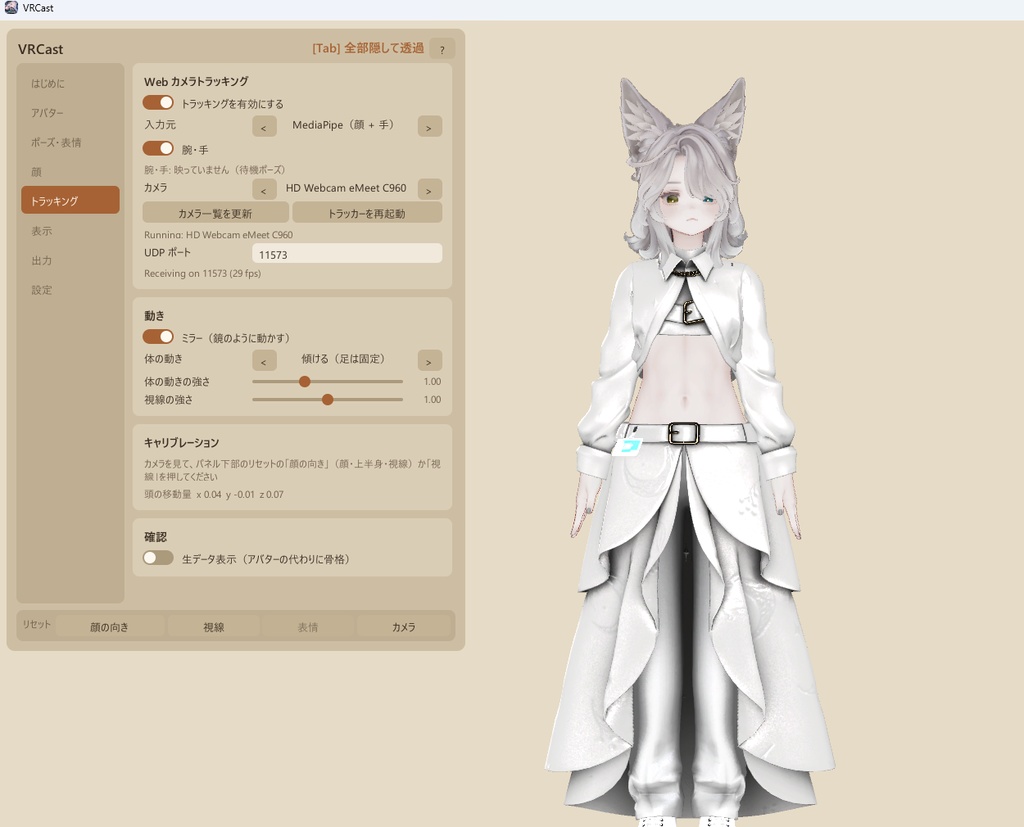
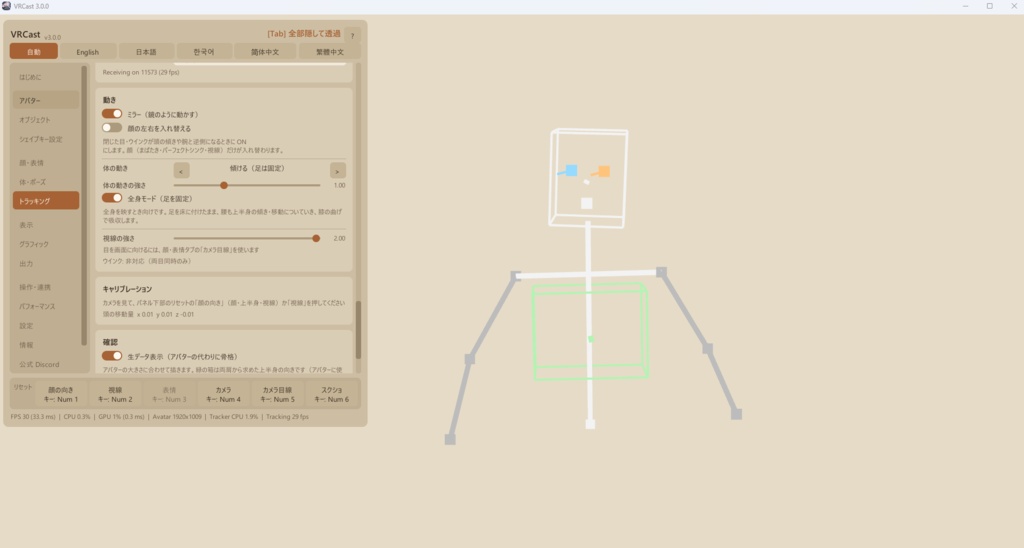
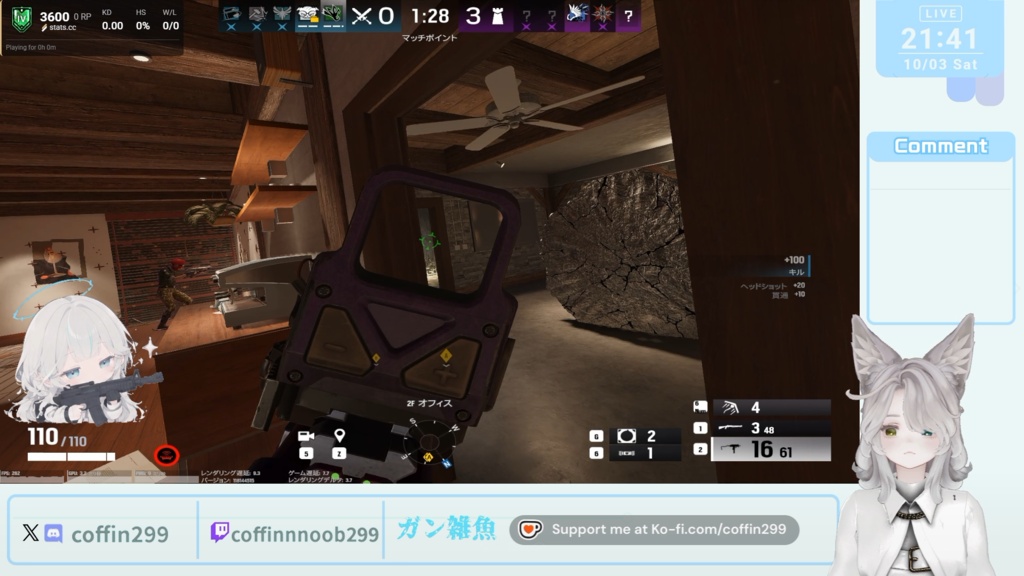
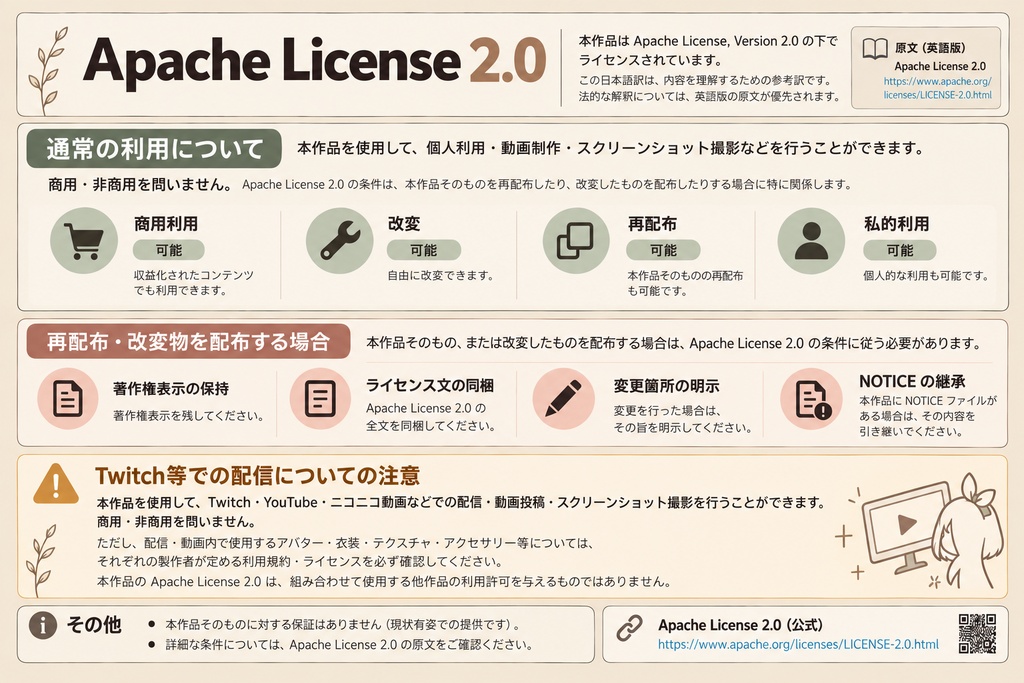


サンプルに使用しているアバター: ・マリシア ちゃん(Vtuberとして常用NGなのでご注意): https://brn.booth.pm/items/6305948 ・アッシュちゃん: https://booth.pm/ja/items/3234473 VRCast 公式Discordコミュニティ(ROM専でもお気軽にどうぞ!) https://discord.gg/vM5RH52HdF VRChatのアバターをそのままOBSやDiscord,Zoomに投影出来るアプリです。 無料!寄付歓迎!!! Apache License 2.0です。商用・非商用・魔改造なんでもご自由にどうぞ。 https://github.com/coffin299/VRCast/blob/main/LICENSE 🇺🇸 English, Korean, and Chinese (Traditional / Simplified) are available below. 🇰🇷 영어, 한국어, 중국어(번체/간체) 설명은 아래에서 확인하실 수 있습니다. 🇹🇼 英文、韓文及中文(繁體/簡體)內容請往下查看。 🇨🇳 英文、韩文和中文(繁体/简体)内容请向下查看。 チュートリアル: https://youtu.be/T5D6EbB5VIg?si=KEq4wUaftMUTfUv4 TwitchチャンネルをフォローやPrimeサブスクしてくれると嬉しいです。 https://www.twitch.tv/coffinnoob299
VRChat・Unity を開かずに、あなたのアバターで配信・通話しよう。
VRCast は、VRChat 用の 3D アバターを単体で表示し、OBS などの配信ソフトや Discord / Zoom に映せる Windows 用アプリです。 アバターを一度 .vrcaster ファイルに書き出せば、あとは Unity や VCC を起動せずに使えます。 本体は無料です。気に入っていただけたら、私のTwitchチャンネルのフォローやPrimeサブスク、支援(投げ銭)版をお選びいただけると開発の励みになります。 無料版と支援版で機能の違いはありません。 ■ できること ・OBS に背景透過で映せる(ゲームキャプチャで背景を抜いて配信画面に重ねられます) ・VRChat の設定をそのまま再現(表情・小物の初期状態・揺れもの・Constraint。元のアバターは変更しません) ・あいうえおの口パク(マイクの声から母音を判定。自動まばたき付き) ・Web カメラでトラッキング(頭・まばたき・口・視線・腕・手・指。MediaPipe 同梱、OpenSeeFace にも対応) ・仮想カメラ出力(「VRCast Camera」として Discord や Zoom で選べます) ・はじめてでも迷わない(「はじめに」タブが OBS に映すまでを案内。日本語 / 英語対応) ・見た目の調整(ライト、アバターの明るさ、背景色、解像度、表情の切り替え) ■ 使い方(かんたん 3 ステップ) 1. アバターの入った Unity プロジェクトに書き出しツールを入れて、.vrcaster に書き出す 2. VRCast のウィンドウに .vrcaster をドラッグ&ドロップする 3. OBS でゲームキャプチャを追加し、「透過を許可」にチェック 詳しい手順: https://coffin299.github.io/VRCast/help/ ■ 書き出しツールの導入(VRChat の Unity プロジェクト側) 1. VCC(VRChat Creator Companion)からアバターの入ったプロジェクトを開く 2. zip の中の VRCast-Converter.unitypackage をダブルクリック(または Unity にドラッグ&ドロップ)して「Import」 3. メニューに「VRCast」が出たら導入完了 4. 「VRCast」→「Avatar Exporter」を開き、シーン上のアバターを指定して「Export...」で .vrcaster を保存 ※ 元のアバターやプロジェクトのアセットは変更しません。不要になったら Assets/VRCast/Converter フォルダを削除してください。 ※ Package Manager で入れたい場合は「Add package from git URL...」に次の URL(Git が必要): https://github.com/coffin299/VRCast.git?path=/Packages/com.vrcast.converter ■ 動作環境 ・Windows 11 ・書き出し: アバターの入った Unity 2022.3.22f1 プロジェクト(VCC で作ったプロジェクトで OK) ・トラッキング: Web カメラ(任意) ・配信: OBS Studio など ■ 内容物 VRCast-x.x.x-win64.zip ・VRCast.exe(本体。展開してフォルダ内の VRCast.exe を起動) ・VRCast-Converter.unitypackage(書き出しツール) ・README.txt / CHANGELOG.txt / LICENSE.txt / NOTICE.txt ■ ご注意 ・個人開発の非公式ツールで、VRChat Inc. とは関係ありません。 ・アバターの利用規約を必ず守ってください(配信・外部アプリでの使用・改変の可否は、アバター・衣装・アクセサリーそれぞれの規約に従ってください)。 ・対応シェーダーは Built-in パイプライン向け(lilToon・Poiyomi など)。揺れものや Constraint は近似のため、VRChat と完全に同じ動きにはなりません。 ・仮想カメラは初回にドライバーの登録(管理者の確認)が必要です。フォルダを移動・削除する前に「ドライバーを解除」を押してください。 ・初回起動時に SmartScreen やウイルス対策ソフトが警告を出すことがあります。 ・本ソフトの使用によって生じた損害について、作者は責任を負いません。 ■ ライセンス Apache License 2.0 のオープンソースソフトウェアです。ライセンス全文と同梱ソフトウェアの表記は GitHub をご覧ください。 https://github.com/coffin299/VRCast ■ リンク・お問い合わせ Web サイト: https://coffin299.github.io/VRCast/ 不具合の報告・要望: https://github.com/coffin299/VRCast/issues
もしこのアプリがバグってたら / Report Issue
私のDiscordのDMにクレームを気軽に送り付けてください。"操作方法分かんない"でも全然どうぞ! Discord: https://discord.com/users/270446628622696449 あるいはGithubIssueに上げといてください。 https://github.com/coffin299/VRCast/issues
Unity対応バージョン・動作確認済みアバター
Unity Version: 2022.3.22f1 動作確認済みアバター: ミュゼラ(販売停止) : https://bbkktn.booth.pm/ Adolescent U : https://sonovr.booth.pm/items/3284430 アッシュ : https://mk22.booth.pm/items/3234473 しなの : https://ponderogen.booth.pm/items/6106863 マリシア : https://brn.booth.pm/items/6305948
アップデート履歴
2026-10-03 : v1.0.0 初回リリース bumpしまくった結果長くなったため下記参照: https://github.com/coffin299/VRCast/blob/main/CHANGELOG.txt
Stream and video-call as your VRChat avatar, without opening Unity.
VRCast is a Windows app that shows your VRChat 3D avatar on its own and sends it to OBS, Discord, Zoom and more. Export your avatar once to a .vrcaster file, and you no longer need Unity or VCC running. VRCast is free. If you like it, choosing a supporter (donation) option helps keep development going. The free and supporter versions are identical. ■ Features ・Transparent background in OBS (Game Capture) ・Keeps your VRChat setup: expressions, default toggles, PhysBones and constraints (your original avatar is never modified) ・A-I-U-E-O lip sync from your microphone, with auto blink ・Webcam tracking: head, blink, mouth, gaze, arms, hands and fingers (MediaPipe bundled, OpenSeeFace supported) ・Virtual camera: pick "VRCast Camera" in Discord, Zoom and more ・Beginner friendly: the Start tab guides you to OBS. Japanese and English UI ・Look adjustments: lighting, avatar brightness, background color, resolution, expressions ■ Three easy steps 1. Add the exporter to your avatar's Unity project and export it to .vrcaster 2. Drag and drop the .vrcaster file onto the VRCast window 3. Add a Game Capture source in OBS and check "Allow Transparency" Details: https://coffin299.github.io/VRCast/help/ ■ Installing the exporter (in your VRChat Unity project) 1. Open the project with your avatar from VCC (VRChat Creator Companion) 2. Double-click VRCast-Converter.unitypackage in the zip (or drag it into Unity) and click "Import" 3. When a "VRCast" menu appears, the exporter is installed 4. Open "VRCast" > "Avatar Exporter", pick your avatar in the scene and click "Export..." to save a .vrcaster file Note: your original avatar and project assets are never modified. To remove it, delete the Assets/VRCast/Converter folder. Note: to use the Package Manager instead, use "Add package from git URL..." with this URL (Git required): https://github.com/coffin299/VRCast.git?path=/Packages/com.vrcast.converter ■ Requirements ・Windows 11 ・Export: a Unity 2022.3.22f1 project with your avatar (VCC projects are fine) ・Tracking: a webcam (optional) ・Streaming: OBS Studio or similar ■ Contents VRCast-x.x.x-win64.zip ・VRCast.exe (the app. Extract the zip and run VRCast.exe in the folder) ・VRCast-Converter.unitypackage (the exporter) ・README.txt / CHANGELOG.txt / LICENSE.txt / NOTICE.txt ■ Notes ・Unofficial tool by an individual developer, not affiliated with VRChat Inc. ・Always follow the terms of use of your avatar, outfits and accessories. ・Built-in pipeline shaders (lilToon, Poiyomi, etc.). PhysBones and constraints are approximated. ・The virtual camera registers a driver once (administrator prompt). Press "Uninstall driver" before moving or deleting the folder. ・SmartScreen or antivirus software may warn on first launch. ・The author is not responsible for any damage caused by using this software. ■ License Open-source software under the Apache License 2.0. See GitHub for the full license and third-party notices. https://github.com/coffin299/VRCast ■ Links and support Website: https://coffin299.github.io/VRCast/ Bug reports and requests: https://github.com/coffin299/VRCast/issues
VRChat・Unity 없이, 나만의 아바타로 방송하고 통화하세요.
VRCast는 VRChat용 3D 아바타를 단독으로 표시하고, OBS 등의 방송 소프트웨어나 Discord / Zoom에 출력할 수 있는 Windows용 애플리케이션입니다. 아바타를 한 번 `.vrcaster` 파일로 내보내면, 이후에는 Unity나 VCC를 실행하지 않고도 사용할 수 있습니다. 본체는 무료입니다. VRCast가 마음에 드셨다면 제 Twitch 채널을 팔로우하거나 Prime 구독을 이용해 주시거나, 후원 버전을 선택해 주시면 개발에 큰 도움이 됩니다. 무료 버전과 후원 버전의 기능 차이는 없습니다. ■ 주요 기능 ・OBS에 투명 배경으로 출력 (게임 캡처를 사용하여 배경을 제거한 뒤 방송 화면에 겹쳐 표시할 수 있습니다) ・VRChat 설정 재현 (표정, 소품의 초기 상태, 물리 기반 요소, Constraint. 원본 아바타는 변경하지 않습니다) ・아이우에오 립싱크 (마이크 음성에서 모음을 감지하며 자동 눈 깜빡임 지원) ・웹캠 트래킹 (머리, 눈 깜빡임, 입, 시선, 팔, 손, 손가락. MediaPipe가 포함되어 있으며 OpenSeeFace도 지원) ・가상 카메라 출력 (Discord나 Zoom에서 "VRCast Camera"를 카메라로 선택할 수 있습니다) ・처음 사용하는 사람도 쉽게 사용 가능 ("처음 시작하기" 탭에서 OBS에 출력하는 방법을 안내합니다. 일본어 / 영어 지원) ・외형 조정 (조명, 아바타 밝기, 배경색, 해상도, 표정 전환) ■ 사용 방법 (간단한 3단계) 1. 아바타가 포함된 Unity 프로젝트에 내보내기 도구를 설치하고 `.vrcaster` 파일로 내보냅니다 2. `.vrcaster` 파일을 VRCast 창에 드래그 앤 드롭합니다 3. OBS에서 게임 캡처를 추가하고 "투명도 허용"을 체크합니다 자세한 사용 방법: https://coffin299.github.io/VRCast/help/ ■ 내보내기 도구 설치 (VRChat Unity 프로젝트) 1. VCC (VRChat Creator Companion)에서 아바타가 포함된 프로젝트를 엽니다 2. zip 파일 안의 `VRCast-Converter.unitypackage`를 더블 클릭하거나 Unity로 드래그 앤 드롭한 후 "Import"를 클릭합니다 3. 메뉴에 "VRCast"가 나타나면 설치가 완료된 것입니다 4. "VRCast" → "Avatar Exporter"를 열고 씬에 있는 아바타를 지정한 다음 "Export..."를 눌러 `.vrcaster` 파일로 저장합니다 ※ 원본 아바타와 프로젝트의 에셋은 변경되지 않습니다. 더 이상 필요하지 않다면 `Assets/VRCast/Converter` 폴더를 삭제하세요. ※ Package Manager로 설치하려면 "Add package from git URL..."에 다음 URL을 입력하세요 (Git이 필요합니다): https://github.com/coffin299/VRCast.git?path=/Packages/com.vrcast.converter ■ 시스템 요구 사항 ・Windows 11 ・내보내기: 아바타가 포함된 Unity 2022.3.22f1 프로젝트 (VCC로 생성한 프로젝트 사용 가능) ・트래킹: 웹캠 (선택 사항) ・방송: OBS Studio 등의 방송 소프트웨어 ■ 포함된 파일 `VRCast-x.x.x-win64.zip` ・`VRCast.exe` (본체. 압축을 해제한 후 폴더 안의 VRCast.exe를 실행) ・`VRCast-Converter.unitypackage` (내보내기 도구) ・`README.txt` / `CHANGELOG.txt` / `LICENSE.txt` / `NOTICE.txt` ■ 주의 사항 ・본 소프트웨어는 개인이 개발한 비공식 도구이며 VRChat Inc.와는 관계가 없습니다. ・아바타의 이용 약관을 반드시 준수해 주세요. 방송, 외부 애플리케이션에서의 사용, 개조 가능 여부는 각각의 아바타, 의상, 액세서리 이용 약관을 따라야 합니다. ・지원되는 셰이더는 Built-in Render Pipeline용 셰이더입니다 (lilToon, Poiyomi 등). 물리 기반 요소와 Constraint는 근사 구현이므로 VRChat과 완전히 동일하게 움직이지 않을 수 있습니다. ・가상 카메라는 최초 사용 시 드라이버 등록이 필요합니다 (관리자 권한 확인 필요). 폴더를 이동하거나 삭제하기 전에 "Unregister Driver"를 눌러 드라이버를 해제해 주세요. ・처음 실행할 때 SmartScreen 또는 백신 프로그램에서 경고가 표시될 수 있습니다. ・본 소프트웨어의 사용으로 인해 발생한 손해에 대해 제작자는 책임을 지지 않습니다. ■ 라이선스 Apache License 2.0으로 제공되는 오픈 소스 소프트웨어입니다. 라이선스 전문 및 포함된 소프트웨어에 대한 표기는 GitHub를 확인해 주세요. https://github.com/coffin299/VRCast ■ 링크 및 문의 웹사이트: https://coffin299.github.io/VRCast/ 버그 신고 / 기능 요청: https://github.com/coffin299/VRCast/issues
不用開啟 VRChat・Unity,就能用你的虛擬角色直播與通話。
VRCast 是一款 Windows 應用程式,可以單獨顯示 VRChat 用的 3D 虛擬角色,並將其輸出到 OBS 等直播軟體,以及 Discord / Zoom。 只要將虛擬角色匯出一次並製作成 `.vrcaster` 檔案,之後就不需要啟動 Unity 或 VCC 即可使用。 本體免費提供。如果您喜歡 VRCast,歡迎追蹤我的 Twitch 頻道、使用 Prime 訂閱,或選擇支援版,這都會成為我持續開發的動力。 免費版與支援版在功能上完全相同。 ■ 功能 ・可透明背景輸出至 OBS(使用遊戲擷取即可去除背景,將虛擬角色疊加到直播畫面上) ・還原 VRChat 設定(表情、小物件初始狀態、物理效果、Constraint。 不會修改原始虛擬角色) ・AIUEO 口型同步(透過麥克風聲音判斷母音,並支援自動眨眼) ・網路攝影機追蹤(頭部、眨眼、嘴型、視線、手臂、手掌、手指。內建 MediaPipe,也支援 OpenSeeFace) ・虛擬攝影機輸出(可在 Discord 或 Zoom 中選擇「VRCast Camera」作為攝影機) ・新手也能輕鬆使用(「開始使用」分頁會引導您完成輸出至 OBS 的步驟。支援日文 / 英文) ・外觀調整(燈光、虛擬角色亮度、背景顏色、解析度、表情切換) ■ 使用方法(簡單 3 步驟) 1. 在包含虛擬角色的 Unity 專案中安裝匯出工具,並將虛擬角色匯出為 `.vrcaster` 2. 將 `.vrcaster` 檔案拖放至 VRCast 視窗 3. 在 OBS 中新增遊戲擷取,並勾選「允許透明度」 詳細步驟:https://coffin299.github.io/VRCast/help/ ■ 安裝匯出工具(VRChat Unity 專案) 1. 從 VCC(VRChat Creator Companion)開啟包含虛擬角色的專案 2. 雙擊 zip 檔案中的 `VRCast-Converter.unitypackage`(或將其拖放至 Unity),然後按下「Import」 3. 當選單中出現「VRCast」時,即表示安裝完成 4. 開啟「VRCast」→「Avatar Exporter」,指定場景中的虛擬角色,然後按下「Export...」將其儲存為 `.vrcaster` ※ 不會修改原始虛擬角色或專案中的資產。不再需要時,可以刪除 `Assets/VRCast/Converter` 資料夾。 ※ 如果希望透過 Package Manager 安裝,請在「Add package from git URL...」中輸入以下 URL(需要 Git): https://github.com/coffin299/VRCast.git?path=/Packages/com.vrcast.converter ■ 系統需求 ・Windows 11 ・匯出:包含虛擬角色的 Unity 2022.3.22f1 專案(使用 VCC 建立的專案即可) ・追蹤:網路攝影機(選用) ・直播:OBS Studio 等直播軟體 ■ 內容物 `VRCast-x.x.x-win64.zip` ・`VRCast.exe`(本體。解壓縮後,執行資料夾中的 VRCast.exe) ・`VRCast-Converter.unitypackage`(匯出工具) ・`README.txt` / `CHANGELOG.txt` / `LICENSE.txt` / `NOTICE.txt` ■ 注意事項 ・本軟體為個人開發的非官方工具,與 VRChat Inc. 無任何關係。 ・請務必遵守虛擬角色的使用規約。關於直播、於外部應用程式中使用、修改等是否允許,請依照各個虛擬角色、服裝及配件的使用規約。 ・支援的 Shader 為 Built-in Render Pipeline 使用的 Shader(例如 lilToon、Poiyomi)。物理效果與 Constraint 為近似實作,因此動作不會與 VRChat 完全一致。 ・虛擬攝影機首次使用時需要註冊驅動程式(需要管理員確認)。移動或刪除資料夾前,請先按下「Unregister Driver」解除驅動程式。 ・首次啟動時,SmartScreen 或防毒軟體可能會顯示警告。 ・因使用本軟體而造成的任何損害,作者概不負責。 ■ 授權條款 本軟體為採用 Apache License 2.0 授權的開源軟體。完整授權條款及隨附軟體的相關資訊,請參閱 GitHub。 https://github.com/coffin299/VRCast ■ 連結與聯絡方式 網站:https://coffin299.github.io/VRCast/ 錯誤回報 / 功能請求:https://github.com/coffin299/VRCast/issues
无需打开 VRChat・Unity,就能用你的虚拟形象进行直播和通话。
VRCast 是一款 Windows 应用程序,可以单独显示 VRChat 用的 3D 虚拟形象,并将其输出到 OBS 等直播软件,以及 Discord / Zoom。 只需将虚拟形象导出一次并保存为 `.vrcaster` 文件,之后无需启动 Unity 或 VCC 即可使用。 本体免费提供。如果您喜欢 VRCast,欢迎关注我的 Twitch 频道、使用 Prime 订阅,或选择支持版,这些都会成为我继续开发的动力。 免费版与支持版在功能上完全相同。 ■ 功能 ・可透明背景输出到 OBS(使用游戏捕获即可去除背景,将虚拟形象叠加到直播画面中) ・还原 VRChat 设置(表情、小物件初始状态、物理效果、Constraint。不会修改原始虚拟形象) ・AIUEO 口型同步(通过麦克风声音判断元音,并支持自动眨眼) ・网络摄像头追踪(头部、眨眼、嘴型、视线、手臂、手掌、手指。内置 MediaPipe,也支持 OpenSeeFace) ・虚拟摄像头输出(可以在 Discord 或 Zoom 中选择「VRCast Camera」作为摄像头) ・新手也能轻松使用(「开始使用」标签页会引导你完成输出到 OBS 的步骤。支持日语 / 英语) ・外观调整(灯光、虚拟形象亮度、背景颜色、分辨率、表情切换) ■ 使用方法(简单 3 步) 1. 在包含虚拟形象的 Unity 项目中安装导出工具,并将虚拟形象导出为 `.vrcaster` 2. 将 `.vrcaster` 文件拖放到 VRCast 窗口中 3. 在 OBS 中添加游戏捕获,并勾选「允许透明度」 详细步骤:https://coffin299.github.io/VRCast/help/ ■ 安装导出工具(VRChat Unity 项目) 1. 从 VCC(VRChat Creator Companion)打开包含虚拟形象的项目 2. 双击 zip 文件中的 `VRCast-Converter.unitypackage`(或将其拖放到 Unity 中),然后点击「Import」 3. 当菜单中出现「VRCast」时,即表示安装完成 4. 打开「VRCast」→「Avatar Exporter」,选择场景中的虚拟形象,然后点击「Export...」将其保存为 `.vrcaster` ※ 不会修改原始虚拟形象或项目中的资源。不再需要时,可以删除 `Assets/VRCast/Converter` 文件夹。 ※ 如果希望通过 Package Manager 安装,请在「Add package from git URL...」中输入以下 URL(需要 Git): https://github.com/coffin299/VRCast.git?path=/Packages/com.vrcast.converter ■ 系统要求 ・Windows 11 ・导出:包含虚拟形象的 Unity 2022.3.22f1 项目(使用 VCC 创建的项目即可) ・追踪:网络摄像头(可选) ・直播:OBS Studio 等直播软件 ■ 内容物 `VRCast-x.x.x-win64.zip` ・`VRCast.exe`(本体。解压后运行文件夹中的 VRCast.exe) ・`VRCast-Converter.unitypackage`(导出工具) ・`README.txt` / `CHANGELOG.txt` / `LICENSE.txt` / `NOTICE.txt` ■ 注意事项 ・本软件是个人开发的非官方工具,与 VRChat Inc. 没有任何关系。 ・请务必遵守虚拟形象的使用条款。关于直播、在外部应用程序中使用、修改等是否允许,请遵循各个虚拟形象、服装及配件的使用条款。 ・支持的 Shader 为 Built-in Render Pipeline 使用的 Shader(例如 lilToon、Poiyomi)。物理效果与 Constraint 为近似实现,因此动作不会与 VRChat 完全一致。 ・虚拟摄像头首次使用时需要注册驱动程序(需要管理员确认)。移动或删除文件夹之前,请先点击「Unregister Driver」解除驱动程序。 ・首次启动时,SmartScreen 或杀毒软件可能会显示警告。 ・因使用本软件而造成的任何损害,作者概不负责。 ■ 许可证 本软件是采用 Apache License 2.0 许可证的开源软件。完整许可证文本及随附软件的相关信息,请参阅 GitHub。 https://github.com/coffin299/VRCast ■ 链接与联系方式 网站:https://coffin299.github.io/VRCast/ 问题反馈 / 功能请求:https://github.com/coffin299/VRCast/issues