

CATYO VR-91W Digital Watch For VRCHAT
- ダウンロード商品¥ 0
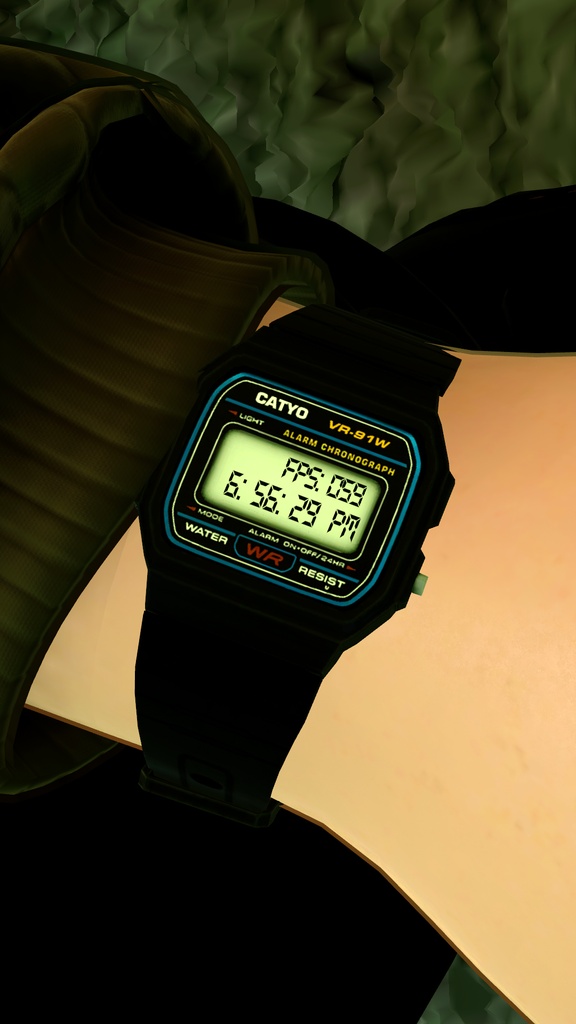
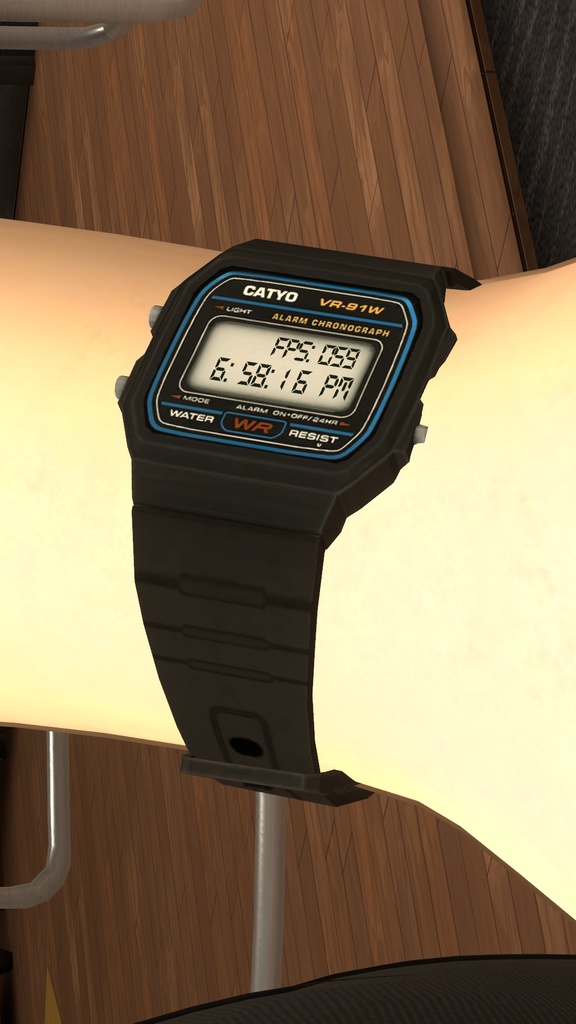


日本語訳 これはVRChatアバター向けのデジタル腕時計アセットです。ロゴやデザインは、人気のスタイリッシュなデジタル腕時計をイメージして作られています。ローカル時刻とフレームレート(FPS)を表示できます。 ポリゴン数は940トライに最適化されています。マテリアルは1つ、テクスチャは3枚(ノーマルマップ、ベースカラー、コンバインドマップ)で、透過表現やGrabPassは使用していません。ローカル時刻の表示には、G-SHOCK風ウォッチアクセサリーにも使われている、VRChatのシェーダー関数「VRChat_Time」を使用しています。 申し訳ありませんが、アバターへの取り付けにはUnityが必要です。 【Unityでの取り付け方法】 「VR-91W」プレハブをシーンにドラッグ&ドロップし、デフォルトのTransformを適用します。 プレハブをアバターの Armature > 下腕(LowerArm)/ひじ の子にします。 InspectorのTransformにあるPositionを(0, 0, 0)に戻すと、腕にスナップします。 ウォッチをアバターの腕の適切な位置に調整してください。 手首のボーンの下には配置しないでください。腕時計は手ではなく腕に着けるものです。 プレハブ内のアーマチュアを使うと、ベルトをアバターに合わせて調整できます。デフォルトの形やサイズで問題なければ、パフォーマンス軽減のため「Watch no rig」プレハブの使用をおすすめします。 【Blenderでの取り付け方法】 FBXをBlenderにインポートします。 ポーズモードでCATSプラグインを使い、ウォッチをアバターの手首に合わせてポーズを取り、「レストポーズとして適用」します。 ウォッチをアーマチュアから親子解除(トランスフォームを維持)し、アーマチュアを削除します。 (余分なボーンはVRChatのパフォーマンスランクに影響します。これらのボーンは今後不要です) 【カラーバリエーション】 プリセットのマテリアルを切り替えることで、ウォッチの色を変更できます。現在のカラーは以下の通りです。 ブラック:クラシックデザイン 今後、以下のカラーも順次追加予定です。 シルバー / ゴールド / ミリタリー / ステルス / ホワイト / ピンク / ブルー / レッド / イエロー この翻訳はClaude AIを使用して作成されました。 ------------------------------------------------ Are you like me? Excited that VRChat partnered with a certain watch company and released a really awesome detailed watch that actually told the time! However, you have a job, and missed out on this opportunity? only for an actual demanded feature to tell the time from in-game without a 3rd party tool taken away from you??? Well, worry no longer! From the depths of my ever growing piles of projects-left-on-the-shelf-to-die, I bring to you the FOMO Free Catyo VR-91W! A simple sleek digital watch that tells them time, with the bonus of telling you what your frame rate is! This watch is optimized to 940 tris. It is one material, 3 textures, and does not use any opacity or grab passes. It has a normal map, base colour, and a combined map. It will tell your local time using the VRChat_Time exposed shader function, used in the G-SHOCK watch accessory. Unfortunately, you must use unity to attach this watch to you avatar. To attach to an avatar in unity - Drag and drop the VR-91W Prefab into your base scene to apply default transforms. Move the prefab under your Armature > Lower Arm/elbow. Revert the position field in the Transform element in your inspect so it reads 0,0,0 to snap it to your arm. Position the watch to the appropriate position on your avatars arm. Avoid placing it in your wrist bone, as a watch is worn on your arm, not on your hand. Use the armature in the prefab to position the strap to better suit your avatar. If the default shape and size works well, I recommend you use Watch no rig prefab to save on performance. To attach to an avatar in blender - Import the FBX into Blender. Using the pose mode with the CATS plugin, pose the watch to better fit your avatars wrist, then apply pose as rest pose. Unparrent the watch from the armature and keep transforms, then delete the armature (Extra bones will effect performance rank in VRC. you will never need these bones again) You can change the watch texture with the different preset materials. There are the following colours: - Black watch: classic Design More colours will come soon! Silver Gold Military Stealth White Pink Blue Red Yellow