
姫里りる🐈🍥動く!オリジナルマウスカーソル
- ダウンロード商品¥ 300
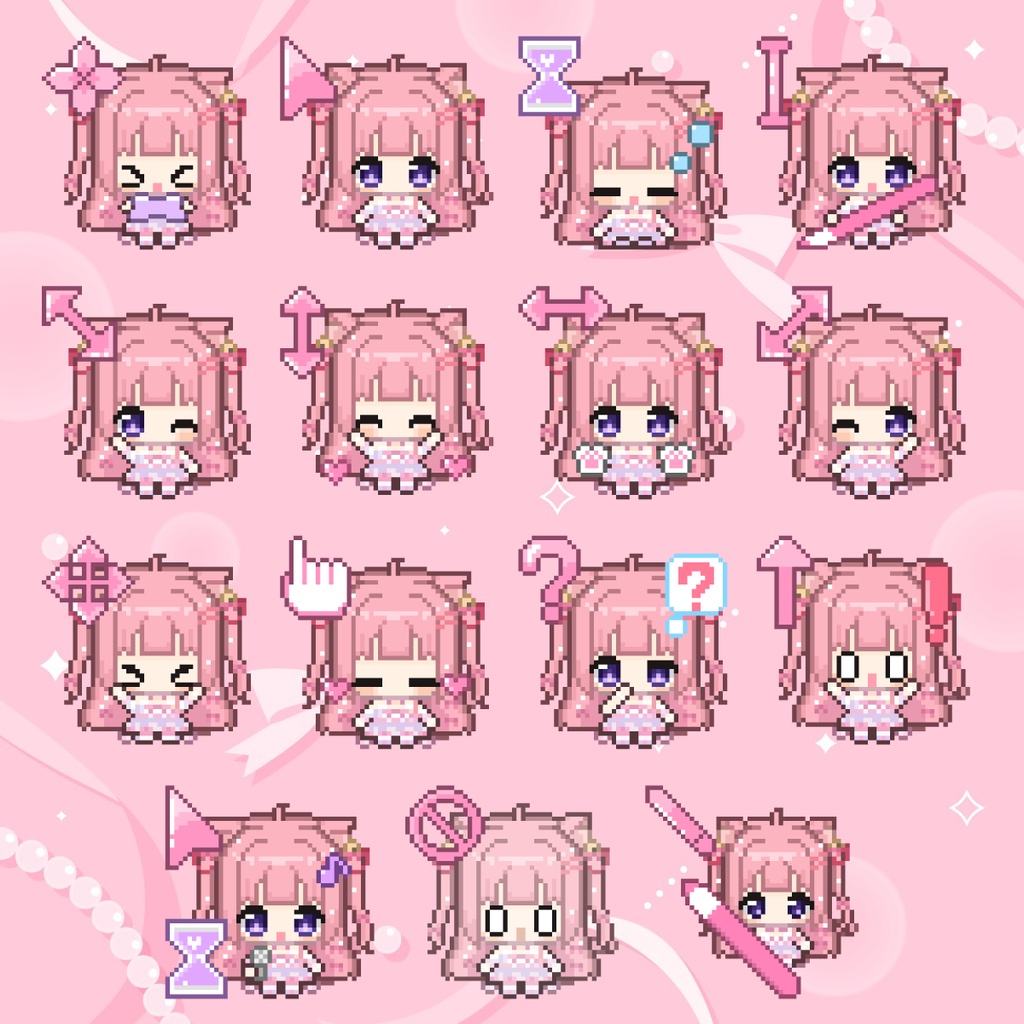

姫里りるのオリジナルマウスカーソルです🐈🎀 全15種類、全てアニメーションがついています!!!可愛い!!! ※Windowsにのみ対応(Macでは使用不可) ━━━━━━━━━━━━━━━━━ 【カーソルの内容】 ①通常の選択 ②ヘルプの選択 ③バックグラウンドで作業中 ④待ち状態 ⑤利用不可 ⑥テキスト選択 ⑦手書き ⑧領域選択 ⑨上下に拡大縮小 ⑩左右に拡大縮小 ⑪斜めに拡大縮小1 ⑫斜めに拡大縮小2 ⑬移動 ⑭代替選択 ⑮リンクの選択 ━━━━━━━━━━━━━━━━━ 【利用規約】 ・改変、再配布、自作発言等、その他公序良俗に反した利用を禁止します。 ・別素材として何かに使用することもご遠慮ください。 ・ご利用にあたり発生した問題に関して、責任は一切負いません。 ━━━━━━━━━━━━━━━━━ 【設定方法】 1.解凍したファイルをカーソルフォルダ(C:\Windows\Cursors)に移動。 2.スタートメニューの[設定]→[デバイス]→[マウス]→[その他のマウスオプション]→[ポインター]から設定が可能。 ━━━━━━━━━━━━━━━━━ 【マウスカーソル作成者様】 usatanien様(https://x.com/usako0000000)🐰💖 ━━━━━━━━━━━━━━━━━ 🐈🎀 Himesato Riru's Original Mouse Cursors These are Himesato Riru's original custom mouse cursors! 🐈🎀 There are **15 different cursors, and every single one is animated!!!** So cute!!! 💕 **※ Windows only (Not compatible with Mac)** ━━━━━━━━━━━━━━━━━ 【Included Cursors】 ① Normal Select ② Help Select ③ Working in Background ④ Busy ⑤ Unavailable ⑥ Text Select ⑦ Handwriting ⑧ Precision Select ⑨ Vertical Resize ⑩ Horizontal Resize ⑪ Diagonal Resize 1 ⑫ Diagonal Resize 2 ⑬ Move ⑭ Alternate Select ⑮ Link Select ━━━━━━━━━━━━━━━━━ 【Terms of Use】 - Modifying, redistributing, or claiming these cursors as your own is prohibited. - Please do not use these cursors as separate assets for other projects or purposes. - Any inappropriate use or activities that violate public morals are prohibited. - We are not responsible for any issues or damages that may occur from using these cursors. ━━━━━━━━━━━━━━━━━ 【How to Install】 1. Extract the downloaded ZIP file. 2. Move the extracted cursor files to the Windows cursor folder: `C:\Windows\Cursors` 3. Open **Settings → Bluetooth & devices → Mouse → Additional mouse settings**. 4. Go to the **Pointers** tab. 5. Select each cursor type, click **Browse**, and choose the corresponding custom cursor file. 6. Click **Apply** to save your changes! *※ Menu names may vary slightly depending on your Windows version.* ━━━━━━━━━━━━━━━━━ 【Cursor Artist】 Created by **usatanien** 🐰💖 X (Twitter): https://x.com/usako0000000 ━━━━━━━━━━━━━━━━━ Thank you for your support! 💗 I hope these cute little cursors make your everyday PC time even more fun! 🐈🍥