
【動く縦型配信背景】窓の外を電車が走る教室|昼・夕方・夜|36秒ループ MP4+PNG|Classroom – Animated Vertical Background for VTube Studio
- 昼 / Daytimeダウンロード商品¥ 500
- 夕方 / Sunsetダウンロード商品¥ 500
- 夜 / Nightダウンロード商品¥ 500
- 3種セット / All 3ダウンロード商品¥ 1,200
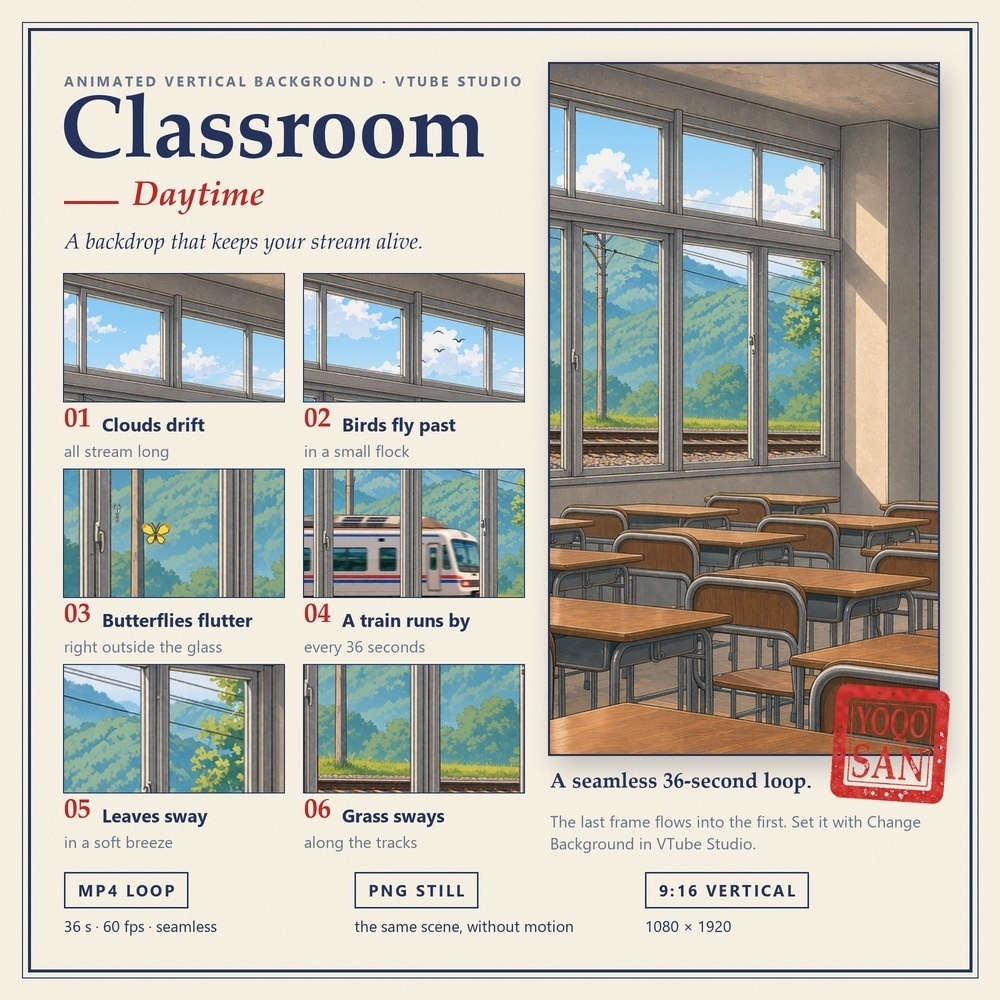
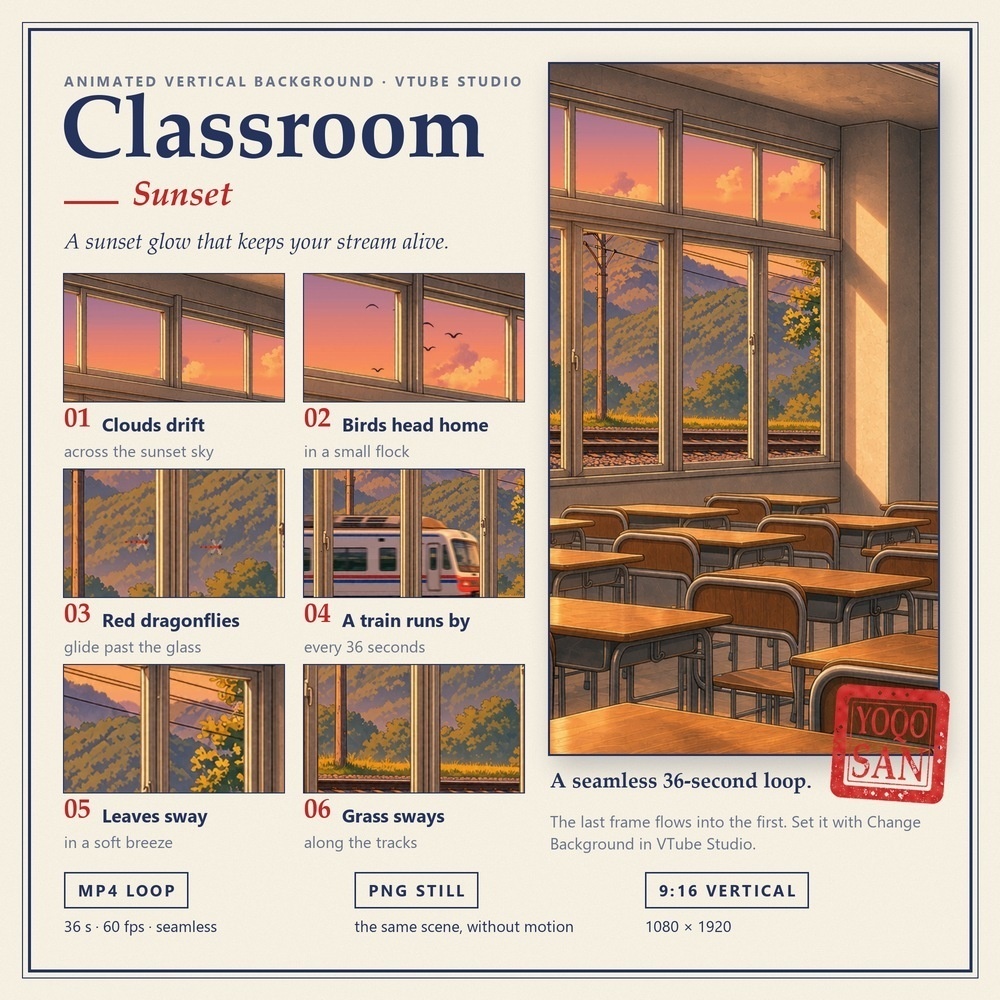
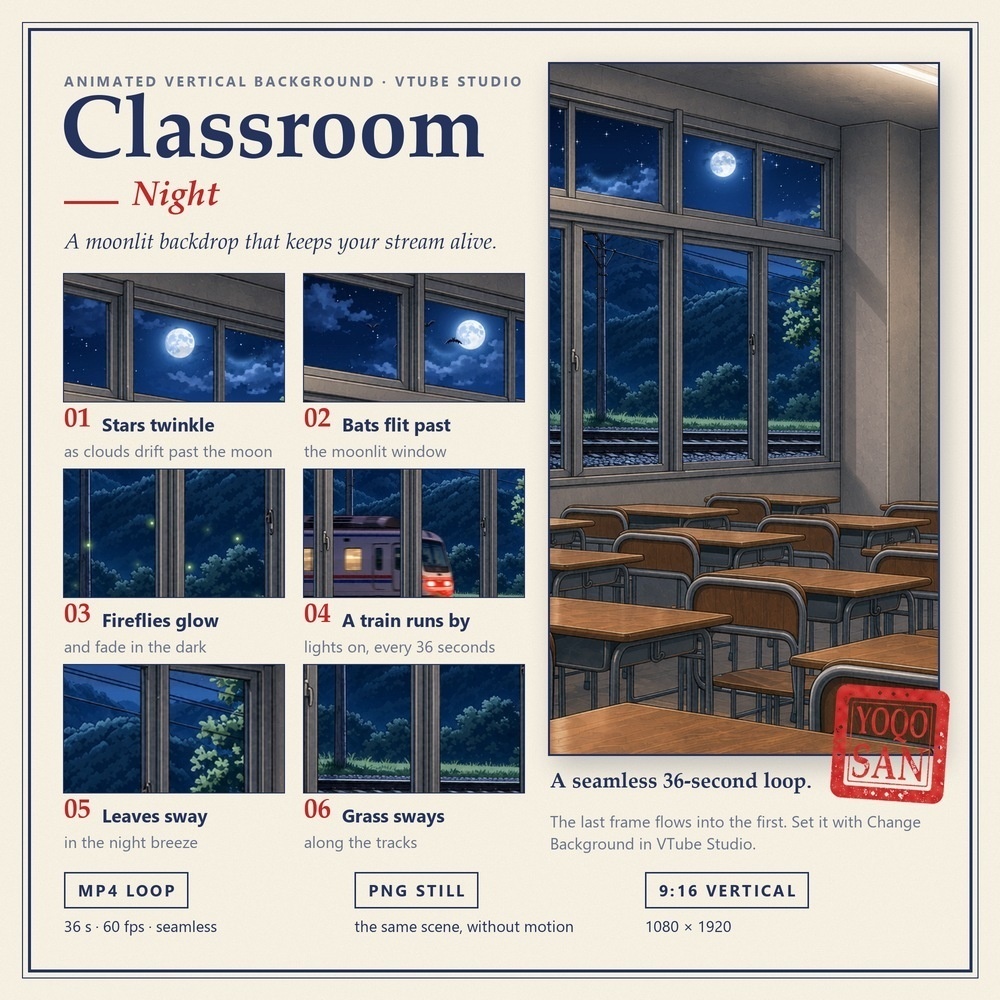
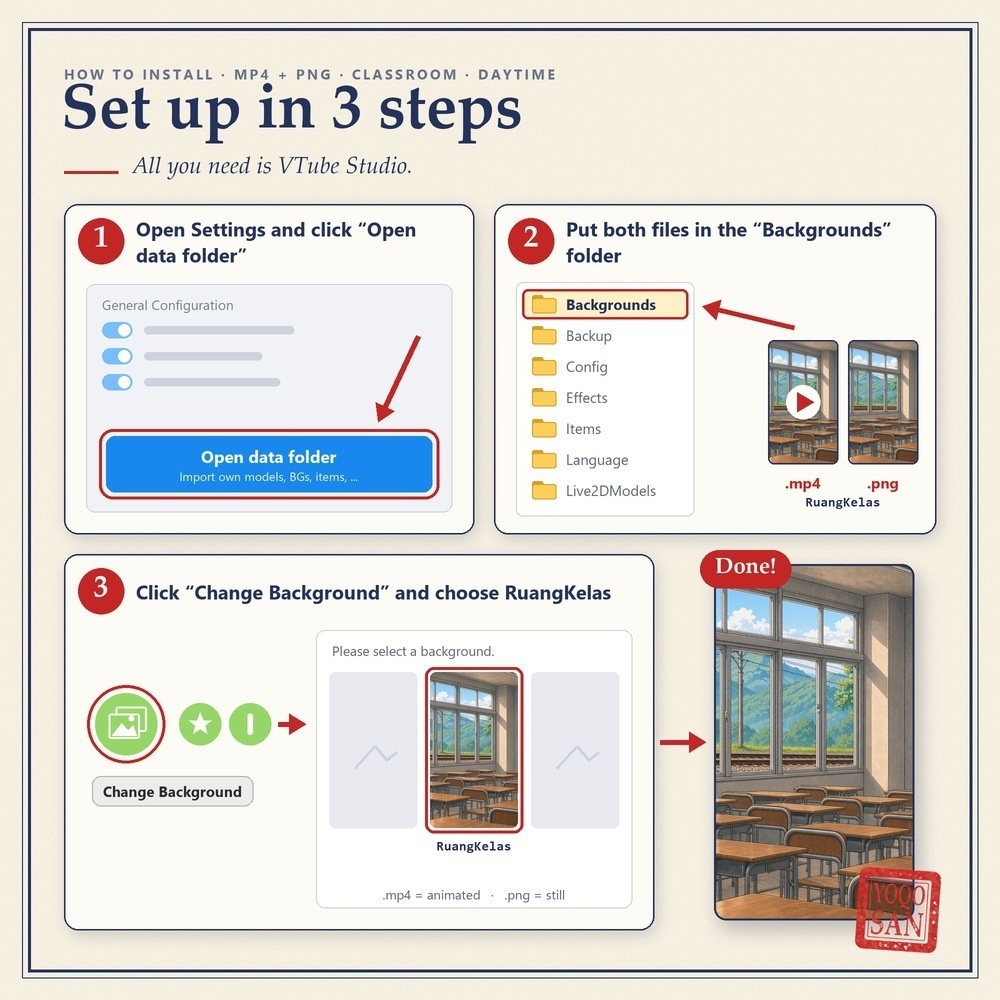


窓の外で、いつも何かが動いている教室の背景です。 雲が流れ、鳥が飛び、電車が通りすぎる――配信画面が「止まった絵」に見えません。 ■ この背景でできること ・VTube Studioの「背景を変更」で選ぶだけ。縦型(9:16)の配信にそのまま使えます ・36秒でつなぎ目なくループ。最後のフレームが最初のフレームにそのままつながります ・昼・夕方・夜の3種類。朝の配信は「昼」、夜の配信は「夜」と、時間帯に合わせて切り替えられます ■ 動くもの(各6つ) 【昼】流れる雲/鳥の群れ/窓の外の蝶/36秒に1回通る電車/揺れる木の葉/線路沿いの草 【夕方】夕焼け空の雲/帰っていく鳥/赤とんぼ/夕暮れの電車/揺れる木の葉/線路沿いの草 【夜】またたく星と月にかかる雲/コウモリ/光っては消える蛍/明かりのついた電車/揺れる木の葉/線路沿いの草 ■ セット内容(1種類につき) ・MP4動画:1080×1920(9:16)/60fps/36秒/シームレスループ ・PNG画像:1080×1920(同じ景色の静止画) ※動画と画像のセットです。Live2Dアイテムは含まれません。 ■ 使い方(3ステップ) 1. VTube Studioの設定で「データフォルダを開く」をクリック 2. MP4とPNGを「Backgrounds」フォルダに入れる 3. 「背景を変更」から選ぶ(.mp4=動く/.png=静止画) ■ ご利用について ・ご自身の配信・動画でご利用いただけます(収益化している配信もOK) ・再配布・転売・共有・譲渡は禁止です(購入者ご本人のみ使用可) ―――――――――――――――――――― A classroom background where something is always moving outside the window. Clouds drift, birds fly past, a train runs by — a backdrop that keeps your stream alive. ■ What you can do with it - Pick it with "Change Background" in VTube Studio. Made for vertical (9:16) streams. - It loops seamlessly every 36 seconds: the last frame flows into the first. - 3 times of day. Use Daytime for a morning stream, Night for a late one. ■ What moves (6 things in each) Daytime: drifting clouds / a small flock of birds / butterflies outside the glass / a train every 36 seconds / swaying leaves / grass along the tracks Sunset: clouds across the sunset sky / birds heading home / red dragonflies / the evening train / swaying leaves / grass along the tracks Night: twinkling stars and clouds passing the moon / bats / fireflies that glow and fade / a train with its lights on / swaying leaves / grass along the tracks ■ What you get (per version) - MP4 video: 1080 × 1920 (9:16) / 60 fps / 36 s / seamless loop - PNG image: 1080 × 1920 (the same scene, without motion) * Video and image only. No Live2D item is included. ■ Setup in 3 steps 1. In VTube Studio settings, click "Open data folder". 2. Put the MP4 and the PNG in the "Backgrounds" folder. 3. Click "Change Background" and choose it (.mp4 = animated / .png = still). ■ Terms of use - Use it in your own streams and videos, including monetized ones. - No redistribution, resale, sharing or transfer. For use by the purchaser only.