

【For VRChat】ガブロ Gabbro
- ダウンロード商品¥ 2,500
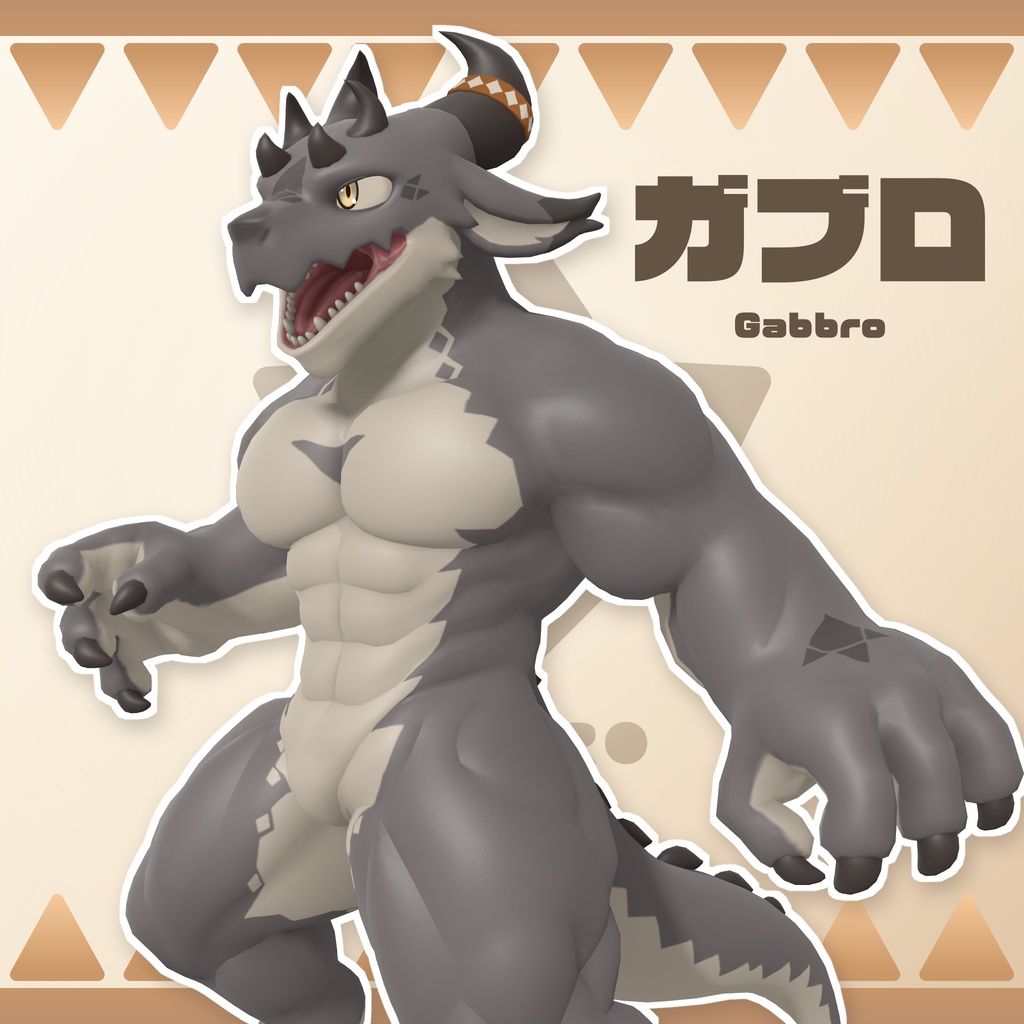
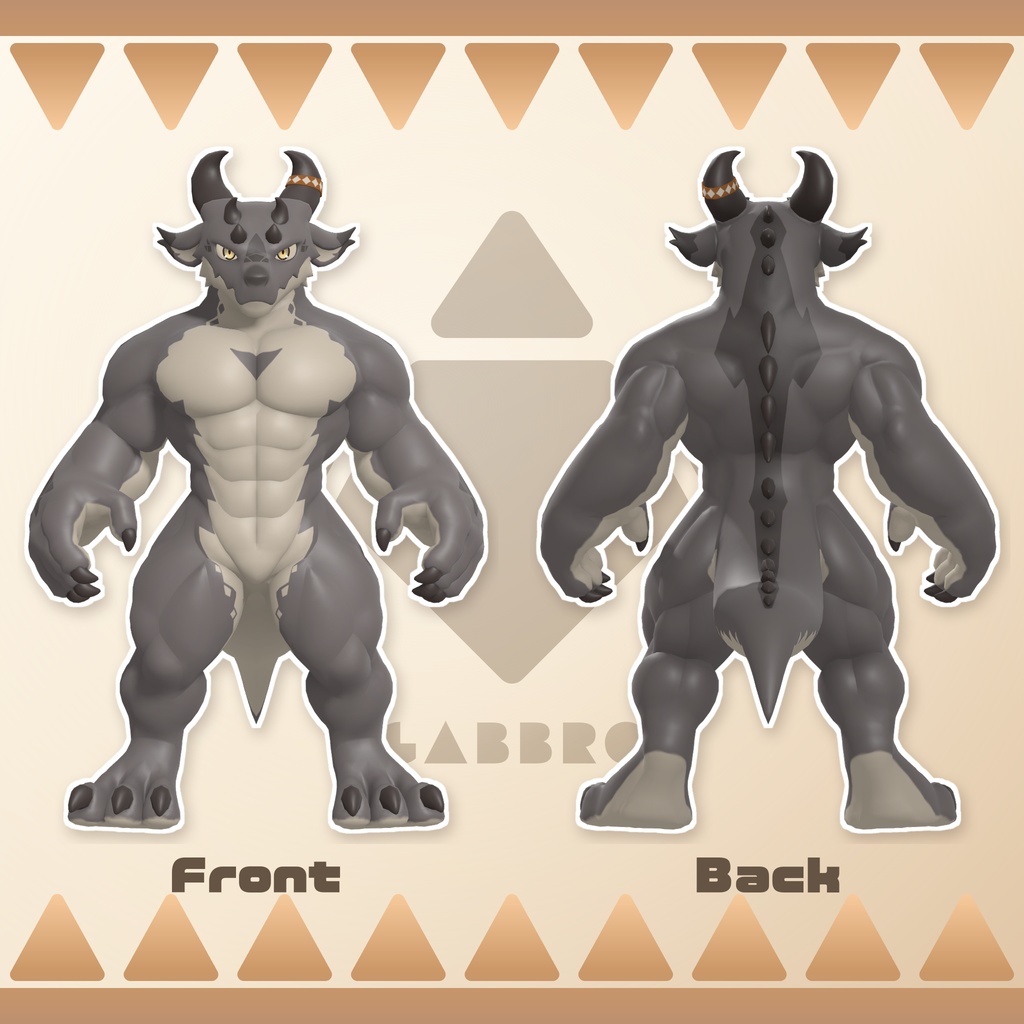
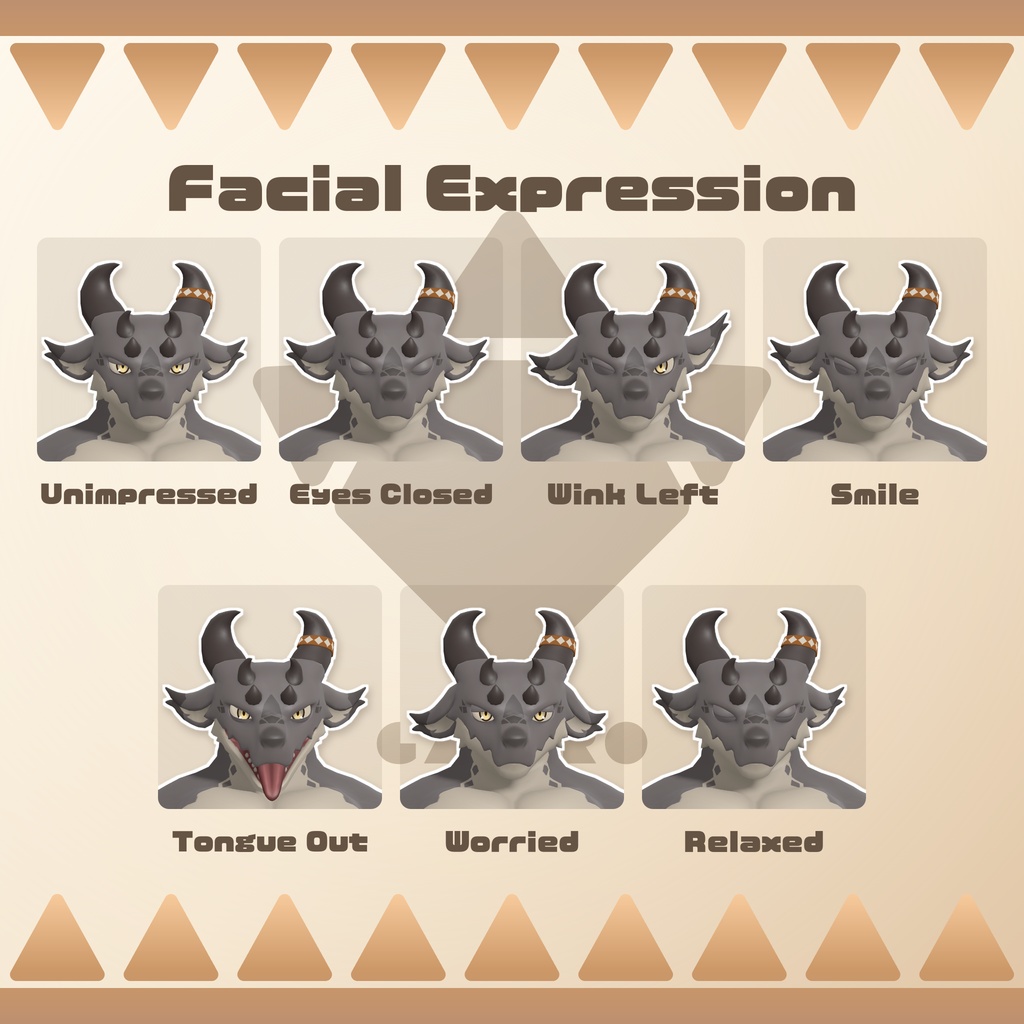
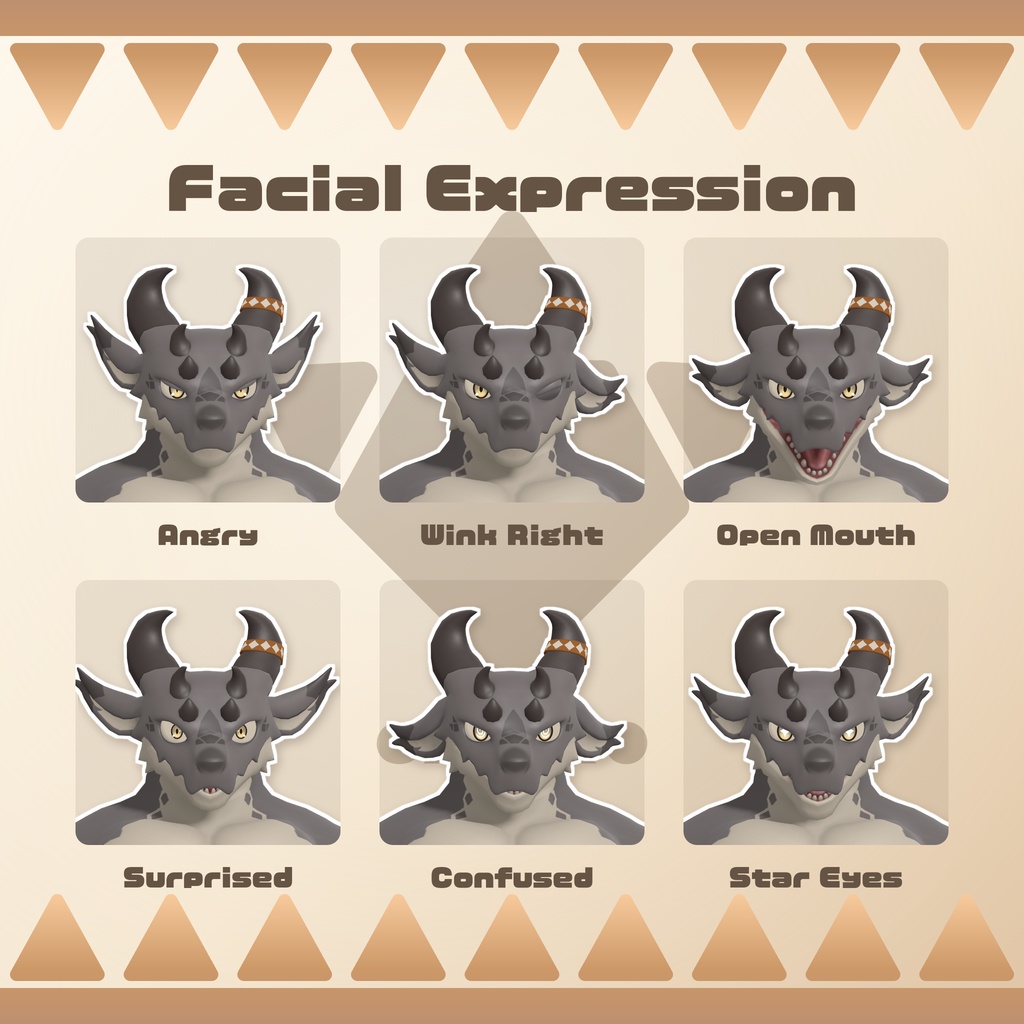


本製品はVRChat用アバター「Gabbro(ガブロ)」です。 セットアップ済みのプレハブとシーン、改変用PSD・SPPを収録しています。 Gabbro is an avatar for VRChat. The package includes a configured prefab and scene, plus editable PSD and SPP files. サンプルアバター / Sample Avatar https://vrchat.com/home/avatar/avtr_8515454a-7a89-4a7a-8abf-206235637bf9 SNSハッシュタグ / Social Hashtag:#ガブロVRC
■ モデルデータ / Model Specifications
・対応プラットフォーム / Platform:PC Only(Windows) ・ポリゴン数 / Triangle Count:33,074 ・マテリアル数 / Material Count:4 ・BlendShape数 / BlendShape Count:66(Body:58、Eyes:8) ・アバターランク / Performance Rank:Medium(初期状態・PC向けSDK評価 / Default configuration, PC SDK rating) ・リップシンク・視線・PhysBone設定済み / Lip sync, eye movement and PhysBones configured モデルの数値とランクはVRChat SDK - Avatars 3.10.5で確認しています。改変内容によって数値やランクは変わります。 Specifications and performance rank were checked with VRChat SDK - Avatars 3.10.5. These may change when the avatar is modified.
■ Expression Menu
メニューの表示名は英語です。 Menu labels are in English. 【Expressions:表情の選択・固定 / Expression Selection and Locking】 左手を優先するジェスチャー表情に対応し、左右7枠ずつ、合計14枠に表情を設定できます。初期状態では13表情を設定済みで、表情選択メニューには設定済みのものだけを表示しています。 Gesture expressions prioritize the left hand. You can assign expressions to 14 gesture slots, with seven slots per hand. Thirteen expressions are configured by default, and only configured expressions appear in the selection menu. 表情を選択すると、メニューを閉じた後も固定を維持します。同じ表情を再度選択しても固定を解除できます。表情ごとに瞬きと発話時の口形状の干渉を制御しています。 Selecting an expression keeps it locked even after closing the menu. Selecting the same expression again also releases the lock. Each expression includes settings for blinking and preventing lip sync from interfering with its mouth shape. 【Settings:動作設定 / Behavior Settings】 ・Blink Off:自動の瞬きを停止 Disables automatic blinking. ・Dance FX Off:Station内でFXを停止し、Stationから出ると復帰 Disables FX animations while in a Station and restores them when you leave. ・Contact Lock:Contactによる表情固定の有効・無効を切り替え Enables or disables expression locking through Contacts. ・Expression Override:表情の上書き設定を切り替え Toggles expression override. ・Gestures:左右の入れ替え、左手・右手それぞれのジェスチャー無効化 Swaps hands or disables gestures for either hand individually. ・Controllers:Quest Controller・Index Controllerの入力設定 Provides input settings for Quest Controller and Index Controller. Controllersの項目はPCでのコントローラー入力設定です。Quest単体版には対応していません。 Controller settings apply to PC usage. Standalone Quest is not supported.
■ 内容物 / Included Files
【Gabbro_v{製品バージョン}.zip】 ・Gabbro_v{製品バージョン}.unitypackage(セットアップ済みプレハブ・シーンを含む) UnityPackage with a configured prefab and scene ・改変用PSD 5点(Body、Body RimMask、Eye、Eye Emission、RingBand) Five editable PSD files: Body, Body RimMask, Eye, Eye Emission and RingBand ・README.md(内容物・アセット構成・アップロード方法) README covering the included files, asset structure and upload instructions 【Gabbro_v{製品バージョン}_SPP.zip】 ・Gabbro_v{製品バージョン}.spp(改変用Substance 3D Painterプロジェクト) Editable Substance 3D Painter project SPPの保存環境 / SPP Saved With:Substance 3D Painter 12.1.4
■ 注意事項・依存アセット / Notes and Dependencies
・対応SDKはVRChat SDK - Avatars 3.10.5以降です。 Supports VRChat SDK - Avatars 3.10.5 or later. ・セットアップ確認環境はUnity 2022.3.22f1、VRChat SDK - Avatars 3.10.5、lilToon 2.3.4です。 Setup tested with Unity 2022.3.22f1, VRChat SDK - Avatars 3.10.5 and lilToon 2.3.4. ・VRChat SDK - AvatarsとlilToonを、アバターのインポート前に導入してください。依存アセット本体は同梱していません。 Install VRChat SDK - Avatars and lilToon before importing the avatar. These dependencies are not included. ・PC向けのアバターです。 This avatar is for PC. lilToonのダウンロード先 / Download lilToon https://lilxyzw.booth.pm/items/3087170
■ ライセンス / License
本製品にはVN3ライセンスを適用しています。ご購入・ご利用の前に、以下の利用条件をご確認ください。 This product uses the VN3 license. Please review the terms below before purchasing or using it. https://drive.google.com/drive/folders/1nikYEV-oM6ez7YSM1KB4VgdkjXMJzkce?usp=sharing
■ 生成AIの使用について / Use of Generative AI
本アバターではキャラクターデザインのアイデア出しと作成にChatGPTの画像生成機能を使用しています。 ベースとなるラフモデルの作成にはTripo3Dで生成した立体メッシュを使用し、Blenderで手動のリトポロジー・リギング・表情作成、Substance 3D Painterでテクスチャリングを行っています。 ChatGPT's image generation feature was used to develop ideas and create the character design. A 3D mesh generated with Tripo3D was used as the basis for the rough model. Retopology, rigging and facial expressions were created manually in Blender, and texturing was done in Substance 3D Painter.
■ 連絡先 / Contact
X:@kurotori4423 https://x.com/kurotori4423
■ 更新履歴 / Update
2026/10/13 - v1.0 リリース 2026/10/13 - v1.0.1 表情で耳が動かなかった問題を修正 2026/10/14 - v1.0.2 付属PSDの互換性強化。ClipStudioでも開けるように。