

✨期間限定無料/48H FREE✨Surface Clock Shader任意のメッシュ表面に時計を表示できるシェーダーです【VRChat向け】
- SurfaceClock v1.2ダウンロード商品¥ 0
- SampleTex&Matダウンロード商品¥ 0
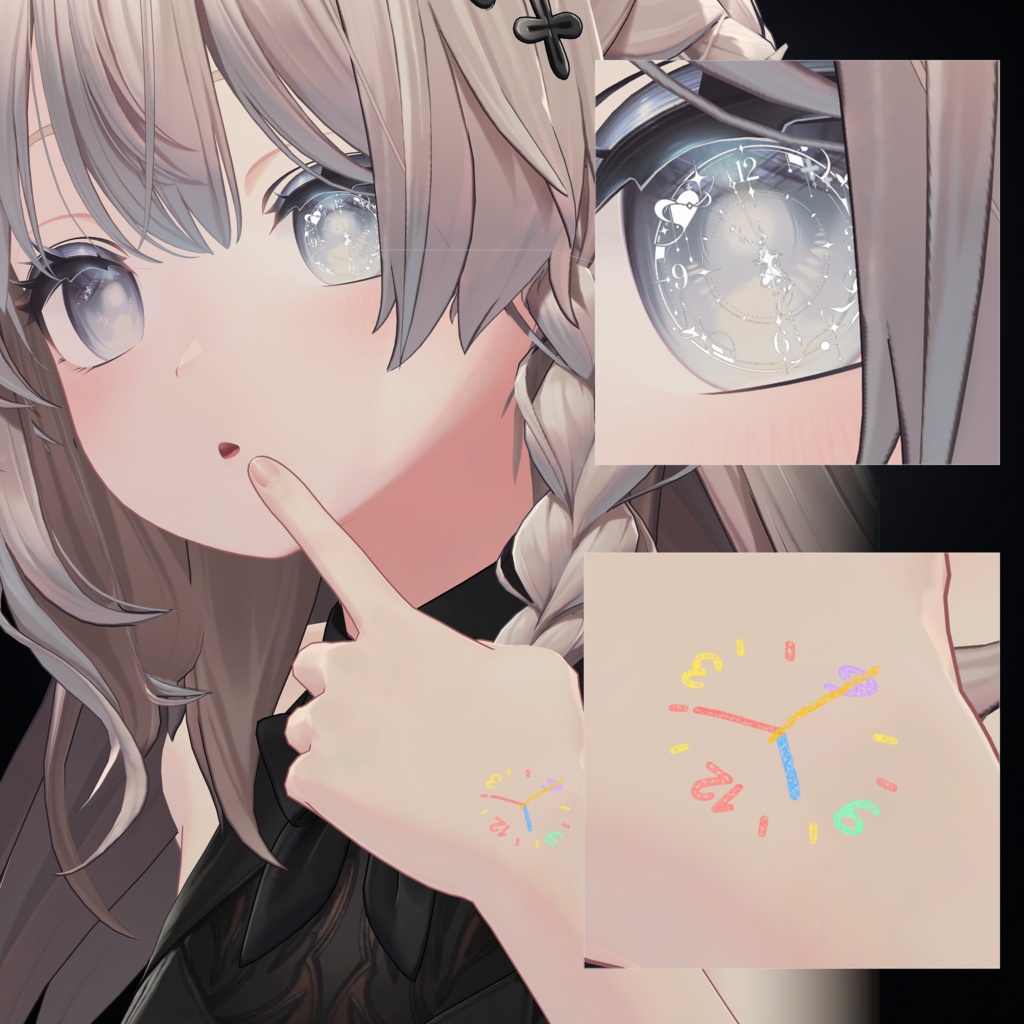
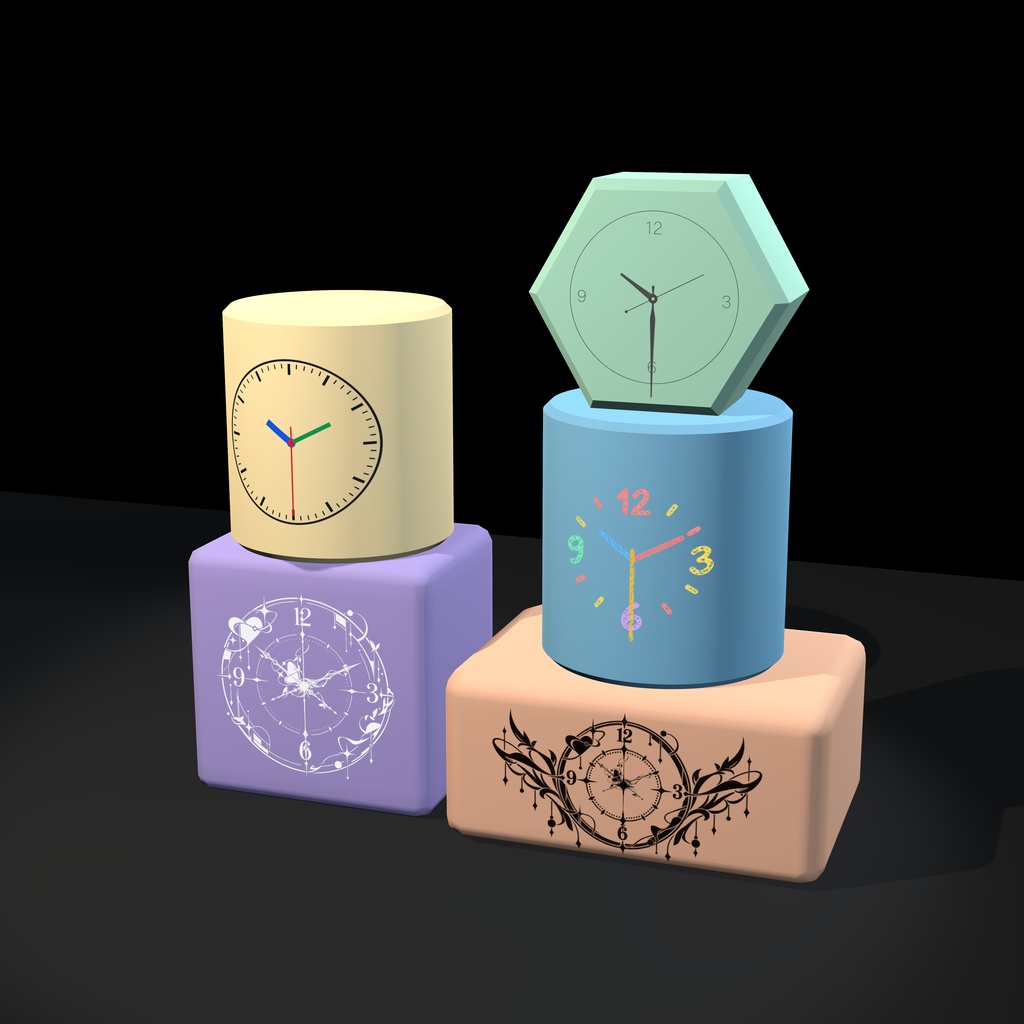


🎉【公開記念・期間限定無料】300円 → 0円|10/17 24:00まで 🕒メッシュ表面に時計を表示できる2種類のシェーダーを同梱しています。 文字盤や針のデザインを自由にカスタマイズでき、表示位置やサイズの調整に加え、発光・カラー・反射などのエフェクトも設定できます。表示する時刻は、ローカル時間・UTC・カスタム時間から選択可能です。 1つはlilToonをベースに開発されており、既存のlilToonマテリアルから簡単に切り替えられます。元のマテリアルを変更したくない場合は、別のマテリアルとして追加できるタイプも利用できます。(数種類の文字盤プリセットを同梱しています。) 🕒Includes two shaders that allow you to display clocks on mesh surfaces. You can customize the clock face and hands, adjust the position and scale, and apply visual effects such as emission, color, and reflections. The clock can display local time, UTC, or a custom time. One shader is based on lilToon, allowing easy conversion from existing lilToon materials. If you prefer to keep your original materials unchanged, an alternative shader can be added as a separate material.(Includes several preset clock faces.) 🕒提供了两款可将时钟结构应用于网格表面的着色器,能够自定义时钟的表盘和指针,修改显示位置和缩放,并添加发光&颜色&反射等显示效果,时钟可选择显示本地&UTC&自定义时间。其中一种基于liltoon开发,可将使用liltoon着色器的材质轻松的进行转换,若不希望修改原本的材质,也可以使用另一种额外添加材质的安装方式。(另附多种时钟贴图素材)
インストール方法·Installation·使用方法
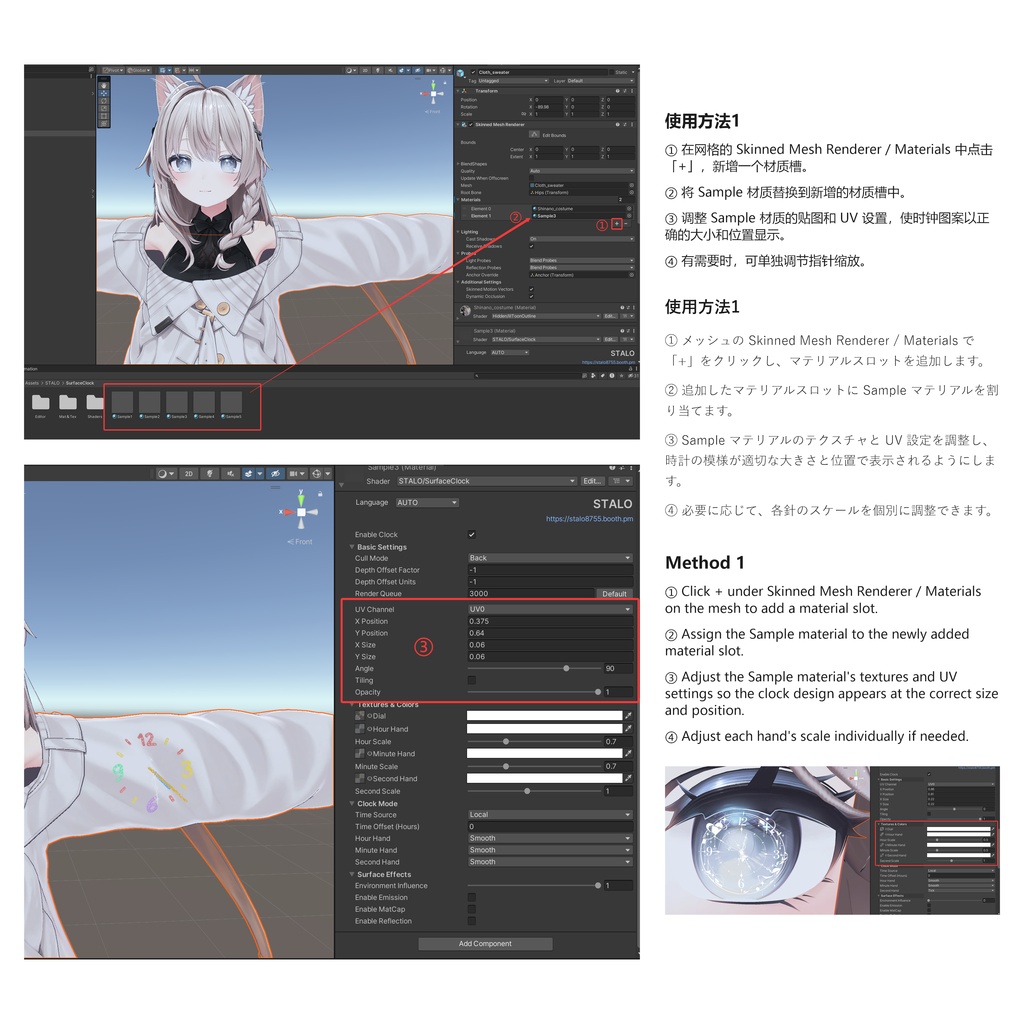
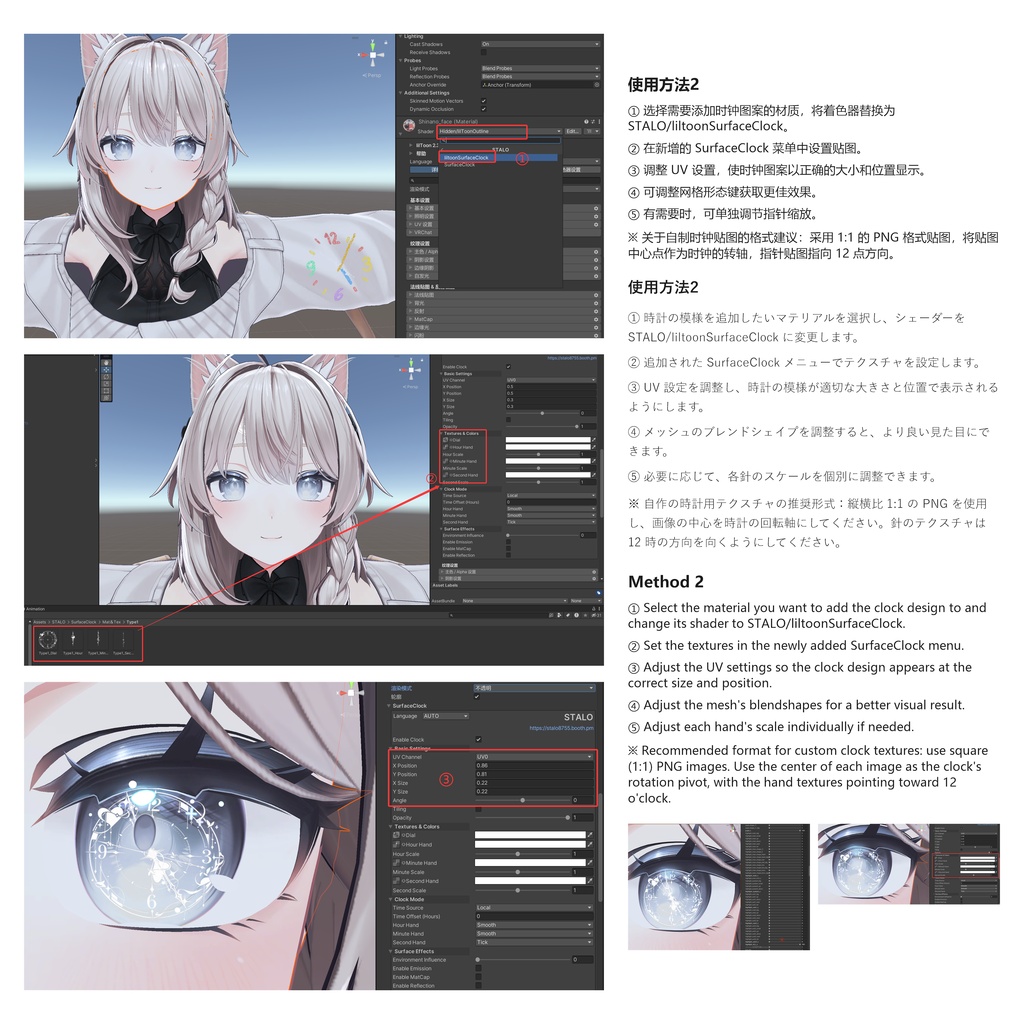
○事前に Modular Avatar と lilToon を導入してください https://booth.pm/zh-cn/items/3087170 ○同梱のUnityPackageをインポートしてください。 ○【方法1:マテリアルを追加する】 1. 対象メッシュの「Skinned Mesh Renderer > Materials」で「+」をクリックし、マテリアルスロットを追加します。 2. 追加したスロットに「sample」マテリアルを設定します。 3. slampleマテリアルのテクスチャとUV設定を調整し、時計が適切なサイズと位置で表示されるようにします。 ○【方法2:既存のlilToonマテリアルを変更する】 1. 時計を表示したいマテリアルを選択します。 2. シェーダーを「STALO/liltoonSurfaceClock」に変更します。 3. 新しく追加された「SurfaceClock」メニューでテクスチャとUV設定を調整し、時計が適切なサイズと位置で表示されるようにします。 ○Please install lilToon in advance https://booth.pm/zh-cn/items/3087170 ○Import the included UnityPackage. ○【Method 1: Add a Separate Material】 1. In the target mesh's "Skinned Mesh Renderer > Materials", click "+" to add a new material slot. 2. Assign the "slample" material to the newly added slot. 3. Adjust the texture and UV settings of the sample material to display the clock at the desired size and position. ○【Method 2: Modify an Existing lilToon Material】 1. Select the material you want to display the clock on. 2. Change its shader to "STALO/liltoonSurfaceClock". 3. Adjust the texture and UV settings in the newly added "SurfaceClock" menu to display the clock at the desired size and position. ○ 需要事先导入liltoon https://booth.pm/zh-cn/items/3087170 ○ 导入unitypackage ○ 使用方法1:在网格的Skinned Mesh Renderer/Materials中点击+,将sample材质替换到新增的材质槽中,调整slample材质的贴图和uv设置使时钟图案以正确的大小和位置显示。 ○ 使用方法2:选择需要添加时钟图案的材质,将着色器替换为STALO/liltoonSurfaceClock,调整新增的SurfaceClock菜单中的贴图和uv设置使时钟图案以正确的大小和位置显示。
内容物·Included Files
◎ unitypackage
利用規約
○本規約は、あしやまひろこ(@hiroko_TB)氏が作成したVN3ライセンス( https://www.vn3.org/ )のテンプレートを使用しています。 JA: https://drive.google.com/file/d/15RGjUnqH_fqGMFBCxpV6r45isKzUojoU/view?usp=drive_link EN: https://drive.google.com/file/d/1hQNndX7lznPZTuPWLvj-t43c-rT8sRez/view?usp=drive_link ZH: https://drive.google.com/file/d/1gtBsSxK5QFP4UmxE4RM85AanOqPM57SG/view?usp=drive_link KO: https://drive.google.com/file/d/1e-D3d36Ovw0EwjrhQYN1cBwmnFv84-S7/view?usp=drive_link
謝辞
◎本商品の展示には、以下の素材を使用しています。ありがとうございます! ——オリジナル3Dモデル「しなの」 https://booth.pm/ja/items/6106863 ——【無料】24種_Mew_Pose_Ver.0 https://booth.pm/zh-cn/items/8028473 ◎Dou,QiuQiu全面的なサポートをご提供いただき、ありがとうございます!
更新履歴
v1.2-アップロード時に発生するTexture関連のエラーを修正しました。