

APS Clothing Follow Fix|APS固定時の衣装追従補助ツール
- 通常ダウンロード商品¥ 200
- 支援版(中身は同じです)ダウンロード商品¥ 500
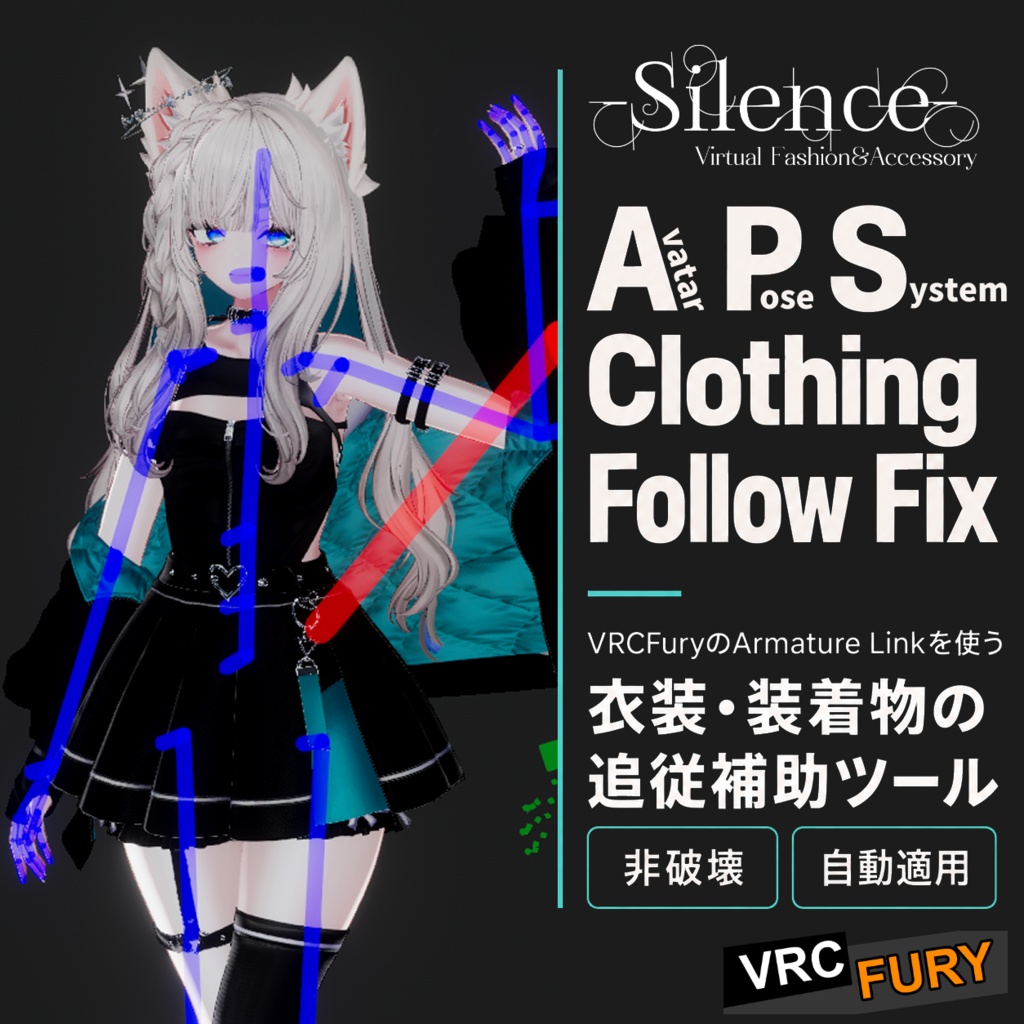
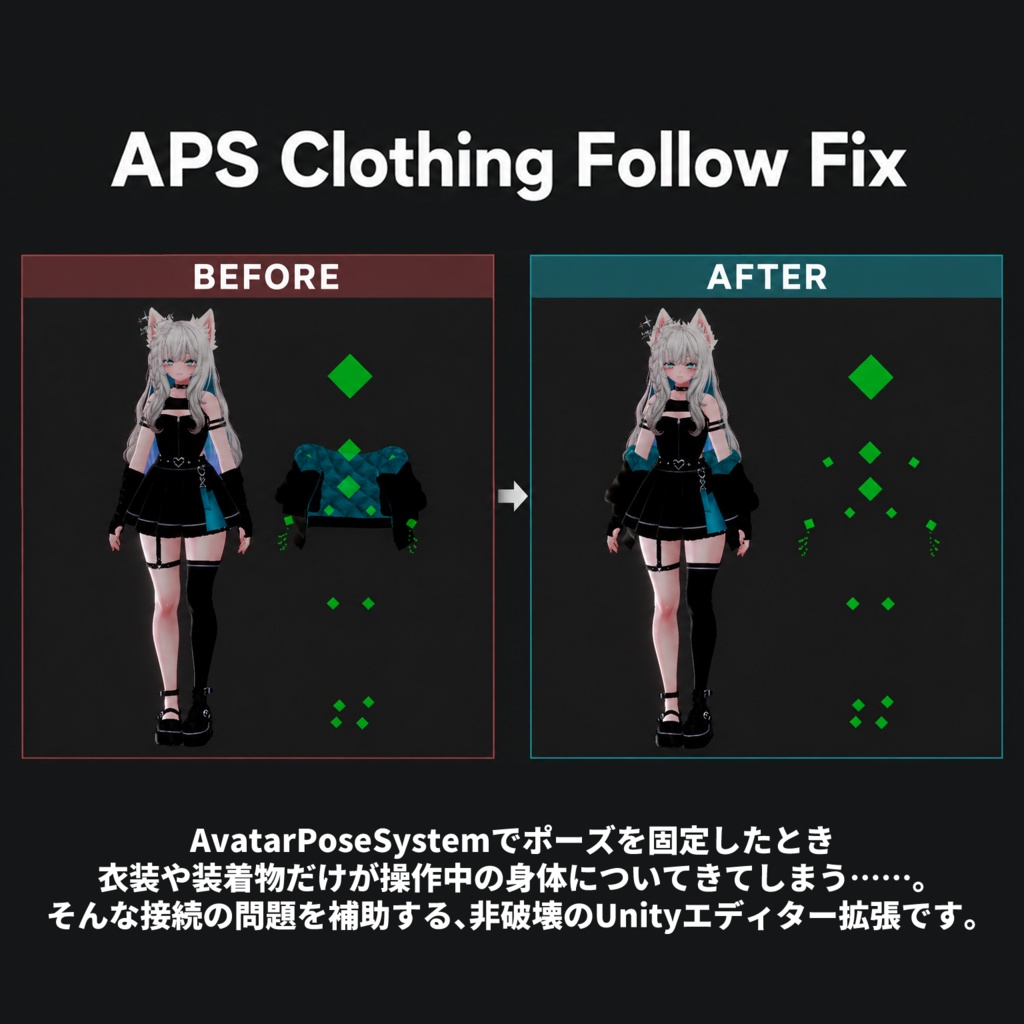


AvatarPoseSystem(APS)( https://booth.pm/ja/items/5989814 ) でポーズを固定したとき、衣装や装着物だけが操作中の身体についてきてしまう……。 そんな接続の問題を補助する、非破壊のUnityエディター拡張です。 VRCFuryの「Armature Link」でHumanoidボーンに接続された衣装・装着物を対象に、固定された身体への追従を補助します。衣装名に依存せず、条件に合う接続へ自動で適用します。 本ツールに、各製品の本体や衣装データは含まれていません。必要な製品・ツールは別途導入してください。 適用時は、Consoleに「APS Clothing Follow Fix」と変更した接続先の数が表示されます。
■ 主な機能
・対応する衣装・装着物の接続先をビルド時に調整 ・元のシーンや衣装プレハブの設定を保持 ・位置、回転、サイズ、接続の調整値を維持 ・APSの「Unfix Objects」「Unfix Object Paths」による固定除外に対応 ・Unityメニューから有効/無効を切り替え可能
■ 対応する構成
・HumanoidアバターにAPSが1つ導入されている ・衣装や装着物が、VRCFuryのArmature LinkでHumanoidボーンに接続されている 条件に合うアクセサリーや小物も対象になります。固定させたくないものは、APS側の固定除外設定に登録してください。
■ 使用方法
初期状態で有効になっています。 「Tools > APS Clothing Follow Fix > Enable Fix」のチェックを外すと、次回ビルドから無効になります。
■ 対応範囲について
本ツールは、上記の接続方式で発生する問題を対象としています。すべての衣装やギミック、PhysBone・Constraintの問題に対応するものではありません。 衣装ごとの構成によって結果が異なるため、APS固定中・固定解除後の追従や、ポーズ調整時の動作をご確認ください。
■ 制作・検証環境
・Unity 2022.3.22f1 ・AvatarPoseSystem 4.3.13 ・VRCFury 1.1429.0 DropJacketでテストしています。 https://ja.jinxxy.com/InVr/DropJacket
■ 非公式ツールについて
本ツールは非公式の互換補助ツールです。 AvatarPoseSystem、VRCFury、および各衣装の制作者とは関係ありません。
■免責事項
本データを使用することによって何らかのトラブル・損失及び損害等が発生した場合でも製作者は一切の責任を負いません。
■利用規約
禁止事項 ・本データの再配布
■公開日
2026/10/16
■EN
When you freeze a pose with [AvatarPoseSystem (APS)]( https://booth.pm/jp/items/5989814 ), do your clothes or accessories keep following the body you are controlling? This non-destructive Unity Editor extension helps address that attachment issue. It supports clothing and accessories attached to Humanoid bones through VRCFury’s “Armature Link,” helping them follow the frozen body. It applies automatically to eligible links, regardless of clothing or object names. This tool does not include any of the original products or clothing assets. Please obtain and install the required products and tools separately. When the fix is applied, the Console displays “APS Clothing Follow Fix” along with the number of attachment targets changed. ■ Main Features ・Adjusts attachment targets for compatible clothing and accessories during the build process. ・Preserves the original scene and clothing prefab settings. ・Preserves position, rotation, scale, and attachment adjustments. ・Respects APS exclusions configured through “Unfix Objects” and “Unfix Object Paths.” ・Can be enabled or disabled from the Unity menu. ■ Compatible Setup ・A Humanoid avatar with one instance of APS installed. ・Clothing or accessories attached to Humanoid bones using VRCFury’s Armature Link. Accessories and props with compatible links are also affected. To keep an item from freezing with the body, add it to the exclusion settings in APS. ■ Usage The tool is enabled by default. Uncheck “Tools > APS Clothing Follow Fix > Enable Fix” to disable it starting with the next build. ■ Scope of Support This tool addresses issues involving the attachment method described above. It does not support every outfit, gimmick, or PhysBone/Constraint issue. Results may vary depending on the clothing setup. Please check how items follow the body while APS is active, after releasing the freeze, and when adjusting the frozen pose. ■ Development and Test Environment ・Unity 2022.3.22f1 ・AvatarPoseSystem 4.3.13 ・VRCFury 1.1429.0 Tested with [DropJacket]( https://ja.jinxxy.com/InVr/DropJacket ). ■ Unofficial Tool This is an unofficial compatibility helper. It is not affiliated with the creators of AvatarPoseSystem, VRCFury, or any clothing assets. ■ Disclaimer The creator assumes no liability for any problems, losses, or damages arising from the use of this data. ■ Terms of Use Prohibited: ・Redistribution of this data. ■ Release Date October 16, 2026
■CN
使用 [AvatarPoseSystem(APS)](https://booth.pm/en/items/5989814)固定姿势后,衣服或配饰却仍然跟着正在操控的身体移动……。 本工具是一款采用非破坏方式的 Unity 编辑器扩展,用于辅助解决此类连接问题。 本工具适用于通过 VRCFury 的「Armature Link」连接至 Humanoid 骨骼的服装及配饰,帮助它们跟随已固定的身体。无需匹配特定服装名称,符合条件的连接会自动应用修正。 本工具不包含各产品本体或服装资源。所需产品和工具请另行获取并安装。 应用修正时,Console 中会显示「APS Clothing Follow Fix」以及已更改的连接目标数量。 ■ 主要功能 ・在构建时调整兼容服装及配饰的连接目标 ・保留原始场景与服装预制件的设置 ・保留位置、旋转、缩放及连接调整值 ・遵循 APS 中「Unfix Objects」「Unfix Object Paths」的固定排除设置 ・可通过 Unity 菜单启用或禁用 ■ 适用配置 ・Humanoid 角色中已安装且仅有一个 APS ・服装或配饰通过 VRCFury 的 Armature Link 连接至 Humanoid 骨骼 符合条件的配饰和小道具也会受到影响。不希望随身体一起固定的对象,请添加到 APS 的固定排除设置中。 ■ 使用方法 默认处于启用状态。 取消勾选「Tools > APS Clothing Follow Fix > Enable Fix」后,将从下一次构建开始禁用。 ■ 支持范围 本工具针对上述连接方式所产生的问题。不保证适用于所有服装、功能组件或 PhysBone・Constraint 问题。 实际效果可能因服装配置而异。请确认 APS 固定期间、解除固定后,以及调整固定姿势时的跟随效果与运行情况。 ■ 开发与验证环境 ・Unity 2022.3.22f1 ・AvatarPoseSystem 4.3.13 ・VRCFury 1.1429.0 已使用 [DropJacket]( https://ja.jinxxy.com/InVr/DropJacket )进行测试。 ■ 非官方工具说明 本工具为非官方兼容性辅助工具。 与 AvatarPoseSystem、VRCFury 及各服装的制作者无关联。 ■ 免责声明 因使用本数据而产生的任何问题、损失或损害,制作者均不承担任何责任。 ■ 使用条款 禁止事项 ・再次分发本数据 ■ 发布日期 2026年10月16日
■KR
[AvatarPoseSystem(APS)]( https://booth.pm/jp/items/5989814 )로 포즈를 고정했는데, 의상이나 액세서리만 조작 중인 몸을 계속 따라오나요? 이러한 연결 문제를 보완하는 비파괴 방식의 Unity 에디터 확장 도구입니다. VRCFury의 「Armature Link」로 Humanoid 본에 연결된 의상과 액세서리를 대상으로, 고정된 몸을 따라가도록 보조합니다. 의상 이름과 관계없이 조건에 맞는 연결에 자동으로 적용됩니다. 본 도구에는 각 제품의 본체나 의상 데이터가 포함되어 있지 않습니다. 필요한 제품과 도구는 별도로 준비하여 설치해 주세요. 적용 시 Console에 「APS Clothing Follow Fix」와 함께 변경된 연결 대상의 수가 표시됩니다. ■ 주요 기능 ・호환되는 의상과 액세서리의 연결 대상을 빌드 시 조정 ・원본 씬과 의상 프리팹의 설정 유지 ・위치, 회전, 크기 및 연결 조정값 유지 ・APS의 「Unfix Objects」「Unfix Object Paths」에 설정된 고정 제외 항목 반영 ・Unity 메뉴에서 활성화/비활성화 전환 가능 ■ 지원 구성 ・Humanoid 아바타에 APS가 하나 설치되어 있을 것 ・의상이나 액세서리가 VRCFury의 Armature Link로 Humanoid 본에 연결되어 있을 것 조건에 맞는 액세서리와 소품에도 적용됩니다. 고정하고 싶지 않은 항목은 APS의 고정 제외 설정에 등록해 주세요. ■ 사용 방법 기본적으로 활성화되어 있습니다. 「Tools > APS Clothing Follow Fix > Enable Fix」의 체크를 해제하면 다음 빌드부터 비활성화됩니다. ■ 지원 범위 본 도구는 위에 설명된 연결 방식에서 발생하는 문제를 대상으로 합니다. 모든 의상이나 기믹, PhysBone・Constraint 문제를 지원하는 것은 아닙니다. 의상 구성에 따라 결과가 달라질 수 있으므로, APS로 고정했을 때와 고정을 해제한 후의 추종 동작, 포즈 조정 시의 동작을 확인해 주세요. ■ 제작・검증 환경 ・Unity 2022.3.22f1 ・AvatarPoseSystem 4.3.13 ・VRCFury 1.1429.0 [DropJacket]( https://ja.jinxxy.com/InVr/DropJacket )으로 테스트했습니다. ■ 비공식 도구 안내 본 도구는 비공식 호환성 보조 도구입니다. AvatarPoseSystem, VRCFury 및 각 의상 제작자와는 관계가 없습니다. ■ 면책 사항 본 데이터를 사용함으로써 발생하는 어떠한 문제, 손실 및 손해에 대해서도 제작자는 일절 책임을 지지 않습니다. ■ 이용 약관 금지 사항 ・본 데이터의 재배포 ■ 공개일 2026년 10월 16일