
【無料】寝族Tシャツセット【XWear】
- 【無料】寝族Tシャツセットダウンロード商品¥ 0
- 【支援用】寝族Tシャツセット ※データは同じですダウンロード商品¥ 100
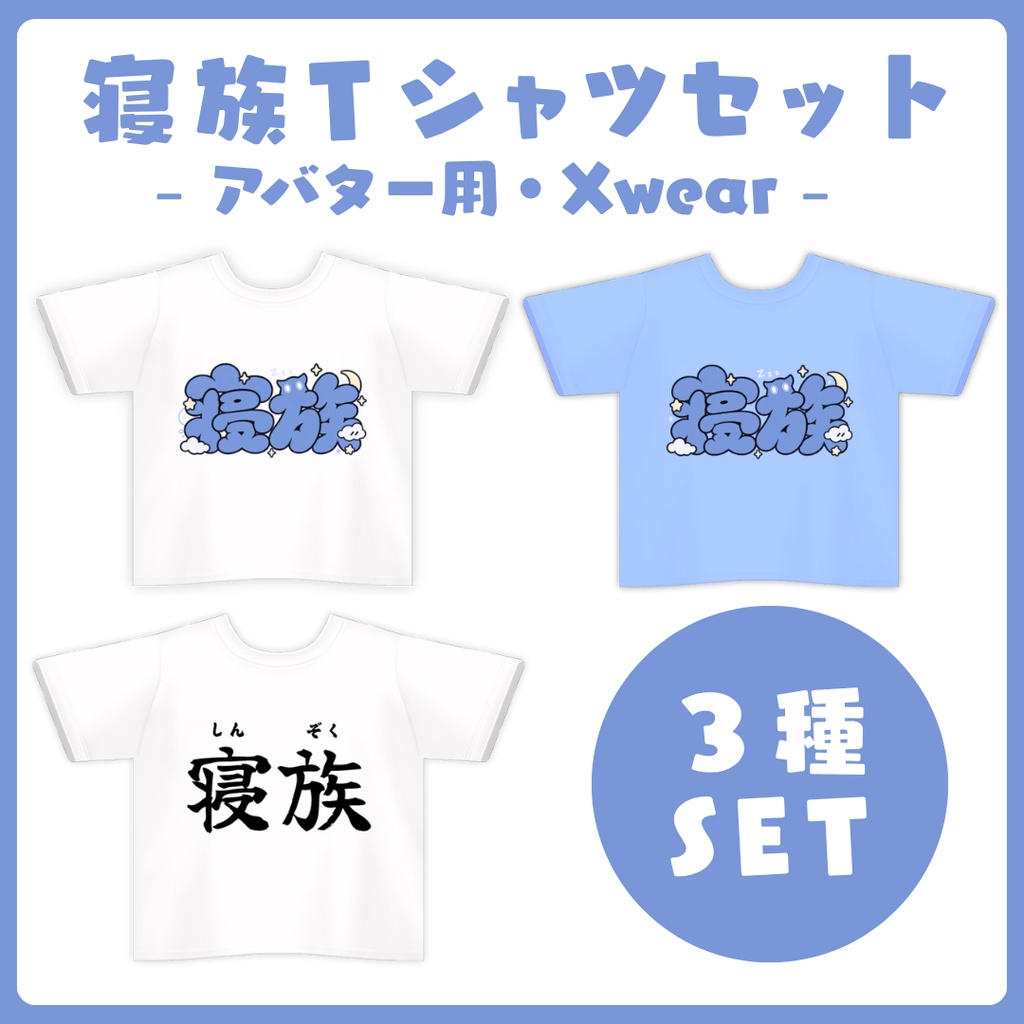
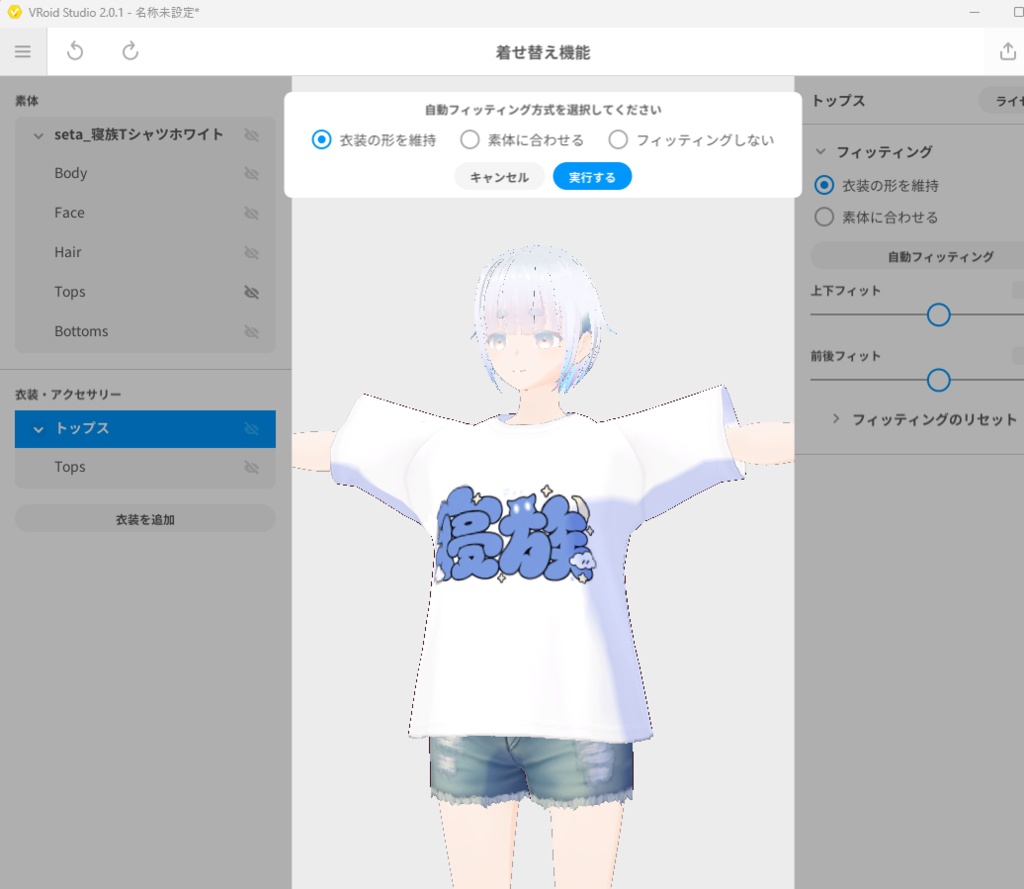


寝族(せたあさみのファンネーム)のTシャツセットです! VRoid Studioの「着せ替え機能」を使って、アバターに着せられます✨ ■ 収録データ - 寝族Tシャツ_ブルー.xwear - 寝族Tシャツ_ホワイト.xwear - 寝族Tシャツ_オリジン.xwear このデータには衣装のみが含まれています。 着せ替えには、別途アバターが必要です。 ■ 必要なもの - VRoid Studio(Windows版・macOS版・Steam版) - 着せ替えたいアバター(.vroid、.vrm、.xavatar など) VRoid Studioのダウンロード:https://vroid.com/studio ■ 着用方法 1. VRoid Studioを起動します。 2. 上部の 「着せ替え機能」 を開きます。 3. 「新規作成」 または 「着せ替え機能をはじめる」 を選びます。 4. 「素体を追加」 をクリックし、アバターを読み込みます。 5. 「衣装を追加」 をクリックし、着せたい `.xwear` ファイルを選びます。 6. 自動フィッティングでは、通常は 「素体に合わせる」 を選択します。(状況に合わせて「衣装の形を維持」でもOKです) 7. 必要に応じて、衣装の位置やサイズを調整します。 着せ替え機能の詳しい使い方:https://vroid.pixiv.help/hc/ja/articles/38722733769241 `.xwear` ファイルは、VRoid Studioの「VRoid編集」画面ではなく、「着せ替え機能」から読み込んでください。 ■ 書き出し 着せ替えたアバターは、VRMやXAvatarとして書き出せます。 VRChatで使用する方法: https://vroid.pixiv.help/hc/ja/articles/38728373457561 VRMとして書き出す方法: https://vroid.pixiv.help/hc/ja/articles/38726063278233 ■ 注意事項 - アバターによって、フィッティング結果や見た目が異なる場合があります。 - 衣装が体にめり込む場合は、自動フィッティング後に手動で調整してください。 -------------------------------------------------------------------- # Shinzoku T-shirt Set A T-shirt set for Shinzoku, the fan community of Asami Seta! Use VRoid Studio’s Dress-up feature to wear these T-shirts on your avatar✨ ## Included Files - `寝族Tシャツ_ブルー.xwear` - `寝族Tシャツ_ホワイト.xwear` - `寝族Tシャツ_オリジン.xwear` This package contains clothing items only. You will need a separate avatar to use them. ## Requirements - VRoid Studio for Windows, macOS, or Steam - An avatar to dress up (`.vroid`, `.vrm`, `.xavatar`, etc.) Download VRoid Studio: https://vroid.com/studio ## How to Wear the T-shirt 1. Launch VRoid Studio. 2. Open the **Dress-up** feature. 3. Select **New** or **Start Dress-up**. 4. Click **Add Base Avatar** and import your avatar. 5. Click **Add Outfit** and select the `.xwear` file. 6. For automatic fitting, **Fit to Base Avatar** is recommended. 7. Adjust the outfit’s position or size if necessary. Detailed Dress-up instructions: https://vroid.pixiv.help/hc/ja/articles/38722733769241 `.xwear` files must be imported through the **Dress-up** feature. They cannot be imported through VRoid Studio’s regular editing screen. ## Exporting Your Avatar You can export the dressed avatar as a VRM or XAvatar file. How to use the dressed avatar in VRChat: https://vroid.pixiv.help/hc/ja/articles/38728373457561 How to export the dressed avatar as a VRM: https://vroid.pixiv.help/hc/ja/articles/38726063278233 ## Notes - Choose and import one color at a time. - The fitting result may vary depending on the avatar. - If the outfit clips into the body, adjust it manually after automatic fitting.