
Vroid/VRMモデル 羽根 美奈美
- ダウンロード商品¥ 900
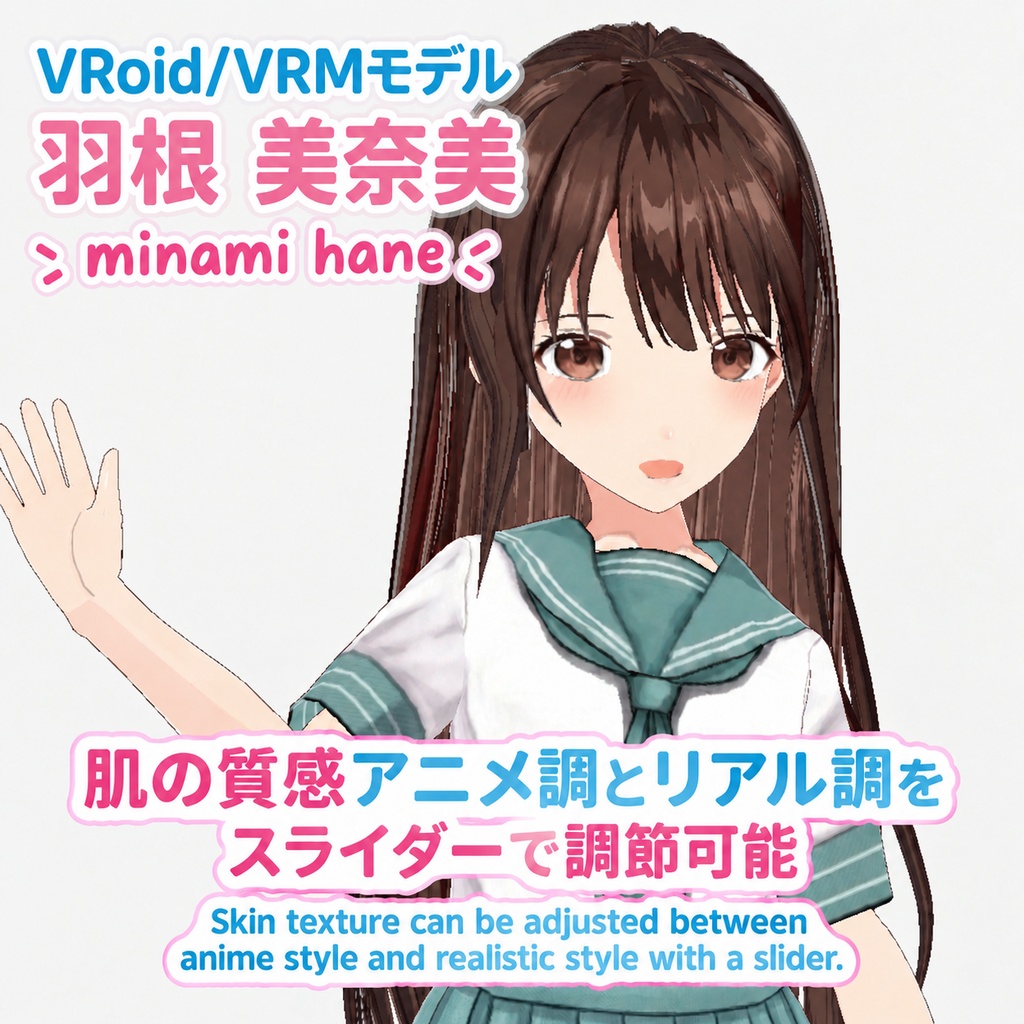
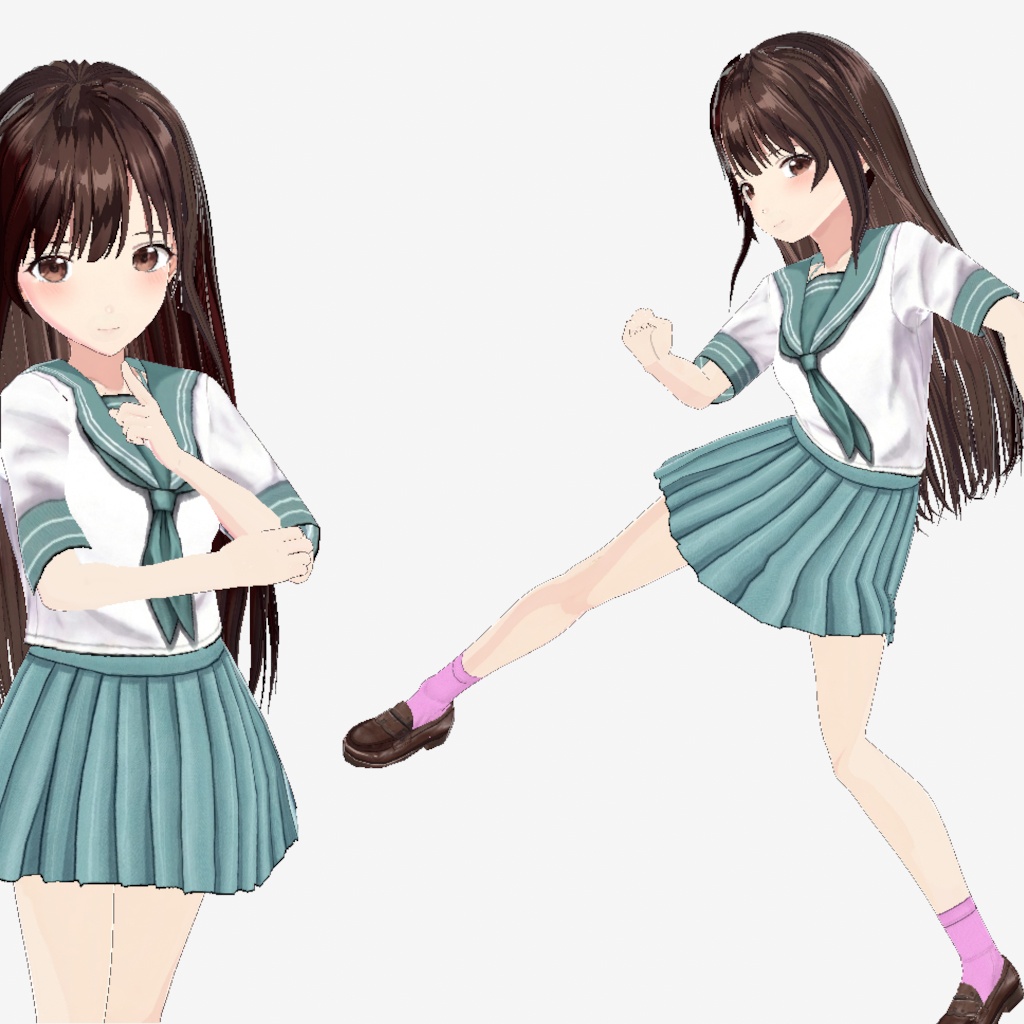


VRoid Studio用の3Dモデル、「羽根 美奈美」です。 VRoid Studio用の「Minami_Hane_v0100.vroid」と VRMファイル形式の「Minami_Hane_v0100.vrm」があります。 いろいろと新しいことに挑戦しています。 テクスチャをアニメ調、リアル調どちらに寄せるかをスライダーで調節可能だったり(VRoid Studio限定)、 BlenderやUnityなどの外部アプリでも眉毛を前髪の前に表示させることができたり、 髪の毛の陰があったりします。
使い方
「Minami_Hane_v0100_VRoid.zip」ファイルを解凍すると出てくる「Minami_Hane_v0100.vroid」をVRoid Studioで開いてください。 また、Blenderなどの3DアプリやUnityなどのゲームエンジンで使えるVRMファイルも付属しています。 「Minami_Hane_v0100_VRM.zip」ファイルを解凍すると出てくる「Minami_Hane_v0100.vrm」ファイルがそれです。 VRMファイルについては以下のサイトを参考にしてください VR向け3Dアバターファイルフォーマット _ VRM https://vrm.dev/
注意点
一部のパラメーターはマイナスの値やスライダーの最大値を超える値に設定してあります。この場合スライダーではうまく調節できないので、数値入力で調節してください。
眉毛のアニメ的表現
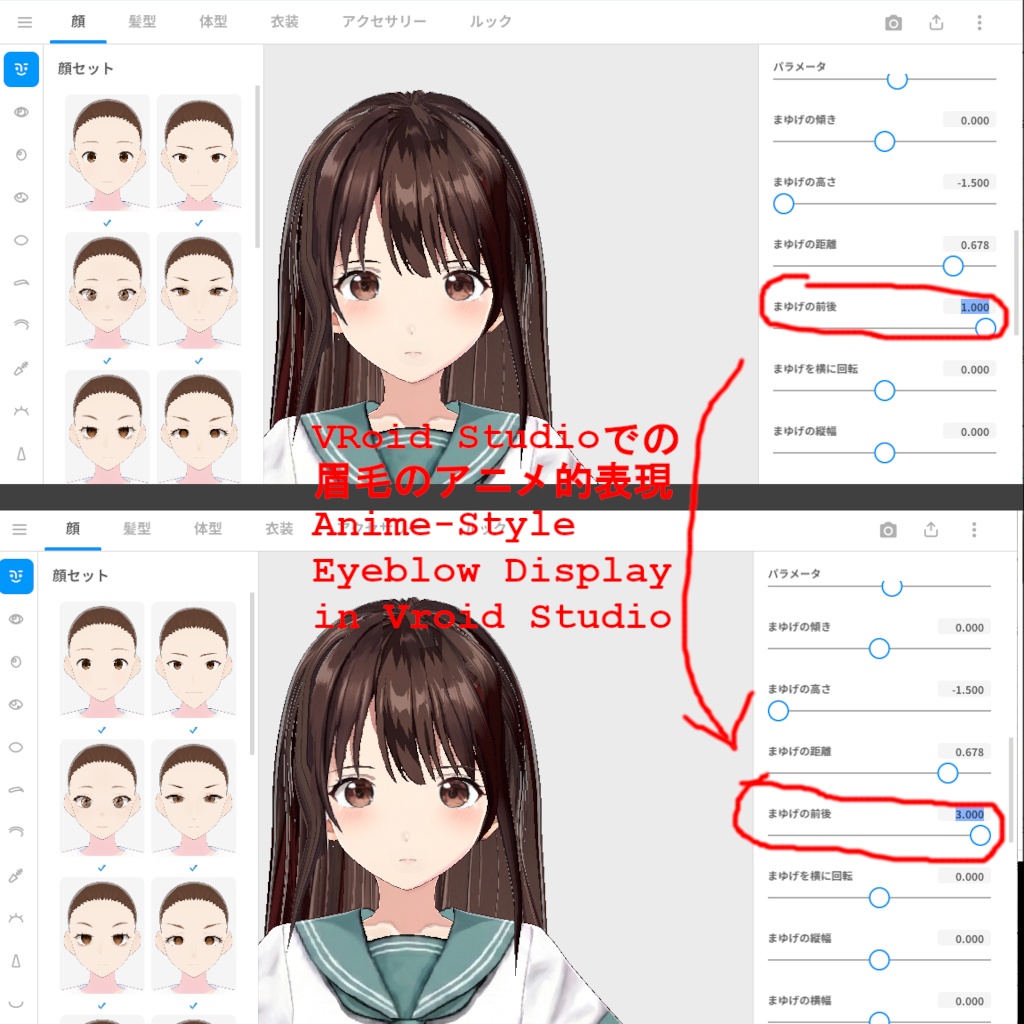
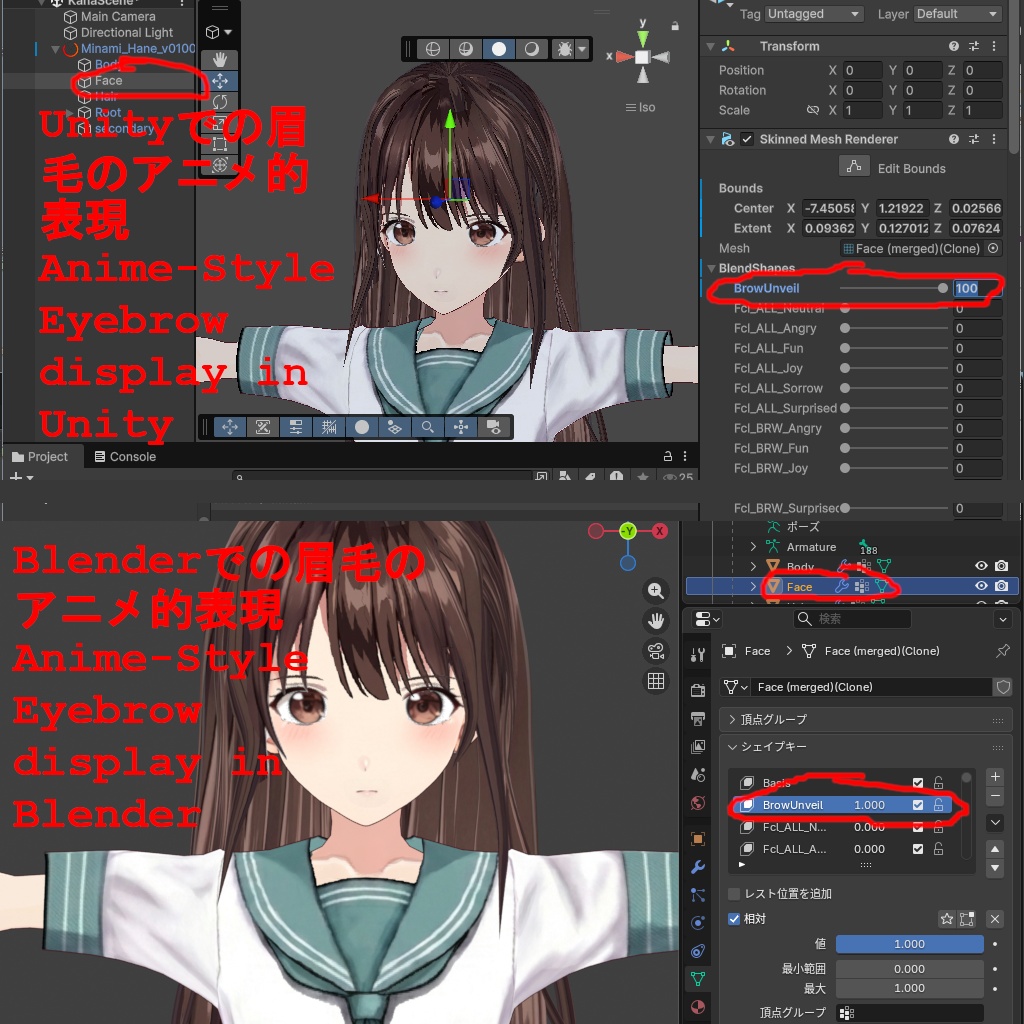
アニメなどだとキャラクターの眉毛が前髪より手前に表示されることが多いですが、この表現に対応しています。 VRoid Studioでは「まゆげの前後」パラメーターを3.0に設定することで、眉毛を前髪より前に表示させることができます。 VRMファイルでの3Dアプリやゲームエンジンでの場合、「Face」という名前のメッシュの 「BrowUnveil」という名前のシェイプキー/ブレンドシェイプ/モーフ(アプリによって名前が違う)の値を最大値(1.0か100.0。アプリによって違う) にしてやることで同様のことができます。 ただし、この場合横から見ると眉毛が飛び出して見えてしまうので注意です。
アニメ調・リアル調の調節方法
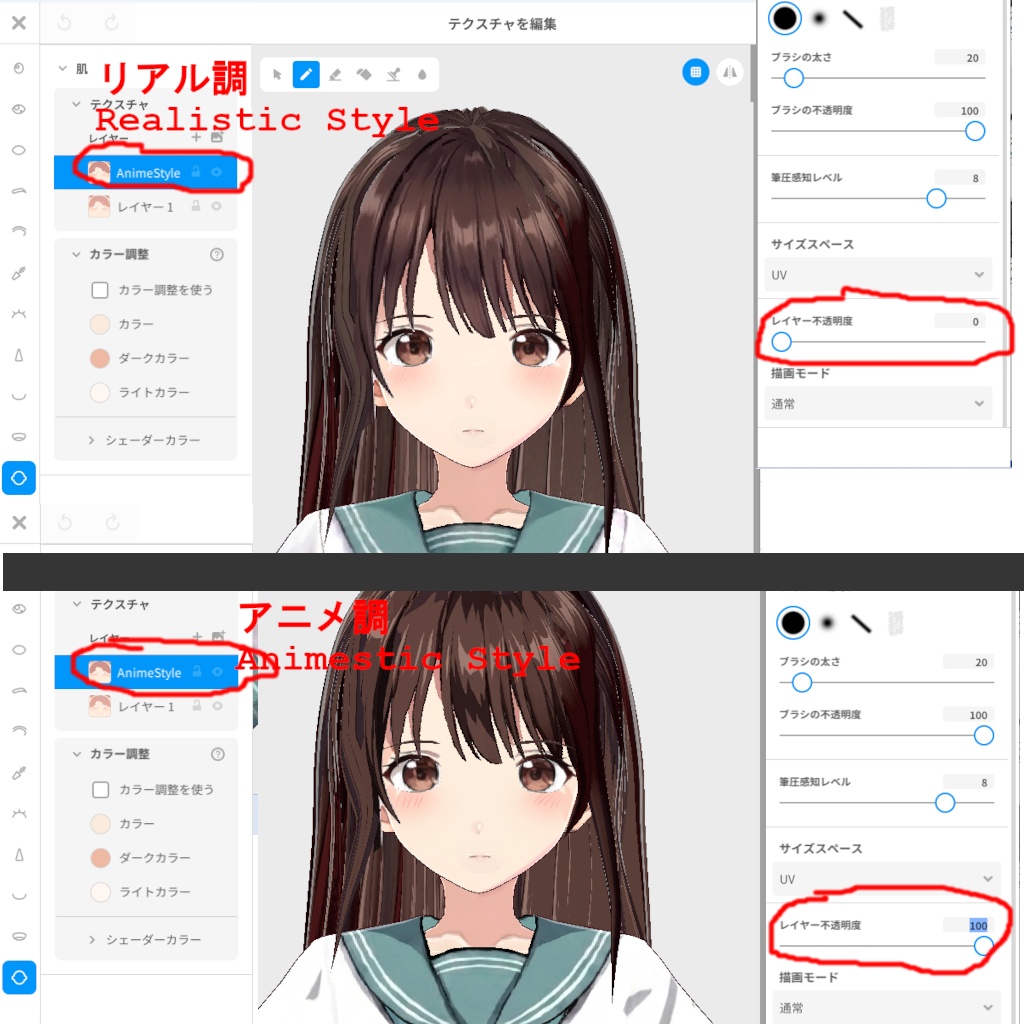
「Minami_Hane_v0100.vroid」は肌や衣装のテクスチャをVroid Studio内のスライダーでアニメ調・リアル調どっちに寄せるか調節可能です。 テクスチャの「AnimeStyle」という名前のレイヤの透明度を下げるとリアル調に、上げるとアニメ調になります。
利用規約
商用利用:OK 商用・非商用、個人・法人問わず自由に使っていただいて結構です。 改変、加工等も自由に行って構いません。クレジット表記も特に必要ありません。
連絡先
h.tomioka メール: reoreo8@hotmail.co.jp Boothショップ: https://tsuutsuu.booth.pm/
In English
This is Minami Hane, a 3D model created with VRoid Studio. The model is available in two formats: VRoid Studio: Minami_Hane_v0100.vroid VRM: Minami_Hane_v0100.vrm I've been experimenting with several new features, including: A slider to adjust the textures between an anime-style and a realistic look (VRoid Studio only). The ability to display eyebrows in front of the bangs, even in external applications such as Blender and Unity. Shading for the hair. And more!
How to Use
Extract Minami_Hane_v0100_VRoid.zip and open the extracted Minami_Hane_v0100.vroid file in VRoid Studio. A VRM file is also included for use in 3D applications such as Blender and game engines such as Unity. To use it, extract Minami_Hane_v0100_VRM.zip and locate the Minami_Hane_v0100.vrm file. For more information about the VRM file format, please visit the following website: VRM: A 3D Avatar File Format for VR https://vrm.dev/
Important Notes
Some parameters are set to negative values or values exceeding the maximum value of the sliders. In these cases, the parameters cannot be adjusted properly using the sliders, so please enter the desired values manually using the numerical input fields.
Anime-Style Eyebrow Display
In anime-style character designs, eyebrows are often displayed in front of the bangs. This model supports this effect. In VRoid Studio, you can display the eyebrows in front of the bangs by setting the “Eyebrow Front/Back” parameter to 3.0. When using the VRM file in a 3D application or game engine, you can achieve the same effect by setting the BrowUnveil shape key / blend shape / morph (the name varies depending on the application) of the mesh named Face to its maximum value (1.0 or 100.0, depending on the application). Please note that when this setting is used, the eyebrows may appear to stick out when viewed from the side.
Adjusting the Anime/Realistic Style
In "Minami_Hane_v0100.vroid", you can adjust the skin and outfit textures in VRoid Studio to make them look more anime-style or more realistic. Lower the opacity of the texture layer named "AnimeStyle" to make the appearance more realistic, or increase the opacity to make it more anime-style.
Terms of Use
Commercial use: Allowed You are free to use this item for both commercial and non-commercial purposes, whether you are an individual or a company. You may freely modify or edit the item. No credit or attribution is required.
Contact
h.tomioka Email: reoreo8@hotmail.co.jp Booth Shop: https://tsuutsuu.booth.pm/