
AvatarToggleWizard
- ダウンロード商品¥ 0
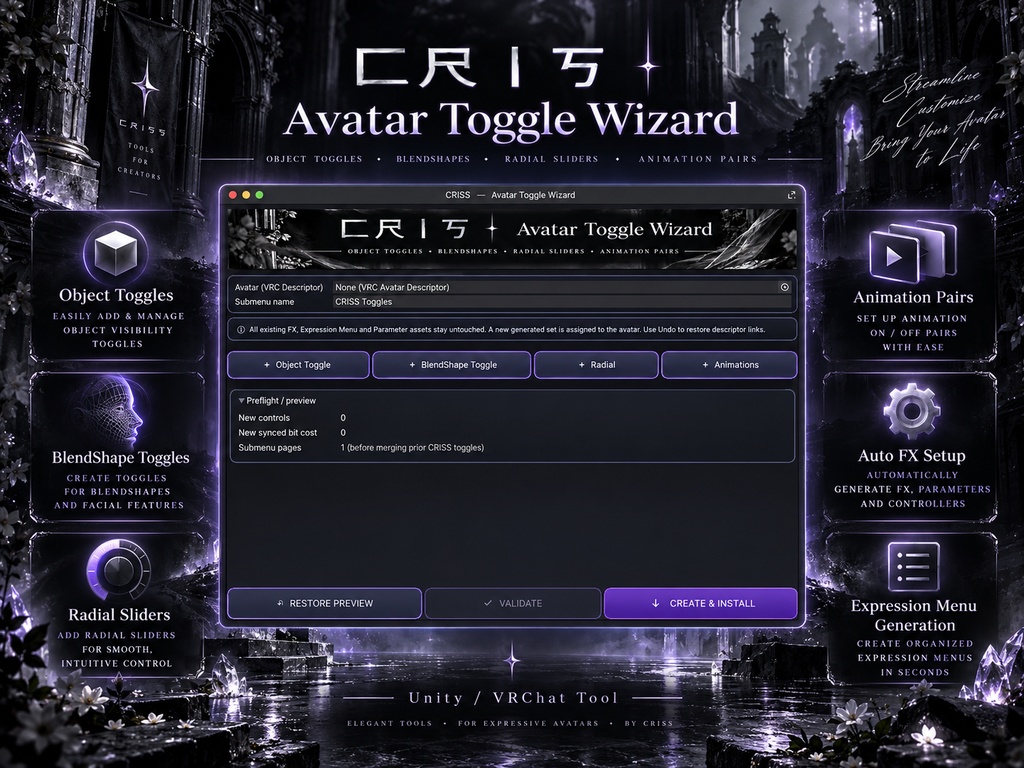
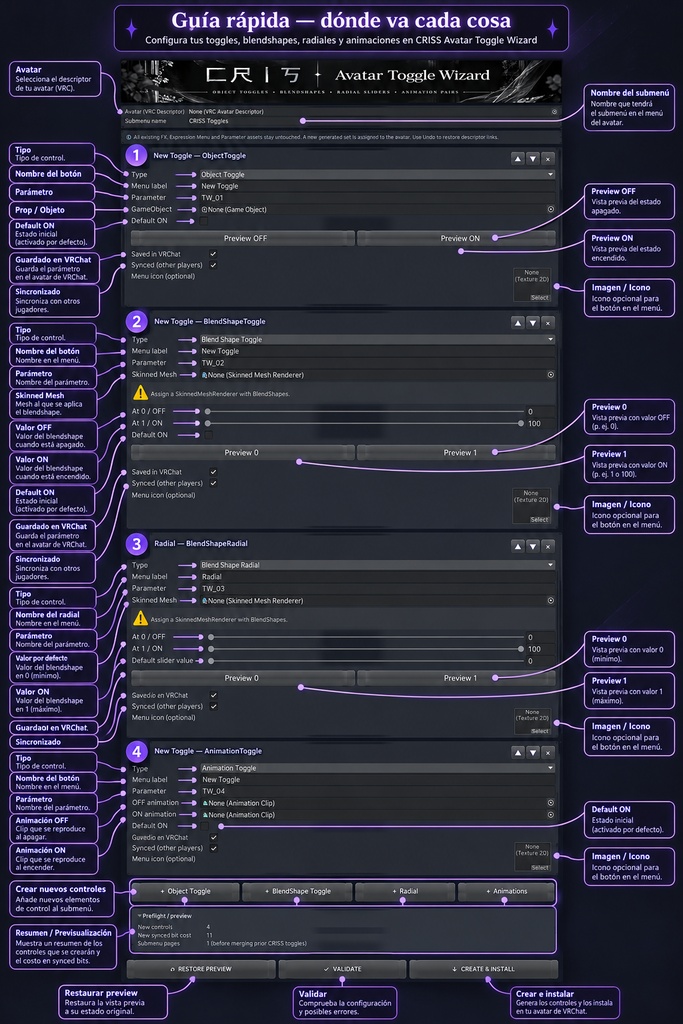
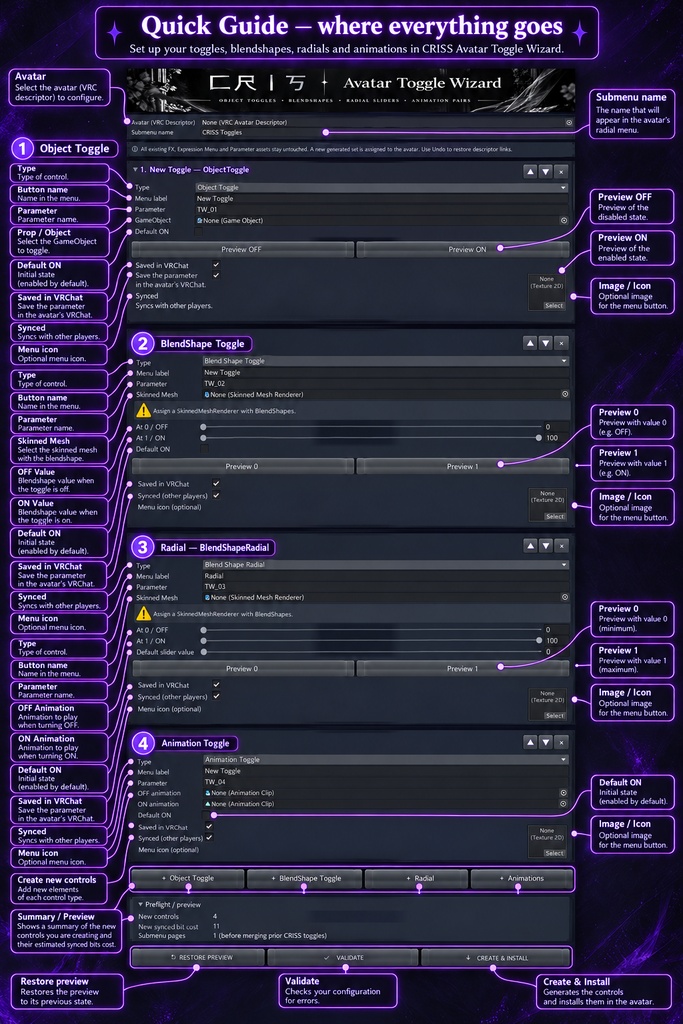


# 匚尺丨丂 | Avatar Toggle Wizard **Unity Editor Tool for VRChat Avatars** --- ## 🇯🇵 日本語 ### ✦ アバターのカスタマイズを、もっと簡単に。 **Avatar Toggle Wizard** は、VRChatアバター向けのトグル、BlendShape、ラジアルコントロール、アニメーション切り替えを効率的に作成できるUnityエディターツールです。 複雑なAnimator設定やExpression Menuの構築作業を自動化し、アバターのカスタマイズをより簡単にします。 ### ✦ 主な機能 - **Object Toggle** — 衣装、アクセサリー、オブジェクトの表示・非表示を切り替え - **BlendShape Toggle** — 表情やBlendShapeのON/OFF制御 - **Radial Slider** — BlendShapeをラジアルメニューから調整 - **Animation Toggle** — ON/OFF用のアニメーションクリップを設定 - **Automatic FX Setup** — FX Animatorのレイヤー、ステート、パラメータを自動生成 - **Expression Menu Generation** — メニューとサブメニューを自動生成 - **Preview System** — 対応する設定をUnity上でプレビュー - **Parameter Management** — 同期設定やパラメータコストを確認 ### ✦ 使い方 1. Unityプロジェクトにツールをインポート 2. `匚尺丨丂 > Avatar Toggle Wizard` を開く 3. 対象のアバターを選択 4. 作成したいコントロールを追加 5. 設定を検証して「CREATE & INSTALL」を実行 ### ✦ 必要な環境 - Unity - VRChat SDK3 Avatars - VRChat用アバタープロジェクト **ご注意:** 導入後は、VRChatへアップロードする前にUnity上で動作をご確認ください。既存のFX・メニュー・パラメーターアセットは直接編集せず、新しいアセットを生成してアバターに割り当てる方式です。 --- ## 🇬🇧 English ### ✦ Avatar customization, simplified. **Avatar Toggle Wizard** is a Unity Editor tool designed to streamline the creation of interactive controls for VRChat avatars. Create object toggles, BlendShape controls, radial sliders, and animation switches without manually building every Animator state, parameter, or Expression Menu entry. Spend less time configuring your avatar and more time creating. ### ✦ Key Features - **Object Toggles** — Show or hide clothing, accessories, props, and GameObjects - **BlendShape Toggles** — Control facial expressions and mesh BlendShapes - **Radial Sliders** — Adjust BlendShape values using radial controls - **Animation Toggles** — Configure ON/OFF animation clips - **Automatic FX Setup** — Generate FX Animator layers, states, transitions, and parameters - **Expression Menu Generator** — Automatically create organized menus and submenus - **Preview System** — Preview supported changes directly inside Unity - **Parameter Management** — Configure synced and saved parameters with estimated sync cost ### ✦ How to Use 1. Import the tool into your Unity project. 2. Open `匚尺丨丂 > Avatar Toggle Wizard`. 3. Select your VRChat avatar. 4. Add and configure your desired controls. 5. Validate the configuration. 6. Click **CREATE & INSTALL**. ### ✦ Requirements - Unity - VRChat SDK3 Avatars - A VRChat avatar project ### ✦ Important Notes The tool generates new FX, Expression Menu, and parameter assets instead of directly modifying your existing assets. The generated setup is then assigned to your avatar. Always test your avatar in Unity and VRChat before uploading. --- ## 🇪🇸 Español ### ✦ Personaliza tu avatar de forma sencilla y profesional. **Avatar Toggle Wizard** es una herramienta para el editor de Unity diseñada para facilitar la creación y gestión de controles interactivos en avatares de VRChat. Automatiza la configuración de toggles, BlendShapes, controles radiales y animaciones, evitando tener que construir manualmente cada estado del Animator, parámetro o elemento del Expression Menu. **Menos tiempo configurando. Más tiempo creando.** ### ✦ Características principales - **Object Toggles** — Activa y desactiva ropa, accesorios, props y objetos - **BlendShape Toggles** — Controla expresiones faciales y BlendShapes
