

【Free】ACES2.0 Tonemapping for Unity
- ダウンロード商品¥ 0

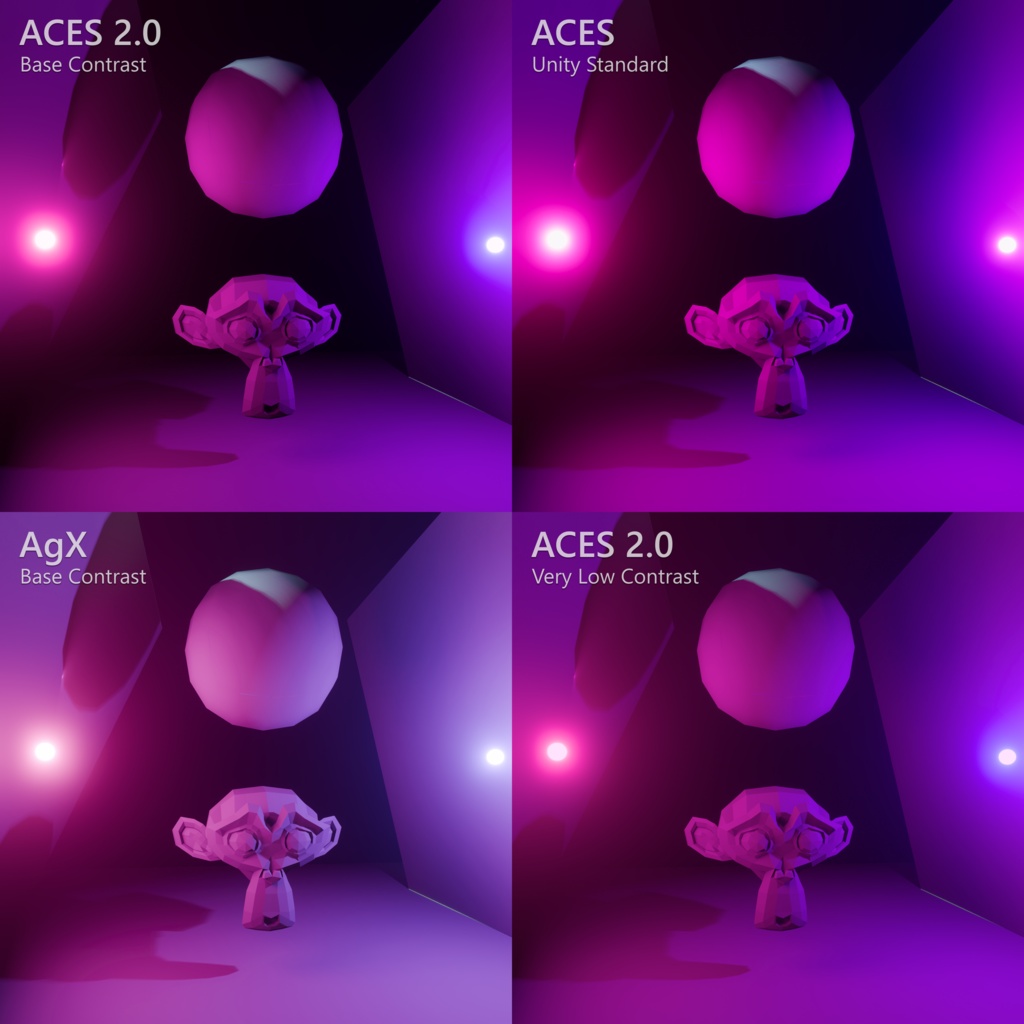
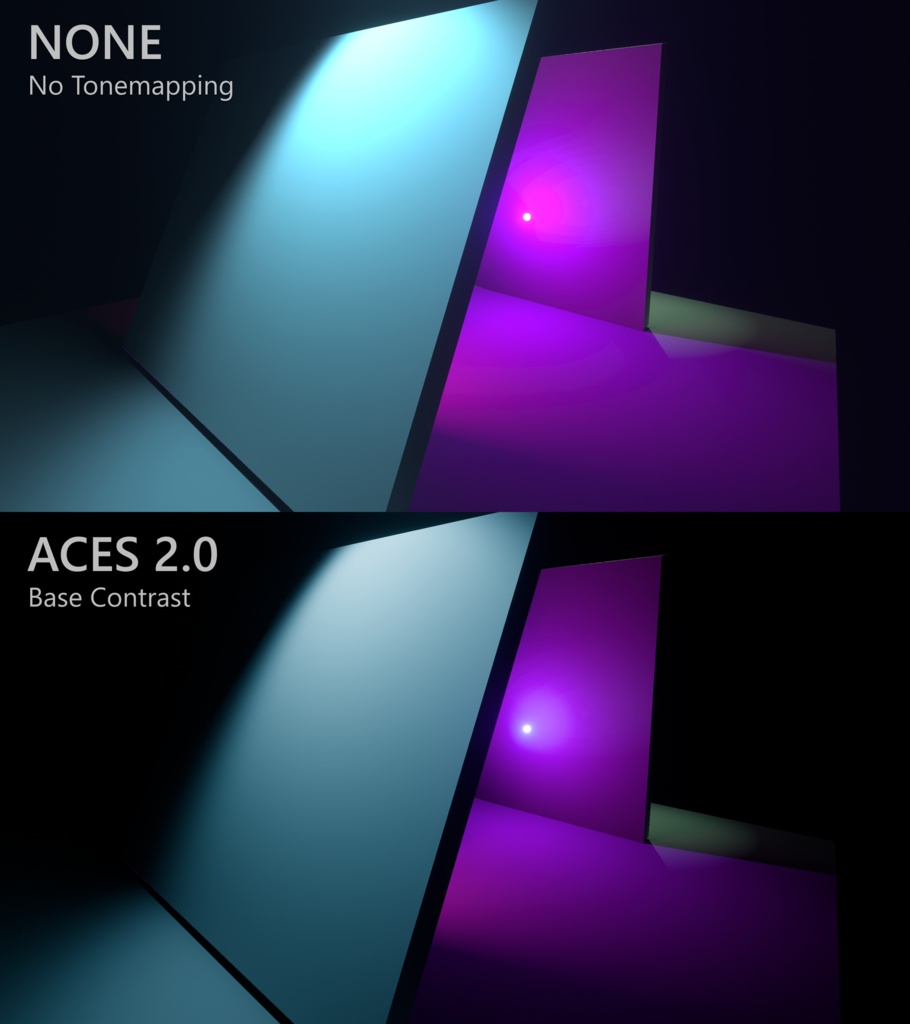


UnityのBuilt-in Render Pipelineで、ACES 2.0をもとにしたトーンマッピングを使用できるポストプロセスのパッケージです! ※商品画像の比較として使用しているAgXは別の制作者様のものです。比較画像でAgXを気に入った方は下にURLがあるのでぜひ飛んでください。 ~トーンマッピングとは~ シーン内部で計算される幅広い明るさ(HDR)を、通常の画面(SDR)に表示できる範囲に整える処理です。明るい部分の白飛びを抑え、階調や色の見え方を整えます。 HDR対応モニターでなくても効果があります! 〜ACES2.0って何?〜 ACES 2.0は、映画・映像制作向けの色管理規格「ACES」の最新バージョン。 前のACESからトーンマッピングや色の変換処理が改良され、明るさの階調を滑らかにすることや、元の色彩を保ちながら補正するのが強みです。 注意:ACES公式の配布物や認証済み製品ではなく、第三者が制作した実験用パッケージです。 【対応環境について】 - Unity 2022.3.22f1 - Built-in Render Pipeline - Post Processing 3.4.0 - Linear Color Space - HDRを有効にしたカメラ - Windows/Direct3D 11 での動作を想定してます PC版VRChatのワールド向けです。URP・HDRP・Quest/Android単体向けには対応していません! Unity Editor上で検証しています。VRChatクライアントでの動作・表示・負荷は未検証です。 【プリセット】 Very Low~Very Highまでのコントラスト7段階に、Punchy・Greyscaleを加えた全9種類です。プリセットは本パッケージ独自のものです。 【導入方法】 ALCOMやVCCでプロジェクト作成時、VRWorld Toolkitのパッケージをインストールする。(導入済みの場合この工程は不要) ↓ Unityプロジェクトを開き、同梱のunitypackageをインポート ↓ Unity上部メニューの VRWorld Toolkit → Post Processing → Setup Post Processing をクリック ※すでにPost Processingを設定済みの場合は不要です。 ↓ 作成されたPost Processing VolumeのProfileを開き、「Color Grading」のmodeをExternalに変更 ↓ プリセットからお好みのACES2.0をLookup Textureにドラッグ&ドロップ ↓ 各項目の左側のチェックをオンにすれば完了です! まずは ACES 2.0 - Base Contrast を試してみてください! 【制作方式について】 全面的にcodex(GPT6.1sol)に支援を受けながらACES2.0が正式実装されているblenderを参考に制作しました。 そういうの嫌いな人はブラウザバック! 【免責事項】 本パッケージの利用に伴う損害について、法令で許される範囲で作者は責任を負いません。 AgX気に入った人 ↓ https://booth.pm/ja/items/5423115 This is a post-processing package that enables tone mapping based on ACES 2.0 in Unity's Built-in Render Pipeline! ※AgX, which is featured in the product comparison images, was created by another developer. If you like the look of AgX in the comparison images, please check out the link at the bottom! ~What is Tone Mapping?~ Tone mapping is the process of converting the wide range of brightness values (HDR) calculated within a scene into a range that can be displayed on a standard screen (SDR). It helps reduce highlight clipping while adjusting tonal gradation and color appearance. You can benefit from tone mapping even without an HDR-compatible monitor! 〜What is ACES 2.0?〜 ACES 2.0 is the latest version of the Academy Color Encoding System (ACES), a color management standard designed for film and video production. Compared to previous versions of ACES, it features improvements to tone mapping and color transformations, with strengths in smoother highlight roll-off and better preservation of the original color appearance. Note: This is an experimental third-party package. It is neither an official ACES release nor an ACES-certified product. 【Supported Environment】 - Unity 2022.3.22f1 - Built-in Render Pipeline - Post Processing 3.4.0 - Linear Color Space - Camera with HDR enabled - Windows / Direct3D 11 This package is intended for use in the environments listed above. It is designed for PC VRChat worlds. URP, HDRP, and standalone Quest / Android platforms are not supported! Testing has been conducted in the Unity Editor. Functionality, visual output, and performance in the VRChat client have not yet been verified. 【Presets】 There are 9 presets in total: 7 contrast levels ranging from Very Low to Very High, plus Punchy and Greyscale. These presets are custom configurations created specifically for this package. 【Installation Instructions】 When creating a project using ALCOM or VCC, install the VRWorld Toolkit package. (Skip this step if it is already installed.) ↓ Open your Unity project and import the included unitypackage. ↓ From the Unity menu bar, select VRWorld Toolkit → Post Processing → Setup Post Processing ※Skip this step if Post Processing has already been configured. ↓ Open the Profile of the created Post Processing Volume and change the "Color Grading" mode to External. ↓ Drag and drop your preferred ACES 2.0 preset into the Lookup Texture field. ↓ Enable the checkboxes to the left of the relevant settings, and you're done! I recommend starting with ACES 2.0 - Base Contrast! 【Development Method】 This package was developed with extensive assistance from Codex (GPT6.1sol), using Blender's official ACES 2.0 implementation as a reference. If you're not comfortable with AI-assisted development, feel free to head back! 【Disclaimer】 To the extent permitted by applicable law, the author shall not be held liable for any damages arising from the use of this package. Like AgX? Check it out here ↓ https://booth.pm/ja/items/5423115